tailgate VOLVO V90 2017 User Guide
[x] Cancel search | Manufacturer: VOLVO, Model Year: 2017, Model line: V90, Model: VOLVO V90 2017Pages: 594, PDF Size: 15.07 MB
Page 186 of 594
CLIMATE CONTROL
* Option/accessory.
184
Air quality
The materials selected for the passenger com- partment and the air cleaning system ensure thatthe air quality in the passenger compartment ishigh.
Materials in the passenger compartment
The interior of the passenger compartment is designed to be pleasant and comfortable, evenfor people with contact allergies and for asthmasufferers. Tested materials have been developed in order to minimise the quantity of dust in the passengercompartment and to contribute to making thepassenger compartment easier to keep clean. The carpets in both the passenger compartment and the cargo area are removable and easy toremove and clean. Use cleaning agents and car care products rec- ommended by Volvo to clean the interior.
Air cleaning systemIn addition to the passenger compartment filter,the modifications for Clean Zone Interior Package * and the air quality system Interior Air
Quality System * also help to maintain high air
quality in the passenger compartment.
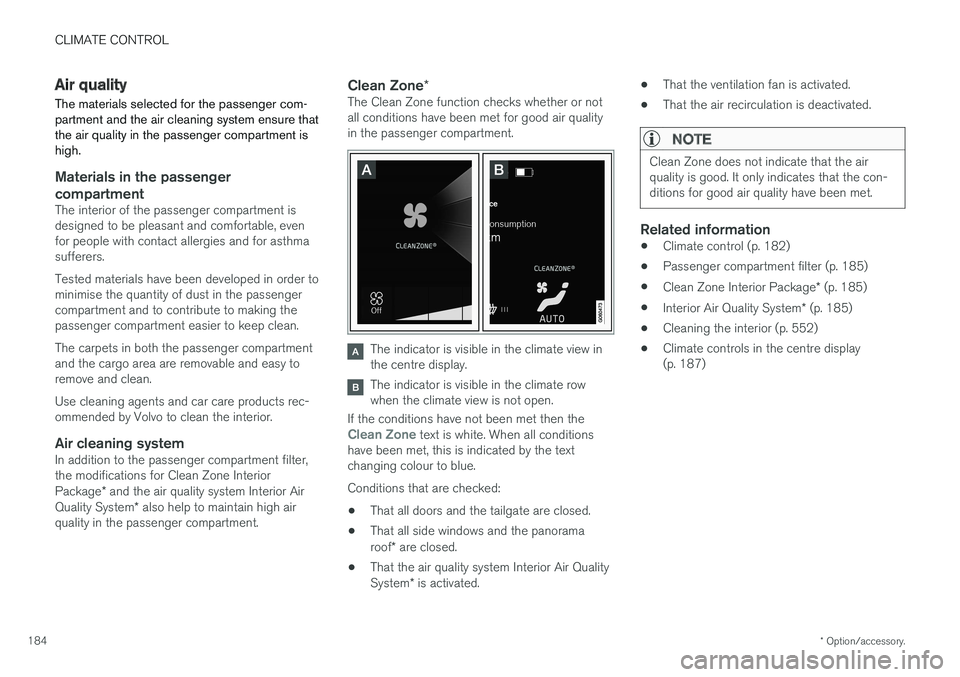
Clean Zone *The Clean Zone function checks whether or not all conditions have been met for good air qualityin the passenger compartment.
The indicator is visible in the climate view in the centre display.
The indicator is visible in the climate row when the climate view is not open.
If the conditions have not been met then the
Clean Zone text is white. When all conditions
have been met, this is indicated by the text changing colour to blue. Conditions that are checked:
• That all doors and the tailgate are closed.
• That all side windows and the panorama roof
* are closed.
• That the air quality system Interior Air QualitySystem
* is activated. •
That the ventilation fan is activated.
• That the air recirculation is deactivated.
NOTE
Clean Zone does not indicate that the air quality is good. It only indicates that the con-ditions for good air quality have been met.
Related information
•Climate control (p. 182)
• Passenger compartment filter (p. 185)
• Clean Zone Interior Package
* (p. 185)
• Interior Air Quality System
* (p. 185)
• Cleaning the interior (p. 552)
• Climate controls in the centre display (p. 187)
Page 230 of 594
||
LOADING AND STORAGE
* Option/accessory.
228
WARNING
The car's centre of gravity and driving charac- teristics are altered by roof loads. Read about maximum permitted roof load in the section on Weights.
Related information
• Load retaining eyelets (p. 228)
• Locking/unlocking the tailgate (p. 247)
• Through-load hatch in the rear seat (p. 229)
• Lowering the backrests in the rear seat (p. 130)
• Safety grille
* (p. 233)
• Safety net
* (p. 232)
• Cargo cover
* (p. 230)
• Weights (p. 563)
Load retaining eyelets
The folding load retaining eyelets are used to fasten straps in order to anchor items in thecargo area.
WARNING
Hard, sharp and/or heavy objects which pro- trude may cause injury under violent braking. Always secure large and heavy objects with a seatbelt or cargo retaining straps.
Related information
• Loading (p. 227)
• Bag hooks (p. 228)
• Safety grille
* (p. 233)
• Safety net
* (p. 232)
• Cargo cover
* (p. 230)
Bag hooks
Bag hooks, together with an elastic strap, hold bags in place and prevent them from falling overand spreading their contents across the cargoarea.
Under the floor hatch *
Page 233 of 594
LOADING AND STORAGE
}}
* Option/accessory.231
Loading mode
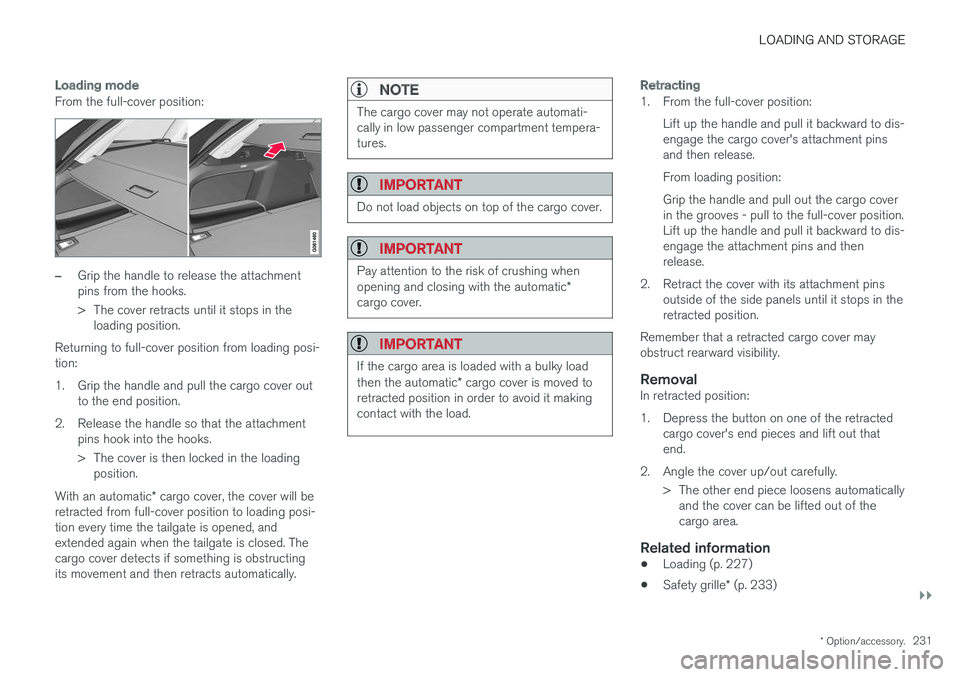
From the full-cover position:
–Grip the handle to release the attachment pins from the hooks.
> The cover retracts until it stops in the
loading position.
Returning to full-cover position from loading posi- tion:
1. Grip the handle and pull the cargo cover out to the end position.
2. Release the handle so that the attachment pins hook into the hooks.
> The cover is then locked in the loadingposition.
With an automatic * cargo cover, the cover will be
retracted from full-cover position to loading posi- tion every time the tailgate is opened, andextended again when the tailgate is closed. Thecargo cover detects if something is obstructingits movement and then retracts automatically.
NOTE
The cargo cover may not operate automati- cally in low passenger compartment tempera-tures.
IMPORTANT
Do not load objects on top of the cargo cover.
IMPORTANT
Pay attention to the risk of crushing when opening and closing with the automatic *
cargo cover.
IMPORTANT
If the cargo area is loaded with a bulky load then the automatic * cargo cover is moved to
retracted position in order to avoid it making contact with the load.
Retracting
1. From the full-cover position:
Lift up the handle and pull it backward to dis- engage the cargo cover's attachment pinsand then release. From loading position:Grip the handle and pull out the cargo cover in the grooves - pull to the full-cover position.Lift up the handle and pull it backward to dis-engage the attachment pins and thenrelease.
2. Retract the cover with its attachment pins outside of the side panels until it stops in theretracted position.
Remember that a retracted cargo cover mayobstruct rearward visibility.
RemovalIn retracted position:
1. Depress the button on one of the retracted cargo cover's end pieces and lift out that end.
2. Angle the cover up/out carefully. > The other end piece loosens automaticallyand the cover can be lifted out of thecargo area.
Related information
• Loading (p. 227)
• Safety grille
* (p. 233)
Page 238 of 594
LOCKS AND ALARM
* Option/accessory.
236
Remote control key
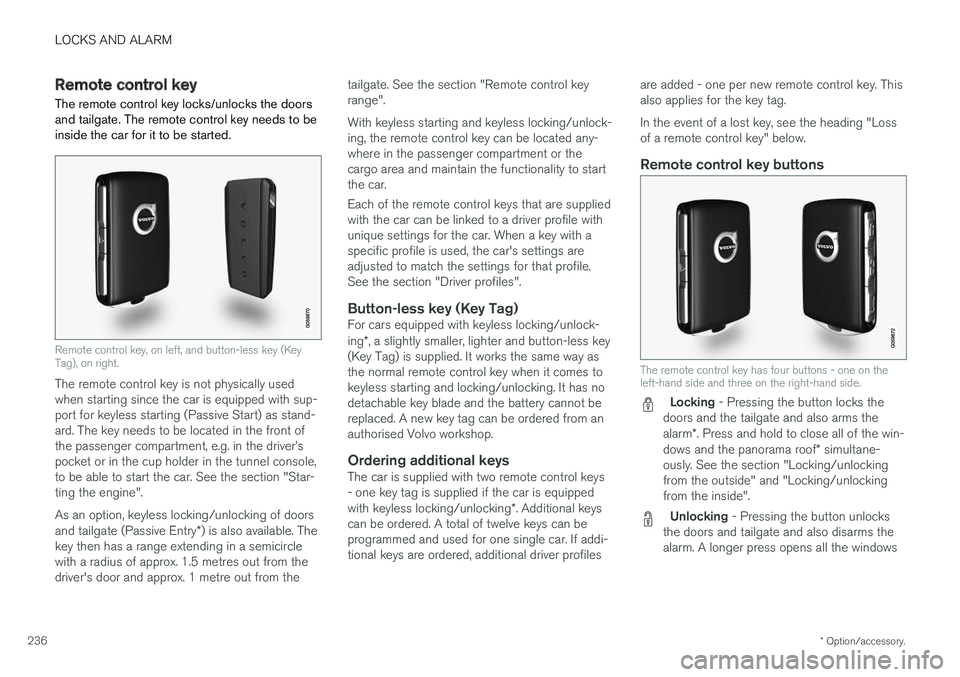
The remote control key locks/unlocks the doors and tailgate. The remote control key needs to beinside the car for it to be started.
Remote control key, on left, and button-less key (Key Tag), on right.
The remote control key is not physically used when starting since the car is equipped with sup-port for keyless starting (Passive Start) as stand-ard. The key needs to be located in the front ofthe passenger compartment, e.g. in the driver
Page 239 of 594
LOCKS AND ALARM
}}
* Option/accessory.237
simultaneously, also called Global opening
1
.
See the section "Locking/unlocking from the outside".
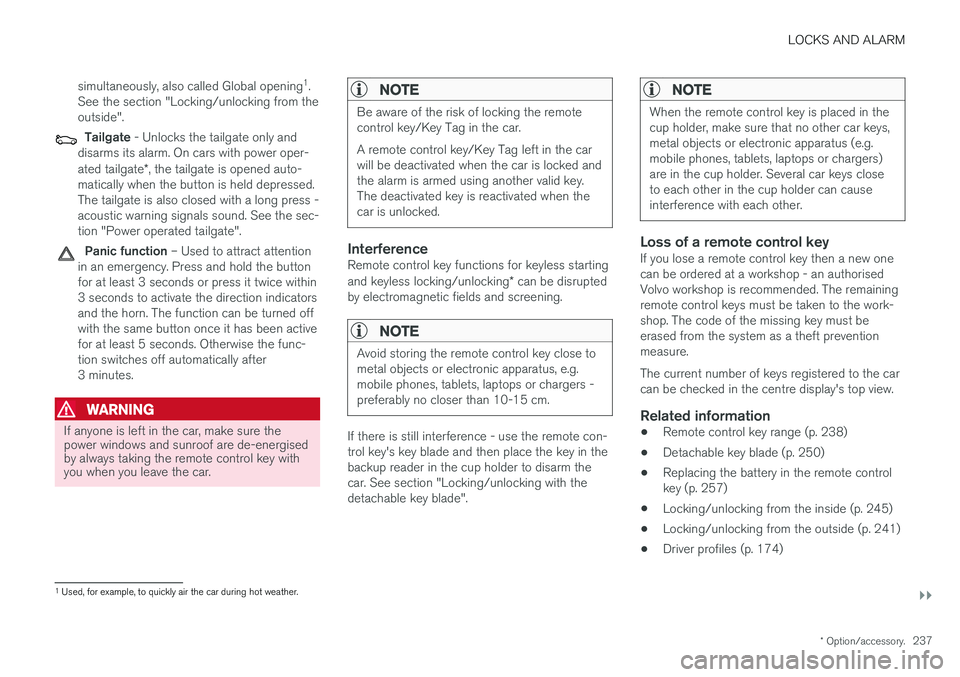
Tailgate - Unlocks the tailgate only and
disarms its alarm. On cars with power oper- ated tailgate *, the tailgate is opened auto-
matically when the button is held depressed. The tailgate is also closed with a long press -acoustic warning signals sound. See the sec-tion "Power operated tailgate".
Panic function – Used to attract attention
in an emergency. Press and hold the button for at least 3 seconds or press it twice within3 seconds to activate the direction indicatorsand the horn. The function can be turned offwith the same button once it has been activefor at least 5 seconds. Otherwise the func-tion switches off automatically after3 minutes.
WARNING
If anyone is left in the car, make sure the power windows and sunroof are de-energisedby always taking the remote control key withyou when you leave the car.
NOTE
Be aware of the risk of locking the remote control key/Key Tag in the car. A remote control key/Key Tag left in the car will be deactivated when the car is locked andthe alarm is armed using another valid key.The deactivated key is reactivated when thecar is unlocked.
InterferenceRemote control key functions for keyless starting and keyless locking/unlocking * can be disrupted
by electromagnetic fields and screening.
NOTE
Avoid storing the remote control key close to metal objects or electronic apparatus, e.g.mobile phones, tablets, laptops or chargers -preferably no closer than 10-15 cm.
If there is still interference - use the remote con- trol key's key blade and then place the key in thebackup reader in the cup holder to disarm thecar. See section "Locking/unlocking with thedetachable key blade".
NOTE
When the remote control key is placed in the cup holder, make sure that no other car keys,metal objects or electronic apparatus (e.g.mobile phones, tablets, laptops or chargers)are in the cup holder. Several car keys closeto each other in the cup holder can causeinterference with each other.
Loss of a remote control keyIf you lose a remote control key then a new one can be ordered at a workshop - an authorisedVolvo workshop is recommended. The remainingremote control keys must be taken to the work-shop. The code of the missing key must beerased from the system as a theft preventionmeasure. The current number of keys registered to the car can be checked in the centre display's top view.
Related information
• Remote control key range (p. 238)
• Detachable key blade (p. 250)
• Replacing the battery in the remote controlkey (p. 257)
• Locking/unlocking from the inside (p. 245)
• Locking/unlocking from the outside (p. 241)
• Driver profiles (p. 174)
1
Used, for example, to quickly air the car during hot weather.
Page 240 of 594
LOCKS AND ALARM
* Option/accessory.
238 •
Power operated tailgate
* (p. 253)
• Starting the car (p. 386)
• Red Key - Restricted remote control key
*
(p. 239)
Remote control key range In order for the remote control key to work prop- erly it needs to be within a certain distance fromthe car.
For manual useThe remote control key's functions for e.g. lock- ing/unlocking that are activated by pressing on
or have a range that extends approx.
20 metres from the car. If the car does not verify a button being pressed - move closer and try again.
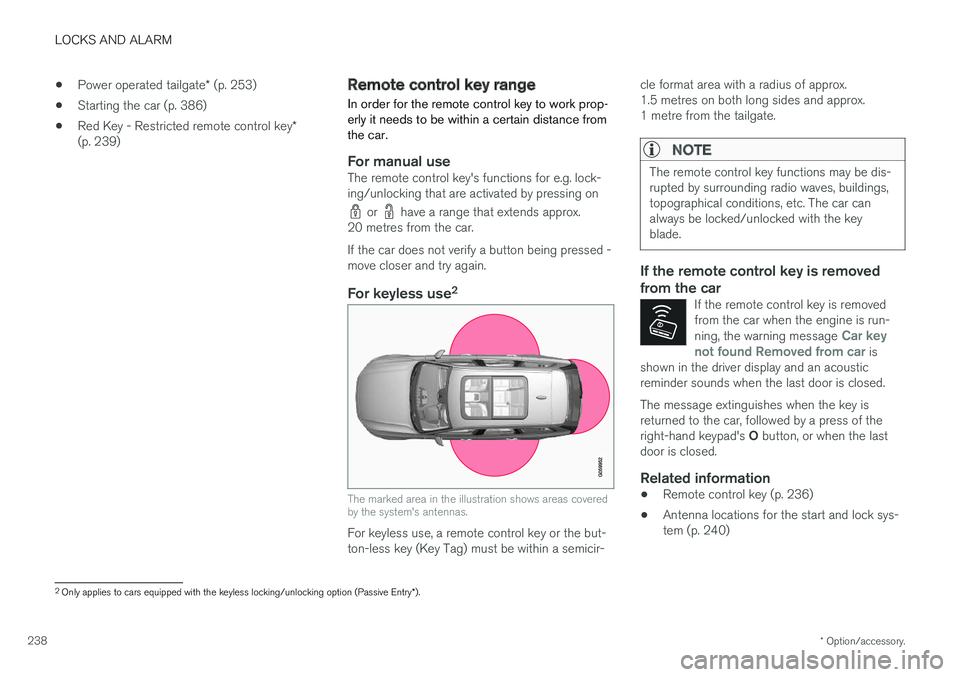
For keyless use 2
The marked area in the illustration shows areas covered by the system's antennas.
For keyless use, a remote control key or the but- ton-less key (Key Tag) must be within a semicir- cle format area with a radius of approx.1.5 metres on both long sides and approx.1 metre from the tailgate.
NOTE
The remote control key functions may be dis- rupted by surrounding radio waves, buildings,topographical conditions, etc. The car canalways be locked/unlocked with the keyblade.
If the remote control key is removed from the car
If the remote control key is removed from the car when the engine is run- ning, the warning message
Car key
not found Removed from car is
shown in the driver display and an acoustic reminder sounds when the last door is closed.
The message extinguishes when the key is returned to the car, followed by a press of the right-hand keypad's O button, or when the last
door is closed.
Related information
• Remote control key (p. 236)
• Antenna locations for the start and lock sys- tem (p. 240)
2
Only applies to cars equipped with the keyless locking/unlocking option (Passive Entry *).
Page 243 of 594
LOCKS AND ALARM
}}
* Option/accessory.241
Locking/unlocking from the outside
The car is locked/unlocked from the outside using buttons on the remote control key or withthe door or tailgate handles if the car is equip-ped with keyless locking/unlocking (Passive Entry) *. The tailgate can be operated via power
operation * and/or foot movement *.
Locking/unlocking
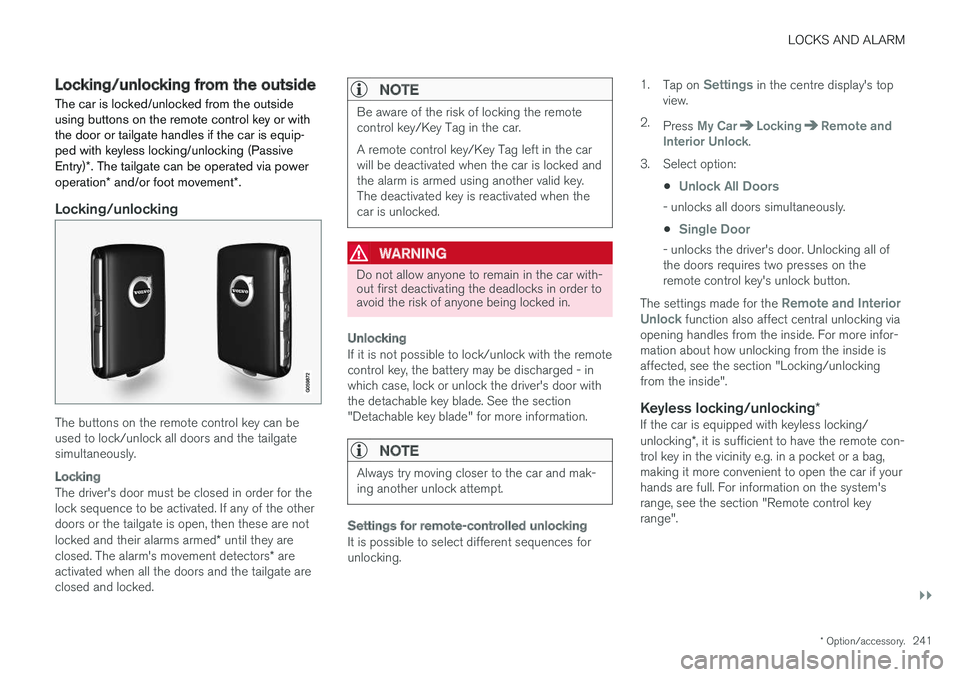
The buttons on the remote control key can be used to lock/unlock all doors and the tailgatesimultaneously.
Locking
The driver's door must be closed in order for the lock sequence to be activated. If any of the otherdoors or the tailgate is open, then these are not locked and their alarms armed * until they are
closed. The alarm's movement detectors * are
activated when all the doors and the tailgate are closed and locked.
NOTE
Be aware of the risk of locking the remote control key/Key Tag in the car. A remote control key/Key Tag left in the car will be deactivated when the car is locked andthe alarm is armed using another valid key.The deactivated key is reactivated when thecar is unlocked.
WARNING
Do not allow anyone to remain in the car with- out first deactivating the deadlocks in order toavoid the risk of anyone being locked in.
Unlocking
If it is not possible to lock/unlock with the remote control key, the battery may be discharged - inwhich case, lock or unlock the driver's door withthe detachable key blade. See the section"Detachable key blade" for more information.
NOTE
Always try moving closer to the car and mak- ing another unlock attempt.
Settings for remote-controlled unlocking
It is possible to select different sequences for unlocking. 1.
Tap on
Settings in the centre display's top
view.
2. Press
My CarLockingRemote and
Interior Unlock.
3. Select option:
•
Unlock All Doors
- unlocks all doors simultaneously.
•
Single Door
- unlocks the driver's door. Unlocking all of the doors requires two presses on theremote control key's unlock button.
The settings made for the
Remote and Interior
Unlock function also affect central unlocking via
opening handles from the inside. For more infor- mation about how unlocking from the inside isaffected, see the section "Locking/unlockingfrom the inside".
Keyless locking/unlocking *If the car is equipped with keyless locking/ unlocking*, it is sufficient to have the remote con-
trol key in the vicinity e.g. in a pocket or a bag, making it more convenient to open the car if yourhands are full. For information on the system'srange, see the section "Remote control keyrange".
Page 244 of 594
||
LOCKS AND ALARM
* Option/accessory.
242
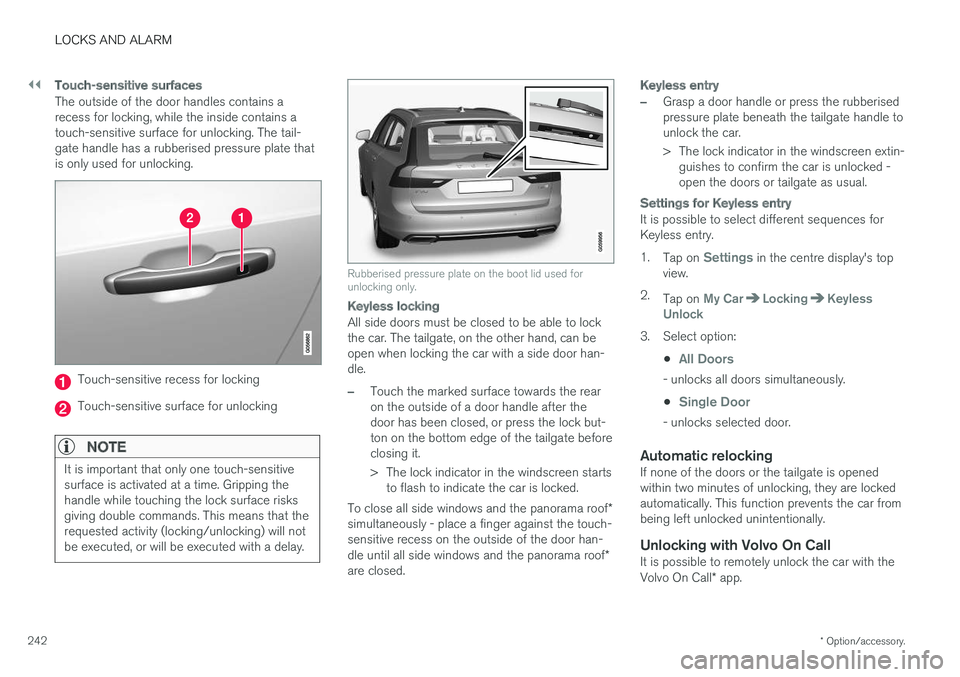
Touch-sensitive surfaces
The outside of the door handles contains a recess for locking, while the inside contains atouch-sensitive surface for unlocking. The tail-gate handle has a rubberised pressure plate thatis only used for unlocking.
Touch-sensitive recess for locking
Touch-sensitive surface for unlocking
NOTE
It is important that only one touch-sensitive surface is activated at a time. Gripping thehandle while touching the lock surface risksgiving double commands. This means that therequested activity (locking/unlocking) will notbe executed, or will be executed with a delay.
Rubberised pressure plate on the boot lid used for unlocking only.
Keyless locking
All side doors must be closed to be able to lock the car. The tailgate, on the other hand, can beopen when locking the car with a side door han-dle.
–Touch the marked surface towards the rear on the outside of a door handle after thedoor has been closed, or press the lock but-ton on the bottom edge of the tailgate beforeclosing it.
> The lock indicator in the windscreen starts
to flash to indicate the car is locked.
To close all side windows and the panorama roof *
simultaneously - place a finger against the touch- sensitive recess on the outside of the door han- dle until all side windows and the panorama roof *
are closed.
Keyless entry
–Grasp a door handle or press the rubberised pressure plate beneath the tailgate handle tounlock the car.
> The lock indicator in the windscreen extin- guishes to confirm the car is unlocked - open the doors or tailgate as usual.
Settings for Keyless entry
It is possible to select different sequences for Keyless entry. 1. Tap on
Settings in the centre display's top
view.
2. Tap on
My CarLockingKeyless
Unlock
3. Select option:
•
All Doors
- unlocks all doors simultaneously.
•
Single Door
- unlocks selected door.
Automatic relockingIf none of the doors or the tailgate is opened within two minutes of unlocking, they are lockedautomatically. This function prevents the car frombeing left unlocked unintentionally.
Unlocking with Volvo On CallIt is possible to remotely unlock the car with the Volvo On Call * app.
Page 245 of 594
LOCKS AND ALARM
}}
* Option/accessory.243
Related information
•Remote control key (p. 236)
• Power operated tailgate
* (p. 253)
• Locking/unlocking the tailgate (p. 247)
• Opening/closing the tailgate with foot move- ment
* (p. 256)
• Remote control key range (p. 238)
• Detachable key blade (p. 250)
• Alarm
* (p. 262)
Indication on locking/unlocking the car
When the car is locked or unlocked using the remote control key, the direction indicators con-firm that locking/unlocking was correctly per-formed.
It is possible to separately adapt the indication for locking/unlocking, see the heading "Select howthe car confirms locking and unlocking".
Exterior indicationLocking
• The car's hazard warning flashers indicatelocking by flashing and retracting the door mirrors 6
.
Unlocking
• The car's hazard warning flashers indicate unlocking by two flashes and extending the door mirrors 6
.
All doors, tailgate and bonnet must be closed to indicate the car is locked. If locking is performed with only the driver's door closed 7
, the car will be locked but indication will
only occur after all doors, tailgate and bonnet have been closed.
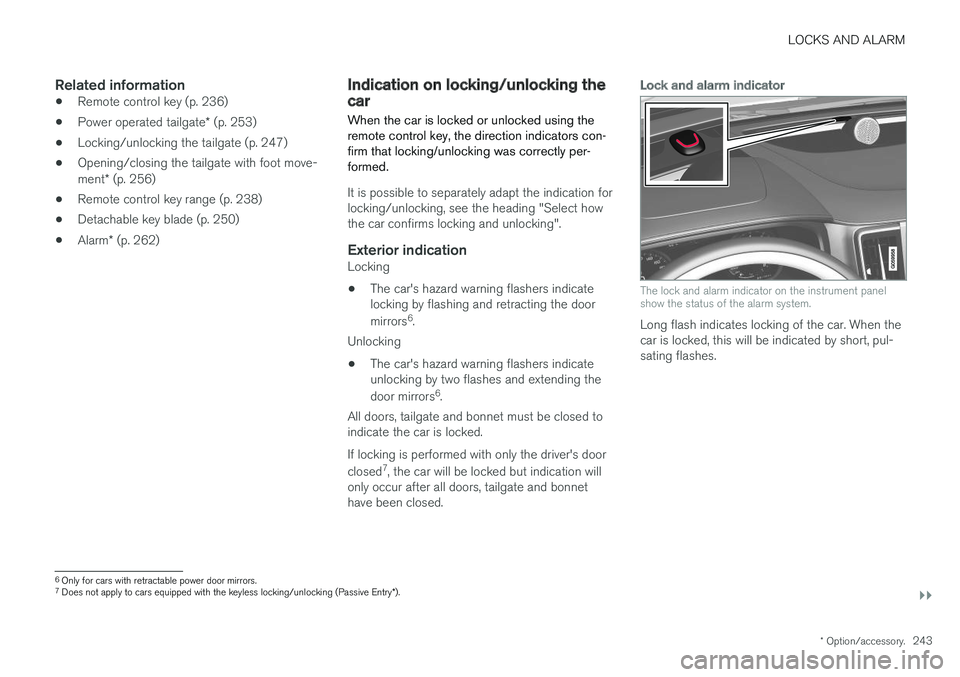
Lock and alarm indicator
The lock and alarm indicator on the instrument panel show the status of the alarm system.
Long flash indicates locking of the car. When the car is locked, this will be indicated by short, pul-sating flashes.
6 Only for cars with retractable power door mirrors.
7 Does not apply to cars equipped with the keyless locking/unlocking (Passive Entry *).
Page 247 of 594
LOCKS AND ALARM
}}
* Option/accessory.245
Locking/unlocking from the inside
The doors and tailgate can be locked and unlocked from inside using the central locking controls in the front doors. The lock controls * on
the rear doors each lock their own rear door.
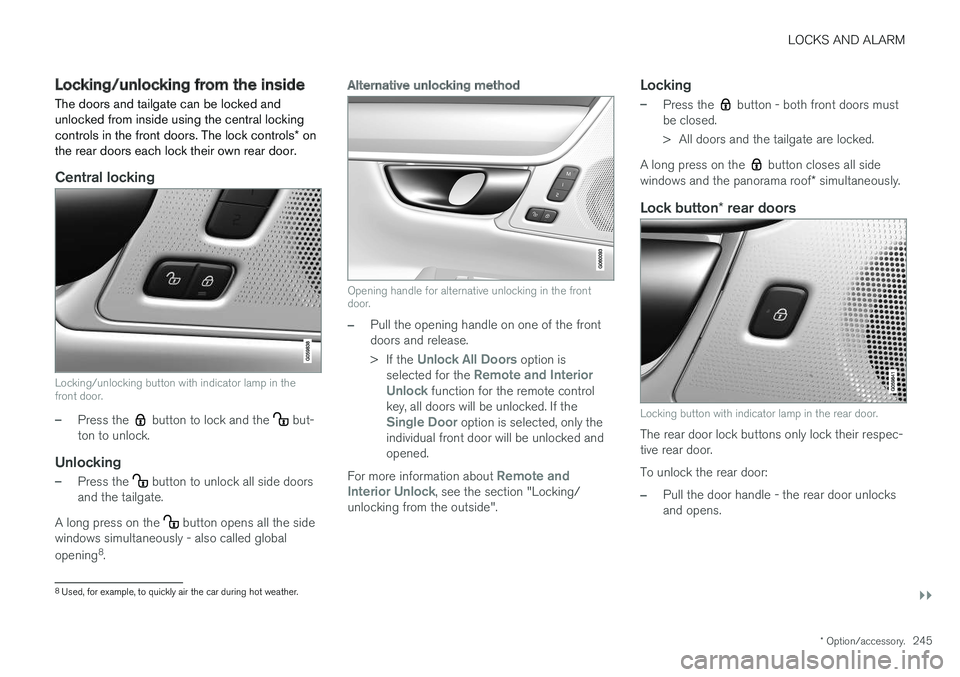
Central locking
Locking/unlocking button with indicator lamp in the front door.
–Press the button to lock and the but-
ton to unlock.
Unlocking
–Press the button to unlock all side doors
and the tailgate.
A long press on the
button opens all the side
windows simultaneously - also called global opening 8
.
Alternative unlocking method
Opening handle for alternative unlocking in the front door.
–Pull the opening handle on one of the front doors and release. > If the
Unlock All Doors option is
selected for the Remote and Interior
Unlock function for the remote control
key, all doors will be unlocked. If the
Single Door option is selected, only the
individual front door will be unlocked and opened.
For more information about
Remote and
Interior Unlock, see the section "Locking/
unlocking from the outside".
Locking
–Press the button - both front doors must
be closed.
> All doors and the tailgate are locked.
A long press on the
button closes all side
windows and the panorama roof * simultaneously.
Lock button * rear doors
Locking button with indicator lamp in the rear door.
The rear door lock buttons only lock their respec- tive rear door. To unlock the rear door:
–Pull the door handle - the rear door unlocks and opens.
8
Used, for example, to quickly air the car during hot weather.