climate settings VOLVO V90 2017 Owner's Manual
[x] Cancel search | Manufacturer: VOLVO, Model Year: 2017, Model line: V90, Model: VOLVO V90 2017Pages: 594, PDF Size: 15.07 MB
Page 210 of 594
||
CLIMATE CONTROL
* Option/accessory.
208 To be able to also cool the passenger compart- ment to the comfort temperature (with the car'sair conditioning) the engine remote start function Engine Remote Start - ERS
5
via the Volvo On
Call * app. can be used.
Related information
• Parking climate
* (p. 206)
• Timer for preconditioning
* (p. 208)
• Starting/switching off climate comfort reten- tion
* (p. 210)
• Symbols and messages for parking climatecontrol
* (p. 212)
• Heater
* (p. 213)
Timer for preconditioning *
The timer can be set so that the preconditioning is finished at a predetermined time.
The timer can handle up to 8 different settings for:
• A time on a single date
• A time on one or more days of the week, withor without repetition.
Related information
•
Parking climate
* (p. 206)
• Setting the timer for preconditioning
*
(p. 208)
• Activating/deactivating the timer for precon- ditioning
* (p. 210)
• Starting/stopping preconditioning
* (p. 207)
• Symbols and messages for parking climatecontrol
* (p. 212)
Setting the timer for preconditioning *
The timer for preconditioning can manage up to 8 time settings.
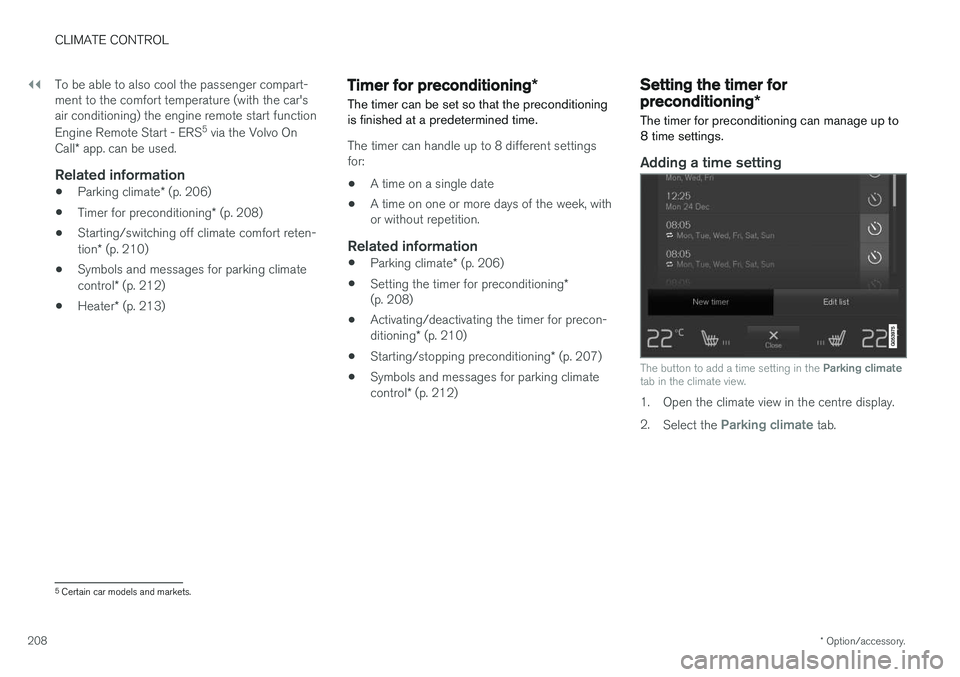
Adding a time setting
The button to add a time setting in the Parking climate
tab in the climate view.
1. Open the climate view in the centre display. 2. Select the
Parking climate tab.
5
Certain car models and markets.
Page 211 of 594
CLIMATE CONTROL
* Option/accessory.209
3.
Press
Add timer.
> A pop-up window is shown.
NOTE
It is not possible to add a time setting if there already are 8 settings entered for the timer.Delete a time setting in order to be able toadd a new one.
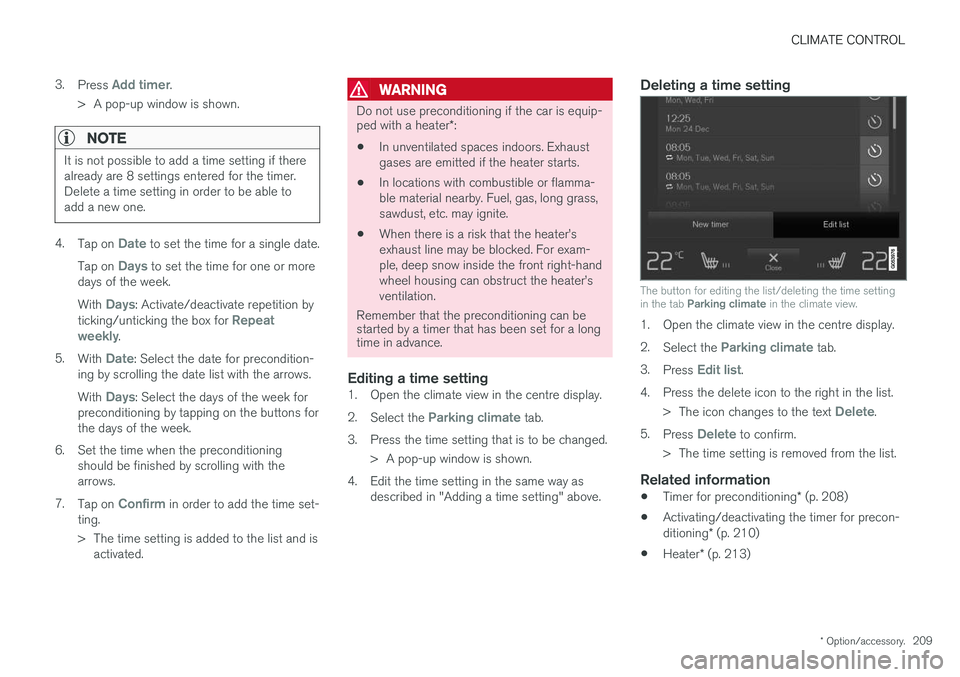
4. Tap on Date to set the time for a single date.
Tap on
Days to set the time for one or more
days of the week. With
Days: Activate/deactivate repetition by
ticking/unticking the box for Repeat
weekly.
5. With
Date: Select the date for precondition-
ing by scrolling the date list with the arrows. With
Days: Select the days of the week for
preconditioning by tapping on the buttons for the days of the week.
6. Set the time when the preconditioning should be finished by scrolling with thearrows.
7. Tap on
Confirm in order to add the time set-
ting.
> The time setting is added to the list and is activated.
WARNING
Do not use preconditioning if the car is equip- ped with a heater *:
• In unventilated spaces indoors. Exhaust gases are emitted if the heater starts.
• In locations with combustible or flamma-ble material nearby. Fuel, gas, long grass,sawdust, etc. may ignite.
• When there is a risk that the heater
Page 217 of 594
CLIMATE CONTROL
* Option/accessory.215
Additional heater *
The additional heater helps the passenger com- partment and engine reach the correct tempera-ture while driving.
The additional heater is one of two subfunctions of the car's heater. The heater is fitted in thefront right-hand wheel housing.
NOTE
When the heater is running, smoke may be emitted from the right-hand front wheel hous-ing and a low hum may be heard. A tickingsound from the fuel pump may also be heardfrom the rear section of the car. This is per-fectly normal.
The additional heater starts and is controlled automatically when heating is required while thecar is being driven. It then switches off automatically when the car is switched off.
NOTE
Make sure there is enough fuel in the car's normal fuel tank if the heater needs to beused. Make sure that there is enough charge in the starter battery if the heater needs to be used.
Activating/deactivating automatic start for the additional heater
It is possible to set whether automatic start for the additional heater should be activated/deacti-vated. 1. Press
Settings in the top view in the centre
display.
2. Press
Climate.
3. Select
Additional Heater to activate/deac-
tivate automatic start of the additional heater.
NOTE
Volvo recommends that the automatic start for the additional heater should be switchedoff for short driving distances.
Related information
• Heater
* (p. 213)
• Parking heater
* (p. 214)
Page 402 of 594
||
STARTING AND DRIVING
* Option/accessory.
400
Related information
• Start/Stop (p. 396)
• Using the Start/Stop function (p. 396)
• Support battery (p. 533)
Drive modes
*
Selection of drive mode affects the car's driving characteristics in order to enhance the drivingexperience and facilitate driving in special situa-tions.
Using the drive modes it is possible to quickly have access to the car's numerous functions andsettings for different driving needs. The followingsystems are adapted to obtain the best possibledriving characteristics in each respective drivemode: • Steering
• Engine/gearbox 5
/all-wheel drive *
• Brakes
• Shock absorption
• Driver display
• Start/Stop function
• Climate settings
Select the drive mode that best suits the current driving conditions. Remember that not all drivemodes can be selected in all situations.
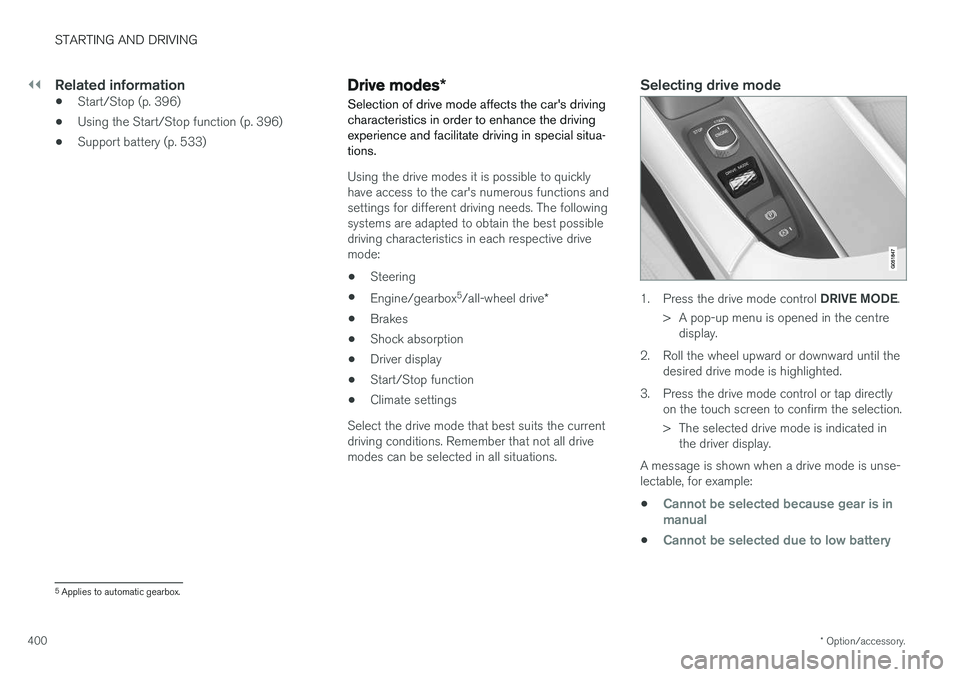
Selecting drive mode
1. Press the drive mode control DRIVE MODE.
> A pop-up menu is opened in the centre display.
2. Roll the wheel upward or downward until the desired drive mode is highlighted.
3. Press the drive mode control or tap directly on the touch screen to confirm the selection.
> The selected drive mode is indicated inthe driver display.
A message is shown when a drive mode is unse- lectable, for example:
•
Cannot be selected because gear is in manual
•Cannot be selected due to low battery
5 Applies to automatic gearbox.
Page 403 of 594
STARTING AND DRIVING
}}
401
•
Cannot be selected due to low temperature
•Cannot be selected due to limitations
•Cannot be selected because speed is too high.
Selectable drive modes
COMFORT
•
This is the car's normal mode.
When the car starts, it is in
Comfort mode and
the Start/Stop function is activated. These set- tings mean that the car feels comfortable, thesteering is light, the shock absorption is soft andbody's movement is smooth. This drive mode is the certification mode for car- bon dioxide emissions.
ECO
• Adapt the car for more energy-efficient and environmentally-conscious driving with the
Eco mode.
The drive mode means, for example, that the Start/Stop function is activated and the output ofcertain climate settings is reduced. The driver display has an ECO gauge that facili- tates fuel-efficient driving. More information on this drive mode is found in the section "Drive mode ECO".
DYNAMIC
•Dynamic mode means that the car has
sportier characteristics and faster response to accelerating.
The gear changes become faster and more dis-tinct, and the gearbox prioritises a gear withgreater traction. Steering response is faster and shock absorption is harder 6
which means that the body follows the
roadway in order to reduce roll during cornering. Start/Stop function is deactivated.
INDIVIDUAL
• Adapting a drive mode according to individ- ual preferences.
Select a drive mode to start from, and then adjustthe settings according to the desired driving cha-racteristics. These settings are saved in an indi-vidual driver profile. An individual drive mode is only available if it is first activated in the centre display.
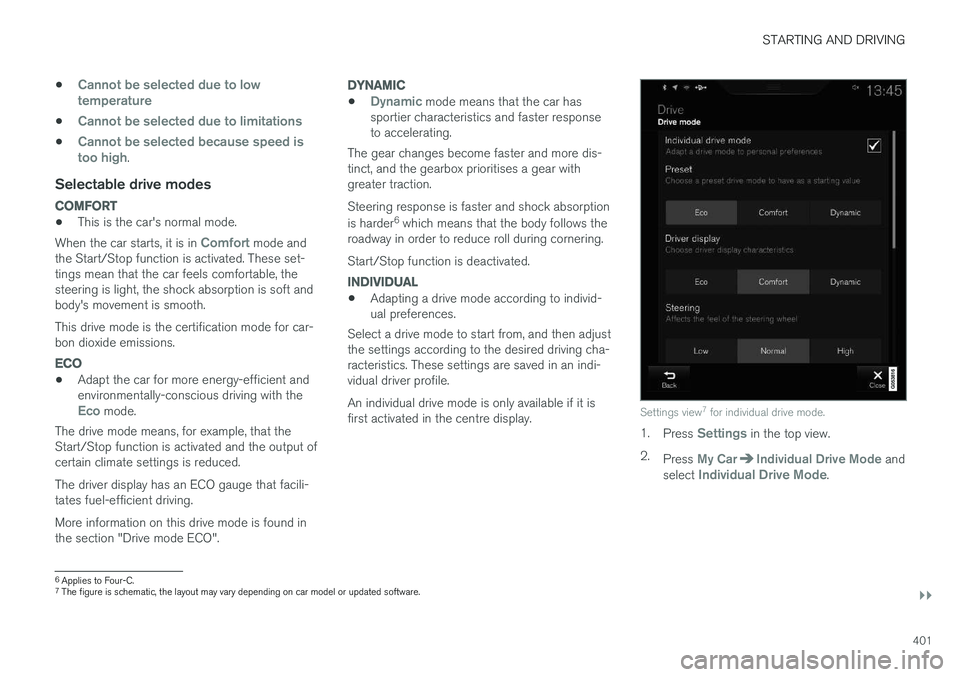
Settings view 7
for individual drive mode.
1. Press Settings in the top view.
2. Press
My CarIndividual Drive Mode and
select Individual Drive Mode.
6 Applies to Four-C.
7 The figure is schematic, the layout may vary depending on car model or updated software.
Page 404 of 594
||
STARTING AND DRIVING
* Option/accessory.
402 3.
In
Presets, select a drive mode to start from:Eco, Comfort or Dynamic.
Possible adjustments apply to settings for:
•
Driver Display
•Steering force
•Powertrain Characteristics
•Brake Characteristics
•Suspension Control
•ECO Climate
•Start/Stop.
Related information
• Speed-dependent steering force (p. 272)
• Level control
* and shock absorption (p. 405)
• Start/Stop (p. 396)
• Drive mode ECO (p. 402)
• All-wheel drive
* (p. 405)
Drive mode ECO
Driving mode ECO mode optimises the car's
driving characteristics for more fuel efficient and environmentally-conscious driving.
Use this drive mode to save fuel and the environ- ment. The following properties are adapted for Eco driv- ing:
• Gearbox gearshift points 8
.
• Engine management and response from theaccelerator pedal.
• The Eco Coast 9
freewheel function is acti-
vated and engine braking is deactivatedwhen the accelerator pedal is released atspeeds between 65 and 140 km/h(40 and 87 mph).
• Some of the climate control system's set-tings work at reduced power or are deacti-vated.
• The driver display shows information in anECO gauge which facilitates environmentally-conscious and fuel-efficient driving.
Selecting ECO modeThe Eco mode is deactivated when the engine isswitched off, and it must therefore be activatedafter each time the engine is started. The driver display shows ECO when the function is acti-vated.
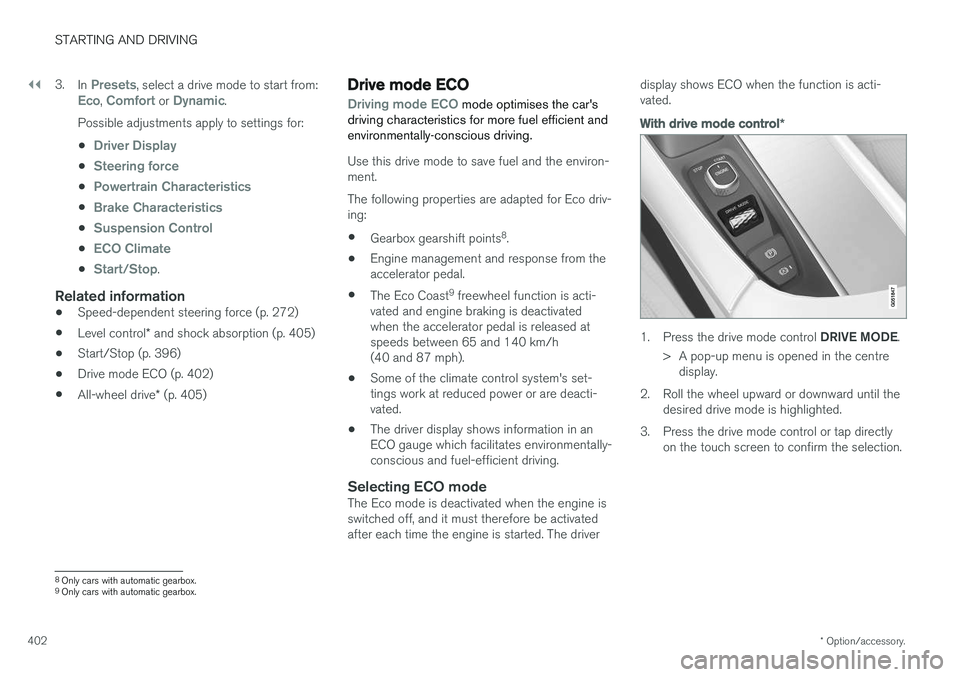
With drive mode control
*
1.
Press the drive mode control DRIVE MODE.
> A pop-up menu is opened in the centre display.
2. Roll the wheel upward or downward until the desired drive mode is highlighted.
3. Press the drive mode control or tap directly on the touch screen to confirm the selection.
8Only cars with automatic gearbox.
9 Only cars with automatic gearbox.
Page 406 of 594
||
STARTING AND DRIVING
* Option/accessory.
404 •
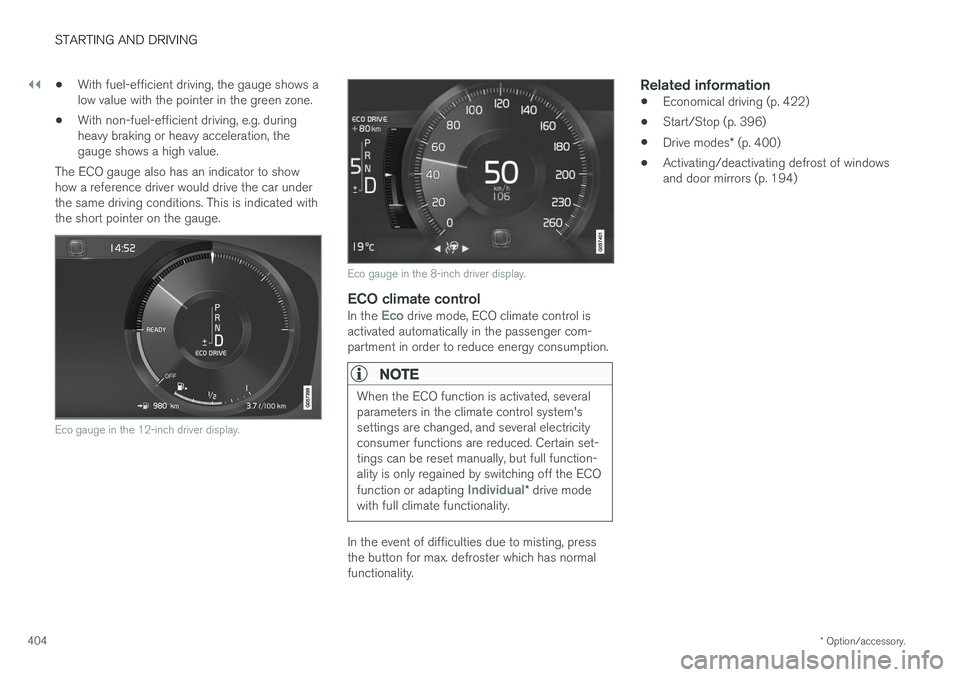
With fuel-efficient driving, the gauge shows a low value with the pointer in the green zone.
• With non-fuel-efficient driving, e.g. duringheavy braking or heavy acceleration, thegauge shows a high value.
The ECO gauge also has an indicator to showhow a reference driver would drive the car underthe same driving conditions. This is indicated withthe short pointer on the gauge.
Eco gauge in the 12-inch driver display.
Eco gauge in the 8-inch driver display.
ECO climate controlIn the Eco drive mode, ECO climate control is
activated automatically in the passenger com- partment in order to reduce energy consumption.
NOTE
When the ECO function is activated, several parameters in the climate control system'ssettings are changed, and several electricityconsumer functions are reduced. Certain set-tings can be reset manually, but full function-ality is only regained by switching off the ECO function or adapting
Individual* drive mode
with full climate functionality.
In the event of difficulties due to misting, press the button for max. defroster which has normalfunctionality.
Related information
• Economical driving (p. 422)
• Start/Stop (p. 396)
• Drive modes
* (p. 400)
• Activating/deactivating defrost of windowsand door mirrors (p. 194)
Page 579 of 594
ALPHABETICAL INDEX
577
1, 2, 3 ...
4WD 405
A
A/C (Air conditioning) 190 ABSanti-lock brakes 406
ACC – Adaptive cruise control 290, 299
Accessories and extra equipment 23
Active bending lights 141
Active main beam 138
Active Park Assist 374 function 374
Limitations 379
operation 376
Symbols and messages 381
Active Yaw Control 273
Adaptation of headlamp beam 141
Adapting driving characteristics 272, 400
Adaptive Cruise Control 290, 299 change cruise control functionality 301
fault tracing 300
function 290
managing speed 294, 295
overtaking 298
radar sensor 318
setting the time interval 296
standby mode 297
temporary deactivation 297
Additional heater (Auxiliary heater) 215
Adjusting the steering wheel 132Aerial location 240
Airbag 63 Activating/deactivating 66
driver's side 64
passenger side 64, 66
Airbag, see Airbag 63
Air conditioning 190Air conditioning, fluid volume and grade 571
Air conditioning system 182, 186 repair 520
Air distribution 197 Air vents 197, 199
change 198
defrosting 194
Recirculation 196
table of options 201
Air quality 184, 185 allergies and asthma 185
passenger compartment filter 185Air recirculation 196
Alarm 262automatic re-arming 264
deactivation 264
reduced alarm level 262
Alcohol lock 384
Allergy and asthma inducing substances. 185
All Wheel Drive, (AWD) 405
All Wheel Drive (AWD) 405
Android Auto 453
Apple CarPlay 450, 451Applications settings 178
Approach lighting 148
Apps 434 download, update and uninstall 468
Ashtray 224
Audio and media 434
Audio settings 435, 463 media 448
phone 462
play media 443
Text message 461
Auto climate control 189
Automatic brake 412 after collision 408
ALPHABETICAL INDEX
Page 581 of 594
ALPHABETICAL INDEX
579
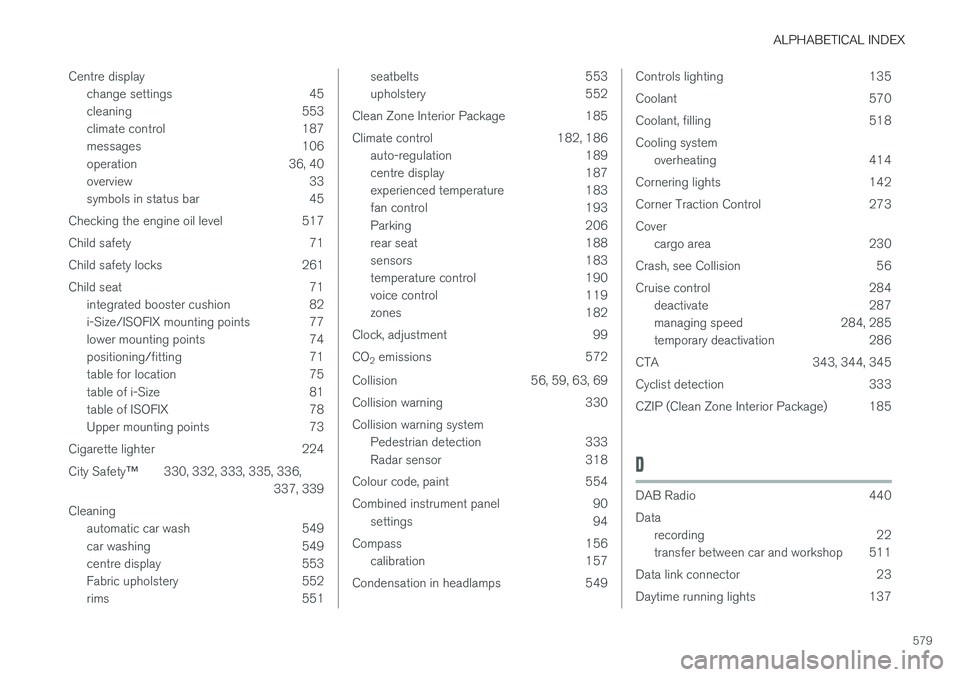
Centre display
change settings 45
cleaning 553
climate control 187
messages 106
operation 36, 40
overview 33
symbols in status bar 45
Checking the engine oil level 517
Child safety 71
Child safety locks 261
Child seat 71 integrated booster cushion 82
i-Size/ISOFIX mounting points 77
lower mounting points 74
positioning/fitting 71
table for location 75
table of i-Size 81
table of ISOFIX 78
Upper mounting points 73
Cigarette lighter 224 City Safety ™330, 332, 333, 335, 336,
337, 339
Cleaning automatic car wash 549
car washing 549
centre display 553
Fabric upholstery 552
rims 551
seatbelts 553
upholstery 552
Clean Zone Interior Package 185
Climate control 182, 186 auto-regulation 189
centre display 187
experienced temperature 183
fan control 193
Parking 206
rear seat 188
sensors 183
temperature control 190
voice control 119
zones 182
Clock, adjustment 99 CO 2 emissions 572
Collision 56, 59, 63, 69
Collision warning 330Collision warning system Pedestrian detection 333
Radar sensor 318
Colour code, paint 554
Combined instrument panel 90 settings 94
Compass 156 calibration 157
Condensation in headlamps 549Controls lighting 135
Coolant 570
Coolant, filling 518Cooling system overheating 414
Cornering lights 142
Corner Traction Control 273Cover cargo area 230
Crash, see Collision 56
Cruise control 284 deactivate 287
managing speed 284, 285
temporary deactivation 286
CTA 343, 344, 345
Cyclist detection 333
CZIP (Clean Zone Interior Package) 185
D
DAB Radio 440 Data recording 22
transfer between car and workshop 511
Data link connector 23
Daytime running lights 137
Page 587 of 594
ALPHABETICAL INDEX
585
Position lamp 136
Power operated tailgate 253, 256
Power panorama roof 158
Power save mode 415
Power seat 121, 123
Power windows 151
resetting 153
PPS (Pedestrian Protection System) 58
Preconditioning 206 start/shut-off 207
Timer 208
Protective grille 233
Pump up tyre 494
Puncture 490
Q
Queue Assist 304, 309, 316
Queue assistance 304, 309, 316
R
Radar sensor 290 Limitations 319
Radio 436 change and search for radio station 436
DAB 440
settings 441
voice control 118
Rain sensor 149
Raising the car 512Rear door sun blind 153
Rear seat 128 Climate control 187, 188
Fan 193
head restraint 128
heating 203
lowering the backrest 130
Temperature 190
Rearview and door mirrors compass 156, 157
door 153
electrically retractable 155
heating 194
interior 155
rear window
heating 194
Washers 151
Wiper 151
Recommendations during driving 415
Recovery 432
Red Key 239
Refrigerant 520
Refuelling 417
Regeneration 421 Remote control, HomeLink ®
programmable 162
Remote control immobiliser 260
Remote control key 176, 236, 239, 243 battery replacement 257
connect to driver profile 176
detachable key blade 250
loss 236
range 238
Remote control key system, type approval 265
Remote updates 509
Resetting, trip meter 166
Resetting the door mirrors 154
Resetting the power windows 153
Restore settings 179
Retractable power door mirrors 155