key VOLVO V90 2017 Owners Manual
[x] Cancel search | Manufacturer: VOLVO, Model Year: 2017, Model line: V90, Model: VOLVO V90 2017Pages: 594, PDF Size: 15.07 MB
Page 4 of 594
2
INTRODUCTION
This is how you find owner's information14
Digital owner's manual in the car 15
Navigating in the digital owner's manual 16
Owner's Manual in mobile devices 18
Volvo Cars support site 19
Reading the owner's manual 19
Recording data 22
Important information on accesso- ries, extra equipment and diagnosticsocket 23
Volvo ID 23
Drive-E - cleaner driving pleasure 25
IntelliSafe-driver support 28
Sensus - connection and maintenance 29
The owner's manual and the environment 32
Windows, glass and mirrors 32
Overview of the centre display 33
Operating the centre display 36
Navigating in the centre display's views 40
Symbols in the centre display's status bar 45
Change settings for the centre display 45
Function view with buttons for carfunctions 47
Using the keyboard in the centre display 49
Writing characters/letters by handon the screen 53
Introduction to vehicle gas (Bi-Fuel)
*
54
SAFETY
Safety
56
Safety during pregnancy 56
Whiplash Protection System 57
Pedestrian Protection System 58
Seatbelt 59
Seatbelt tensioner 59
Fastening/unfastening a seatbelt 60
Door and seatbelt reminder 62
Airbags 63
Driver and passenger airbags 64
Activating/deactivating the passen- ger airbag * 66
Side airbag 68
Inflatable curtain 69
Safety mode 69
Starting/moving the car after safety mode 70
Child safety 71
Child seats 71
Upper mounting points for child seats 73
Lower mounting points for child seats 74
Table for location of child seatsusing the car's seatbelts 75
i-Size/ISOFIX mounting points 77
Table for location of ISOFIX child seats 78
TABLE OF CONTENTS
Page 6 of 594
4
Adapting the beam pattern from the headlamps141
Front fog lamps/cornering lights *
142
Rear fog lamp 142
Brake lights 143
Hazard warning flashers 143
Using direction indicators 144
Passenger compartment lighting 145
Home safe light duration 148
Approach light duration 148
Using windscreen wipers 148
Activating/deactivating the rain sensor 149
Windscreen and headlamp washers 150
Rear window wiper and washer 151
Power windows 151
Operating power windows 152
Using the sun blind *
153
Adjusting the door mirrors 153
Interior rearview mirror 155
Compass *
156
Calibrating the compass *
157
Panorama roof *
158
Operating the panorama roof *
159
HomeLink ®
* 162
Programming HomeLink®
* 163
Trip computer 165
Show trip data in the driver display 166
Show trip statistics in the centre display 168
Settings view 169
Categories in the settings view 170
Changing system settings in the set- tings view 172
Resetting settings in the settings view 173
Driver profiles 174
Selecting driver profile 174
Editing a driver profile 175
Linking remote control key to driverprofile 176
Importing/exporting a driver profilefrom/to USB 177
Changing settings for apps 178
Resetting user data for change ofownership 179
CLIMATE CONTROL
Climate control
182
Climate control - sensors 183
Perceived temperature 183
Air quality 184
Passenger compartment filter 185
Clean Zone Interior Package *
185
Interior Air Quality System *
185
Climate controls 186
Climate controls in the centre display 187
Climate controls at the rear of the tunnel console * 188
Auto-regulating the climate 189
Activating/deactivating air conditioning 190
Regulating the temperature 190
Regulating the fan level 193
Activating/deactivating defrost of windows and door mirrors 194
Activating/deactivating air recirculation 196
Air distribution 197
Changing the air distribution 198
Opening/closing and aiming the air vents 199
Table of air distribution options 201
Activating/deactivating heating of the seats * 203
Activating/deactivating ventilation ofthe seats * 204
Page 7 of 594
5
Activating/deactivating heating of steering wheel* 205
Parking climate *
206
Starting/stopping preconditioning *
207
Timer for preconditioning *
208
Setting the timer for preconditioning *
208
Activating/deactivating the timer forpreconditioning * 210
Starting/switching off climate com-fort retention * 210
Symbols and messages for parkingclimate control * 212
Heater *
213
Parking heater *
214
Additional heater *
215
LOADING AND STORAGE
Passenger compartment interior
218
Tunnel console 219
Electrical sockets 220
Using the cigarette lighter *
224
Emptying ashtrays *
224
Using the glovebox 225
Sun visors 226
Cargo area 226
Loading 227
Load retaining eyelets 228
Bag hooks 228
Through-load hatch in the rear seat 229
Cargo cover *
230
Safety net *
232
Safety grille *
233
LOCKS AND ALARM
Remote control key
236
Remote control key range 238
Red Key - Restricted remote control key *
239
Antenna locations for the start and lock system 240
Locking/unlocking from the outside 241
Indication on locking/unlocking the car 243
Locking/unlocking from the inside 245
Deadlocks *
246
Locking/unlocking the tailgate 247
Using private locking 249
Detachable key blade 250
Locking/unlocking with the detacha-ble key blade 251
Power operated tailgate *
253
Opening/closing the tailgate with foot movement * 256
Replacing the battery in the remote control key 257
Immobiliser 260
Child safety locks 261
Alarm *
262
Automatic arming/rearming of the alarm *
264
Disarming the alarm * without work-
ing remote control key 264
Page 8 of 594
6
Type approval for the remote control key system265
DRIVER SUPPORT
Speed-dependent steering force
272
Roll Stability Control 272
Electronic stability control 273
Sport mode for electronic stability control 274
Symbols and messages for elec- tronic stability control 275
Speed limiter *
277
Activating and starting the speed limiter 278
Managing speed for the speed limiter 278
Deactivating/reactivating the speedlimiter 279
Switching off the speed limiter 280
Automatic speed limiter *
281
Activating/deactivating the automaticspeed limiter 282
Changing the tolerance for the Auto-matic speed limiter 283
Cruise control 284
Activating and starting the Cruise control 284
Managing speed for the Cruise control 285
Deactivating/reactivating the cruisecontrol 286
Deactivating Cruise Control 287
Distance Warning *
288
Activating and setting the time inter- val for Distance warning *289
Limitations of Distance Warning
*
290
Adaptive cruise control *
290
Activating and starting the adaptive cruise control * 294
Managing the speed of the adaptivecruise control * 295
Setting the time interval for theadaptive cruise control *296
Deactivating/activating the adaptivecruise control * 297
Overtaking assistance with the adap-tive cruise control * or Pilot Assist *298
Change of target and automatic braking with the Adaptive Cruise Control 299
Limitations of the adaptive cruise control *
300
Change between Cruise control and adaptive cruise control *301
Symbols and messages for theadaptive cruise control *302
Pilot Assist *
304
Activating and starting the Pilot Assist *
307
Managing the speed for Pilot Assist *
309
Setting the time interval for Pilot Assist *
310
Deactivating/activating the Pilot Assist *
311
Change of target and automaticbraking with Pilot Assist *313
Limitations of Pilot Assist *
314
Page 20 of 594
||
INTRODUCTION
18
Start pageTap on the symbol to go back to the start page in the owner'smanual.
Using the search function
1.Tap on in the top menu of the owner's
manual. A keyboard appears in the lower part of the screen.
2. Type in a keyword, such as "seatbelt". > Suggestions for articles and categoriesare shown while letters are being entered.
3. Tap on the article/category to access it.
Related information
• Digital owner's manual in the car (p. 15)
• Using the keyboard in the centre display(p. 49)
Owner's Manual in mobile devices
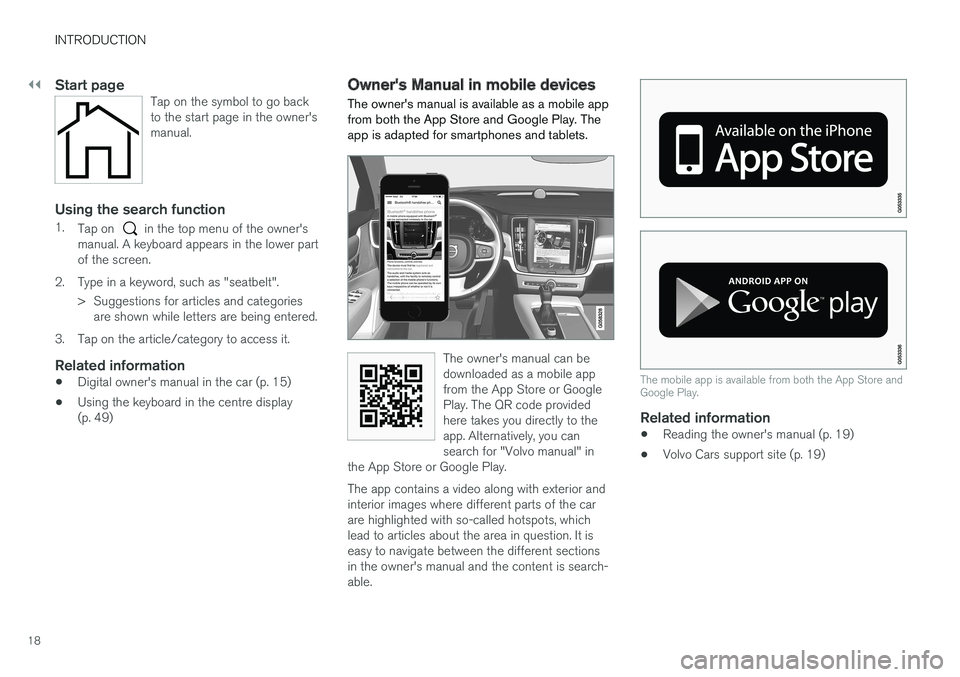
The owner's manual is available as a mobile app from both the App Store and Google Play. Theapp is adapted for smartphones and tablets.
The owner's manual can be downloaded as a mobile appfrom the App Store or GooglePlay. The QR code providedhere takes you directly to theapp. Alternatively, you cansearch for "Volvo manual" in
the App Store or Google Play.
The app contains a video along with exterior and interior images where different parts of the carare highlighted with so-called hotspots, whichlead to articles about the area in question. It iseasy to navigate between the different sectionsin the owner's manual and the content is search-able.
The mobile app is available from both the App Store and Google Play.
Related information
• Reading the owner's manual (p. 19)
• Volvo Cars support site (p. 19)
Page 28 of 594
||
INTRODUCTION
* Option/accessory.
26
Contributing to a better environment
An energy-efficient and fuel-efficient car not only contributes to a reduced impact on the environ-ment, but also means reduced costs for theowner of the car. As the driver, it is easy toreduce fuel consumption and thereby savemoney and contribute to a better environment -here is some advice:
• Plan for an effective average speed. Speedsabove approx. 80 km/h (approx. 50 mph)and below 50 km/h (approx. 30 mph) lead toincreased energy consumption.
• Follow the Service and Warranty Booklet'srecommended intervals for service and main-tenance of the car.
• Avoid letting the engine idle - switch off theengine when stationary for longer periods.Pay attention to local regulations.
• Plan the journey - a lot of unnecessary stopsand uneven speed contribute to increasedfuel consumption.
• Use preconditioning
* before starting in cold
conditions - it improves starting capacity andreduces wear in cold weather. The enginereaches normal operating temperature morequickly, which decreases consumption andreduces emissions.
Also remember to always dispose of environmen-tally hazardous waste, such as batteries and oil, inan environmentally safe manner. Consult a work-shop in the event of uncertainty about how this type of waste should be discarded - an author-ised Volvo workshop is recommended.
Efficient emission controlYour Volvo is manufactured following the concept"Clean inside and out" – a concept that encom-passes a clean interior environment as well ashighly efficient emission control. In many casesthe exhaust emissions are well below the applica-ble standards.
Clean air in the passenger
compartment
A passenger compartment filter prevents dustand pollen from entering the passenger compart-ment via the air intake. The Interior Air Quality System (IAQS) * ensures
that the incoming air is cleaner than the air in the traffic outside. The system cleans the air in the passenger com- partment from contaminants such as particles,hydrocarbons, nitrous oxides and ground-levelozone. If the outside air is contaminated then theair intake is closed and the air is recirculated.Such a situation may arise in heavy traffic,queues and tunnels for example. IAQS is a part of the Clean Zone Interior Pack- age (CZIP) *, which also includes a function that
allows the fan to start when the car is unlocked with the remote control key.
InteriorThe material used in the interior of a Volvo iscarefully selected and has been tested in order tobe pleasant and comfortable. Some of the detailsare hand-made, such as the seams of the steer-ing wheel that are sewn by hand. The interior ismonitored in order not to emit strong odours orsubstances that cause discomfort in the event ofe.g. high heat and bright light.
Volvo workshops and the environmentRegular maintenance creates the conditions for along service life and low fuel consumption foryour car. In this way you also contribute to acleaner environment. When Volvo's workshopsare entrusted with the service and maintenanceof your car it becomes part of Volvo's system.Volvo makes clear demands regarding the way inwhich workshop premises shall be designed inorder to prevent spills and discharges into theenvironment. The workshop staff have the knowl-edge and the tools required to guarantee goodenvironmental care.
RecyclingSince Volvo works from a life cycle perspective, itis also important that the car is recycled in anenvironmentally sound manner. Almost all of thecar can be recycled. The last owner of the car istherefore requested to contact a dealer for refer-ral to a certified/approved recycling facility.
Page 32 of 594
||
INTRODUCTION
* Option/accessory.
30
G000000
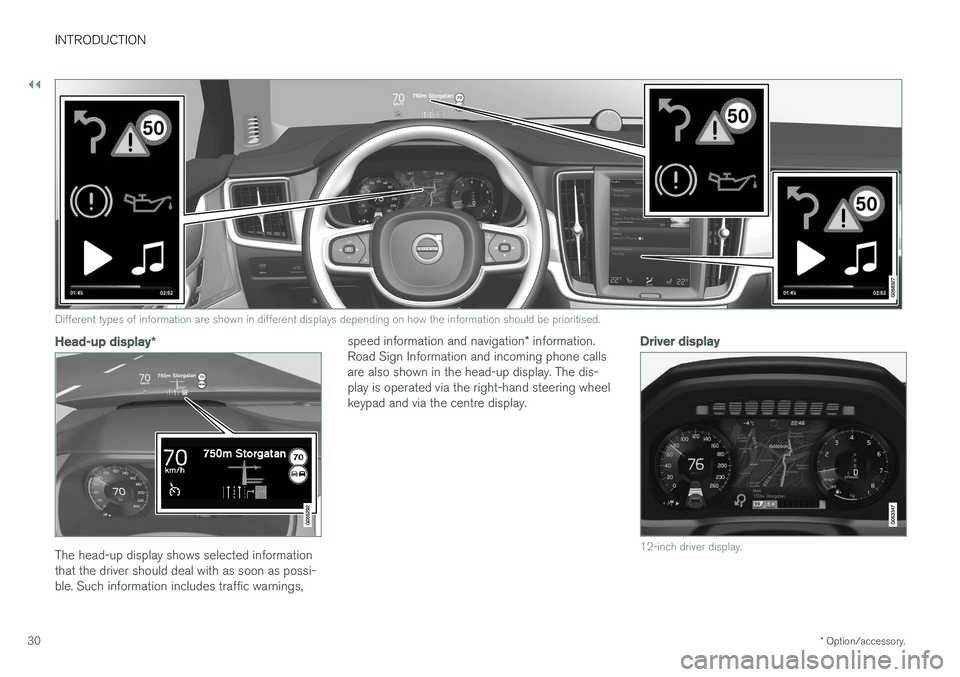
Different types of information are shown in different displays depending on how the information should be prioritised.
Head-up display *
The head-up display shows selected information that the driver should deal with as soon as possi-ble. Such information includes traffic warnings, speed information and navigation
* information.
Road Sign Information and incoming phone callsare also shown in the head-up display. The dis-play is operated via the right-hand steering wheelkeypad and via the centre display.
Driver display
12-inch driver display.
Page 33 of 594
INTRODUCTION
* Option/accessory.31
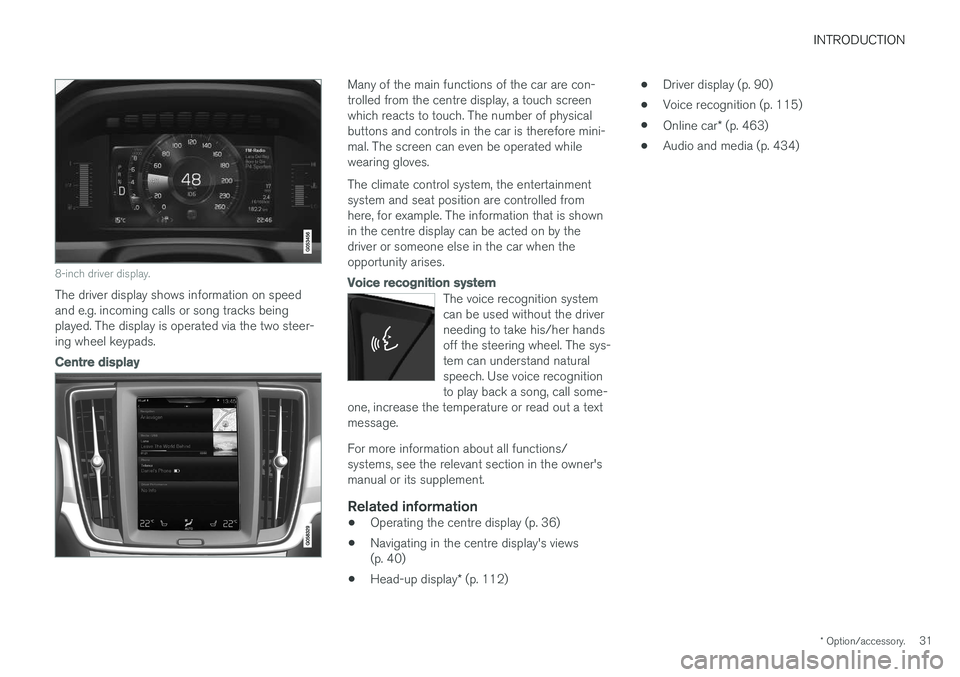
8-inch driver display.
The driver display shows information on speed and e.g. incoming calls or song tracks beingplayed. The display is operated via the two steer-ing wheel keypads.
Centre display
Many of the main functions of the car are con- trolled from the centre display, a touch screenwhich reacts to touch. The number of physicalbuttons and controls in the car is therefore mini-mal. The screen can even be operated whilewearing gloves. The climate control system, the entertainment system and seat position are controlled fromhere, for example. The information that is shownin the centre display can be acted on by thedriver or someone else in the car when theopportunity arises.
Voice recognition system
The voice recognition system can be used without the driverneeding to take his/her handsoff the steering wheel. The sys-tem can understand naturalspeech. Use voice recognitionto play back a song, call some-
one, increase the temperature or read out a textmessage.
For more information about all functions/ systems, see the relevant section in the owner'smanual or its supplement.
Related information
• Operating the centre display (p. 36)
• Navigating in the centre display's views(p. 40)
• Head-up display
* (p. 112) •
Driver display (p. 90)
• Voice recognition (p. 115)
• Online car
* (p. 463)
• Audio and media (p. 434)
Page 41 of 594
INTRODUCTION
39
NOTE
Hide the apps that you rarely or never use by moving them to the bottom, off the visiblescreen. This way it will be easier to find theapps you use more often.
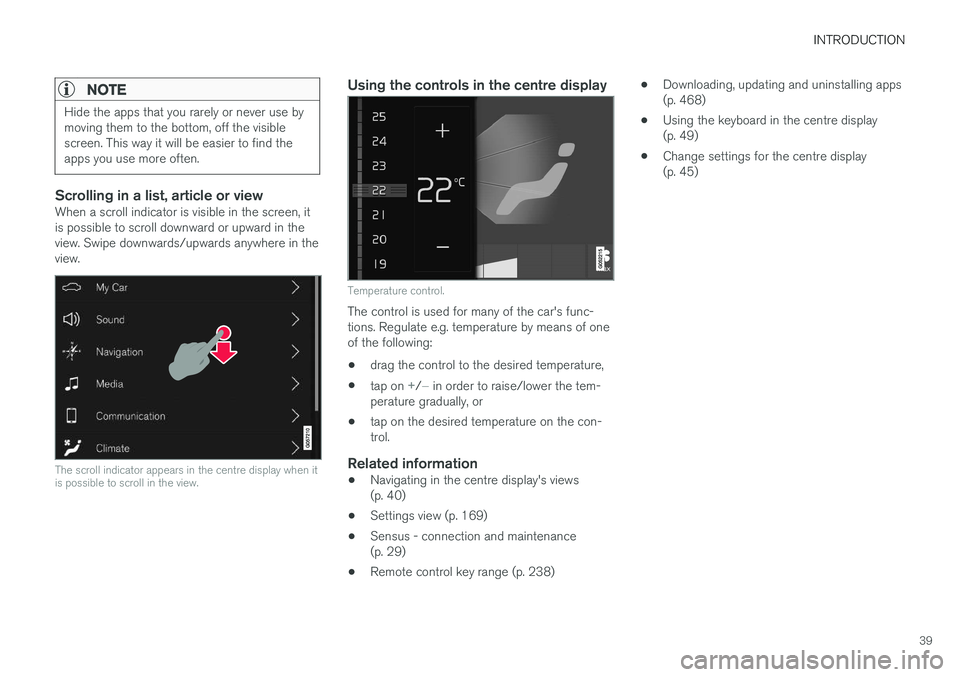
Scrolling in a list, article or viewWhen a scroll indicator is visible in the screen, it is possible to scroll downward or upward in theview. Swipe downwards/upwards anywhere in theview.
The scroll indicator appears in the centre display when it is possible to scroll in the view.
Using the controls in the centre display
Temperature control.
The control is used for many of the car's func- tions. Regulate e.g. temperature by means of oneof the following: •drag the control to the desired temperature,
• tap on
+/− in order to raise/lower the tem-
perature gradually, or
• tap on the desired temperature on the con- trol.
Related information
•
Navigating in the centre display's views(p. 40)
• Settings view (p. 169)
• Sensus - connection and maintenance(p. 29)
• Remote control key range (p. 238) •
Downloading, updating and uninstalling apps(p. 468)
• Using the keyboard in the centre display(p. 49)
• Change settings for the centre display(p. 45)
Page 47 of 594
INTRODUCTION
}}
45
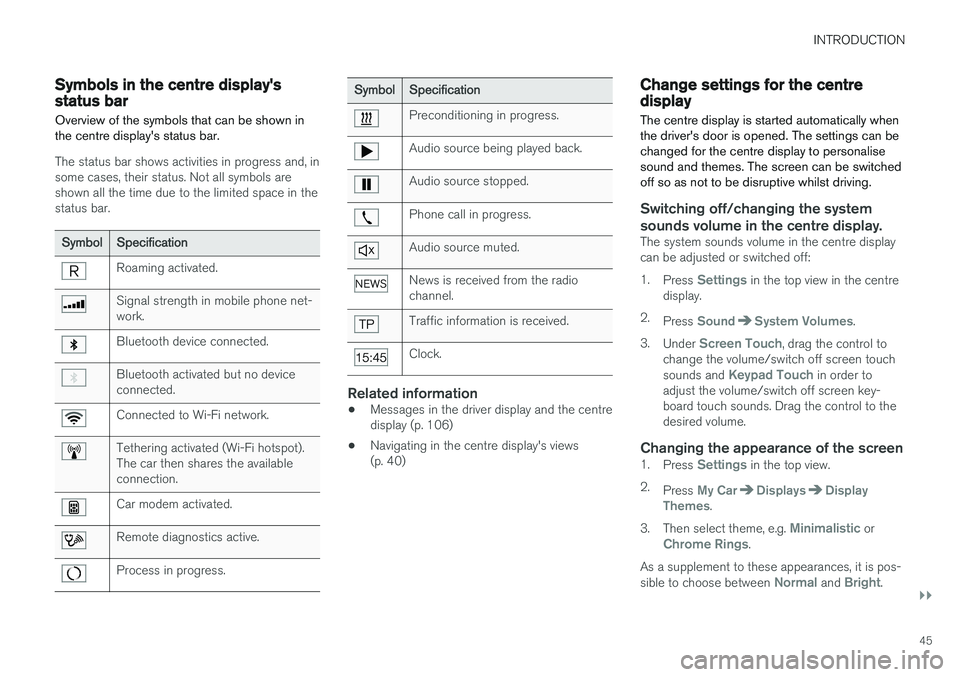
Symbols in the centre display's status bar Overview of the symbols that can be shown in the centre display's status bar.
The status bar shows activities in progress and, in some cases, their status. Not all symbols areshown all the time due to the limited space in thestatus bar.
SymbolSpecification
Roaming activated.
Signal strength in mobile phone net- work.
Bluetooth device connected.
Bluetooth activated but no device connected.
Connected to Wi-Fi network.
Tethering activated (Wi-Fi hotspot). The car then shares the availableconnection.
Car modem activated.
Remote diagnostics active.
Process in progress.
SymbolSpecification
Preconditioning in progress.
Audio source being played back.
Audio source stopped.
Phone call in progress.
Audio source muted.
News is received from the radio channel.
Traffic information is received.
Clock.
Related information
•Messages in the driver display and the centre display (p. 106)
• Navigating in the centre display's views(p. 40)
Change settings for the centre display The centre display is started automatically when the driver's door is opened. The settings can bechanged for the centre display to personalisesound and themes. The screen can be switchedoff so as not to be disruptive whilst driving.
Switching off/changing the system
sounds volume in the centre display.
The system sounds volume in the centre display can be adjusted or switched off: 1. Press
Settings in the top view in the centre
display.
2. Press
SoundSystem Volumes.
3. Under
Screen Touch, drag the control to
change the volume/switch off screen touch sounds and
Keypad Touch in order to
adjust the volume/switch off screen key- board touch sounds. Drag the control to thedesired volume.
Changing the appearance of the screen1. Press Settings in the top view.
2. Press
My CarDisplaysDisplay
Themes.
3. Then select theme, e.g.
Minimalistic orChrome Rings.
As a supplement to these appearances, it is pos- sible to choose between
Normal and Bright.