remote control VOLVO V90 2017 Owner's Manual
[x] Cancel search | Manufacturer: VOLVO, Model Year: 2017, Model line: V90, Model: VOLVO V90 2017Pages: 594, PDF Size: 15.07 MB
Page 179 of 594
INSTRUMENTS AND CONTROLS
}}
177
Related information
•Driver profiles (p. 174)
• Editing a driver profile (p. 175)
• Remote control key (p. 236)
Importing/exporting a driver profile from/to USB
The personal settings saved in the driver profiles can be exported/imported to other cars via USB.
Follow these steps in order to import/export a driver profile from/to a USB memory: 1. Press
Settings in the top view in the centre
display.
2. Press
SystemDriver Profiles.
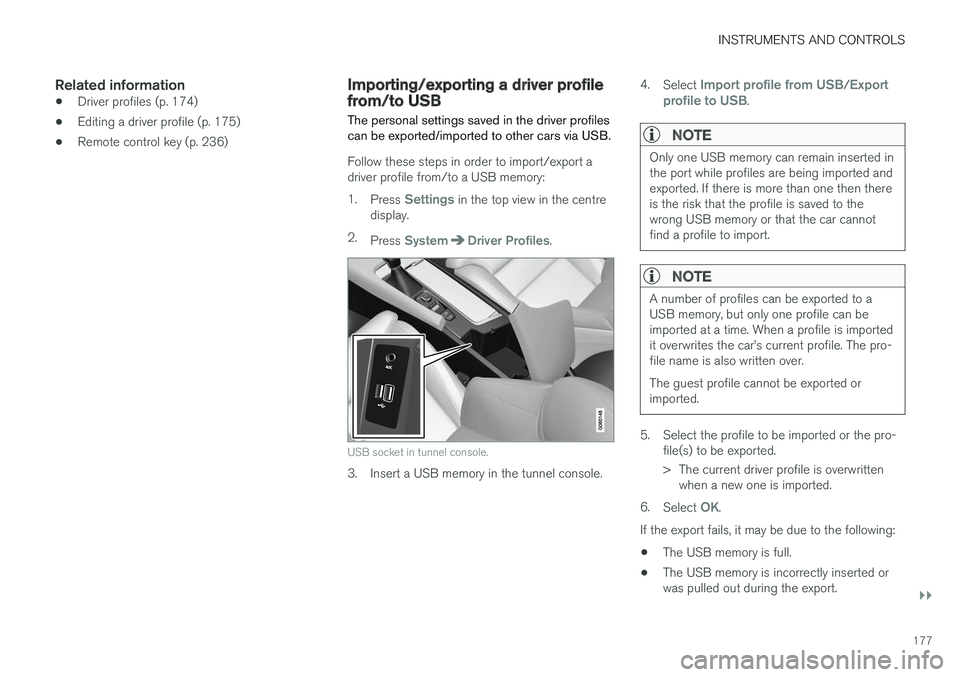
USB socket in tunnel console.
3. Insert a USB memory in the tunnel console. 4.
Select
Import profile from USB/Export
profile to USB.
NOTE
Only one USB memory can remain inserted in the port while profiles are being imported andexported. If there is more than one then thereis the risk that the profile is saved to thewrong USB memory or that the car cannotfind a profile to import.
NOTE
A number of profiles can be exported to a USB memory, but only one profile can beimported at a time. When a profile is importedit overwrites the car
Page 187 of 594
CLIMATE CONTROL
}}
* Option/accessory.185
Passenger compartment filter All air entering the car's passenger compartment is cleaned with a filter.
Replacing the passenger compartment
filter
To maintain high climate system performance, the filter must be changed at regular intervals.Follow the Volvo Service Programme for the rec-ommended replacement intervals. If the car isused in a severely contaminated environment, itmay be necessary to replace the filter more often.
NOTE
There are different types of passenger com- partment filter. Make sure that the correct fil-ter is fitted.
Related information
• Air quality (p. 184)
• Clean Zone Interior Package
* (p. 185)
• Interior Air Quality System
* (p. 185)
• Volvo service programme (p. 506)
Clean Zone Interior Package
*
Clean Zone Interior Package (CZIP) comprises a series of modifications that keep the passen-ger compartment even clearer from allergy andasthma-inducing substances.
The following is included:
• An enhanced fan function that means that the fan starts when the car is unlocked withthe remote control key. The fan fills the pas-senger compartment with fresh air. The func-tion starts when required and is disengagedautomatically after a time or when one of thepassenger compartment doors is opened.The amount of time the fan runs is reducedgradually due to reduced need up until thecar is 4 years old.
• The fully automatic air quality system InteriorAir Quality System (IAQS).
Related information
•
Air quality (p. 184)
• Passenger compartment filter (p. 185)
• Interior Air Quality System
* (p. 185)
Interior Air Quality System *
Interior Air Quality System (IAQS) is a fully auto- matic air quality system that separates gasesand particles to reduce the levels of odours andcontaminants in the passenger compartment.
IAQS is a part of the Clean Zone Interior Package (CZIP) and cleans the air in the passen-ger compartment from contaminants such as par-ticles, hydrocarbons, nitrous oxides and ground-level ozone. If the air quality sensor senses that the outside air is contaminated, the air intake is closed andair recirculation is activated.
NOTE
The air quality sensor must always be enabled to ensure the best air in the passenger com-partment. In a cold climate recirculation is limited so as to prevent misting. In the event of misting, the defrost functions for windscreen, side windows and rear win-dow should be used.
Activating/deactivating the air quality sensor
It is possible to set whether the air quality sensor should be activated/deactivated.
Page 210 of 594
||
CLIMATE CONTROL
* Option/accessory.
208 To be able to also cool the passenger compart- ment to the comfort temperature (with the car'sair conditioning) the engine remote start function Engine Remote Start - ERS
5
via the Volvo On
Call * app. can be used.
Related information
• Parking climate
* (p. 206)
• Timer for preconditioning
* (p. 208)
• Starting/switching off climate comfort reten- tion
* (p. 210)
• Symbols and messages for parking climatecontrol
* (p. 212)
• Heater
* (p. 213)
Timer for preconditioning *
The timer can be set so that the preconditioning is finished at a predetermined time.
The timer can handle up to 8 different settings for:
• A time on a single date
• A time on one or more days of the week, withor without repetition.
Related information
•
Parking climate
* (p. 206)
• Setting the timer for preconditioning
*
(p. 208)
• Activating/deactivating the timer for precon- ditioning
* (p. 210)
• Starting/stopping preconditioning
* (p. 207)
• Symbols and messages for parking climatecontrol
* (p. 212)
Setting the timer for preconditioning *
The timer for preconditioning can manage up to 8 time settings.
Adding a time setting
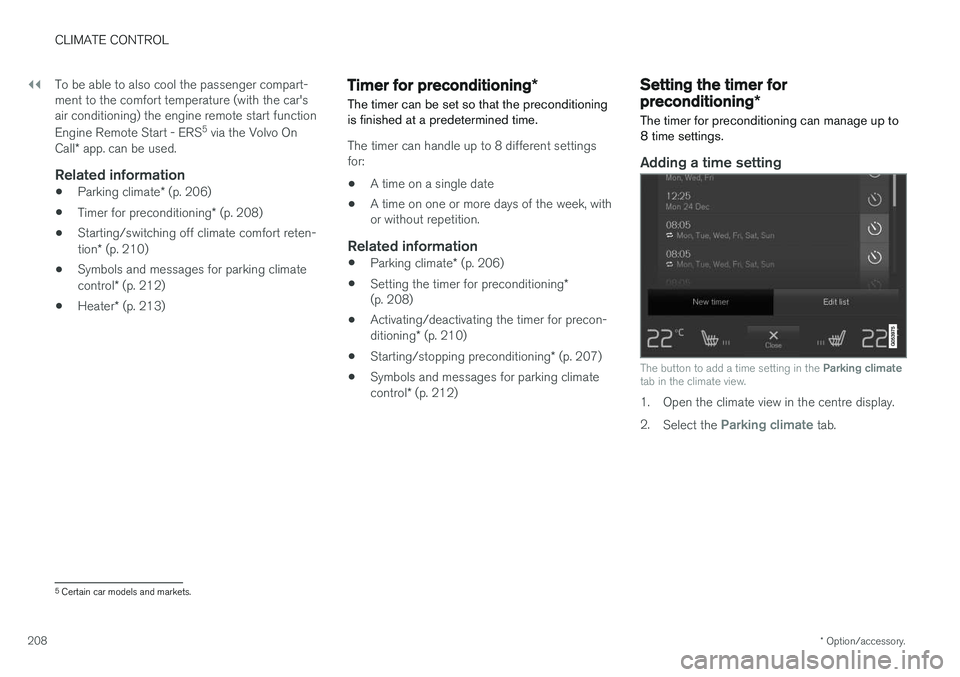
The button to add a time setting in the Parking climate
tab in the climate view.
1. Open the climate view in the centre display. 2. Select the
Parking climate tab.
5
Certain car models and markets.
Page 220 of 594
LOADING AND STORAGE
* Option/accessory.
218
Passenger compartment interior
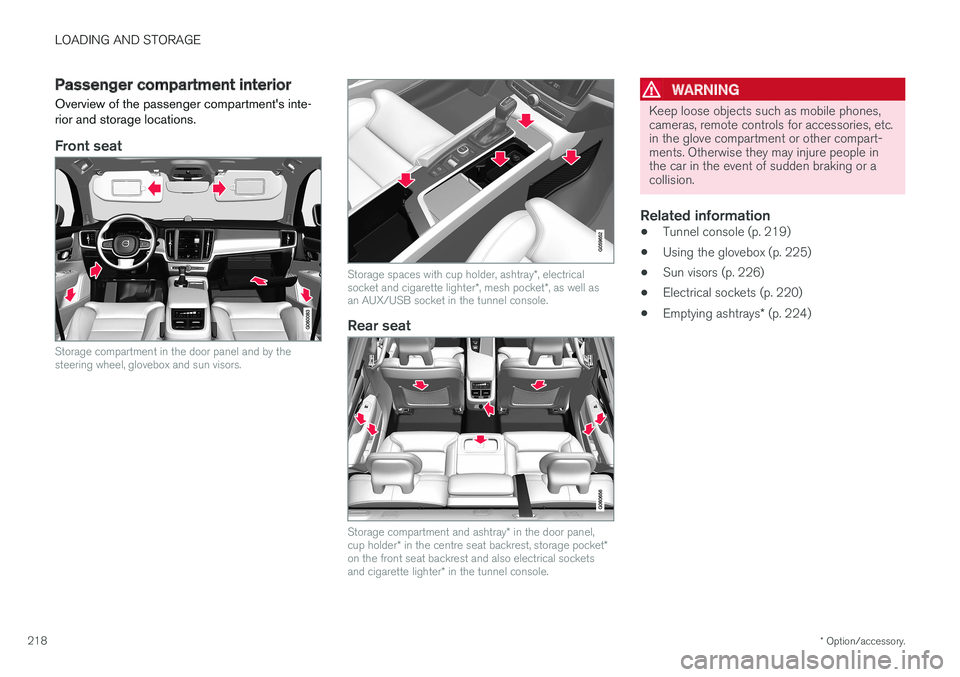
Overview of the passenger compartment's inte- rior and storage locations.
Front seat
Storage compartment in the door panel and by the steering wheel, glovebox and sun visors.
Storage spaces with cup holder, ashtray *, electrical
socket and cigarette lighter *, mesh pocket *, as well as
an AUX/USB socket in the tunnel console.
Rear seat
Storage compartment and ashtray * in the door panel,
cup holder * in the centre seat backrest, storage pocket *
on the front seat backrest and also electrical sockets and cigarette lighter * in the tunnel console.
WARNING
Keep loose objects such as mobile phones, cameras, remote controls for accessories, etc.in the glove compartment or other compart-ments. Otherwise they may injure people inthe car in the event of sudden braking or acollision.
Related information
• Tunnel console (p. 219)
• Using the glovebox (p. 225)
• Sun visors (p. 226)
• Electrical sockets (p. 220)
• Emptying ashtrays
* (p. 224)
Page 238 of 594
LOCKS AND ALARM
* Option/accessory.
236
Remote control key
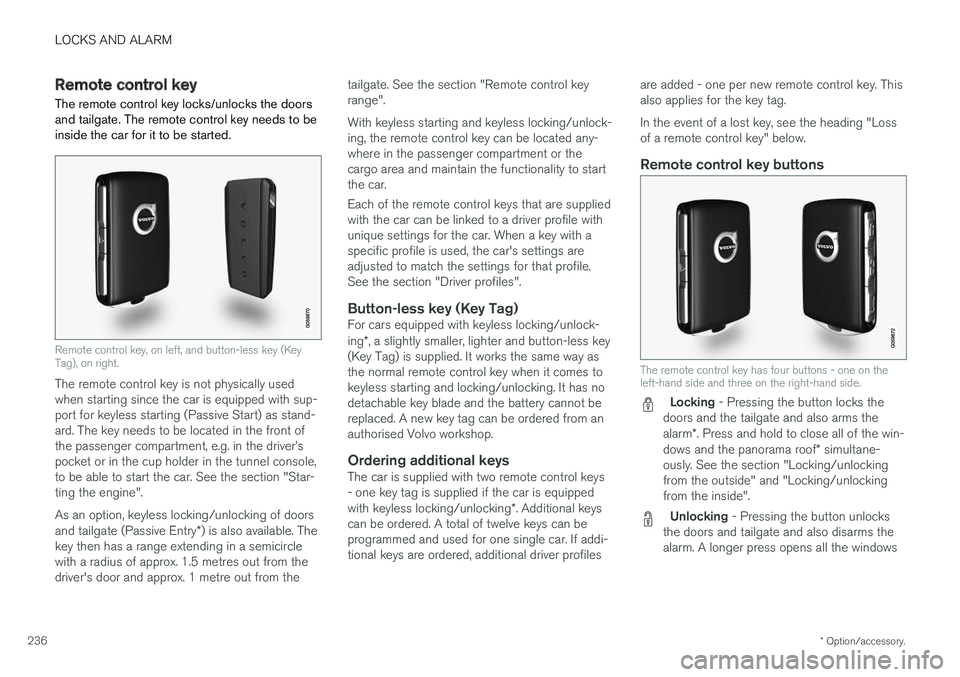
The remote control key locks/unlocks the doors and tailgate. The remote control key needs to beinside the car for it to be started.
Remote control key, on left, and button-less key (Key Tag), on right.
The remote control key is not physically used when starting since the car is equipped with sup-port for keyless starting (Passive Start) as stand-ard. The key needs to be located in the front ofthe passenger compartment, e.g. in the driver
Page 239 of 594
LOCKS AND ALARM
}}
* Option/accessory.237
simultaneously, also called Global opening
1
.
See the section "Locking/unlocking from the outside".
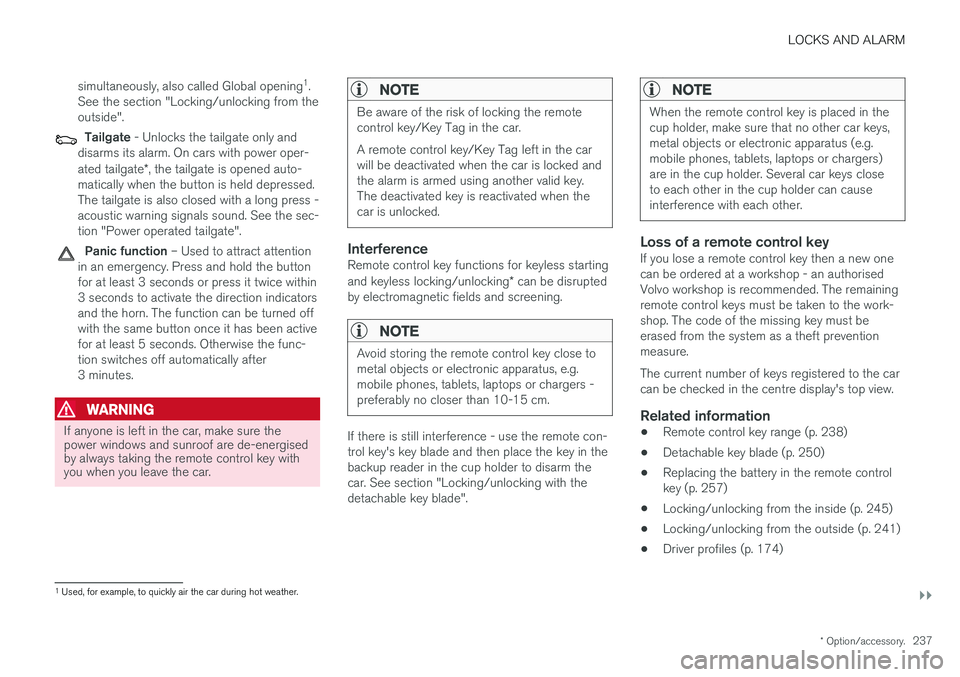
Tailgate - Unlocks the tailgate only and
disarms its alarm. On cars with power oper- ated tailgate *, the tailgate is opened auto-
matically when the button is held depressed. The tailgate is also closed with a long press -acoustic warning signals sound. See the sec-tion "Power operated tailgate".
Panic function – Used to attract attention
in an emergency. Press and hold the button for at least 3 seconds or press it twice within3 seconds to activate the direction indicatorsand the horn. The function can be turned offwith the same button once it has been activefor at least 5 seconds. Otherwise the func-tion switches off automatically after3 minutes.
WARNING
If anyone is left in the car, make sure the power windows and sunroof are de-energisedby always taking the remote control key withyou when you leave the car.
NOTE
Be aware of the risk of locking the remote control key/Key Tag in the car. A remote control key/Key Tag left in the car will be deactivated when the car is locked andthe alarm is armed using another valid key.The deactivated key is reactivated when thecar is unlocked.
InterferenceRemote control key functions for keyless starting and keyless locking/unlocking * can be disrupted
by electromagnetic fields and screening.
NOTE
Avoid storing the remote control key close to metal objects or electronic apparatus, e.g.mobile phones, tablets, laptops or chargers -preferably no closer than 10-15 cm.
If there is still interference - use the remote con- trol key's key blade and then place the key in thebackup reader in the cup holder to disarm thecar. See section "Locking/unlocking with thedetachable key blade".
NOTE
When the remote control key is placed in the cup holder, make sure that no other car keys,metal objects or electronic apparatus (e.g.mobile phones, tablets, laptops or chargers)are in the cup holder. Several car keys closeto each other in the cup holder can causeinterference with each other.
Loss of a remote control keyIf you lose a remote control key then a new one can be ordered at a workshop - an authorisedVolvo workshop is recommended. The remainingremote control keys must be taken to the work-shop. The code of the missing key must beerased from the system as a theft preventionmeasure. The current number of keys registered to the car can be checked in the centre display's top view.
Related information
• Remote control key range (p. 238)
• Detachable key blade (p. 250)
• Replacing the battery in the remote controlkey (p. 257)
• Locking/unlocking from the inside (p. 245)
• Locking/unlocking from the outside (p. 241)
• Driver profiles (p. 174)
1
Used, for example, to quickly air the car during hot weather.
Page 240 of 594
LOCKS AND ALARM
* Option/accessory.
238 •
Power operated tailgate
* (p. 253)
• Starting the car (p. 386)
• Red Key - Restricted remote control key
*
(p. 239)
Remote control key range In order for the remote control key to work prop- erly it needs to be within a certain distance fromthe car.
For manual useThe remote control key's functions for e.g. lock- ing/unlocking that are activated by pressing on
or have a range that extends approx.
20 metres from the car. If the car does not verify a button being pressed - move closer and try again.
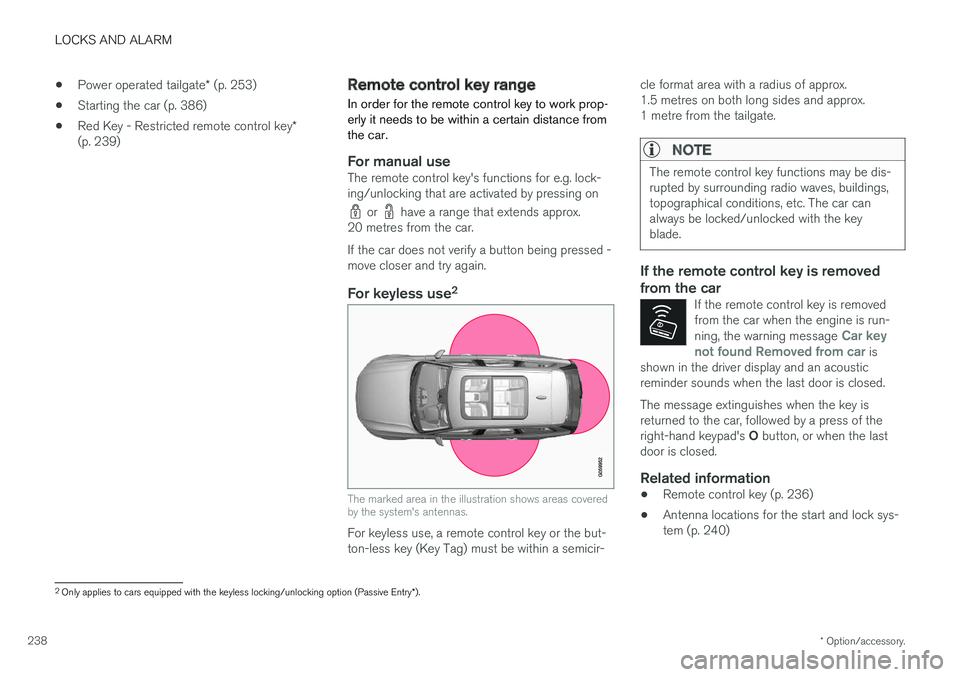
For keyless use 2
The marked area in the illustration shows areas covered by the system's antennas.
For keyless use, a remote control key or the but- ton-less key (Key Tag) must be within a semicir- cle format area with a radius of approx.1.5 metres on both long sides and approx.1 metre from the tailgate.
NOTE
The remote control key functions may be dis- rupted by surrounding radio waves, buildings,topographical conditions, etc. The car canalways be locked/unlocked with the keyblade.
If the remote control key is removed from the car
If the remote control key is removed from the car when the engine is run- ning, the warning message
Car key
not found Removed from car is
shown in the driver display and an acoustic reminder sounds when the last door is closed.
The message extinguishes when the key is returned to the car, followed by a press of the right-hand keypad's O button, or when the last
door is closed.
Related information
• Remote control key (p. 236)
• Antenna locations for the start and lock sys- tem (p. 240)
2
Only applies to cars equipped with the keyless locking/unlocking option (Passive Entry *).
Page 241 of 594
LOCKS AND ALARM
}}
* Option/accessory.239
Red Key - Restricted remote control key*
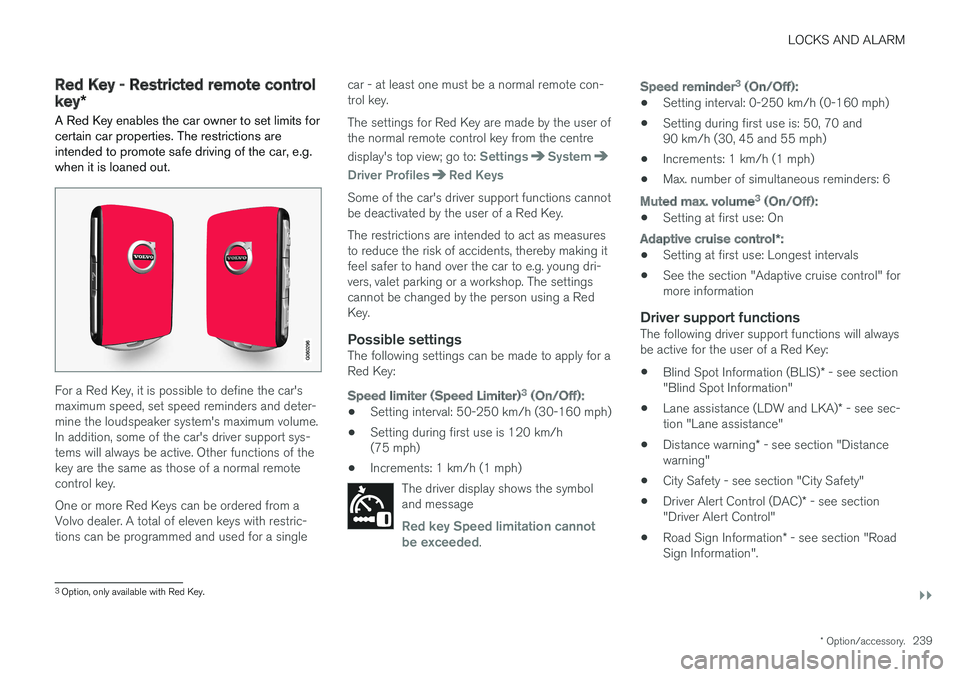
A Red Key enables the car owner to set limits for certain car properties. The restrictions areintended to promote safe driving of the car, e.g.when it is loaned out.
For a Red Key, it is possible to define the car's maximum speed, set speed reminders and deter-mine the loudspeaker system's maximum volume.In addition, some of the car's driver support sys-tems will always be active. Other functions of thekey are the same as those of a normal remotecontrol key. One or more Red Keys can be ordered from a Volvo dealer. A total of eleven keys with restric-tions can be programmed and used for a single car - at least one must be a normal remote con-trol key. The settings for Red Key are made by the user of the normal remote control key from the centre display's top view; go to:
SettingsSystem
Driver ProfilesRed Keys
Some of the car's driver support functions cannot be deactivated by the user of a Red Key. The restrictions are intended to act as measures to reduce the risk of accidents, thereby making itfeel safer to hand over the car to e.g. young dri-vers, valet parking or a workshop. The settingscannot be changed by the person using a RedKey.
Possible settingsThe following settings can be made to apply for aRed Key:
Speed limiter (Speed Limiter)
3
(On/Off):
• Setting interval: 50-250 km/h (30-160 mph)
• Setting during first use is 120 km/h (75 mph)
• Increments: 1 km/h (1 mph)
The driver display shows the symboland message
Red key Speed limitation cannot
be exceeded.
Speed reminder 3
(On/Off):
• Setting interval: 0-250 km/h (0-160 mph)
• Setting during first use is: 50, 70 and 90 km/h (30, 45 and 55 mph)
• Increments: 1 km/h (1 mph)
• Max. number of simultaneous reminders: 6
Muted max. volume 3
(On/Off):
• Setting at first use: On
Adaptive cruise control
*:
• Setting at first use: Longest intervals
• See the section "Adaptive cruise control" for more information
Driver support functionsThe following driver support functions will alwaysbe active for the user of a Red Key:
• Blind Spot Information (BLIS)
* - see section
"Blind Spot Information"
• Lane assistance (LDW and LKA)
* - see sec-
tion "Lane assistance"
• Distance warning
* - see section "Distance
warning"
• City Safety - see section "City Safety"
• Driver Alert Control (DAC)
* - see section
"Driver Alert Control"
• Road Sign Information
* - see section "Road
Sign Information".
3 Option, only available with Red Key.
Page 242 of 594
||
LOCKS AND ALARM
* Option/accessory.
240
Related information
• Remote control key (p. 236)
• Adaptive cruise control
* (p. 290)
• Distance Warning
* (p. 288)
• Blind Spot Information
* (p. 340)
• City Safety (p. 330)
• Lane Keeping Aid (p. 354)
• Driver Alert Control (p. 352)
• Road Sign Information
* (p. 348)
• Driver profiles (p. 174)
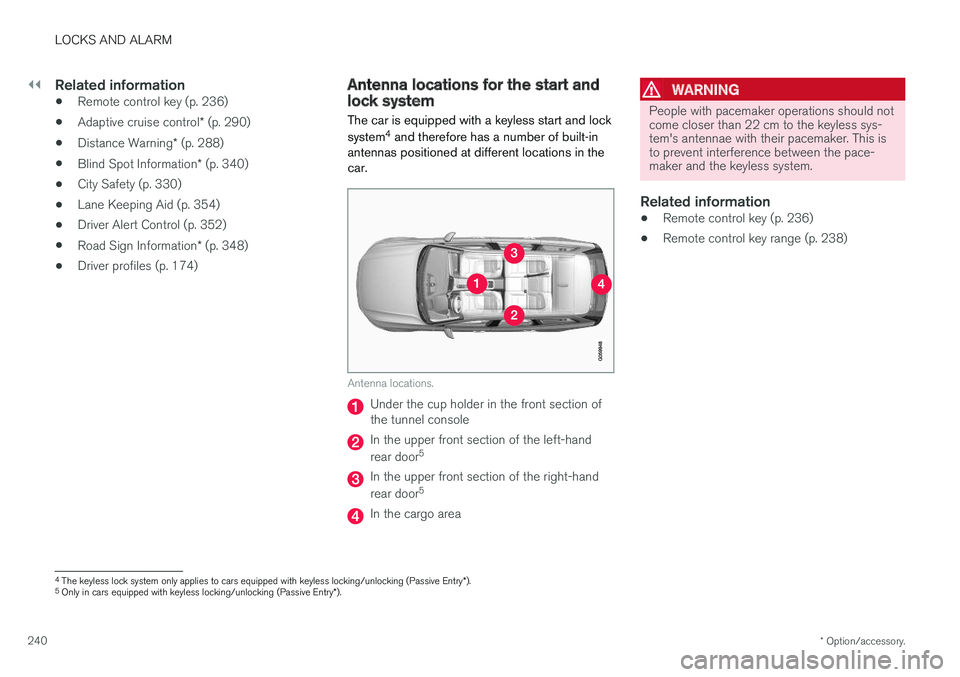
Antenna locations for the start and lock system
The car is equipped with a keyless start and lock system 4
and therefore has a number of built-in
antennas positioned at different locations in the car.
Antenna locations.
Under the cup holder in the front section of the tunnel console
In the upper front section of the left-hand rear door 5
In the upper front section of the right-hand rear door5
In the cargo area
WARNING
People with pacemaker operations should not come closer than 22 cm to the keyless sys-tem's antennae with their pacemaker. This isto prevent interference between the pace-maker and the keyless system.
Related information
•
Remote control key (p. 236)
• Remote control key range (p. 238)
4
The keyless lock system only applies to cars equipped with keyless locking/unlocking (Passive Entry *).
5 Only in cars equipped with keyless locking/unlocking (Passive Entry *).
Page 243 of 594
LOCKS AND ALARM
}}
* Option/accessory.241
Locking/unlocking from the outside
The car is locked/unlocked from the outside using buttons on the remote control key or withthe door or tailgate handles if the car is equip-ped with keyless locking/unlocking (Passive Entry) *. The tailgate can be operated via power
operation * and/or foot movement *.
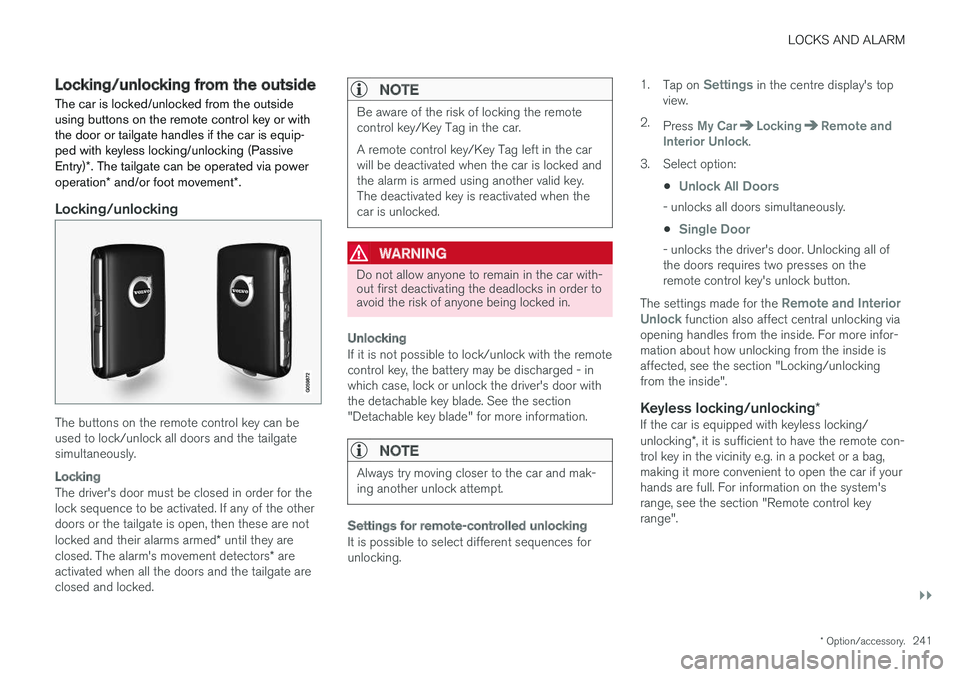
Locking/unlocking
The buttons on the remote control key can be used to lock/unlock all doors and the tailgatesimultaneously.
Locking
The driver's door must be closed in order for the lock sequence to be activated. If any of the otherdoors or the tailgate is open, then these are not locked and their alarms armed * until they are
closed. The alarm's movement detectors * are
activated when all the doors and the tailgate are closed and locked.
NOTE
Be aware of the risk of locking the remote control key/Key Tag in the car. A remote control key/Key Tag left in the car will be deactivated when the car is locked andthe alarm is armed using another valid key.The deactivated key is reactivated when thecar is unlocked.
WARNING
Do not allow anyone to remain in the car with- out first deactivating the deadlocks in order toavoid the risk of anyone being locked in.
Unlocking
If it is not possible to lock/unlock with the remote control key, the battery may be discharged - inwhich case, lock or unlock the driver's door withthe detachable key blade. See the section"Detachable key blade" for more information.
NOTE
Always try moving closer to the car and mak- ing another unlock attempt.
Settings for remote-controlled unlocking
It is possible to select different sequences for unlocking. 1.
Tap on
Settings in the centre display's top
view.
2. Press
My CarLockingRemote and
Interior Unlock.
3. Select option:
•
Unlock All Doors
- unlocks all doors simultaneously.
•
Single Door
- unlocks the driver's door. Unlocking all of the doors requires two presses on theremote control key's unlock button.
The settings made for the
Remote and Interior
Unlock function also affect central unlocking via
opening handles from the inside. For more infor- mation about how unlocking from the inside isaffected, see the section "Locking/unlockingfrom the inside".
Keyless locking/unlocking *If the car is equipped with keyless locking/ unlocking*, it is sufficient to have the remote con-
trol key in the vicinity e.g. in a pocket or a bag, making it more convenient to open the car if yourhands are full. For information on the system'srange, see the section "Remote control keyrange".