warning light VOLVO V90 2017 Owner's Manual
[x] Cancel search | Manufacturer: VOLVO, Model Year: 2017, Model line: V90, Model: VOLVO V90 2017Pages: 594, PDF Size: 15.07 MB
Page 164 of 594
||
INSTRUMENTS AND CONTROLS
* Option/accessory.
162 blind once more in the same direction without pinch protection, if this is done within 10 secondsafter pinch protection deployment. It is thereforepossible to override the pinch protection whenclosing has been interrupted e.g. if ice hasformed around the glass cover, by continuallypressing the control forward/downward until theglass cover and/or sun blind is closed.
Related information
•
Panorama roof
* (p. 158)
• Ignition positions (p. 385)
• Remote control key (p. 236)
• Locking/unlocking from the inside (p. 245)
• Locking/unlocking from the outside (p. 241)
HomeLink ®
*30
HomeLink ®
is a programmable remote control
that is integrated into the car's electrical system.
General
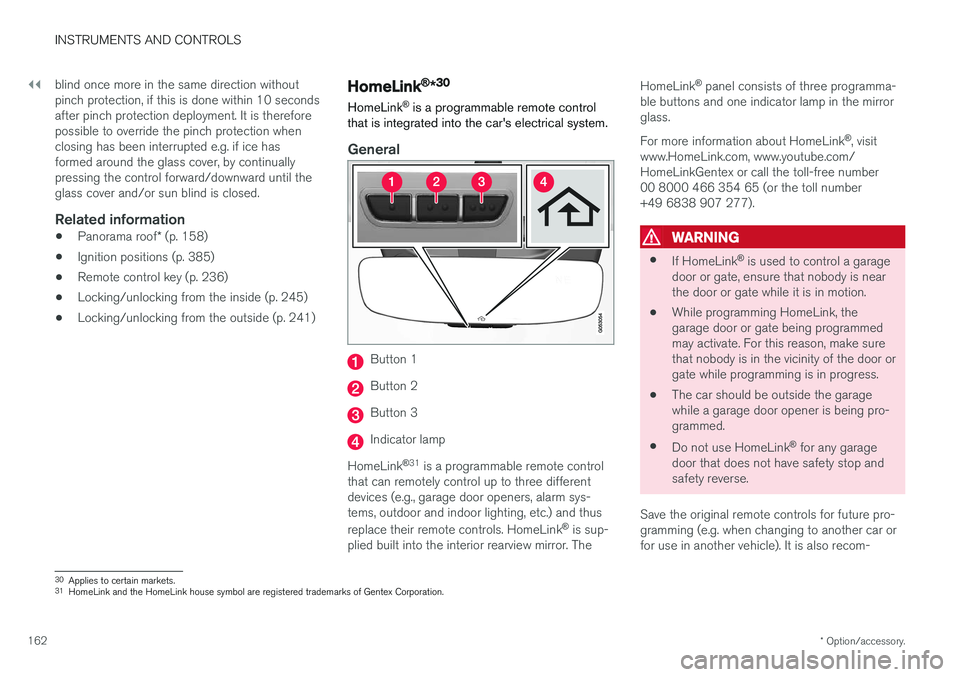
Button 1
Button 2
Button 3
Indicator lamp
HomeLink ®
31
is a programmable remote control
that can remotely control up to three different devices (e.g., garage door openers, alarm sys-tems, outdoor and indoor lighting, etc.) and thus replace their remote controls. HomeLink ®
is sup-
plied built into the interior rearview mirror. The HomeLink
®
panel consists of three programma-
ble buttons and one indicator lamp in the mirror glass. For more information about HomeLink ®
, visit
www.HomeLink.com, www.youtube.com/ HomeLinkGentex or call the toll-free number00 8000 466 354 65 (or the toll number+49 6838 907 277).
WARNING
• If HomeLink ®
is used to control a garage
door or gate, ensure that nobody is near the door or gate while it is in motion.
• While programming HomeLink, thegarage door or gate being programmedmay activate. For this reason, make surethat nobody is in the vicinity of the door orgate while programming is in progress.
• The car should be outside the garagewhile a garage door opener is being pro-
grammed.
• Do not use HomeLink ®
for any garage
door that does not have safety stop andsafety reverse.
Save the original remote controls for future pro-gramming (e.g. when changing to another car orfor use in another vehicle). It is also recom-
30 Applies to certain markets.
31 HomeLink and the HomeLink house symbol are registered trademarks of Gentex Corporation.
Page 220 of 594
LOADING AND STORAGE
* Option/accessory.
218
Passenger compartment interior
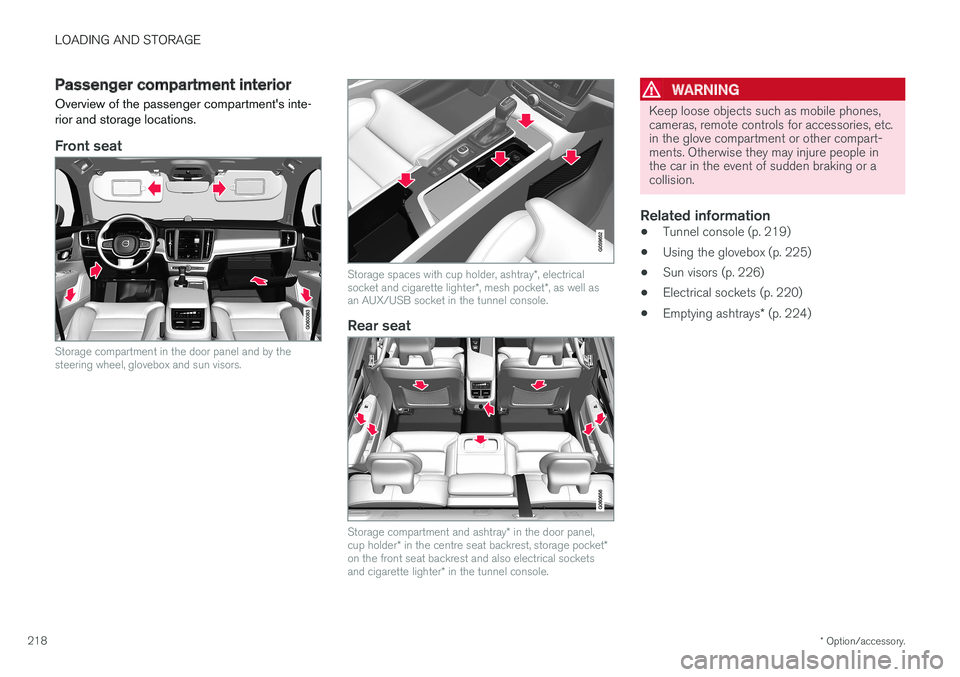
Overview of the passenger compartment's inte- rior and storage locations.
Front seat
Storage compartment in the door panel and by the steering wheel, glovebox and sun visors.
Storage spaces with cup holder, ashtray *, electrical
socket and cigarette lighter *, mesh pocket *, as well as
an AUX/USB socket in the tunnel console.
Rear seat
Storage compartment and ashtray * in the door panel,
cup holder * in the centre seat backrest, storage pocket *
on the front seat backrest and also electrical sockets and cigarette lighter * in the tunnel console.
WARNING
Keep loose objects such as mobile phones, cameras, remote controls for accessories, etc.in the glove compartment or other compart-ments. Otherwise they may injure people inthe car in the event of sudden braking or acollision.
Related information
• Tunnel console (p. 219)
• Using the glovebox (p. 225)
• Sun visors (p. 226)
• Electrical sockets (p. 220)
• Emptying ashtrays
* (p. 224)
Page 222 of 594
LOADING AND STORAGE
* Option/accessory.
220
Electrical sockets In the tunnel console there are two 12 V electri- cal sockets and one 230 V electrical socket *, in
the cargo area there is one 12 V electricalsocket *.
For the sockets to supply current, the car's elec- trical system must be set in the lowest ignition position I. The sockets are then active as long as
the starter battery level does not become too low. If the engine is switched off and the car is locked, the sockets are deactivated. If the engine isswitched off and the car is not locked, or islocked with blocked lock position temporarilydeactivated, then the sockets continue to beactive for a further ten minutes.
NOTE
Remember that use of the electrical socket with the engine switched off entails a risk ofdischarging the starter battery, which can limitfunctionality.
230 V electrical socket *
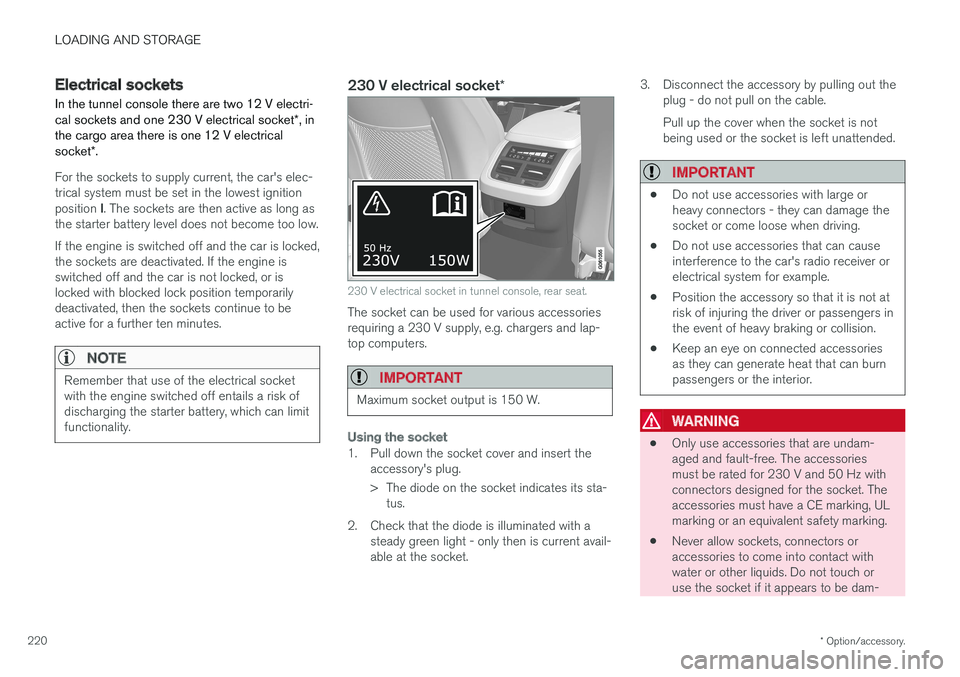
230 V electrical socket in tunnel console, rear seat.
The socket can be used for various accessories requiring a 230 V supply, e.g. chargers and lap-top computers.
IMPORTANT
Maximum socket output is 150 W.
Using the socket
1. Pull down the socket cover and insert the
accessory's plug.
> The diode on the socket indicates its sta-tus.
2. Check that the diode is illuminated with a steady green light - only then is current avail- able at the socket. 3. Disconnect the accessory by pulling out the
plug - do not pull on the cable. Pull up the cover when the socket is not being used or the socket is left unattended.
IMPORTANT
• Do not use accessories with large or heavy connectors - they can damage thesocket or come loose when driving.
• Do not use accessories that can causeinterference to the car's radio receiver orelectrical system for example.
• Position the accessory so that it is not atrisk of injuring the driver or passengers inthe event of heavy braking or collision.
• Keep an eye on connected accessoriesas they can generate heat that can burnpassengers or the interior.
WARNING
•
Only use accessories that are undam- aged and fault-free. The accessoriesmust be rated for 230 V and 50 Hz withconnectors designed for the socket. Theaccessories must have a CE marking, ULmarking or an equivalent safety marking.
• Never allow sockets, connectors oraccessories to come into contact withwater or other liquids. Do not touch oruse the socket if it appears to be dam-
Page 224 of 594
||
LOADING AND STORAGE
* Option/accessory.
222
Status indication Reason Action
Diode not illuminated The socket does not sense that a plug has been inserted. Check that the plug is properly inserted into the socket.
The socket is not active. Switch the car's electrical system to the lowest igni- tion position I.
The socket has been active but is now deactivated. Start the engine and/or charge the starter battery.
If the problem persists, contact a workshop - an authorised Volvo workshop is recommended.
WARNING
Never modify or repair the 230 V electrical socket yourself. Volvo recommends that anauthorised Volvo workshop should be contac-ted.
12 V electrical socket
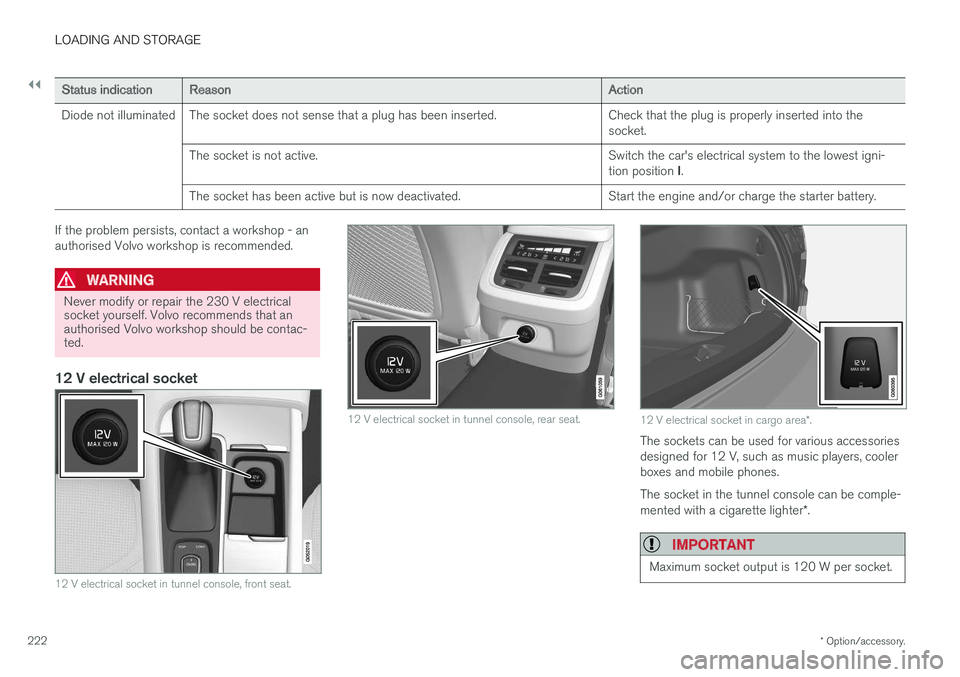
12 V electrical socket in tunnel console, front seat.
12 V electrical socket in tunnel console, rear seat.12 V electrical socket in cargo area *.
The sockets can be used for various accessories designed for 12 V, such as music players, coolerboxes and mobile phones. The socket in the tunnel console can be comple- mented with a cigarette lighter *.
IMPORTANT
Maximum socket output is 120 W per socket.
Page 228 of 594
||
LOADING AND STORAGE
* Option/accessory.
226
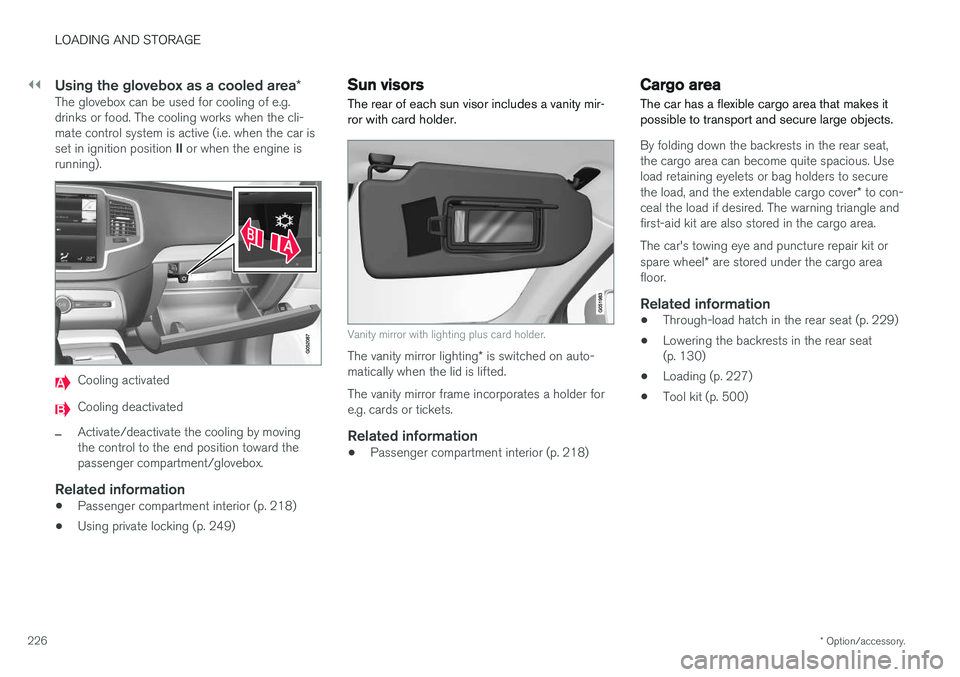
Using the glovebox as a cooled area *The glovebox can be used for cooling of e.g. drinks or food. The cooling works when the cli-mate control system is active (i.e. when the car is set in ignition position II or when the engine is
running).
Cooling activated
Cooling deactivated
–Activate/deactivate the cooling by moving the control to the end position toward thepassenger compartment/glovebox.
Related information
• Passenger compartment interior (p. 218)
• Using private locking (p. 249)
Sun visors The rear of each sun visor includes a vanity mir- ror with card holder.
Vanity mirror with lighting plus card holder.
The vanity mirror lighting
* is switched on auto-
matically when the lid is lifted. The vanity mirror frame incorporates a holder for e.g. cards or tickets.
Related information
• Passenger compartment interior (p. 218)
Cargo area
The car has a flexible cargo area that makes it possible to transport and secure large objects.
By folding down the backrests in the rear seat, the cargo area can become quite spacious. Useload retaining eyelets or bag holders to secure the load, and the extendable cargo cover * to con-
ceal the load if desired. The warning triangle and first-aid kit are also stored in the cargo area. The car's towing eye and puncture repair kit or spare wheel * are stored under the cargo area
floor.
Related information
• Through-load hatch in the rear seat (p. 229)
• Lowering the backrests in the rear seat (p. 130)
• Loading (p. 227)
• Tool kit (p. 500)
Page 250 of 594
||
LOCKS AND ALARM
* Option/accessory.
248
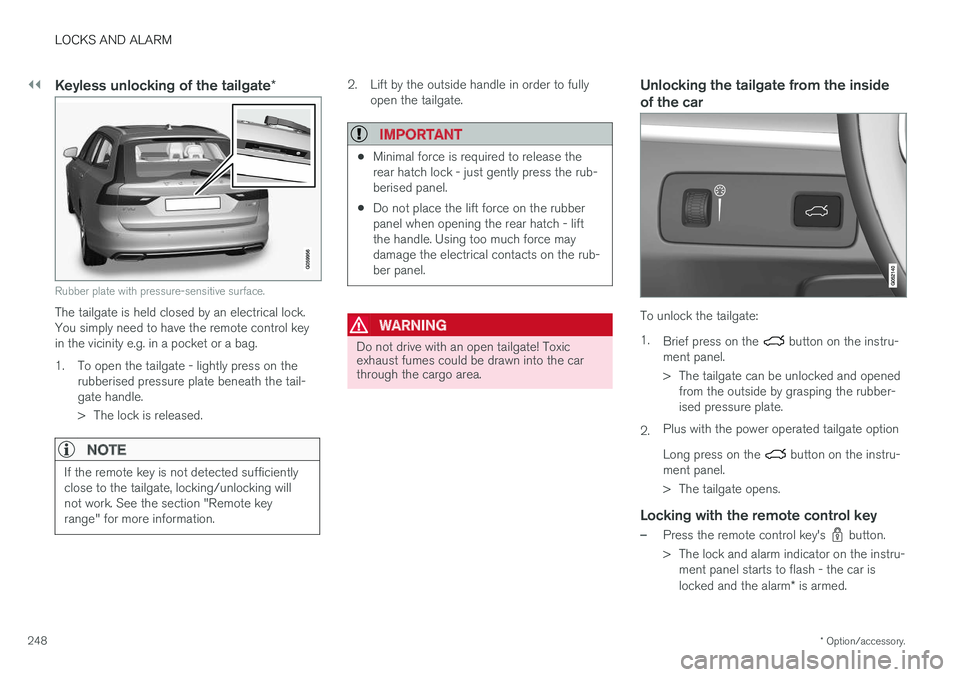
Keyless unlocking of the tailgate *
Rubber plate with pressure-sensitive surface.
The tailgate is held closed by an electrical lock. You simply need to have the remote control keyin the vicinity e.g. in a pocket or a bag.
1. To open the tailgate - lightly press on the
rubberised pressure plate beneath the tail- gate handle.
> The lock is released.
NOTE
If the remote key is not detected sufficiently close to the tailgate, locking/unlocking willnot work. See the section "Remote keyrange" for more information.
2. Lift by the outside handle in order to fullyopen the tailgate.
IMPORTANT
•Minimal force is required to release the rear hatch lock - just gently press the rub-berised panel.
• Do not place the lift force on the rubberpanel when opening the rear hatch - liftthe handle. Using too much force maydamage the electrical contacts on the rub-ber panel.
WARNING
Do not drive with an open tailgate! Toxic exhaust fumes could be drawn into the carthrough the cargo area.
Unlocking the tailgate from the inside of the car
To unlock the tailgate: 1.
Brief press on the
button on the instru-
ment panel.
> The tailgate can be unlocked and opened from the outside by grasping the rubber- ised pressure plate.
2. Plus with the power operated tailgate option Long press on the
button on the instru-
ment panel.
> The tailgate opens.
Locking with the remote control key
–Press the remote control key's button.
> The lock and alarm indicator on the instru- ment panel starts to flash - the car is locked and the alarm * is armed.
Page 274 of 594
DRIVER SUPPORT
* Option/accessory.
272
Speed-dependent steering force Speed related power steering causes the steer- ing wheel force to increase with the speed of thecar in order to give the driver enhanced sensitiv-ity.
On motorways the steering feels firmer. When parking and at low speed steering is light andrequires only a slight effort.
NOTE
In certain situations the power steering may become too hot and then needs to be tempo-rarily cooled - during this time the powersteering operates with reduced power andturning the steering wheel may then be per-ceived to be slightly heavier. In parallel with the temporarily reduced steer- ing assistance, the driver display shows amessage.
Change the steering force level *To select the steering force level, go to the "Drive modes" section and see the description at thealternative INDIVIDUAL under the heading"Selectable drive modes". For the car models without a drive mode control with its INDIVIDUAL option, the selection ofsteering force is instead made via the centre dis-play's top view and the following search path:
SettingsMy CarDrive ModesSteering force
Selection of steering force is not accessible while turning is in progress.
Related information
•Drive modes
* (p. 400)
Roll Stability Control Roll Stability Control (RSC) is a stabiliser sys- tem that minimises the risk of overturning, forexample during sudden evasive manoeuvres or ifthe car skids.
The RSC system registers if and how much the car's lateral inclination changes. This informationis used to calculate the risk of the car overturn-ing. If the car is at risk, its electronic stability con-trol system engages, the engine torque isreduced and one or more wheels are braked untilthe car has regained its stability.
WARNING
Under normal driving conditions, the RSC sys- tem improves the car's road safety, but thismust not be taken as a reason to increasespeed. Always follow the normal precautionsfor safe driving.
Related information
• Electronic stability control (p. 273)
• Safety (p. 56)
Page 290 of 594
DRIVER SUPPORT
* Option/accessory.
288
Distance Warning *
The Distance Warning function (Distance Alert) warns the driver if the time interval to the vehicleahead becomes too short.
Distance warning is active at speeds
above 30 km/h (20 mph) and only reacts to thevehicle ahead travelling in the same direction. Nodistance information is provided for oncoming,slow or stationary vehicles.
NOTE
Distance warning is deactivated during the time the adaptive cruise control is active.
WARNING
Distance warning only reacts if the distance to the vehicle ahead is shorter than the presetvalue - the speed of the driver's vehicle is notaffected.
Head-up display *
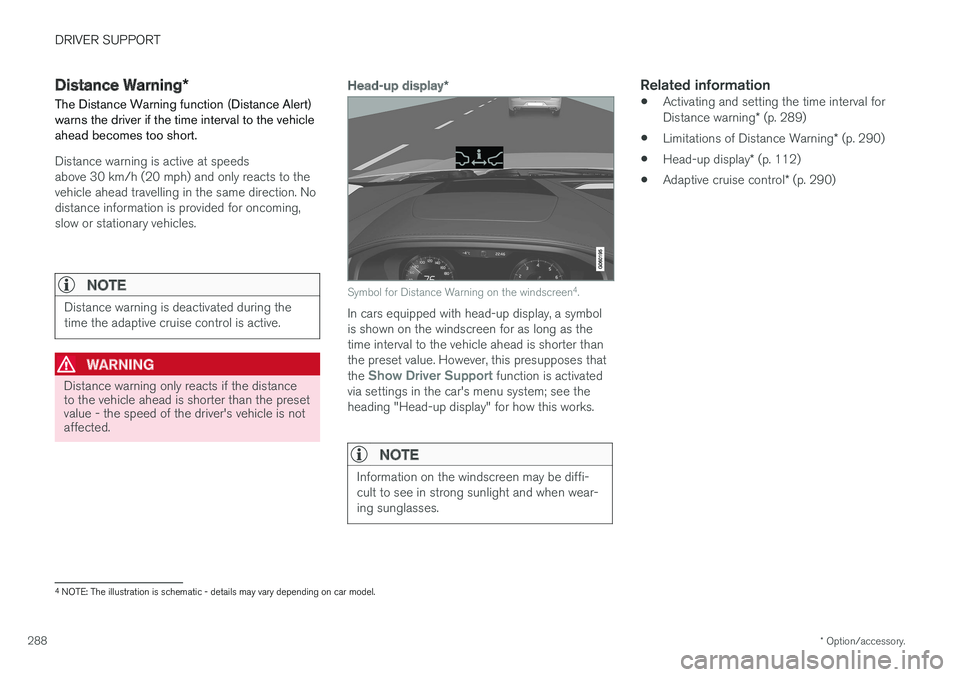
Symbol for Distance Warning on the windscreen 4
.
In cars equipped with head-up display, a symbol is shown on the windscreen for as long as thetime interval to the vehicle ahead is shorter thanthe preset value. However, this presupposes that the
Show Driver Support function is activated
via settings in the car's menu system; see the heading "Head-up display" for how this works.
NOTE
Information on the windscreen may be diffi- cult to see in strong sunlight and when wear-ing sunglasses.
Related information
• Activating and setting the time interval for Distance warning
* (p. 289)
• Limitations of Distance Warning
* (p. 290)
• Head-up display
* (p. 112)
• Adaptive cruise control
* (p. 290)
4
NOTE: The illustration is schematic - details may vary depending on car model.
Page 292 of 594
DRIVER SUPPORT
* Option/accessory.
290
Limitations of Distance Warning *
The Distance warning (Distance Alert) function may have limitations in certain situations.
NOTE
Strong sunlight, reflections or strong varia- tions in light intensity, as well as wearing sun-glasses, could mean that the warning light inthe windscreen cannot be seen. Poor weather or winding roads could affect the radar unit's capacity to detect vehicles infront. The size of other vehicles could also affect detection capacity, e.g. motorcycles. Thiscould mean that the warning lamp illuminatesat a shorter distance than the setting or thatthe warning is temporarily absent. Extremely high speeds can also cause the lamp to illuminate at a shorter distance thanthat set due to limitations in sensor range.
NOTE
The function uses the car's radar unit, which has some general limitations, see the "Limita-tions for radar unit" section.
Related information
• Distance Warning
* (p. 288)
• Activating and setting the time interval for Distance warning
* (p. 289)
• Limitations of the radar unit (p. 319)
Adaptive cruise control
*
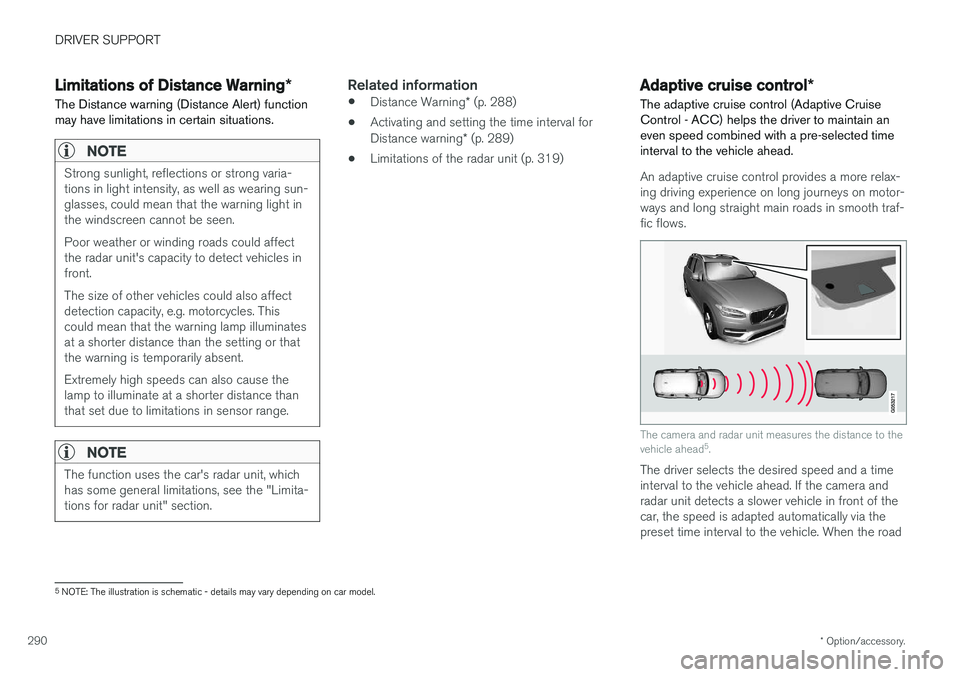
The adaptive cruise control (Adaptive Cruise Control - ACC) helps the driver to maintain aneven speed combined with a pre-selected timeinterval to the vehicle ahead.
An adaptive cruise control provides a more relax- ing driving experience on long journeys on motor-ways and long straight main roads in smooth traf-fic flows.
The camera and radar unit measures the distance to the vehicle ahead 5
.
The driver selects the desired speed and a time interval to the vehicle ahead. If the camera andradar unit detects a slower vehicle in front of thecar, the speed is adapted automatically via thepreset time interval to the vehicle. When the road
5 NOTE: The illustration is schematic - details may vary depending on car model.
Page 295 of 594
DRIVER SUPPORT
* Option/accessory.293
activated to alert the driver that immediate inter- vention is required.
WARNING
The adaptive cruise control only warns of vehicles which its radar unit has detected -hence a warning may not be given, or it maybe given with a certain delay. Do not wait for awarning without braking when so required.
Head-up display
*
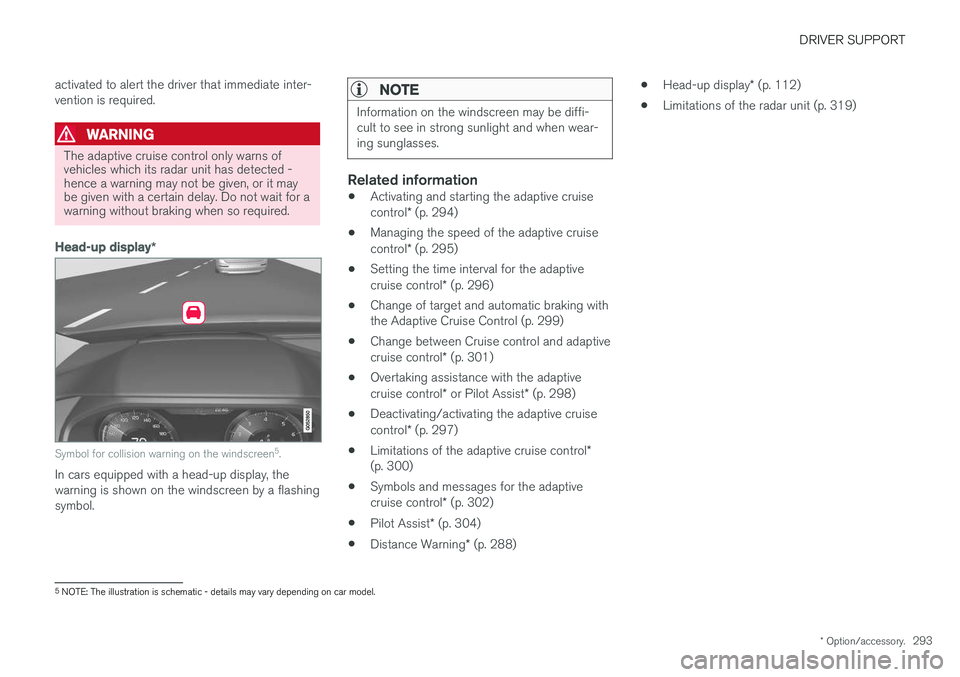
Symbol for collision warning on the windscreen 5
.
In cars equipped with a head-up display, the warning is shown on the windscreen by a flashingsymbol.
NOTE
Information on the windscreen may be diffi- cult to see in strong sunlight and when wear-ing sunglasses.
Related information
• Activating and starting the adaptive cruise control
* (p. 294)
• Managing the speed of the adaptive cruisecontrol
* (p. 295)
• Setting the time interval for the adaptivecruise control
* (p. 296)
• Change of target and automatic braking with the Adaptive Cruise Control (p. 299)
• Change between Cruise control and adaptive cruise control
* (p. 301)
• Overtaking assistance with the adaptivecruise control
* or Pilot Assist * (p. 298)
• Deactivating/activating the adaptive cruisecontrol
* (p. 297)
• Limitations of the adaptive cruise control
*
(p. 300)
• Symbols and messages for the adaptivecruise control
* (p. 302)
• Pilot Assist
* (p. 304)
• Distance Warning
* (p. 288) •
Head-up display
* (p. 112)
• Limitations of the radar unit (p. 319)
5
NOTE: The illustration is schematic - details may vary depending on car model.