warning light VOLVO V90 2017 User Guide
[x] Cancel search | Manufacturer: VOLVO, Model Year: 2017, Model line: V90, Model: VOLVO V90 2017Pages: 594, PDF Size: 15.07 MB
Page 125 of 594
INSTRUMENTS AND CONTROLS
}}
* Option/accessory.123
3.
Within three seconds, depress the 1 or 2
button.
> When the position has been stored in the selected memory button an acoustic sig- nal sounds and the light indicator in the M
button extinguishes.
If none of the memory buttons is depressedwithin three seconds then the M button extin-
guishes and no storing takes place. The seat must be adjusted again before a new memory can be set.
Using a stored settingA stored setting can be used with the front dooreither open or closed:
Open front door
–Depress one of the memory buttons 1 or 2
with a short press. Seat, door mirrors and head-up display move and then stop at thepositions stored in the selected memory but-ton.
Closed front door
–Hold one of the memory buttons 1 or 2
depressed until seat, door mirrors and head- up display stop in the positions that arestored in the selected memory button.
If the memory button is released, the movementof the seat, door mirrors and head-up display willbe stopped.
WARNING
Risk of crushing! Make sure that children do not play with the keypad. Check that there areno objects in front of, behind or under theseat during adjustment. Make sure that noneof the passengers in the rear seat is in dangerof becoming trapped.
Related information
• Power front seat
* (p. 121)
• Adjusting the power front seat
* (p. 122)
Multi-functional front seat *
Enhance the seating comfort using the multi- function control.
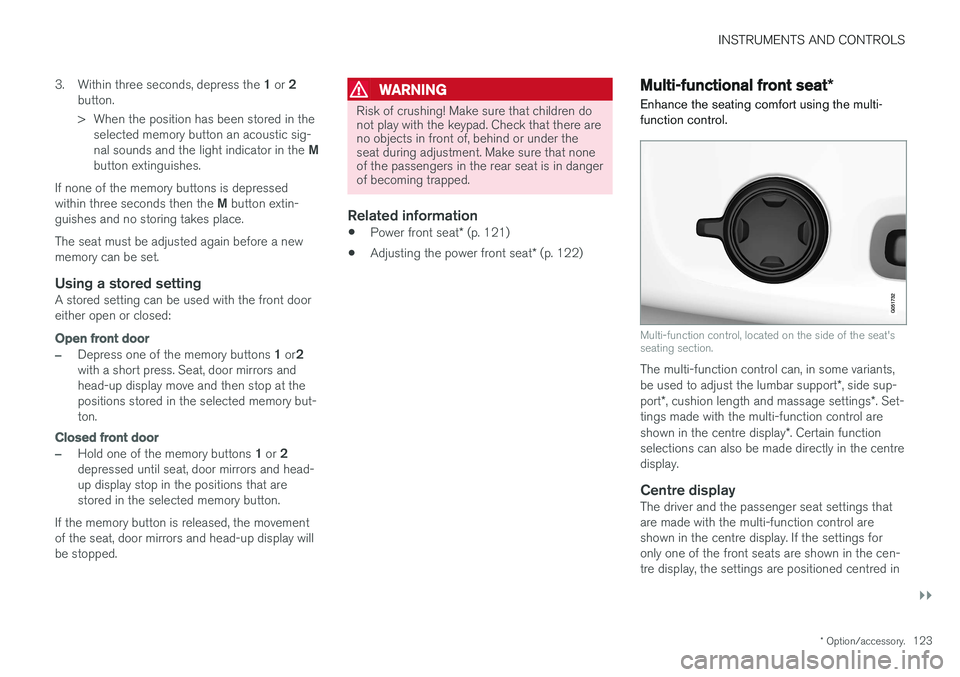
Multi-function control, located on the side of the seat's seating section.
The multi-function control can, in some variants, be used to adjust the lumbar support *, side sup-
port *, cushion length and massage settings *. Set-
tings made with the multi-function control areshown in the centre display *. Certain function
selections can also be made directly in the centre display.
Centre displayThe driver and the passenger seat settings thatare made with the multi-function control areshown in the centre display. If the settings foronly one of the front seats are shown in the cen-tre display, the settings are positioned centred in
Page 135 of 594
INSTRUMENTS AND CONTROLS
133
Steering wheel adjustment can be made in differ- ent ways depending on whether or not the car is equipped with knee airbag
19
.
WARNING
Adjust the steering wheel and fix it before driving away.
With speed related power steering the level of steering force can be adjusted. Steering force isregulated according to the car's speed in order togive the driver enhanced road responsiveness.
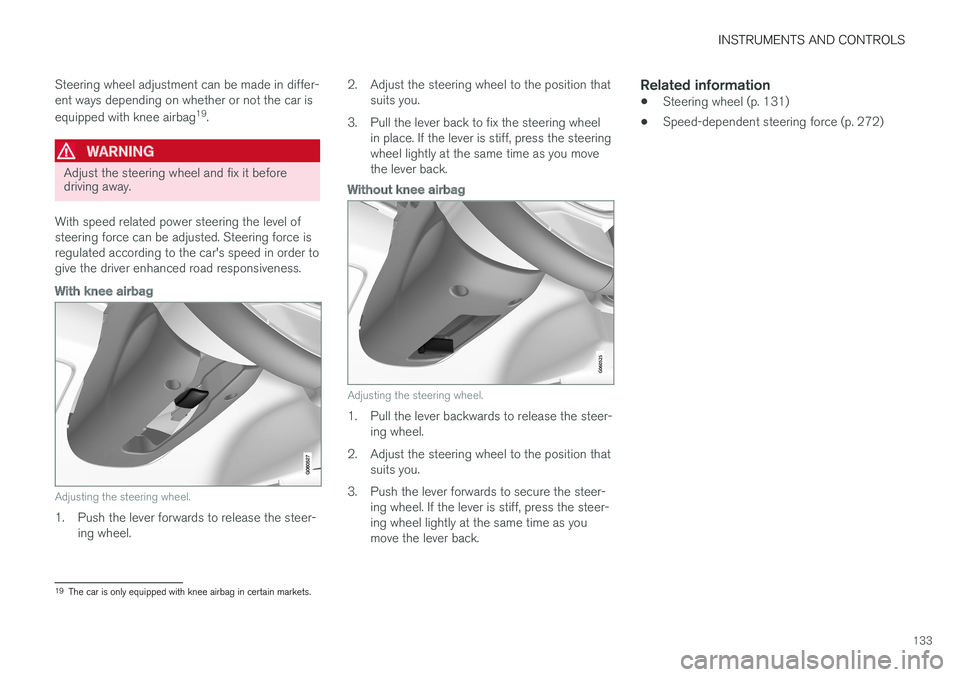
With knee airbag
Adjusting the steering wheel.
1. Push the lever forwards to release the steer- ing wheel. 2. Adjust the steering wheel to the position that
suits you.
3. Pull the lever back to fix the steering wheel in place. If the lever is stiff, press the steering wheel lightly at the same time as you movethe lever back.
Without knee airbag
Adjusting the steering wheel.
1. Pull the lever backwards to release the steer-ing wheel.
2. Adjust the steering wheel to the position that suits you.
3. Push the lever forwards to secure the steer- ing wheel. If the lever is stiff, press the steer- ing wheel lightly at the same time as youmove the lever back.
Related information
• Steering wheel (p. 131)
• Speed-dependent steering force (p. 272)
19
The car is only equipped with knee airbag in certain markets.
Page 137 of 594
INSTRUMENTS AND CONTROLS
}}
* Option/accessory.135
WARNING
The car's audio system is not able to deter- mine when daylight is too weak or sufficientlystrong, e.g. in fog and rain, in all situations. The driver is always responsible for ensuring that the car is driven with a beam pattern suit-able for the traffic situation and in accordancewith applicable traffic regulations.
Thumbwheel in the instrument panel
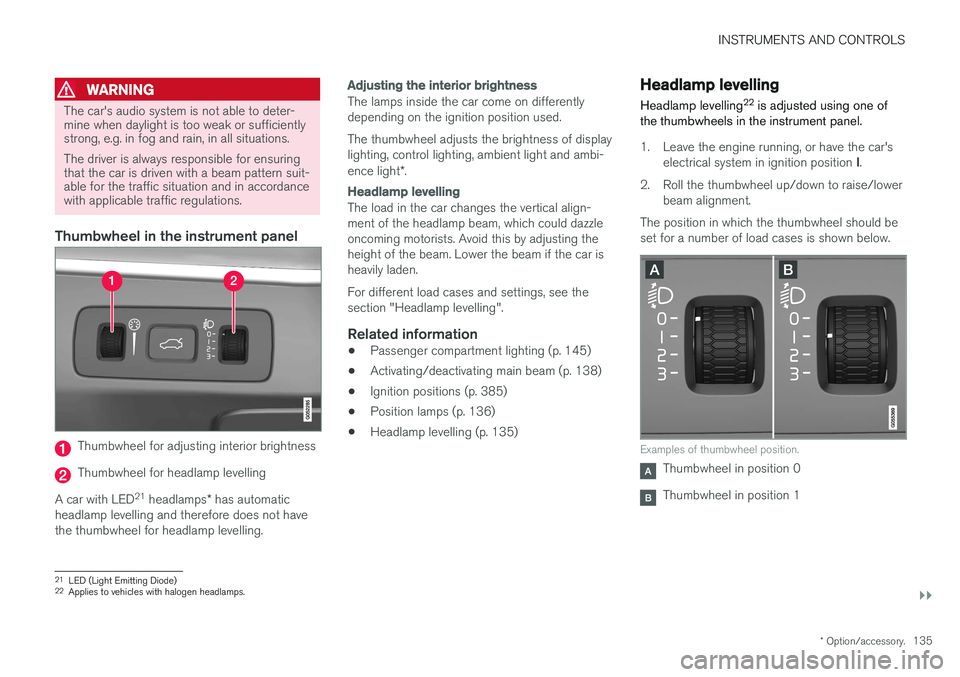
Thumbwheel for adjusting interior brightness
Thumbwheel for headlamp levelling
A car with LED 21
headlamps * has automatic
headlamp levelling and therefore does not have the thumbwheel for headlamp levelling.
Adjusting the interior brightness
The lamps inside the car come on differently depending on the ignition position used. The thumbwheel adjusts the brightness of display lighting, control lighting, ambient light and ambi- ence light *.
Headlamp levelling
The load in the car changes the vertical align- ment of the headlamp beam, which could dazzleoncoming motorists. Avoid this by adjusting theheight of the beam. Lower the beam if the car isheavily laden. For different load cases and settings, see the section "Headlamp levelling".
Related information
• Passenger compartment lighting (p. 145)
• Activating/deactivating main beam (p. 138)
• Ignition positions (p. 385)
• Position lamps (p. 136)
• Headlamp levelling (p. 135)
Headlamp levelling
Headlamp levelling 22
is adjusted using one of
the thumbwheels in the instrument panel.
1. Leave the engine running, or have the car's
electrical system in ignition position I.
2. Roll the thumbwheel up/down to raise/lower beam alignment.
The position in which the thumbwheel should be set for a number of load cases is shown below.
Examples of thumbwheel position.
Thumbwheel in position 0
Thumbwheel in position 1
21 LED (Light Emitting Diode)
22 Applies to vehicles with halogen headlamps.
Page 139 of 594
INSTRUMENTS AND CONTROLS
}}
* Option/accessory.137
Daytime running lights The daytime running lights are switched on when the rotating ring on the stalk switch is in position
, or as well as when
the car's electrical system is in ignition position II
or when the car is running. For the
posi-
tion, this only applies in daylight. In weak daylight or darkness, dipped beam is switched oninstead.
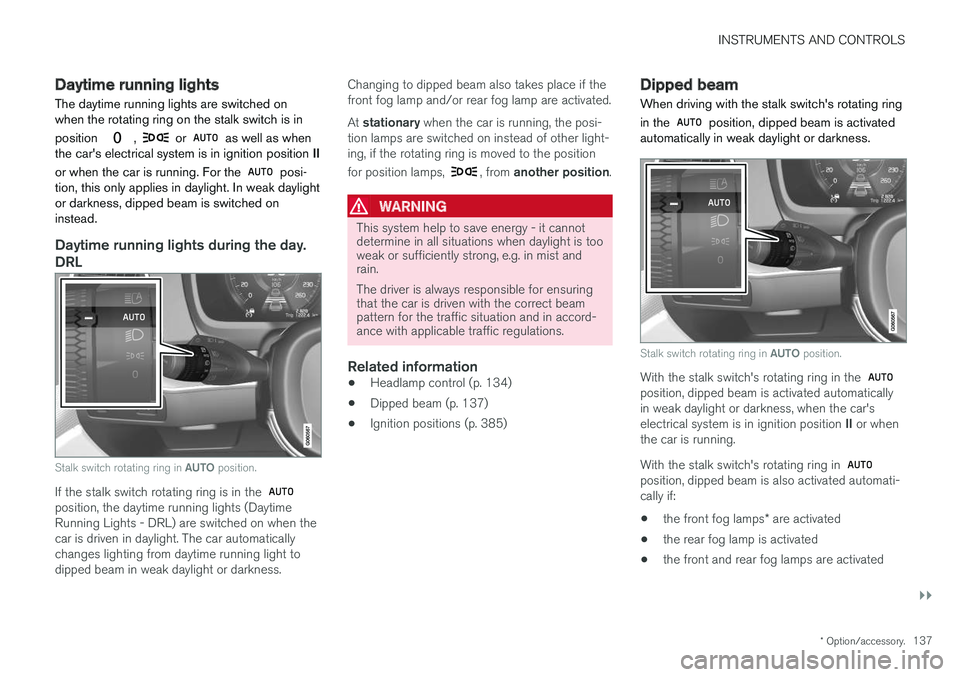
Daytime running lights during the day.
DRL
Stalk switch rotating ring in AUTO position.
If the stalk switch rotating ring is in the position, the daytime running lights (Daytime Running Lights - DRL) are switched on when thecar is driven in daylight. The car automaticallychanges lighting from daytime running light todipped beam in weak daylight or darkness. Changing to dipped beam also takes place if thefront fog lamp and/or rear fog lamp are activated. At
stationary when the car is running, the posi-
tion lamps are switched on instead of other light- ing, if the rotating ring is moved to the position for position lamps,
, from another position .
WARNING
This system help to save energy - it cannot determine in all situations when daylight is tooweak or sufficiently strong, e.g. in mist andrain. The driver is always responsible for ensuring that the car is driven with the correct beampattern for the traffic situation and in accord-ance with applicable traffic regulations.
Related information
•Headlamp control (p. 134)
• Dipped beam (p. 137)
• Ignition positions (p. 385)
Dipped beam
When driving with the stalk switch's rotating ring in the
position, dipped beam is activated
automatically in weak daylight or darkness.
Stalk switch rotating ring in AUTO position.
With the stalk switch's rotating ring in the position, dipped beam is activated automatically in weak daylight or darkness, when the car's electrical system is in ignition position II or when
the car is running. With the stalk switch's rotating ring in
position, dipped beam is also activated automati- cally if:
• the front fog lamps
* are activated
• the rear fog lamp is activated
• the front and rear fog lamps are activated
Page 142 of 594
||
INSTRUMENTS AND CONTROLS
140
Manual operation
NOTE
Keep the windscreen surface in front of the camera sensor free from ice, snow, mist anddirt. Do not stick or attach anything to the wind- screen in front of the camera sensor as thismay reduce effectiveness or cause one ormore of the systems dependent on the cam-era to stop working.
If this symbol is shown in the driver dis- play, together with the message Active
High Beam Temporarily
unavailable, then switching between
main and dipped beam must be performed man- ually. The rotating ring on the stalk switch can still be in the
position. The symbol extin-
guishes when these message are shown.
The same applies if this symbol is shown together with the message
Windscreen sensor Sensor
blocked, see Owner's manual.
Active main beam may be temporarily unavailable e.g. in situations with dense fog or heavy rain.When active main beam becomes available again,or the windscreen sensors are no longer blocked, the message goes out and the
symbol illu-
minates.
WARNING
Active main beam is an aid for using the opti- mum beam pattern when conditions arefavourable. The driver always bears responsibility for man- ually switching between main and dippedbeam when traffic situations or weather con-ditions so require.
IMPORTANT
Examples of when manual switching between main and dipped beam may be required:
• In heavy rain or dense fog
• In freezing rain
• In snow flurries or slush
• In moonlight
• When driving in poorly lit built-up areas
• When the traffic ahead has weak lighting
• If there are pedestrians on or beside theroad
• If there are highly reflective objects suchas signs in the vicinity of the road
• When the lighting from oncoming trafficis obscured by e.g. a crash barrier
• When there is traffic on connecting roads
• On the brow of a hill or in a hollow
• In sharp bends.
Read more about the camera sensor's limitations in the section "Limitations for City Safety".
Related information
• Headlamp control (p. 134)
• Limitations of City Safety (p. 337)
Page 145 of 594
INSTRUMENTS AND CONTROLS
}}
* Option/accessory.143
Press the on/off button. The
symbol in the
driver display illuminates when the rear fog lamp is switched on. The rear fog lamp is switched off automatically when:
• the ignition knob is turned to
STOP or when
the stalk switch's rotating ring is set in posi- tion
• the stalk switch's rotating ring is in position
and the front fog lamps are switched
off.
NOTE
Regulations on the use of rear fog lamps vary from country to country.
Related information
• Headlamp control (p. 134)
• Front fog lamps/cornering lights
* (p. 142)
• Ignition positions (p. 385)
Brake lights The brake light automatically comes on during braking.
The brake light is switched on when the brake pedal is depressed. In addition, it is switched onwhen one of driver support systems Adaptive cruise control
*, City Safety or Rear Collision
Warning brakes the car.
Related information
• Emergency brake lights (p. 408)
• Adaptive cruise control
* (p. 290)
• City Safety (p. 330)
• Rear Collision Warning (p. 340)
Hazard warning flashers
The hazard warning flashers warn other road users by means of all of the car's direction indi-cator lamps flashing simultaneously when thisfunction is activated.
Button for hazard warning flashers.
Press the button to activate the hazard warning flashers. The hazard warning flashers are automatically activated when the car brakes so powerfully thatthe emergency brake lights are activated and thespeed is low. The hazard warning flashers start toflash after the emergency brake lights have stop-ped flashing and are then deactivated automati-cally when the car drives away again or are deac-tivated if the button is depressed.
Page 146 of 594
||
INSTRUMENTS AND CONTROLS
144
Related information
•Using direction indicators (p. 144)
• Emergency brake lights (p. 408)
Using direction indicators
The car's direction indicators are operated with the left-hand stalk switch. The direction indicatorlamps flash three times or continuously, depend-ing on how far up or down the stalk switch ismoved.
Direction indicators.
Short flash sequenceMove the stalk switch up or down to the first position and release. The direction indicatorlamps flash three times. The function can beactivated/deactivated via the centre display.
NOTE
• This automatic flashing sequence can be stopped by moving the stalk switchimmediately in the opposite direction.
• If the symbol for direction indicators inthe driver display flashes more quicklythan normal - see the message in thedriver display.
Continuous flash sequenceMove the stalk switch up or down to its end position.
The stalk switch remains in its position and ismoved back manually, or automatically by thesteering wheel movement.
Related information
• Headlamp control (p. 134)
• Hazard warning flashers (p. 143)
• Settings view (p. 169)
Page 154 of 594
INSTRUMENTS AND CONTROLS
152
Operating power windows Using the driver's door control panel, all power windows can be operated - using the controlpanels in the other doors operates the powerwindow in the individual door.
WARNING
Check that no children or other passengers are trapped when the windows are closedfrom the driver's door.
WARNING
Check that no children or other passengers are trapped if/when the windows are closedusing the remote control key.
WARNING
If there are children in the car - remember to always switch off the power supply to thepower windows by setting the car's electrical system in ignition position 0 and then take
the remote control key with you when leaving the car.
Operating
Operating the power windows.
Operating without auto
Operating with auto
Using the driver's door control panel, all power windows can be operated - using the controlpanels in the other doors can only operate thepower window in the individual door. Only onecontrol panel can be operated at a time. In order for the power windows to be used, the ignition position must be at least I. The power
windows can be operated for a few minutes after the car has been switched off and after the igni-tion has been switched off - although not after adoor has been opened. Closing of the windows is stopped and the win- dow is opened if anything prevents its movement.It is possible to override the pinch protection when closing has been interrupted, e.g. if ice hasformed on the window. After two successive clos-ing interruptions the pinch protection will be over-ridden and the automatic function deactivated fora short while, now it is possible to close by hold-ing the button in its raised position.
NOTE
One way to reduce the pulsating wind noise when the rear windows are open is to alsoopen the front windows slightly.
NOTE
The windows cannot be opened at speeds above approx. 180 km/h (112 mph), but theycan be closed.
Operating without auto
Move one of the controls up/down gently. The power windows move up/down as long as thecontrol is held in position.
Operating with auto
Move one of the controls up/down to the end position and release it. The window runs auto-matically to its end position.
Page 155 of 594
INSTRUMENTS AND CONTROLS
}}
* Option/accessory.153
Operating with the remote control key, door handle or central locking button
To control the power windows from the outside with the remote control key or door handle, orfrom the inside with the central locking button,see the section "Remote control key", "Locking/unlocking from the outside" or "Locking/unlock-ing from the inside".
ResettingIf the starter battery is disconnected then thefunction for automatic opening must be reset sothat it can work correctly.
1. Gently raise the front section of the button to
raise the window to its end position and hold it there for one second.
2. Release the button briefly.
3. Raise the front section of the button again for one second.
WARNING
A reset must take place for pinch protection to work.
Related information
• Power windows (p. 151)
• Ignition positions (p. 385)
• Remote control key (p. 236)
• Locking/unlocking from the outside (p. 241)
• Locking/unlocking from the inside (p. 245)
Using the sun blind
*
Sun blinds are built into each rear door.
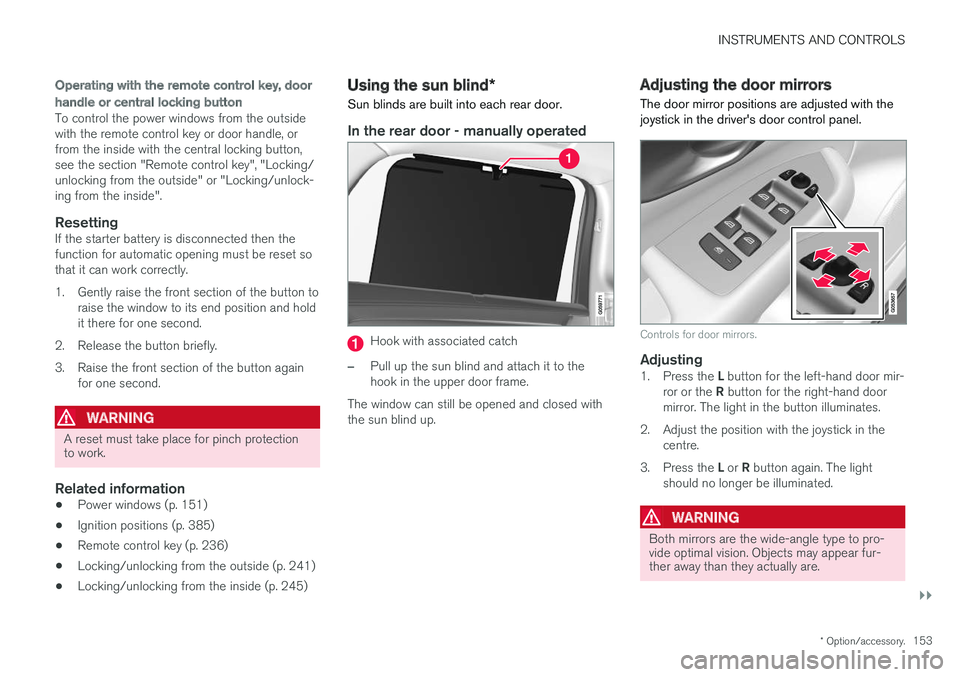
In the rear door - manually operated
Hook with associated catch
–Pull up the sun blind and attach it to the hook in the upper door frame.
The window can still be opened and closed withthe sun blind up.
Adjusting the door mirrors
The door mirror positions are adjusted with the joystick in the driver's door control panel.
Controls for door mirrors.
Adjusting1. Press the L button for the left-hand door mir-
ror or the R button for the right-hand door
mirror. The light in the button illuminates.
2. Adjust the position with the joystick in the centre.
3. Press the L or R button again. The light
should no longer be illuminated.
WARNING
Both mirrors are the wide-angle type to pro- vide optimal vision. Objects may appear fur-ther away than they actually are.
Page 160 of 594
INSTRUMENTS AND CONTROLS
* Option/accessory.
158
Panorama roof *
The panorama roof is divided into two glass sec- tions. The front section can be opened verticallyat the rear edge (ventilation position) or horizon-tally (open position). The rear section is fixedroof glass. The panoramic roof has a wind deflector.
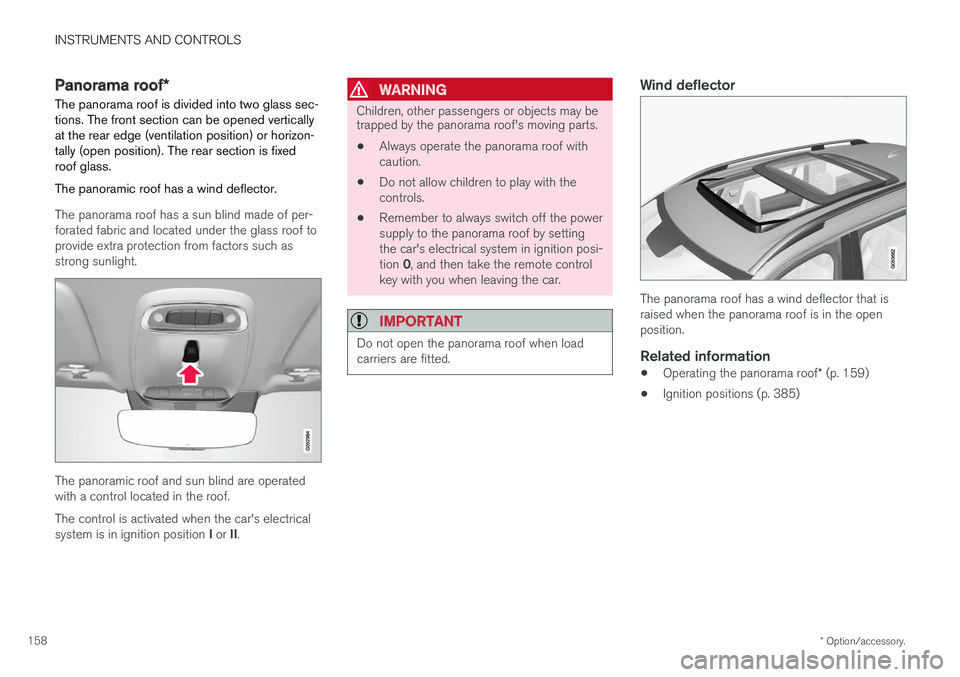
The panorama roof has a sun blind made of per- forated fabric and located under the glass roof toprovide extra protection from factors such asstrong sunlight.
The panoramic roof and sun blind are operated with a control located in the roof. The control is activated when the car's electrical system is in ignition position I or II.
WARNING
Children, other passengers or objects may be trapped by the panorama roof's moving parts.
• Always operate the panorama roof with caution.
• Do not allow children to play with thecontrols.
• Remember to always switch off the powersupply to the panorama roof by settingthe car's electrical system in ignition posi- tion
0, and then take the remote control
key with you when leaving the car.
IMPORTANT
Do not open the panorama roof when load carriers are fitted.
Wind deflector
The panorama roof has a wind deflector that is raised when the panorama roof is in the openposition.
Related information
• Operating the panorama roof
* (p. 159)
• Ignition positions (p. 385)