belt VOLVO V90 2017 Owner's Guide
[x] Cancel search | Manufacturer: VOLVO, Model Year: 2017, Model line: V90, Model: VOLVO V90 2017Pages: 594, PDF Size: 15.07 MB
Page 230 of 594
||
LOADING AND STORAGE
* Option/accessory.
228
WARNING
The car's centre of gravity and driving charac- teristics are altered by roof loads. Read about maximum permitted roof load in the section on Weights.
Related information
• Load retaining eyelets (p. 228)
• Locking/unlocking the tailgate (p. 247)
• Through-load hatch in the rear seat (p. 229)
• Lowering the backrests in the rear seat (p. 130)
• Safety grille
* (p. 233)
• Safety net
* (p. 232)
• Cargo cover
* (p. 230)
• Weights (p. 563)
Load retaining eyelets
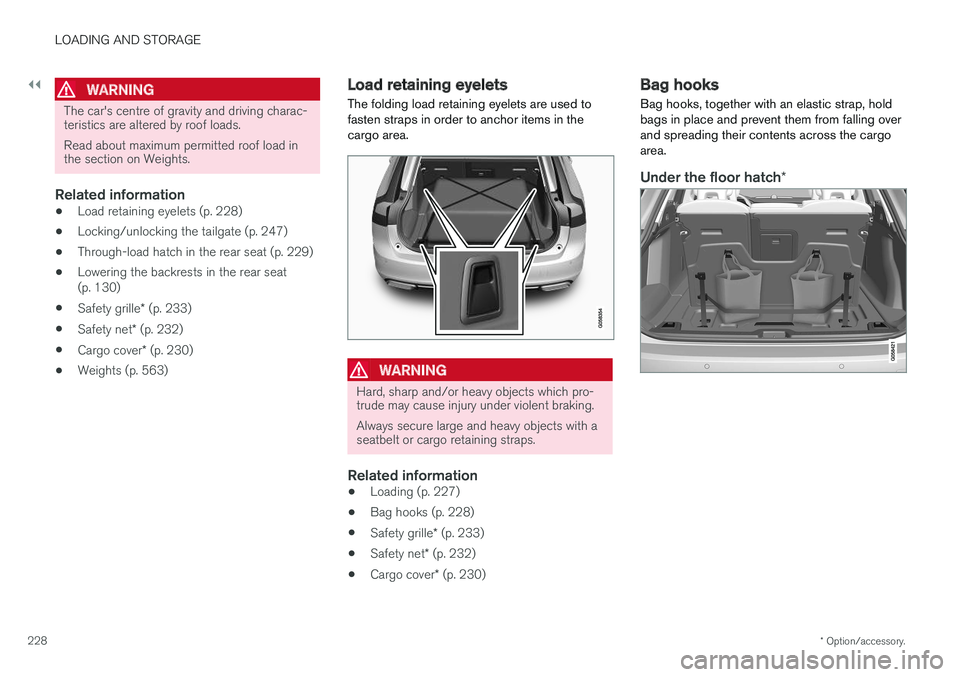
The folding load retaining eyelets are used to fasten straps in order to anchor items in thecargo area.
WARNING
Hard, sharp and/or heavy objects which pro- trude may cause injury under violent braking. Always secure large and heavy objects with a seatbelt or cargo retaining straps.
Related information
• Loading (p. 227)
• Bag hooks (p. 228)
• Safety grille
* (p. 233)
• Safety net
* (p. 232)
• Cargo cover
* (p. 230)
Bag hooks
Bag hooks, together with an elastic strap, hold bags in place and prevent them from falling overand spreading their contents across the cargoarea.
Under the floor hatch *
Page 296 of 594
DRIVER SUPPORT
* Option/accessory.
294
Activating and starting the adaptive cruise control *
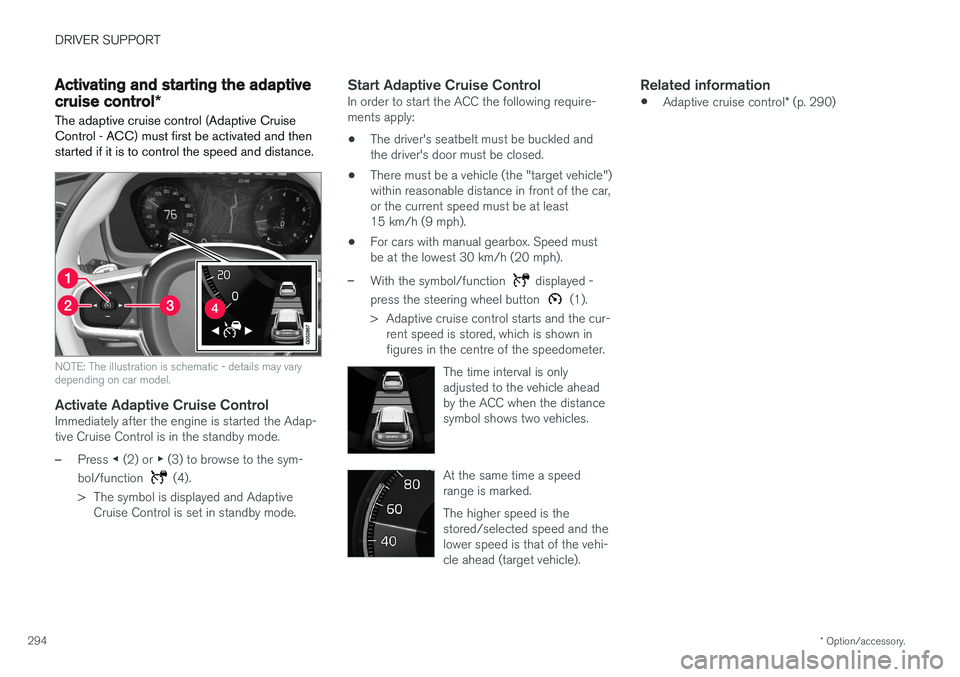
The adaptive cruise control (Adaptive Cruise Control - ACC) must first be activated and thenstarted if it is to control the speed and distance.
NOTE: The illustration is schematic - details may vary depending on car model.
Activate Adaptive Cruise ControlImmediately after the engine is started the Adap- tive Cruise Control is in the standby mode.
–Press ◀ (2) or ▶ (3) to browse to the sym-
bol/function
(4).
> The symbol is displayed and Adaptive Cruise Control is set in standby mode.
Start Adaptive Cruise ControlIn order to start the ACC the following require- ments apply:
• The driver's seatbelt must be buckled andthe driver's door must be closed.
• There must be a vehicle (the "target vehicle")within reasonable distance in front of the car,or the current speed must be at least15 km/h (9 mph).
• For cars with manual gearbox. Speed mustbe at the lowest 30 km/h (20 mph).
–With the symbol/function displayed -
press the steering wheel button
(1).
> Adaptive cruise control starts and the cur- rent speed is stored, which is shown in figures in the centre of the speedometer.
The time interval is onlyadjusted to the vehicle aheadby the ACC when the distancesymbol shows two vehicles.
At the same time a speed range is marked. The higher speed is the stored/selected speed and thelower speed is that of the vehi-cle ahead (target vehicle).
Related information
•Adaptive cruise control
* (p. 290)
Page 299 of 594
DRIVER SUPPORT
}}
* Option/accessory.297
Deactivating/activating the adaptive cruise control *
The adaptive cruise control (Adaptive Cruise Control - ACC) can be temporarily deactivatedso that it is set in the standby mode and canlater be reactivated.
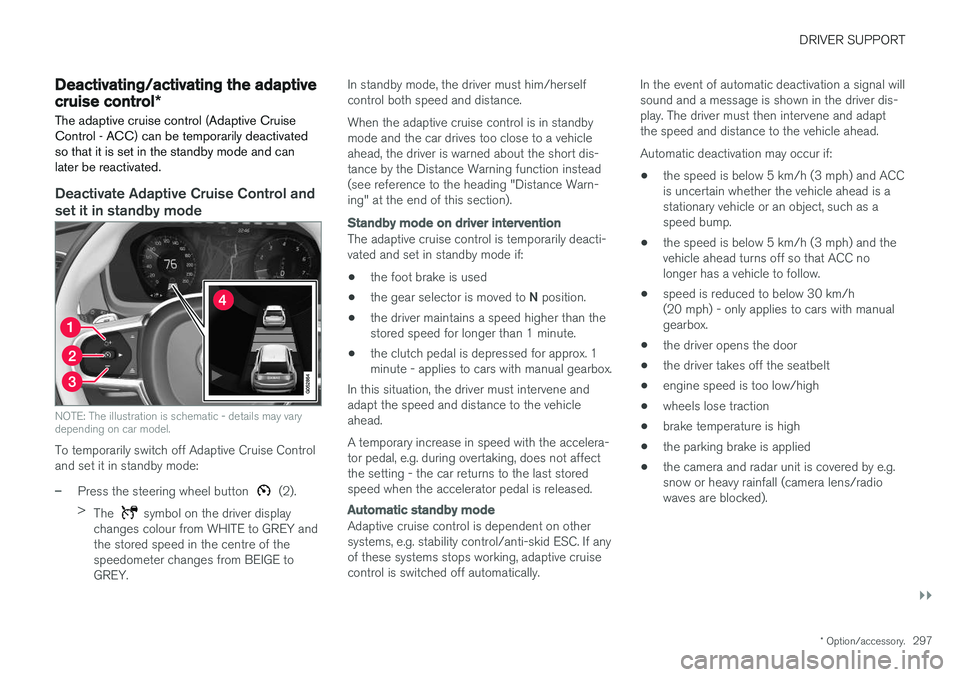
Deactivate Adaptive Cruise Control and set it in standby mode
NOTE: The illustration is schematic - details may vary depending on car model.
To temporarily switch off Adaptive Cruise Control and set it in standby mode:
–Press the steering wheel button (2).
> The
symbol on the driver display
changes colour from WHITE to GREY and the stored speed in the centre of thespeedometer changes from BEIGE toGREY. In standby mode, the driver must him/herselfcontrol both speed and distance. When the adaptive cruise control is in standby mode and the car drives too close to a vehicleahead, the driver is warned about the short dis-tance by the Distance Warning function instead(see reference to the heading "Distance Warn-ing" at the end of this section).
Standby mode on driver intervention
The adaptive cruise control is temporarily deacti- vated and set in standby mode if:
• the foot brake is used
• the gear selector is moved to
N position.
• the driver maintains a speed higher than thestored speed for longer than 1 minute.
• the clutch pedal is depressed for approx. 1minute - applies to cars with manual gearbox.
In this situation, the driver must intervene andadapt the speed and distance to the vehicleahead. A temporary increase in speed with the accelera- tor pedal, e.g. during overtaking, does not affectthe setting - the car returns to the last storedspeed when the accelerator pedal is released.
Automatic standby mode
Adaptive cruise control is dependent on other systems, e.g. stability control/anti-skid ESC. If anyof these systems stops working, adaptive cruisecontrol is switched off automatically. In the event of automatic deactivation a signal willsound and a message is shown in the driver dis-play. The driver must then intervene and adaptthe speed and distance to the vehicle ahead. Automatic deactivation may occur if:
• the speed is below 5 km/h (3 mph) and ACC is uncertain whether the vehicle ahead is astationary vehicle or an object, such as aspeed bump.
• the speed is below 5 km/h (3 mph) and thevehicle ahead turns off so that ACC nolonger has a vehicle to follow.
• speed is reduced to below 30 km/h(20 mph) - only applies to cars with manualgearbox.
• the driver opens the door
• the driver takes off the seatbelt
• engine speed is too low/high
• wheels lose traction
• brake temperature is high
• the parking brake is applied
• the camera and radar unit is covered by e.g.snow or heavy rainfall (camera lens/radiowaves are blocked).
Page 302 of 594
||
DRIVER SUPPORT
* Option/accessory.
300 front starts moving again then the adaptive cruise control is set in standby mode with automaticbraking.
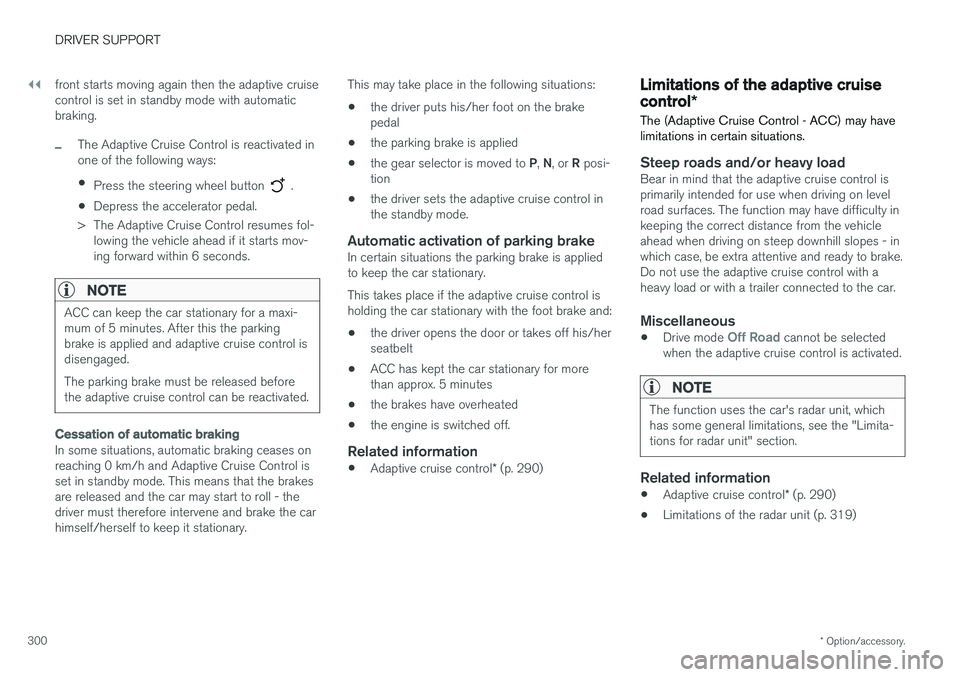
–The Adaptive Cruise Control is reactivated in one of the following ways:
• Press the steering wheel button
.
• Depress the accelerator pedal.
> The Adaptive Cruise Control resumes fol- lowing the vehicle ahead if it starts mov- ing forward within 6 seconds.
NOTE
ACC can keep the car stationary for a maxi- mum of 5 minutes. After this the parkingbrake is applied and adaptive cruise control isdisengaged. The parking brake must be released before the adaptive cruise control can be reactivated.
Cessation of automatic braking
In some situations, automatic braking ceases on reaching 0 km/h and Adaptive Cruise Control isset in standby mode. This means that the brakesare released and the car may start to roll - thedriver must therefore intervene and brake the carhimself/herself to keep it stationary. This may take place in the following situations:
• the driver puts his/her foot on the brakepedal
• the parking brake is applied
• the gear selector is moved to
P, N , or R posi-
tion
• the driver sets the adaptive cruise control inthe standby mode.
Automatic activation of parking brakeIn certain situations the parking brake is appliedto keep the car stationary. This takes place if the adaptive cruise control is holding the car stationary with the foot brake and: •the driver opens the door or takes off his/her seatbelt
• ACC has kept the car stationary for morethan approx. 5 minutes
• the brakes have overheated
• the engine is switched off.
Related information
•
Adaptive cruise control
* (p. 290)
Limitations of the adaptive cruise control *
The (Adaptive Cruise Control - ACC) may have limitations in certain situations.
Steep roads and/or heavy loadBear in mind that the adaptive cruise control is primarily intended for use when driving on levelroad surfaces. The function may have difficulty inkeeping the correct distance from the vehicleahead when driving on steep downhill slopes - inwhich case, be extra attentive and ready to brake.Do not use the adaptive cruise control with aheavy load or with a trailer connected to the car.
Miscellaneous
• Drive mode Off Road cannot be selected
when the adaptive cruise control is activated.
NOTE
The function uses the car's radar unit, which has some general limitations, see the "Limita-tions for radar unit" section.
Related information
• Adaptive cruise control
* (p. 290)
• Limitations of the radar unit (p. 319)
Page 309 of 594
DRIVER SUPPORT
}}
* Option/accessory.307
WARNING
Pilot Assist only gives warning about vehicles whose camera and radar unit has beendetected - therefore a warning may not occuror be delayed. Do not wait for a warning with-out braking when so required.
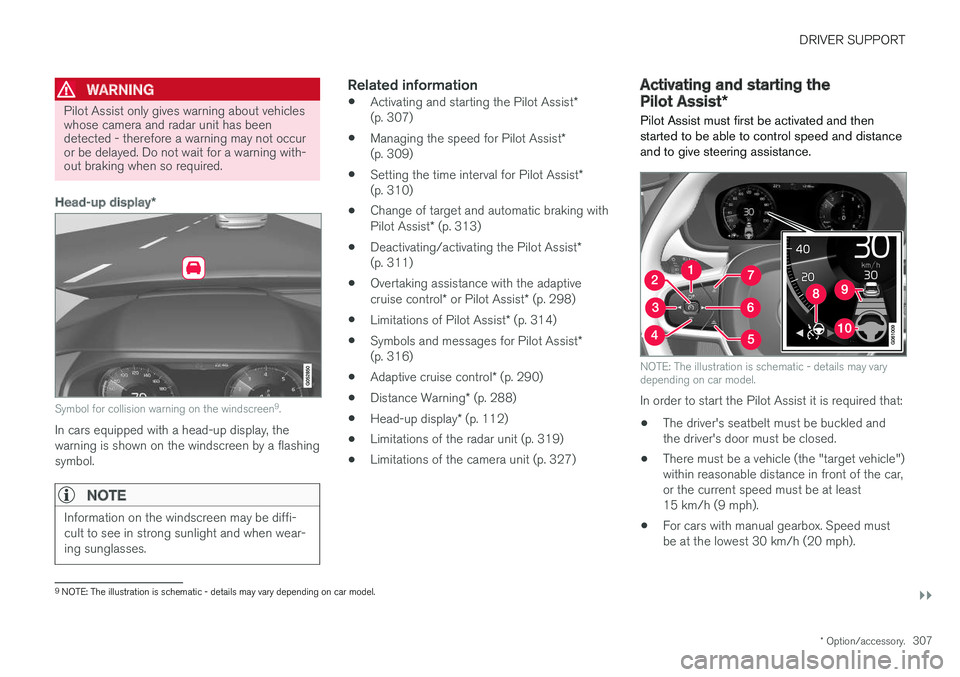
Head-up display *
Symbol for collision warning on the windscreen 9
.
In cars equipped with a head-up display, the warning is shown on the windscreen by a flashingsymbol.
NOTE
Information on the windscreen may be diffi- cult to see in strong sunlight and when wear-ing sunglasses.
Related information
• Activating and starting the Pilot Assist
*
(p. 307)
• Managing the speed for Pilot Assist
*
(p. 309)
• Setting the time interval for Pilot Assist
*
(p. 310)
• Change of target and automatic braking with Pilot Assist
* (p. 313)
• Deactivating/activating the Pilot Assist
*
(p. 311)
• Overtaking assistance with the adaptivecruise control
* or Pilot Assist * (p. 298)
• Limitations of Pilot Assist
* (p. 314)
• Symbols and messages for Pilot Assist
*
(p. 316)
• Adaptive cruise control
* (p. 290)
• Distance Warning
* (p. 288)
• Head-up display
* (p. 112)
• Limitations of the radar unit (p. 319)
• Limitations of the camera unit (p. 327)
Activating and starting the Pilot Assist
*
Pilot Assist must first be activated and then started to be able to control speed and distanceand to give steering assistance.
NOTE: The illustration is schematic - details may vary depending on car model.
In order to start the Pilot Assist it is required that:
• The driver's seatbelt must be buckled and the driver's door must be closed.
• There must be a vehicle (the "target vehicle")within reasonable distance in front of the car,or the current speed must be at least15 km/h (9 mph).
• For cars with manual gearbox. Speed mustbe at the lowest 30 km/h (20 mph).
9
NOTE: The illustration is schematic - details may vary depending on car model.
Page 314 of 594
||
DRIVER SUPPORT
* Option/accessory.
312
Automatic standby mode
Pilot Assist is dependent on other systems, e.g. stability control/anti-skid ESC. If any of theseother systems stops working, Pilot Assist isswitched off automatically. In the event of automatic deactivation a signal will sound and a message is shown in the driver dis-play. The driver must then intervene and adaptthe speed and distance to the vehicle ahead. Automatic deactivation may occur if:
• the speed is below 5 km/h (3 mph) and Pilot Assist is uncertain whether the vehicle aheadis a stationary vehicle or an object, such as aspeed bump.
• the speed is below 5 km/h (3 mph) and thevehicle ahead turns off so that Pilot Assist nolonger has a vehicle to follow.
• speed is reduced to below 30 km/h(20 mph) - only applies to cars with manualgearbox.
• the driver's hands are not on the steeringwheel
• the driver opens the door
• the driver takes off the seatbelt
• engine speed is too low/high
• wheels lose traction
• brake temperature is high
• the parking brake is applied •
the camera and radar unit is covered by e.g.snow or heavy rainfall (camera lens/radiowaves are blocked).
Reactivating Pilot Assist from the
standby mode
NOTE: The illustration is schematic - details may vary depending on car model.
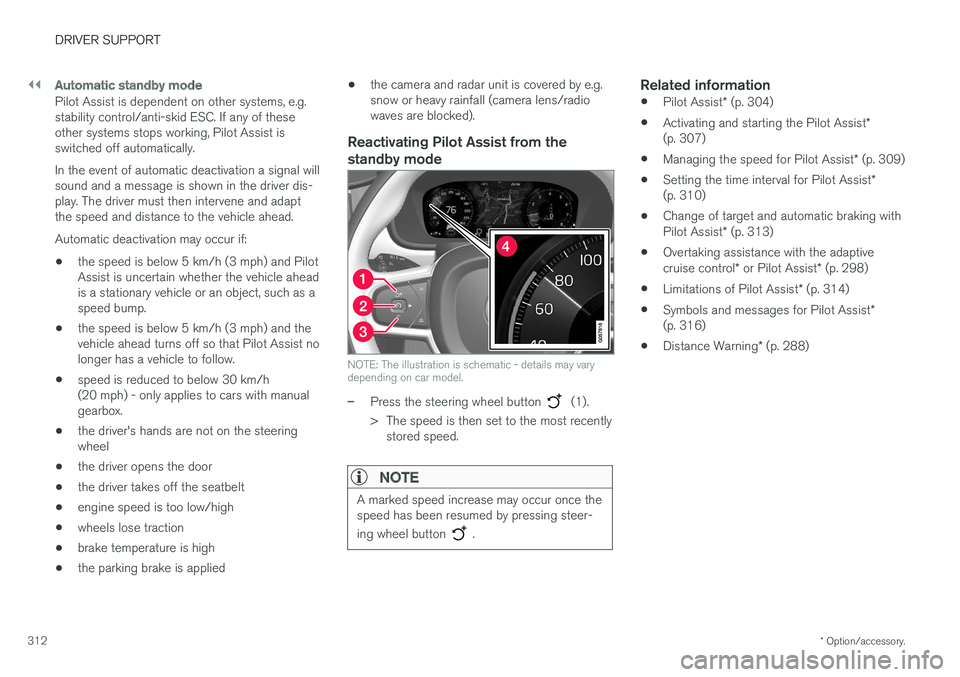
–Press the steering wheel button (1).
> The speed is then set to the most recently stored speed.
NOTE
A marked speed increase may occur once the speed has been resumed by pressing steer- ing wheel button
.
Related information
• Pilot Assist
* (p. 304)
• Activating and starting the Pilot Assist
*
(p. 307)
• Managing the speed for Pilot Assist
* (p. 309)
• Setting the time interval for Pilot Assist
*
(p. 310)
• Change of target and automatic braking with Pilot Assist
* (p. 313)
• Overtaking assistance with the adaptivecruise control
* or Pilot Assist * (p. 298)
• Limitations of Pilot Assist
* (p. 314)
• Symbols and messages for Pilot Assist
*
(p. 316)
• Distance Warning
* (p. 288)
Page 316 of 594
||
DRIVER SUPPORT
* Option/accessory.
314
Cessation of automatic braking
In some situations, automatic braking ceases on coming to a standstill and Pilot Assist is set instandby mode. This means that the brakes arereleased and the car may start to roll - the drivermust therefore intervene and brake the car him-self/herself to keep it stationary. This may take place in the following situations:
• the driver puts his/her foot on the brake pedal
• the parking brake is applied
• the gear selector is moved to
P, N , or R posi-
tion
• the driver sets Pilot Assist in the standbymode.
Automatic activation of parking brakeIn certain situations the parking brake is appliedto keep the car stationary. This takes place if Pilot Assist is holding the car stationary with the foot brake and: •
the driver opens the door or takes off his/her seatbelt
• Pilot Assist has kept the car stationary formore than approx. 5 minutes
• the brakes have overheated
• the engine is switched off.
Related information
•
Pilot Assist
* (p. 304)
• Activating and starting the Pilot Assist
*
(p. 307)
• Managing the speed for Pilot Assist
* (p. 309)
• Setting the time interval for Pilot Assist
*
(p. 310)
• Deactivating/activating the Pilot Assist
*
(p. 311)
• Overtaking assistance with the adaptive cruise control
* or Pilot Assist * (p. 298)
• Limitations of Pilot Assist
* (p. 314)
• Symbols and messages for Pilot Assist
*
(p. 316)
Limitations of Pilot Assist *
The Pilot Assist function may have limitations in certain situations.
The Pilot Assist function is an aid which can help the driver in many situations. But the driver is atall times responsible for maintaining a safe dis-tance to surrounding objects and a correct posi-tion in the lane.
Page 334 of 594
||
DRIVER SUPPORT
332
Auto Brake
The automatic brake function is activated last. If in this situation the driver has not yet started to take evasive action and the risk of collision isimminent then the automatic braking function isdeployed - this takes place irrespective ofwhether or not the driver brakes. Braking thentakes place with full brake force in order toreduce collision speed, or with limited brake forceif it is sufficient to avoid a collision. In connection with automatic braking the seatbelt tensioner may also be activated. For more infor-mation see the "Seatbelt tensioner" section. In some situations, the action of Auto-brake may begin with light braking and then progress to fullbrake action. When City Safety has prevented a collision with a stationary object, the car remains stationary inanticipation of positive action by the driver. If thecar has been braked to avoid collision with aslower vehicle in front, its speed is reduced tomatch that of the vehicle in front.
NOTE
On cars with manual gearbox, the engine stops when the Auto-brake function has stop-ped the car, unless the driver has managed todepress the clutch pedal beforehand.
The driver can always interrupt a braking inter- vention by firmly depressing the acceleratorpedal.
NOTE
When City Safety™ brakes, the brake lights
come on.
When City Safety is activated and brakes the vehicle, the driver display shows a text messageto the effect that the function is/has been active.
WARNING
City Safety must not be used as an excuse for the driver to change his/her driving style. Ifthe driver relies solely on City Safety to do thebraking, there might be a risk of a collisionsooner or later.
Related information
• Setting the warning distance for City Safety (p. 332)
• Detection of obstacles with City Safety
™
(p. 333)
• City Safety when evasive manoeuvres areprevented (p. 336)
• City Safety in cross traffic (p. 335)
• Limitations of City Safety (p. 337)
• Messages for City Safety (p. 339)
• Seatbelt tensioner (p. 59)
Setting the warning distance for City Safety
City Safety is always activated, but it is possible to select the warning distance for the function.
NOTE
The City Safety function cannot be deacti- vated. It is activated automatically when theengine/electric operation is started andremains switched on until the engine/electricoperation is switched off.
The warning distance determines the sensitivity of the system and regulates the distance atwhich the visual, acoustic and haptic warningsshall be triggered. 1. Tap on
Settings in top view in the centre
display.
2. Press
My CarIntelliSafe.
3. Under
City Safety Warning, select Late,Normal or Early to set the desired warning
distance.
If the
Early setting produces too many warnings,
which could be perceived as irritating in certain situations, then use the
Normal or Late warning
distance. If warnings are perceived as being too frequent or disturbing then the warning distance can bereduced. This would lead to the system warning
Page 342 of 594
DRIVER SUPPORT
* Option/accessory.
340
Rear Collision Warning
The Rear Collision Warning (RCW) function can help the driver to avoid being hit by a vehicleapproaching from behind.
RCW is activated automatically each time the engine is started. The RCW can warn the driver in a vehicle approaching from behind that a collision is immi-nent by rapidly flashing the direction indicators. If, at a vehicle speed below 30 km/h (20 mph), the RCW function detects that the car is in dan-ger of being hit from behind, the seatbelt ten-sioners may tension the front seatbelts and theWhiplash Protection System safety system isactivated. Immediately before the collision, RCW may also activate the foot brake in order to reduce the for-ward acceleration of the car during the collision.However, the foot brake is only activated if thecar is stationary. The foot brake releases immedi-ately if the accelerator pedal is depressed.
LimitationsIn certain cases the RCW may have difficultyhelping the driver in the event of a collision risk.This can be for example:
• if the vehicle approaching from the rear isdetected too late
• if the vehicle approaching from the rearchanges lane at the last moment •
if the vehicle approaching from the rear has aspeed exceeding 80 km/h (50 mph).
NOTE
In certain markets, RCW does
not give a
warning with the direction indicators due to local traffic regulations - in such cases, thispart of the function is deactivated.
NOTE
The warning with direction indicators for Rear Collision Warning is deactivated if the warn-ing distance for collision warning in the CitySafety function is set at the lowest level "
Late".
The seat belt pre-tensioning and braking functions are, however, still active.
Related information
• City Safety (p. 330)
• Setting the warning distance for City Safety (p. 332)
• Seatbelt tensioner (p. 59)
• Whiplash Protection System (p. 57)
Blind Spot Information
*
The Blind Spot Information (BLIS) function is designed to give a warning of vehicles diago-nally behind and to the side of your car so as togive assistance in heavy traffic on roads withseveral lanes in the same direction.
BLIS is a driver aid intended to give a warning of: • vehicles in the car's blind spot
• quickly approaching vehicles in the left and right lanes closest to the car.
Page 400 of 594
||
STARTING AND DRIVING
* Option/accessory.
398
With 8-inch driver display
The symbol is shown in the lower edge of the speedometer.
Symbol Specification
White symbol: The function is avail- able.
Beige symbol: The function is active and the engine is auto-stop-ped.
The function is not available, the conditions are not fulfilled. No symbol is shown when the function is deactivated.
Deactivating the functionIn certain situations it may be desirable to tempo- rarily deactivate the function.
Deactivate using the
Start/
Stop function button in the
centre display's function view. The indication in the button isswitched off when the functionis deactivated.
The function is deactivated until •
it is reactivated
• the drive mode is changed to
Eco orComfort
• the next time the car is started.
Related information
•
Start/Stop (p. 396)
• Conditions for the Start/Stop function (p. 398)
• Hill start assist (p. 412)
• Automatic braking when stationary (p. 412)
• Adaptive cruise control
* (p. 290)
• Activating and starting the Pilot Assist
*
(p. 307)
Conditions for the Start/Stop function For the Start/Stop function to work requires that a number of conditions are met.
If any condition is not met, this will be indicated in the driver display. See the section "Using theStart/Stop function".
The engine does not auto-stopThe engine does not auto-stop in the followingcases: • The car has not reached approx. 10 km/h (6 mph) after starting.
• After a number of repeated auto stops,speed must again exceed approx. 10 km/h(6 mph) before the next auto stop.
• The driver has unfastened the seatbelt.
• The capacity of the starter battery is belowthe minimum permissible level.
• The engine is not at normal operating tem-perature.
• The ambient temperature is under -5 °C orabove approx. 30 °C.
• the windscreen's electric heating is activated.
• The environment in the passenger compart-ment deviates from the set values.
• the car is reversed.
• The starter battery's temperature is below orabove the permitted limit values.