warning VOLVO V90 2017 Service Manual
[x] Cancel search | Manufacturer: VOLVO, Model Year: 2017, Model line: V90, Model: VOLVO V90 2017Pages: 594, PDF Size: 15.07 MB
Page 99 of 594
INSTRUMENTS AND CONTROLS
}}
97
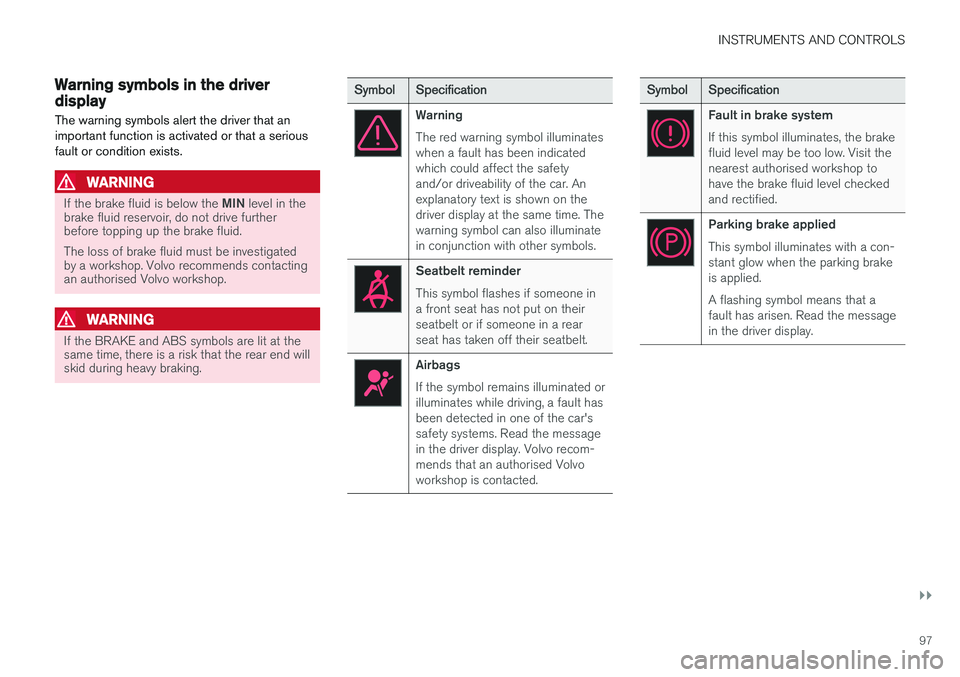
Warning symbols in the driver display The warning symbols alert the driver that an important function is activated or that a seriousfault or condition exists.
WARNING
If the brake fluid is below the MIN level in the
brake fluid reservoir, do not drive further before topping up the brake fluid. The loss of brake fluid must be investigated by a workshop. Volvo recommends contactingan authorised Volvo workshop.
WARNING
If the BRAKE and ABS symbols are lit at the same time, there is a risk that the rear end willskid during heavy braking.
Symbol Specification
Warning The red warning symbol illuminates when a fault has been indicatedwhich could affect the safetyand/or driveability of the car. Anexplanatory text is shown on thedriver display at the same time. Thewarning symbol can also illuminatein conjunction with other symbols.
Seatbelt reminder This symbol flashes if someone in a front seat has not put on theirseatbelt or if someone in a rearseat has taken off their seatbelt.
Airbags If the symbol remains illuminated or illuminates while driving, a fault hasbeen detected in one of the car'ssafety systems. Read the messagein the driver display. Volvo recom-mends that an authorised Volvoworkshop is contacted.
Symbol Specification
Fault in brake system If this symbol illuminates, the brake fluid level may be too low. Visit thenearest authorised workshop tohave the brake fluid level checkedand rectified.
Parking brake applied This symbol illuminates with a con- stant glow when the parking brakeis applied. A flashing symbol means that a fault has arisen. Read the messagein the driver display.
Page 100 of 594
||
INSTRUMENTS AND CONTROLS
98
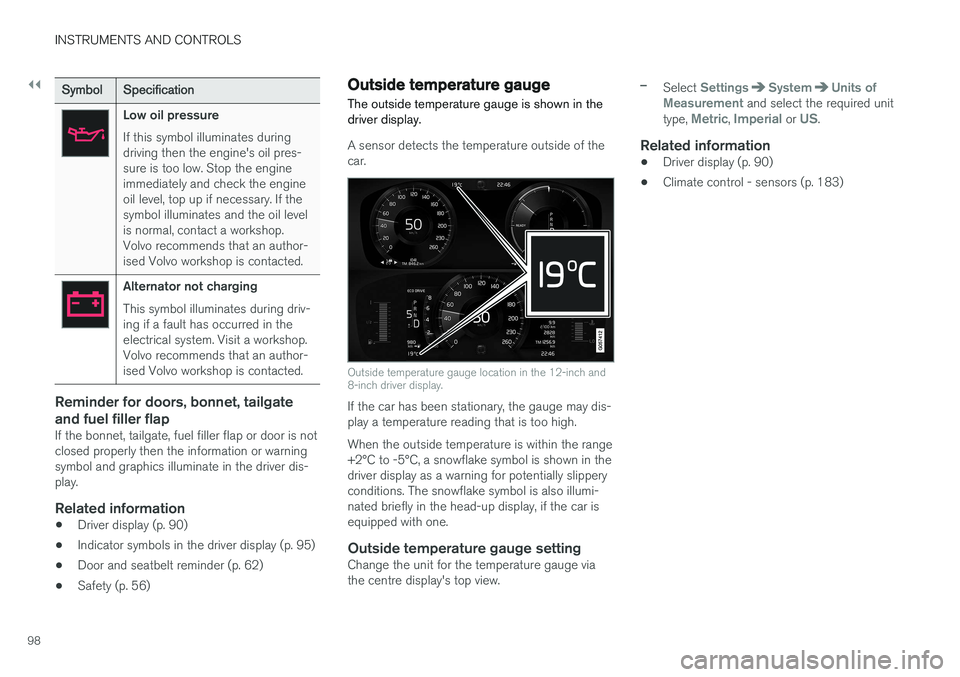
SymbolSpecification
Low oil pressure If this symbol illuminates during driving then the engine's oil pres-sure is too low. Stop the engineimmediately and check the engineoil level, top up if necessary. If thesymbol illuminates and the oil levelis normal, contact a workshop.Volvo recommends that an author-ised Volvo workshop is contacted.
Alternator not charging This symbol illuminates during driv- ing if a fault has occurred in theelectrical system. Visit a workshop.Volvo recommends that an author-ised Volvo workshop is contacted.
Reminder for doors, bonnet, tailgate and fuel filler flap
If the bonnet, tailgate, fuel filler flap or door is not closed properly then the information or warningsymbol and graphics illuminate in the driver dis-play.
Related information
•Driver display (p. 90)
• Indicator symbols in the driver display (p. 95)
• Door and seatbelt reminder (p. 62)
• Safety (p. 56)
Outside temperature gauge
The outside temperature gauge is shown in the driver display.
A sensor detects the temperature outside of the car.
Outside temperature gauge location in the 12-inch and 8-inch driver display.
If the car has been stationary, the gauge may dis- play a temperature reading that is too high. When the outside temperature is within the range +2°C to -5°C, a snowflake symbol is shown in thedriver display as a warning for potentially slipperyconditions. The snowflake symbol is also illumi-nated briefly in the head-up display, if the car isequipped with one.
Outside temperature gauge settingChange the unit for the temperature gauge viathe centre display's top view.
–Select SettingsSystemUnits of
Measurement and select the required unit
type, Metric, Imperial or US.
Related information
• Driver display (p. 90)
• Climate control - sensors (p. 183)
Page 114 of 594
INSTRUMENTS AND CONTROLS
* Option/accessory.
112
Head-up display *
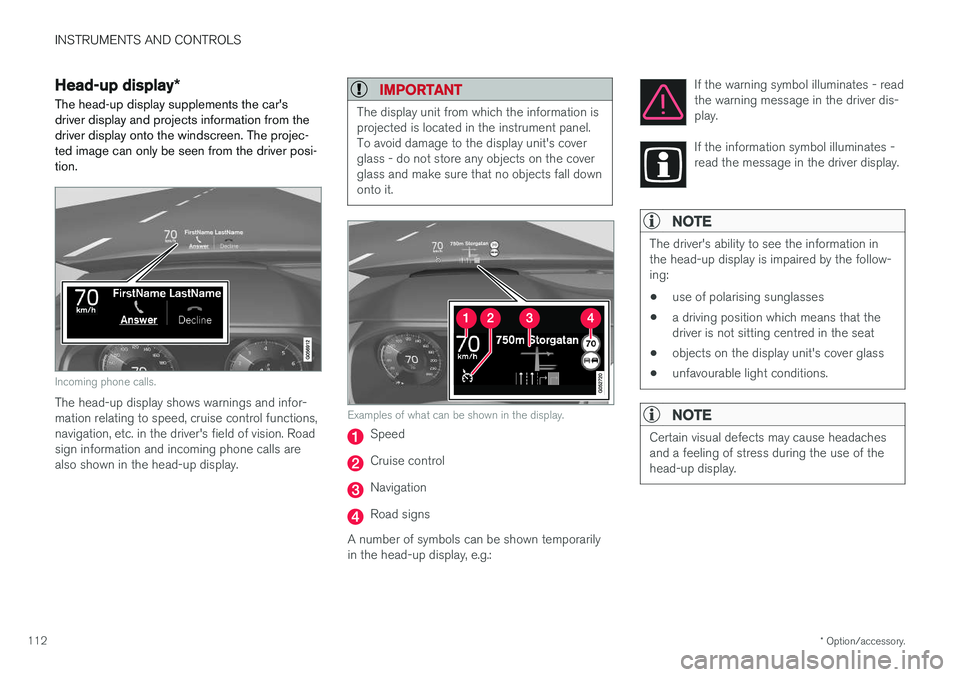
The head-up display supplements the car's driver display and projects information from thedriver display onto the windscreen. The projec-ted image can only be seen from the driver posi-tion.
Incoming phone calls.
The head-up display shows warnings and infor- mation relating to speed, cruise control functions,navigation, etc. in the driver's field of vision. Roadsign information and incoming phone calls arealso shown in the head-up display.
IMPORTANT
The display unit from which the information is projected is located in the instrument panel.To avoid damage to the display unit's coverglass - do not store any objects on the coverglass and make sure that no objects fall downonto it.
Examples of what can be shown in the display.
Speed
Cruise control
Navigation
Road signs
A number of symbols can be shown temporarily in the head-up display, e.g.: If the warning symbol illuminates - readthe warning message in the driver dis-play.
If the information symbol illuminates - read the message in the driver display.
NOTE
The driver's ability to see the information in the head-up display is impaired by the follow-ing:
• use of polarising sunglasses
• a driving position which means that thedriver is not sitting centred in the seat
• objects on the display unit's cover glass
• unfavourable light conditions.
NOTE
Certain visual defects may cause headaches and a feeling of stress during the use of thehead-up display.
Page 117 of 594
INSTRUMENTS AND CONTROLS
}}
* Option/accessory.115
When replacing the windscreen - contact an authorised workshop
7
. The correct version of the
windscreen must be fitted in order that the head- up display's graphics shall be displayed correctly.
Related information
• Function view with buttons for car functions(p. 47)
• Settings view (p. 169)
• Steering wheel (p. 131)
• Using the memory function in the power front seat
* (p. 122)
• Driver display (p. 90)
Voice recognition 8
The voice recognition system allows the driver to use voice recognition to control certain functionsof the media player, Bluetooth-connected phone,the climate system and Volvo's navigation sys- tem *.
Voice commands offer convenience and help the driver to avoid being distracted, and instead con-centrate on driving and focus attention on theroad and the traffic conditions.
WARNING
The driver always holds overall responsibility for driving the vehicle in a safe manner andcomplying with all applicable rules of the road.
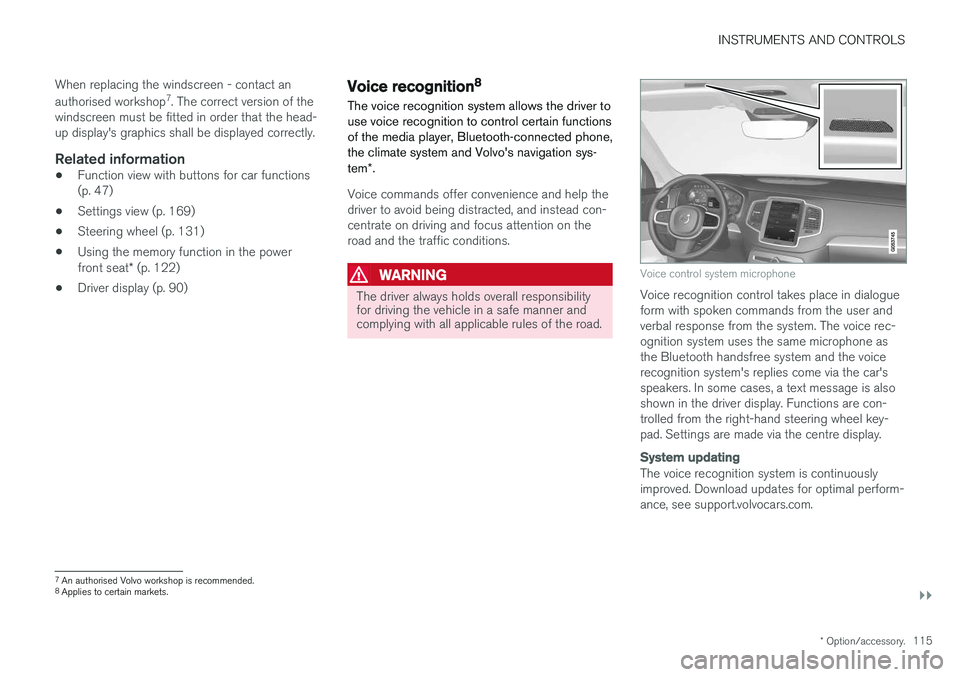
Voice control system microphone
Voice recognition control takes place in dialogue form with spoken commands from the user andverbal response from the system. The voice rec-ognition system uses the same microphone asthe Bluetooth handsfree system and the voicerecognition system's replies come via the car'sspeakers. In some cases, a text message is alsoshown in the driver display. Functions are con-trolled from the right-hand steering wheel key-pad. Settings are made via the centre display.
System updating
The voice recognition system is continuously improved. Download updates for optimal perform-ance, see support.volvocars.com.
7
An authorised Volvo workshop is recommended.
8 Applies to certain markets.
Page 123 of 594
INSTRUMENTS AND CONTROLS
* Option/accessory.121
Manual front seat
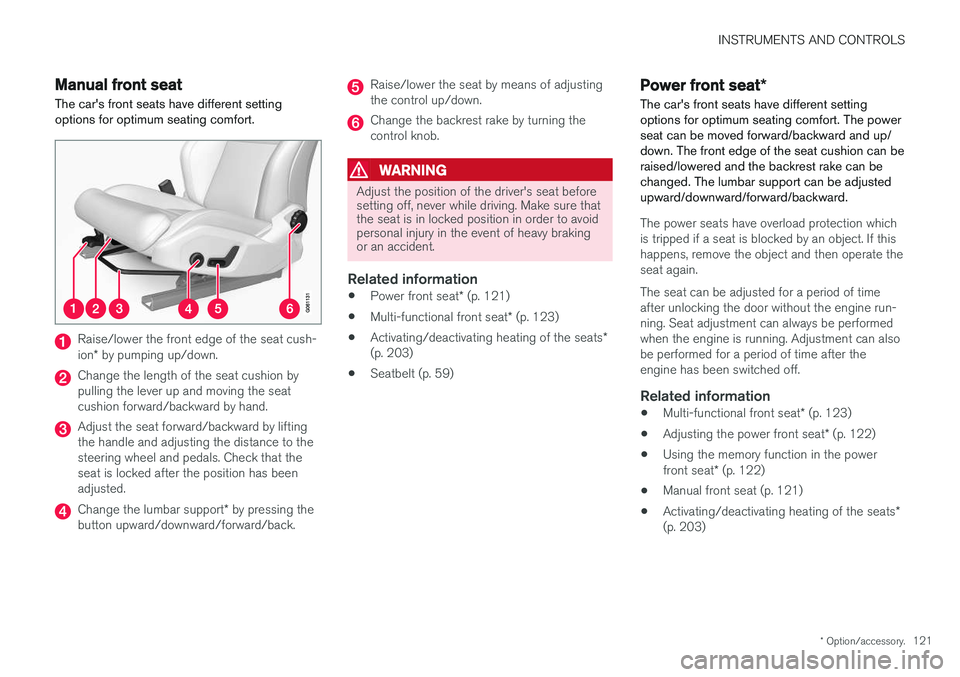
The car's front seats have different setting options for optimum seating comfort.
Raise/lower the front edge of the seat cush- ion * by pumping up/down.
Change the length of the seat cushion by pulling the lever up and moving the seatcushion forward/backward by hand.
Adjust the seat forward/backward by lifting the handle and adjusting the distance to thesteering wheel and pedals. Check that theseat is locked after the position has beenadjusted.
Change the lumbar support * by pressing the
button upward/downward/forward/back.
Raise/lower the seat by means of adjusting the control up/down.
Change the backrest rake by turning the control knob.
WARNING
Adjust the position of the driver's seat before setting off, never while driving. Make sure thatthe seat is in locked position in order to avoidpersonal injury in the event of heavy brakingor an accident.
Related information
• Power front seat
* (p. 121)
• Multi-functional front seat
* (p. 123)
• Activating/deactivating heating of the seats
*
(p. 203)
• Seatbelt (p. 59)
Power front seat
*
The car's front seats have different setting options for optimum seating comfort. The powerseat can be moved forward/backward and up/down. The front edge of the seat cushion can beraised/lowered and the backrest rake can bechanged. The lumbar support can be adjustedupward/downward/forward/backward.
The power seats have overload protection which is tripped if a seat is blocked by an object. If thishappens, remove the object and then operate theseat again. The seat can be adjusted for a period of time after unlocking the door without the engine run-ning. Seat adjustment can always be performedwhen the engine is running. Adjustment can alsobe performed for a period of time after theengine has been switched off.
Related information
• Multi-functional front seat
* (p. 123)
• Adjusting the power front seat
* (p. 122)
• Using the memory function in the power front seat
* (p. 122)
• Manual front seat (p. 121)
• Activating/deactivating heating of the seats
*
(p. 203)
Page 125 of 594
INSTRUMENTS AND CONTROLS
}}
* Option/accessory.123
3.
Within three seconds, depress the 1 or 2
button.
> When the position has been stored in the selected memory button an acoustic sig- nal sounds and the light indicator in the M
button extinguishes.
If none of the memory buttons is depressedwithin three seconds then the M button extin-
guishes and no storing takes place. The seat must be adjusted again before a new memory can be set.
Using a stored settingA stored setting can be used with the front dooreither open or closed:
Open front door
–Depress one of the memory buttons 1 or 2
with a short press. Seat, door mirrors and head-up display move and then stop at thepositions stored in the selected memory but-ton.
Closed front door
–Hold one of the memory buttons 1 or 2
depressed until seat, door mirrors and head- up display stop in the positions that arestored in the selected memory button.
If the memory button is released, the movementof the seat, door mirrors and head-up display willbe stopped.
WARNING
Risk of crushing! Make sure that children do not play with the keypad. Check that there areno objects in front of, behind or under theseat during adjustment. Make sure that noneof the passengers in the rear seat is in dangerof becoming trapped.
Related information
• Power front seat
* (p. 121)
• Adjusting the power front seat
* (p. 122)
Multi-functional front seat *
Enhance the seating comfort using the multi- function control.
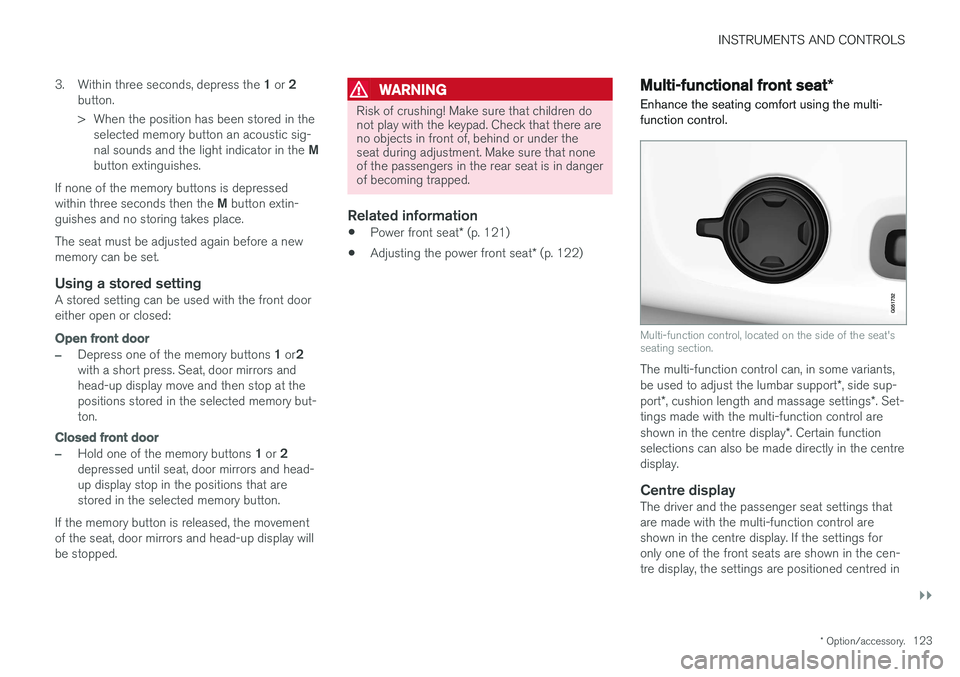
Multi-function control, located on the side of the seat's seating section.
The multi-function control can, in some variants, be used to adjust the lumbar support *, side sup-
port *, cushion length and massage settings *. Set-
tings made with the multi-function control areshown in the centre display *. Certain function
selections can also be made directly in the centre display.
Centre displayThe driver and the passenger seat settings thatare made with the multi-function control areshown in the centre display. If the settings foronly one of the front seats are shown in the cen-tre display, the settings are positioned centred in
Page 131 of 594

INSTRUMENTS AND CONTROLS
* Option/accessory.129
To lower the head restraint, the button (see illus- tration) must be depressed while the restraint iscarefully moved down.
WARNING
The centre seat head restraint must be in its lowest position when the centre seat is notused. When the centre seat is used, the headrestraint must be correctly adjusted to theheight of the passenger so that it covers thewhole of the back of the head if possible.
Electrical lowering of the rear seat's outer head restraints *
The outer head restraints can be lowered in two ways via the centre display:
Via the function view
Press the Headrest fold but-
ton to activate/deactivate low- ering.
Via settings
The car's electrical system must be in the ignition position II.
1. Press
Settings in the top view.
2. Press
My CarSeats. 3.
Select
Fold Headrest On Second Row
Seats to lower the rear outer head
restraints.
WARNING
Do not lower the outer head restraints if there are passengers in any of the outer seats.
Move the head restraint back manually until a click is heard.
WARNING
The head restraints must be in locked posi- tion after being raised.
Related information
• Rear seat (p. 128)
• Lowering the backrests in the rear seat (p. 130)
Page 132 of 594

INSTRUMENTS AND CONTROLS
* Option/accessory.
130
Lowering the backrests in the rear seat
The rear seat's backrest is divided into two parts. The two parts can be lowered forwardindividually.
WARNING
Adjust the seat and fix it before driving away. Take care when adjusting the seat. Uncontrol-led or careless adjustment can lead to trap-ping injuries.
IMPORTANT
There must be no objects on the rear seat when the backrest is to be folded down. Theseat belts must not be connected either. Oth-erwise there is a risk of damaging the rearseat upholstery.
IMPORTANT
The integrated booster cushions * on the
outer seats must be lowered before lowering the seat. The armrest * for the centre seat must be
raised before lowering the seat. If the car has private locking, the tailgate must be closed before lowering the seat.
NOTE
The front seats may need to be pushed for- wards, and/or the backrests adjustedupwards, in order that the rear backrests canbe fully folded forward.
Lowering the backrest
Car with electronic folding
If the car is equipped with electronic folding of the rear seat * there are buttons located in the
cargo area. The backrests can also be lowered manually.
WARNING
Pay attention that people are not at risk of being trapped during the automatic folding ofthe rear seat. Since this takes place automati-cally on the press of a button, no one must beon or too close to the rear seat.
For electronically controlled folding of backrests:
1. Ensure that there are no occupants or objects in the rear seat.
2. Lower the centre seat's head restraint man- ually.
3. Hold the button for folding depressed. The buttons are marked L and R for left and right backrest section respectively.
4. The backrests are lowered automatically to horizontal position. The head restraints arealso lowered automatically.
To facilitate folding of the rear seat, the car mustbe stationary and the tailgate open. To lower the backrest manually:
Page 133 of 594
INSTRUMENTS AND CONTROLS
}}
* Option/accessory.131
1. Lower the centre head restraint manually.
2. Pull forward the handles that are fitted in the
car's left and right-hand rear seat backrests.
3. The backrest disengages from the lock and is automatically lowered to the horizontal position.
Car without electronic folding
If the car is only equipped with manual lowering of rear seat:
1. Lower the centre seat's head restraint man-ually.
2. Pull forward the handles that are fitted in the car's left and right-hand rear seat backrests.
3. The seat is released from the lock but remains in the same position. Lower the backrest to the horizontal position.
Raising the backrestRaising the backrest to upright position is carriedout manually:
1. Move the backrest up/down manually.
2. Slide the backrest until the catch engages.
3. The head restraint is raised manually.
4. If necessary, raise the centre seat's headrestraint.
Related information
• Rear seat (p. 128)
• Adjusting the head restraints in the rear seat (p. 128)
Steering wheel The steering wheel has controls for horn, driver support systems and voice recognition, amongstother things.
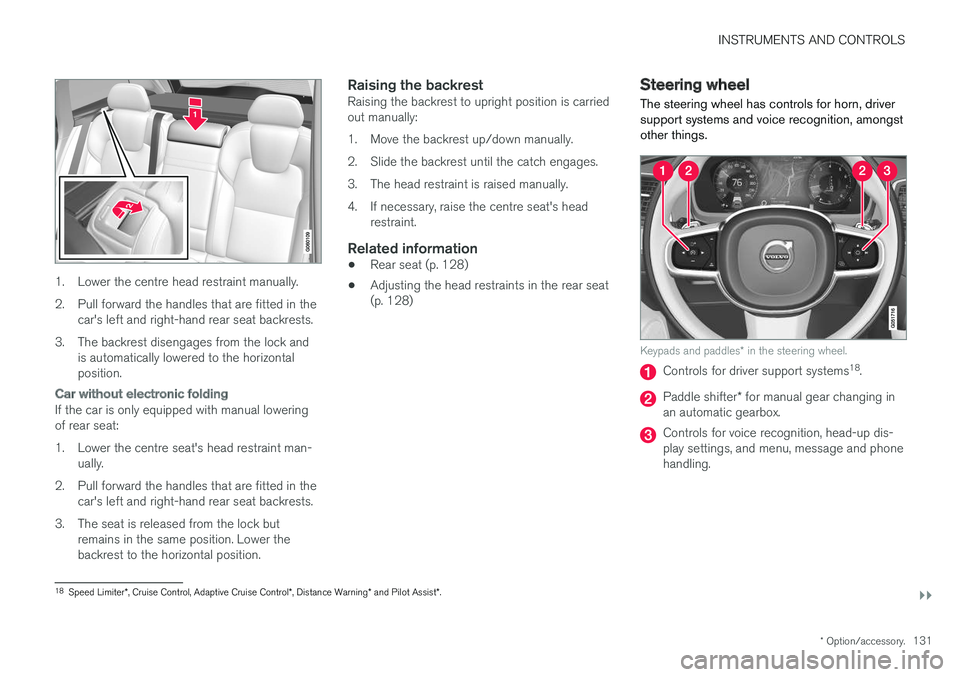
Keypads and paddles
* in the steering wheel.
Controls for driver support systems 18
.
Paddle shifter * for manual gear changing in
an automatic gearbox.
Controls for voice recognition, head-up dis- play settings, and menu, message and phonehandling.
18 Speed Limiter *, Cruise Control, Adaptive Cruise Control *, Distance Warning * and Pilot Assist *.
Page 134 of 594
||
INSTRUMENTS AND CONTROLS
* Option/accessory.
132
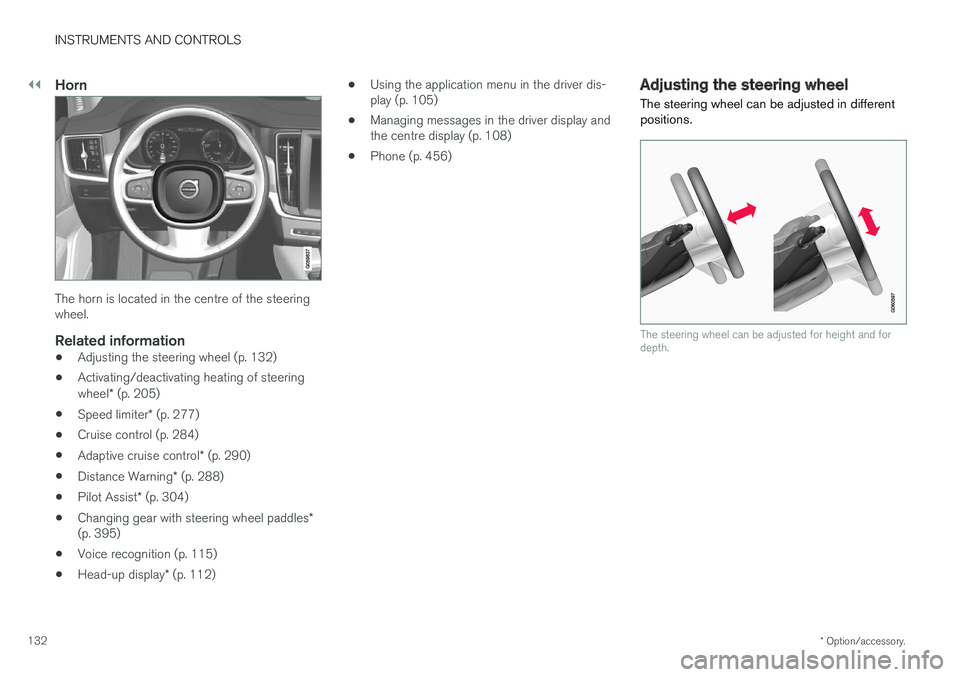
Horn
The horn is located in the centre of the steering wheel.
Related information
• Adjusting the steering wheel (p. 132)
• Activating/deactivating heating of steering wheel
* (p. 205)
• Speed limiter
* (p. 277)
• Cruise control (p. 284)
• Adaptive cruise control
* (p. 290)
• Distance Warning
* (p. 288)
• Pilot Assist
* (p. 304)
• Changing gear with steering wheel paddles
*
(p. 395)
• Voice recognition (p. 115)
• Head-up display
* (p. 112) •
Using the application menu in the driver dis- play (p. 105)
• Managing messages in the driver display andthe centre display (p. 108)
• Phone (p. 456)
Adjusting the steering wheel
The steering wheel can be adjusted in different positions.
The steering wheel can be adjusted for height and for depth.