warning VOLVO V90 2017 Manual Online
[x] Cancel search | Manufacturer: VOLVO, Model Year: 2017, Model line: V90, Model: VOLVO V90 2017Pages: 594, PDF Size: 15.07 MB
Page 243 of 594
LOCKS AND ALARM
}}
* Option/accessory.241
Locking/unlocking from the outside
The car is locked/unlocked from the outside using buttons on the remote control key or withthe door or tailgate handles if the car is equip-ped with keyless locking/unlocking (Passive Entry) *. The tailgate can be operated via power
operation * and/or foot movement *.
Locking/unlocking
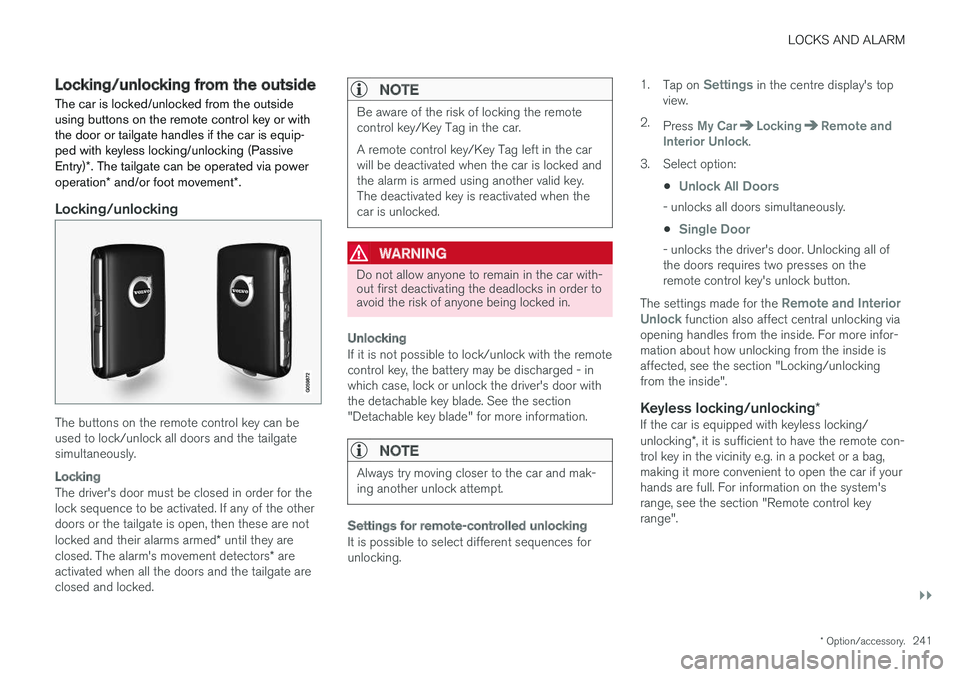
The buttons on the remote control key can be used to lock/unlock all doors and the tailgatesimultaneously.
Locking
The driver's door must be closed in order for the lock sequence to be activated. If any of the otherdoors or the tailgate is open, then these are not locked and their alarms armed * until they are
closed. The alarm's movement detectors * are
activated when all the doors and the tailgate are closed and locked.
NOTE
Be aware of the risk of locking the remote control key/Key Tag in the car. A remote control key/Key Tag left in the car will be deactivated when the car is locked andthe alarm is armed using another valid key.The deactivated key is reactivated when thecar is unlocked.
WARNING
Do not allow anyone to remain in the car with- out first deactivating the deadlocks in order toavoid the risk of anyone being locked in.
Unlocking
If it is not possible to lock/unlock with the remote control key, the battery may be discharged - inwhich case, lock or unlock the driver's door withthe detachable key blade. See the section"Detachable key blade" for more information.
NOTE
Always try moving closer to the car and mak- ing another unlock attempt.
Settings for remote-controlled unlocking
It is possible to select different sequences for unlocking. 1.
Tap on
Settings in the centre display's top
view.
2. Press
My CarLockingRemote and
Interior Unlock.
3. Select option:
•
Unlock All Doors
- unlocks all doors simultaneously.
•
Single Door
- unlocks the driver's door. Unlocking all of the doors requires two presses on theremote control key's unlock button.
The settings made for the
Remote and Interior
Unlock function also affect central unlocking via
opening handles from the inside. For more infor- mation about how unlocking from the inside isaffected, see the section "Locking/unlockingfrom the inside".
Keyless locking/unlocking *If the car is equipped with keyless locking/ unlocking*, it is sufficient to have the remote con-
trol key in the vicinity e.g. in a pocket or a bag, making it more convenient to open the car if yourhands are full. For information on the system'srange, see the section "Remote control keyrange".
Page 245 of 594
LOCKS AND ALARM
}}
* Option/accessory.243
Related information
•Remote control key (p. 236)
• Power operated tailgate
* (p. 253)
• Locking/unlocking the tailgate (p. 247)
• Opening/closing the tailgate with foot move- ment
* (p. 256)
• Remote control key range (p. 238)
• Detachable key blade (p. 250)
• Alarm
* (p. 262)
Indication on locking/unlocking the car
When the car is locked or unlocked using the remote control key, the direction indicators con-firm that locking/unlocking was correctly per-formed.
It is possible to separately adapt the indication for locking/unlocking, see the heading "Select howthe car confirms locking and unlocking".
Exterior indicationLocking
• The car's hazard warning flashers indicatelocking by flashing and retracting the door mirrors 6
.
Unlocking
• The car's hazard warning flashers indicate unlocking by two flashes and extending the door mirrors 6
.
All doors, tailgate and bonnet must be closed to indicate the car is locked. If locking is performed with only the driver's door closed 7
, the car will be locked but indication will
only occur after all doors, tailgate and bonnet have been closed.
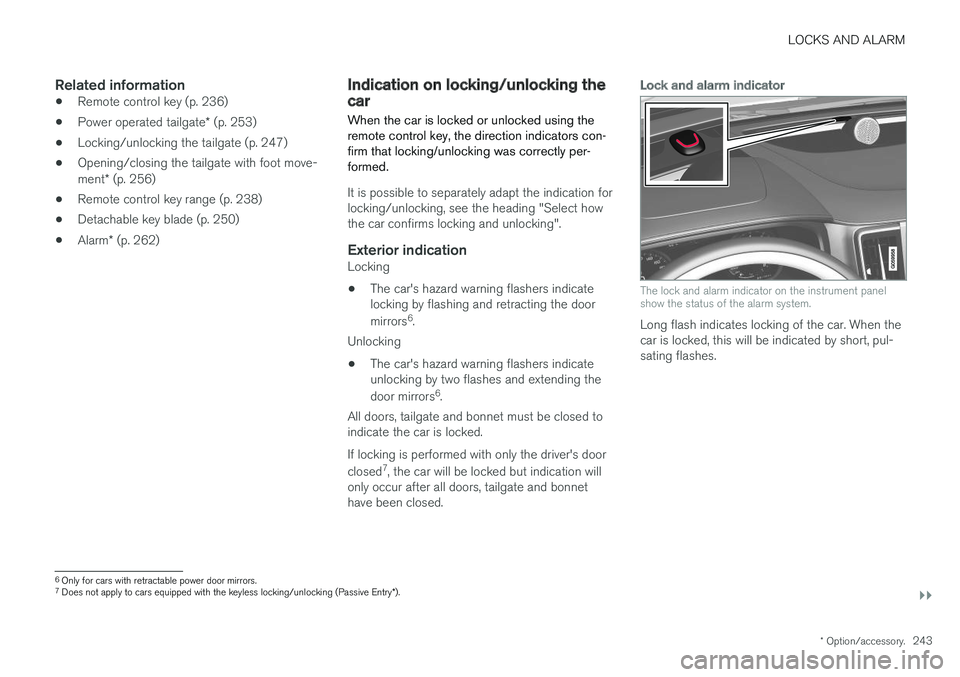
Lock and alarm indicator
The lock and alarm indicator on the instrument panel show the status of the alarm system.
Long flash indicates locking of the car. When the car is locked, this will be indicated by short, pul-sating flashes.
6 Only for cars with retractable power door mirrors.
7 Does not apply to cars equipped with the keyless locking/unlocking (Passive Entry *).
Page 248 of 594
||
LOCKS AND ALARM
* Option/accessory.
246
Settings for automatic lockingThe doors and tailgate can be locked automati- cally when the car starts to move. 1.
Tap on
Settings in the centre display's top
view.
2. Press
My CarLocking.
3. Select
Auto Lock Doors While Driving.
Related information
• Locking/unlocking from the outside (p. 241)
• Indication on locking/unlocking the car (p. 243)
Deadlocks
*
Deadlocks means that all door handles are mechanically disengaged, which prevents doorsbeing opened from the inside.
Deadlocks are activated with the remote control key and in keyless locking (Passive Entry) *.
Deadlocks are activated with a delay of about 10 seconds after the doors have locked.
NOTE
If a door is opened within the delay time then the sequence is interrupted and the alarm isdeactivated.
The car can only be unlocked with the remote control key, keyless unlocking or the Volvo On Call * app when deadlocks are activated.
The front left door can also be unlocked with the detachable key blade. If the car is unlocked with the detachable key blade, the alarm * will be trig-
gered. See the section "Alarm" for switching off the alarm.
WARNING
Do not allow anyone to remain in the car with- out first deactivating the deadlocks in order toavoid the risk of anyone being locked in.
Switching off deadlocks temporarilyIf someone is going to stay in the car but the doors must be locked from the outside, thendeadlocks can be temporarily switched off with the
Reduced guard function.
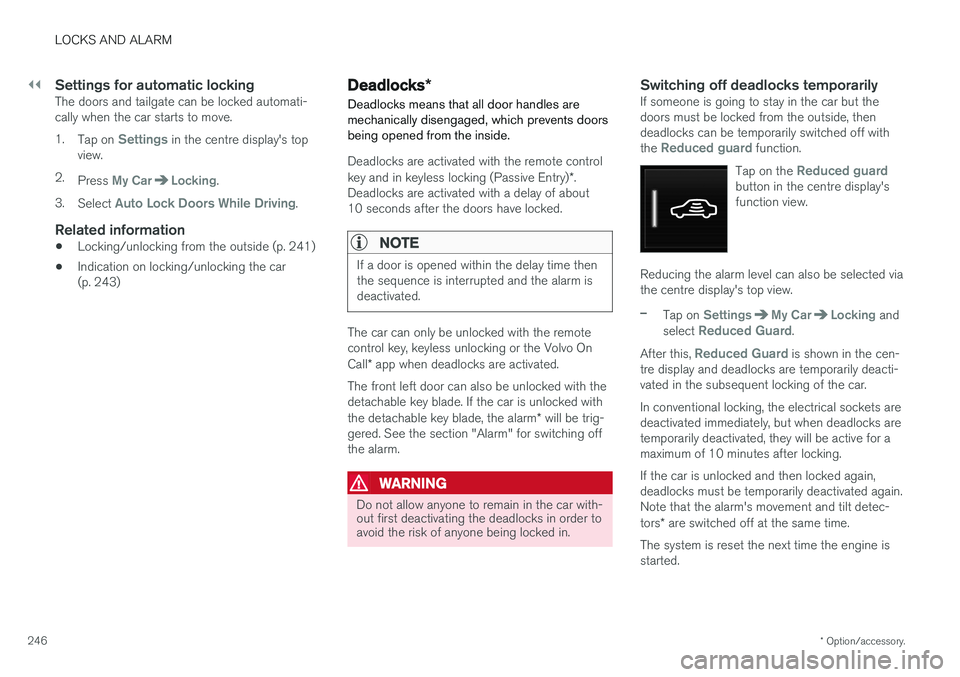
Tap on the
Reduced guardbutton in the centre display's function view.
Reducing the alarm level can also be selected via the centre display's top view.
–Tap on SettingsMy CarLocking and
select Reduced Guard.
After this,
Reduced Guard is shown in the cen-
tre display and deadlocks are temporarily deacti- vated in the subsequent locking of the car. In conventional locking, the electrical sockets are deactivated immediately, but when deadlocks aretemporarily deactivated, they will be active for amaximum of 10 minutes after locking. If the car is unlocked and then locked again, deadlocks must be temporarily deactivated again.Note that the alarm's movement and tilt detec- tors * are switched off at the same time.
The system is reset the next time the engine is started.
Page 250 of 594
||
LOCKS AND ALARM
* Option/accessory.
248
Keyless unlocking of the tailgate *
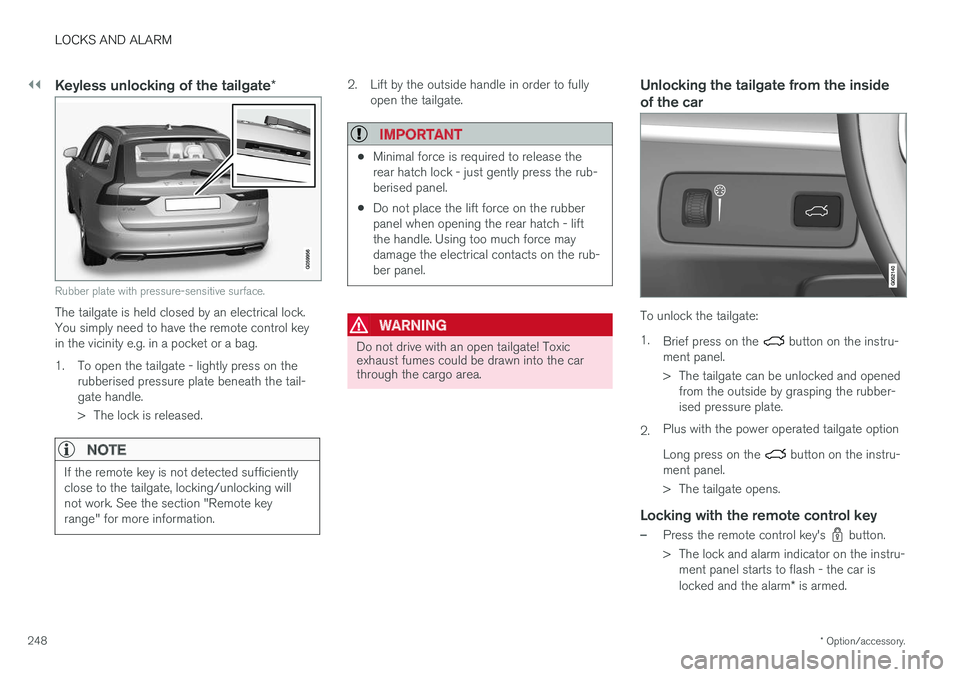
Rubber plate with pressure-sensitive surface.
The tailgate is held closed by an electrical lock. You simply need to have the remote control keyin the vicinity e.g. in a pocket or a bag.
1. To open the tailgate - lightly press on the
rubberised pressure plate beneath the tail- gate handle.
> The lock is released.
NOTE
If the remote key is not detected sufficiently close to the tailgate, locking/unlocking willnot work. See the section "Remote keyrange" for more information.
2. Lift by the outside handle in order to fullyopen the tailgate.
IMPORTANT
•Minimal force is required to release the rear hatch lock - just gently press the rub-berised panel.
• Do not place the lift force on the rubberpanel when opening the rear hatch - liftthe handle. Using too much force maydamage the electrical contacts on the rub-ber panel.
WARNING
Do not drive with an open tailgate! Toxic exhaust fumes could be drawn into the carthrough the cargo area.
Unlocking the tailgate from the inside of the car
To unlock the tailgate: 1.
Brief press on the
button on the instru-
ment panel.
> The tailgate can be unlocked and opened from the outside by grasping the rubber- ised pressure plate.
2. Plus with the power operated tailgate option Long press on the
button on the instru-
ment panel.
> The tailgate opens.
Locking with the remote control key
–Press the remote control key's button.
> The lock and alarm indicator on the instru- ment panel starts to flash - the car is locked and the alarm * is armed.
Page 257 of 594
LOCKS AND ALARM
* Option/accessory.255
2.
Press the
button on the underside of
the tailgate for at least 3 seconds.
> Two short acoustic signals sound to indi- cate that the set position has been saved.
To reset max. opening:
–Manually move the tailgate to its highest possible position - press the
button on
the tailgate for at least 3 seconds.
> Two acoustic signals sound to indicate that the set position has been cleared. The tailgate will then assume its max.position when opened.
NOTE
• If the system has been operating continu- ously for a long time, it is switched off toavoid overload. It can be used again afterabout 2 minutes.
Pinch protectionIf something with sufficient resistance prevents the tailgate from opening/closing then the pinchprotection is activated.
• During opening - movement is interrupted,the tailgate stops and a long acoustic signalsounds.
• During closing - movement is interrupted, thetailgate stops, a long acoustic signal soundsand the tailgate returns to the programmedmax. position.
WARNING
Observe the risk of trapping when opening/ closing. Before starting opening/closing,check that there is nobody near to the tailgateas trapping may have serious consequences. Always operate the tailgate with caution.
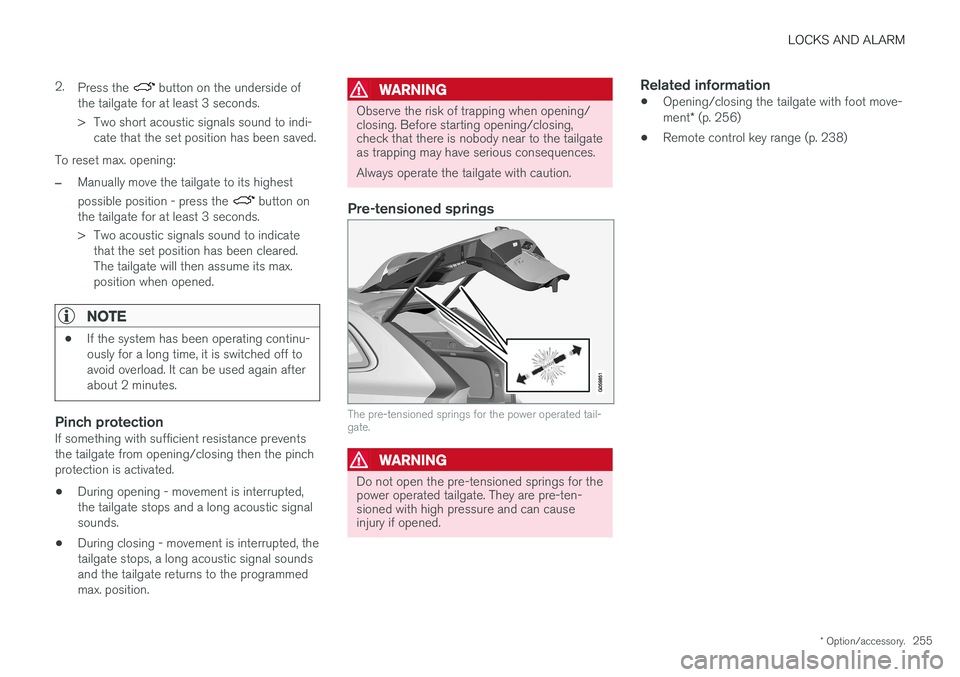
Pre-tensioned springs
The pre-tensioned springs for the power operated tail- gate.
WARNING
Do not open the pre-tensioned springs for the power operated tailgate. They are pre-ten-sioned with high pressure and can causeinjury if opened.
Related information
• Opening/closing the tailgate with foot move- ment
* (p. 256)
• Remote control key range (p. 238)
Page 274 of 594
DRIVER SUPPORT
* Option/accessory.
272
Speed-dependent steering force Speed related power steering causes the steer- ing wheel force to increase with the speed of thecar in order to give the driver enhanced sensitiv-ity.
On motorways the steering feels firmer. When parking and at low speed steering is light andrequires only a slight effort.
NOTE
In certain situations the power steering may become too hot and then needs to be tempo-rarily cooled - during this time the powersteering operates with reduced power andturning the steering wheel may then be per-ceived to be slightly heavier. In parallel with the temporarily reduced steer- ing assistance, the driver display shows amessage.
Change the steering force level *To select the steering force level, go to the "Drive modes" section and see the description at thealternative INDIVIDUAL under the heading"Selectable drive modes". For the car models without a drive mode control with its INDIVIDUAL option, the selection ofsteering force is instead made via the centre dis-play's top view and the following search path:
SettingsMy CarDrive ModesSteering force
Selection of steering force is not accessible while turning is in progress.
Related information
•Drive modes
* (p. 400)
Roll Stability Control Roll Stability Control (RSC) is a stabiliser sys- tem that minimises the risk of overturning, forexample during sudden evasive manoeuvres or ifthe car skids.
The RSC system registers if and how much the car's lateral inclination changes. This informationis used to calculate the risk of the car overturn-ing. If the car is at risk, its electronic stability con-trol system engages, the engine torque isreduced and one or more wheels are braked untilthe car has regained its stability.
WARNING
Under normal driving conditions, the RSC sys- tem improves the car's road safety, but thismust not be taken as a reason to increasespeed. Always follow the normal precautionsfor safe driving.
Related information
• Electronic stability control (p. 273)
• Safety (p. 56)
Page 279 of 594
DRIVER SUPPORT
* Option/accessory.277
Speed limiter *
A speed limiter (Speed Limiter — SL) can be regarded as a reverse cruise control — thedriver regulates the speed using the acceleratorpedal but is prevented by the speed limiter fromaccidentally exceeding a pre-selected/presetmaximum speed.
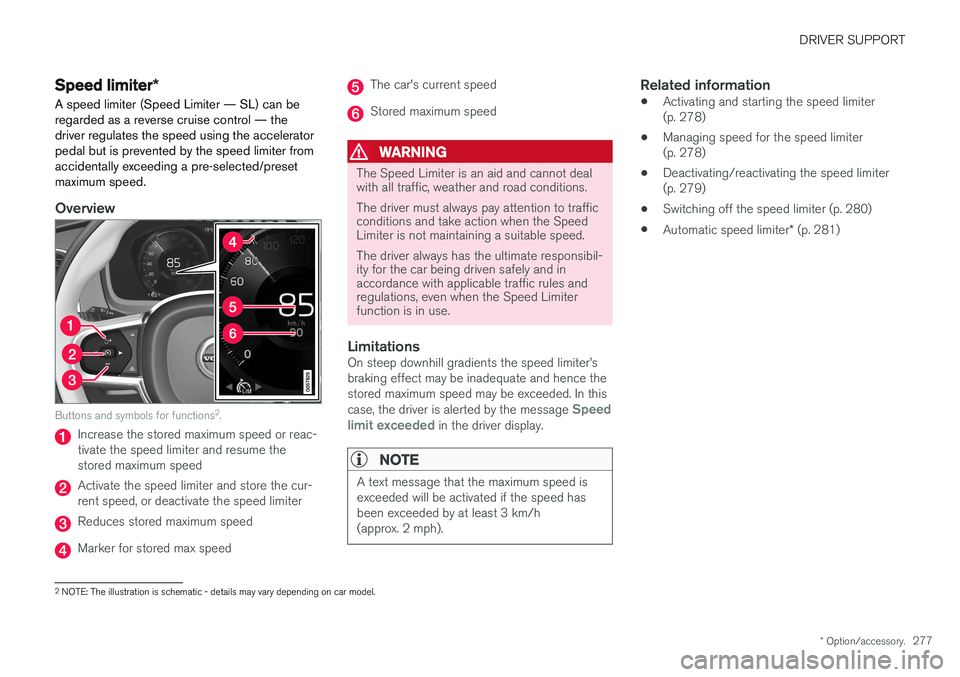
Overview
Buttons and symbols for functions 2
.
Increase the stored maximum speed or reac- tivate the speed limiter and resume thestored maximum speed
Activate the speed limiter and store the cur- rent speed, or deactivate the speed limiter
Reduces stored maximum speed
Marker for stored max speed
The car's current speed
Stored maximum speed
WARNING
The Speed Limiter is an aid and cannot deal with all traffic, weather and road conditions. The driver must always pay attention to traffic conditions and take action when the SpeedLimiter is not maintaining a suitable speed. The driver always has the ultimate responsibil- ity for the car being driven safely and inaccordance with applicable traffic rules andregulations, even when the Speed Limiterfunction is in use.
LimitationsOn steep downhill gradients the speed limiter
Page 283 of 594
DRIVER SUPPORT
}}
* Option/accessory.281
Automatic speed limiter *
The automatic speed limiter (Automatic Speed
Limiter - ASL) function helps the driver to adaptthe car's maximum speed to the speed shownon the road signs.
The speed limiter function (Speed Limiter — SL) can be changed to automatic speed limiter. The automatic speed limiter uses speed informa- tion from the Road Sign Information 3
function to
automatically adapt the car's maximum speed.
WARNING
The automatic speed limiter function is an aid, and does not work in all driving situations,traffic, weather and road conditions. The driveralways bears responsibility for maintaining thecorrect distance and speed, as well as whenthe automatic speed limiter is being used. Even if the driver clearly sees the speed-rela- ted road sign, the speed from the Road signinformation function many be incorrect - insuch cases the driver must intervene him/herself and accelerate or brake to a suitablespeed. See also the heading "Limitations for Road sign information".
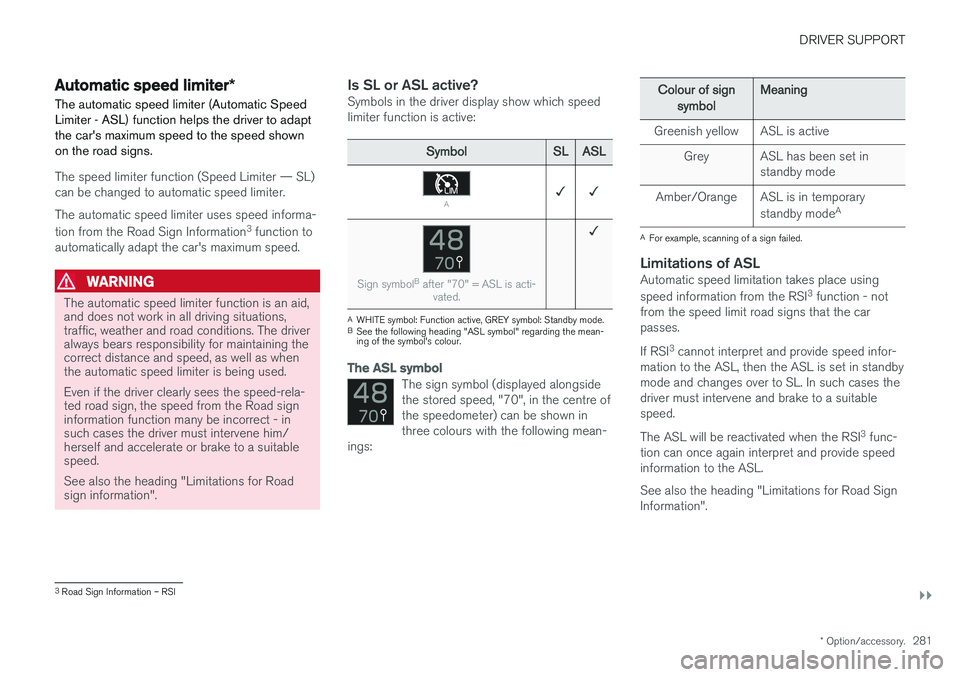
Is SL or ASL active?Symbols in the driver display show which speed limiter function is active:
Symbol SLASL
A✓ ✓
Sign symbol B
after "70" = ASL is acti-
vated.
✓
AWHITE symbol: Function active, GREY symbol: Standby mode.
B See the following heading "ASL symbol" regarding the mean- ing of the symbol's colour.
The ASL symbol
The sign symbol (displayed alongside the stored speed, "70", in the centre ofthe speedometer) can be shown inthree colours with the following mean-
ings:
Colour of sign
symbol Meaning
Greenish yellow ASL is active Grey ASL has been set in standby mode
Amber/Orange ASL is in temporary standby modeA
A
For example, scanning of a sign failed.
Limitations of ASLAutomatic speed limitation takes place using speed information from the RSI 3
function - not
from the speed limit road signs that the car passes. If RSI 3
cannot interpret and provide speed infor-
mation to the ASL, then the ASL is set in standby mode and changes over to SL. In such cases thedriver must intervene and brake to a suitablespeed. The ASL will be reactivated when the RSI 3
func-
tion can once again interpret and provide speed information to the ASL. See also the heading "Limitations for Road Sign Information".
3 Road Sign Information – RSI
Page 286 of 594
DRIVER SUPPORT
* Option/accessory.
284
Cruise control
The cruise control (Cruise Control - CC) helps the driver maintain an even speed, resulting in amore relaxed driving on motorways and long,straight roads in regular traffic flows.
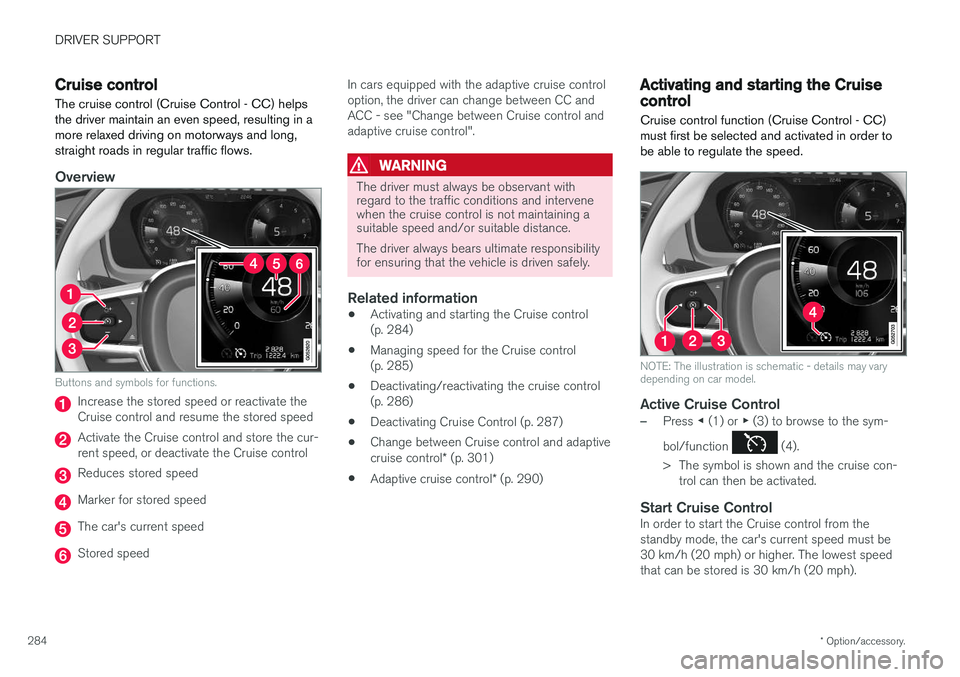
Overview
Buttons and symbols for functions.
Increase the stored speed or reactivate the Cruise control and resume the stored speed
Activate the Cruise control and store the cur- rent speed, or deactivate the Cruise control
Reduces stored speed
Marker for stored speed
The car's current speed
Stored speed In cars equipped with the adaptive cruise control option, the driver can change between CC andACC - see "Change between Cruise control andadaptive cruise control".
WARNING
The driver must always be observant with regard to the traffic conditions and intervenewhen the cruise control is not maintaining asuitable speed and/or suitable distance. The driver always bears ultimate responsibility for ensuring that the vehicle is driven safely.
Related information
•
Activating and starting the Cruise control (p. 284)
• Managing speed for the Cruise control(p. 285)
• Deactivating/reactivating the cruise control(p. 286)
• Deactivating Cruise Control (p. 287)
• Change between Cruise control and adaptive cruise control
* (p. 301)
• Adaptive cruise control
* (p. 290)
Activating and starting the Cruise control Cruise control function (Cruise Control - CC) must first be selected and activated in order tobe able to regulate the speed.
NOTE: The illustration is schematic - details may vary depending on car model.
Active Cruise Control
–Press ◀ (1) or ▶ (3) to browse to the sym-
bol/function
(4).
> The symbol is shown and the cruise con- trol can then be activated.
Start Cruise ControlIn order to start the Cruise control from the standby mode, the car's current speed must be30 km/h (20 mph) or higher. The lowest speedthat can be stored is 30 km/h (20 mph).
Page 290 of 594
DRIVER SUPPORT
* Option/accessory.
288
Distance Warning *
The Distance Warning function (Distance Alert) warns the driver if the time interval to the vehicleahead becomes too short.
Distance warning is active at speeds
above 30 km/h (20 mph) and only reacts to thevehicle ahead travelling in the same direction. Nodistance information is provided for oncoming,slow or stationary vehicles.
NOTE
Distance warning is deactivated during the time the adaptive cruise control is active.
WARNING
Distance warning only reacts if the distance to the vehicle ahead is shorter than the presetvalue - the speed of the driver's vehicle is notaffected.
Head-up display *
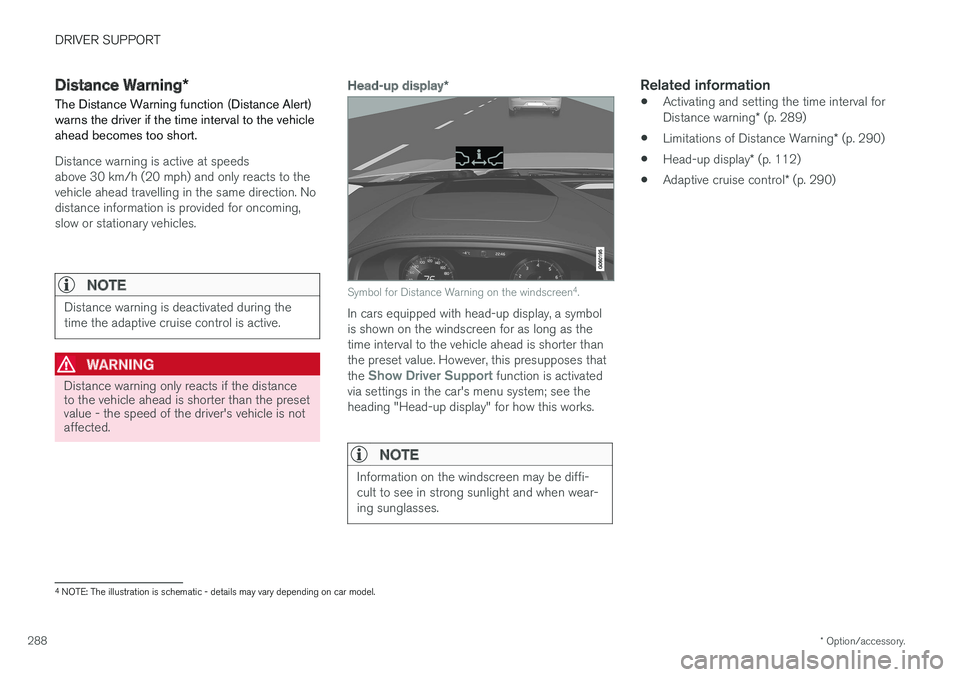
Symbol for Distance Warning on the windscreen 4
.
In cars equipped with head-up display, a symbol is shown on the windscreen for as long as thetime interval to the vehicle ahead is shorter thanthe preset value. However, this presupposes that the
Show Driver Support function is activated
via settings in the car's menu system; see the heading "Head-up display" for how this works.
NOTE
Information on the windscreen may be diffi- cult to see in strong sunlight and when wear-ing sunglasses.
Related information
• Activating and setting the time interval for Distance warning
* (p. 289)
• Limitations of Distance Warning
* (p. 290)
• Head-up display
* (p. 112)
• Adaptive cruise control
* (p. 290)
4
NOTE: The illustration is schematic - details may vary depending on car model.