trailer VOLVO V90 2018 Owner´s Manual
[x] Cancel search | Manufacturer: VOLVO, Model Year: 2018, Model line: V90, Model: VOLVO V90 2018Pages: 656, PDF Size: 11.78 MB
Page 445 of 656
STARTING AND DRIVING
* Option/accessory.443
Checking trailer lights
When connecting a trailer, make sure that all of the lights on the trailer are functioning beforestarting to drive.
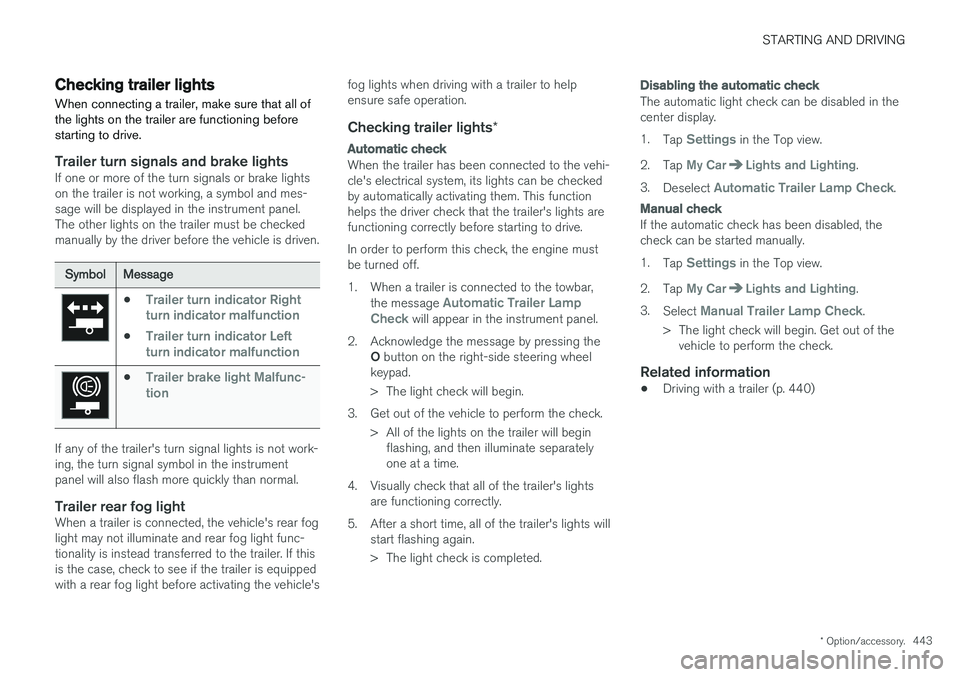
Trailer turn signals and brake lightsIf one or more of the turn signals or brake lights on the trailer is not working, a symbol and mes-sage will be displayed in the instrument panel.The other lights on the trailer must be checkedmanually by the driver before the vehicle is driven.
SymbolMessage
•Trailer turn indicator Right
turn indicator malfunction
•Trailer turn indicator Left
turn indicator malfunction
•Trailer brake light Malfunc-
tion
If any of the trailer's turn signal lights is not work- ing, the turn signal symbol in the instrumentpanel will also flash more quickly than normal.
Trailer rear fog lightWhen a trailer is connected, the vehicle's rear foglight may not illuminate and rear fog light func-tionality is instead transferred to the trailer. If thisis the case, check to see if the trailer is equippedwith a rear fog light before activating the vehicle's fog lights when driving with a trailer to helpensure safe operation.
Checking trailer lights
*
Automatic check
When the trailer has been connected to the vehi- cle's electrical system, its lights can be checkedby automatically activating them. This functionhelps the driver check that the trailer's lights arefunctioning correctly before starting to drive. In order to perform this check, the engine must be turned off.
1. When a trailer is connected to the towbar,
the message
Automatic Trailer Lamp
Check will appear in the instrument panel.
2. Acknowledge the message by pressing the O button on the right-side steering wheel
keypad.
> The light check will begin.
3. Get out of the vehicle to perform the check. > All of the lights on the trailer will beginflashing, and then illuminate separately one at a time.
4. Visually check that all of the trailer's lights are functioning correctly.
5. After a short time, all of the trailer's lights will start flashing again.
> The light check is completed.
Disabling the automatic check
The automatic light check can be disabled in the center display. 1.Tap
Settings in the Top view.
2. Tap
My CarLights and Lighting.
3. Deselect
Automatic Trailer Lamp Check.
Manual check
If the automatic check has been disabled, the check can be started manually. 1.Tap
Settings in the Top view.
2. Tap
My CarLights and Lighting.
3. Select
Manual Trailer Lamp Check.
> The light check will begin. Get out of the vehicle to perform the check.
Related information
• Driving with a trailer (p. 440)
Page 548 of 656
WHEELS AND TIRES
546
Determining the vehicle's permittedweight
Properly loading your vehicle will provide maxi- mum return of vehicle design performance.
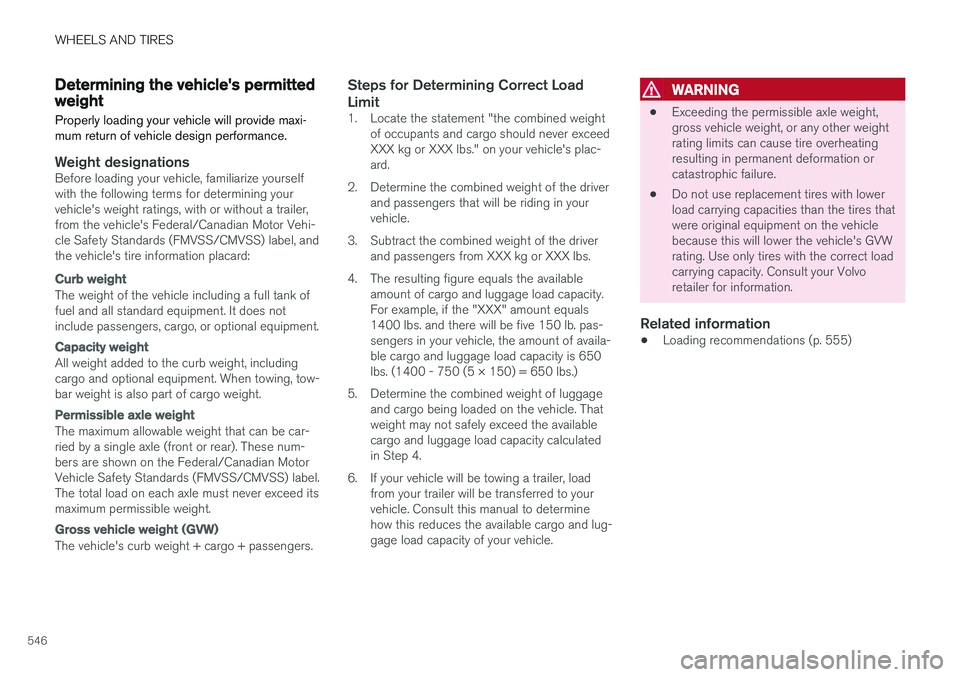
Weight designationsBefore loading your vehicle, familiarize yourself with the following terms for determining yourvehicle's weight ratings, with or without a trailer,from the vehicle's Federal/Canadian Motor Vehi-cle Safety Standards (FMVSS/CMVSS) label, andthe vehicle's tire information placard:
Curb weight
The weight of the vehicle including a full tank of fuel and all standard equipment. It does notinclude passengers, cargo, or optional equipment.
Capacity weight
All weight added to the curb weight, including cargo and optional equipment. When towing, tow-bar weight is also part of cargo weight.
Permissible axle weight
The maximum allowable weight that can be car- ried by a single axle (front or rear). These num-bers are shown on the Federal/Canadian MotorVehicle Safety Standards (FMVSS/CMVSS) label.The total load on each axle must never exceed itsmaximum permissible weight.
Gross vehicle weight (GVW)
The vehicle's curb weight + cargo + passengers.
Steps for Determining Correct Load Limit
1. Locate the statement "the combined weight of occupants and cargo should never exceed XXX kg or XXX lbs." on your vehicle's plac-ard.
2. Determine the combined weight of the driver and passengers that will be riding in yourvehicle.
3. Subtract the combined weight of the driver and passengers from XXX kg or XXX lbs.
4. The resulting figure equals the available amount of cargo and luggage load capacity.For example, if the "XXX" amount equals1400 lbs. and there will be five 150 lb. pas-sengers in your vehicle, the amount of availa-ble cargo and luggage load capacity is 650lbs. (1400 - 750 (5 × 150) = 650 lbs.)
5. Determine the combined weight of luggage and cargo being loaded on the vehicle. Thatweight may not safely exceed the availablecargo and luggage load capacity calculatedin Step 4.
6. If your vehicle will be towing a trailer, load from your trailer will be transferred to yourvehicle. Consult this manual to determinehow this reduces the available cargo and lug-gage load capacity of your vehicle.
WARNING
• Exceeding the permissible axle weight, gross vehicle weight, or any other weightrating limits can cause tire overheatingresulting in permanent deformation orcatastrophic failure.
• Do not use replacement tires with lowerload carrying capacities than the tires thatwere original equipment on the vehiclebecause this will lower the vehicle's GVWrating. Use only tires with the correct loadcarrying capacity. Consult your Volvoretailer for information.
Related information
• Loading recommendations (p. 555)
Page 634 of 656
SPECIFICATIONS
* Option/accessory.
632
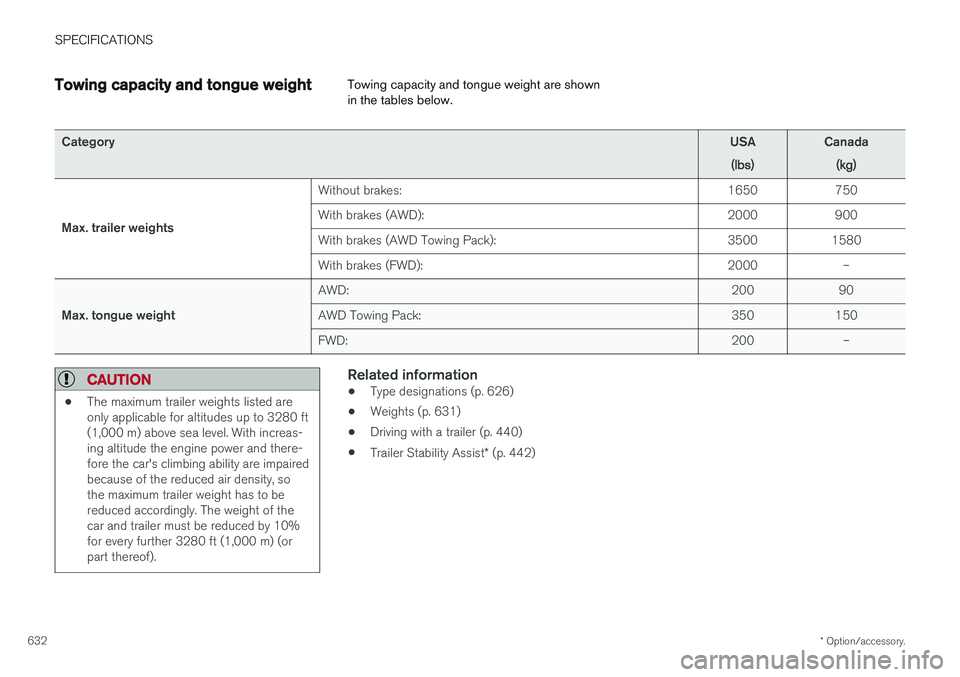
Towing capacity and tongue weight Towing capacity and tongue weight are shown in the tables below.
Category
USA
(lbs)Canada(kg)
Max. trailer weights Without brakes:
1650 750
With brakes (AWD): 2000 900
With brakes (AWD Towing Pack): 3500 1580
With brakes (FWD): 2000 –
Max. tongue weight AWD:
200 90
AWD Towing Pack: 350 150
FWD: 200 –
CAUTION
•The maximum trailer weights listed are only applicable for altitudes up to 3280 ft(1,000 m) above sea level. With increas-ing altitude the engine power and there-fore the car's climbing ability are impairedbecause of the reduced air density, sothe maximum trailer weight has to bereduced accordingly. The weight of thecar and trailer must be reduced by 10%for every further 3280 ft (1,000 m) (orpart thereof).
Related information
•Type designations (p. 626)
• Weights (p. 631)
• Driving with a trailer (p. 440)
• Trailer Stability Assist
* (p. 442)
Page 641 of 656
INDEX
639
1, 2, 3 ...
4WD 419
A
ABSanti-lock brakes 405
AC (Air conditioning) 229
ACC - Adaptive Cruise Control 289, 292, 293, 294, 295, 296, 298, 299, 300, 301, 303
Accessories and extra equipment 35 installation 36
Accessory installation warning 36
Active Bending Lights 161
Adapting driving characteristics 266, 419
Adaptive Cruise Control 289, 292, 293, 294, 295, 296, 298, 299, 300, 301, 303
change cruise control functionality 301
function 289
manage speed 293, 294
pass 298
radar sensor 320
set time interval 295, 296
troubleshooting 300
Adjusting the steering wheel 200
Airbag 52 activation/deactivation 56
driver's side 53
passenger side 53, 56
Air bag, see Airbag 52
Air conditioning 229Air conditioning, fluid volume and grade 636
Air distribution 208 air vents 208, 209
changing 208
defrosting 222
recirculation 221
table showing options 211
Air quality 205, 206 allergy and asthma 206
passenger compartment filter 207
Air recirculation 221
Alarm 261 deactivating 262
Allergy and asthma-inducing substances 206
All Wheel Drive, AWD 419
All Wheel Drive (AWD) 419
All Wheel Drive (four-wheel drive) 419
Android Auto 486, 488 Antenna location 251Apple CarPlay 483, 485
Approach lighting 164
Apps 455
Assistance at risk of collision 366, 367, 368, 369, 370, 371, 372, 374
Audio and media 454Audio system HD digital radio 465 SiriusXM ® Satellite radio 466, 467, 468
Auto-climate 220
Auto hold 411
Auto-hold brakes 411 activate and deactivate 412
after collision 413
Automatic car wash 614 Automatic engine stop auto-stop 424
Automatic high beam 159
Automatic locking 255
Automatic relocking 235, 248
Automatic Speed Limiter 276, 278, 279
Automatic transmission 414 kickdown 418
oil 635
Trailer 440
INDEX
Page 644 of 656
INDEX
642CZIP (Clean Zone Interior Package) 206
D
Data
recording 33 transferring between vehicle and work-
shop 568
Data sharing 504
Daytime running lights 156Decals location of 626
Defrosting 222
Detection of cyclist 333
Dimensions 629
Dipstick, electronic 578
Direction of rotation 520
Disengaging the shiftlock 417
Display lighting 166
Distance Alert 285, 286, 287 limitations 288
DivX ®
480
Door mirrors 173, 175 compass 450, 451
dimming 174
outer 173, 175
power folding 175
resetting 175
Driveline transmission 413
Drive mode 419 changing 421
Driver Alert Control 356 operation 357, 358
Driver Alert Control limitations 358
Driver performance 92, 93
Driver profile 139 edit 141
select 140
Driver support system 266 Driving cooling system 437
with a trailer 440
Driving economy 430
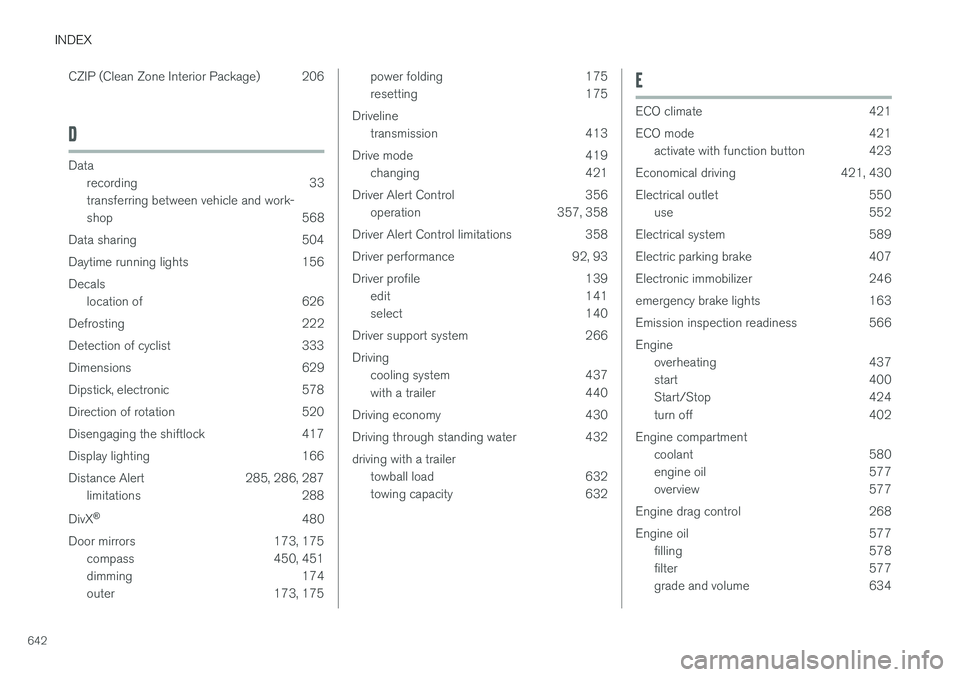
Driving through standing water 432 driving with a trailer towball load 632
towing capacity 632E
ECO climate 421
ECO mode 421
activate with function button 423
Economical driving 421, 430
Electrical outlet 550 use 552
Electrical system 589
Electric parking brake 407
Electronic immobilizer 246
emergency brake lights 163
Emission inspection readiness 566 Engine overheating 437
start 400
Start/Stop 424
turn off 402
Engine compartment coolant 580
engine oil 577
overview 577
Engine drag control 268
Engine oil 577 filling 578
filter 577
grade and volume 634
Page 647 of 656
INDEX
645
iPod
®, connecting 482
ISOFIX/LATCH anchors 74
J
Jack 533
Jump-start 439
K
Key 233
Keyboard 128, 131 change language 131
Keyless locking/unlocking 248
settings 250
touch-sensitive surfaces 247
Key tag 233
L
Labels location of 626
Laminated glass 170
Lamps changing 581
location 583
specifications 588
Trailer 443
Lane Keeping Aid operation 361
Lane Keeping Aid (LKA) 358, 360, 361, 363, 365
Language 134
Leather upholstery, cleaning instructions 609
Leveling control 428 settings 430
License agreement 98, 507
Lifting tools 533
Light bulbs, specifications 588
Light control 154, 166 Lighting Active Bending Lights 161
approach lighting 164
automatic high beam 159 automatic lighting controls, passenger
compartment 165
brake lights 163
controls 154, 165, 166
cornering illumination 162
daytime running lights 156
display lighting 166emergency brake lights 163
front fog lights 161
Hazard warning flashers 164
high beams 158, 159
home safe lighting 164
in passenger compartment 165, 166
instrument illumination 166
instrument lighting 166
light bulbs, specifications 588
light locations 583
low beams 157
position lights 156
rear fog light 162
settings 155
Turn signals 160
Lighting, replacing bulbs 581 backup lights 587 daytime running lights/front parking
lights 585
front turn signals 586
high beams 584
low beams 584
rear fog light 587
remove plastic cover 582
Limp home 413 Load anchoring eyelets cargo compartment 557
Load anchoring hooks 556
Load carriers 556
Page 652 of 656
INDEX
650Sunroof
pinch protection 170
Sun shade panoramic roof 176, 179
pinch protection 170
rear door 173
Sun visor 554 mirror lighting 166
Support battery 592 Symbols indicator symbols 95
Symbols and messages Adaptive Cruise Control 303
center display's status bar 126
Collision warner with auto-brake 340
Symbols and messages for Assistance at
risk of collision 374
system updates 569
T
Tailgate locking/unlocking 237, 250
open/close with foot movement 259
power 255
unlocking from inside 253
Technician certification 37
Temperature adjusting 227, 228, 229
perceived 203
Temporary spare spare tire 537
Temporary tire sealing system execution, checking 541
Inflating tires 545
location 540
overview 540
sealing compound 540
Terms and conditions services 34
users 504
Tire dimensions 522, 532
Tire pressure decal 527 Tire pressure monitoring calibrating 529
Tires 518 direction of rotation 520
glossary of terms 521
inflation pressure table 637
mounting 536
pressure 637
removal 534
rotation 519
specifications 522, 637
storage 518
tire pressure monitoring 527tire sealing 540
Tread depth 539
tread wear indicator 521
winter tires 539
Tire sealing system 541
Tire tread 521
Tools 532Top tether anchors (child restraint sys- tems) 72
Total airing function 233, 251
Towing 444
Towing capacity and towball load 632
Towing eyelet 445
TPMS - Tire Pressure Monitoring System 527
Traction control 268
Traffic information 461
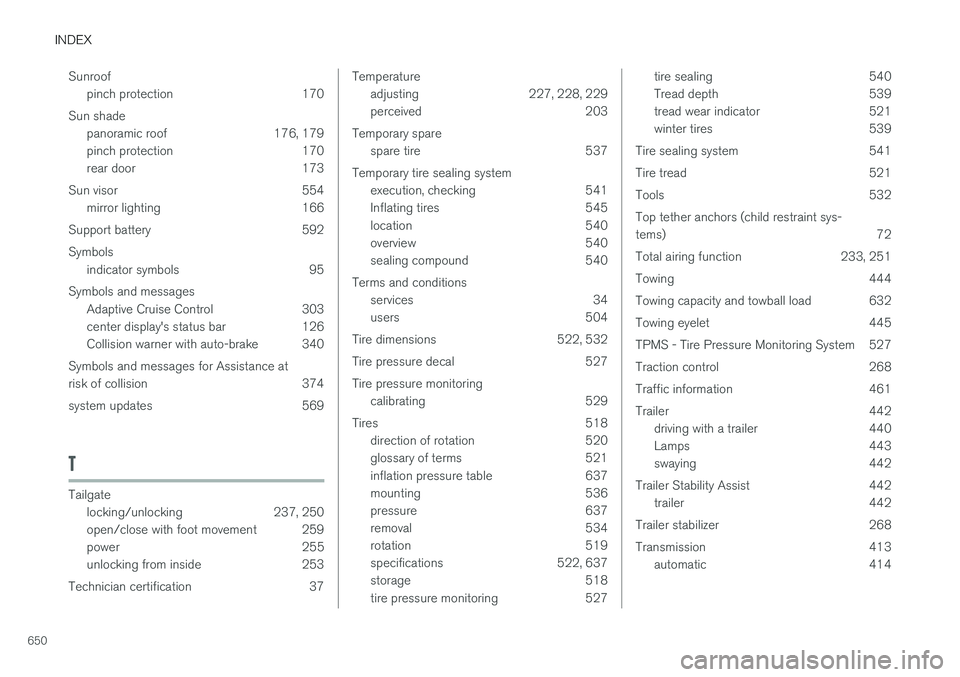
Trailer 442 driving with a trailer 440
Lamps 443
swaying 442
Trailer Stability Assist 442 trailer 442
Trailer stabilizer 268
Transmission 413 automatic 414
Page 653 of 656
INDEX
651
Transmission fluid
grade 635
Travel Link 470 Fuel 473
Notifications 472
Sports 474
weather 471
Tread depth 521, 539
Tread wear indicator 521
Trip computer 89, 91
Trip odometer 89
Trip odometer resetting 92
Trip statistics 92 Troubleshooting Adaptive Cruise Control 300
Troubleshooting the camera sensor 326
TSA - Trailer Stability Assist 268, 442
Tunnel detection 157
Turn off engine 402
Turn signals 160Type approval radar system 324
U
Uniform Tire Quality Grading 524
Units 134
Unknown vehicle component 264Unlockingsettings 236
with key blade 245
USB socket for connecting media 482
V
Vehicle care 611, 612, 614, 615, 616, 617leather upholstery 609
Vehicle Event Data 33 Vehicle functions in the center display 124
Vehicle key bat. low 238Vehicle modem connecting vehicle to Internet 500
settings 501
Vehicle recovery 446
Vehicle status 570 inflation pressure 530
Vehicle upholstery 606, 608, 609, 610, 611
Vehicle weight 631
Ventilation 208, 209 Seats 218
Video 480, 482 settings 481
Voice control 147 climate 204
phone 149
radio and media 150
settings 150
VOL mark 518
Volvo ID 26 create and register 27
W
Warning light
Adaptive Cruise Control 292
stability and traction control system 268
Warning lights airbags SRS 97
alternator does not charge 97
brake system error 97
low oil pressure 97
parking brake applied 97
seat belt reminder 97
starter battery not charging 97
WARNING 97