ECU VOLVO V90 CROSS COUNTRY 2017 Owner´s Manual
[x] Cancel search | Manufacturer: VOLVO, Model Year: 2017, Model line: V90 CROSS COUNTRY, Model: VOLVO V90 CROSS COUNTRY 2017Pages: 552, PDF Size: 13.6 MB
Page 210 of 552
LOADING AND STORAGE
208
Cargo net
The cargo net helps protect passengers from objects in the cargo compartment in the event ofa sudden stop or hard braking.
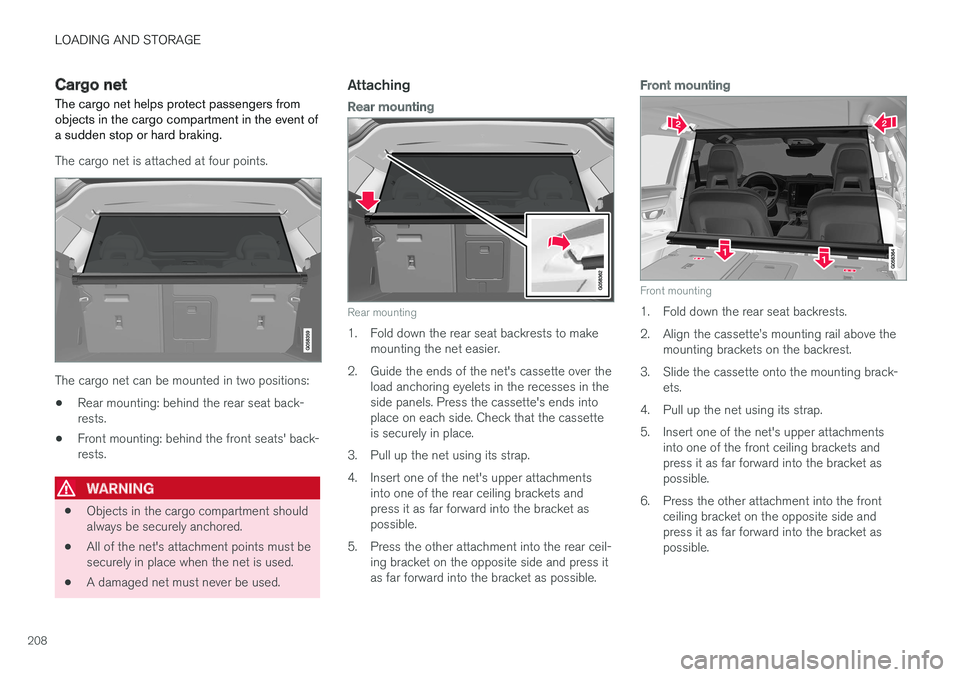
The cargo net is attached at four points.
The cargo net can be mounted in two positions: • Rear mounting: behind the rear seat back- rests.
• Front mounting: behind the front seats' back-rests.
WARNING
•
Objects in the cargo compartment should always be securely anchored.
• All of the net's attachment points must besecurely in place when the net is used.
• A damaged net must never be used.
Attaching
Rear mounting
Rear mounting
1. Fold down the rear seat backrests to make
mounting the net easier.
2. Guide the ends of the net's cassette over the load anchoring eyelets in the recesses in the side panels. Press the cassette's ends intoplace on each side. Check that the cassetteis securely in place.
3. Pull up the net using its strap.
4. Insert one of the net's upper attachments into one of the rear ceiling brackets and press it as far forward into the bracket aspossible.
5. Press the other attachment into the rear ceil- ing bracket on the opposite side and press itas far forward into the bracket as possible.
Front mounting
Front mounting
1. Fold down the rear seat backrests.
2. Align the cassette
Page 212 of 552
||
LOADING AND STORAGE
* Option/accessory.
210
WARNING
• No one should ever be allowed to remain in the cargo compartment when the vehi-cle is moving.
• The steel grid may only be used in therear position described in this article. Theceiling attachment points above the front seats are
not intended to anchor the
steel grid.
• After being mounted, be sure that the steel grid is securely anchored in place.
MountingBefore installing the steel grid, the existing plas-tic ceiling mounting consoles must be replacedby steel ones. This should preferably be done bya trained and qualified Volvo service technician.
1. Fold down the rear seat backrests.
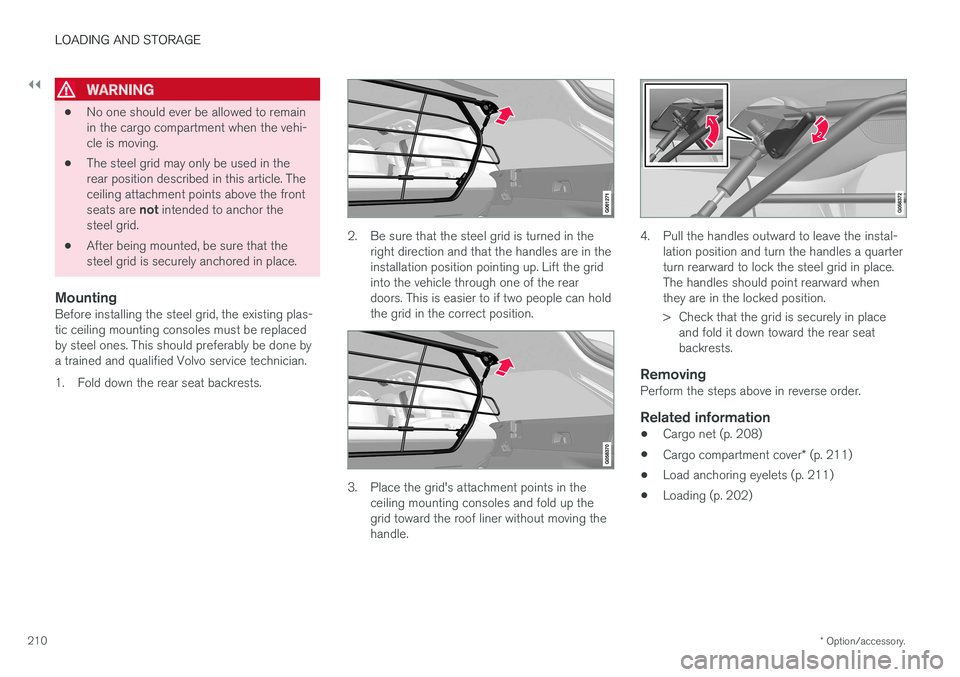
2. Be sure that the steel grid is turned in the
right direction and that the handles are in the installation position pointing up. Lift the gridinto the vehicle through one of the reardoors. This is easier to if two people can holdthe grid in the correct position.
3. Place the grid's attachment points in theceiling mounting consoles and fold up the grid toward the roof liner without moving thehandle.
4. Pull the handles outward to leave the instal- lation position and turn the handles a quarter turn rearward to lock the steel grid in place.The handles should point rearward whenthey are in the locked position.
> Check that the grid is securely in placeand fold it down toward the rear seat backrests.
RemovingPerform the steps above in reverse order.
Related information
• Cargo net (p. 208)
• Cargo compartment cover
* (p. 211)
• Load anchoring eyelets (p. 211)
• Loading (p. 202)
Page 213 of 552
LOADING AND STORAGE
}}
* Option/accessory.211
Load anchoring eyelets
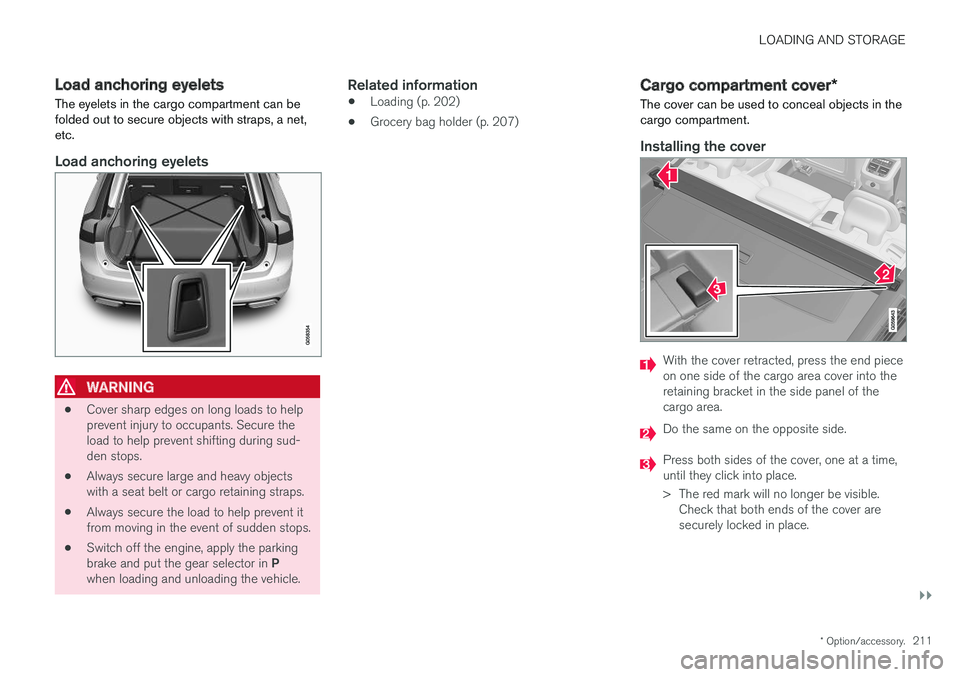
The eyelets in the cargo compartment can be folded out to secure objects with straps, a net,etc.
Load anchoring eyelets
WARNING
• Cover sharp edges on long loads to help prevent injury to occupants. Secure theload to help prevent shifting during sud-den stops.
• Always secure large and heavy objectswith a seat belt or cargo retaining straps.
• Always secure the load to help prevent itfrom moving in the event of sudden stops.
• Switch off the engine, apply the parking brake and put the gear selector in
P
when loading and unloading the vehicle.
Related information
• Loading (p. 202)
• Grocery bag holder (p. 207)
Cargo compartment cover
*
The cover can be used to conceal objects in the cargo compartment.
Installing the cover
With the cover retracted, press the end piece on one side of the cargo area cover into theretaining bracket in the side panel of thecargo area.
Do the same on the opposite side.
Press both sides of the cover, one at a time, until they click into place.
> The red mark will no longer be visible. Check that both ends of the cover are securely locked in place.
Page 238 of 552
||
LOCKS AND ALARM
* Option/accessory.
236
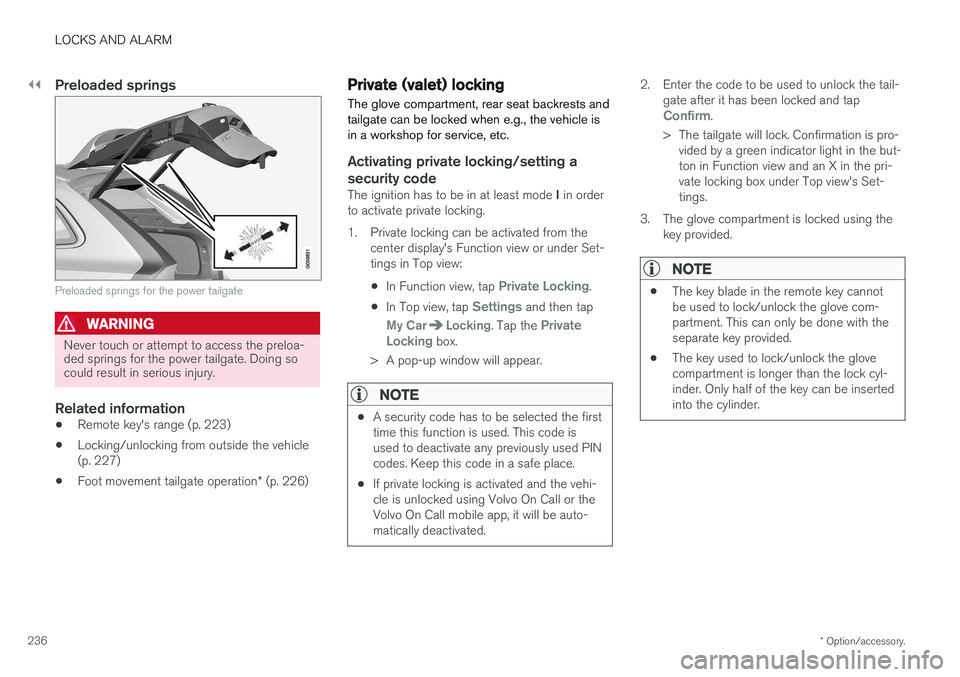
Preloaded springs
Preloaded springs for the power tailgate
WARNING
Never touch or attempt to access the preloa- ded springs for the power tailgate. Doing socould result in serious injury.
Related information
• Remote key's range (p. 223)
• Locking/unlocking from outside the vehicle (p. 227)
• Foot movement tailgate operation
* (p. 226)
Private (valet) locking
The glove compartment, rear seat backrests and tailgate can be locked when e.g., the vehicle isin a workshop for service, etc.
Activating private locking/setting a security code
The ignition has to be in at least mode I in order
to activate private locking.
1. Private locking can be activated from the center display's Function view or under Set- tings in Top view:
• In Function view, tap
Private Locking.
• In Top view, tap
Settings and then tap
My CarLocking. Tap the Private
Locking box.
> A pop-up window will appear.
NOTE
• A security code has to be selected the first time this function is used. This code isused to deactivate any previously used PINcodes. Keep this code in a safe place.
• If private locking is activated and the vehi-cle is unlocked using Volvo On Call or theVolvo On Call mobile app, it will be auto-matically deactivated.
2. Enter the code to be used to unlock the tail-
gate after it has been locked and tap
Confirm.
> The tailgate will lock. Confirmation is pro- vided by a green indicator light in the but- ton in Function view and an X in the pri-vate locking box under Top view's Set-tings.
3. The glove compartment is locked using the key provided.
NOTE
• The key blade in the remote key cannot be used to lock/unlock the glove com-partment. This can only be done with theseparate key provided.
• The key used to lock/unlock the glovecompartment is longer than the lock cyl-inder. Only half of the key can be insertedinto the cylinder.
Page 275 of 552
DRIVER SUPPORT
* Option/accessory.273
Adaptive Cruise Control (ACC) - troubleshooting
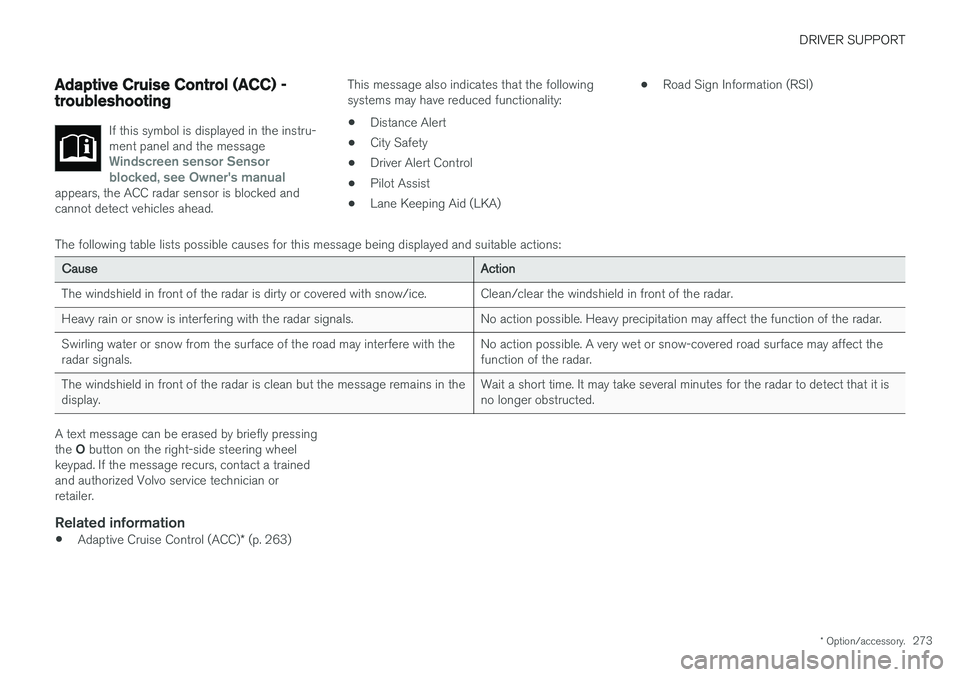
If this symbol is displayed in the instru- ment panel and the message
Windscreen sensor Sensor
blocked, see Owner's manual
appears, the ACC radar sensor is blocked and cannot detect vehicles ahead.
This message also indicates that the following systems may have reduced functionality:
• Distance Alert
• City Safety
• Driver Alert Control
• Pilot Assist
• Lane Keeping Aid (LKA) •
Road Sign Information (RSI)
The following table lists possible causes for this message being displayed and suitable actions:
Cause Action
The windshield in front of the radar is dirty or covered with snow/ice. Clean/clear the windshield in front of the radar.
Heavy rain or snow is interfering with the radar signals. No action possible. Heavy precipitation may affect the function of the radar.Swirling water or snow from the surface of the road may interfere with the radar signals. No action possible. A very wet or snow-covered road surface may affect thefunction of the radar.
The windshield in front of the radar is clean but the message remains in thedisplay. Wait a short time. It may take several minutes for the radar to detect that it isno longer obstructed.
A text message can be erased by briefly pressing the
O button on the right-side steering wheel
keypad. If the message recurs, contact a trained and authorized Volvo service technician orretailer.
Related information
• Adaptive Cruise Control (ACC)
* (p. 263)
Page 278 of 552
||
DRIVER SUPPORT
* Option/accessory.
276
Symbol Message Explanation
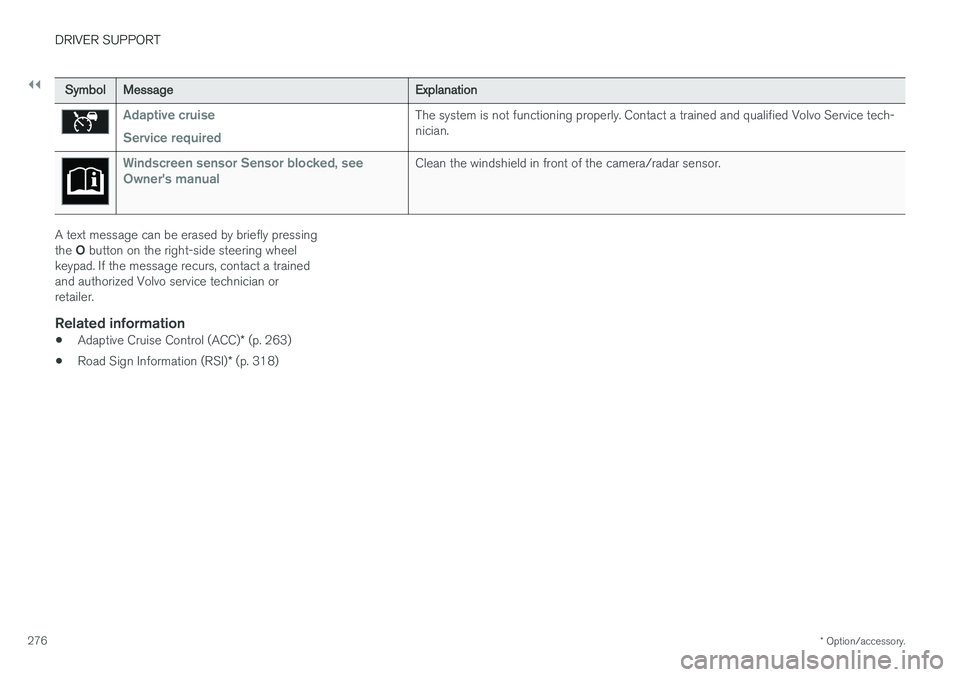
Adaptive cruise Service requiredThe system is not functioning properly. Contact a trained and qualified Volvo Service tech- nician.
Windscreen sensor Sensor blocked, see
Owner's manualClean the windshield in front of the camera/radar sensor.
A text message can be erased by briefly pressing the O button on the right-side steering wheel
keypad. If the message recurs, contact a trained and authorized Volvo service technician orretailer.
Related information
• Adaptive Cruise Control (ACC)
* (p. 263)
• Road Sign Information (RSI)
* (p. 318)
Page 311 of 552
DRIVER SUPPORT
309
City Safety symbols and messages
A number of City Safety-related messages may be displayed in the instrument panel.
Several examples are provided in the following table:
Message Explanation
Automatic intervention City SafetyWhen City Safety is braking or has applied the brakes, one of more symbols may illuminate in the instrument panel and a text message will be displayed.
City Safety Reduced functionality Service requiredThe system is not functioning properly. Contact a trained and authorized Volvo service technician.
A text message can be erased by briefly pressing the O button on the right-side steering wheel
keypad. If the message recurs, contact a trained and authorized Volvo service technician orretailer.
Related information
• City Safety
™ (p. 298)
Page 319 of 552
DRIVER SUPPORT
* Option/accessory.317
Blind Spot Information (BLIS) * with
Cross Traffic Alert (CTA) * symbols
and messages
In situations where Blind Spot Information and/or Cross Traffic Alert are not functioning properly or if the function is interrupted, a sym-bol and a text message may be displayed in theinstrument panel. Follow the instructions provi-ded.
The following table lists several symbols and messages:
Message
Explanation
Blind spot sensor Service requiredThe system is not functioning properly. Contact a trained and qualified Volvo service technician
Blind spot system off Trailer attachedBLIS and CTA have been deactivated because a trailer has been connected to teh vehicle's electrical system.
A text message can be erased by briefly pressing the O button on the right-side steering wheel
keypad. If the message recurs, contact a trained and authorized Volvo service technician orretailer.
Related information
• Cross Traffic Alert (CTA)
* (p. 313)
• Blind Spot Information (BLIS)
* (p. 311)
Page 328 of 552
||
DRIVER SUPPORT
326
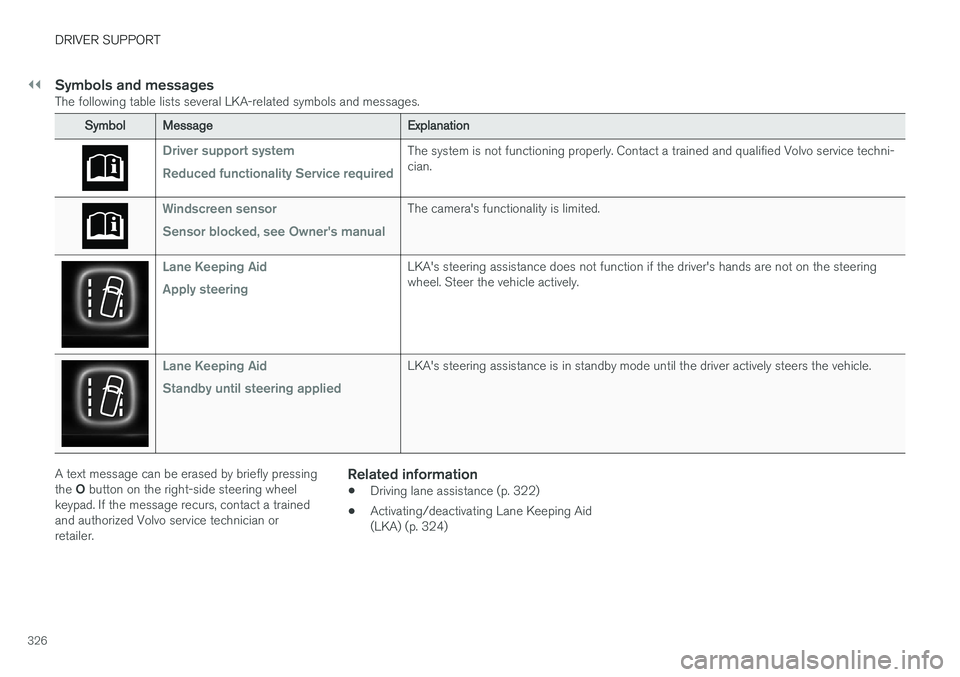
Symbols and messagesThe following table lists several LKA-related symbols and messages.
SymbolMessage Explanation
Driver support system Reduced functionality Service requiredThe system is not functioning properly. Contact a trained and qualified Volvo service techni- cian.
Windscreen sensor Sensor blocked, see Owner's manualThe camera's functionality is limited.
Lane Keeping Aid Apply steeringLKA's steering assistance does not function if the driver's hands are not on the steering wheel. Steer the vehicle actively.
Lane Keeping Aid Standby until steering appliedLKA's steering assistance is in standby mode until the driver actively steers the vehicle.
A text message can be erased by briefly pressing the O button on the right-side steering wheel
keypad. If the message recurs, contact a trained and authorized Volvo service technician orretailer.Related information
• Driving lane assistance (p. 322)
• Activating/deactivating Lane Keeping Aid(LKA) (p. 324)
Page 335 of 552
DRIVER SUPPORT
* Option/accessory.333
Park assist symbols and messages
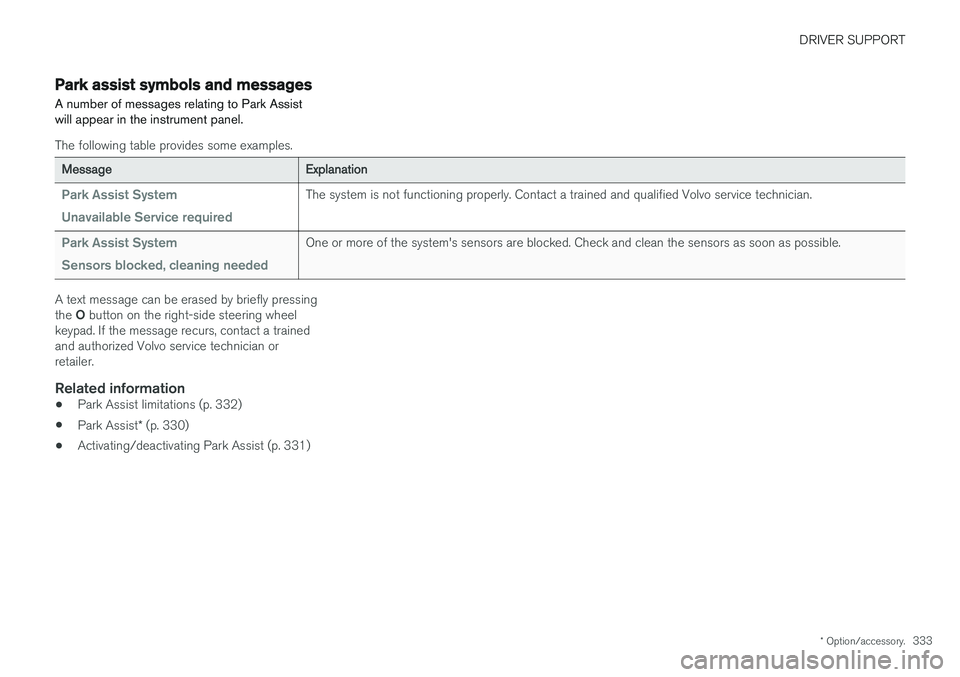
A number of messages relating to Park Assist will appear in the instrument panel.
The following table provides some examples.
Message Explanation
Park Assist System Unavailable Service requiredThe system is not functioning properly. Contact a trained and qualified Volvo service technician.
Park Assist System Sensors blocked, cleaning neededOne or more of the system's sensors are blocked. Check and clean the sensors as soon as possible.
A text message can be erased by briefly pressing the O button on the right-side steering wheel
keypad. If the message recurs, contact a trained and authorized Volvo service technician orretailer.
Related information
• Park Assist limitations (p. 332)
• Park Assist
* (p. 330)
• Activating/deactivating Park Assist (p. 331)