lights VOLVO XC60 2017 Owner´s Manual
[x] Cancel search | Manufacturer: VOLVO, Model Year: 2017, Model line: XC60, Model: VOLVO XC60 2017Pages: 398, PDF Size: 9.17 MB
Page 103 of 398
INSTRUMENTS AND CONTROLS
* Option/accessory, for more information, see Introduction.101
Deactivating
Deactivate the rain sensor by pressing the button
or press the lever down to another wiper
position. The rain sensor is automatically deactivated when the key is removed from the ignition slot or fiveminutes after the ignition has been switched off.
CAUTION
The rain sensor should be deactivated when washing the car in an automatic car wash, etc.If the rain sensor function is left on, the wip-ers will start inadvertently in the car wash andcould be damaged.
Windshield washer
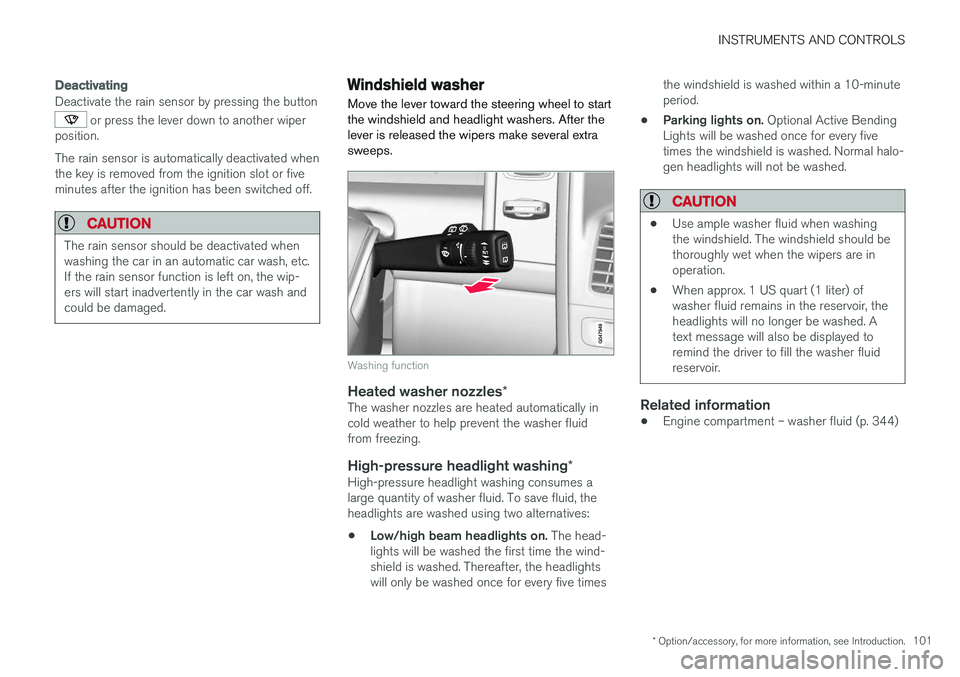
Move the lever toward the steering wheel to start the windshield and headlight washers. After thelever is released the wipers make several extrasweeps.
Washing function
Heated washer nozzles *The washer nozzles are heated automatically in cold weather to help prevent the washer fluidfrom freezing.
High-pressure headlight washing *High-pressure headlight washing consumes alarge quantity of washer fluid. To save fluid, theheadlights are washed using two alternatives:
• Low/high beam headlights on.
The head-
lights will be washed the first time the wind-shield is washed. Thereafter, the headlightswill only be washed once for every five times the windshield is washed within a 10-minuteperiod.
• Parking lights on.
Optional Active Bending
Lights will be washed once for every fivetimes the windshield is washed. Normal halo-gen headlights will not be washed.
CAUTION
• Use ample washer fluid when washing the windshield. The windshield should bethoroughly wet when the wipers are inoperation.
• When approx. 1 US quart (1 liter) ofwasher fluid remains in the reservoir, theheadlights will no longer be washed. Atext message will also be displayed toremind the driver to fill the washer fluidreservoir.
Related information
•Engine compartment – washer fluid (p. 344)
Page 108 of 398
INSTRUMENTS AND CONTROLS
* Option/accessory, for more information, see Introduction.
106
Heated windshield *, rear window
and door mirror defrosters
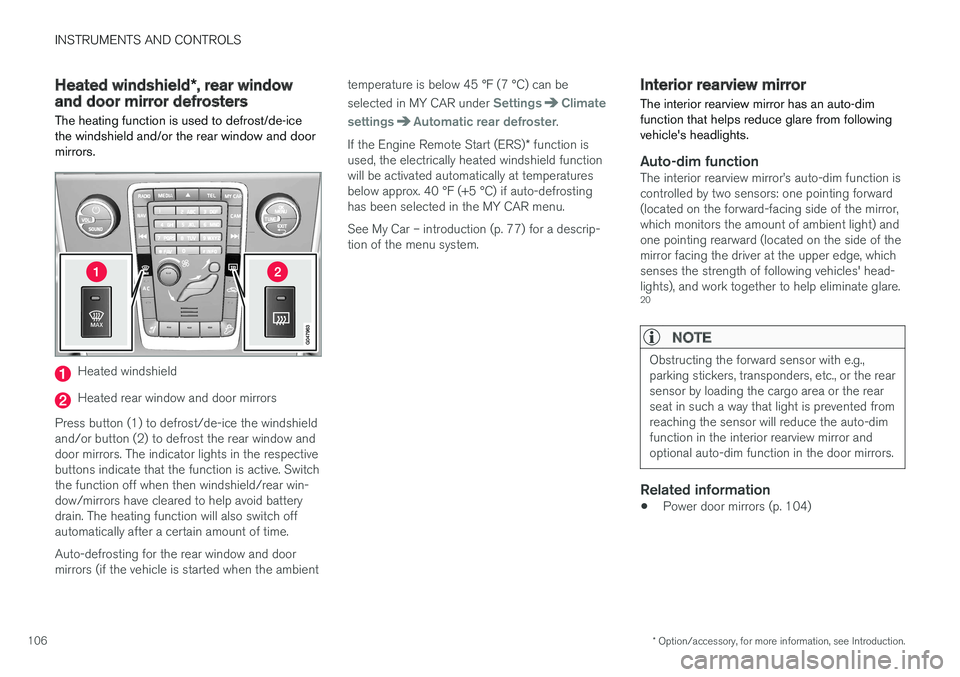
The heating function is used to defrost/de-ice the windshield and/or the rear window and doormirrors.
Heated windshield
Heated rear window and door mirrors
Press button (1) to defrost/de-ice the windshield and/or button (2) to defrost the rear window anddoor mirrors. The indicator lights in the respectivebuttons indicate that the function is active. Switchthe function off when then windshield/rear win-dow/mirrors have cleared to help avoid batterydrain. The heating function will also switch offautomatically after a certain amount of time. Auto-defrosting for the rear window and door mirrors (if the vehicle is started when the ambient temperature is below 45 °F (7 °C) can be selected in MY CAR under
SettingsClimate
settings
Automatic rear defroster.
If the Engine Remote Start (ERS) * function is
used, the electrically heated windshield function will be activated automatically at temperaturesbelow approx. 40 °F (+5 °C) if auto-defrostinghas been selected in the MY CAR menu. See My Car – introduction (p. 77) for a descrip- tion of the menu system.
Interior rearview mirror The interior rearview mirror has an auto-dim function that helps reduce glare from followingvehicle's headlights.
Auto-dim functionThe interior rearview mirror
Page 133 of 398
CLIMATE
* Option/accessory, for more information, see Introduction.131
Heated seats
The front seat heating has three levels to increase comfort for the driver and passenger incold weather. The rear outboard seat heating has three levels to increase comfort for the passengers in coldweather.
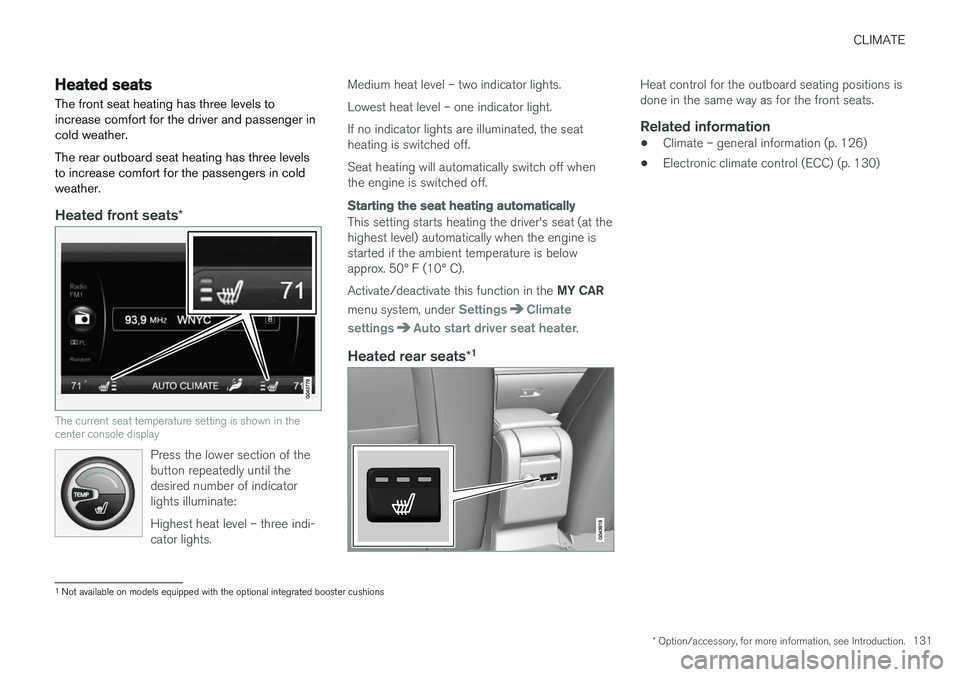
Heated front seats *
The current seat temperature setting is shown in the center console display
Press the lower section of the button repeatedly until thedesired number of indicatorlights illuminate: Highest heat level – three indi- cator lights.
Medium heat level – two indicator lights. Lowest heat level – one indicator light.If no indicator lights are illuminated, the seat heating is switched off. Seat heating will automatically switch off when the engine is switched off.
Starting the seat heating automatically
This setting starts heating the driver's seat (at the highest level) automatically when the engine isstarted if the ambient temperature is belowapprox. 50° F (10° C). Activate/deactivate this function in the MY CAR
menu system, under
SettingsClimate
settings
Auto start driver seat heater.
Heated rear seats *1
Heat control for the outboard seating positions is done in the same way as for the front seats.
Related information
•
Climate – general information (p. 126)
• Electronic climate control (ECC) (p. 130)
1
Not available on models equipped with the optional integrated booster cushions
Page 156 of 398
||
LOCKS AND ALARM
* Option/accessory, for more information, see Introduction.
154
Unlock – Press the Unlock button on the
remote once to unlock the driver's door. After a short pause, press the Unlock button a second time within 10 seconds to unlock theother doors and the tailgate. This function can be changed so that all doors unlock at the same time by pressing My Car and
going to
SettingsCar settingsLock
settings
Change doors unlock setting. For
a description of the menu system, see My Car – introduction (p. 77).
Approach lighting – As you approach the
vehicle, press the button on the remote key to light the interior lighting, parking lights, license plate lighting and the lights in the door mirrors *.
These lights will switch off automatically after 30, 60 or 90 seconds. For a description of the menusystem, see My Car – introduction (p. 77).
Unlock tailgate – Press the button twice
within several seconds to disarm the alarm sys- tem (the alarm indicator light on the dashboardwill go out), and unlock only the tailgate. Pressing this button for several seconds also opens the tailgate on models equipped with theoptional power tailgate.
NOTE
As an added safety precaution, the parking lights will come on automatically for a shortperiod when the tailgate has been opened.
After closing, the tailgate will not automatically relock. Press Lock to relock it and rearm thealarm. For information on opening the tailgate from the passenger compartment, see Locking/unlocking– tailgate (p. 165)
Panic alarm – This button can be used to
attract attention during emergency situations. To activate the panic alarm, press and hold this button for at least 3 seconds or press it twicewithin 3 seconds. The turn signals and horn willbe activated. The panic alarm will stop automati-cally after 2 minutes and 45 seconds. To deactivate, wait approximately 5 seconds and press the button again. The Panic alarm button will not unlock the vehi- cle.
Related information
• Locking/unlocking – from inside (p. 164)
• Locking/unlocking – from the outside(p. 163)
• Locking/unlocking confirmation (p. 152)
Remote key – range The remote key has a range of approximately 60 ft. (20 m) from the vehicle.
NOTE
Buildings or other obstacles may interfere with the function of the remote key. The vehi-cle can also be locked or unlocked with thekey blade, see Alarm-related functions(p. 171).
If the remote key is removed from the vehicle while the engine is running or if the ignition is in mode
I or II and all of the doors are closed, a
message will appear in the instrument panel dis- play and there will be an audible signal. When the remote key is returned to the vehicle, the message will be erased and the audible sig-nal will stop after one of the following has beendone:
• The remote key is inserted in the ignition slot
• The vehicle's speed exceeds 20 mph(30 km/h)
• The
OK button on the left steering wheel
lever is pressed
Related information
• Remote key – functions (p. 153)
Page 168 of 398
||
LOCKS AND ALARM
166
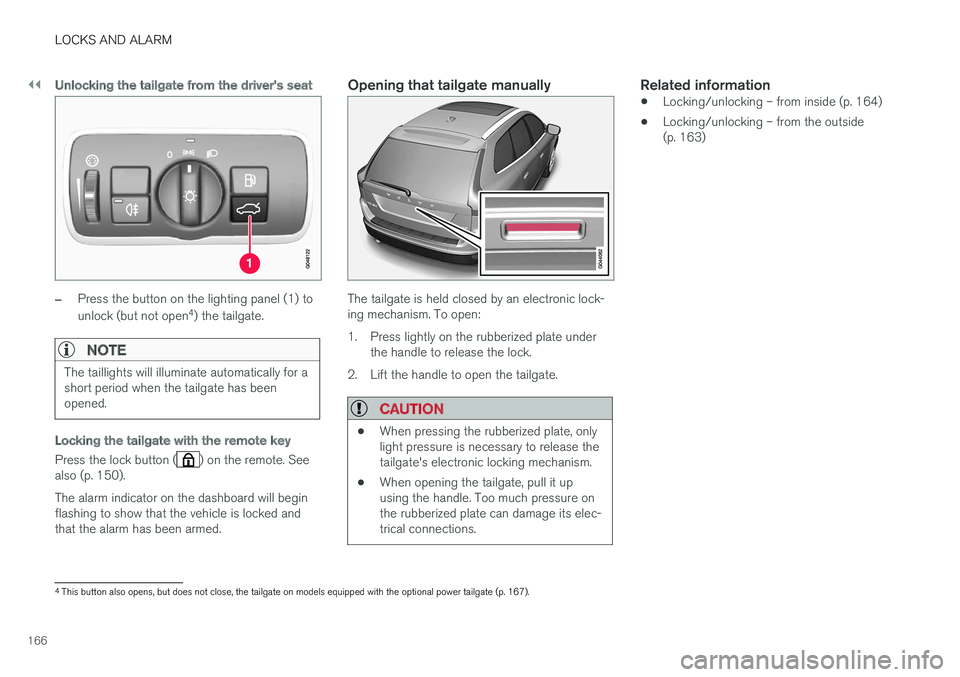
Unlocking the tailgate from the driver's seat
–Press the button on the lighting panel (1) to unlock (but not open4
) the tailgate.
NOTE
The taillights will illuminate automatically for a short period when the tailgate has beenopened.
Locking the tailgate with the remote key
Press the lock button () on the remote. See
also (p. 150). The alarm indicator on the dashboard will begin flashing to show that the vehicle is locked andthat the alarm has been armed.
Opening that tailgate manually
The tailgate is held closed by an electronic lock- ing mechanism. To open:
1. Press lightly on the rubberized plate under the handle to release the lock.
2. Lift the handle to open the tailgate.
CAUTION
• When pressing the rubberized plate, only light pressure is necessary to release thetailgate's electronic locking mechanism.
• When opening the tailgate, pull it upusing the handle. Too much pressure onthe rubberized plate can damage its elec-trical connections.
Related information
• Locking/unlocking – from inside (p. 164)
• Locking/unlocking – from the outside (p. 163)
4
This button also opens, but does not close, the tailgate on models equipped with the optional power tailgate (p. 167).
Page 169 of 398
LOCKS AND ALARM
167
Power tailgate – automatic opening/closing
The power tailgate can be opened/closed using a button on the lighting panel or on the remotekey.
Automatic openingThe power tailgate can be opened automatically in the three ways:
• By pressing and holding the
button
on the lighting panel until the tailgate begins to open.
• By pressing and holding the
button
on the remote key until the tailgate begins to open.
• By pressing the rubber-covered button underthe outer handle on the tailgate.
The taillights illuminate automatically when the
automatic open function is used.
CAUTION
Be sure that there is adequate space above and behind the vehicle before opening thetailgate automatically. The vehicle should not be driven or moved with the tailgate in the open position. How-ever, if the vehicle is moved with the tailgatein the open position, the automatic closingfunction will be inoperative until one of thefollowing occurs:
• The tailgate is closed manually
• The ignition is switched off and the key isremoved for approximately 10 minutes(the tailgate will function again afterrestart).
NOTE
If the tailgate has been opened and closed continuously too long, the automatic functionwill be deactivated to avoid overloading theelectrical system. The automatic function canbe used again after approximately 2 minutes. If the vehicle's battery has been discharged or disconnected, or if the tailgate has been openfor more than 24 hours, the tailgate must beopened and closed once manually to resetthe system.
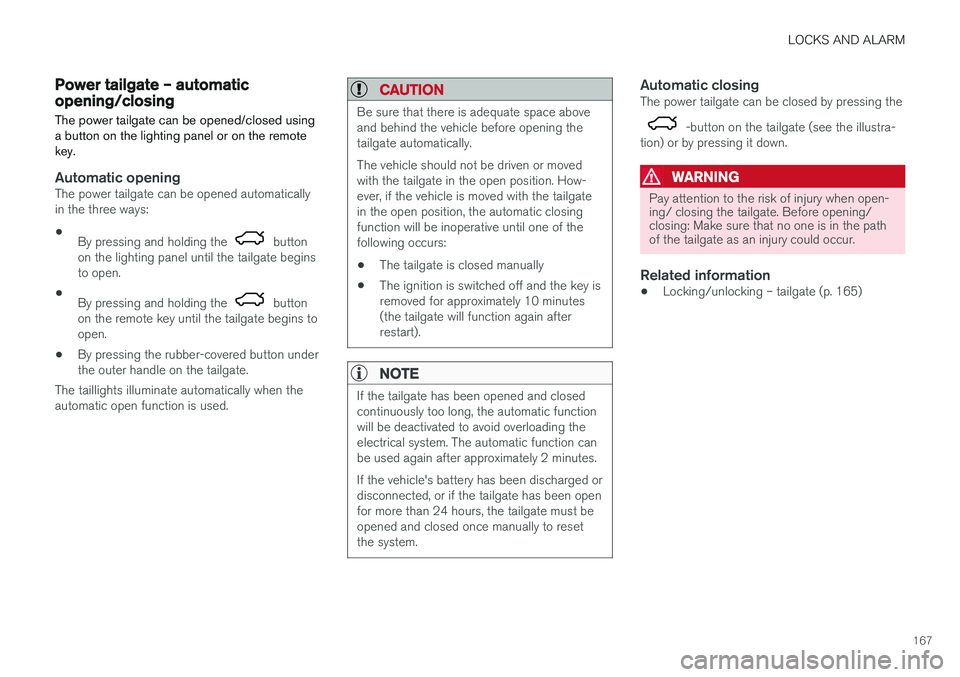
Automatic closingThe power tailgate can be closed by pressing the
-button on the tailgate (see the illustra-
tion) or by pressing it down.
WARNING
Pay attention to the risk of injury when open- ing/ closing the tailgate. Before opening/closing: Make sure that no one is in the pathof the tailgate as an injury could occur.
Related information
• Locking/unlocking – tailgate (p. 165)
Page 195 of 398
DRIVER SUPPORT
193
•
ACC has kept the vehicle at a standstill for more than 2 minutes
• The engine has been switched off
• The brakes have overheated
Related information
•
Adaptive Cruise Control – introduction(p. 184)
Radar sensor
The radar sensor is designed to help detect cars or larger vehicles driving in the same direction asyour vehicle, in the same lane.
The radar sensor and its limitationsIn addition to being used by the Adaptive Cruise Control (ACC), the radar sensor is also used byDistance Alert (see Distance Alert – introduction(p. 199)) and Collision Warning with Full Auto-brake and Pedestrian Detection (see Collisionwarning – introduction (p. 210)).
WARNING
• If there is visible damage to the front grille or you suspect that the radar sensormay be damaged in any way, contact atrained and qualified Volvo service techni-cian as soon as possible. The radar sen-sor may only function partially (or not atall) if it is damaged or is not securely fas-tened in place.
• Accessories or other objects, such asextra headlights, must not be installed infront of the grille.
• Modification of the radar sensor couldmake its use illegal.
The radar sensor's capacity to detect vehicles ahead is impeded: • if the radar sensor is obstructed and cannotdetect other vehicles, for example in heavy rain, or if snow or other objects are obscuringthe radar sensor.
NOTE
Keep the area in front of the radar sensor clean.
•
if the speed of vehicles ahead is significantly different from your own speed.
Related information
•Adaptive Cruise Control – introduction(p. 184)
• Collision warning – introduction (p. 210)
• Distance Alert – introduction (p. 199)
Page 206 of 398
DRIVER SUPPORT
204•
City Safety – symbols and messages (p. 208)
• City Safety – Laser sensor (p. 209)
City Safety – function
Function
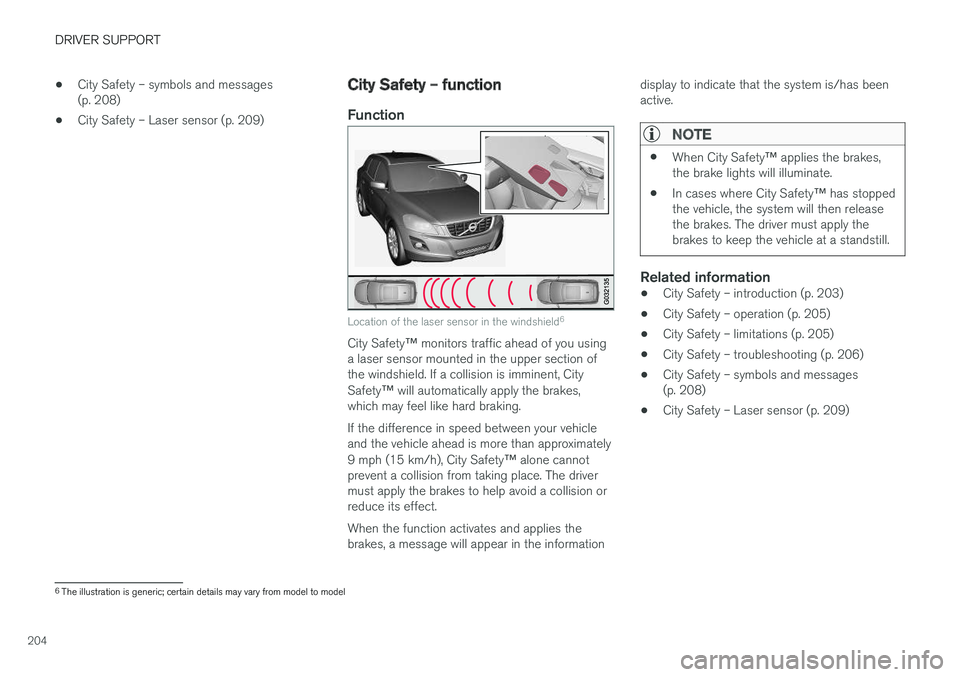
Location of the laser sensor in the windshield 6
City Safety
™ monitors traffic ahead of you using
a laser sensor mounted in the upper section of the windshield. If a collision is imminent, City Safety ™ will automatically apply the brakes,
which may feel like hard braking. If the difference in speed between your vehicle and the vehicle ahead is more than approximately 9 mph (15 km/h), City Safety ™ alone cannot
prevent a collision from taking place. The driver must apply the brakes to help avoid a collision orreduce its effect. When the function activates and applies the brakes, a message will appear in the information display to indicate that the system is/has beenactive.
NOTE
•
When City Safety
™ applies the brakes,
the brake lights will illuminate.
• In cases where City Safety
™ has stopped
the vehicle, the system will then release the brakes. The driver must apply thebrakes to keep the vehicle at a standstill.
Related information
• City Safety – introduction (p. 203)
• City Safety – operation (p. 205)
• City Safety – limitations (p. 205)
• City Safety – troubleshooting (p. 206)
• City Safety – symbols and messages (p. 208)
• City Safety – Laser sensor (p. 209)
6
The illustration is generic; certain details may vary from model to model
Page 237 of 398
DRIVER SUPPORT
}}
* Option/accessory, for more information, see Introduction.235
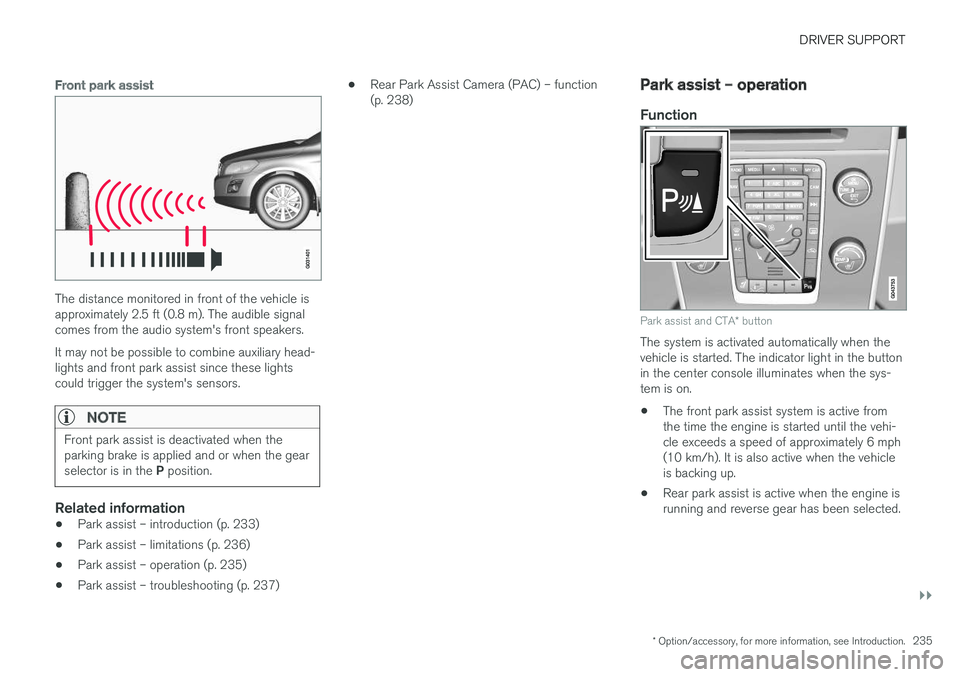
Front park assist
The distance monitored in front of the vehicle is approximately 2.5 ft (0.8 m). The audible signalcomes from the audio system's front speakers. It may not be possible to combine auxiliary head- lights and front park assist since these lightscould trigger the system's sensors.
NOTE
Front park assist is deactivated when the parking brake is applied and or when the gear selector is in the P position.
Related information
• Park assist – introduction (p. 233)
• Park assist – limitations (p. 236)
• Park assist – operation (p. 235)
• Park assist – troubleshooting (p. 237) •
Rear Park Assist Camera (PAC) – function (p. 238)
Park assist – operation
Function
Park assist and CTA
* button
The system is activated automatically when the vehicle is started. The indicator light in the buttonin the center console illuminates when the sys-tem is on. • The front park assist system is active from the time the engine is started until the vehi-cle exceeds a speed of approximately 6 mph(10 km/h). It is also active when the vehicleis backing up.
• Rear park assist is active when the engine isrunning and reverse gear has been selected.
Page 243 of 398
DRIVER SUPPORT
}}
* Option/accessory, for more information, see Introduction.241
Related information
•Rear Park Assist Camera (PAC) – operation (p. 238)
• Rear Park Assist Camera (PAC) – limitations(p. 241)
Rear Park Assist Camera (PAC) – limitations
LimitationsEven if a fairly small section of the screen image appears to be obstructed, this may mean that arelatively large area behind the vehicle is hiddenand objects there may not be detected until theyare very near the vehicle.
NOTE
Bicycle carriers or other accessories mounted on the tailgate may obstruct the camera'sfield of view.
Keep in mind
•Keep the camera's lens free of dirt, ice and snow. Remove ice and snow carefully toavoid scratching the lens.
• Clean the lens regularly with warm water anda suitable car washing detergent.
Related information
•
Rear Park Assist Camera (PAC) – introduc-tion (p. 237)
• Rear Park Assist Camera (PAC) – operation(p. 238)
• Park assist – introduction (p. 233)
BLIS
* – introduction
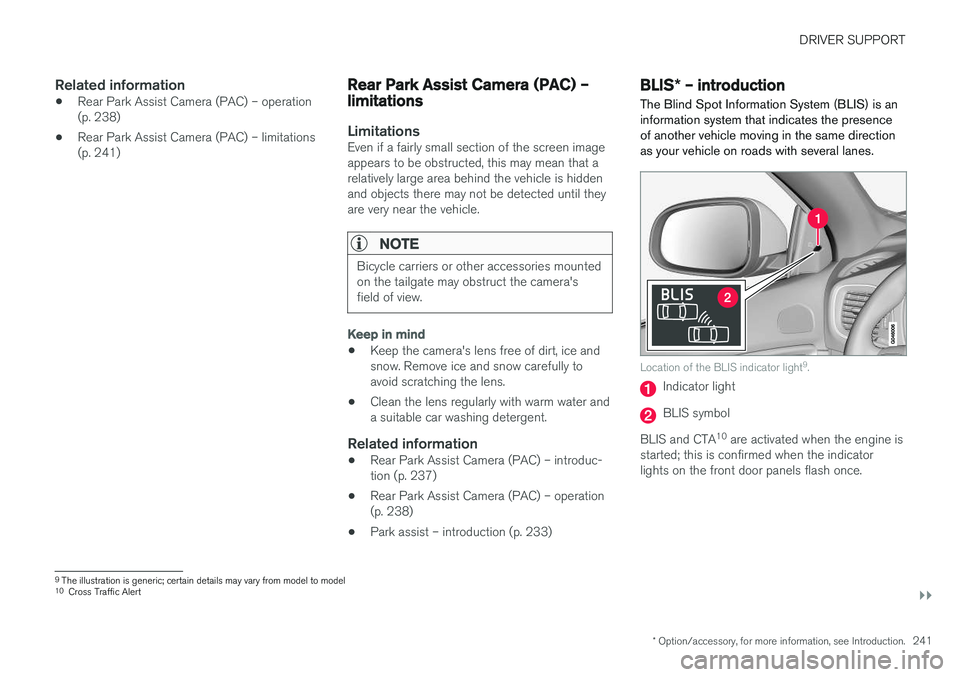
The Blind Spot Information System (BLIS) is an information system that indicates the presenceof another vehicle moving in the same directionas your vehicle on roads with several lanes.
Location of the BLIS indicator light 9
.
Indicator light
BLIS symbol
BLIS and CTA 10
are activated when the engine is
started; this is confirmed when the indicator lights on the front door panels flash once.
9 The illustration is generic; certain details may vary from model to model
10 Cross Traffic Alert