battery VOLVO XC60 2017 Owner´s Manual
[x] Cancel search | Manufacturer: VOLVO, Model Year: 2017, Model line: XC60, Model: VOLVO XC60 2017Pages: 398, PDF Size: 9.17 MB
Page 6 of 398
4
CLIMATE
Climate – general information126
Climate – sensors 126
Air quality 127
Interior Air Quality System (IAQS) *
128
Climate – menu settings 128
Air distribution – general 129
Electronic climate control (ECC) 130
Heated seats 131
Temperature and blower control 132
Automatic climate control 132
Air conditioning 133
Max. defroster and electrically heated windshield * 133
Air distribution – function 134
Air distribution – recirculation 135
Air distribution – table 136
LOADING AND STORAGE
Storage spaces140
Tunnel console 142
Tunnel console – 12-volt sockets 142
Glove compartment 143
Vanity mirror 143
12-volt socket in the cargo area *
143
Loading – general 144
Loading – roof load carriers 144
Load anchoring eyelets 145
Grocery bag holder 146
Cargo net – mounting/removing 146
Cargo area cover 147
Steel cargo grid 148
LOCKS AND ALARM
Remote key and key blade150
Remote key – loss 150
Key memory 151
Locking/unlocking confirmation 152
Immobilizer (start inhibitor) 152
Remote key – functions 153
Remote key – range 154
Detachable key blade – general information 155
Detachable key blade – detaching/reinserting 155
Detachable key blade – unlocking 156
Private locking 156
Remote key – replacing the battery 157
Keyless drive *– locking/unlocking
159
Keyless drive * – unlocking with key blade
160
Keyless drive * – key memory
160
Keyless drive * – messages
161
Keyless drive * – antenna locations
162
Locking/unlocking – from the outside 163
Manual locking 163
Locking/unlocking – from inside 164
Locking/unlocking – glove compartment 165
Locking/unlocking – tailgate 165
Page 10 of 398
8
MAINTENANCE AND SERVICING
Maintenance – introduction322
Maintenance – owner maintenance 323
Maintenance – hoisting 324
Onboard Diagnostic System 325
Booking service and repairs 325
Maintenance – opening/closing hood 327
Engine compartment – overview 328
Engine compartment – engine oil 329
Engine compartment – coolant 331
Engine compartment – brake fluid 332
Engine compartment – power steer- ing fluid 333
Bulbs – introduction 334
Bulbs – headlight housing 335
Bulbs – cover 336
Bulbs – low beam, Halogen 337
Bulbs – high beam, Halogen 337
Bulbs – extra high beam 338
Bulbs – front turn signals 338
Bulbs – rear fog lights 339
Bulbs – location of taillight bulbs 339
Bulbs – brake lights and taillights 340
Bulbs – license plate lighting 340
Bulbs – cargo area lighting 340
Bulbs – vanity mirror lighting 341
Bulbs – specifications341
Wiper blades – service position 342
Wiper blades – windshield 342
Wiper blades – tailgate 343
Engine compartment – washer fluid 344
Battery – symbols 345
Battery – handling 345
Battery – maintenance 346
Battery – changing 347
Fuses – introduction 349
Fuses – engine compartment 350
Fuses – glove compartment 353
Fuses – cargo area/trunk 356
Fuses – engine compartment cold zone (Start/Stop only) 357
Washing the car 359
Automatic car wash 360
Polishing and waxing 361
Cleaning the interior 361
Touching up paintwork 363
SPECIFICATIONS
Label information366
Dimensions 369
Weights 372
Engine specifications 374
Oil specifications 375
Oil volume 376
Coolant – specification and volume 377
Transmission oil – specification and volumes 377
Brake fluid – specification and volume 377
Power steering – specification 378
Fuel tank volume – specification andvolume 378
Tire inflation – pressure table 379
Air conditioning – specification andvolume 380
Battery specifications 381
Symbols – general information 382
Warning symbols 382
Indicator symbols 383
Information symbols 384
Information symbols – ceiling console 385
Information symbols – center console 385
Page 36 of 398
||
SAFETY
34
WARNING
•If the SRS warning light stays on after the engine has started or if it illuminateswhile you are driving, have the vehicleinspected by a trained and qualified Volvoservice technician as soon as possible.
• Never try to repair any component or partof the SRS yourself. Any interference inthe system could cause malfunction andserious injury. All work on these systemsshould be performed by a trained andqualified Volvo service technician.
WARNING
If your vehicle has become flood-damaged in any way (e.g., soaked carpeting/standingwater on the floor of the vehicle), do notattempt to start the vehicle or insert theremote key into the ignition slot before dis-connecting the battery (see below). This maycause airbag deployment which could result inserious injury. Have the vehicle towed to atrained and qualified Volvo service technicianfor repairs. Before attempting to tow the vehicle:
1. Switch off the ignition for at least
10 minutes and disconnect the battery.
2. Follow the instructions for manually over- riding the shiftlock system Transmission – shiftlock override (p. 257).
Related information
•Crash mode – general information (p. 45)
Front airbags
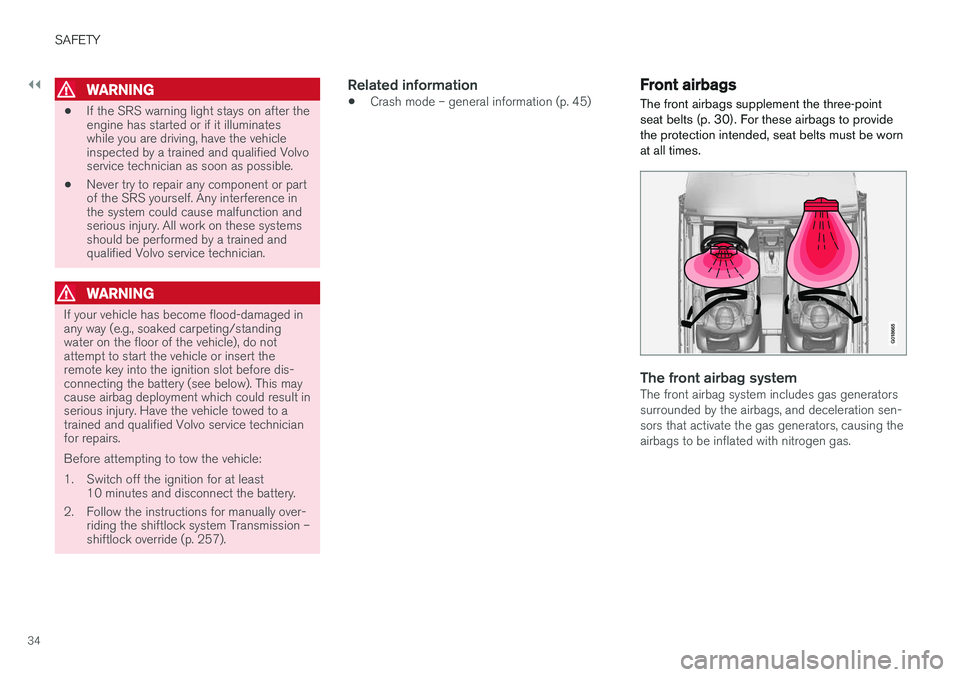
The front airbags supplement the three-point seat belts (p. 30). For these airbags to providethe protection intended, seat belts must be wornat all times.
G018665
The front airbag systemThe front airbag system includes gas generators surrounded by the airbags, and deceleration sen-sors that activate the gas generators, causing theairbags to be inflated with nitrogen gas.
Page 82 of 398
||
INSTRUMENTS AND CONTROLS
* Option/accessory, for more information, see Introduction.
80
CAUTION
Foreign objects in the ignition slot can impair function or cause damage.
Removing the remote keyThe remote key can be removed from the ignition slot by pulling it out.
Related information
• Ignition modes (p. 80)
Ignition modes
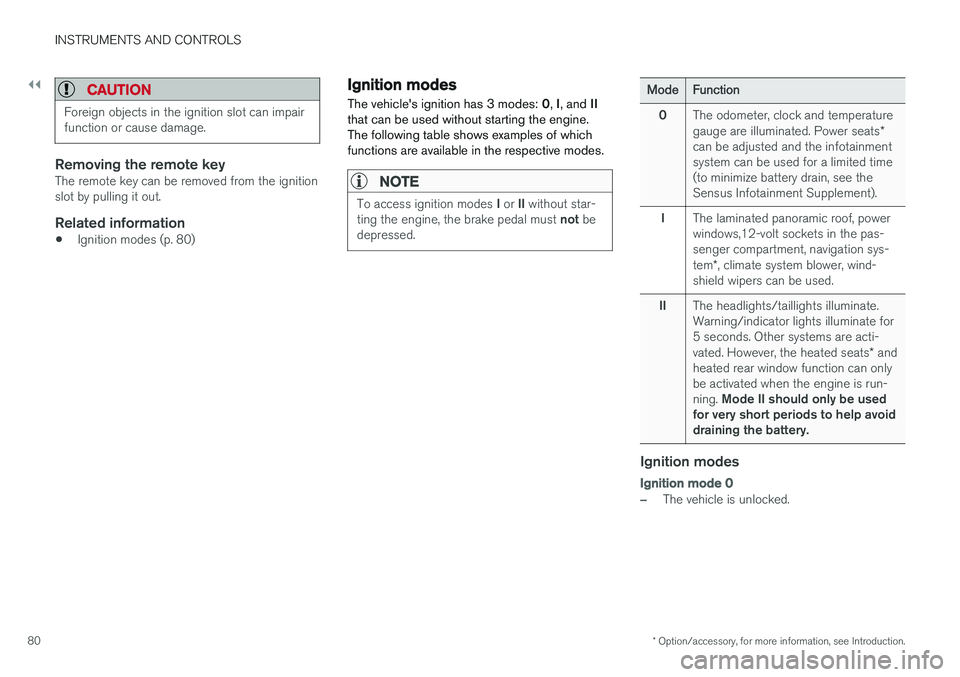
The vehicle's ignition has 3 modes: 0, I, and II
that can be used without starting the engine. The following table shows examples of whichfunctions are available in the respective modes.
NOTE
To access ignition modes I or II without star-
ting the engine, the brake pedal must not be
depressed.
ModeFunction
0The odometer, clock and temperature gauge are illuminated. Power seats *
can be adjusted and the infotainment system can be used for a limited time(to minimize battery drain, see theSensus Infotainment Supplement).
IThe laminated panoramic roof, power windows,12-volt sockets in the pas-senger compartment, navigation sys- tem *, climate system blower, wind-
shield wipers can be used.
IIThe headlights/taillights illuminate. Warning/indicator lights illuminate for5 seconds. Other systems are acti- vated. However, the heated seats * and
heated rear window function can only be activated when the engine is run- ning. Mode II should only be used
for very short periods to help avoid draining the battery.
Ignition modes
Ignition mode 0
–The vehicle is unlocked.
Page 105 of 398
INSTRUMENTS AND CONTROLS
* Option/accessory, for more information, see Introduction.103
WARNING
•Always remove the ignition key when the vehicle is unattended to put the ignition in mode
0 (see Ignition modes (p. 80) for
information about the ignition modes).
• Never leave children unattended in the vehicle.
• Make sure that the windows are com-pletely unobstructed before they areoperated.
Operating
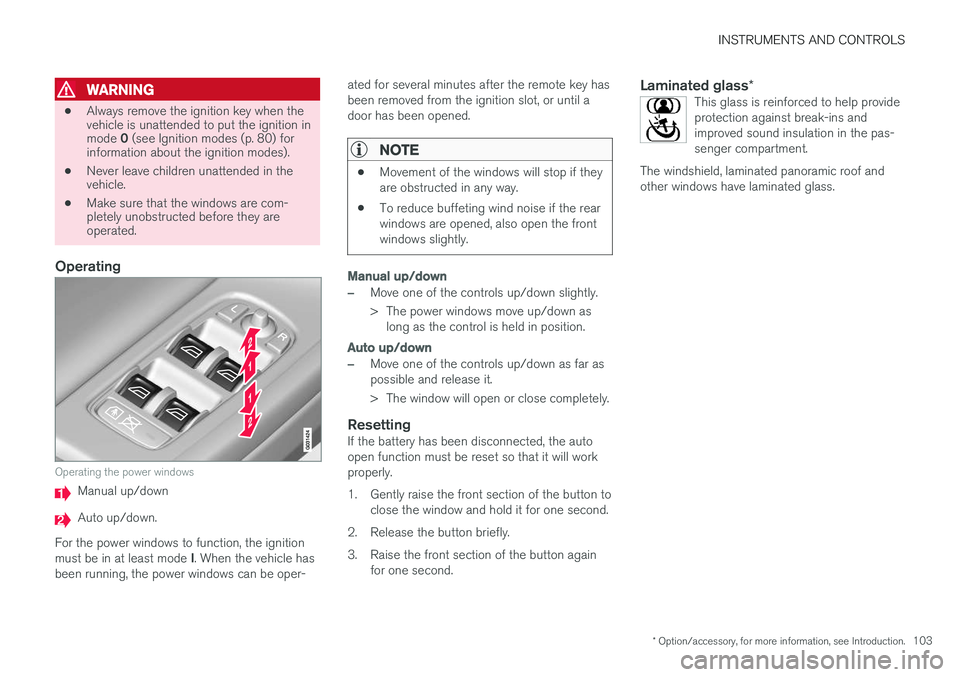
Operating the power windows
Manual up/down
Auto up/down.
For the power windows to function, the ignition must be in at least mode I. When the vehicle has
been running, the power windows can be oper- ated for several minutes after the remote key has been removed from the ignition slot, or until adoor has been opened.
NOTE
•
Movement of the windows will stop if they are obstructed in any way.
• To reduce buffeting wind noise if the rearwindows are opened, also open the frontwindows slightly.
Manual up/down
–Move one of the controls up/down slightly.
> The power windows move up/down as
long as the control is held in position.
Auto up/down
–Move one of the controls up/down as far as possible and release it.
> The window will open or close completely.
ResettingIf the battery has been disconnected, the auto open function must be reset so that it will workproperly.
1. Gently raise the front section of the button to close the window and hold it for one second.
2. Release the button briefly.
3. Raise the front section of the button again for one second.
Laminated glass *This glass is reinforced to help provide protection against break-ins andimproved sound insulation in the pas-senger compartment.
The windshield, laminated panoramic roof andother windows have laminated glass.
Page 108 of 398
INSTRUMENTS AND CONTROLS
* Option/accessory, for more information, see Introduction.
106
Heated windshield *, rear window
and door mirror defrosters
The heating function is used to defrost/de-ice the windshield and/or the rear window and doormirrors.
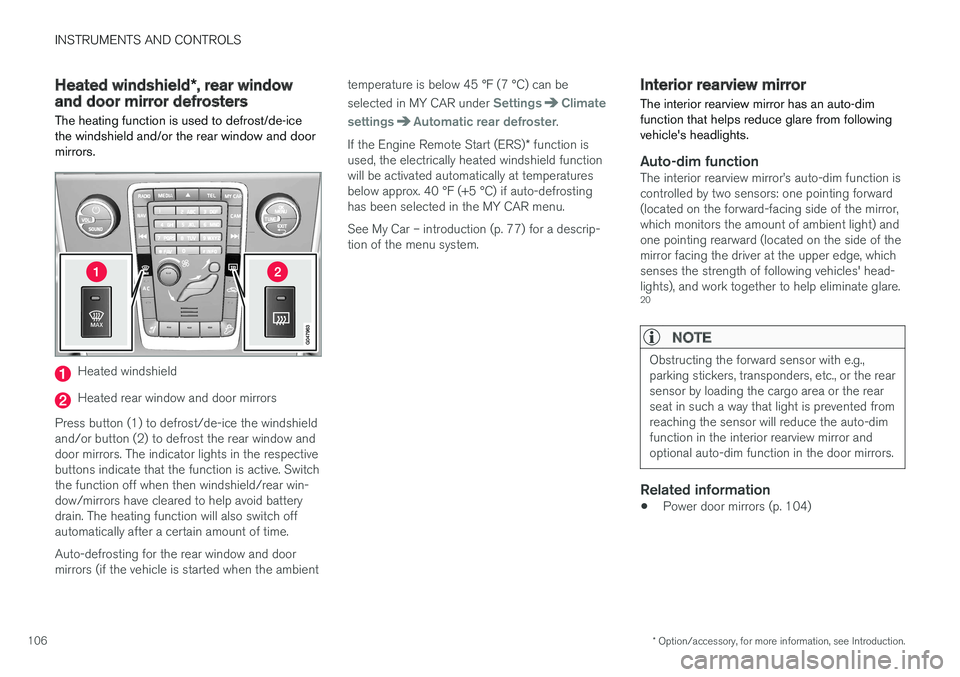
Heated windshield
Heated rear window and door mirrors
Press button (1) to defrost/de-ice the windshield and/or button (2) to defrost the rear window anddoor mirrors. The indicator lights in the respectivebuttons indicate that the function is active. Switchthe function off when then windshield/rear win-dow/mirrors have cleared to help avoid batterydrain. The heating function will also switch offautomatically after a certain amount of time. Auto-defrosting for the rear window and door mirrors (if the vehicle is started when the ambient temperature is below 45 °F (7 °C) can be selected in MY CAR under
SettingsClimate
settings
Automatic rear defroster.
If the Engine Remote Start (ERS) * function is
used, the electrically heated windshield function will be activated automatically at temperaturesbelow approx. 40 °F (+5 °C) if auto-defrostinghas been selected in the MY CAR menu. See My Car – introduction (p. 77) for a descrip- tion of the menu system.
Interior rearview mirror The interior rearview mirror has an auto-dim function that helps reduce glare from followingvehicle's headlights.
Auto-dim functionThe interior rearview mirror
Page 114 of 398
INSTRUMENTS AND CONTROLS
* Option/accessory, for more information, see Introduction.
112
HomeLink ®
Wireless Control
System * – programming
The HomeLink Wireless Control System pro- vides a convenient way to replace up to threehand-held radio-frequency (RF) transmittersused to activate devices such as gate operators,garage door openers, entry door locks, securitysystems, even home lighting. Additional informa-tion can be found on the Internetatwww.homelink.com/www.youtube.com/HomeLinkGentex or by phoning the hotline at 1–800–355–3515.
NOTE
Some vehicles may require the ignition to be switched on or be in the “accessories” posi-tion for programming and/or operation ofHomeLink. It is also recommended that a newbattery be placed in the hand-held transmitterof the device being programmed to Home-Link for quicker training and accurate trans-mission of the radio-frequency signal. TheHomeLink buttons must be reset first. Whenthis has been completed, Homelink is inlearning mode so that you can perform pro-gramming.
1. Position the end of your hand-held transmit- ter 1–3 inches (5–14 cm) away from the HomeLink button you wish to program whilekeeping the indicator light in view. 2. Simultaneously press and hold both the
chosen HomeLink and hand-held transmitterbuttons until the HomeLink indicator lightchanges from a slow to a rapidly blinkinglight. Now you may release both the Home-Link and hand-held transmitter buttons.
NOTE
Some devices may require you to replace this Programming Step 2 with procedures notedin the “Gate Operator / Canadian Program-ming” section. If the HomeLink indicator lightdoes not change to a rapidly blinking lightafter performing these steps, contact Home-Link at www.homelink.com/www.youtube.com/HomeLinkGentex or byphoning the hotline at 1–800–355–3515.
3. Firmly press, hold for five seconds and
release the programmed HomeLink button
up to two separate times to activate the door. If the door does not activate, press and holdthe just-trained HomeLink button andobserve the indicator light.
• If the indicator light
stays on constantly,
programming is complete and your
device should activate when the Home-Link button is pressed and released.
• If the indicator light blinks
rapidly for two
seconds and then turns to a constantlight continue with “Programming”steps 4-6 to complete the programming
of a rolling code equipped device (mostcommonly a garage door opener).
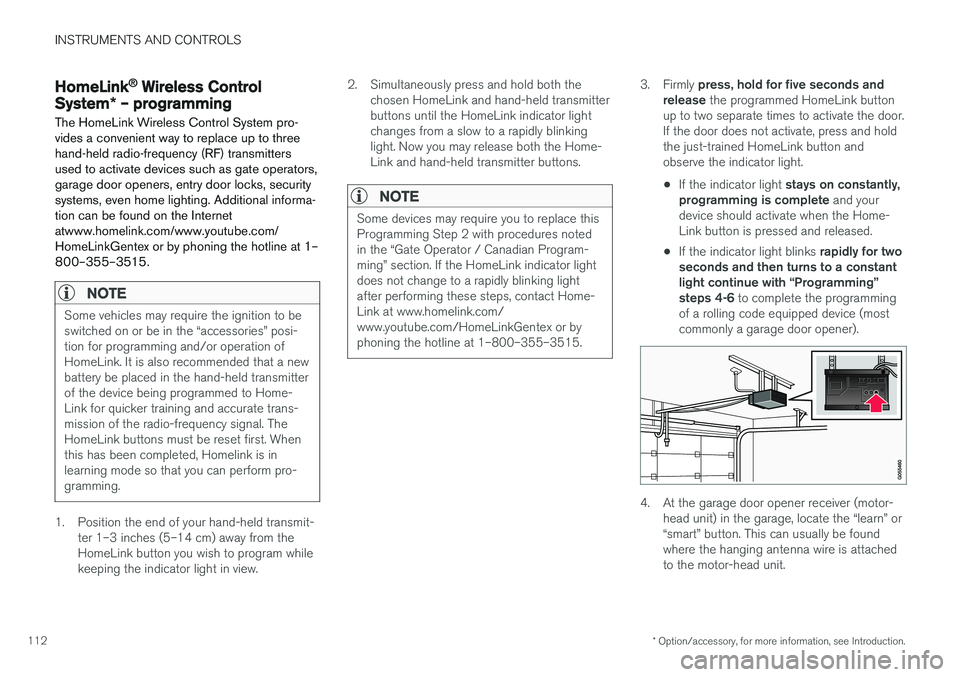
4. At the garage door opener receiver (motor- head unit) in the garage, locate the “learn” or “smart” button. This can usually be foundwhere the hanging antenna wire is attachedto the motor-head unit.
Page 118 of 398
INSTRUMENTS AND CONTROLS
116
Information display – messagesThe controls on the left steering wheel lever are used to scroll among messages displayed in theinstrument panel and to confirm selections. When information, indicator or warning symbols illuminate, an explanatory message will be dis-played in the instrument panel.
When a warning (p. 75), information (p. 73) or indicator symbol (p. 73) comes on, a correspond-ing message appears in the information panel. Anerror message is stored in a memory list until thefault is rectified. Press OK to acknowledge and scroll among the
messages.
NOTE
If a warning message appears while you are using the trip computer, the message must be read and confirmed by pressing OK before
the previous activity can be resumed.
MessageDescription
Stop engineAStop and switch off the engine as soon as possible.Serious risk of damage. Con-tact an authorized Volvoworkshop.
Stop safelyAStop and switch off the engine. Serious risk of dam-age. Contact an authorizedVolvo workshop.
Service urgentAHave the vehicle checked by an authorized Volvo work-shop immediately.
Service requiredAHave the vehicle checked by an authorized Volvo work-shop as soon as possible.
See manualARead the owner's manual.
Book time for mainte-nanceTime to book service at an authorized Volvo retailer.
Time for reg- ular mainte-nanceTime for regular service at an authorized Volvo workshop.The timing is determined bythe number of miles driven,number of months since thelast service, engine runningtime.
MessageDescription
Maintenance overdueIf the service intervals are not followed, the warranty doesnot cover any damaged parts.Contact an authorized Volvoworkshop for service.
Temporarily OFFAA function has been tempo- rarily switched off and isreset automatically while driv-ing or after starting again.
Low battery Power savemodeThe audio system is switched off to save current. Chargethe battery.
A There will also be a system-specific part of this message
Related information
• Information displays – introduction (p. 69)
• Information display – menu overview (p. 115)
• Information display – menu controls (p. 115)
Page 158 of 398
LOCKS AND ALARM
156
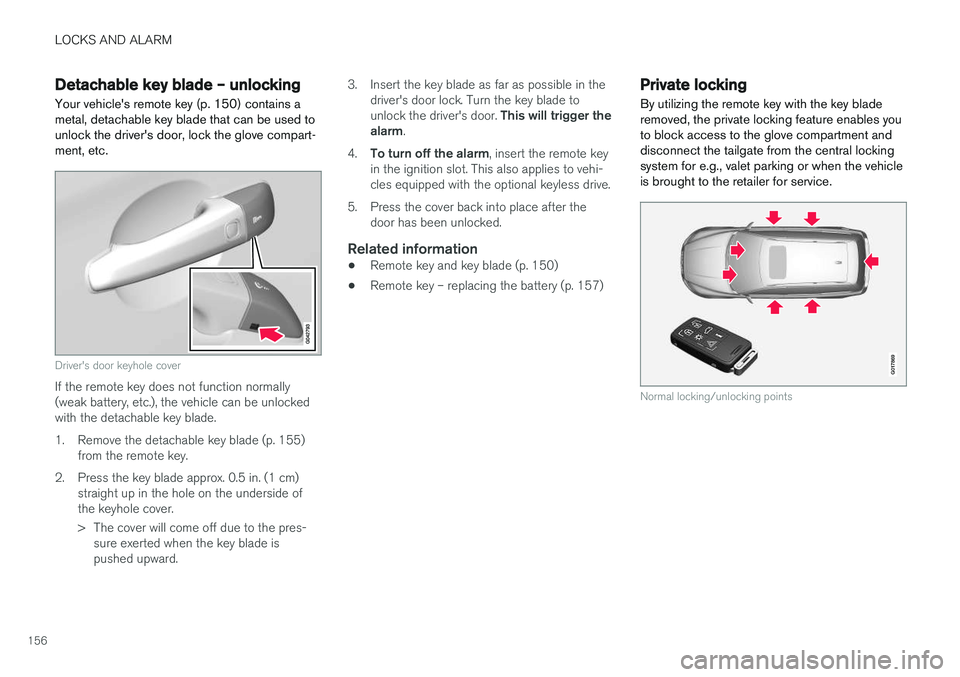
Detachable key blade – unlockingYour vehicle's remote key (p. 150) contains a metal, detachable key blade that can be used tounlock the driver's door, lock the glove compart-ment, etc.
Driver's door keyhole cover
If the remote key does not function normally (weak battery, etc.), the vehicle can be unlockedwith the detachable key blade.
1. Remove the detachable key blade (p. 155) from the remote key.
2. Press the key blade approx. 0.5 in. (1 cm) straight up in the hole on the underside of the keyhole cover.
> The cover will come off due to the pres-sure exerted when the key blade is pushed upward. 3. Insert the key blade as far as possible in the
driver's door lock. Turn the key blade to unlock the driver's door. This will trigger the
alarm .
4. To turn off the alarm , insert the remote key
in the ignition slot. This also applies to vehi- cles equipped with the optional keyless drive.
5. Press the cover back into place after the door has been unlocked.
Related information
• Remote key and key blade (p. 150)
• Remote key – replacing the battery (p. 157)
Private locking
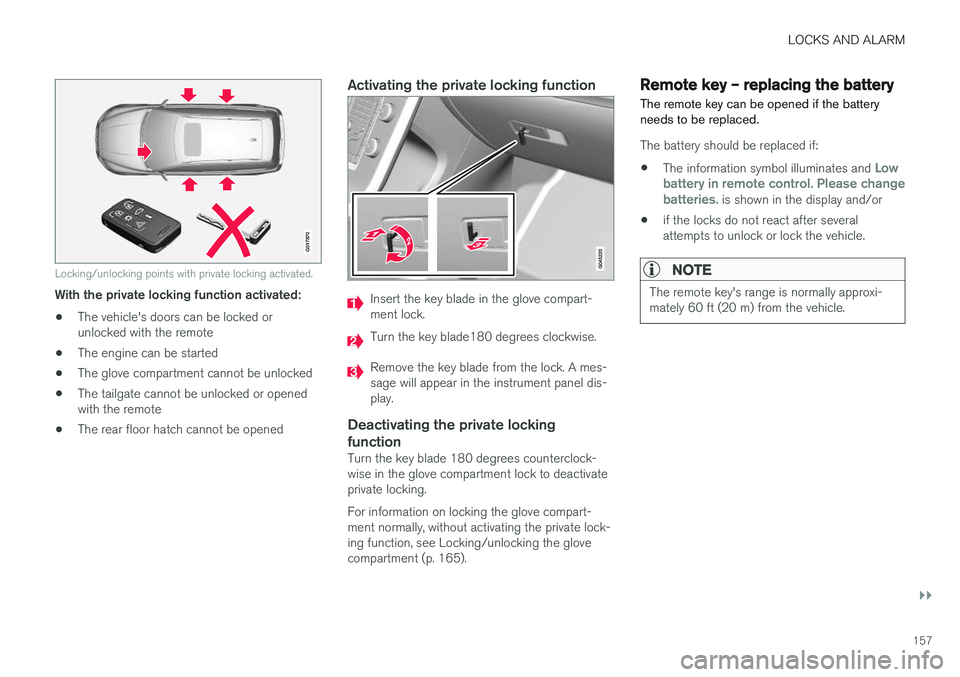
By utilizing the remote key with the key blade removed, the private locking feature enables youto block access to the glove compartment anddisconnect the tailgate from the central lockingsystem for e.g., valet parking or when the vehicleis brought to the retailer for service.
G017869
Normal locking/unlocking points
Page 159 of 398
LOCKS AND ALARM
}}
157
G017870
Locking/unlocking points with private locking activated.
With the private locking function activated:• The vehicle's doors can be locked or unlocked with the remote
• The engine can be started
• The glove compartment cannot be unlocked
• The tailgate cannot be unlocked or openedwith the remote
• The rear floor hatch cannot be opened
Activating the private locking function
Insert the key blade in the glove compart- ment lock.
Turn the key blade180 degrees clockwise.
Remove the key blade from the lock. A mes- sage will appear in the instrument panel dis-play.
Deactivating the private locking function
Turn the key blade 180 degrees counterclock- wise in the glove compartment lock to deactivateprivate locking. For information on locking the glove compart- ment normally, without activating the private lock-ing function, see Locking/unlocking the glovecompartment (p. 165).
Remote key – replacing the battery The remote key can be opened if the battery needs to be replaced.
The battery should be replaced if:
• The information symbol illuminates and
Low
battery in remote control. Please change batteries.
is shown in the display and/or
• if the locks do not react after several attempts to unlock or lock the vehicle.
NOTE
The remote key's range is normally approxi- mately 60 ft (20 m) from the vehicle.