On Call VOLVO XC60 2018 Owner´s Manual
[x] Cancel search | Manufacturer: VOLVO, Model Year: 2018, Model line: XC60, Model: VOLVO XC60 2018Pages: 660, PDF Size: 11.77 MB
Page 53 of 660
SAFETY
}}
* Option/accessory.51
Resetting the electric seat belt
tensioners*
The electric seat belt tensioners are designed to be reset automatically, but if the seat beltremains taut it can be reset manually.
1. Stop the vehicle in a safe location.
2. Unbuckle the seat belt and then rebuckle it.
> The seat belt and the electric seat belttensioner will be reset.
WARNING
Never attempt to alter or repair the seat belt on your own. Volvo recommends contactingan authorized Volvo workshop. If the seat belt has been exposed to extreme forces, e.g. in conjunction with a collision, theentire seat belt must be replaced. Even if theseat belt appears undamaged, some of itsprotective properties may have been lost. Alsoreplace the seat belt if it is worn or damaged.The new seat belt must be type approved andintended for the same seating position as thereplaced seat belt.
Related information
• Seat belt tensioners (p. 50)
• Seat belts (p. 47)
Door and seat belt reminders
This system is intended to remind occupants to buckle their seat belts and to alert the driver if adoor or the hood, tailgate or fuel filler door isopen.
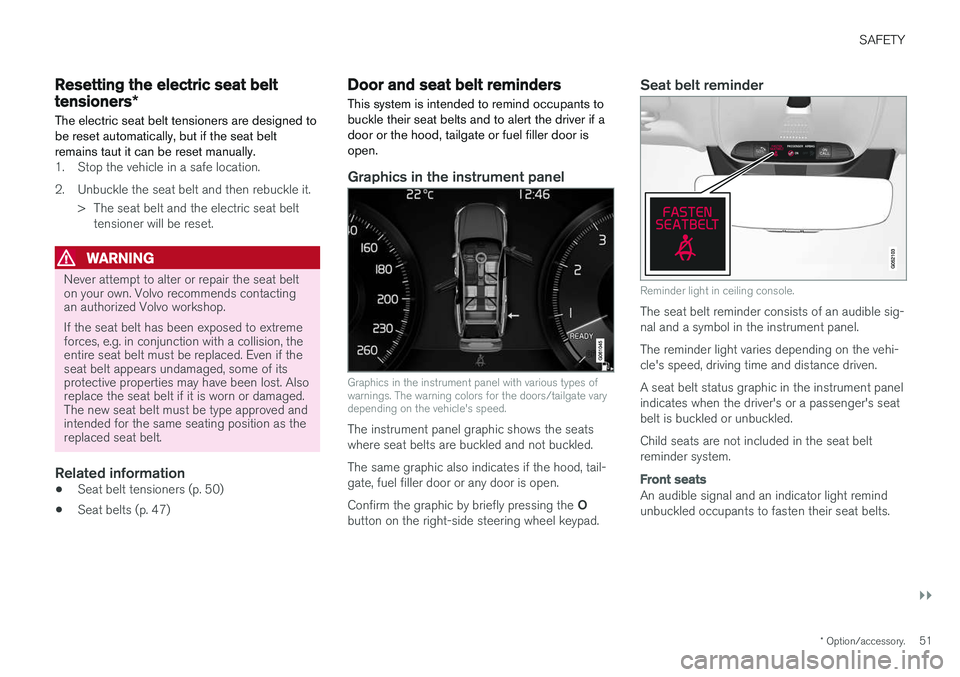
Graphics in the instrument panel
Graphics in the instrument panel with various types of warnings. The warning colors for the doors/tailgate varydepending on the vehicle's speed.
The instrument panel graphic shows the seats where seat belts are buckled and not buckled. The same graphic also indicates if the hood, tail- gate, fuel filler door or any door is open. Confirm the graphic by briefly pressing the O
button on the right-side steering wheel keypad.
Seat belt reminder
Reminder light in ceiling console.
The seat belt reminder consists of an audible sig- nal and a symbol in the instrument panel. The reminder light varies depending on the vehi- cle's speed, driving time and distance driven. A seat belt status graphic in the instrument panel indicates when the driver's or a passenger's seatbelt is buckled or unbuckled. Child seats are not included in the seat belt reminder system.
Front seats
An audible signal and an indicator light remind unbuckled occupants to fasten their seat belts.
Page 65 of 660
SAFETY
}}
63
Child safety
Children should always be seated safely when traveling in the vehicle.
General informationVolvo recommends the proper use of restraint systems for all occupants including children.Remember that, regardless of age and size, achild should always be properly restrained in avehicle. Your vehicle is also equipped with ISOFIX/ LATCH attachments, which make it more conven-ient to install child seats. Some restraint systems for children are designed to be secured in the vehicle by lap belts or thelap portion of a lap-shoulder belt. Such childrestraint systems can help protect children invehicles in the event of an accident only if theyare used properly. However, children could beendangered in a crash if the child restraints arenot properly secured in the vehicle. Failure to fol-low the installation instructions for your childrestraint can result in your child striking the vehi-cle's interior in a sudden stop. Holding a child in your arms is NOT a suitable substitute for a child restraint system. In an acci-dent, a child held in a person's arms can becrushed between the vehicle's interior and anunrestrained person. The child could also beinjured by striking the interior, or by being ejectedfrom the vehicle during a sudden maneuver or impact. The same can also happen if the infant orchild rides unrestrained on the seat. Other occu-pants should also be properly restrained to helpreduce the chance of injuring or increasing theinjury of a child. All states and provinces have legislation govern- ing how and where children should be carried ina vehicle. Find out the regulations existing in yourstate or province. Recent accident statistics haveshown that children are safer in rear seatingpositions than front seating positions when prop-erly restrained. A child restraint system can helpprotect a child in a vehicle. Here's what to lookfor when selecting a child restraint system: It should have a label certifying that it meets applicable Federal Motor Vehicle Safety Stand-ards (FMVSS 213) - or in Canada, CMVSS 213. Make sure the child restraint system is approved for the child's height, weight and development -the label required by the standard or regulation,or instructions for infant restraints, typically pro-vide this information. In using any child restraint system, we urge you to carefully look over the instructions that areprovided with the restraint. Be sure you under-stand them and can use the device properly andsafely in this vehicle. A misused child restraintsystem can result in increased injuries for boththe infant or child and other occupants in thevehicle.
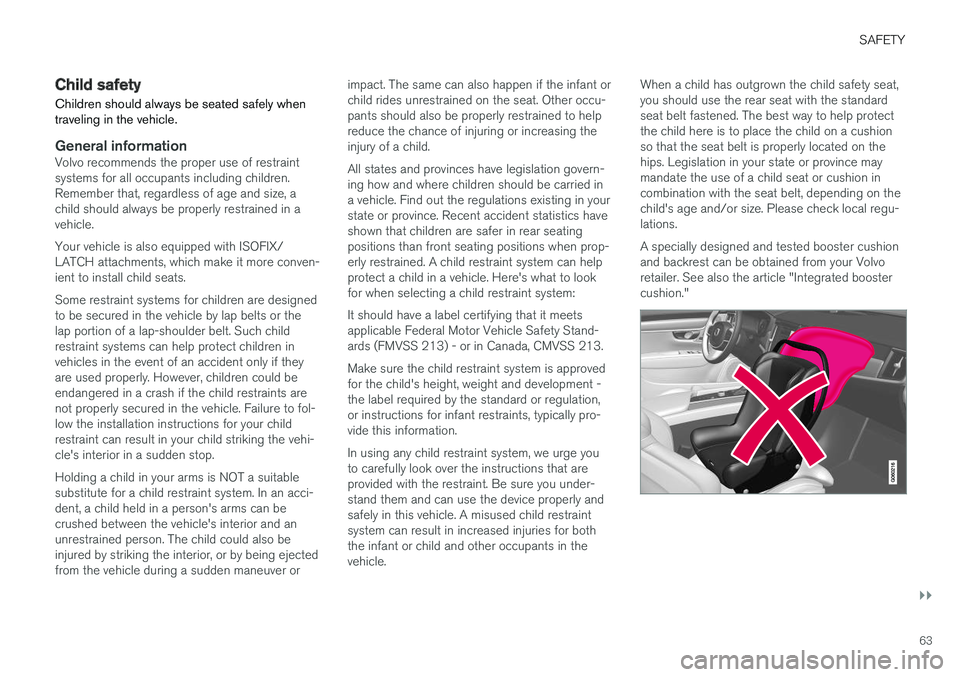
When a child has outgrown the child safety seat,you should use the rear seat with the standardseat belt fastened. The best way to help protectthe child here is to place the child on a cushionso that the seat belt is properly located on thehips. Legislation in your state or province maymandate the use of a child seat or cushion incombination with the seat belt, depending on thechild's age and/or size. Please check local regu-lations. A specially designed and tested booster cushion and backrest can be obtained from your Volvoretailer. See also the article "Integrated boostercushion."
Page 68 of 660
||
SAFETY
66
WARNING
•When not in use, keep the child restraint system secured or remove it from thepassenger compartment to help prevent itfrom injuring passengers in the event of asudden stop or collision.
• A small child's head represents a consid-erable part of its total weight and its neckis still very weak. Volvo recommends thatchildren up to age 4 travel, properlyrestrained, facing rearward. In addition,Volvo recommends that children shouldride rearward facing, properly restrained,as long as possible.
Automatic Locking Retractor/ Emergency Locking Retractor (ALR/ELR)
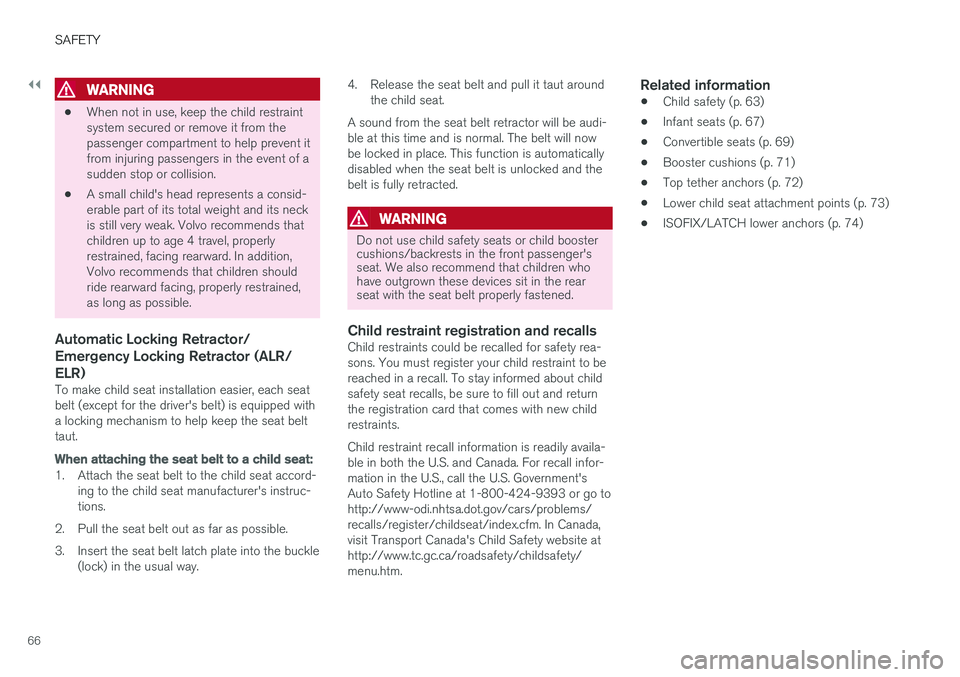
To make child seat installation easier, each seat belt (except for the driver's belt) is equipped witha locking mechanism to help keep the seat belttaut.
When attaching the seat belt to a child seat:
1. Attach the seat belt to the child seat accord-
ing to the child seat manufacturer's instruc- tions.
2. Pull the seat belt out as far as possible.
3. Insert the seat belt latch plate into the buckle (lock) in the usual way. 4. Release the seat belt and pull it taut around
the child seat.
A sound from the seat belt retractor will be audi- ble at this time and is normal. The belt will nowbe locked in place. This function is automaticallydisabled when the seat belt is unlocked and thebelt is fully retracted.
WARNING
Do not use child safety seats or child booster cushions/backrests in the front passenger'sseat. We also recommend that children whohave outgrown these devices sit in the rearseat with the seat belt properly fastened.
Child restraint registration and recallsChild restraints could be recalled for safety rea- sons. You must register your child restraint to bereached in a recall. To stay informed about childsafety seat recalls, be sure to fill out and returnthe registration card that comes with new childrestraints. Child restraint recall information is readily availa- ble in both the U.S. and Canada. For recall infor-mation in the U.S., call the U.S. Government'sAuto Safety Hotline at 1-800-424-9393 or go tohttp://www-odi.nhtsa.dot.gov/cars/problems/recalls/register/childseat/index.cfm. In Canada,visit Transport Canada's Child Safety website athttp://www.tc.gc.ca/roadsafety/childsafety/menu.htm.
Related information
• Child safety (p. 63)
• Infant seats (p. 67)
• Convertible seats (p. 69)
• Booster cushions (p. 71)
• Top tether anchors (p. 72)
• Lower child seat attachment points (p. 73)
• ISOFIX/LATCH lower anchors (p. 74)
Page 70 of 660
||
SAFETY
68
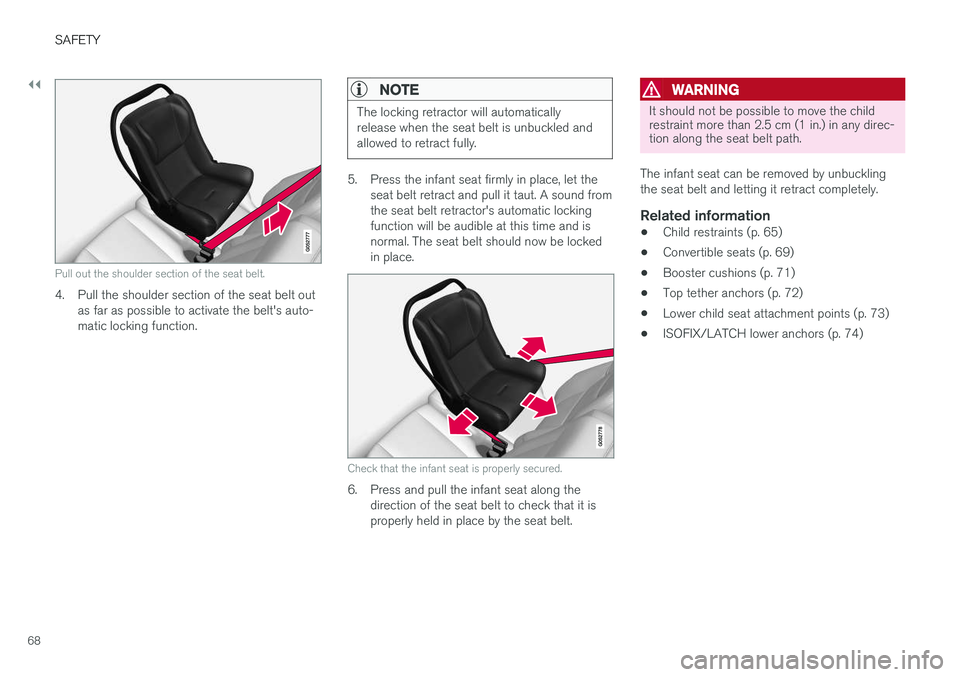
Pull out the shoulder section of the seat belt.
4. Pull the shoulder section of the seat belt outas far as possible to activate the belt's auto- matic locking function.
NOTE
The locking retractor will automatically release when the seat belt is unbuckled andallowed to retract fully.
5. Press the infant seat firmly in place, let theseat belt retract and pull it taut. A sound from the seat belt retractor's automatic lockingfunction will be audible at this time and isnormal. The seat belt should now be lockedin place.
Check that the infant seat is properly secured.
6. Press and pull the infant seat along thedirection of the seat belt to check that it is properly held in place by the seat belt.
WARNING
It should not be possible to move the child restraint more than 2.5 cm (1 in.) in any direc-tion along the seat belt path.
The infant seat can be removed by unbuckling the seat belt and letting it retract completely.
Related information
• Child restraints (p. 65)
• Convertible seats (p. 69)
• Booster cushions (p. 71)
• Top tether anchors (p. 72)
• Lower child seat attachment points (p. 73)
• ISOFIX/LATCH lower anchors (p. 74)
Page 72 of 660
||
SAFETY
70
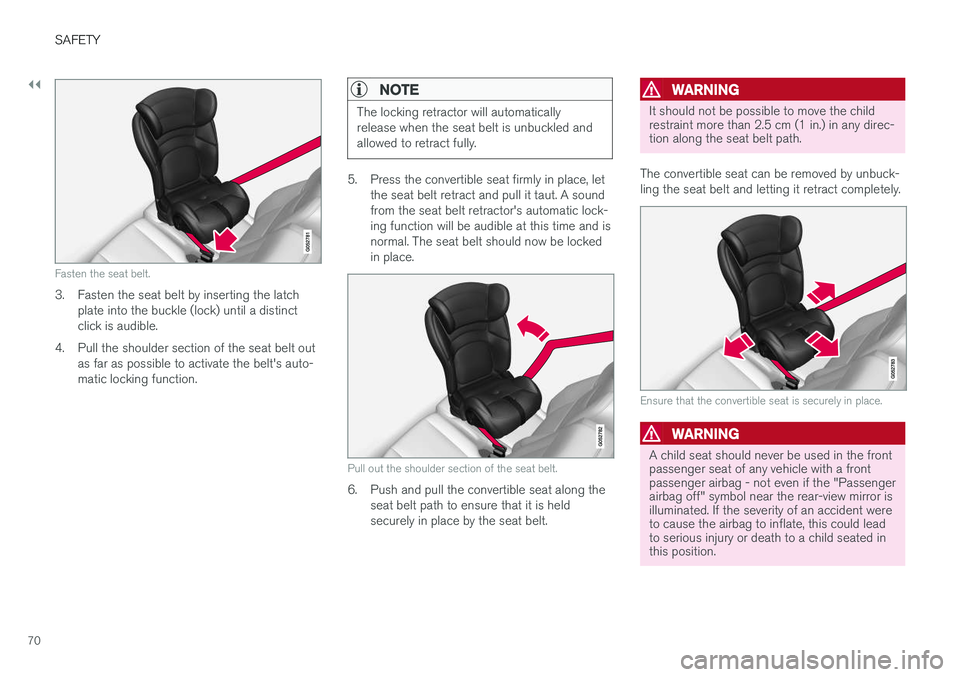
Fasten the seat belt.
3. Fasten the seat belt by inserting the latchplate into the buckle (lock) until a distinct click is audible.
4. Pull the shoulder section of the seat belt out as far as possible to activate the belt's auto-matic locking function.
NOTE
The locking retractor will automatically release when the seat belt is unbuckled andallowed to retract fully.
5. Press the convertible seat firmly in place, letthe seat belt retract and pull it taut. A sound from the seat belt retractor's automatic lock-ing function will be audible at this time and isnormal. The seat belt should now be lockedin place.
Pull out the shoulder section of the seat belt.
6. Push and pull the convertible seat along theseat belt path to ensure that it is held securely in place by the seat belt.
WARNING
It should not be possible to move the child restraint more than 2.5 cm (1 in.) in any direc-tion along the seat belt path.
The convertible seat can be removed by unbuck- ling the seat belt and letting it retract completely.
Ensure that the convertible seat is securely in place.
WARNING
A child seat should never be used in the front passenger seat of any vehicle with a frontpassenger airbag - not even if the "Passengerairbag off" symbol near the rear-view mirror isilluminated. If the severity of an accident wereto cause the airbag to inflate, this could leadto serious injury or death to a child seated inthis position.
Page 84 of 660
||
DISPLAYS AND VOICE CONTROL
82
Left sideIn the centerRight side
Gear indicator Cruise control/speed limiter information Navigation information Tachometer/ECO gauge A
Door and seat belt status Clock
Distance to empty tank Start/Stopp function's status App menu (activated using steering wheel keypad) Ambient temperature sensor – Current fuel consumption
Indicator and warning symbols – OdometerB
– – Trip odometer
– – Indicator and warning symbols
– – Voice Control
– – Engine temperature gauge
– – Message (also graphics in some cases)
– –
CompassA
A
Depends on selected drive mode.
B Total distance.
Dynamic symbolDynamic symbol in basic mode.
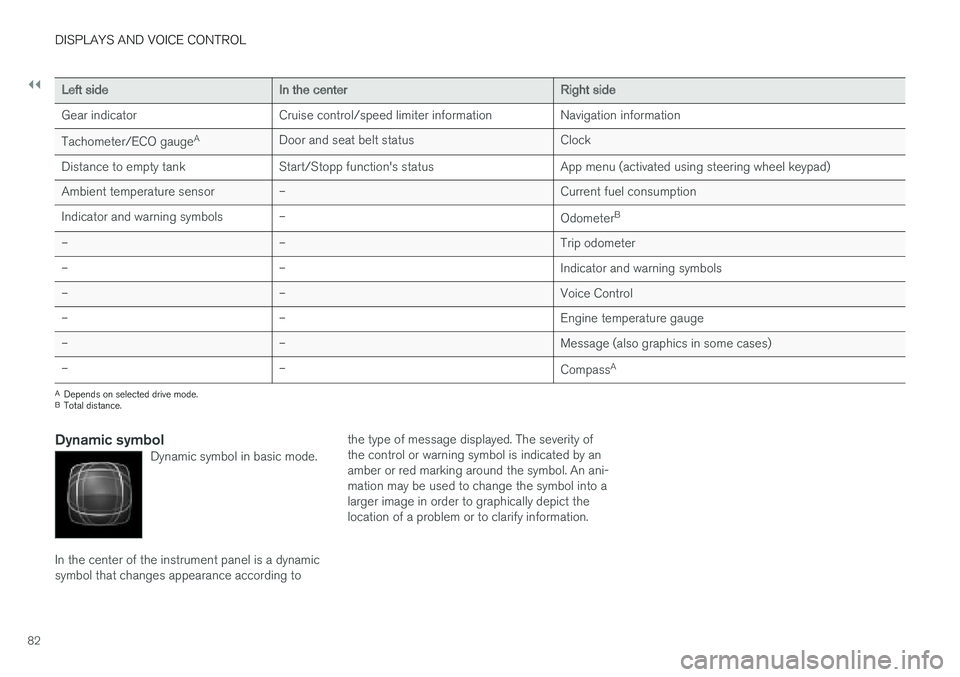
In the center of the instrument panel is a dynamic symbol that changes appearance according to the type of message displayed. The severity ofthe control or warning symbol is indicated by anamber or red marking around the symbol. An ani-mation may be used to change the symbol into alarger image in order to graphically depict thelocation of a problem or to clarify information.
Page 86 of 660
DISPLAYS AND VOICE CONTROL
* Option/accessory.
84
Instrument panel settings
Display settings for the instrument panel can be set in the instrument panel's app menu and inthe center display's Settings menu.
Settings in instrument panel's app menu
The app menu can be used to set what informa- tion will be displayed in the instrument panel:
• trip computer
• media player
• phone
• navigation system
*.
Center display settings
Selecting type of information
1.
Tap Settings in the center display's Top
view.
2. Tap
My CarDisplaysDriver Display
Information.
3. Select a background:
•
Show no information in the background
•Show information for current playing media
•Show navigation even if no route is set1.
Select theme
1. Tap Settings in the center display's Top
view.
2. Tap
My CarDisplaysDisplay
Themes
3. Select a theme (appearance) for the instru- ment panel:
•
Glass
•Minimalistic
•Performance
•Chrome Rings.
Select language
1. Tap Settings in the center display's Top
view.
2. Tap
SystemSystem Languages and
Units
System Language to select lan-
guage.
> A change made here will affect the lan- guage in all displays.
The settings are personal and saved automati- cally in the active driver profile.
Related information
• Instrument panel (p. 80)
• Handling the App menu in the instrumentpanel (p. 101) •
Changing settings in the center display(p. 132)
1
The map is only shown with the 12" instrument panel *. With the 8" instrument panel, only guidance is shown.
Page 87 of 660
DISPLAYS AND VOICE CONTROL
}}
85
Fuel gauge
The fuel gauge in the instrument panel shows the fuel level in the tank.
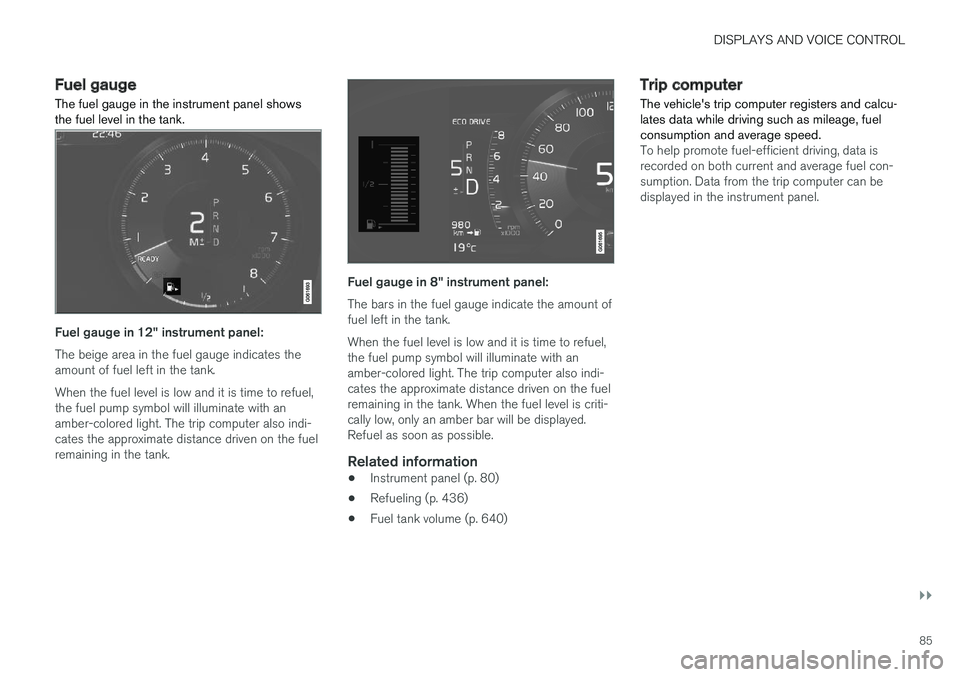
Fuel gauge in 12" instrument panel: The beige area in the fuel gauge indicates the amount of fuel left in the tank. When the fuel level is low and it is time to refuel, the fuel pump symbol will illuminate with anamber-colored light. The trip computer also indi-cates the approximate distance driven on the fuelremaining in the tank.
Fuel gauge in 8" instrument panel: The bars in the fuel gauge indicate the amount of fuel left in the tank. When the fuel level is low and it is time to refuel, the fuel pump symbol will illuminate with anamber-colored light. The trip computer also indi-cates the approximate distance driven on the fuelremaining in the tank. When the fuel level is criti-cally low, only an amber bar will be displayed.Refuel as soon as possible.
Related information
• Instrument panel (p. 80)
• Refueling (p. 436)
• Fuel tank volume (p. 640)
Trip computer The vehicle's trip computer registers and calcu- lates data while driving such as mileage, fuelconsumption and average speed.
To help promote fuel-efficient driving, data is recorded on both current and average fuel con-sumption. Data from the trip computer can bedisplayed in the instrument panel.
Page 88 of 660
||
DISPLAYS AND VOICE CONTROL
* Option/accessory.
86
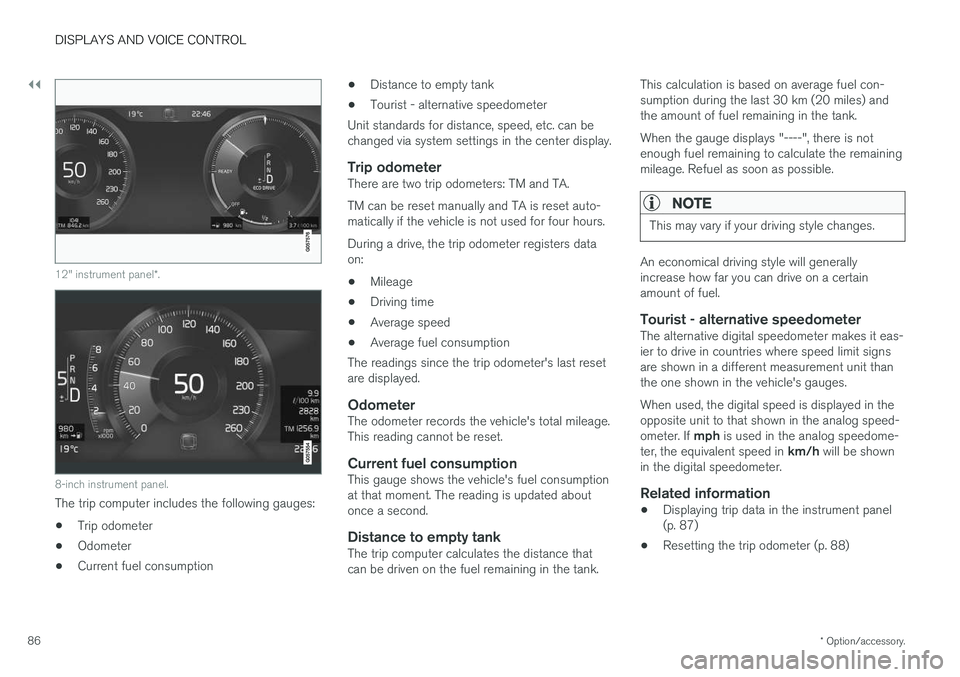
12" instrument panel *.
8-inch instrument panel.
The trip computer includes the following gauges:
• Trip odometer
• Odometer
• Current fuel consumption •
Distance to empty tank
• Tourist - alternative speedometer
Unit standards for distance, speed, etc. can be changed via system settings in the center display.
Trip odometerThere are two trip odometers: TM and TA. TM can be reset manually and TA is reset auto- matically if the vehicle is not used for four hours. During a drive, the trip odometer registers data on:
• Mileage
• Driving time
• Average speed
• Average fuel consumption
The readings since the trip odometer's last resetare displayed.
OdometerThe odometer records the vehicle's total mileage.This reading cannot be reset.
Current fuel consumptionThis gauge shows the vehicle's fuel consumptionat that moment. The reading is updated aboutonce a second.
Distance to empty tankThe trip computer calculates the distance thatcan be driven on the fuel remaining in the tank. This calculation is based on average fuel con-sumption during the last 30 km (20 miles) andthe amount of fuel remaining in the tank. When the gauge displays "----", there is not enough fuel remaining to calculate the remainingmileage. Refuel as soon as possible.
NOTE
This may vary if your driving style changes.
An economical driving style will generally increase how far you can drive on a certainamount of fuel.
Tourist - alternative speedometerThe alternative digital speedometer makes it eas-ier to drive in countries where speed limit signsare shown in a different measurement unit thanthe one shown in the vehicle's gauges. When used, the digital speed is displayed in the opposite unit to that shown in the analog speed- ometer. If
mph is used in the analog speedome-
ter, the equivalent speed in km/h will be shown
in the digital speedometer.
Related information
• Displaying trip data in the instrument panel (p. 87)
• Resetting the trip odometer (p. 88)
Page 90 of 660
||
DISPLAYS AND VOICE CONTROL
88
Related information
•Trip computer (p. 85)
• Resetting the trip odometer (p. 88)
Resetting the trip odometer
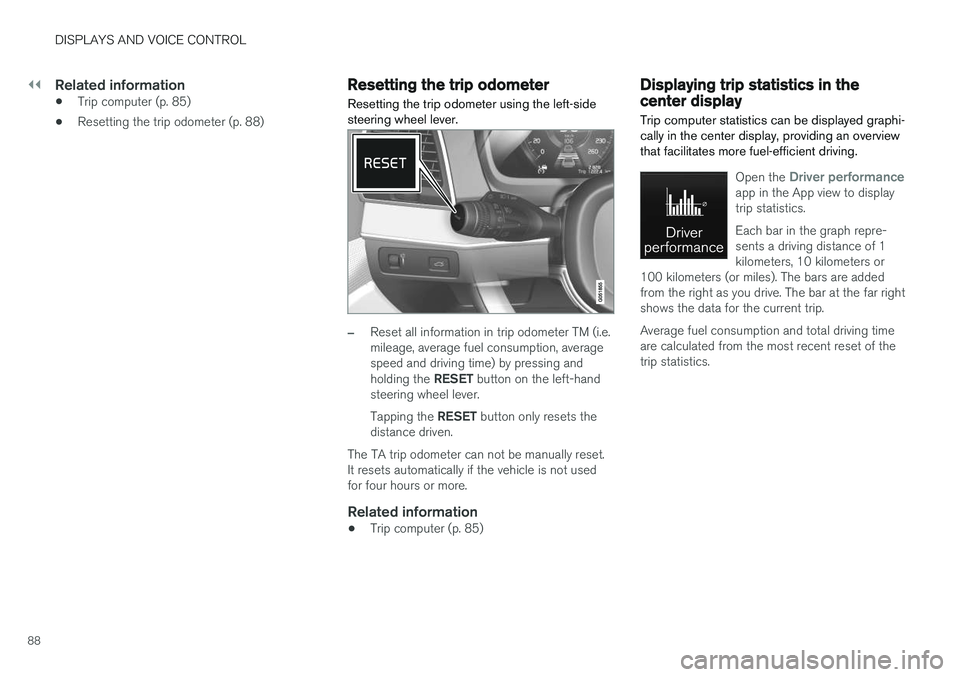
Resetting the trip odometer using the left-side steering wheel lever.
–Reset all information in trip odometer TM (i.e. mileage, average fuel consumption, averagespeed and driving time) by pressing and holding the RESET button on the left-hand
steering wheel lever. Tapping the RESET button only resets the
distance driven.
The TA trip odometer can not be manually reset. It resets automatically if the vehicle is not usedfor four hours or more.
Related information
• Trip computer (p. 85)
Displaying trip statistics in thecenter display
Trip computer statistics can be displayed graphi- cally in the center display, providing an overviewthat facilitates more fuel-efficient driving.
Open the Driver performanceapp in the App view to display trip statistics. Each bar in the graph repre- sents a driving distance of 1kilometers, 10 kilometers or
100 kilometers (or miles). The bars are addedfrom the right as you drive. The bar at the far rightshows the data for the current trip. Average fuel consumption and total driving time are calculated from the most recent reset of thetrip statistics.