steering wheel VOLVO XC60 2018 Owner´s Manual
[x] Cancel search | Manufacturer: VOLVO, Model Year: 2018, Model line: XC60, Model: VOLVO XC60 2018Pages: 660, PDF Size: 11.77 MB
Page 106 of 660
||
DISPLAYS AND VOICE CONTROL
104
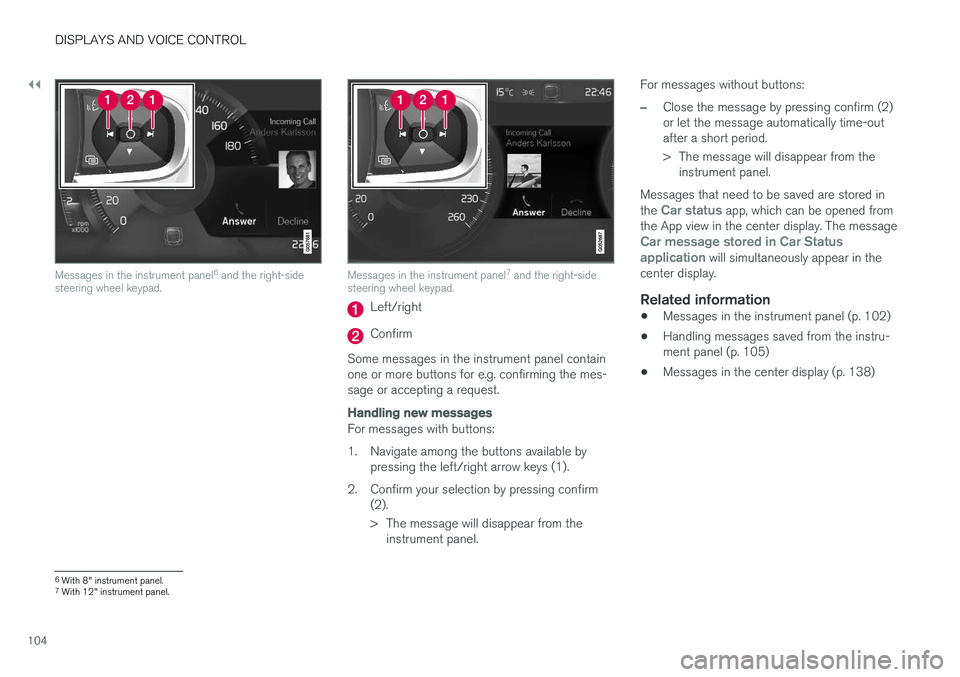
Messages in the instrument panel6
and the right-side
steering wheel keypad.Messages in the instrument panel 7
and the right-side
steering wheel keypad.
Left/right
Confirm
Some messages in the instrument panel contain one or more buttons for e.g. confirming the mes-sage or accepting a request.
Handling new messages
For messages with buttons:
1. Navigate among the buttons available by pressing the left/right arrow keys (1).
2. Confirm your selection by pressing confirm (2).
> The message will disappear from theinstrument panel. For messages without buttons:
–Close the message by pressing confirm (2) or let the message automatically time-outafter a short period.
> The message will disappear from the
instrument panel.
Messages that need to be saved are stored in the
Car status app, which can be opened from
the App view in the center display. The message
Car message stored in Car Status application will simultaneously appear in the
center display.
Related information
• Messages in the instrument panel (p. 102)
• Handling messages saved from the instru- ment panel (p. 105)
• Messages in the center display (p. 138)
6
With 8" instrument panel.
7 With 12" instrument panel.
Page 111 of 660
DISPLAYS AND VOICE CONTROL
* Option/accessory.109
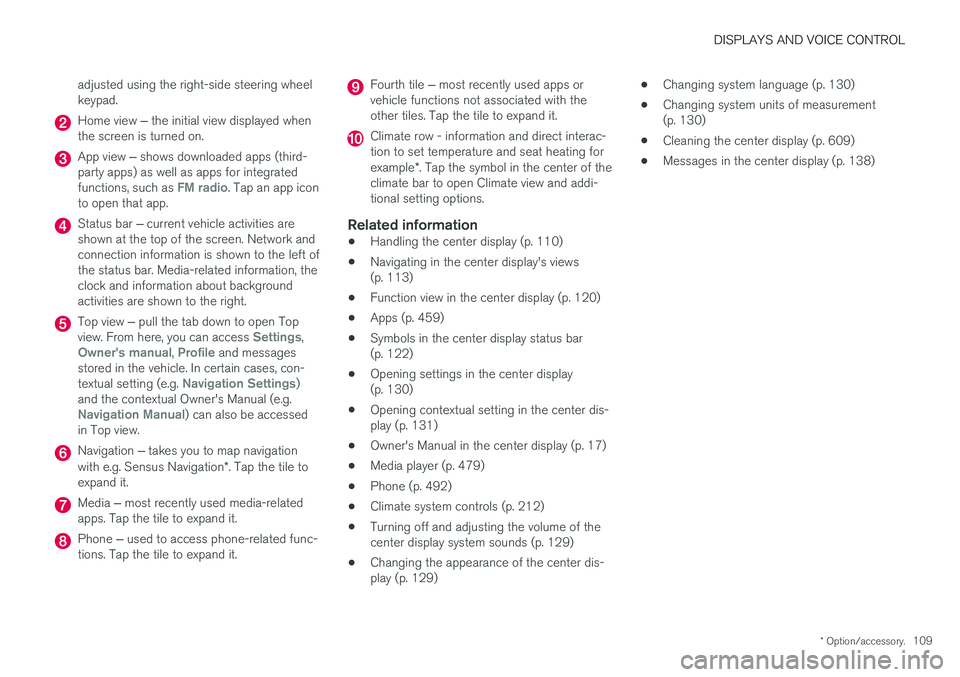
adjusted using the right-side steering wheel keypad.
Home view
‒ the initial view displayed when
the screen is turned on.
App view ‒ shows downloaded apps (third-
party apps) as well as apps for integrated functions, such as
FM radio. Tap an app icon
to open that app.
Status bar ‒ current vehicle activities are
shown at the top of the screen. Network and connection information is shown to the left ofthe status bar. Media-related information, theclock and information about backgroundactivities are shown to the right.
Top view ‒ pull the tab down to open Top
view. From here, you can access Settings,Owner's manual, Profile and messages
stored in the vehicle. In certain cases, con- textual setting (e.g.
Navigation Settings)
and the contextual Owner's Manual (e.g.
Navigation Manual) can also be accessed
in Top view.
Navigation ‒ takes you to map navigation
with e.g. Sensus Navigation *. Tap the tile to
expand it.
Media ‒ most recently used media-related
apps. Tap the tile to expand it.
Phone ‒ used to access phone-related func-
tions. Tap the tile to expand it.
Fourth tile ‒ most recently used apps or
vehicle functions not associated with the other tiles. Tap the tile to expand it.
Climate row - information and direct interac- tion to set temperature and seat heating for example *. Tap the symbol in the center of the
climate bar to open Climate view and addi- tional setting options.
Related information
• Handling the center display (p. 110)
• Navigating in the center display's views(p. 113)
• Function view in the center display (p. 120)
• Apps (p. 459)
• Symbols in the center display status bar(p. 122)
• Opening settings in the center display(p. 130)
• Opening contextual setting in the center dis-play (p. 131)
• Owner's Manual in the center display (p. 17)
• Media player (p. 479)
• Phone (p. 492)
• Climate system controls (p. 212)
• Turning off and adjusting the volume of thecenter display system sounds (p. 129)
• Changing the appearance of the center dis-play (p. 129) •
Changing system language (p. 130)
• Changing system units of measurement(p. 130)
• Cleaning the center display (p. 609)
• Messages in the center display (p. 138)
Page 144 of 660
DISPLAYS AND VOICE CONTROL
* Option/accessory.
142
Activating and deactivating the
head-up display *
The head-up display can be activated and deac- tivated when the vehicle has been started.
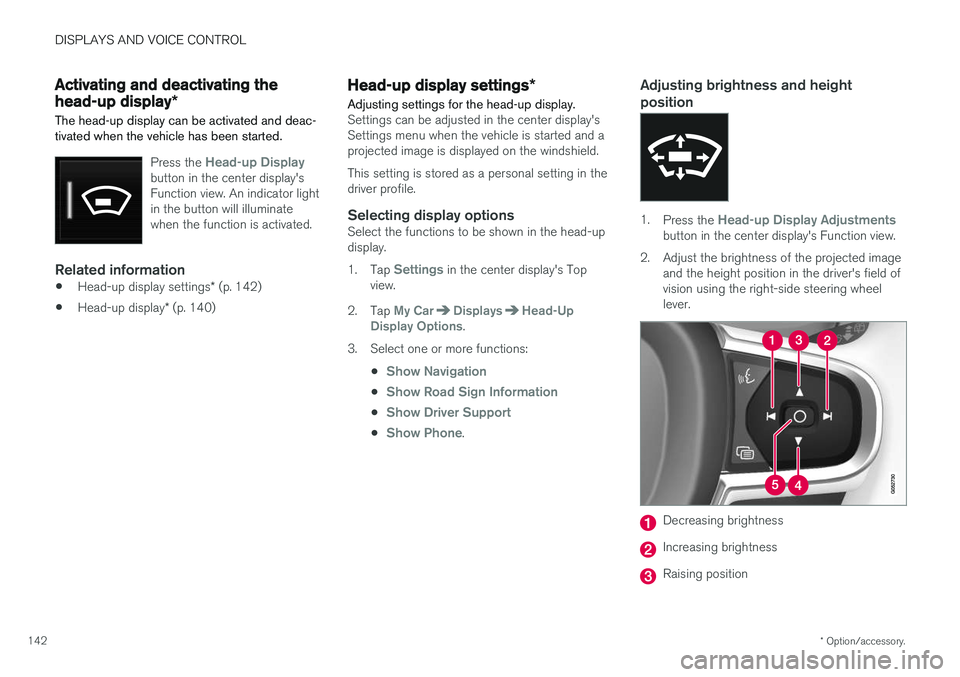
Press the Head-up Displaybutton in the center display's Function view. An indicator lightin the button will illuminatewhen the function is activated.
Related information
• Head-up display settings
* (p. 142)
• Head-up display
* (p. 140)
Head-up display settings *
Adjusting settings for the head-up display.
Settings can be adjusted in the center display's Settings menu when the vehicle is started and aprojected image is displayed on the windshield. This setting is stored as a personal setting in the driver profile.
Selecting display optionsSelect the functions to be shown in the head-updisplay. 1. Tap
Settings in the center display's Top
view.
2. Tap
My CarDisplaysHead-Up
Display Options.
3. Select one or more functions:
•
Show Navigation
•Show Road Sign Information
•Show Driver Support
•Show Phone.
Adjusting brightness and height position
1.Press the Head-up Display Adjustmentsbutton in the center display's Function view.
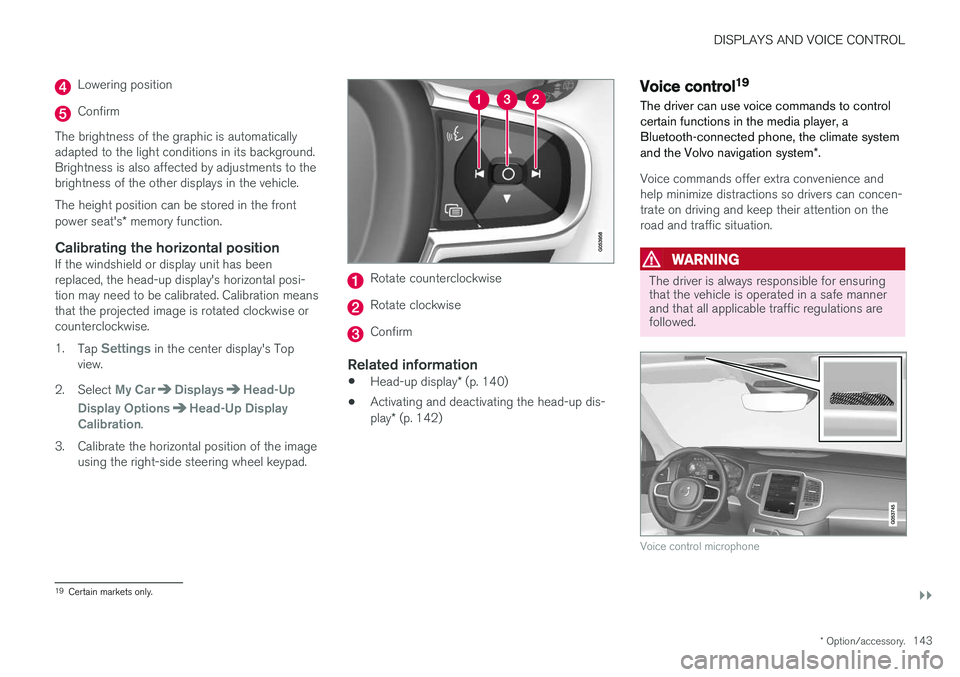
2. Adjust the brightness of the projected image and the height position in the driver's field of vision using the right-side steering wheellever.
Decreasing brightness
Increasing brightness
Raising position
Page 145 of 660
DISPLAYS AND VOICE CONTROL
}}
* Option/accessory.143
Lowering position
Confirm
The brightness of the graphic is automatically adapted to the light conditions in its background.Brightness is also affected by adjustments to thebrightness of the other displays in the vehicle. The height position can be stored in the front power seat's * memory function.
Calibrating the horizontal positionIf the windshield or display unit has been replaced, the head-up display's horizontal posi-tion may need to be calibrated. Calibration meansthat the projected image is rotated clockwise orcounterclockwise. 1.
Tap
Settings in the center display's Top
view.
2. Select
My CarDisplaysHead-Up
Display Options
Head-Up Display
Calibration.
3. Calibrate the horizontal position of the image using the right-side steering wheel keypad.
Rotate counterclockwise
Rotate clockwise
Confirm
Related information
• Head-up display
* (p. 140)
• Activating and deactivating the head-up dis- play
* (p. 142)
Voice control19
The driver can use voice commands to control certain functions in the media player, aBluetooth-connected phone, the climate system and the Volvo navigation system *.
Voice commands offer extra convenience and help minimize distractions so drivers can concen-trate on driving and keep their attention on theroad and traffic situation.
WARNING
The driver is always responsible for ensuring that the vehicle is operated in a safe mannerand that all applicable traffic regulations arefollowed.
Voice control microphone
19
Certain markets only.
Page 146 of 660
||
DISPLAYS AND VOICE CONTROL
* Option/accessory.
144 Voice control is carried out as a dialog, with spo- ken commands from the user and verbal respon-ses from the system. The voice control systemuses the same microphone as devices connectedwith Bluetooth, and the voice control systemresponds through the vehicle's loudspeakers. Incertain cases, text messages will also be dis-played in the instrument panel. The functions arecontrolled using the right-side steering wheelkeypad and settings are made in the center dis-play.
System updates
The voice control system is continuously improved. For optimal functionality, always down-load the latest update at support.volvocars.com.
Related information
•
Using voice commands (p. 144)
• Voice control for cellular phones (p. 145)
• Voice control for radio and media (p. 146)
• Climate control system voice commands(p. 202)
• Voice control settings (p. 146)
Using voice commands20
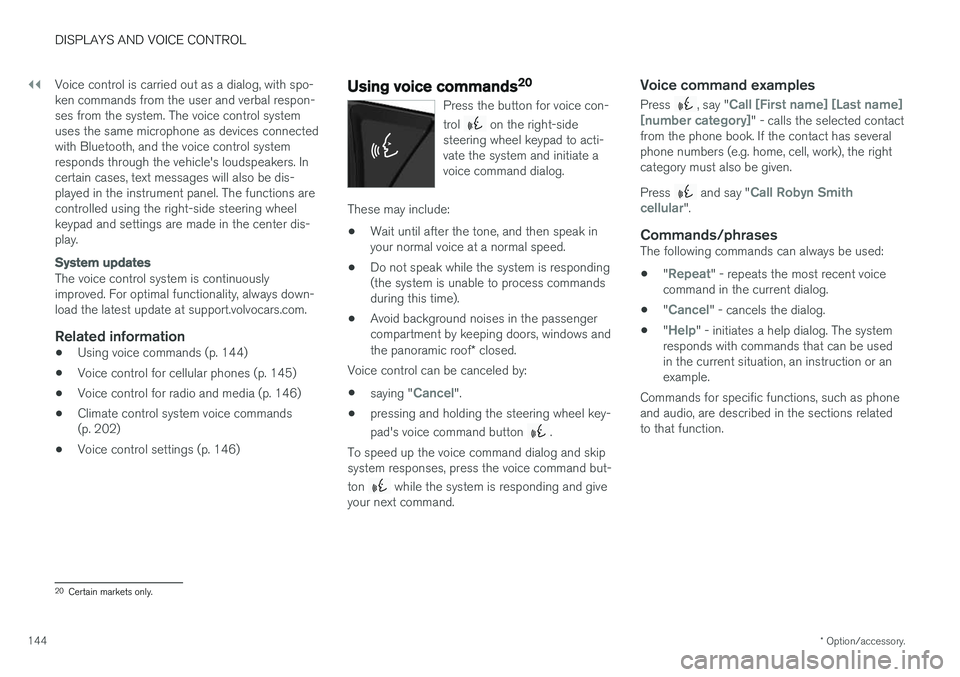
Press the button for voice con- trol
on the right-side
steering wheel keypad to acti- vate the system and initiate avoice command dialog.
These may include:
• Wait until after the tone, and then speak in your normal voice at a normal speed.
• Do not speak while the system is responding(the system is unable to process commandsduring this time).
• Avoid background noises in the passengercompartment by keeping doors, windows and the panoramic roof
* closed.
Voice control can be canceled by:
• saying "
Cancel".
• pressing and holding the steering wheel key- pad's voice command button
.
To speed up the voice command dialog and skip system responses, press the voice command but- ton
while the system is responding and give
your next command.
Voice command examples
Press , say "Call [First name] [Last name]
[number category]" - calls the selected contact
from the phone book. If the contact has several phone numbers (e.g. home, cell, work), the rightcategory must also be given. Press
and say "Call Robyn Smith
cellular".
Commands/phrasesThe following commands can always be used: • "
Repeat" - repeats the most recent voice
command in the current dialog.
• "
Cancel" - cancels the dialog.
• "
Help" - initiates a help dialog. The system
responds with commands that can be used in the current situation, an instruction or anexample.
Commands for specific functions, such as phoneand audio, are described in the sections relatedto that function.
20 Certain markets only.
Page 152 of 660
LIGHTING
* Option/accessory.
150
Lighting panel and controls
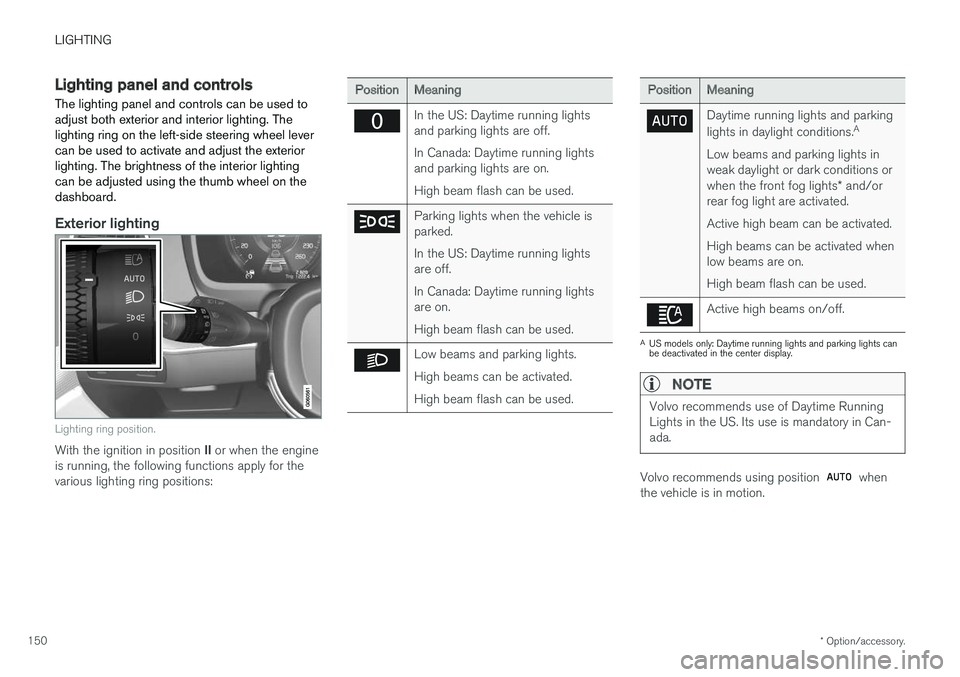
The lighting panel and controls can be used to adjust both exterior and interior lighting. Thelighting ring on the left-side steering wheel levercan be used to activate and adjust the exteriorlighting. The brightness of the interior lightingcan be adjusted using the thumb wheel on thedashboard.
Exterior lighting
Lighting ring position.
With the ignition in position II or when the engine
is running, the following functions apply for the various lighting ring positions:
PositionMeaning
In the US: Daytime running lights and parking lights are off. In Canada: Daytime running lights and parking lights are on. High beam flash can be used.
Parking lights when the vehicle is parked. In the US: Daytime running lights are off. In Canada: Daytime running lights are on. High beam flash can be used.
Low beams and parking lights. High beams can be activated.High beam flash can be used.
PositionMeaning
Daytime running lights and parking lights in daylight conditions. A
Low beams and parking lights in weak daylight or dark conditions or when the front fog lights * and/or
rear fog light are activated. Active high beam can be activated.High beams can be activated when low beams are on. High beam flash can be used.
Active high beams on/off.
A US models only: Daytime running lights and parking lights can be deactivated in the center display.
NOTE
Volvo recommends use of Daytime Running Lights in the US. Its use is mandatory in Can-ada.
Volvo recommends using position when
the vehicle is in motion.
Page 154 of 660
LIGHTING
152
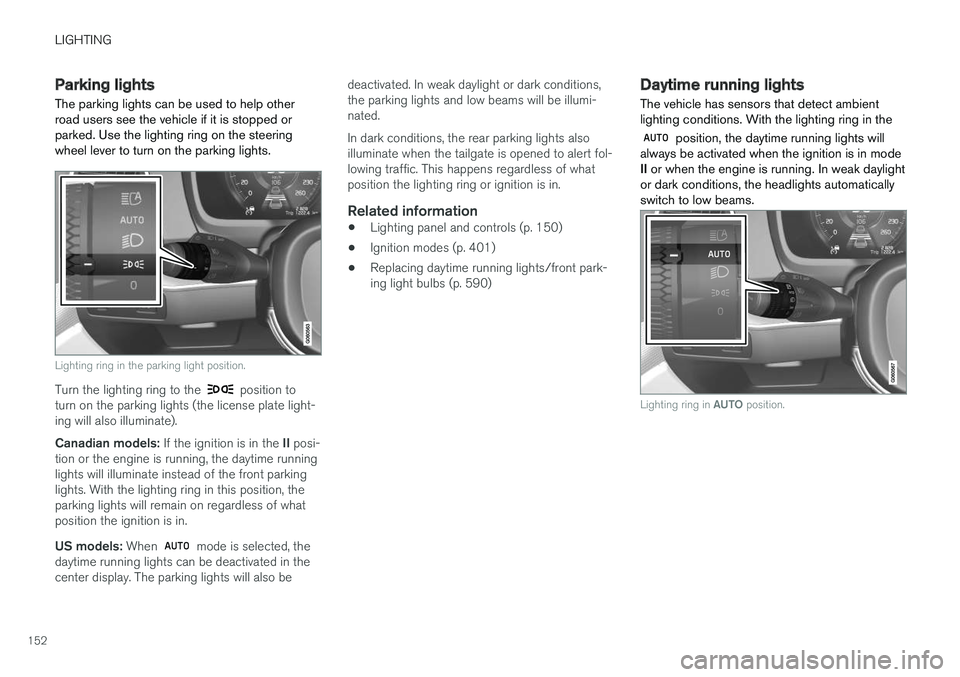
Parking lights The parking lights can be used to help other road users see the vehicle if it is stopped orparked. Use the lighting ring on the steeringwheel lever to turn on the parking lights.
Lighting ring in the parking light position.
Turn the lighting ring to the position to
turn on the parking lights (the license plate light- ing will also illuminate). Canadian models: If the ignition is in the II posi-
tion or the engine is running, the daytime running lights will illuminate instead of the front parkinglights. With the lighting ring in this position, theparking lights will remain on regardless of whatposition the ignition is in. US models: When
mode is selected, the
daytime running lights can be deactivated in the center display. The parking lights will also be deactivated. In weak daylight or dark conditions,the parking lights and low beams will be illumi-nated. In dark conditions, the rear parking lights also illuminate when the tailgate is opened to alert fol-lowing traffic. This happens regardless of whatposition the lighting ring or ignition is in.
Related information
•
Lighting panel and controls (p. 150)
• Ignition modes (p. 401)
• Replacing daytime running lights/front park-ing light bulbs (p. 590)
Daytime running lights The vehicle has sensors that detect ambient lighting conditions. With the lighting ring in the
position, the daytime running lights will
always be activated when the ignition is in mode II or when the engine is running. In weak daylight
or dark conditions, the headlights automaticallyswitch to low beams.
Lighting ring in AUTO position.
Page 155 of 660
LIGHTING
}}
* Option/accessory.153
With the steering wheel lever's lighting ring in the
position, the daytime running lights (DRL
1
)
will illuminate when the vehicle is driven in day- light conditions. The headlights will switch auto-matically from daytime running lights to lowbeams in weak daylight or dark conditions. Theheadlights will also switch to low beams if the front fog lights * and/or rear fog light are acti-
vated. US models : When
mode is selected, the
daytime running lights can be deactivated in the center display. The parking lights will also bedeactivated. In weak daylight or dark conditions,the parking lights and low beams will be illumi-nated. In the US: With the lighting ring in the
or
position, the daytime running lights will be
off .
In Canada : With the lighting ring in the
or
position, the daytime running lights will be
on.
NOTE
Volvo recommends use of Daytime Running Lights in the US. Its use is mandatory in Can-ada.
WARNING
The system is an energy saving aid – it cannot in all situations determine when the daylight istoo weak or not strong enough, e.g. whenthere is fog or rain. The driver is always responsible for driving the vehicle with lighting that is safe for the trafficconditions and as specified by applicable traf-fic regulations.
Related information
• Lighting panel and controls (p. 150)
• Ignition modes (p. 401)
• Low beams (p. 153)
• Replacing daytime running lights/front park- ing light bulbs (p. 590)
Low beams
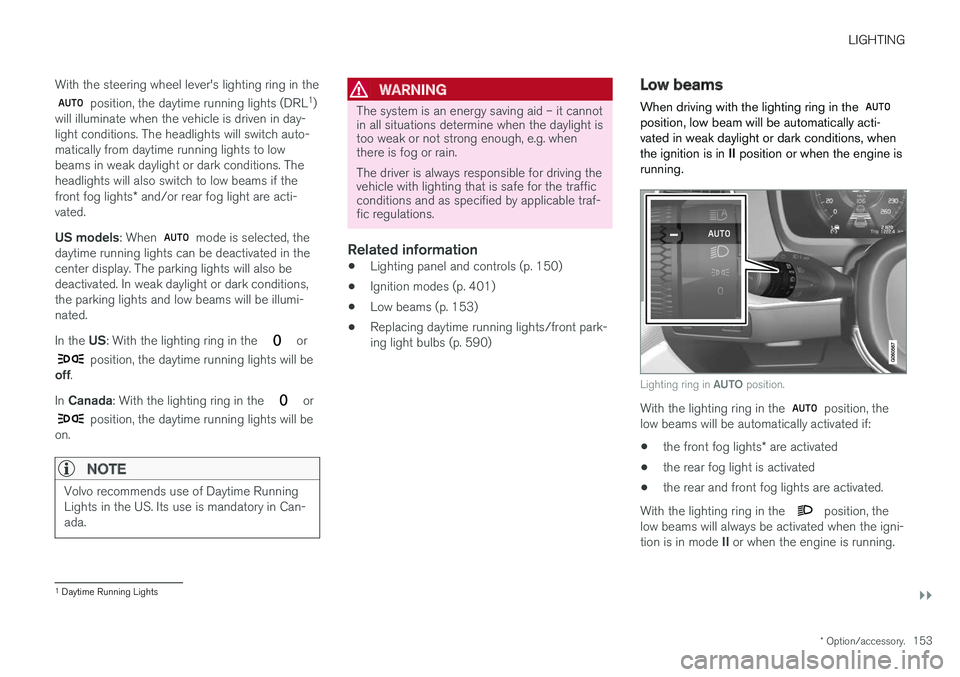
When driving with the lighting ring in the
position, low beam will be automatically acti- vated in weak daylight or dark conditions, whenthe ignition is in II position or when the engine is
running.
Lighting ring in AUTO position.
With the lighting ring in the position, the
low beams will be automatically activated if:
• the front fog lights
* are activated
• the rear fog light is activated
• the rear and front fog lights are activated.
With the lighting ring in the
position, the
low beams will always be activated when the igni- tion is in mode II or when the engine is running.
1
Daytime Running Lights
Page 156 of 660
||
LIGHTING
154
Tunnel detection
The vehicle will detect if it enters a tunnel and shift from daytime running lights to low beams. Note that the left-hand steering wheel lever must be in
position for tunnel detection to work.
Related information
•Lighting panel and controls (p. 150)
• Ignition modes (p. 401)
• Daytime running lights (p. 152)
• Replacing the low beam headlight bulbs (p. 589)
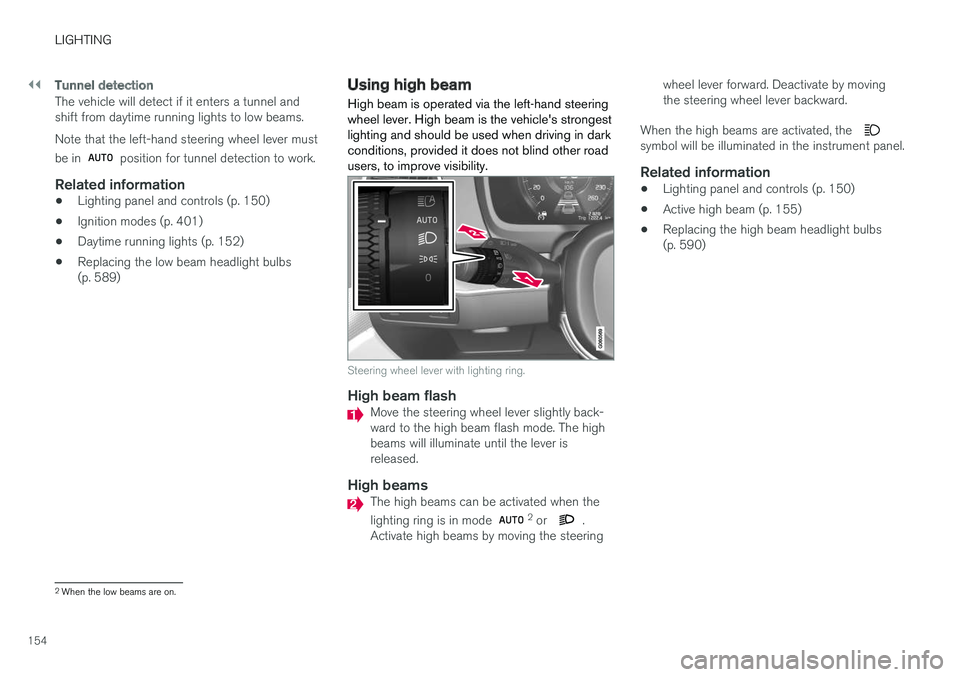
Using high beam High beam is operated via the left-hand steering wheel lever. High beam is the vehicle's strongestlighting and should be used when driving in darkconditions, provided it does not blind other roadusers, to improve visibility.
Steering wheel lever with lighting ring.
High beam flashMove the steering wheel lever slightly back- ward to the high beam flash mode. The highbeams will illuminate until the lever isreleased.
High beamsThe high beams can be activated when the lighting ring is in mode 2
or .
Activate high beams by moving the steering wheel lever forward. Deactivate by moving the steering wheel lever backward.
When the high beams are activated, the
symbol will be illuminated in the instrument panel.
Related information
• Lighting panel and controls (p. 150)
• Active high beam (p. 155)
• Replacing the high beam headlight bulbs (p. 590)
2
When the low beams are on.
Page 157 of 660
LIGHTING
}}
* Option/accessory.155
Active high beam
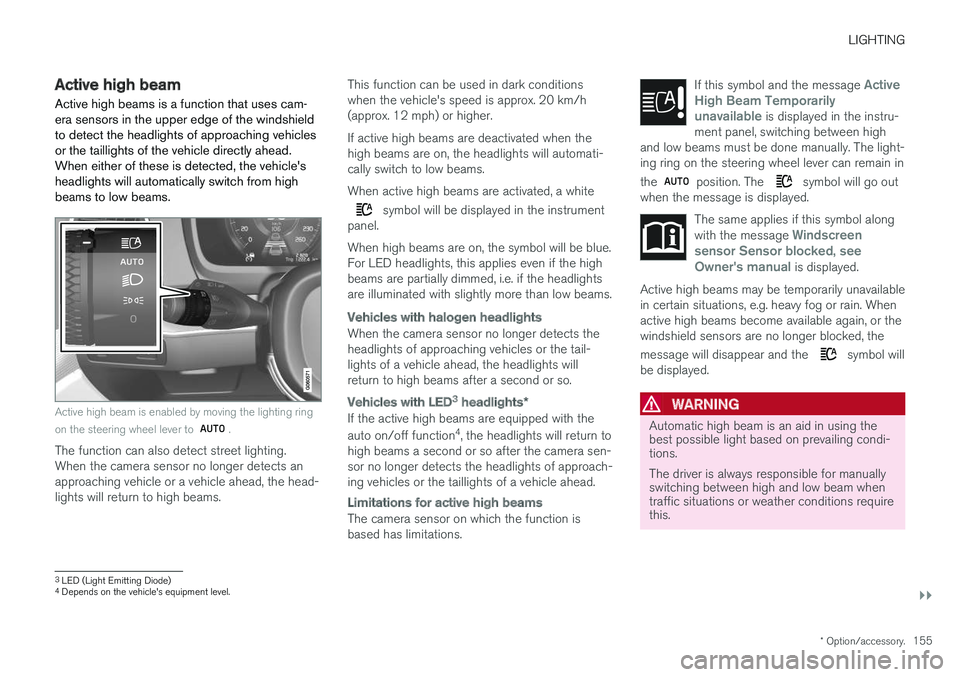
Active high beams is a function that uses cam- era sensors in the upper edge of the windshieldto detect the headlights of approaching vehiclesor the taillights of the vehicle directly ahead.When either of these is detected, the vehicle'sheadlights will automatically switch from highbeams to low beams.
Active high beam is enabled by moving the lighting ring on the steering wheel lever to
.
The function can also detect street lighting. When the camera sensor no longer detects anapproaching vehicle or a vehicle ahead, the head-lights will return to high beams. This function can be used in dark conditionswhen the vehicle's speed is approx. 20 km/h(approx. 12 mph) or higher. If active high beams are deactivated when the high beams are on, the headlights will automati-cally switch to low beams. When active high beams are activated, a white
symbol will be displayed in the instrument
panel. When high beams are on, the symbol will be blue. For LED headlights, this applies even if the highbeams are partially dimmed, i.e. if the headlightsare illuminated with slightly more than low beams.
Vehicles with halogen headlights
When the camera sensor no longer detects the headlights of approaching vehicles or the tail-lights of a vehicle ahead, the headlights willreturn to high beams after a second or so.
Vehicles with LED3 headlights *
If the active high beams are equipped with the auto on/off function 4
, the headlights will return to
high beams a second or so after the camera sen- sor no longer detects the headlights of approach-ing vehicles or the taillights of a vehicle ahead.
Limitations for active high beams
The camera sensor on which the function is based has limitations. If this symbol and the message
Active
High Beam Temporarily
unavailable is displayed in the instru-
ment panel, switching between high
and low beams must be done manually. The light- ing ring on the steering wheel lever can remain in the
position. The symbol will go out
when the message is displayed.
The same applies if this symbol along with the message Windscreen
sensor Sensor blocked, see
Owner's manual is displayed.
Active high beams may be temporarily unavailable in certain situations, e.g. heavy fog or rain. Whenactive high beams become available again, or thewindshield sensors are no longer blocked, the message will disappear and the
symbol will
be displayed.
WARNING
Automatic high beam is an aid in using the best possible light based on prevailing condi-tions. The driver is always responsible for manually switching between high and low beam whentraffic situations or weather conditions requirethis.
3 LED (Light Emitting Diode)4
Depends on the vehicle's equipment level.