wheel VOLVO XC60 T8 2018 Owner´s Manual
[x] Cancel search | Manufacturer: VOLVO, Model Year: 2018, Model line: XC60 T8, Model: VOLVO XC60 T8 2018Pages: 674, PDF Size: 11.93 MB
Page 387 of 674
DRIVER SUPPORT
* Option/accessory.385
Park Assist Camera symbols andmessages
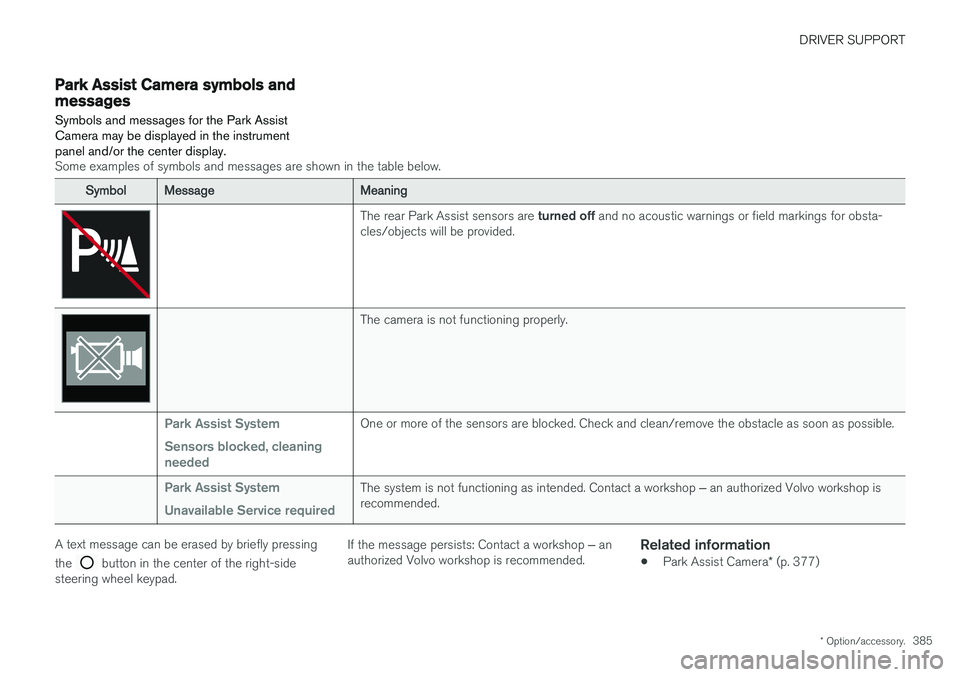
Symbols and messages for the Park Assist Camera may be displayed in the instrumentpanel and/or the center display.
Some examples of symbols and messages are shown in the table below.
SymbolMessageMeaning
The rear Park Assist sensors are turned off and no acoustic warnings or field markings for obsta-
cles/objects will be provided.
The camera is not functioning properly.
Park Assist System Sensors blocked, cleaning neededOne or more of the sensors are blocked. Check and clean/remove the obstacle as soon as possible.
Park Assist System Unavailable Service requiredThe system is not functioning as intended. Contact a workshop ‒ an authorized Volvo workshop is
recommended.
A text message can be erased by briefly pressing the
button in the center of the right-side
steering wheel keypad. If the message persists: Contact a workshop
‒ an
authorized Volvo workshop is recommended.
Related information
• Park Assist Camera
* (p. 377)
Page 391 of 674
DRIVER SUPPORT
}}
389
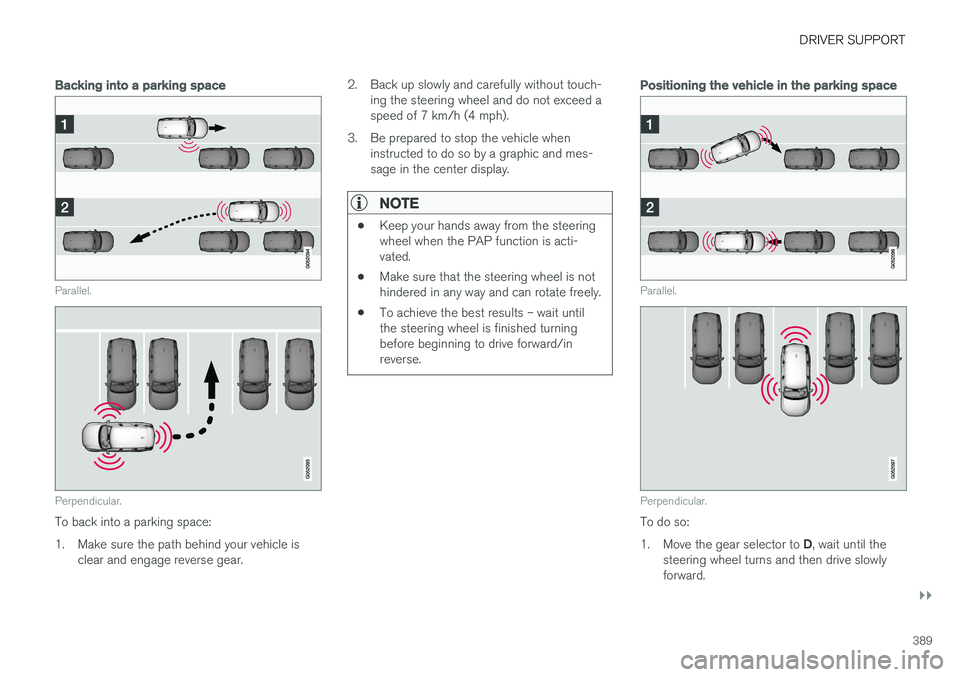
Backing into a parking space
Parallel.
Perpendicular.
To back into a parking space:
1. Make sure the path behind your vehicle isclear and engage reverse gear. 2. Back up slowly and carefully without touch-
ing the steering wheel and do not exceed a speed of 7 km/h (4 mph).
3. Be prepared to stop the vehicle when instructed to do so by a graphic and mes-sage in the center display.
NOTE
• Keep your hands away from the steering wheel when the PAP function is acti-vated.
• Make sure that the steering wheel is nothindered in any way and can rotate freely.
• To achieve the best results – wait untilthe steering wheel is finished turningbefore beginning to drive forward/inreverse.
Positioning the vehicle in the parking space
Parallel.
Perpendicular.
To do so: 1.
Move the gear selector to D, wait until the
steering wheel turns and then drive slowly forward.
Page 392 of 674
||
DRIVER SUPPORT
* Option/accessory.
390 2. Be prepared to stop the vehicle when
instructed to do so by a graphic and mes- sage in the center display.
3. Engage reverse gear and back up slowly.
4. Be prepared to stop the vehicle when instructed to do so by a graphic and mes- sage in the center display.
The function will switch off automatically and agraphic and message will appear to indicate thatparking has been completed. Adjustments canalways be made be the driver afterward. Only thedriver can determine when the vehicle is correctlyparked.
CAUTION
The warning distance is shorter when the sensors are used by PAP compared to whenthey are used by the Parking Assist system.
Related information
• Park Assist Pilot
* (p. 386)
Leaving a parking space with ParkAssist Pilot
The function
Park Out can also help the driver
to leave a parking space.
NOTE
Leaving a parking space with the Park Outfunction should only be used in connection with parallel parking – it does not work forperpendicular parking.
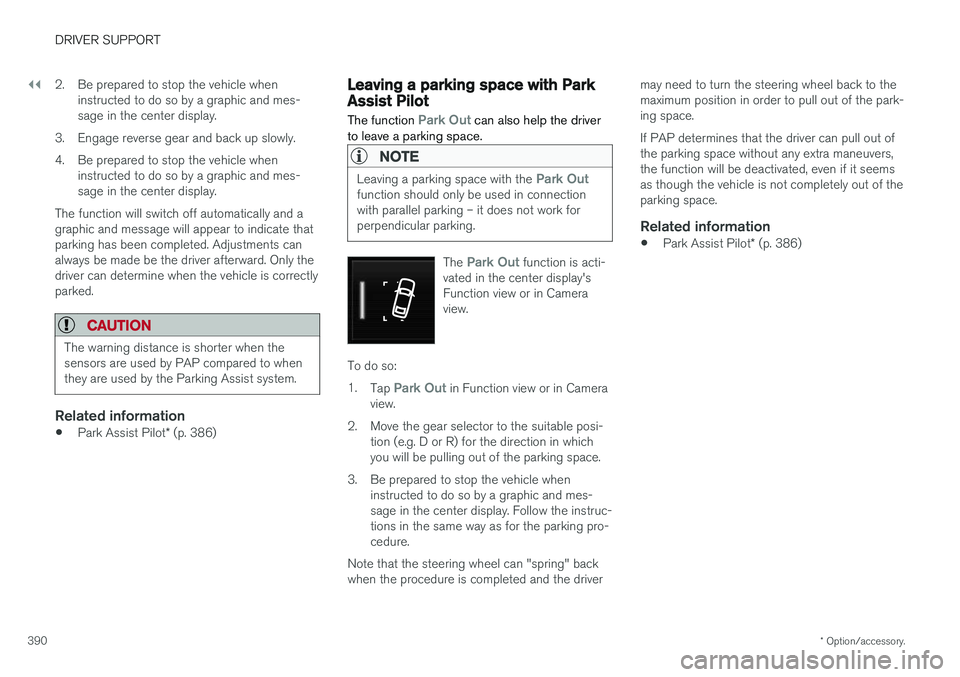
The Park Out function is acti-
vated in the center display's Function view or in Cameraview.
To do so: 1. Tap
Park Out in Function view or in Camera
view.
2. Move the gear selector to the suitable posi- tion (e.g. D or R) for the direction in which you will be pulling out of the parking space.
3. Be prepared to stop the vehicle when instructed to do so by a graphic and mes-sage in the center display. Follow the instruc-tions in the same way as for the parking pro-cedure.
Note that the steering wheel can "spring" backwhen the procedure is completed and the driver may need to turn the steering wheel back to themaximum position in order to pull out of the park-ing space. If PAP determines that the driver can pull out of the parking space without any extra maneuvers,the function will be deactivated, even if it seemsas though the vehicle is not completely out of theparking space.
Related information
•
Park Assist Pilot
* (p. 386)
Page 393 of 674
DRIVER SUPPORT
}}
* Option/accessory.391
Park Assist Pilot * limitations
Park Assist Pilot PAP 126
may not be able to
detect all conditions in all situations and func- tionality may therefore be limited.WARNING
• The PAP function is supplementary driver support intended to facilitate driving andhelp make it safer – it cannot handle allsituations in all traffic, weather and roadconditions.
• Pay particular attention to people andanimals near the vehicle.
• Bear in mind that the front end of thevehicle may swing out towards oncomingtraffic during the parking maneuver.
• Objects situated higher than the detec-tion area of the sensors are not includedwhen the parking maneuver is calculated,which could cause PAP to swing into theparking space too early. Such parkingspaces should be avoided for this reason.
• PAP is not a substitute for the driver'sattention and judgment. The driver isalways responsible for ensuring the vehi-cle is driven in a safe manner, at theappropriate speed, with an appropriatedistance to other vehicles, and in accord-ance with current traffic rules and regula-tions.
The driver should be aware of the following limi-tations for Park Assist Pilot:
The parking sequence is cancelledA parking sequence will be cancelled if:
• the driver moves the steering wheel
• the vehicle's speed exceeds 7 km/h (4 mph)
• the driver taps
Cancel in the center display
• when the anti-lock brakes or the Electronic stability control are engaged - e.g. when awheel loses grip on a slippery road
• when the power steering works at reduced power - e.g. during cooling due to overheat- ing (see section "Speed-dependent steeringforce").
A message in the center display will explain whythe parking sequence was cancelled.
CAUTION
Under certain circumstances, PAP may not be able to find parking spaces – one reason maybe that the sensors are disrupted by externalsound sources that emit the same ultrasonicfrequencies that the system works with. Examples of such sources include horns, wet tires on asphalt, pneumatic brakes, exhaustnoise from motorcycles, etc.
126 Park Assist Pilot
Page 394 of 674
||
DRIVER SUPPORT
* Option/accessory.
392
NOTE
Dirt, ice and snow covering the sensors reduce their function and can make measure-ment impossible.
Driver responsibilityThe driver should keep in mind that PAP is a parking aid ‒ not an infallible fully automatic sys-
tem. The driver must always be prepared to take control and cancel a parking sequence if neces-sary. There are a number of things to keep in mind when parking, including:
• The driver is always responsible for determin-ing if the space suggested by PAP is suita-ble for parking.
• Do not use PAP when using snow chains ora temporary spare tire.
• Do not use PAP if there are any objects pro-truding from the vehicle.
• Heavy rain or snowfall may inhibit PAP's abil-ity to accurately measure a parking space.
• While searching and measuring the parkingspace, PAP may be unable to detect objectslocated far into the space.
• PAP may not suggest parking spaces onnarrow streets if it does not detect sufficientspace for maneuvering the vehicle. •
Use approved tires 127
inflated to the correct
tire pressure because this affects PAP's abil-ity to provide parking assistance.
• PAP's function is based on the way the vehi-cles are parked behind and in front of yourparking space. If they are, for example,parked too close to the curb, there is a riskthat your vehicle's tires or wheel rims couldbe damaged by the curb during the parkingprocedure.
• Perpendicular parking spaces may not bedetected or may be suggested unnecessarilyif a parked vehicle is sticking out more thanother parked vehicles.
• PAP is intended to provide parking assis-tance on straight streets, not sections ofstreet with sharp curves or bends. Alwaysmake sure that your vehicle is parallel to rel-evant parking spaces when PAP is measur-ing the parking space.
CAUTION
Switching to another approved wheel and/or tire dimension could change the tire circum-ference, which would then require the PAPsystem to be updated. Consult a workshop –an authorized Volvo workshop is recom-mended.
Related information
•
Park Assist Pilot
* (p. 386)
• Speed-dependent steering wheel resistance (p. 262)
127
"Approved tires" refers to tires of the same type and make as the vehicle's original, factory-installed tires.
Page 396 of 674
DRIVER SUPPORT
* Option/accessory.
394
Park Assist Pilot * messages
Messages for Park Assist Pilot PAP 130
may be
displayed in the instrument panel and/or the center display.
Some examples of symbols and messages are shown in the table below.
MessageMeaning
Park Assist System Sensors blocked, cleaning neededOne or more of the sensors are blocked. Check and clean/remove the obstacle as soon as possible.
Park Assist System Unavailable Service requiredThe system is not functioning as intended. Contact a workshop ‒ an authorized Volvo workshop is recommended.
A text message can be erased by briefly pressing the
button in the center of the right-side
steering wheel keypad. If the message persists: Contact a workshop ‒ an
authorized Volvo workshop is recommended.
Related information
• Park Assist Pilot
* (p. 386)
130
Park Assist Pilot
Page 416 of 674
STARTING AND DRIVING
* Option/accessory.
414
Starting the vehicle
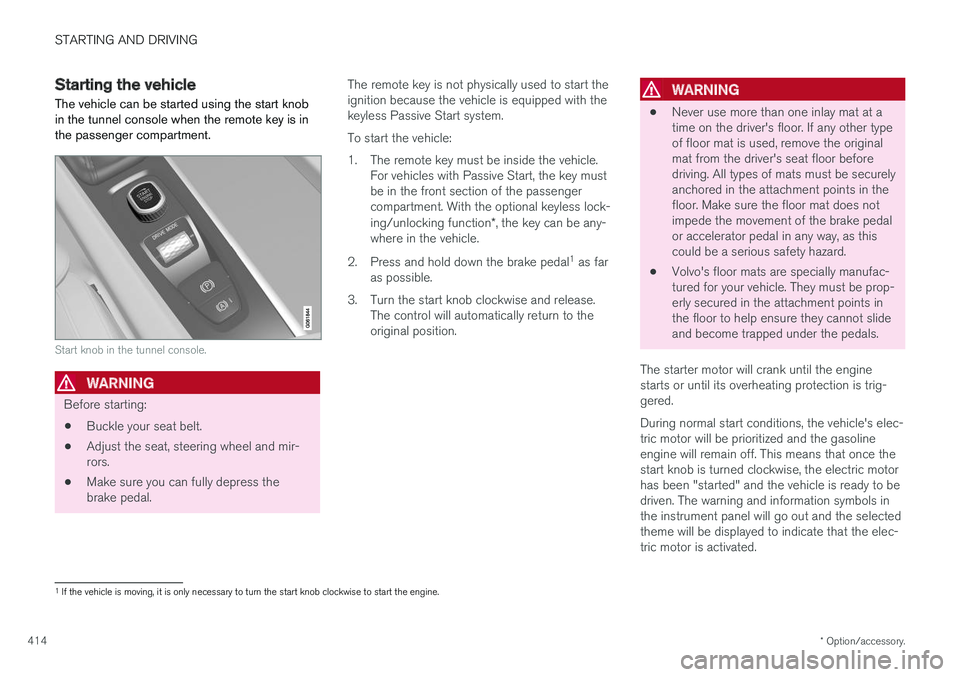
The vehicle can be started using the start knob in the tunnel console when the remote key is inthe passenger compartment.
Start knob in the tunnel console.
WARNING
Before starting:
• Buckle your seat belt.
• Adjust the seat, steering wheel and mir- rors.
• Make sure you can fully depress thebrake pedal. The remote key is not physically used to start theignition because the vehicle is equipped with thekeyless Passive Start system. To start the vehicle:
1. The remote key must be inside the vehicle.
For vehicles with Passive Start, the key must be in the front section of the passengercompartment. With the optional keyless lock- ing/unlocking function *, the key can be any-
where in the vehicle.
2. Press and hold down the brake pedal 1
as far
as possible.
3. Turn the start knob clockwise and release. The control will automatically return to the original position.
WARNING
• Never use more than one inlay mat at a time on the driver's floor. If any other typeof floor mat is used, remove the originalmat from the driver's seat floor beforedriving. All types of mats must be securelyanchored in the attachment points in thefloor. Make sure the floor mat does notimpede the movement of the brake pedalor accelerator pedal in any way, as thiscould be a serious safety hazard.
• Volvo's floor mats are specially manufac-tured for your vehicle. They must be prop-erly secured in the attachment points inthe floor to help ensure they cannot slideand become trapped under the pedals.
The starter motor will crank until the enginestarts or until its overheating protection is trig-gered. During normal start conditions, the vehicle's elec- tric motor will be prioritized and the gasolineengine will remain off. This means that once thestart knob is turned clockwise, the electric motorhas been "started" and the vehicle is ready to bedriven. The warning and information symbols inthe instrument panel will go out and the selectedtheme will be displayed to indicate that the elec-tric motor is activated.
1 If the vehicle is moving, it is only necessary to turn the start knob clockwise to start the engine.
Page 418 of 674
||
STARTING AND DRIVING
416
NOTE
With a cold start, idling speed may be consid- erably higher than normal for certain enginetypes. This is done to get the emissions sys-tem up to normal operating temperature asquickly as possible, which minimizes exhaustemissions and protects the environment.
CAUTION
•When starting in cold weather, the auto- matic transmission may shift up at slightlyhigher engine speeds than normal untilthe automatic transmission fluid reachesnormal operating temperature.
• Do not race a cold engine immediatelyafter starting. This could prevent fluidsfrom properly lubricating vital compo-nents in the engine before it has reachedthe proper operating temperature.
• The engine should be idling when thegear selector is moved. Never accelerateuntil the gear is fully engaged. Accelerat-ing rapidly before a gear is properlyengaged could lead to harder wear ofcomponents.
• To help prevent the transmission oil from overheating, select
P or N when idling at
a standstill for prolonged periods of time.
Related information
• Switching off the vehicle (p. 416)
• Ignition modes (p. 417)
• Adjusting the steering wheel (p. 193)
• Jump starting using another battery (p. 459)
• Selecting ignition mode (p. 418)
Switching off the vehicle The vehicle can be switched off using the start knob in the tunnel console.
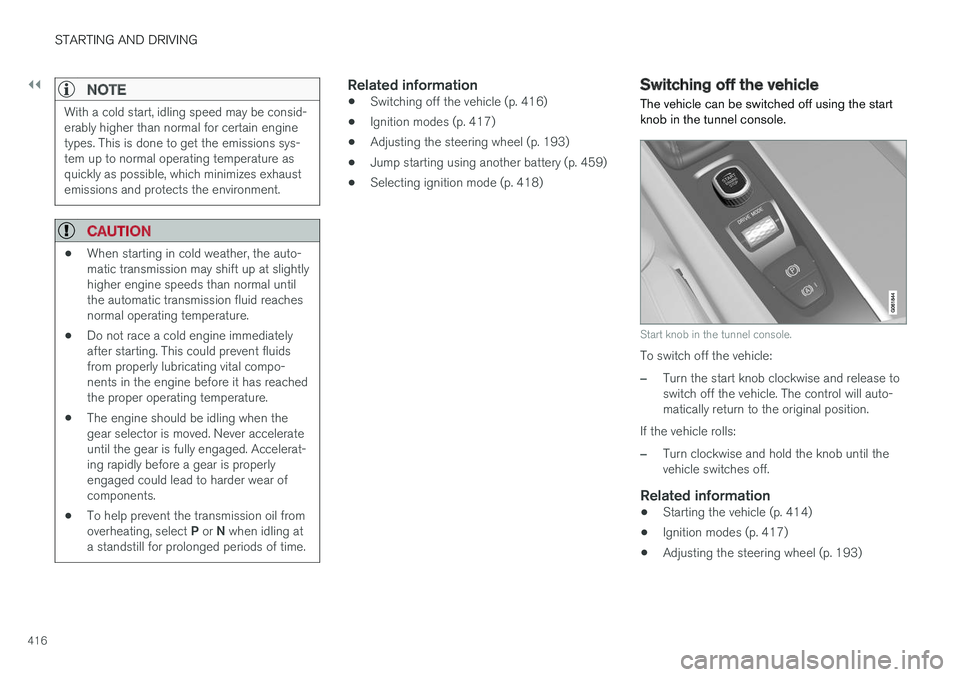
Start knob in the tunnel console.
To switch off the vehicle:
–Turn the start knob clockwise and release to switch off the vehicle. The control will auto-matically return to the original position.
If the vehicle rolls:
–Turn clockwise and hold the knob until the vehicle switches off.
Related information
• Starting the vehicle (p. 414)
• Ignition modes (p. 417)
• Adjusting the steering wheel (p. 193)
Page 420 of 674
||
STARTING AND DRIVING
418
ModeFunctions
II •The headlights illuminate.
• Warning/indicator lights illumi- nate for 5 seconds.
• A number of other systems areactivated. However, seat and rearwindow heating can only be acti-vated when the engine is running.
This ignition mode uses a lot ofcurrent from the battery andshould be avoided whenever pos-sible!
A Also activated when the door is opened.
Related information
• Starting the vehicle (p. 414)
• Adjusting the steering wheel (p. 193)
• Jump starting using another battery (p. 459)
• Selecting ignition mode (p. 418)
Selecting ignition mode
The vehicle's ignition can be put in various modes (levels) to make different functions availa-ble.
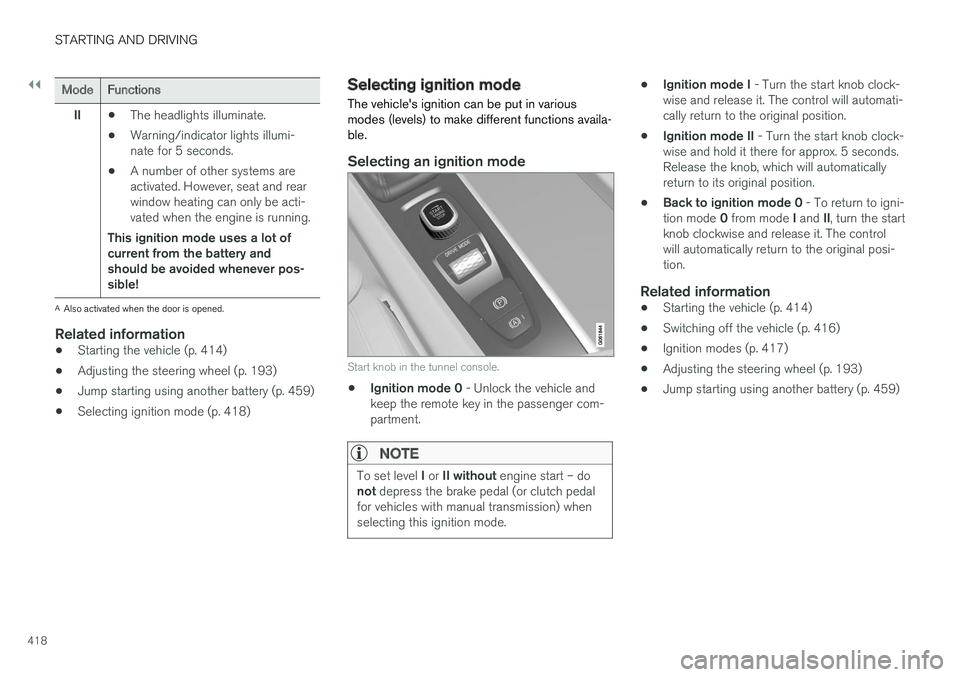
Selecting an ignition mode
Start knob in the tunnel console.
• Ignition mode 0
- Unlock the vehicle and
keep the remote key in the passenger com- partment.
NOTE
To set level I or II without engine start – do
not depress the brake pedal (or clutch pedal
for vehicles with manual transmission) when selecting this ignition mode.
• Ignition mode I
- Turn the start knob clock-
wise and release it. The control will automati- cally return to the original position.
• Ignition mode II
- Turn the start knob clock-
wise and hold it there for approx. 5 seconds.Release the knob, which will automaticallyreturn to its original position.
• Back to ignition mode 0
- To return to igni-
tion mode 0 from mode I and II, turn the start
knob clockwise and release it. The controlwill automatically return to the original posi-tion.
Related information
• Starting the vehicle (p. 414)
• Switching off the vehicle (p. 416)
• Ignition modes (p. 417)
• Adjusting the steering wheel (p. 193)
• Jump starting using another battery (p. 459)
Page 421 of 674
STARTING AND DRIVING
}}
419
Brake functions
The vehicle's brakes are used to reduce speed or prevent the vehicle from rolling.
In addition to the wheel brakes and parking brakes, the vehicle is also equipped with a num-ber of automatic brake assist functions. Thesesystems help the driver by e.g. keeping the vehi-cle stationary when the brake pedal is notdepressed (e.g. at a traffic light or intersection),when starting up a hill or when driving down a hill. Depending on how the vehicle is equipped, the following brake assist functions may be included:
• Auto-hold brakes (Auto Hold)
• Hill Start Assist (Hill Start Assist)
• Braking assist after a collision
• City Safety
• Hill Descent Control (Hill Descent Control)
Related information
•
Brakes (p. 419)
• Parking brake (p. 422)
• Auto-hold brakes (p. 426)
• Braking assist after a collision (p. 427)
• Hill Start Assist (p. 427)
• City Safety
™ (p. 325)
• Hill Descent Control (p. 444)
Brakes The brake pedal is used to apply the vehicle's regular brakes, which are part of the brake sys-tem.
The vehicle is equipped with two brake circuits. If one brake circuit is damaged, the brake pedal willgo down further when depressed. More pressurewill then be required from the driver for normalbraking effect.
WARNING
If the vehicle does not have electrical current and both the electric motor and the gasolineengine are switched off, the brakes cannot beused to stop the vehicle.
In very hilly areas or when driving with a heavy load, gear position B can be used to augment the
brakes with engine braking. Use the Off Road drive mode to increase the engine braking effect when driving on steepdowngrades at low speeds.
Anti-lock brakesThe vehicle is equipped with an Anti-lock BrakingSystem (ABS), which can help prevent thewheels from locking and help maintain steeringcontrol when braking. Vibrations may be felt fromthe brake pedal when ABS is operating, which isnormal. After the vehicle is started, a brief test of the ABS system is automatically performed when the driver releases the brake pedal. An additionalautomatic test of the system may be performedwhen the vehicle is traveling at a low speed. Dur-ing the test, the brake pedal may feel as though itis pulsating.
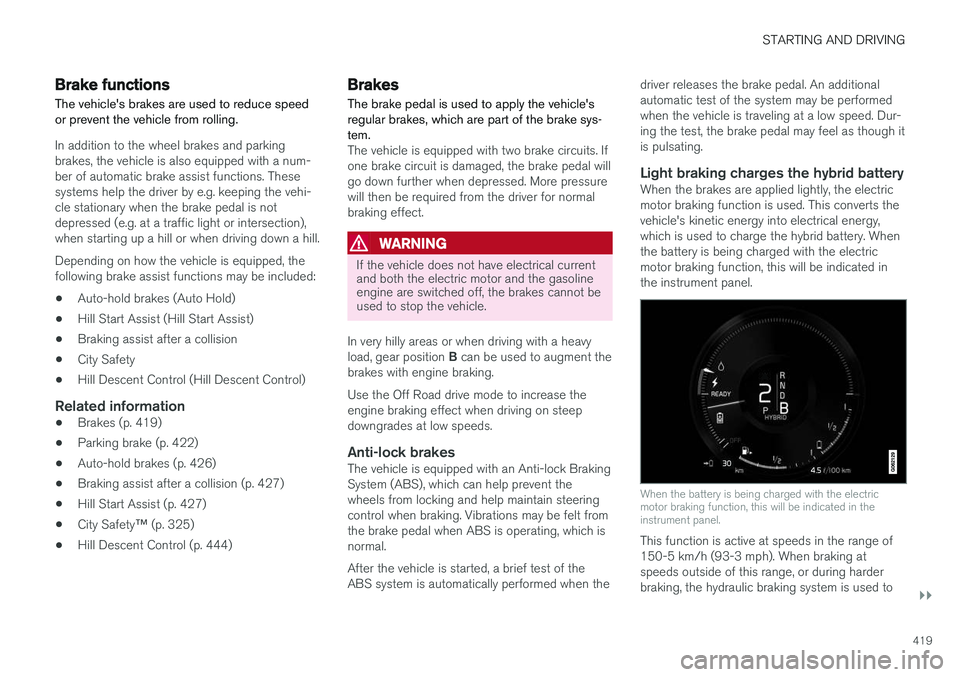
Light braking charges the hybrid batteryWhen the brakes are applied lightly, the electricmotor braking function is used. This converts thevehicle's kinetic energy into electrical energy,which is used to charge the hybrid battery. Whenthe battery is being charged with the electricmotor braking function, this will be indicated inthe instrument panel.
When the battery is being charged with the electric motor braking function, this will be indicated in theinstrument panel.
This function is active at speeds in the range of 150-5 km/h (93-3 mph). When braking atspeeds outside of this range, or during harderbraking, the hydraulic braking system is used to