brake VOLVO XC60 T8 2018 Owner´s Manual
[x] Cancel search | Manufacturer: VOLVO, Model Year: 2018, Model line: XC60 T8, Model: VOLVO XC60 T8 2018Pages: 674, PDF Size: 11.93 MB
Page 85 of 674
DISPLAYS AND VOICE CONTROL
}}
83
Hybrid gauge
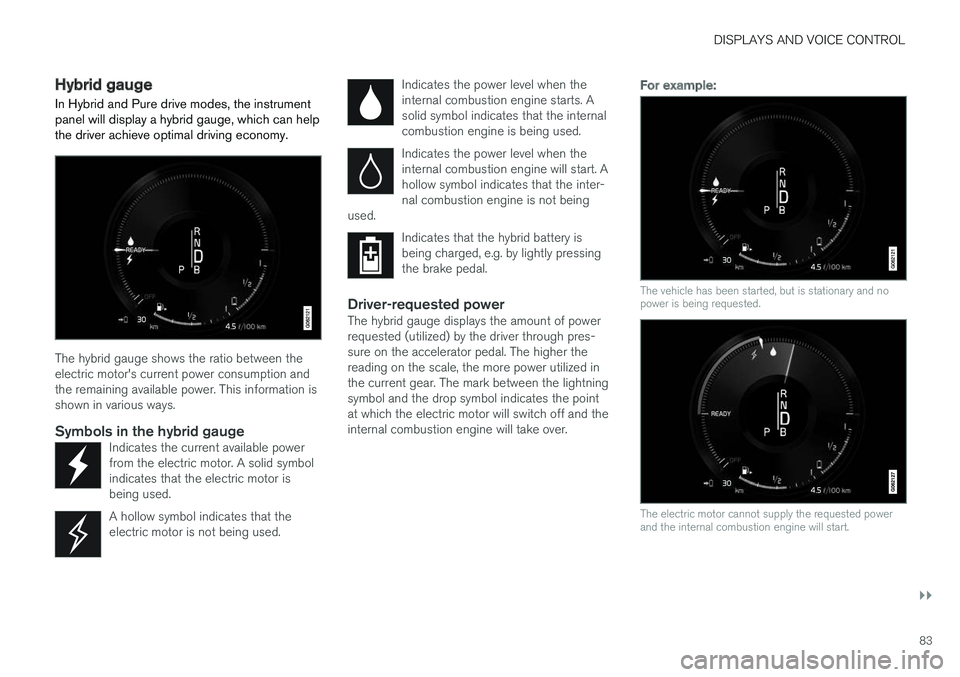
In Hybrid and Pure drive modes, the instrument panel will display a hybrid gauge, which can help the driver achieve optimal driving economy.
The hybrid gauge shows the ratio between the electric motor's current power consumption andthe remaining available power. This information isshown in various ways.
Symbols in the hybrid gaugeIndicates the current available powerfrom the electric motor. A solid symbolindicates that the electric motor isbeing used.
A hollow symbol indicates that the electric motor is not being used.
Indicates the power level when the internal combustion engine starts. Asolid symbol indicates that the internalcombustion engine is being used.
Indicates the power level when the internal combustion engine will start. Ahollow symbol indicates that the inter-nal combustion engine is not being
used.
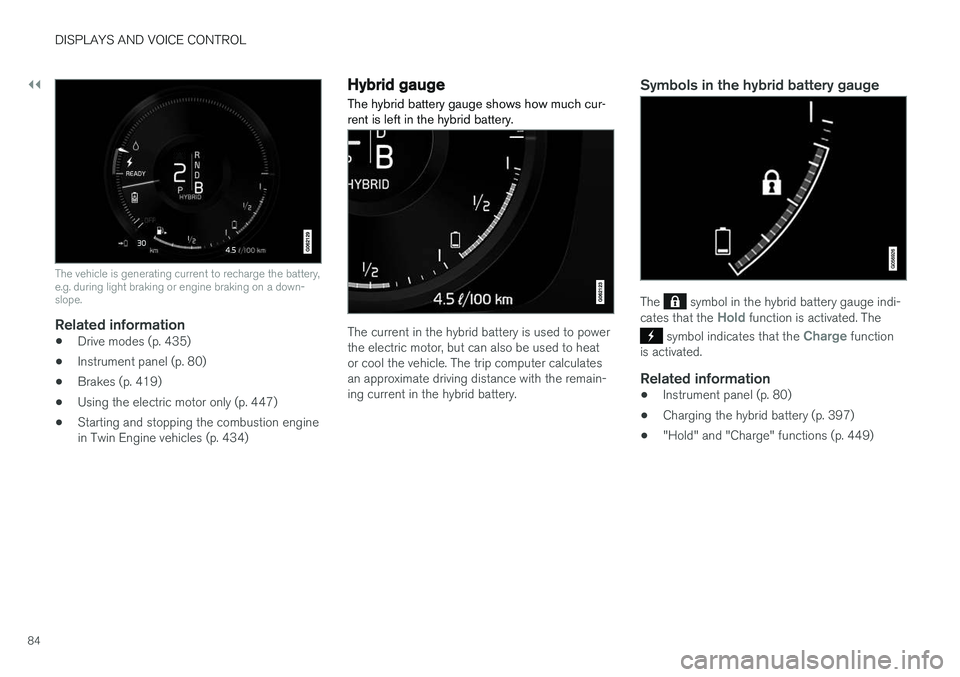
Indicates that the hybrid battery is being charged, e.g. by lightly pressingthe brake pedal.
Driver-requested powerThe hybrid gauge displays the amount of power requested (utilized) by the driver through pres-sure on the accelerator pedal. The higher thereading on the scale, the more power utilized inthe current gear. The mark between the lightningsymbol and the drop symbol indicates the pointat which the electric motor will switch off and theinternal combustion engine will take over.
For example:
The vehicle has been started, but is stationary and no power is being requested.
The electric motor cannot supply the requested power and the internal combustion engine will start.
Page 86 of 674
||
DISPLAYS AND VOICE CONTROL
84
The vehicle is generating current to recharge the battery, e.g. during light braking or engine braking on a down-slope.
Related information
•Drive modes (p. 435)
• Instrument panel (p. 80)
• Brakes (p. 419)
• Using the electric motor only (p. 447)
• Starting and stopping the combustion engine in Twin Engine vehicles (p. 434)
Hybrid gauge
The hybrid battery gauge shows how much cur- rent is left in the hybrid battery.
The current in the hybrid battery is used to power the electric motor, but can also be used to heator cool the vehicle. The trip computer calculatesan approximate driving distance with the remain-ing current in the hybrid battery.
Symbols in the hybrid battery gauge
The symbol in the hybrid battery gauge indi-
cates that the Hold function is activated. The
symbol indicates that the Charge function
is activated.
Related information
• Instrument panel (p. 80)
• Charging the hybrid battery (p. 397)
• "Hold" and "Charge" functions (p. 449)
Page 92 of 674
DISPLAYS AND VOICE CONTROL
90
Ambient temperature sensor
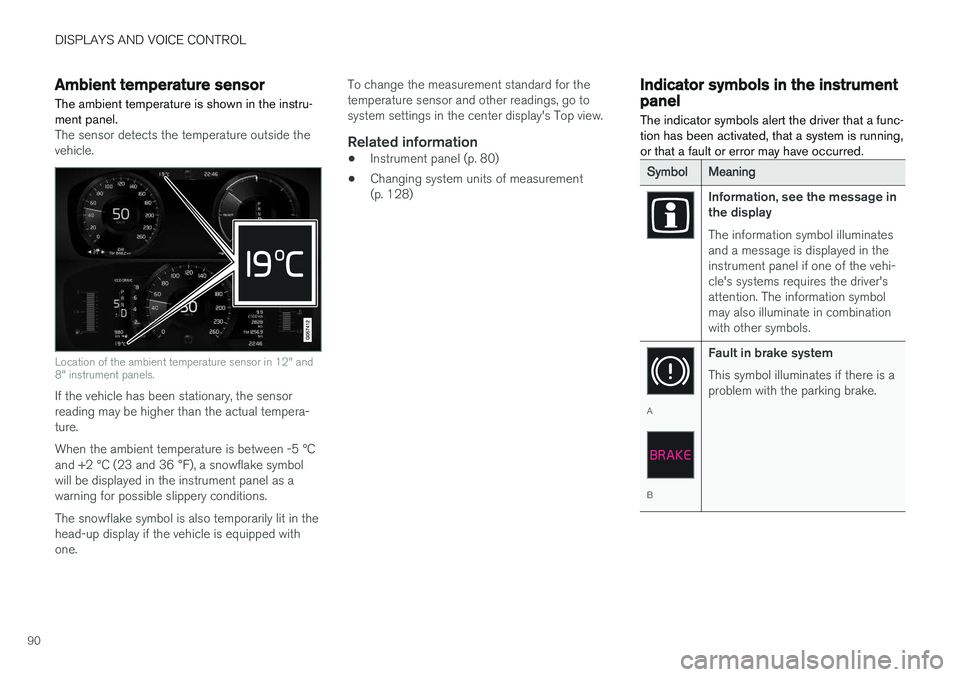
The ambient temperature is shown in the instru- ment panel.
The sensor detects the temperature outside the vehicle.
Location of the ambient temperature sensor in 12" and 8" instrument panels.
If the vehicle has been stationary, the sensor reading may be higher than the actual tempera-ture. When the ambient temperature is between -5 °C and +2 °C (23 and 36 °F), a snowflake symbol
will be displayed in the instrument panel as a warning for possible slippery conditions. The snowflake symbol is also temporarily lit in the head-up display if the vehicle is equipped withone. To change the measurement standard for thetemperature sensor and other readings, go tosystem settings in the center display's Top view.
Related information
•
Instrument panel (p. 80)
• Changing system units of measurement(p. 128)
Indicator symbols in the instrumentpanel
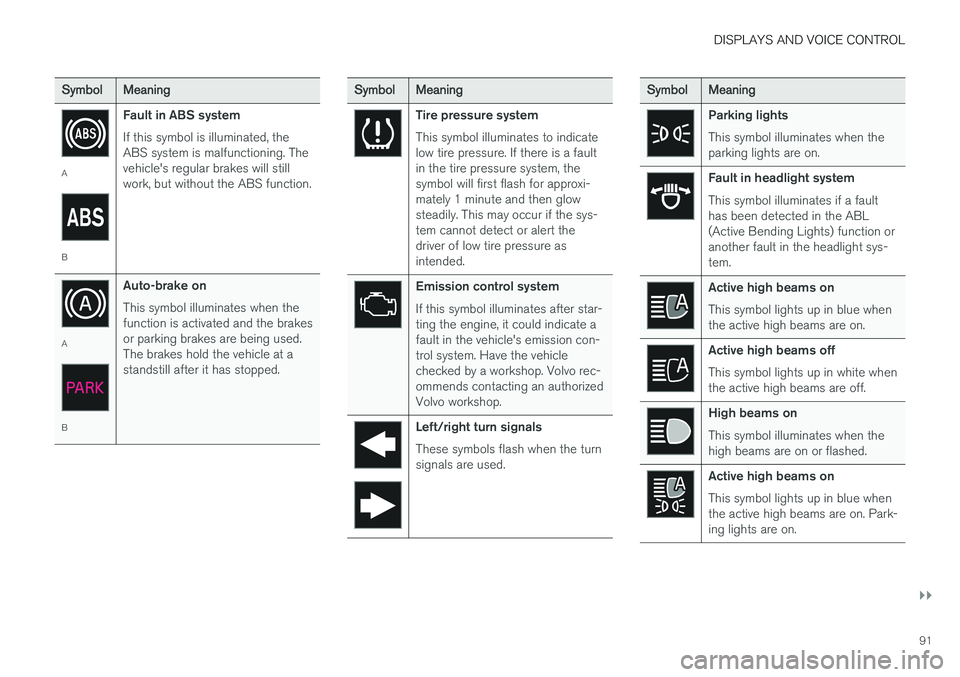
The indicator symbols alert the driver that a func- tion has been activated, that a system is running,or that a fault or error may have occurred.
SymbolMeaning
Information, see the message in the display The information symbol illuminates and a message is displayed in theinstrument panel if one of the vehi-cle's systems requires the driver'sattention. The information symbolmay also illuminate in combinationwith other symbols.
A
B Fault in brake system This symbol illuminates if there is a problem with the parking brake.
Page 93 of 674
DISPLAYS AND VOICE CONTROL
}}
91
SymbolMeaning
A
BFault in ABS system If this symbol is illuminated, the ABS system is malfunctioning. Thevehicle's regular brakes will stillwork, but without the ABS function.
A
BAuto-brake on This symbol illuminates when the function is activated and the brakesor parking brakes are being used.The brakes hold the vehicle at astandstill after it has stopped.
SymbolMeaning
Tire pressure system This symbol illuminates to indicate low tire pressure. If there is a faultin the tire pressure system, thesymbol will first flash for approxi-mately 1 minute and then glowsteadily. This may occur if the sys-tem cannot detect or alert thedriver of low tire pressure asintended.
Emission control system If this symbol illuminates after star- ting the engine, it could indicate afault in the vehicle's emission con-trol system. Have the vehiclechecked by a workshop. Volvo rec-ommends contacting an authorizedVolvo workshop.
Left/right turn signals These symbols flash when the turn signals are used.
SymbolMeaning
Parking lights This symbol illuminates when the parking lights are on.
Fault in headlight system This symbol illuminates if a fault has been detected in the ABL(Active Bending Lights) function oranother fault in the headlight sys-tem.
Active high beams on This symbol lights up in blue when the active high beams are on.
Active high beams off This symbol lights up in white when the active high beams are off.
High beams on This symbol illuminates when the high beams are on or flashed.
Active high beams on This symbol lights up in blue when the active high beams are on. Park-ing lights are on.
Page 95 of 674
DISPLAYS AND VOICE CONTROL
93
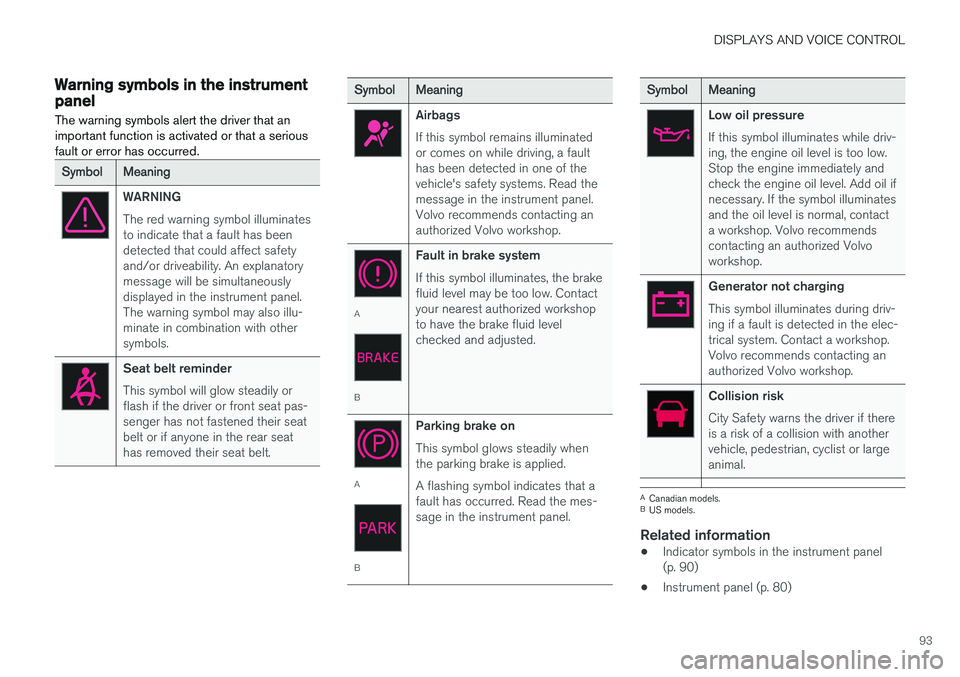
Warning symbols in the instrumentpanelThe warning symbols alert the driver that an important function is activated or that a seriousfault or error has occurred.
SymbolMeaning
WARNING The red warning symbol illuminates to indicate that a fault has beendetected that could affect safetyand/or driveability. An explanatorymessage will be simultaneouslydisplayed in the instrument panel.The warning symbol may also illu-minate in combination with othersymbols.
Seat belt reminder This symbol will glow steadily or flash if the driver or front seat pas-senger has not fastened their seatbelt or if anyone in the rear seathas removed their seat belt.
SymbolMeaning
Airbags If this symbol remains illuminated or comes on while driving, a faulthas been detected in one of thevehicle's safety systems. Read themessage in the instrument panel.Volvo recommends contacting anauthorized Volvo workshop.
A
B Fault in brake system If this symbol illuminates, the brake fluid level may be too low. Contactyour nearest authorized workshopto have the brake fluid levelchecked and adjusted.
A
BParking brake on This symbol glows steadily when the parking brake is applied. A flashing symbol indicates that a fault has occurred. Read the mes-sage in the instrument panel.
SymbolMeaning
Low oil pressure If this symbol illuminates while driv- ing, the engine oil level is too low.Stop the engine immediately andcheck the engine oil level. Add oil ifnecessary. If the symbol illuminatesand the oil level is normal, contacta workshop. Volvo recommendscontacting an authorized Volvoworkshop.
Generator not charging This symbol illuminates during driv- ing if a fault is detected in the elec-trical system. Contact a workshop.Volvo recommends contacting anauthorized Volvo workshop.
Collision risk City Safety warns the driver if there is a risk of a collision with anothervehicle, pedestrian, cyclist or largeanimal.
A
Canadian models.
B US models.
Related information
• Indicator symbols in the instrument panel (p. 90)
• Instrument panel (p. 80)
Page 134 of 674
||
DISPLAYS AND VOICE CONTROL
* Option/accessory.
132
Type ofsettingDescription
Slider Select a level for a function by pressing and dragging the slider control, e.g. to set volume level.
Informa-tion dis-play This is not an actual setting, butinstead displays information suchas the vehicle's VIN number.
Related information
•
Center display overview (p. 105)
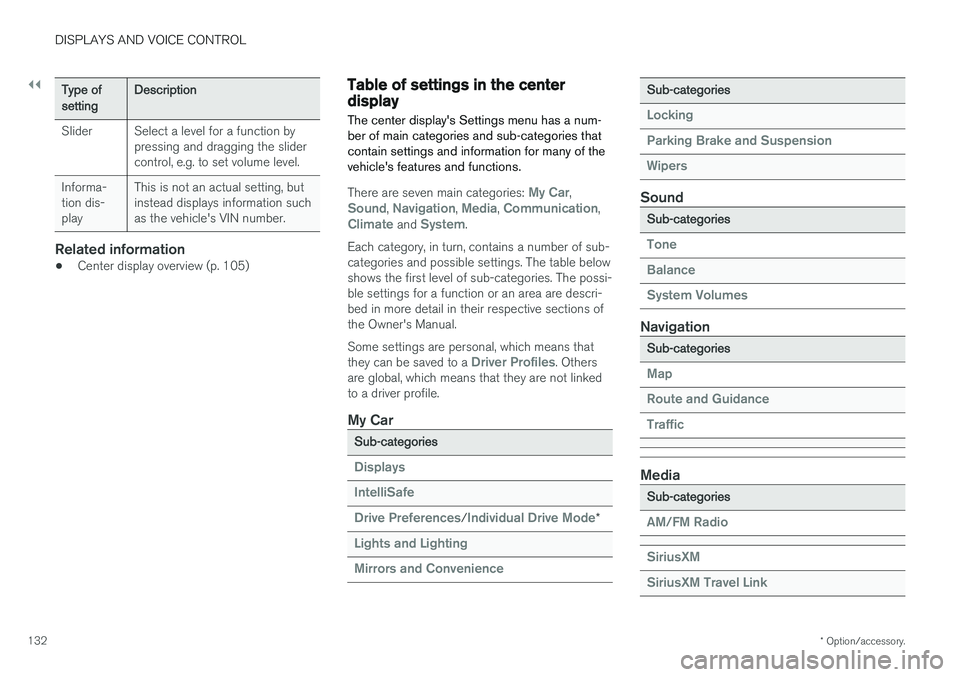
Table of settings in the centerdisplay The center display's Settings menu has a num- ber of main categories and sub-categories thatcontain settings and information for many of thevehicle's features and functions.
There are seven main categories: My Car,Sound, Navigation, Media, Communication,Climate and System.
Each category, in turn, contains a number of sub- categories and possible settings. The table belowshows the first level of sub-categories. The possi-ble settings for a function or an area are descri-bed in more detail in their respective sections ofthe Owner's Manual. Some settings are personal, which means that they can be saved to a
Driver Profiles. Others
are global, which means that they are not linked to a driver profile.
My Car
Sub-categories
Displays IntelliSafe Drive Preferences
/Individual Drive Mode*
Lights and Lighting Mirrors and Convenience
Sub-categories
Locking Parking Brake and SuspensionWipers
Sound
Sub-categories
Tone BalanceSystem Volumes
Navigation
Sub-categories
Map Route and GuidanceTraffic
Media
Sub-categories
AM/FM Radio SiriusXM SiriusXM Travel Link
Page 151 of 674
LIGHTING
* Option/accessory.149
WARNING
The vehicle lighting system cannot in all situa- tions determine when the daylight is too weakor not strong enough, e.g. when there is fogor rain. The driver is always responsible for driving the vehicle with lighting that is safe for the trafficconditions and as specified by applicable traf-fic regulations.
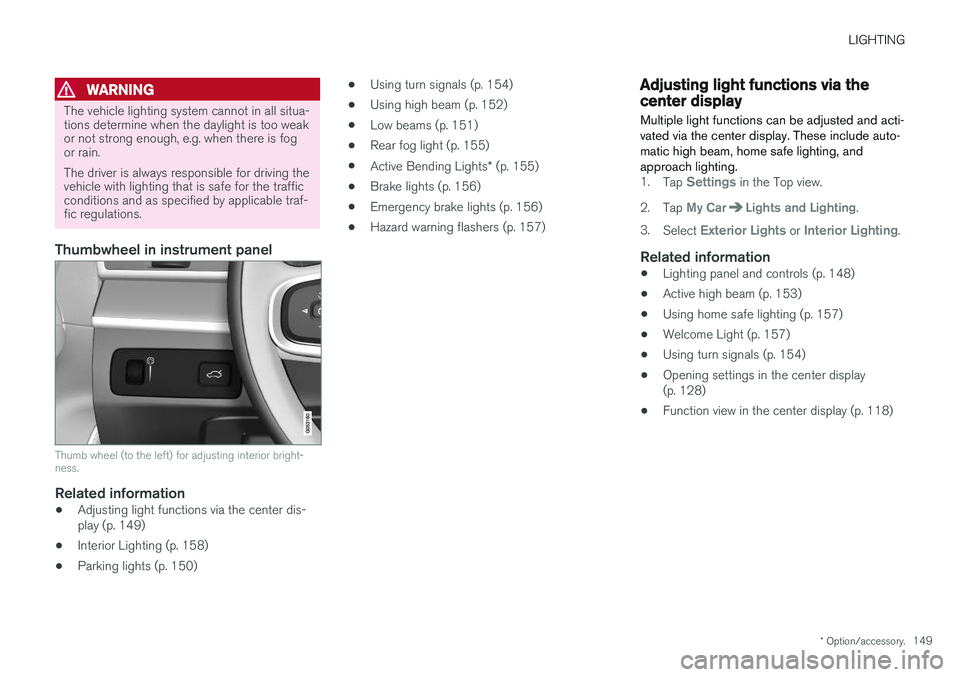
Thumbwheel in instrument panel
Thumb wheel (to the left) for adjusting interior bright- ness.
Related information
•Adjusting light functions via the center dis- play (p. 149)
• Interior Lighting (p. 158)
• Parking lights (p. 150) •
Using turn signals (p. 154)
• Using high beam (p. 152)
• Low beams (p. 151)
• Rear fog light (p. 155)
• Active Bending Lights
* (p. 155)
• Brake lights (p. 156)
• Emergency brake lights (p. 156)
• Hazard warning flashers (p. 157)
Adjusting light functions via thecenter display
Multiple light functions can be adjusted and acti- vated via the center display. These include auto-matic high beam, home safe lighting, andapproach lighting.
1. Tap Settings in the Top view.
2. Tap
My CarLights and Lighting.
3. Select
Exterior Lights or Interior Lighting.
Related information
• Lighting panel and controls (p. 148)
• Active high beam (p. 153)
• Using home safe lighting (p. 157)
• Welcome Light (p. 157)
• Using turn signals (p. 154)
• Opening settings in the center display (p. 128)
• Function view in the center display (p. 118)
Page 158 of 674
||
LIGHTING
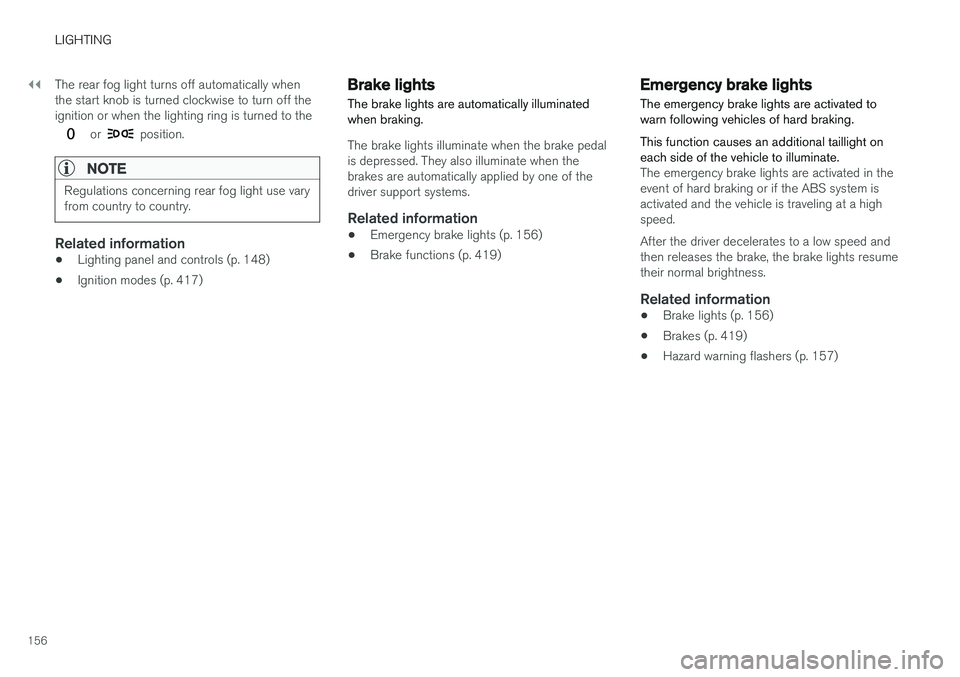
156The rear fog light turns off automatically when the start knob is turned clockwise to turn off theignition or when the lighting ring is turned to the
or position.
NOTE
Regulations concerning rear fog light use vary from country to country.
Related information
•
Lighting panel and controls (p. 148)
• Ignition modes (p. 417)
Brake lights The brake lights are automatically illuminated when braking.
The brake lights illuminate when the brake pedal is depressed. They also illuminate when thebrakes are automatically applied by one of thedriver support systems.
Related information
•
Emergency brake lights (p. 156)
• Brake functions (p. 419)
Emergency brake lights
The emergency brake lights are activated to warn following vehicles of hard braking. This function causes an additional taillight on each side of the vehicle to illuminate.
The emergency brake lights are activated in the event of hard braking or if the ABS system isactivated and the vehicle is traveling at a highspeed. After the driver decelerates to a low speed and then releases the brake, the brake lights resumetheir normal brightness.
Related information
• Brake lights (p. 156)
• Brakes (p. 419)
• Hazard warning flashers (p. 157)
Page 159 of 674
LIGHTING
* Option/accessory.157
Hazard warning flashers
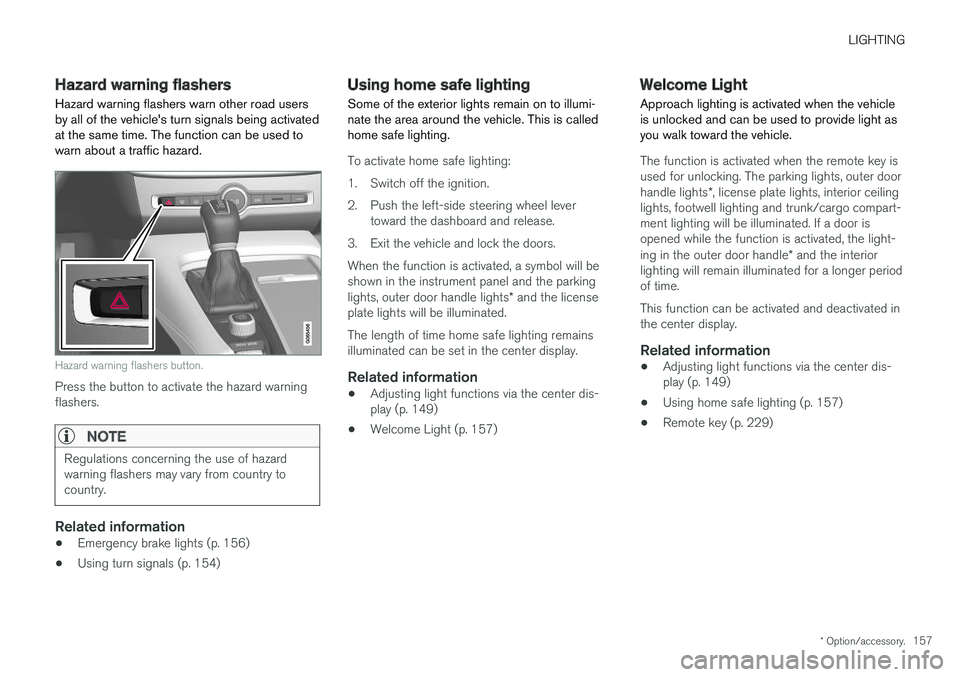
Hazard warning flashers warn other road users by all of the vehicle's turn signals being activatedat the same time. The function can be used towarn about a traffic hazard.
Hazard warning flashers button.
Press the button to activate the hazard warning flashers.
NOTE
Regulations concerning the use of hazard warning flashers may vary from country tocountry.
Related information
• Emergency brake lights (p. 156)
• Using turn signals (p. 154)
Using home safe lighting
Some of the exterior lights remain on to illumi- nate the area around the vehicle. This is calledhome safe lighting.
To activate home safe lighting:
1. Switch off the ignition.
2. Push the left-side steering wheel lever toward the dashboard and release.
3. Exit the vehicle and lock the doors.When the function is activated, a symbol will be shown in the instrument panel and the parking lights, outer door handle lights * and the license
plate lights will be illuminated. The length of time home safe lighting remains illuminated can be set in the center display.
Related information
• Adjusting light functions via the center dis-play (p. 149)
• Welcome Light (p. 157)
Welcome Light Approach lighting is activated when the vehicle is unlocked and can be used to provide light asyou walk toward the vehicle.
The function is activated when the remote key is used for unlocking. The parking lights, outer door handle lights
*, license plate lights, interior ceiling
lights, footwell lighting and trunk/cargo compart- ment lighting will be illuminated. If a door isopened while the function is activated, the light- ing in the outer door handle * and the interior
lighting will remain illuminated for a longer period of time. This function can be activated and deactivated in the center display.
Related information
• Adjusting light functions via the center dis-play (p. 149)
• Using home safe lighting (p. 157)
• Remote key (p. 229)
Page 185 of 674
SEATS AND STEERING WHEEL
* Option/accessory.183
Using stored memory in a poweredfront seat
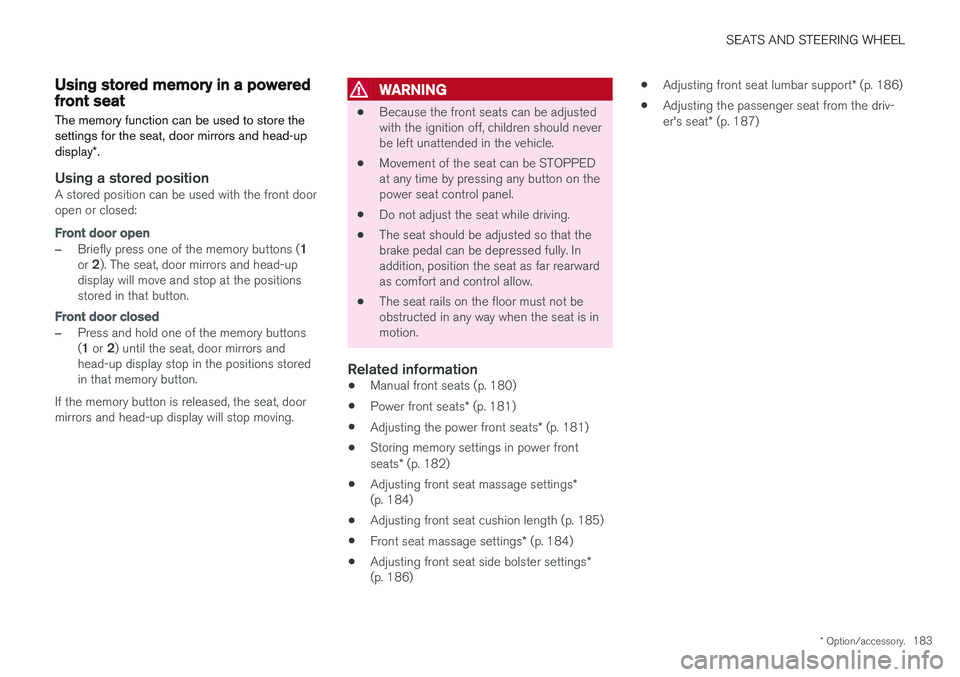
The memory function can be used to store the settings for the seat, door mirrors and head-up display *.
Using a stored positionA stored position can be used with the front door open or closed:
Front door open
–Briefly press one of the memory buttons ( 1
or 2). The seat, door mirrors and head-up
display will move and stop at the positions stored in that button.
Front door closed
–Press and hold one of the memory buttons ( 1 or 2) until the seat, door mirrors and
head-up display stop in the positions stored in that memory button.
If the memory button is released, the seat, doormirrors and head-up display will stop moving.
WARNING
• Because the front seats can be adjusted with the ignition off, children should neverbe left unattended in the vehicle.
• Movement of the seat can be STOPPEDat any time by pressing any button on thepower seat control panel.
• Do not adjust the seat while driving.
• The seat should be adjusted so that thebrake pedal can be depressed fully. Inaddition, position the seat as far rearwardas comfort and control allow.
• The seat rails on the floor must not beobstructed in any way when the seat is inmotion.
Related information
• Manual front seats (p. 180)
• Power front seats
* (p. 181)
• Adjusting the power front seats
* (p. 181)
• Storing memory settings in power front seats
* (p. 182)
• Adjusting front seat massage settings
*
(p. 184)
• Adjusting front seat cushion length (p. 185)
• Front seat massage settings
* (p. 184)
• Adjusting front seat side bolster settings
*
(p. 186) •
Adjusting front seat lumbar support
* (p. 186)
• Adjusting the passenger seat from the driv-er's seat
* (p. 187)