change time VOLVO XC60 T8 2018 Owner´s Manual
[x] Cancel search | Manufacturer: VOLVO, Model Year: 2018, Model line: XC60 T8, Model: VOLVO XC60 T8 2018Pages: 674, PDF Size: 11.93 MB
Page 447 of 674
STARTING AND DRIVING
}}
445
the hill is and without the brakes needing to be applied. The brake lights will illuminate when thefunction is activated. The driver can brake to stop or slow the vehicle at any time by depressing the brake pedal. HDC is activated along with Low Speed Control (LSC), which facilitates and improves traction andcontrol on rough and slippery surfaces. The sys-tem is intended to be used at low speeds, up toapproximately 40 km/h (25 mph).
To keep in mind when using HDC
•
If the function is switched off while driving ona steep downhill gradient, braking effect willbe gradually reduced.
• HDC can be used in gear positions
D and R,
and in manual gears 1 or 2.
• It is not possible to manually shift to thirdgear or higher when HDC is active.
NOTE
When LSC with HDC is activated in the OFF ROAD drive mode, the feel of the acceleratorpedal and engine response will change.
NOTE
This drive mode is not designed to be used for normal street driving.
NOTE
The function is deactivated when driving at high speeds and must be reactivated at lowerspeeds if so desired.
Related information
• Activating and deactivating Hill Descent Con- trol using the function button (p. 445)
• Changing drive mode (p. 439)
• Low Speed Control (p. 443)
• All Wheel Drive (AWD) (p. 433)
Activating and deactivating HillDescent Control using the functionbutton
Vehicles that are not equipped with drive mode controls in the tunnel console have a function button for Hill Descent Control with
Hill
Descent Control in the center display's Func-
tion view.
Selecting Hill Descent Control in the center display's Function view
HDC only works at low speeds.
–Tap the Hill Descent Control button to
activate or deactivate the function.
> An indicator light in the button will illumi- nate when the function is activated.
When the engine is switched off, the function will be automatically deactivated.
NOTE
The function is deactivated when driving at high speeds and must be reactivated at lowerspeeds if so desired.
Page 452 of 674
||
STARTING AND DRIVING
450
Charge
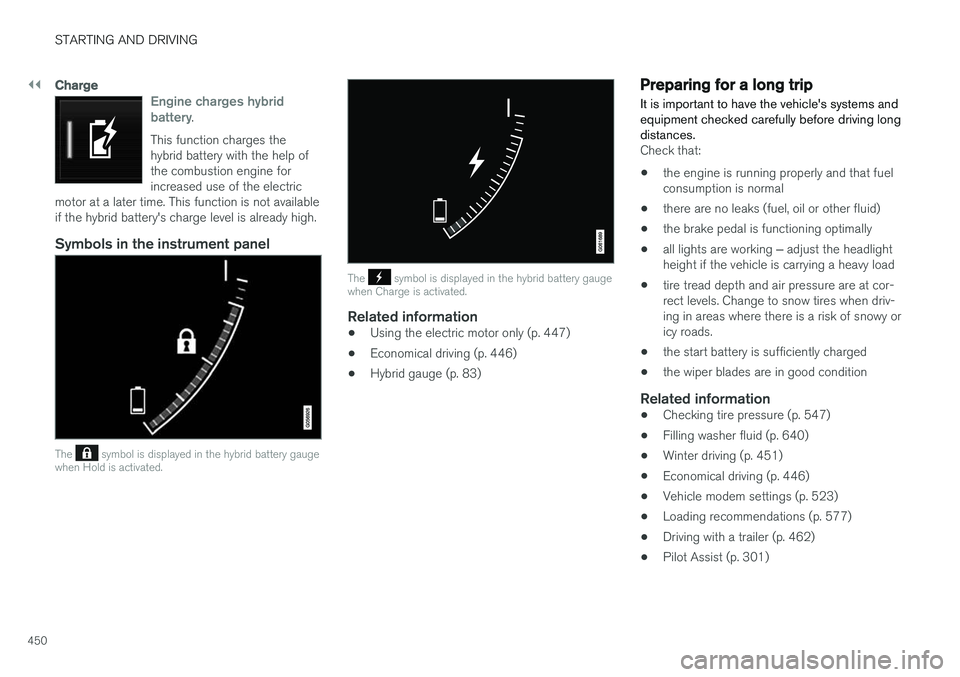
Engine charges hybrid battery.
This function charges the hybrid battery with the help ofthe combustion engine forincreased use of the electric
motor at a later time. This function is not availableif the hybrid battery's charge level is already high.
Symbols in the instrument panel
The symbol is displayed in the hybrid battery gauge
when Hold is activated.
The symbol is displayed in the hybrid battery gauge
when Charge is activated.
Related information
• Using the electric motor only (p. 447)
• Economical driving (p. 446)
• Hybrid gauge (p. 83)
Preparing for a long trip
It is important to have the vehicle's systems and equipment checked carefully before driving longdistances.
Check that:
• the engine is running properly and that fuel consumption is normal
• there are no leaks (fuel, oil or other fluid)
• the brake pedal is functioning optimally
• all lights are working
‒ adjust the headlight
height if the vehicle is carrying a heavy load
• tire tread depth and air pressure are at cor-rect levels. Change to snow tires when driv-ing in areas where there is a risk of snowy oricy roads.
• the start battery is sufficiently charged
• the wiper blades are in good condition
Related information
• Checking tire pressure (p. 547)
• Filling washer fluid (p. 640)
• Winter driving (p. 451)
• Economical driving (p. 446)
• Vehicle modem settings (p. 523)
• Loading recommendations (p. 577)
• Driving with a trailer (p. 462)
• Pilot Assist (p. 301)
Page 489 of 674
AUDIO, MEDIA AND INTERNET
487
Selecting sub-channels
To listen to a station's sub-channel(s), tap the station on the screen or press the forward/backarrow keys on the right-side steering wheel key-pad or below the screen. Sub-channels can also be saved as radio favor- ites. If you tap a sub-channel favorite, it may take up to 6 seconds before the channel becomes audi-
ble. If you tap a station while you are out of digital range of the transmitter,
No reception will be
displayed.
Related information
• HD Radio
™ (p. 484)
• Activating and deactivating the HD Radio
™
(p. 486)
• Changing waveband and radio station (p. 481)
• Searching for a radio station (p. 482)
• HD Radio
™ limitations (p. 487)
HD Radio™ limitations
Limitations
• Main channel vs. sub-channels (FM only)
:
The main channel is the only channel that can receive in hybrid mode (both digital andanalog). If a frequency has sub-channels,they are broadcast in digital mode only. Themain FM channel will be displayed as, forexample, "WRIF-FM HD1". The sub-FMchannels will be displayed as"WRIF-FMHD2", "WRIF-FM HD3", etc.
• Reception coverage area
: Due to current
IBOC transmitter power limitations, thereception coverage area in digital mode issomewhat more limited than the station'sanalog coverage area. Be aware that, like allradio transmission technology, terrain, time ofday, vegetation and buildings can have apositive or negative effect on radio reception.
• Analog to digital/digital to analog blend-ing
: Analog to digital blending will occur as
the signal strength reaches a preset thresh-old in the receiver. This will be noticeable infringe areas (areas with weak reception) andis normal.
NOTE
There may be a noticeable difference in sound quality when a change from analogueto digital or digital to analogue occurs, suchas:
• Volume increase or decrease
• Equalizer settings, i.e., Bass/ Midrange/Treble cut or boost
• Time alignment (Digital program materialin extreme cases can be as much as 8seconds behind the analogue). This willnoticeable as a "stuttering" effect.
The above items are dependant on thebroadcaster's equipment settings and donot indicate a fault in the vehicle's radioreceiver or antenna systems .
Related information
•HD Radio
™ (p. 484)
• Activating and deactivating the HD Radio
™
(p. 486)
• HD Radio
™
sub-channels (p. 486)
Page 513 of 674
AUDIO, MEDIA AND INTERNET
}}
511
•
Connecting a phone to the car via Bluetooth automatically (p. 513)
• Connecting a phone to the car via Bluetoothmanually (p. 513)
• Disconnecting a Bluetooth-connected phone(p. 514)
• Switch between phones connected via Blue-tooth (p. 514)
• Removing a Bluetooth-connected phone(p. 515)
• Phone settings (p. 518)
• Voice control (p. 141)
• Handling the App menu in the instrumentpanel (p. 100)
• Sound settings (p. 476)
• Connecting the car to the Internet via amobile device (Bluetooth) (p. 521)
Connecting a phone to the car viaBluetooth for the first time
Pair a Bluetooth-enabled phone to the vehicle to make calls, send/receive text messages andwirelessly play media from the vehicle, or con-nect the vehicle to the Internet.
Two Bluetooth devices can be connected at the same time, but in that case, only one will be usedfor wireless playback. The most recently pairedphone will be automatically connected to makecalls, send/receive text messages, play media oruse as an Internet connection. To change whatthe phone is used for when it is paired, go to
Bluetooth Devices settings.
After the device has been connected/registered for the first time via Bluetooth, the device nolonger needs to be visible/searchable. It justneeds to have Bluetooth activated. To connectthe vehicle to the Internet using a phone, thephone's Wi-Fi sharing function (personal hot-spot/tethering) must be activated. A maximum of20 paired Bluetooth devices can be stored in thevehicle. There are two ways to pair a phone to the vehicle. Searching for the phone from the vehicle orsearching for the vehicle from the phone.
Option 1 - searching for the phone from the vehicle
1. Make the phone discoverable/visible using its Bluetooth function. 2. To connect the vehicle to the Internet via the
phone's Bluetooth function, activate Internetsharing (tethering/personal hotspot) viaBluetooth in the phone.
3. Open the phone tile.
•If no phone has been paired to the vehi- cle, tap
Add phone.
• If a phone has been paired to the vehicle, tap
Change. Tap Add phone in the
pop-up window.
> A list of available Bluetooth devices will be displayed. The list will be updated as new devices are discovered.
4. Tap the name of the phone you would like to connect.
5. Make sure that the code displayed in the vehicle matches the one in the phone. Con-firm the code in both cases.
6. In the phone, accept or cancel the options for selecting the phone's contacts and textmessages.
NOTE
• The message function must be activated in certain phones.
• Not all cell phones are fully compatibleand may not be able to display contactsand messages in the vehicle.
Page 516 of 674
AUDIO, MEDIA AND INTERNET
514•
Settings for Bluetooth devices (p. 519)
• Connecting the car to the Internet via a
mobile device (Bluetooth) (p. 521)
Disconnecting a Bluetooth-connected phone Disconnect a Bluetooth-connected phone from the vehicle by deactivating Bluetooth in thephone.
When the phone is out of range of the vehicle, it will be automatically disconnected. If a call is inprogress when the phone is disconnected fromthe vehicle, the call will be transferred from thevehicle's speakers and microphone to the cellularphone.
Related information
•Phone (p. 510)
• Phone settings (p. 518)
• Switch between phones connected via Blue-tooth (p. 514)
• Removing a Bluetooth-connected phone(p. 515)
• Settings for Bluetooth devices (p. 519)
Switch between phones connectedvia Bluetooth
It is possible to switch between Bluetooth-con- nected phones.
1. Open the phone tile. 2. Tap
Change or pull down Top view and
tap
SettingsCommunication
Bluetooth DevicesAdd device.
> A list of available Bluetooth devices will be displayed.
3. Tap the name of the phone you would like to connect.
Related information
• Phone (p. 510)
• Connecting a phone to the car via Bluetooth for the first time (p. 511)
• Settings for Bluetooth devices (p. 519)
• Disconnecting a Bluetooth-connected phone(p. 514)
• Removing a Bluetooth-connected phone(p. 515)
Page 521 of 674
AUDIO, MEDIA AND INTERNET
}}
* Option/accessory.519
Settings for Bluetooth devices
Settings for Bluetooth-connected devices.
1. Tap Settings in the Top view.
2. Tap
CommunicationBluetooth
Devices and select settings:
•
Add device - start the procedure for pairing
a new device.
•
Previously paired devices - list con-
nected/paired devices.
•
Remove device - remove a connected
device.
•
Allowed services for this device - select
what the device will be used for: making calls, sending/receiving messages, stream-ing media, Internet connection.
•
Internet connection connect the vehicle to
the Internet using the device's Bluetooth connection.
Bluetooth ®
declaration of conformityUSA FCC CAUTION Changes or modifications not expressly approved by the party responsible for compliance couldvoid the user's authority to operate the equip-ment. This transmitter must not be co-located oroperated in conjunction with any other antennaor transmitter. Canada This device complies with Industry Canada license-exempt RSS standard(s). Operation issubject to the following two conditions: (1) this device may not cause interference, and(2) this device must accept any interference, including interference that may cause undesiredoperation of the device.
Related information
•
Phone (p. 510)
• Phone settings (p. 518)
• Internet-connected vehicle
* (p. 519)
• Connecting a phone to the car via Bluetoothfor the first time (p. 511)
Internet-connected vehicle
*
When the vehicle is connected to the Internet, it is possible to use web radio and music servicesvia apps, download software and contact retail-ers from the vehicle.
The vehicle can be connected to the Internet using Bluetooth, Wi-Fi or the vehicle's integratedmodem.
Page 523 of 674
AUDIO, MEDIA AND INTERNET
}}
* Option/accessory.521
Connecting the car to the Internetvia a mobile device (Bluetooth)
Establish an Internet connection using Bluetooth and tethering from a phone and get access tomultiple connected services in your vehicle.
The phone and the network service provider must support Internet sharing (tethering) and the sub-scription must include data transfer.
1. To connect the vehicle to the Internet via a Bluetooth-connected phone, the phone must first be paired with the vehicle via Bluetooth.Ensure that the personal hotspot (portable/personal hotspot) is activated in your phone.
2. If the phone has been connected via Blue- tooth previously, tap
Settings in the center
display's Top view.
3. In the center display: Tap
Communication
Bluetooth Devices.
4. Mark the window for
Bluetooth Internet
connection under the heading Internet
connection.
> Your vehicle is now connected to the Internet via your Bluetooth-connected phone.
NOTE
When using Apple CarPlay, it is only possible to connect the vehicle to the Internet usingWi-Fi or the vehicle's modem.
Related information
• Internet-connected vehicle
* (p. 519)
• Connect the car to the Internet via car modem (SIM card) (p. 522)
• Connecting a phone to the car via Bluetoothfor the first time (p. 511)
• Connecting the car to the Internet via amobile device (Wi-Fi) (p. 521)
• Apple ®
CarPlay ®
* (p. 505)
• No or poor Internet connection (p. 524)
• Settings for Bluetooth devices (p. 519)
Connecting the car to the Internetvia a mobile device (Wi-Fi)
Establish an Internet connection via Wi-Fi tether- ing from a phone and get access to multipleconnected services in your vehicle.
The phone and the network service provider must support Internet sharing (tethering) and the sub-scription must include data transfer.
1. Activate Internet sharing (personal hotspot) in the phone.
2. Tap
Settings in the Top view.
3. Proceed to
CommunicationWi-Fi.
4. Activate/deactivate by tapping to check/ uncheck the Wi-Fi box.
5. Tap the name of the network you would like to connect.
6. Enter the network password.
7. If a different connection was used previously, confirm the connection change.
> The vehicle will connect to the network.
Please note that certain cellular phones will disa- ble Internet sharing (tethering) when the connec-
Page 524 of 674
||
AUDIO, MEDIA AND INTERNET
* Option/accessory.
522 tion to the vehicle has been broken, e.g. when the phone has been removed from the vehicle. Thephone's tethering function will then need to bereactivated the next time the phone's hotspot isused to connect to the Internet. When a phone is connected to the vehicle, it will be saved for future use. When the maximumnumber of 50 connected phones has beenreached, the first will be deleted. To display a listof saved networks or to manually delete saved networks, tap
SettingsCommunication
Wi-FiSaved networks.
Technical and security requirements for Wi-Fi connection are described in a separate section.
Related information
• Internet-connected vehicle
* (p. 519)
• Deleting Wi-Fi networks (p. 525)
• No or poor Internet connection (p. 524)
• Wi-Fi technology and security (p. 525)
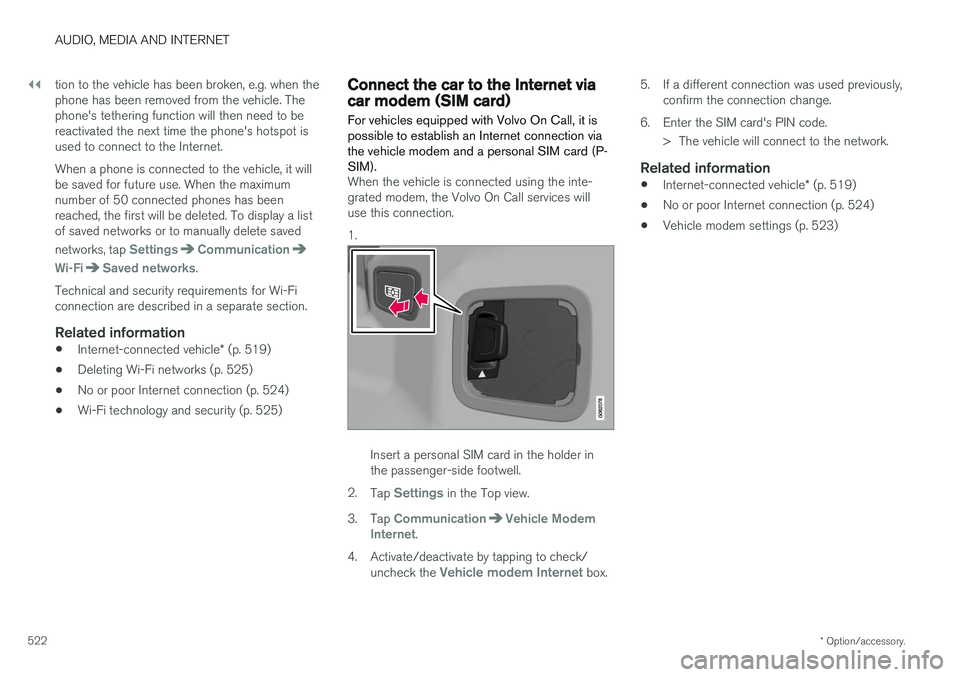
Connect the car to the Internet viacar modem (SIM card) For vehicles equipped with Volvo On Call, it is possible to establish an Internet connection viathe vehicle modem and a personal SIM card (P-SIM).
When the vehicle is connected using the inte- grated modem, the Volvo On Call services willuse this connection. 1.
Insert a personal SIM card in the holder in the passenger-side footwell.
2. Tap
Settings in the Top view.
3. Tap
CommunicationVehicle Modem
Internet.
4. Activate/deactivate by tapping to check/ uncheck the
Vehicle modem Internet box. 5. If a different connection was used previously,
confirm the connection change.
6. Enter the SIM card's PIN code. > The vehicle will connect to the network.
Related information
• Internet-connected vehicle
* (p. 519)
• No or poor Internet connection (p. 524)
• Vehicle modem settings (p. 523)
Page 528 of 674
AUDIO, MEDIA AND INTERNET
526
Terms of use and data sharing The first time certain services and apps are started, a pop-up window with the heading
Terms and conditions and Data sharing may
open.
The aim is to inform the user about Volvo's terms of use and data sharing policy. By accepting datasharing, the user accepts that certain informationwill be sent from the vehicle. This is required forcertain services and apps to work with full func-tionality. Data sharing can be set from the center display's Settings menu.
Related information
• Activating and deactivating data sharing(p. 526)
Activating and deactivating datasharing
Data sharing for relevant services and apps can be set via the Settings menu in the center dis-play.
1. Tap Settings in the Top view in the center
display.
2. Tap
SystemPrivacy and data.
3. Select
Data sharing to enable or disable
data sharing.
4. When data sharing is enabled, settings for individual services and apps in the list below can be changed.
When data sharing is disabled, the previous set-tings for individual services and apps are savedand restored when data sharing is enabled again.
Related information
• Terms of use and data sharing (p. 526)
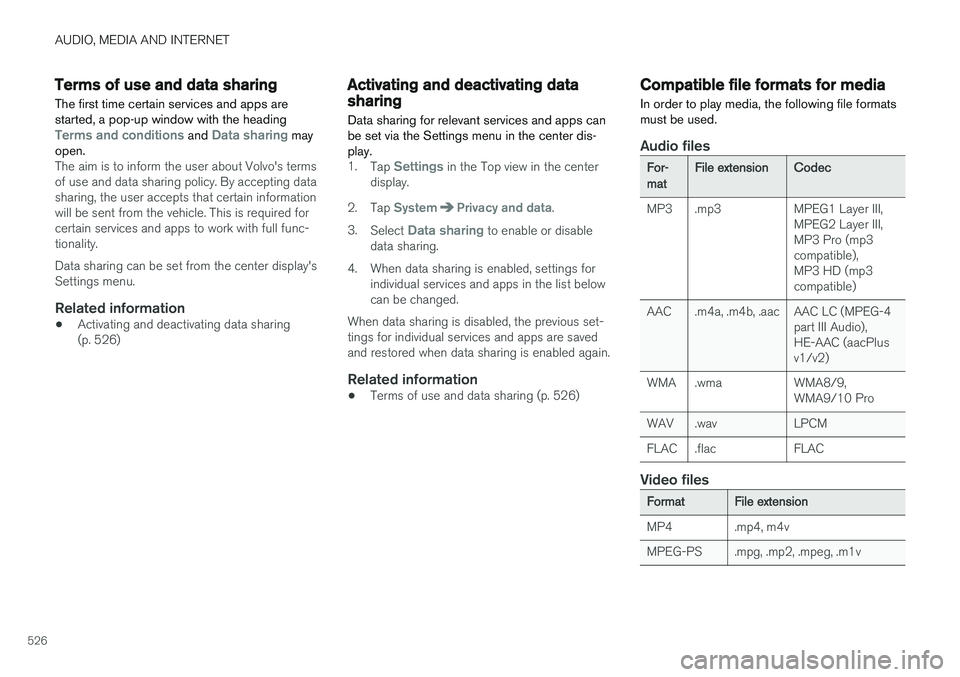
Compatible file formats for media
In order to play media, the following file formats must be used.
Audio files
For-matFile extensionCodec
MP3 .mp3 MPEG1 Layer III, MPEG2 Layer III, MP3 Pro (mp3compatible),MP3 HD (mp3compatible)
AAC .m4a, .m4b, .aac AAC LC (MPEG-4 part III Audio),HE-AAC (aacPlusv1/v2)
WMA .wma WMA8/9, WMA9/10 Pro
WAV .wav LPCM
FLAC .flac FLAC
Video files
FormatFile extension
MP4 .mp4, m4v
MPEG-PS .mpg, .mp2, .mpeg, .m1v
Page 532 of 674
||
AUDIO, MEDIA AND INTERNET
530Portions of the content are copyright
© of
Gracenote or its providers. Gracenote, the Gracenote logo and logotype, "Powered by Gracenote" and Gracenote MusicIDare either registered trademarks of Gracenote,Inc. in the United States and/or other countries.
Gracenote ® End User License Agreement
This application or device contains software from Gracenote, Inc. in Emeryville, California, UnitedStates ("Gracenote"). The software from Grace-note (the “Gracenote Software”) enables thisapplication to perform disc and/or file identifica-tion and obtain music-related information, includ-ing name, artist, track, and title information(“Gracenote Data”) from online servers or embed-ded databases (collectively “Gracenote Servers”)and to perform other functions. You may useGracenote Data only by means of the intendedEnd-User functions of this application or device. You agree that you will use Gracenote Data, the Gracenote Software, and Gracenote Servers foryour own personal non-commercial use only. Youagree not to assign, copy, transfer or transmit theGracenote Software or any Gracenote Data toany third party. YOU AGREE NOT TO USE OREXPLOIT GRACENOTE DATA, THE GRACE-NOTE SOFTWARE, OR GRACENOTE SERVERS,EXCEPT AS EXPRESSLY PERMITTED HEREIN. You agree that your non-exclusive license to use the Gracenote Data, the Gracenote Software, andGracenote Servers will terminate if you violate these restrictions. If your license terminates, youagree to cease any and all use of the GracenoteData, the Gracenote Software, and GracenoteServers. Gracenote reserves all rights in allGracenote Data, all Gracenote Software, and allGracenote Servers, including all ownership rights.Under no circumstances will Gracenote becomeliable for any payment to you for any informationthat you provide. You agree that Gracenote, Inc.may enforce its rights under this Agreementagainst you directly in its own name. The Gracenote service uses a unique identifier to track queries for statistical purposes. The pur-pose of a randomly assigned numeric identifier isto allow the Gracenote service to count querieswithout knowing anything about who you are. Formore information, see the web page for theGracenote Privacy Policy for the Gracenote serv-ice. The Gracenote Software and each item of Grace- note Data are licensed to you “AS IS.” Gracenotemakes no representations or warranties, expressor implied, regarding the accuracy of any Grace-note Data from in the Gracenote Servers. Grace-note reserves the right to delete data from theGracenote Servers or to change data categoriesfor any cause that Gracenote deems sufficient.No warranty is made that the Gracenote Softwareor Gracenote Servers are error-free or that func-tioning of Gracenote Software or GracenoteServers will be uninterrupted. Gracenote is notobligated to provide you with new enhanced or
additional data types or categories that Grace-note may provide in the future and is free to dis-continue its services at any time. GRACENOTE DISCLAIMS ALL WARRANTIES EXPRESS OR IMPLIED, INCLUDING, BUT NOTLIMITED TO, IMPLIED WARRANTIES OF MER-CHANTABILITY, FITNESS FOR A PARTICULARPURPOSE, TITLE, AND NON-INFRINGEMENT.GRACENOTE DOES NOT WARRANT THERESULTS THAT WILL BE OBTAINED BY YOURUSE OF THE GRACENOTE SOFTWARE ORANY GRACENOTE SERVER. IN NO CASE WILLGRACENOTE BE LIABLE FOR ANY CONSE-QUENTIAL OR INCIDENTAL DAMAGES ORFOR ANY LOST PROFITS OR LOST REVENUES. ©
Gracenote, Inc. 2009
Sensus software
This software uses parts of sources from clib2 and Prex Embedded Real-time OS - Source(Copyright (c) 1982, 1986, 1991, 1993, 1994),and Quercus Robusta (Copyright (c) 1990,1993), The Regents of the University ofCalifornia. All or some portions are derived frommaterial licensed to the University of California byAmerican Telephone and Telegraph Co. or UnixSystem Laboratories, Inc. and are reproducedherein with the permission of UNIX SystemLaboratories, Inc. Redistribution and use insource and binary forms, with or withoutmodification, are permitted provided that thefollowing conditions are met: Redistributions of