change time VOLVO XC60 T8 2018 Owner´s Manual
[x] Cancel search | Manufacturer: VOLVO, Model Year: 2018, Model line: XC60 T8, Model: VOLVO XC60 T8 2018Pages: 674, PDF Size: 11.93 MB
Page 549 of 674
WHEELS AND TIRES
* Option/accessory.547
Checking tire pressure
Correct inflation pressure helps improve driving stability, save fuel and increase the service life ofthe tires.
Tire pressure decreases over time, which is nor- mal. Tire pressure also varies depending on theambient temperature. Driving on under-inflatedtires could cause the vehicle to overheat and leadto damage. Tire pressure affects traveling com-fort, road noise and driving characteristics. Check the pressure in the tires every month. Use the recommended inflation pressure for cold tiresfor optimal tire performance and wear. Under-inflated or over-inflated tires could cause uneventread wear. Use an air pressure gauge and check the infla- tion pressure on all the tires, including the spare tire 4
, at least once a month and before long trips.
Volvo strongly recommends buying a reliable air pressure gauge, as the automatic gauges provi-ded at service stations may be inaccurate.
WARNING
• Under-inflation is the most common cause of tire failure and may result insevere tire cracking, tread separation, or"blow-out," with unexpected loss of vehi-cle control and increased risk of injury.
• Under-inflated tires reduce the load car-rying capacity of your vehicle.
Cold tiresInflation pressure should be checked when thetires are cold. The tires are considered to be cold when they have the same temperature as the surrounding(ambient) air. This temperature is normally reached after the vehicle has been parked for at least 3 hours. After driving for approximately 1.6 km (1 mile), the tires are considered to be warm. If you needto drive longer than that to inflate the tires, checkand record the inflation pressure of the tires firstand inflate accordingly when you arrive at thepump. When the ambient temperature changes, so does the inflation pressure. A 10-degree temperaturedrop causes a corresponding drop in inflationpressure of 1 psi (7 kPa). Check the inflationpressure of the tires regularly and adjust to the correct pressure, which can be found on the vehi-cle's tire information placard or certification label. If you check inflation pressure when the tires are warm, you should never release air. The tiresbecome warm after driving and it is normal forwarm tires to have an inflation pressure abovethe recommended pressure for cold tires. A warmtire with an inflation pressure equal to or underthe recommended pressure for cold tires couldbe significantly under-inflated.Related information
•
Adjusting tire pressure (p. 548)
• Recommended tire pressure (p. 549)
• Tire pressure monitoring system
* (p. 549)
• Tires (p. 540)
4
Not available in all models.
Page 553 of 674
WHEELS AND TIRES
}}
* Option/accessory.551
Calibrating the tire pressure
monitoring system *
In order for the tire pressure monitoring system, Tyre Pressure Monitoring System (TPMS), tofunction correctly, tire pressure reference valuesmust be set correctly. This must be done eachtime the tires are changed or the tire pressure isadjusted.
For example, when driving with a heavy load or at high speeds (over 160 km/h (100 mph)), tirepressure should be adjusted to the Volvo-recom-mended tire pressure values. The system shouldthen be recalibrated.
1. Switch off the ignition.
2. Inflate the tires to the pressure indicated on the tire pressure placard on the driver's side B pillar.
3. Start the vehicle. 4. Open the
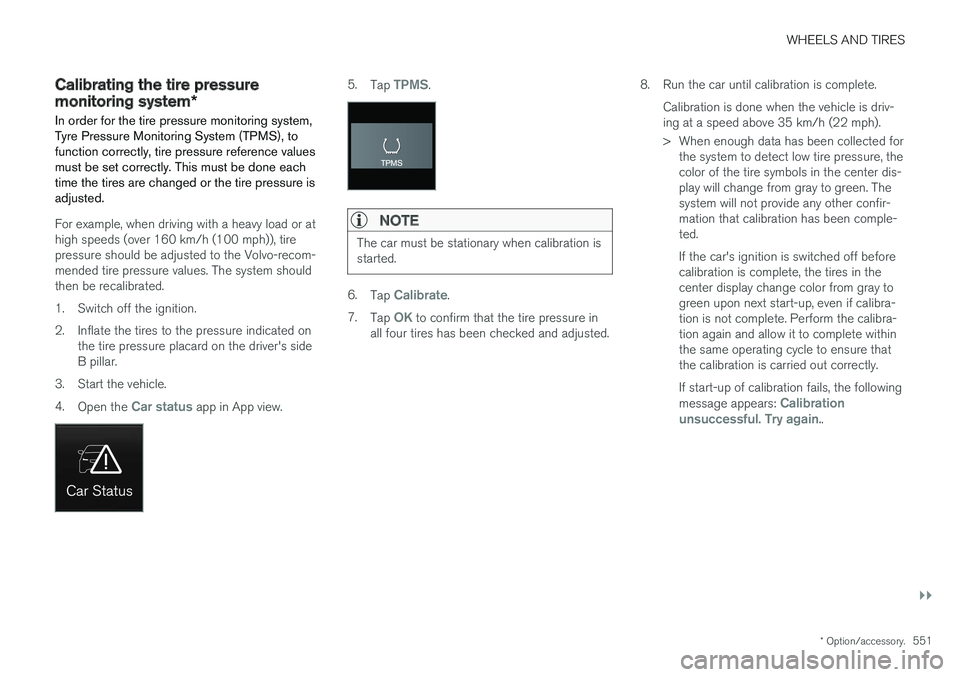
Car status app in App view.
5.Tap TPMS.
NOTE
The car must be stationary when calibration is started.
6.Tap Calibrate.
7. Tap
OK to confirm that the tire pressure in
all four tires has been checked and adjusted. 8. Run the car until calibration is complete.
Calibration is done when the vehicle is driv- ing at a speed above 35 km/h (22 mph).
> When enough data has been collected forthe system to detect low tire pressure, the color of the tire symbols in the center dis-play will change from gray to green. Thesystem will not provide any other confir-mation that calibration has been comple-ted. If the car's ignition is switched off before calibration is complete, the tires in thecenter display change color from gray togreen upon next start-up, even if calibra-tion is not complete. Perform the calibra-tion again and allow it to complete withinthe same operating cycle to ensure thatthe calibration is carried out correctly. If start-up of calibration fails, the following message appears:
Calibration
unsuccessful. Try again..
Page 597 of 674
MAINTENANCE AND SERVICE
}}
* Option/accessory.595
Hoisting the vehicle When hoisting the vehicle, it is important to ensure the jack/vehicle hoist is correctlyengaged in the designated attachment pointsunder the vehicle.
For vehicles with self-leveling *, pneumatic sus-
pension (if installed) must be turned off before the vehicle is lifted. Turning off the function in thecenter display.
WARNING
If the vehicle is lifted on a garage jack, the jack must be placed under one of the four lift-ing points. Make sure that the vehicle is cor-rectly positioned on the jack and that it can-not slide off. Make sure the jack plate has arubber pad to help keep the vehicle stableand prevent damage. Always use axle standsor similar.
NOTE
Volvo recommends only using the jack intended for your specific vehicle model. If ajack other than that recommended by Volvo isused, follow the instructions included with theequipment. The vehicle's ordinary jack is only intended to be used in temporary situations for short peri-ods of time, such as when changing wheels inthe event of a flat tire. If the vehicle needs tobe lifted more frequently, or for a longerperiod of time than for a wheel change, agarage jack or hoist is recommended. Alwaysfollow the instructions for use provided withthe equipment.
Page 628 of 674
||
MAINTENANCE AND SERVICE
* Option/accessory.
626
WARNING
• Never use more than one inlay mat at a time on the driver's floor. If any other typeof floor mat is used, remove the originalmat from the driver's seat floor beforedriving. All types of mats must be securelyanchored in the attachment points in thefloor. Make sure the floor mat does notimpede the movement of the brake pedalor accelerator pedal in any way, as thiscould be a serious safety hazard.
• Volvo's floor mats are specially manufac-tured for your vehicle. They must be prop-erly secured in the attachment points inthe floor to help ensure they cannot slideand become trapped under the pedals.
After vacuuming, a specially designed textilecleaning agent should be used to remove stainson floor mats. Floor mats should be cleaned withproducts recommended by Volvo retailers.
Related information
• Cleaning the interior (p. 623)
• Cleaning the center display (p. 623)
• Cleaning fabric upholstery and ceiling liner(p. 625)
• Cleaning the seat belt (p. 625)
• Cleaning leather upholstery (p. 626) •
Cleaning the leather steering wheel(p. 627)
• Cleaning interior plastic, metal and wood sur-faces (p. 628)
Cleaning leather upholstery
Only use cleaning agents and car care products recommended by Volvo. Clean regularly andtreat stains immediately for best results. It isimportant to vacuum before using a cleaningagent.
Leather upholstery *Volvo's leather upholstery is treated to protect its original appearance. Over time, sunlight, grease,dirt, etc. could break down the protective layer.This could result in scratches and cracking. Leather upholstery is a natural product that changes and acquires a beautiful patina overtime. Regular cleaning and treatments arerequired to preserve the qualities and color of theleather. Volvo offers a comprehensive product,Volvo Leather Care Kit/Wipes, for cleaning andtreating leather upholstery that, when used asdirected, preserves the leather's protective coa-ting. For best results, Volvo recommends cleaning and applying protective cream one to four times ayear (or more as needed). Volvo Leather Care Kit951 0251 and Volvo Leather Softener 9437429 are available for purchase at Volvo retailers.
Page 633 of 674
MAINTENANCE AND SERVICE
631
Automatic car washes The vehicle should be washed as soon as it becomes dirty. This makes the vehicle easier toclean because dirt does not attach as strongly. Italso reduces the risk of scratches and keeps thevehicle looking new.
Automatic car washesAn automatic car wash is a fast and easy way to keep your vehicle clean, but it does not reach allareas of the vehicle. For best results, Volvo rec-ommends hand washing your vehicle or supple-menting automatic car washes with a hand wash.
NOTE
Volvo recommends not washing the vehicle in an automatic car wash during the first fewmonths; the paintwork on new vehicles takessome time to fully harden.
CAUTION
Before driving the vehicle into a car wash, deactivate the Automatic Braking when Sta-tionary and Automatic Parking Brake Applica-tion functions. If the functions are not deacti-vated, the brake system will seize when thevehicle is stationary and the vehicle will not beable to roll.
CAUTION
For automatic car washes in which the vehicle is pulled forward on rolling wheels:
1. Before washing the vehicle, make surethat the automatic rain sensor is deacti- vated. If it is not deactivated and inadver-tently starts, the wiper arms could bedamaged.
2. To help prevent damage from the auto- matic car wash machinery, make surethat the door mirrors are folded in, anten-nas retracted or removed, and any auxili-ary lights secured.
3. Drive into the automatic car wash.
4. Turn off the "Automatic Braking when Stationary" function using the switch in the tunnel console.
5. Turn off the "Automatic Parking Brake Application" function in the center dis-play's Top view.
6. Turn off the engine by turning the start knob in the tunnel console clockwise.Hold the knob in position for at least2 seconds.
The vehicle is now ready for the automatic carwash.
CAUTION
The system will automatically change to P
mode if the above steps are not followed. In P
mode, the wheels are locked, which they should not be when the vehicle is beingwashed in a car wash.
Related information
• Cleaning the exterior (p. 628)
• Polishing and waxing (p. 629)
• Hand washing (p. 629)
• High-pressure washing (p. 632)
• Cleaning the wiper blades (p. 632)
• Cleaning exterior plastic, rubber and trim components (p. 633)
• Cleaning rims (p. 634)
• Corrosion protection (p. 634)
Page 659 of 674
INDEX
657
1, 2, 3 ...
4WD 433
A
ABSanti-lock brakes 419
AC (Air conditioning) 220
ACC - Adaptive Cruise Control 285, 288, 289, 290, 291, 292, 294, 295, 296, 297, 299
Accessories and extra equipment 35 installation 36
Accessory installation warning 36
Active Bending Lights 155
Adapting driving characteristics 262, 435
Adaptive Cruise Control 285, 288, 289, 290, 291, 292, 294, 295, 296, 297, 299
change cruise control functionality 297
function 285
manage speed 289, 290
pass 294
radar sensor 316
set time interval 291, 292
troubleshooting 296
Adjusting the steering wheel 193
Airbag 52 activation/deactivation 56
driver's side 53
passenger side 53, 56
Air bag, see Airbag 52
Air conditioning 220Air conditioning, fluid volume and grade 654
Air distribution 201 air vents 201, 203
changing 202
defrosting 214
recirculation 213
table showing options 205
Air quality 198, 200 allergy and asthma 200
passenger compartment filter 201
Air recirculation 213
Alarm 258 deactivating 259
Allergy and asthma-inducing substances 200
All Wheel Drive, AWD 433
All Wheel Drive (AWD) 433
All Wheel Drive (four-wheel drive) 433
Android Auto 508, 510 Antenna location 247Apple CarPlay 505, 507
Approach lighting 157
Apps 477
Assistance at risk of collision 363, 364, 365, 366, 367, 368, 369, 371
Audio and media 476Audio system HD digital radio 487 SiriusXM ® Satellite radio 488, 489, 490
Auto-climate 212
Auto hold 426
Auto-hold brakes 426 activate and deactivate 426
after collision 427
Automatic car wash 631
Automatic high beam 153
Automatic locking 251
Automatic relocking 231, 244
Automatic Speed Limiter 272, 274, 275
Automatic transmission 429 kickdown 432
oil 653
Trailer 462
INDEX
Page 665 of 674
INDEX
663
Inflation pressure table 655
Information display 80, 82
Infotainment (Audio and media) 476
Instrument cluster 80
settings 82
Instrument illumination 159
Instrument lighting 159Instrument panel App menu 99, 100
hybrid-related symbols and messages 409
messages 101
Instruments and controls 78 Instruments overview left-hand drive vehicle 78
IntelliSafe driver support 28
Interior Air Quality System 200
Intermittent wiping 172
Internet, see Internet-connected vehicle 519
Internet-connected vehicle 519 book service and repair 593
No connection or poor connection 524
send car data 594
system updates 591
iPod ®, connecting 504
ISOFIX/LATCH anchors 74
J
Jack 555
Jump-start 459
K
Key 229
Keyboard 122, 125 change language 125
Keyless locking/unlocking 244
settings 246
touch-sensitive surfaces 243
Key tag 229
L
Labels location of 644
Laminated glass 162 Lamps changing 603
specifications 604
Trailer 465
Lane Keeping Aidoperation 358
Lane Keeping Aid (LKA) 355, 357, 358, 360, 362
Language 128
Leather upholstery, cleaning instructions 626
Leveling control 440 settings 443
License agreement 94, 529
Lifting tools 555
Light bulbs, specifications 604
Light control 148, 159 Lighting Active Bending Lights 155
approach lighting 157
automatic high beam 153automatic lighting controls, passenger
compartment 158
brake lights 156
controls 148, 158, 159
daytime running lights 150
display lighting 159
emergency brake lights 156
Hazard warning flashers 157
high beams 152, 153
home safe lighting 157
in passenger compartment 158, 159
instrument illumination 159