change wheel VOLVO XC60 TWIN ENGINE 2019 User Guide
[x] Cancel search | Manufacturer: VOLVO, Model Year: 2019, Model line: XC60 TWIN ENGINE, Model: VOLVO XC60 TWIN ENGINE 2019Pages: 695, PDF Size: 14.96 MB
Page 217 of 695
CLIMATE CONTROL
}}
* Option/accessory.215
Activating and deactivating front
seat ventilation*
The seats can be ventilated to provide increasedcomfort in warm weather.
The ventilation system consists of fans in theseats and backrest that draw air through the seatupholstery. The cooler the passenger compart-ment is, the greater the cooling effect of the ven-tilation. The system can be activated when theengine is running.
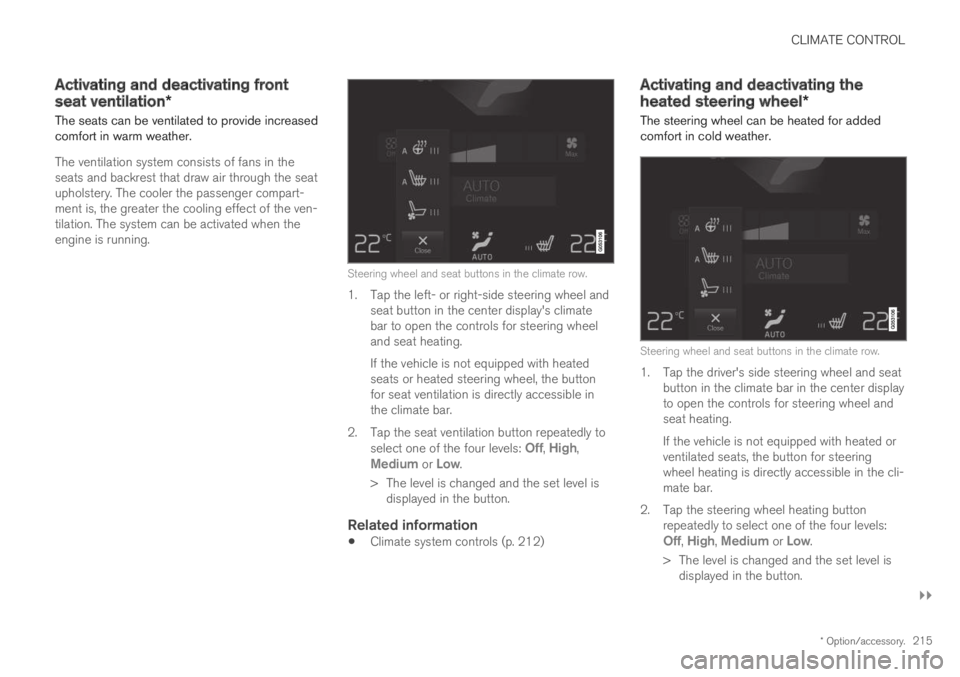
Steering wheel and seat buttons in the climate row.
1. Tap the left- or right-side steering wheel andseat button in the center display's climatebar to open the controls for steering wheeland seat heating.
If the vehicle is not equipped with heatedseats or heated steering wheel, the buttonfor seat ventilation is directly accessible inthe climate bar.
2.Tap the seat ventilation button repeatedly toselect one of the four levels: Off, High,Medium or Low.
>The level is changed and the set level isdisplayed in the button.
Related information
Climate system controls (p. 212)
Activating and deactivating the
heated steering wheel*
The steering wheel can be heated for addedcomfort in cold weather.
Steering wheel and seat buttons in the climate row.
1. Tap the driver's side steering wheel and seatbutton in the climate bar in the center displayto open the controls for steering wheel andseat heating.
If the vehicle is not equipped with heated orventilated seats, the button for steeringwheel heating is directly accessible in the cli-mate bar.
2.Tap the steering wheel heating buttonrepeatedly to select one of the four levels:Off, High, Medium or Low.
>The level is changed and the set level isdisplayed in the button.
Page 218 of 695
||
CLIMATE CONTROL
* Option/accessory.216
Related information
Climate system controls (p. 212)
Activating and deactivating automatic steer-ing wheel heating* (p. 216)
Activating and deactivating
automatic steering wheel heating*
The steering wheel can be heated for addedcomfort in cold weather.
Steering wheel heating can be set to automati-cally activate when the engine is started. Whenset to automatically activate, heating will beturned on at low ambient temperatures.
1.Tap Settings in the Top view in the centerdisplay.
2.Tap Climate.
3.Select Auto Steering Wheel HeatingLevel to activate/deactivate automatic startof heated steering wheel.
4.Select Low, Medium or High to select levelafter the function has been activated.
Related information
Activating and deactivating the heated steer-ing wheel* (p. 215)
Activating auto climate control
If auto climate control is activated, several cli-mate system functions are controlled automati-cally.
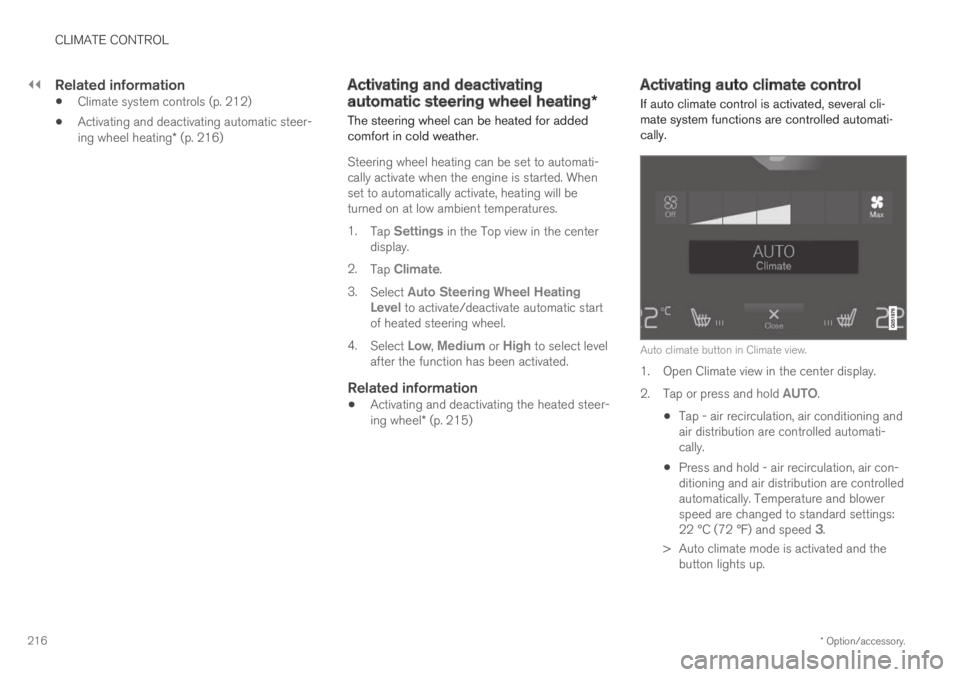
Auto climate button in Climate view.
1. Open Climate view in the center display.
2.Tap or press and hold AUTO.
Tap - air recirculation, air conditioning andair distribution are controlled automati-cally.
Press and hold - air recirculation, air con-ditioning and air distribution are controlledautomatically. Temperature and blowerspeed are changed to standard settings:22 °C (72 °F) and speed 3.
>Auto climate mode is activated and thebutton lights up.
Page 275 of 695
DRIVER SUPPORT
}}
* Option/accessory.273
Changing the level of steering wheel
resistance *
To change the level of steering wheel resistance,see the description of the INDIVIDUAL optionunder "Available drive modes" in the "Drivemodes" section.
On models not equipped with drive mode con-trols and the INDIVIDUAL option, steering wheelresistance can instead be set in the center dis-play's Top view under:
SettingsMy CarDrive ModesSteering Force
Steering wheel resistance settings cannot beaccessed when turning at speeds above10 km/h (6 mph).
Related information
Drive modes (p. 450)
Pilot Assist (p. 310)
City Safety steering assistance for evasivemaneuver (p. 343)
Lane Keeping Aid (p. 367)
Steering assistance at risk of collision(p. 375)
Park Assist Pilot* (p. 401)
Stability system Roll StabilityControl
The Roll Stability Control (RSC1) system helpsminimize the risk of a rollover in the event of e.g.a sudden evasive maneuver or if the vehiclebegins to skid.
The RSC system monitors the lateral angle atwhich the vehicle is leaning and registers anychanges. Using this information, the system cal-culates the likelihood of a rollover. If there is animminent risk of a rollover, Electronic StabilityControl is activated, engine torque is reduced andbrakes are applied to one or more of the wheelsuntil the vehicle has regained stability.
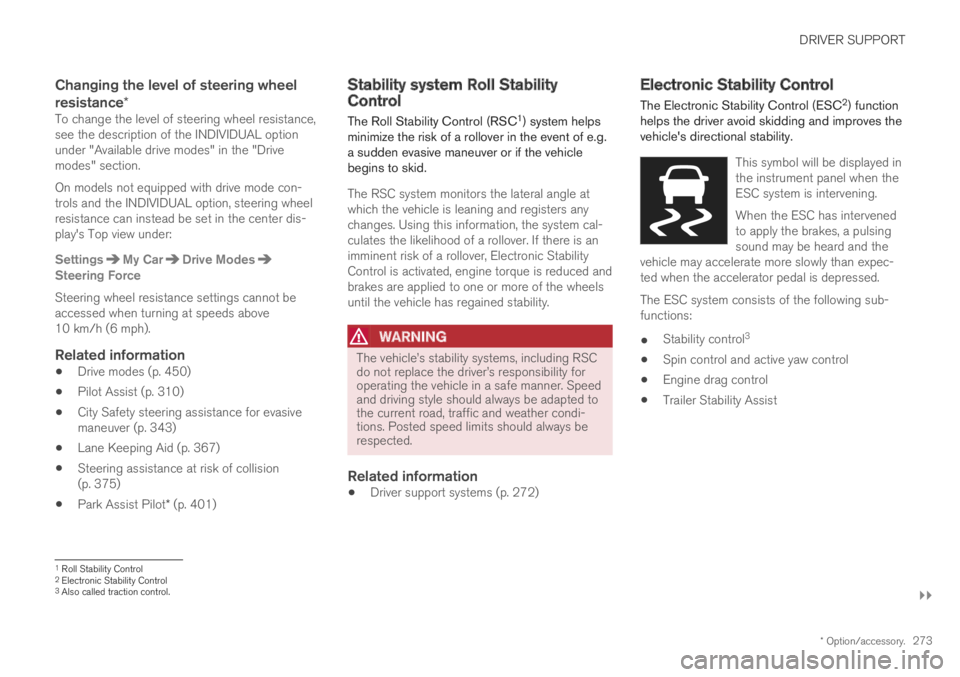
WARNING
The vehicle
Page 280 of 695
DRIVER SUPPORT
278
Activating and starting SpeedLimiter
The Speed Limiter (SL13) function must beselected and activated in order to regulatespeed.
Putting Speed Limiter in standby mode
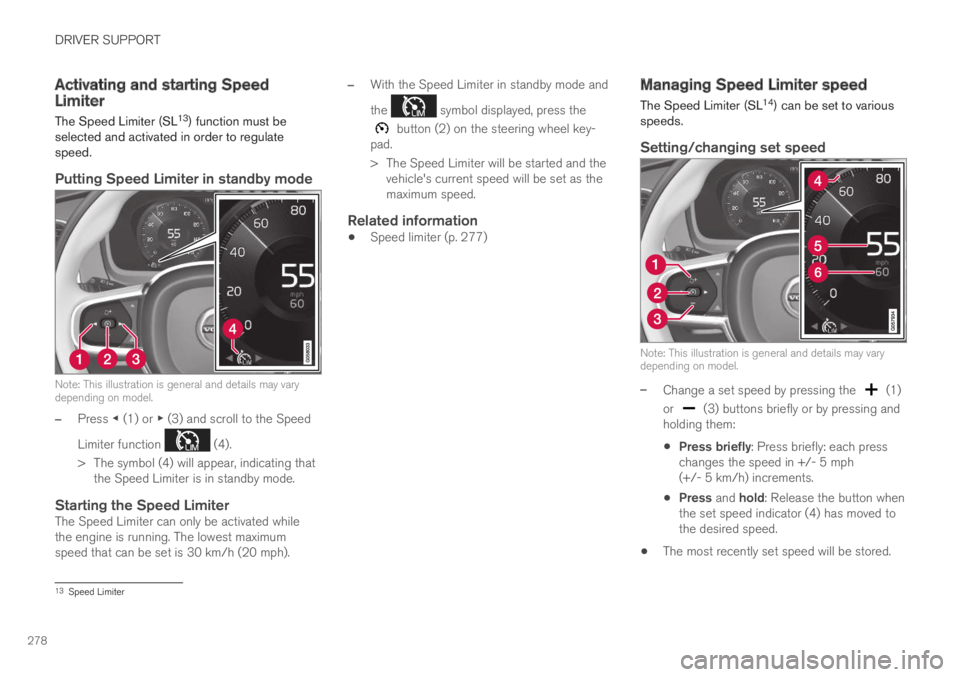
Note: This illustration is general and details may varydepending on model.
–Press ◀ (1) or ▶ (3) and scroll to the Speed
Limiter function (4).
>The symbol (4) will appear, indicating thatthe Speed Limiter is in standby mode.
Starting the Speed Limiter
The Speed Limiter can only be activated whilethe engine is running. The lowest maximumspeed that can be set is 30 km/h (20 mph).
–With the Speed Limiter in standby mode and
the symbol displayed, press the
button (2) on the steering wheel key-pad.
>The Speed Limiter will be started and thevehicle's current speed will be set as themaximum speed.
Related information
Speed limiter (p. 277)
Managing Speed Limiter speed
The Speed Limiter (SL14) can be set to variousspeeds.
Setting/changing set speed
Note: This illustration is general and details may varydepending on model.
–Change a set speed by pressing the (1)
or (3) buttons briefly or by pressing andholding them:
Press briefly: Press briefly: each presschanges the speed in +/- 5 mph(+/- 5 km/h) increments.
Press and hold: Release the button whenthe set speed indicator (4) has moved tothe desired speed.
The most recently set speed will be stored.
13Speed Limiter
Page 281 of 695
DRIVER SUPPORT
279
Related information
Speed limiter (p. 277)Deactivating and putting SpeedLimiter in standby mode
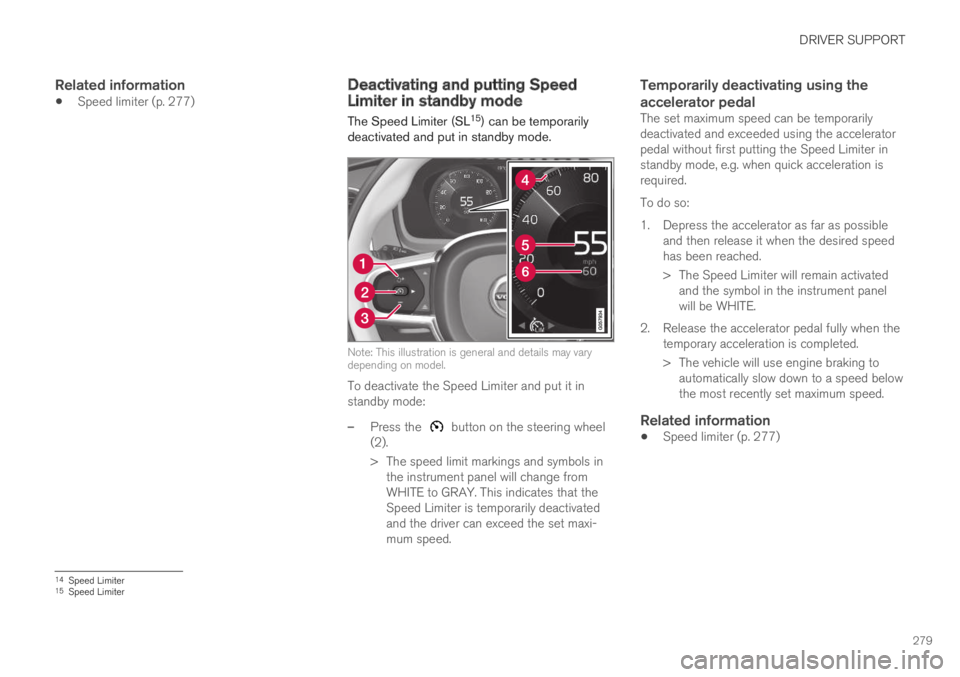
The Speed Limiter (SL15) can be temporarilydeactivated and put in standby mode.
Note: This illustration is general and details may varydepending on model.
To deactivate the Speed Limiter and put it instandby mode:
–Press the button on the steering wheel(2).
>The speed limit markings and symbols inthe instrument panel will change fromWHITE to GRAY. This indicates that theSpeed Limiter is temporarily deactivatedand the driver can exceed the set maxi-mum speed.
Temporarily deactivating using the
accelerator pedal
The set maximum speed can be temporarilydeactivated and exceeded using the acceleratorpedal without first putting the Speed Limiter instandby mode, e.g. when quick acceleration isrequired.
To do so:
1. Depress the accelerator as far as possibleand then release it when the desired speedhas been reached.
> The Speed Limiter will remain activatedand the symbol in the instrument panelwill be WHITE.
2. Release the accelerator pedal fully when thetemporary acceleration is completed.
> The vehicle will use engine braking toautomatically slow down to a speed belowthe most recently set maximum speed.
Related information
Speed limiter (p. 277)
14Speed Limiter15Speed Limiter
Page 282 of 695
DRIVER SUPPORT
280
Reactivating Speed Limiter fromstandby mode
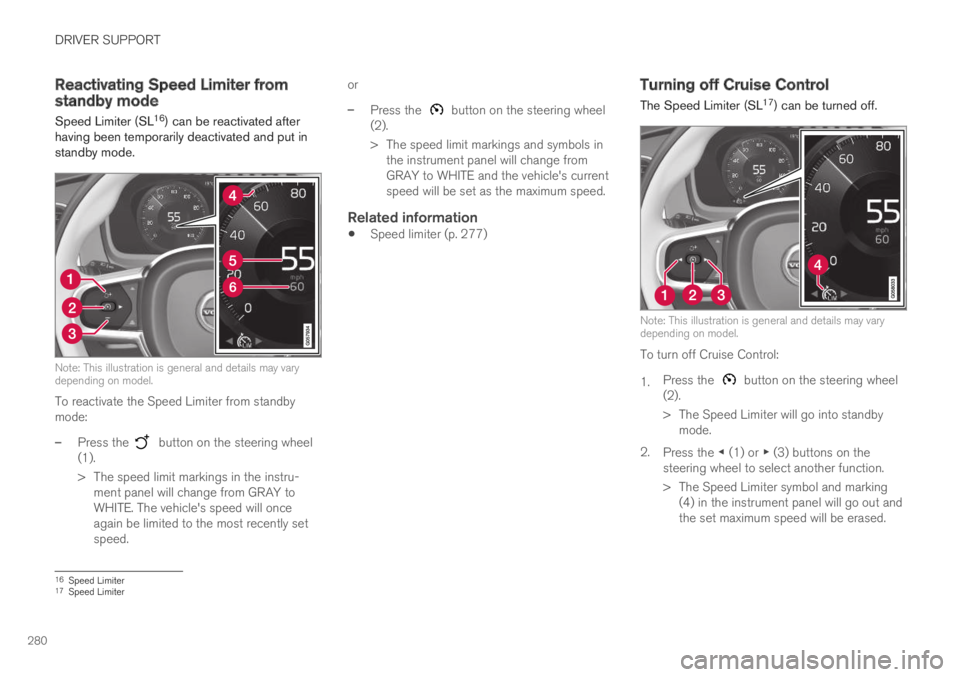
Speed Limiter (SL16) can be reactivated afterhaving been temporarily deactivated and put instandby mode.
Note: This illustration is general and details may varydepending on model.
To reactivate the Speed Limiter from standbymode:
–Press the button on the steering wheel(1).
>The speed limit markings in the instru-ment panel will change from GRAY toWHITE. The vehicle's speed will onceagain be limited to the most recently setspeed.
or
–Press the button on the steering wheel(2).
>The speed limit markings and symbols inthe instrument panel will change fromGRAY to WHITE and the vehicle's currentspeed will be set as the maximum speed.
Related information
Speed limiter (p. 277)
Turning off Cruise Control
The Speed Limiter (SL17) can be turned off.
Note: This illustration is general and details may varydepending on model.
To turn off Cruise Control:
1.Press the button on the steering wheel(2).
>The Speed Limiter will go into standbymode.
2.Press the ◀ (1) or ▶ (3) buttons on thesteering wheel to select another function.
> The Speed Limiter symbol and marking(4) in the instrument panel will go out andthe set maximum speed will be erased.
16Speed Limiter17Speed Limiter
Page 286 of 695
DRIVER SUPPORT
* Option/accessory.284
Changing Automatic Speed Limitertolerance
The Automatic Speed Limiter (ASL) can be setto different tolerance levels.
It is also possible to allow the vehicle to driveabove or below the posted speed limit. For exam-ple, if the vehicle is following a current postedspeed limit of 70 km/h (43 mph), the driver caninstead allow the vehicle to maintain a speed of75 km/h (47 mph).
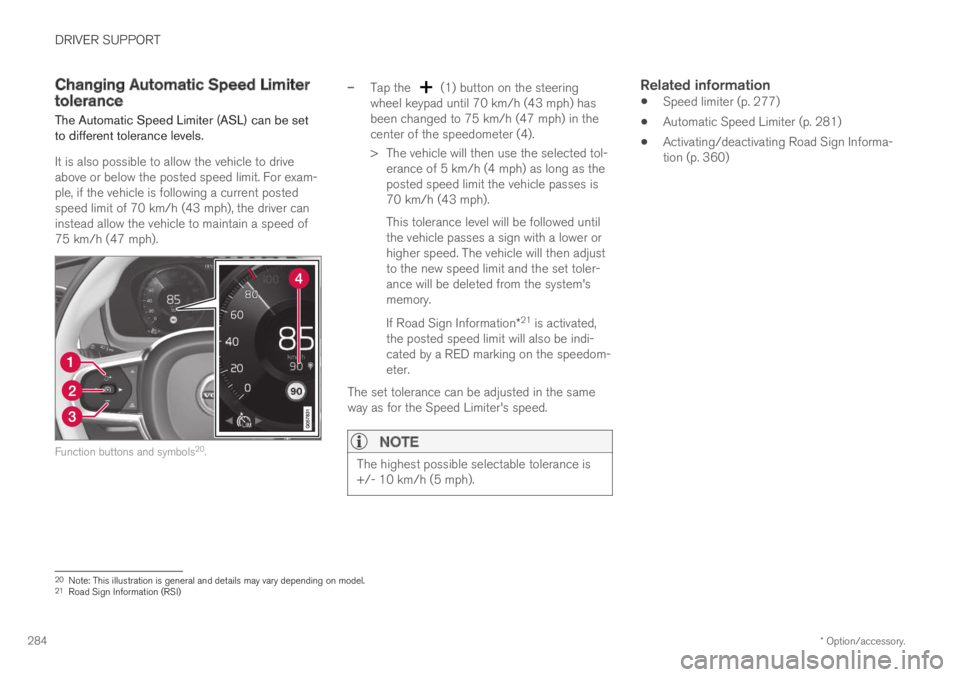
Function buttons and symbols20.
–Tap the (1) button on the steeringwheel keypad until 70 km/h (43 mph) hasbeen changed to 75 km/h (47 mph) in thecenter of the speedometer (4).
>The vehicle will then use the selected tol-erance of 5 km/h (4 mph) as long as theposted speed limit the vehicle passes is70 km/h (43 mph).
This tolerance level will be followed untilthe vehicle passes a sign with a lower orhigher speed. The vehicle will then adjustto the new speed limit and the set toler-ance will be deleted from the system'smemory.
If Road Sign Information*21 is activated,the posted speed limit will also be indi-cated by a RED marking on the speedom-eter.
The set tolerance can be adjusted in the sameway as for the Speed Limiter's speed.
NOTE
The highest possible selectable tolerance is+/- 10 km/h (5 mph).
Related information
Speed limiter (p. 277)
Automatic Speed Limiter (p. 281)
Activating/deactivating Road Sign Informa-tion (p. 360)
20Note: This illustration is general and details may vary depending on model.21Road Sign Information (RSI)
Page 289 of 695
DRIVER SUPPORT
}}
287
30 km/h (20 mph) or higher. The lowest speedthat can be set is 30 km/h (20 mph).
To start Cruise Control:
–With the function displayed, press
(2) on the steering wheel keypad.
>Cruise Control will be started and thevehicle's current speed will be set.
NOTE
Cruise control can then not be connected atspeeds below 30 km/h (20 mph).
Related information
Cruise control (p. 285)
Managing Cruise Control speed
Cruise Control (CC25) can be set to variousspeeds.
Setting/changing set speed
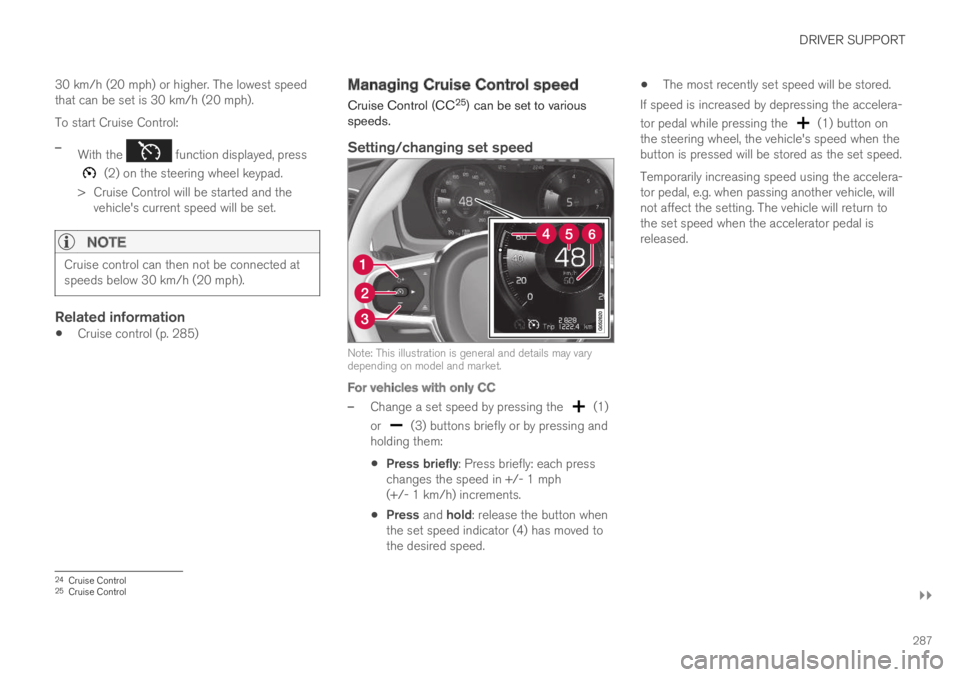
Note: This illustration is general and details may varydepending on model and market.
For vehicles with only CC
–Change a set speed by pressing the (1)
or (3) buttons briefly or by pressing andholding them:
Press briefly: Press briefly: each presschanges the speed in +/- 1 mph(+/- 1 km/h) increments.
Press and hold: release the button whenthe set speed indicator (4) has moved tothe desired speed.
The most recently set speed will be stored.
If speed is increased by depressing the accelera-
tor pedal while pressing the (1) button onthe steering wheel, the vehicle's speed when thebutton is pressed will be stored as the set speed.
Temporarily increasing speed using the accelera-tor pedal, e.g. when passing another vehicle, willnot affect the setting. The vehicle will return tothe set speed when the accelerator pedal isreleased.
24Cruise Control25Cruise Control
Page 290 of 695
||
DRIVER SUPPORT
288
For vehicles with both CC and ACC
–Change a set speed by pressing the (1)
or (3) buttons briefly or by pressing andholding them:
Press briefly: Press briefly: each presschanges the speed in +/- 5 mph(+/- 5 km/h) increments.
Press and hold: release the button whenthe set speed indicator (4) has moved tothe desired speed.
The most recently set speed will be stored.
If speed is increased by depressing the accelera-
tor pedal while pressing the (1) button onthe steering wheel, the vehicle's speed when thebutton is pressed will be stored as the set speed.
Temporarily increasing speed using the accelera-tor pedal, e.g. when passing another vehicle, willnot affect the setting. The vehicle will return tothe set speed when the accelerator pedal isreleased.
Using engine braking instead of
applying the brakes
Cruise Control regulates speed by lightly applyingthe brakes. On downgrades, it can sometimes bedesirable to roll a bit faster and let speed bereduced instead by engine braking alone. Thedriver can temporarily disengage the Cruise Con-trol braking function.
To disengage CC:
–Press the accelerator pedal about halfwaydown and then release it.
>Cruise Control will automatically disen-gage the automatic brake function andspeed will only be reduced using theengine braking function.
How drive mode affects cruise control
The way the cruise control maintains the vehicle'sspeed can vary depending on the selected drive
mode26.
Cruise Control Eco Cruise with ECO drive
mode
In the ECO drive mode, cruise control's accelera-tion and deceleration will be smoother than inother drive modes to help provide optimal fuelefficiency and reduced environmental impact.Because of this, the vehicle's actual speed maybe slightly above or below the set speed.
Cruise Control Dynamic Cruise
With the Dynamic drive mode, cruise control'sacceleration and deceleration will be faster andmore immediate than in other drive modes.
Related information
Cruise control (p. 285)
Drive modes (p. 450)
Deactivating and putting CruiseControl in standby mode
Cruise Control (CC27) can be temporarily putinto standby mode and then reactivated.
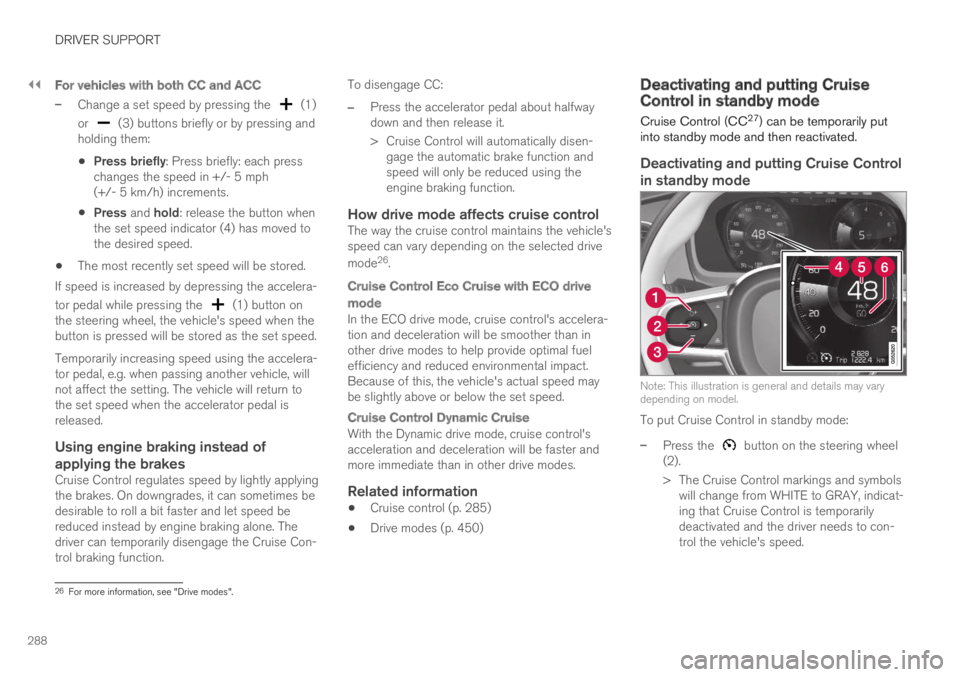
Deactivating and putting Cruise Control
in standby mode
Note: This illustration is general and details may varydepending on model.
To put Cruise Control in standby mode:
–Press the button on the steering wheel(2).
>The Cruise Control markings and symbolswill change from WHITE to GRAY, indicat-ing that Cruise Control is temporarilydeactivated and the driver needs to con-trol the vehicle's speed.
26For more information, see "Drive modes".
Page 291 of 695
DRIVER SUPPORT
289
Standby mode due to action by the driver
Cruise Control will be temporarily deactivated andput in standby mode if:
the brakes are applied
the gear selector is moved to N
the vehicle is driven faster than the setspeed for more than 1 minute
The driver must then control the vehicle's speed.
Temporarily increasing speed using the accelera-tor pedal, e.g. when passing another vehicle, willnot affect the setting. The vehicle will return tothe set speed when the accelerator pedal isreleased.
Automatic standby mode
Cruise Control will be temporarily deactivated andput in standby mode if:
the wheels lose traction
the engine speed (rpm) is too low/high
the temperature in the brake systembecomes too high
the vehicle's speed goes below 30 km/h(20 mph).
The driver must then control the vehicle's speed.
Related information
Cruise control (p. 285)
Reactivating Cruise Control fromstandby mode
Cruise Control (CC28) can be temporarily putinto standby mode and then reactivated.
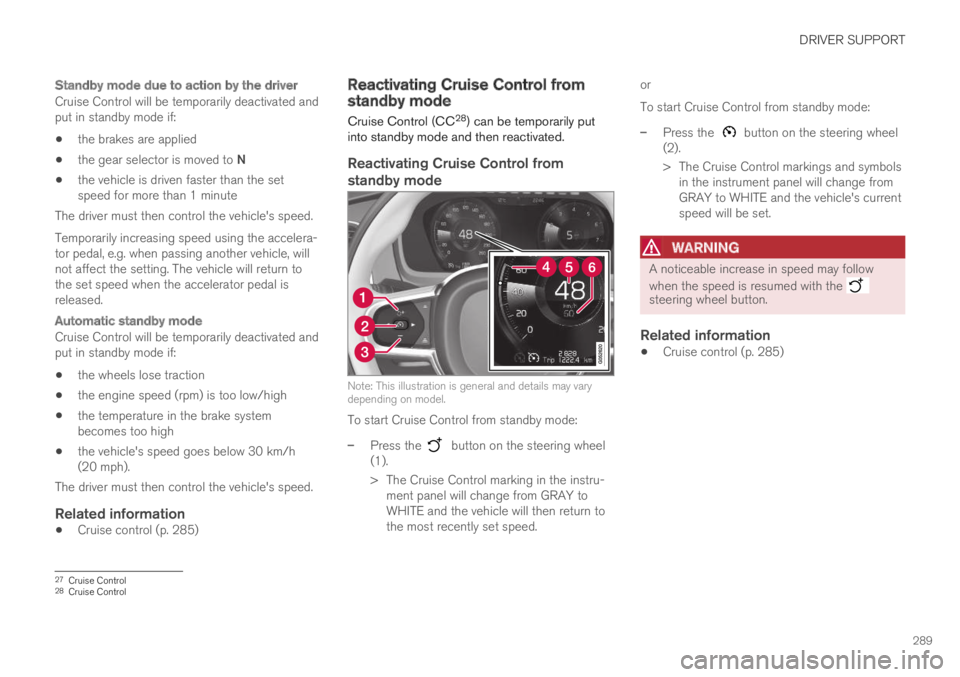
Reactivating Cruise Control from
standby mode
Note: This illustration is general and details may varydepending on model.
To start Cruise Control from standby mode:
–Press the button on the steering wheel(1).
>The Cruise Control marking in the instru-ment panel will change from GRAY toWHITE and the vehicle will then return tothe most recently set speed.
or
To start Cruise Control from standby mode:
–Press the button on the steering wheel(2).
>The Cruise Control markings and symbolsin the instrument panel will change fromGRAY to WHITE and the vehicle's currentspeed will be set.
WARNING
A noticeable increase in speed may follow
when the speed is resumed with the steering wheel button.
Related information
Cruise control (p. 285)
27Cruise Control28Cruise Control