instrument panel VOLVO XC60 TWIN ENGINE 2019 Service Manual
[x] Cancel search | Manufacturer: VOLVO, Model Year: 2019, Model line: XC60 TWIN ENGINE, Model: VOLVO XC60 TWIN ENGINE 2019Pages: 695, PDF Size: 14.96 MB
Page 160 of 695
||
LIGHTING
158
Related information
Lighting panel and controls (p. 152)
Using high beam (p. 156)
Camera limitations (p. 332)
Using turn signals
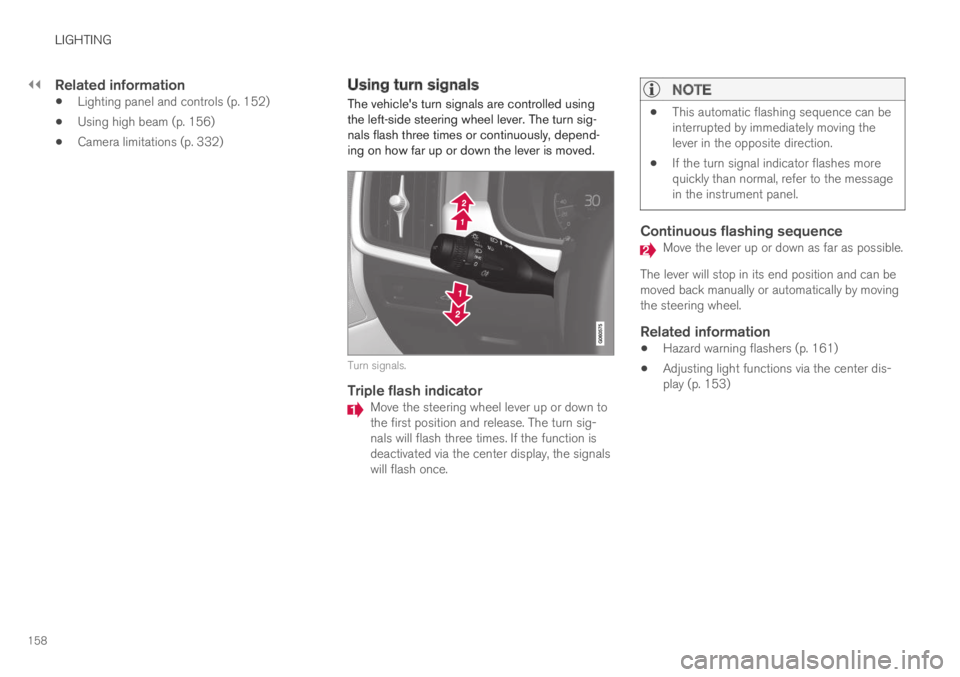
The vehicle's turn signals are controlled usingthe left-side steering wheel lever. The turn sig-nals flash three times or continuously, depend-ing on how far up or down the lever is moved.
Turn signals.
Triple flash indicator
Move the steering wheel lever up or down tothe first position and release. The turn sig-nals will flash three times. If the function isdeactivated via the center display, the signalswill flash once.
NOTE
This automatic flashing sequence can beinterrupted by immediately moving thelever in the opposite direction.
If the turn signal indicator flashes morequickly than normal, refer to the messagein the instrument panel.
Continuous flashing sequence
Move the lever up or down as far as possible.
The lever will stop in its end position and can bemoved back manually or automatically by movingthe steering wheel.
Related information
Hazard warning flashers (p. 161)
Adjusting light functions via the center dis-play (p. 153)
Page 161 of 695
LIGHTING
}}
* Option/accessory.159
Active Bending Lights*
Active Bending Lights (ABL) are designed tohelp provide maximum illumination in curves andintersections. Depending on equipment level,
vehicles with LED5 headlights* may be equippedwith Active Bending Lights.
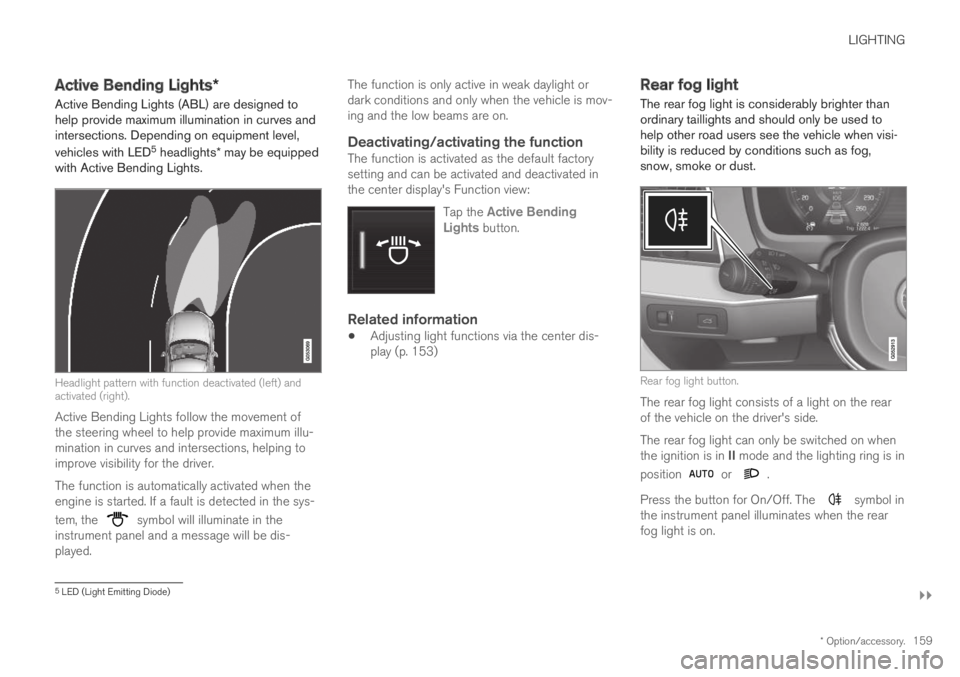
Headlight pattern with function deactivated (left) andactivated (right).
Active Bending Lights follow the movement ofthe steering wheel to help provide maximum illu-mination in curves and intersections, helping toimprove visibility for the driver.
The function is automatically activated when theengine is started. If a fault is detected in the sys-
tem, the symbol will illuminate in theinstrument panel and a message will be dis-played.
The function is only active in weak daylight ordark conditions and only when the vehicle is mov-ing and the low beams are on.
Deactivating/activating the function
The function is activated as the default factorysetting and can be activated and deactivated inthe center display's Function view:
Tap the Active BendingLights button.
Related information
Adjusting light functions via the center dis-play (p. 153)
Rear fog light
The rear fog light is considerably brighter thanordinary taillights and should only be used tohelp other road users see the vehicle when visi-bility is reduced by conditions such as fog,snow, smoke or dust.
Rear fog light button.
The rear fog light consists of a light on the rearof the vehicle on the driver's side.
The rear fog light can only be switched on whenthe ignition is in II mode and the lighting ring is in
position or .
Press the button for On/Off. The symbol inthe instrument panel illuminates when the rearfog light is on.
5LED (Light Emitting Diode)
Page 163 of 695
LIGHTING
* Option/accessory.161
Hazard warning flashers
Hazard warning flashers warn other road usersby all of the vehicle's turn signals being activatedat the same time. The function can be used towarn about a traffic hazard.
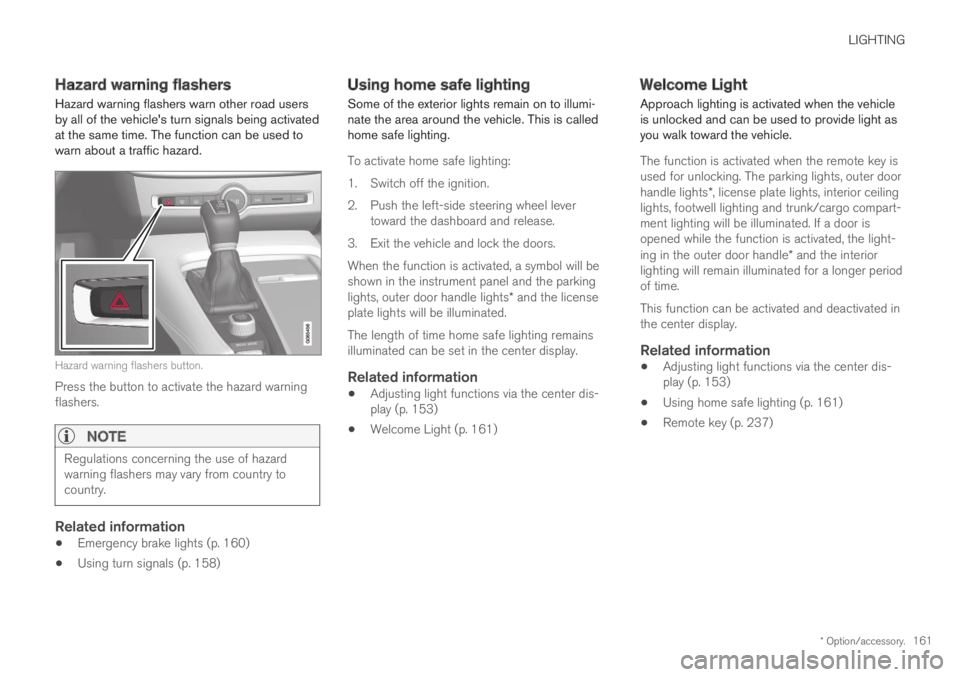
Hazard warning flashers button.
Press the button to activate the hazard warningflashers.
NOTE
Regulations concerning the use of hazardwarning flashers may vary from country tocountry.
Related information
Emergency brake lights (p. 160)
Using turn signals (p. 158)
Using home safe lighting
Some of the exterior lights remain on to illumi-nate the area around the vehicle. This is calledhome safe lighting.
To activate home safe lighting:
1.Switch off the ignition.
2. Push the left-side steering wheel levertoward the dashboard and release.
3. Exit the vehicle and lock the doors.
When the function is activated, a symbol will beshown in the instrument panel and the parkinglights, outer door handle lights* and the licenseplate lights will be illuminated.
The length of time home safe lighting remainsilluminated can be set in the center display.
Related information
Adjusting light functions via the center dis-play (p. 153)
Welcome Light (p. 161)
Welcome Light
Approach lighting is activated when the vehicleis unlocked and can be used to provide light asyou walk toward the vehicle.
The function is activated when the remote key isused for unlocking. The parking lights, outer doorhandle lights*, license plate lights, interior ceilinglights, footwell lighting and trunk/cargo compart-ment lighting will be illuminated. If a door isopened while the function is activated, the light-ing in the outer door handle* and the interiorlighting will remain illuminated for a longer periodof time.
This function can be activated and deactivated inthe center display.
Related information
Adjusting light functions via the center dis-play (p. 153)
Using home safe lighting (p. 161)
Remote key (p. 237)
Page 165 of 695
LIGHTING
}}
* Option/accessory.163
Briefly press the button on the light to turn on oroff the reading lights. To adjust the brightness,press and hold the button.
Glove compartment lighting
The glove compartment lighting comes on orgoes off when the glove compartment is openedor closed.
Vanity mirror lighting *
The vanity mirror lighting comes on or goes offwhen the cover over the mirror is opened orclosed.
Ground lighting *
The ground lighting comes on or goes off when adoor is opened or closed.
Cargo compartment lighting
The cargo compartment lighting comes on orgoes off when the cargo compartment is openedor closed.
Ambient Lighting
The ambient lighting comes on when the doorsare opened and goes out when the vehicle islocked. Ambient lighting brightness can beadjusted in the center display and also fine-tunedusing the thumb wheel in the dashboard.
Mood lighting *
The vehicle is equipped with LEDs that providefaint lighting in various colors. This lighting is onwhen the engine is running. Mood lighting can be
adjusted in the center display and also fine-tunedusing the thumb wheel in the dashboard.
Lighting in the door storage
compartments
Lighting in the door storage compartmentscomes on when the doors are opened and goesout when the vehicle is locked. The brightnesscan be adjusted using the thumb wheel in thedashboard.
Lighting in the tunnel console's front
cup holder
The lighting in front console cup holdersswitches on when the vehicle is unlocked and offwhen the vehicle is locked. The brightness canbe adjusted using the thumb wheel in the dash-board.
Related information
Adjusting interior lighting (p. 163)
Lighting panel and controls (p. 152)
Ignition modes (p. 433)
Passenger compartment interior (p. 588)
Adjusting interior lighting
Illumination in the vehicle varies depending onignition mode. The interior lighting can beadjusted with a thumb wheel in the dashboardand certain light functions can also be adjustedvia the center display.
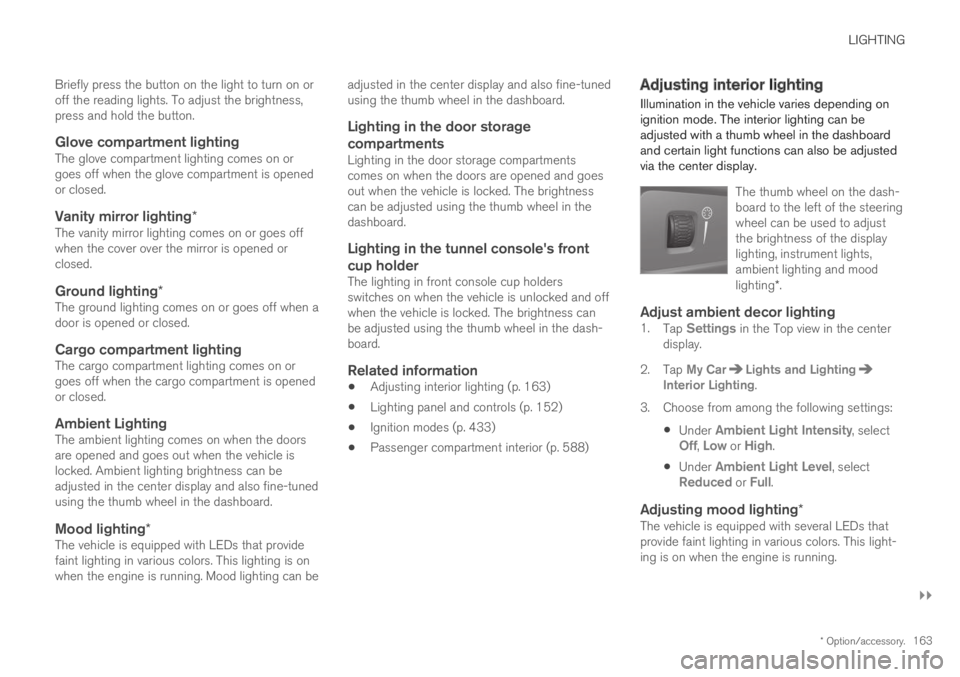
The thumb wheel on the dash-board to the left of the steeringwheel can be used to adjustthe brightness of the displaylighting, instrument lights,ambient lighting and moodlighting*.
Adjust ambient decor lighting
1.Tap Settings in the Top view in the centerdisplay.
2.Tap My CarLights and LightingInterior Lighting.
3. Choose from among the following settings:
Under Ambient Light Intensity, selectOff, Low or High.
Under Ambient Light Level, selectReduced or Full.
Adjusting mood lighting *
The vehicle is equipped with several LEDs thatprovide faint lighting in various colors. This light-ing is on when the engine is running.
Page 178 of 695
WINDOWS, GLASS AND MIRRORS
* Option/accessory.176
Wiper blades and washer fluid
The wipers and the washer fluid are used toimprove visibility and the headlight pattern.
Washer fluid direct from the wiper blades andheating* of the wiper blades gives improvedvision.
When there is approximately 1 liter (1 qt) ofwasher fluid remaining, a message to refill willappear in the instrument panel.
Related information
Using the rain sensor (p. 177)
Using the windshield and headlight washers(p. 179)
Using automatic rear window wiping whenbacking up (p. 180)
Using the rain sensor's memory function(p. 178)
Using the rear window wiper/washer(p. 180)
Filling washer fluid (p. 660)
Windshield wipers in the service position(p. 659)
Replacing windshield wiper blades (p. 658)
Changing rear window wipers (p. 657)
Using the windshield wipers (p. 176)
Using the windshield wipers
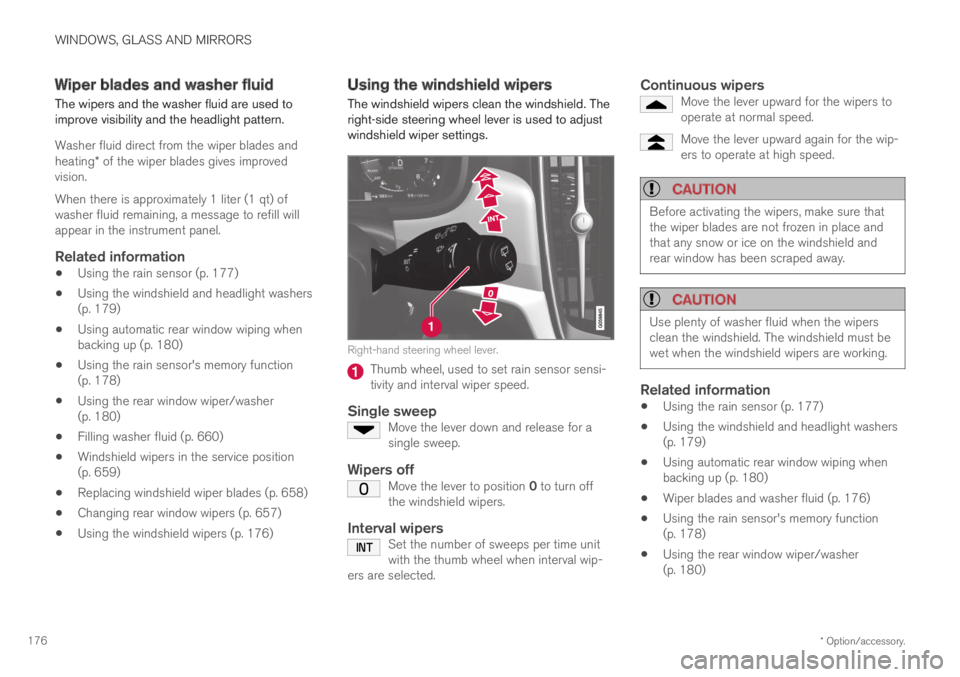
The windshield wipers clean the windshield. Theright-side steering wheel lever is used to adjustwindshield wiper settings.
Right-hand steering wheel lever.
Thumb wheel, used to set rain sensor sensi-tivity and interval wiper speed.
Single sweep
Move the lever down and release for asingle sweep.
Wipers off
Move the lever to position 0 to turn offthe windshield wipers.
Interval wipers
Set the number of sweeps per time unitwith the thumb wheel when interval wip-ers are selected.
Continuous wipers
Move the lever upward for the wipers tooperate at normal speed.
Move the lever upward again for the wip-ers to operate at high speed.
CAUTION
Before activating the wipers, make sure thatthe wiper blades are not frozen in place andthat any snow or ice on the windshield andrear window has been scraped away.
CAUTION
Use plenty of washer fluid when the wipersclean the windshield. The windshield must bewet when the windshield wipers are working.
Related information
Using the rain sensor (p. 177)
Using the windshield and headlight washers(p. 179)
Using automatic rear window wiping whenbacking up (p. 180)
Wiper blades and washer fluid (p. 176)
Using the rain sensor's memory function(p. 178)
Using the rear window wiper/washer(p. 180)
Page 179 of 695
WINDOWS, GLASS AND MIRRORS
}}
177
Filling washer fluid (p. 660)
Windshield wipers in the service position(p. 659)
Replacing windshield wiper blades (p. 658)
Changing rear window wipers (p. 657)
Using the rain sensor
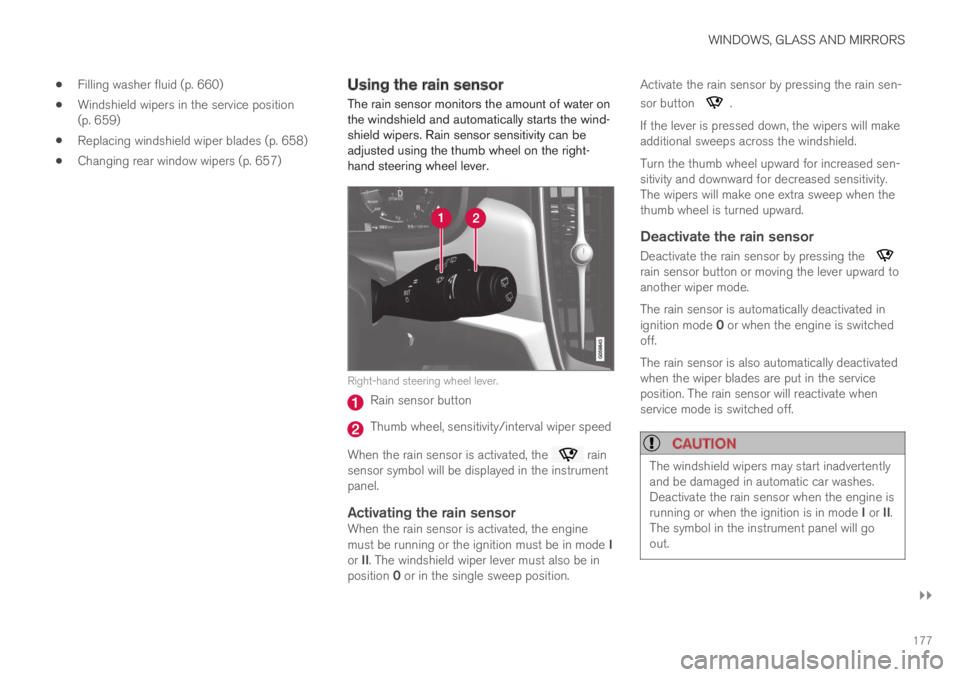
The rain sensor monitors the amount of water onthe windshield and automatically starts the wind-shield wipers. Rain sensor sensitivity can beadjusted using the thumb wheel on the right-hand steering wheel lever.
Right-hand steering wheel lever.
Rain sensor button
Thumb wheel, sensitivity/interval wiper speed
When the rain sensor is activated, the rainsensor symbol will be displayed in the instrumentpanel.
Activating the rain sensor
When the rain sensor is activated, the enginemust be running or the ignition must be in mode Ior II. The windshield wiper lever must also be inposition 0 or in the single sweep position.
Activate the rain sensor by pressing the rain sen-
sor button .
If the lever is pressed down, the wipers will makeadditional sweeps across the windshield.
Turn the thumb wheel upward for increased sen-sitivity and downward for decreased sensitivity.The wipers will make one extra sweep when thethumb wheel is turned upward.
Deactivate the rain sensor
Deactivate the rain sensor by pressing the rain sensor button or moving the lever upward toanother wiper mode.
The rain sensor is automatically deactivated inignition mode 0 or when the engine is switchedoff.
The rain sensor is also automatically deactivatedwhen the wiper blades are put in the serviceposition. The rain sensor will reactivate whenservice mode is switched off.
CAUTION
The windshield wipers may start inadvertentlyand be damaged in automatic car washes.Deactivate the rain sensor when the engine isrunning or when the ignition is in mode I or II.The symbol in the instrument panel will goout.
Page 181 of 695
WINDOWS, GLASS AND MIRRORS
* Option/accessory.179
Using the windshield and headlightwashers
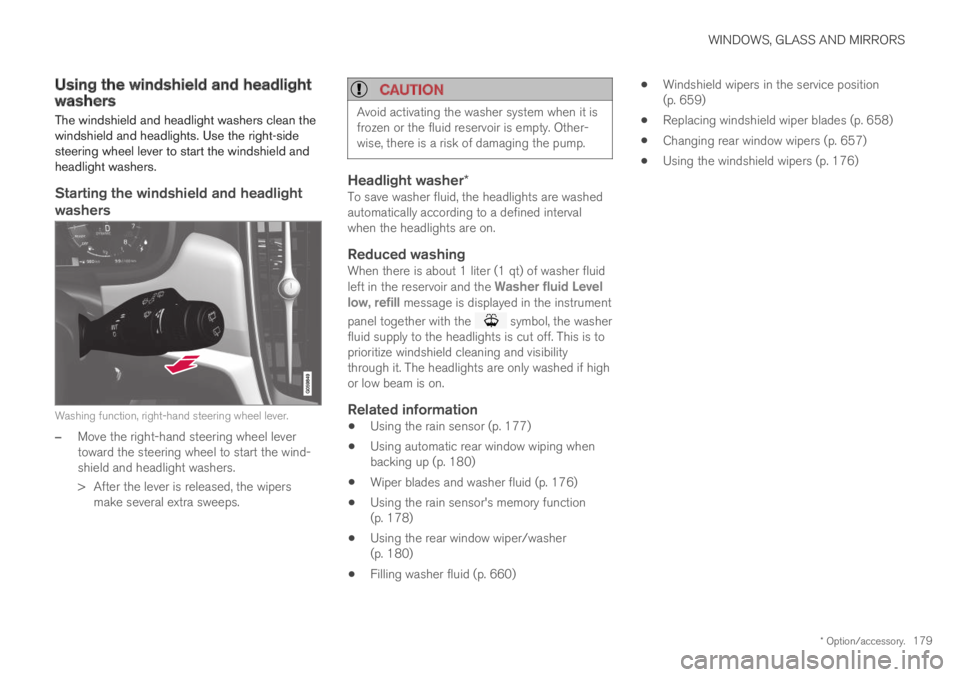
The windshield and headlight washers clean thewindshield and headlights. Use the right-sidesteering wheel lever to start the windshield andheadlight washers.
Starting the windshield and headlight
washers
Washing function, right-hand steering wheel lever.
–Move the right-hand steering wheel levertoward the steering wheel to start the wind-shield and headlight washers.
>After the lever is released, the wipersmake several extra sweeps.
CAUTION
Avoid activating the washer system when it isfrozen or the fluid reservoir is empty. Other-wise, there is a risk of damaging the pump.
Headlight washer *
To save washer fluid, the headlights are washedautomatically according to a defined intervalwhen the headlights are on.
Reduced washing
When there is about 1 liter (1 qt) of washer fluidleft in the reservoir and the Washer fluid Levellow, refill message is displayed in the instrument
panel together with the symbol, the washerfluid supply to the headlights is cut off. This is toprioritize windshield cleaning and visibilitythrough it. The headlights are only washed if highor low beam is on.
Related information
Using the rain sensor (p. 177)
Using automatic rear window wiping whenbacking up (p. 180)
Wiper blades and washer fluid (p. 176)
Using the rain sensor's memory function(p. 178)
Using the rear window wiper/washer(p. 180)
Filling washer fluid (p. 660)
Windshield wipers in the service position(p. 659)
Replacing windshield wiper blades (p. 658)
Changing rear window wipers (p. 657)
Using the windshield wipers (p. 176)
Page 234 of 695
CLIMATE CONTROL
232
Heater
The heater helps the engine and passengercompartment reach the correct temperaturebefore and while driving.
The heater has two sub-functions:
Parking heater - heats the passenger com-partment as needed when the parking cli-mate's preconditioning is activated.
Auxiliary heater - heats the passenger com-partment and engine while driving.
The heater is a high-voltage coolant heater and ismounted in the front right-side wheel housing.
Battery and charging
The heater is powered by the vehicle's hybrid bat-tery. If the charge level in the hybrid battery is toolow, the heater will switch off automatically and amessage will be displayed in the instrumentpanel.
NOTE
Make sure that the battery has sufficientcharge if the heater must be used.
Related information
Climate (p. 200)
Parking heater
The parking heater heats the passenger com-partment as needed before driving if precondi-tioning is activated.
The parking heater is one of two sub-functions ofthe vehicle's heater. The heater is mounted in thefront right-side wheel housing.
The parking heater starts automatically if theparking climate's preconditioning is activated andthe passenger compartment needs to be heated.
It switches off automatically when a set timertime or the heater's maximum run time expires, orif the car is restarted.
The heater's maximum running time is 40minutes.
Additional heater
The auxiliary heater helps heat the passengercompartment and engine while driving.
The auxiliary heater is one of two sub-functionsof the vehicle's heater. The heater is mounted inthe front right-side wheel housing.
The auxiliary heater is started and controlledautomatically when extra heat is required whilethe vehicle is being driven.
It switches off automatically when the ignition isswitched off.
Page 244 of 695
||
KEY, LOCKS AND ALARM
* Option/accessory.242
1.Press the button on the remote key.
>The lock and alarm indicator on the dash-board will go out to indicate that the vehi-cle is no longer fully armed.
The tailgate will be unlocked but remainclosed. However, the side doors willremain locked and armed.
Press lightly on the rubberized pressureplate under the tailgate handle to openthe tailgate.
If the tailgate is not opened within2 minutes, it will be relocked and thealarm armed.
2.With the optional power tailgate* -
Hold and press (about 1.5 seconds) the button on the remote key
>The tailgate will unlock and open. How-ever, the side doors will remain locked andarmed.
Related information
Locking and unlocking using the remote key(p. 240)
Opening and closing the power tailgate*(p. 260)
Remote key range
In order to function correctly, the remote keymust be within a certain distance from the vehi-cle.
Manual use
The remote key's functions for e.g. locking and
unlocking, which are activated by pressing or
, have a range of approx. 20 meters (65 feet)from the vehicle.
If the vehicle's locks do not react, move closerand try again.
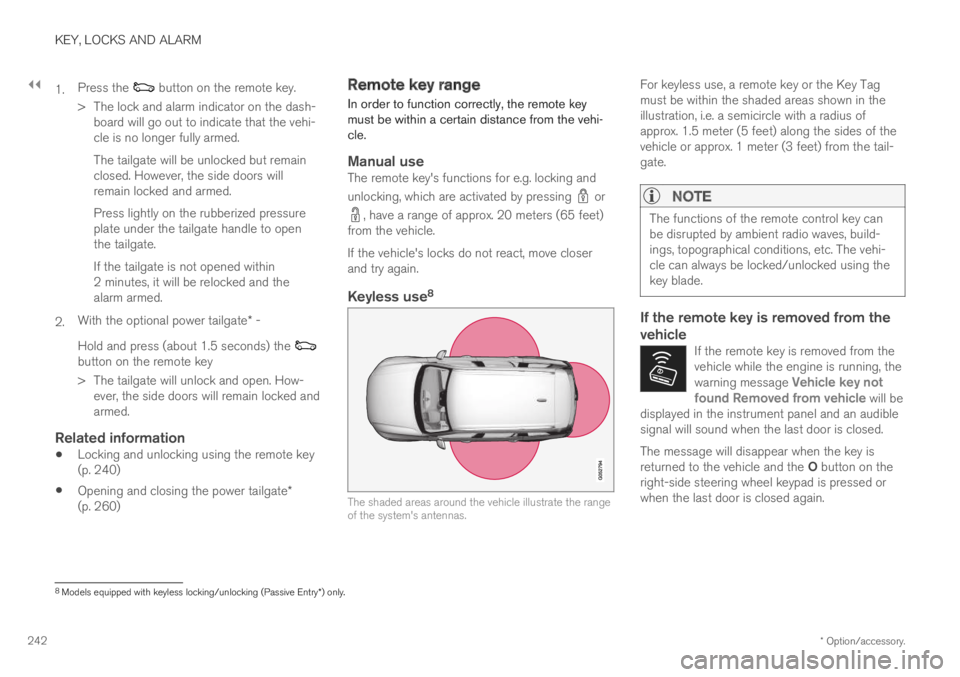
Keyless use 8
The shaded areas around the vehicle illustrate the rangeof the system's antennas.
For keyless use, a remote key or the Key Tagmust be within the shaded areas shown in theillustration, i.e. a semicircle with a radius ofapprox. 1.5 meter (5 feet) along the sides of thevehicle or approx. 1 meter (3 feet) from the tail-gate.
NOTE
The functions of the remote control key canbe disrupted by ambient radio waves, build-ings, topographical conditions, etc. The vehi-cle can always be locked/unlocked using thekey blade.
If the remote key is removed from the
vehicle
If the remote key is removed from thevehicle while the engine is running, thewarning message Vehicle key notfound Removed from vehicle will bedisplayed in the instrument panel and an audiblesignal will sound when the last door is closed.
The message will disappear when the key isreturned to the vehicle and the O button on theright-side steering wheel keypad is pressed orwhen the last door is closed again.
8
Models equipped with keyless locking/unlocking (Passive Entry * ) only.
Page 245 of 695
KEY, LOCKS AND ALARM
}}
* Option/accessory.243
Related information
Remote key (p. 237)
Antenna locations for the start and lock sys-tem (p. 256)
Keyless and touch-sensitive surfaces*(p. 252)
Replacing the remote key's battery
The battery in the remote key must be replacedwhen it is discharged.
NOTE
All batteries have a limited service life andmust eventually be replaced (does not applyfor Key Tag). The battery's service life variesdepending on how often the vehicle/key isused.
The remote key battery should be replaced if:
the information symbol illuminates andthe message Vehicle key bat. lowSee Owner's manual is displayed inthe instrument panel
and/or
the locks do not react after several attemptsto lock or unlock the vehicle using theremote key within approx. 20 meter (65 feet)from the vehicle.
NOTE
Move closer to the vehicle and try to unlock itagain.
The battery in the smaller key without buttons9
(the Key Tag) cannot be replaced. A new key canbe ordered from an authorized Volvo workshop.
CAUTION
An end-of-life Key Tag must be turned in toan authorized Volvo workshop. The key mustbe deleted from the vehicle because it canstill be used to start the vehicle via backupstart.
9This key is provided with vehicles equipped with keyless locking/unlocking (Passive Entry*).