instrument panel VOLVO XC60 TWIN ENGINE 2019 Workshop Manual
[x] Cancel search | Manufacturer: VOLVO, Model Year: 2019, Model line: XC60 TWIN ENGINE, Model: VOLVO XC60 TWIN ENGINE 2019Pages: 695, PDF Size: 14.96 MB
Page 249 of 695
KEY, LOCKS AND ALARM
}}
* Option/accessory.247
Red Key - restricted remote key*
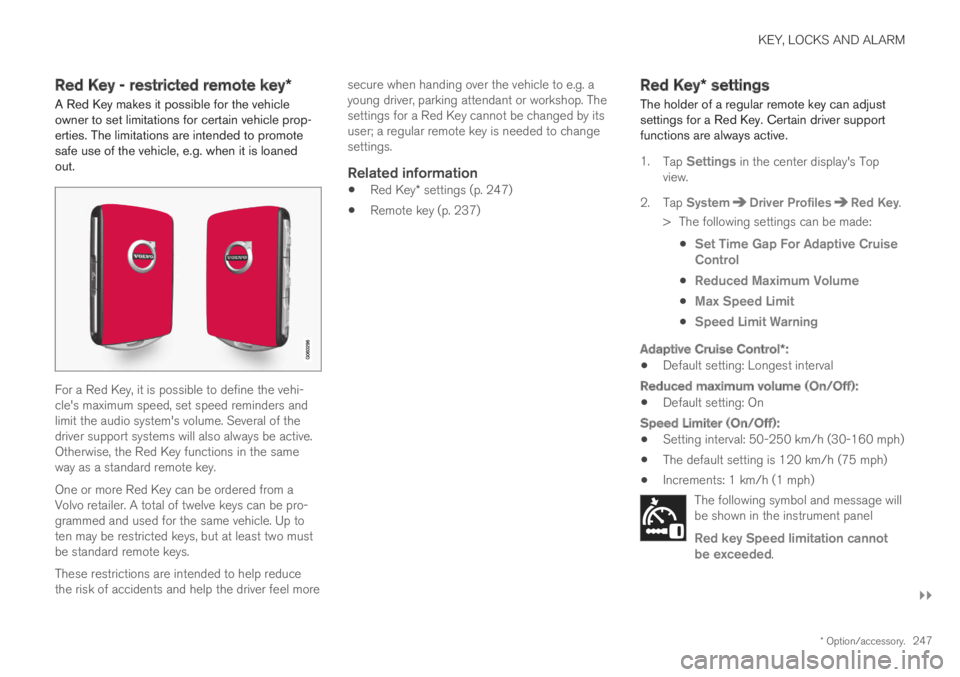
A Red Key makes it possible for the vehicleowner to set limitations for certain vehicle prop-erties. The limitations are intended to promotesafe use of the vehicle, e.g. when it is loanedout.
For a Red Key, it is possible to define the vehi-cle's maximum speed, set speed reminders andlimit the audio system's volume. Several of thedriver support systems will also always be active.Otherwise, the Red Key functions in the sameway as a standard remote key.
One or more Red Key can be ordered from aVolvo retailer. A total of twelve keys can be pro-grammed and used for the same vehicle. Up toten may be restricted keys, but at least two mustbe standard remote keys.
These restrictions are intended to help reducethe risk of accidents and help the driver feel more
secure when handing over the vehicle to e.g. ayoung driver, parking attendant or workshop. Thesettings for a Red Key cannot be changed by itsuser; a regular remote key is needed to changesettings.
Related information
Red Key* settings (p. 247)
Remote key (p. 237)
Red Key* settings
The holder of a regular remote key can adjustsettings for a Red Key. Certain driver supportfunctions are always active.
1.Tap Settings in the center display's Topview.
2.Tap SystemDriver ProfilesRed Key.
> The following settings can be made:
Set Time Gap For Adaptive CruiseControl
Reduced Maximum Volume
Max Speed Limit
Speed Limit Warning
Adaptive Cruise Control * :
Default setting: Longest interval
Reduced maximum volume (On/Off):
Default setting: On
Speed Limiter (On/Off):
Setting interval: 50-250 km/h (30-160 mph)
The default setting is 120 km/h (75 mph)
Increments: 1 km/h (1 mph)
The following symbol and message willbe shown in the instrument panel
Red key Speed limitation cannotbe exceeded.
Page 253 of 695
KEY, LOCKS AND ALARM
}}
* Option/accessory.251
Electronic immobilizer
The electronic immobilizer is a start inhibitor thathelps prevent the vehicle from being started byan unauthorized person.
The vehicle can only be started with the rightremote key.
The following instrument panel error messagesare related to the electronic immobilizer:
SymbolMessageMeaning
Vehicle keynot found
SeeOwner'smanual
Remote key notrecognized duringstart. Place theremote key on thekey symbol in thecup holder and tryto start the vehicleagain.
Remote immobilizer with tracking
system 11
The vehicle is equipped with a system that makesit possible to track and locate the vehicle and toremotely activate the immobilizer to prevent thevehicle from being started. Contact your nearestVolvo retailer for more information and assistanceactivating the system.
The following instrument panel error messagesare related to the remote immobilizer with track-ing system:
SymbolMessageMeaning
Remotelyimmobilised
Vehicle notpossible tostart
The remoteimmobilizer withtracking system isactivated. Thevehicle cannot bestarted. ContactVolvo On CallService Center.
Related information
Remote key (p. 237)
Ordering additional remote keys (p. 246)
Start and lock system typedesignations
The following information contains type designa-tions for the start and lock system.
Alarm system
USA FCC ID: MAYDA 5823(3)
This device complies with part 15 of the FCCrules. Operation is subject to the following condi-tions: (1) This device may not cause harmfulinterference, and (2) this device must accept anyinterference received, including interference thatmay cause undesired operation.
Canada IC: 4405A-DA 5823(3)
This device is subject to the following conditions:(1) this device may not cause interference, and(2) this device must accept any interference,including interference that may cause undesiredoperation of the device.
Remote keys (Passive entry/Passive
start * )
USA
Volvo Standard Key FCC ID: YGOHUF8423
Volvo Tag ID FCC ID: YGOHUF8432
This device complies with part 15 of the FCCrules. Operation is subject to the following twoconditions:
11
Only certain markets and in combination with Volvo On Call * .
Page 261 of 695
KEY, LOCKS AND ALARM
259
2. Press the button on the driver's door controlpanel.
>The message Rear child lock Activatedwill be shown in the instrument panel andthe indicator light will illuminate to showthat the child safety locks are activated.
When the electric child safety locks are activated:
the rear windows can only be opened usingthe driver's door control panel
the rear doors cannot be opened from theinside.
To deactivate the child safety locks:
–Press the button on the driver's door controlpanel.
>The message Rear child lockDeactivated will be shown in the instru-ment panel and the indicator light will goout to show that the child safety locks aredeactivated.
When the ignition is switched off, the current set-ting will be saved. If the child safety locks wereactivated when the ignition was switched off, theywill remain activated the next time the ignition isstarted.
SymbolMessageMeaning
Rear childlock Acti-vated
The child safetylocks are acti-vated.
Rear childlock Deacti-vated
The child safetylocks are deacti-vated.
Activating and deactivating manual
child safety locks
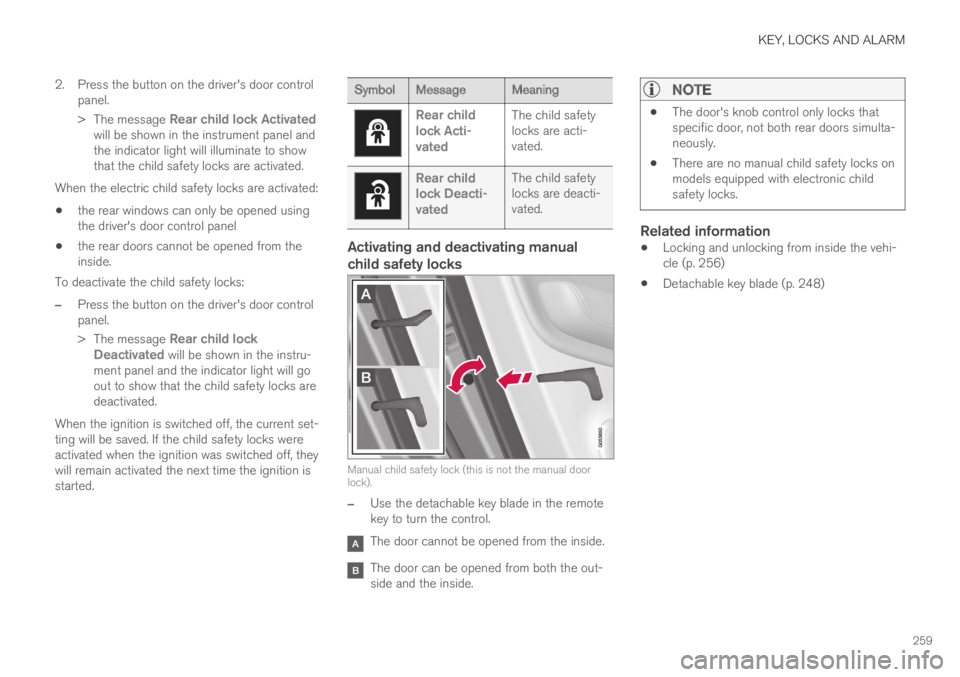
Manual child safety lock (this is not the manual doorlock).
–Use the detachable key blade in the remotekey to turn the control.
The door cannot be opened from the inside.
The door can be opened from both the out-side and the inside.
NOTE
The door's knob control only locks thatspecific door, not both rear doors simulta-neously.
There are no manual child safety locks onmodels equipped with electronic childsafety locks.
Related information
Locking and unlocking from inside the vehi-cle (p. 256)
Detachable key blade (p. 248)
Page 270 of 695
||
KEY, LOCKS AND ALARM
* Option/accessory.268
In the event of alarm system failure
If a problem is detected in the alarmsystem, a symbol and the messageAlarm system failure Servicerequired will appear in the instrumentpanel. Contact a workshop - an authorized Volvoworkshop is recommended.
NOTE
Do not attempt to repair or alter any of thecomponents in the alarm system yourself. Anysuch attempt could affect the terms and con-ditions of your insurance policy.
Related information
Arming and disarming the alarm (p. 268)
Arming and disarming the alarm
The alarm is armed when the vehicle is locked.
Arming the alarm
Lock and arm the vehicle by:
pressing the lock button on the remote key
.
touch the marked surface on the outside ofthe door handle or the rubberized pressure
plate on the tailgate21.
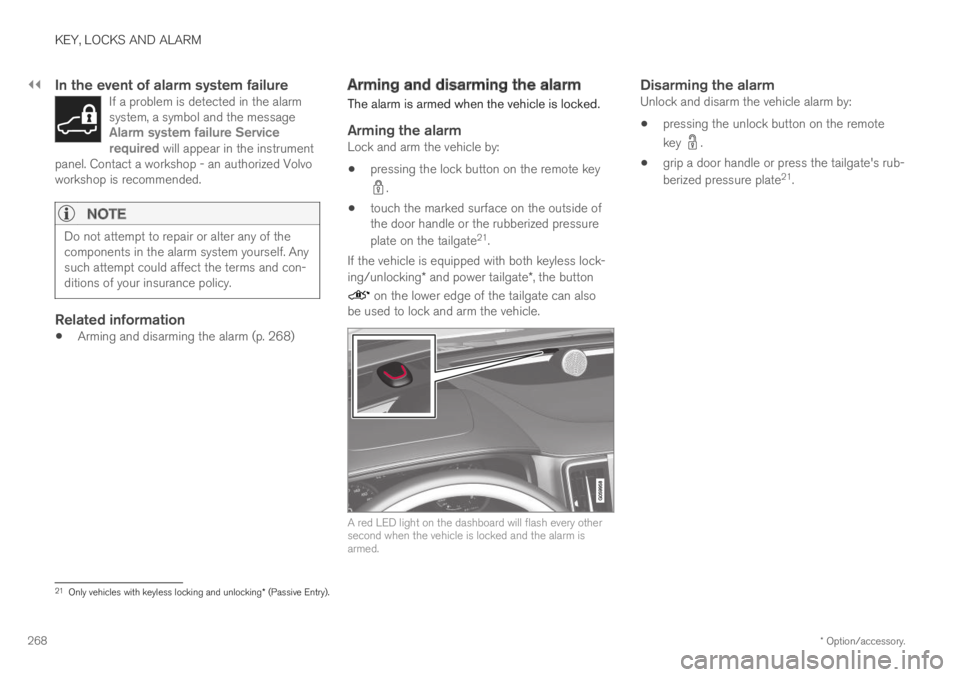
If the vehicle is equipped with both keyless lock-ing/unlocking* and power tailgate*, the button
on the lower edge of the tailgate can alsobe used to lock and arm the vehicle.
A red LED light on the dashboard will flash every othersecond when the vehicle is locked and the alarm isarmed.
Disarming the alarm
Unlock and disarm the vehicle alarm by:
pressing the unlock button on the remote
key .
grip a door handle or press the tailgate's rub-
berized pressure plate21.
21Only vehicles with keyless locking and unlocking* (Passive Entry).
Page 277 of 695
DRIVER SUPPORT
275
Electronic Stability Control Sportmode
The ESC7 system is always activated and can-not be switched off. However, the driver canselect ESC Sport Mode, which offers moreactive driving characteristics.
With the ESC Sport Mode sub-functionselected, intervention from ESC is reduced andmore lateral movement is permitted, giving thedriver more control of the vehicle than usual.
When ESC Sport Mode is selected, ESC mayseem to be disabled even though the functioncontinues to assist the driver.
NOTE
When the ESC Sport Mode function is
selected, the trailer stabilizer (TSA8) isswitched off.
ESC Sport Mode also helps provide maximumtraction if the vehicle gets stuck or is driving on aloose surface such as deep snow or loose sand.
Related information
Electronic Stability Control (p. 273)
Activating/deactivating Sport modein Electronic Stability Control
The ESC9 system is always activated and can-not be switched off. However, the driver canselect Sport mode, which offers more activedriving characteristics.
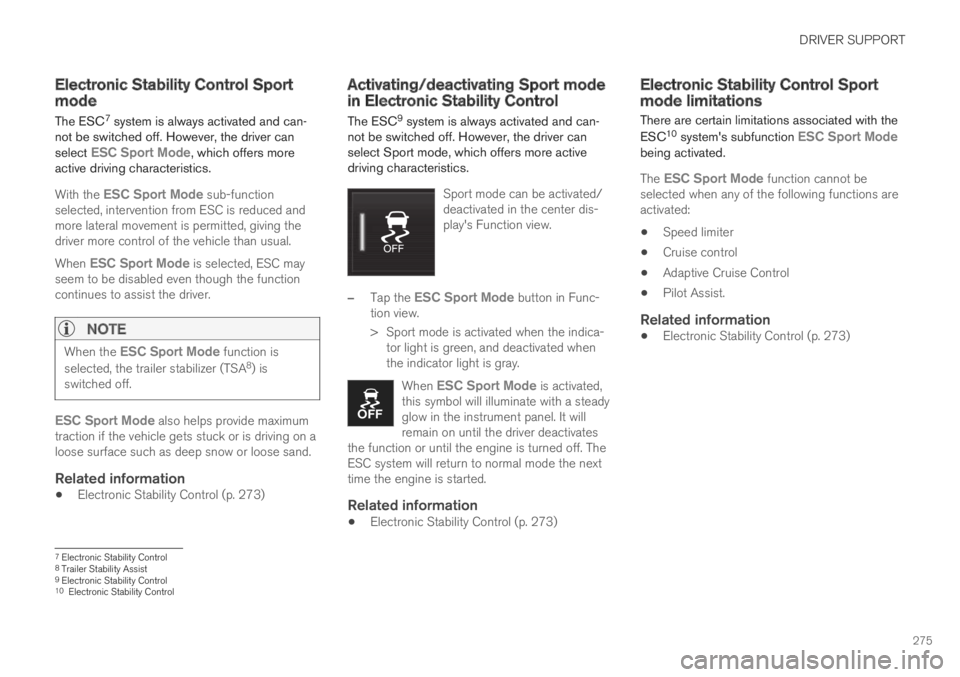
Sport mode can be activated/deactivated in the center dis-play's Function view.
–Tap the ESC Sport Mode button in Func-tion view.
>Sport mode is activated when the indica-tor light is green, and deactivated whenthe indicator light is gray.
When ESC Sport Mode is activated,this symbol will illuminate with a steadyglow in the instrument panel. It willremain on until the driver deactivatesthe function or until the engine is turned off. TheESC system will return to normal mode the nexttime the engine is started.
Related information
Electronic Stability Control (p. 273)
Electronic Stability Control Sportmode limitations
There are certain limitations associated with the
ESC10 system's subfunction ESC Sport Modebeing activated.
The ESC Sport Mode function cannot beselected when any of the following functions areactivated:
Speed limiter
Cruise control
Adaptive Cruise Control
Pilot Assist.
Related information
Electronic Stability Control (p. 273)
7Electronic Stability Control8Trailer Stability Assist9Electronic Stability Control10Electronic Stability Control
Page 278 of 695
DRIVER SUPPORT
276
Electronic Stability Control symbolsand messages
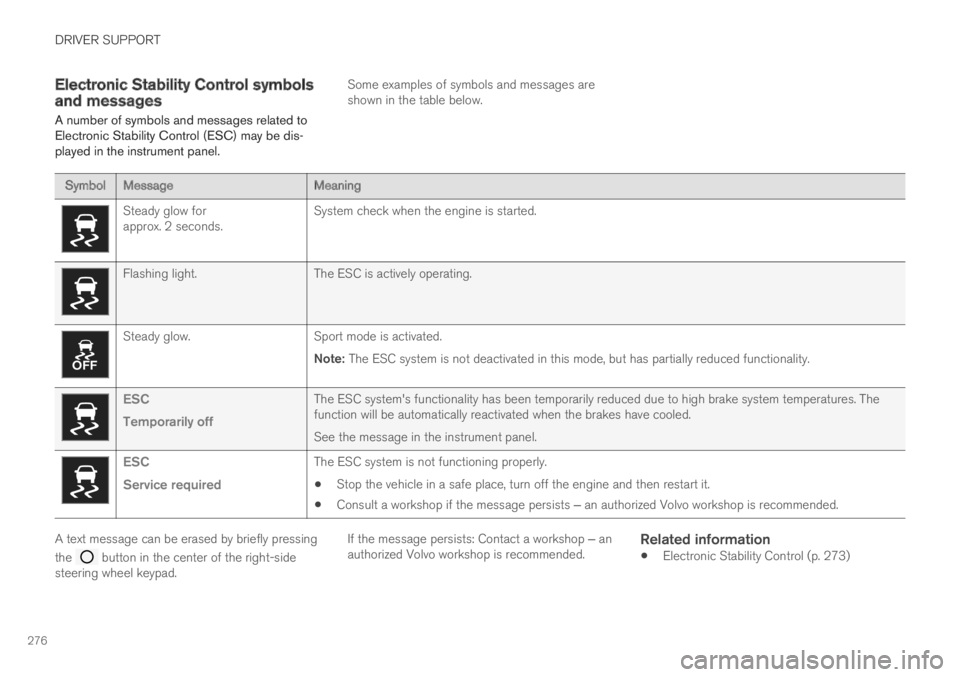
A number of symbols and messages related toElectronic Stability Control (ESC) may be dis-played in the instrument panel.
Some examples of symbols and messages areshown in the table below.
SymbolMessageMeaning
Steady glow forapprox. 2 seconds.System check when the engine is started.
Flashing light.The ESC is actively operating.
Steady glow.Sport mode is activated.
Note: The ESC system is not deactivated in this mode, but has partially reduced functionality.
ESC
Temporarily off
The ESC system's functionality has been temporarily reduced due to high brake system temperatures. Thefunction will be automatically reactivated when the brakes have cooled.
See the message in the instrument panel.
ESC
Service required
The ESC system is not functioning properly.
Stop the vehicle in a safe place, turn off the engine and then restart it.
Consult a workshop if the message persists ‒ an authorized Volvo workshop is recommended.
A text message can be erased by briefly pressing
the button in the center of the right-sidesteering wheel keypad.
If the message persists: Contact a workshop ‒ anauthorized Volvo workshop is recommended.
Related information
Electronic Stability Control (p. 273)
Page 281 of 695
DRIVER SUPPORT
279
Related information
Speed limiter (p. 277)Deactivating and putting SpeedLimiter in standby mode
The Speed Limiter (SL15) can be temporarilydeactivated and put in standby mode.
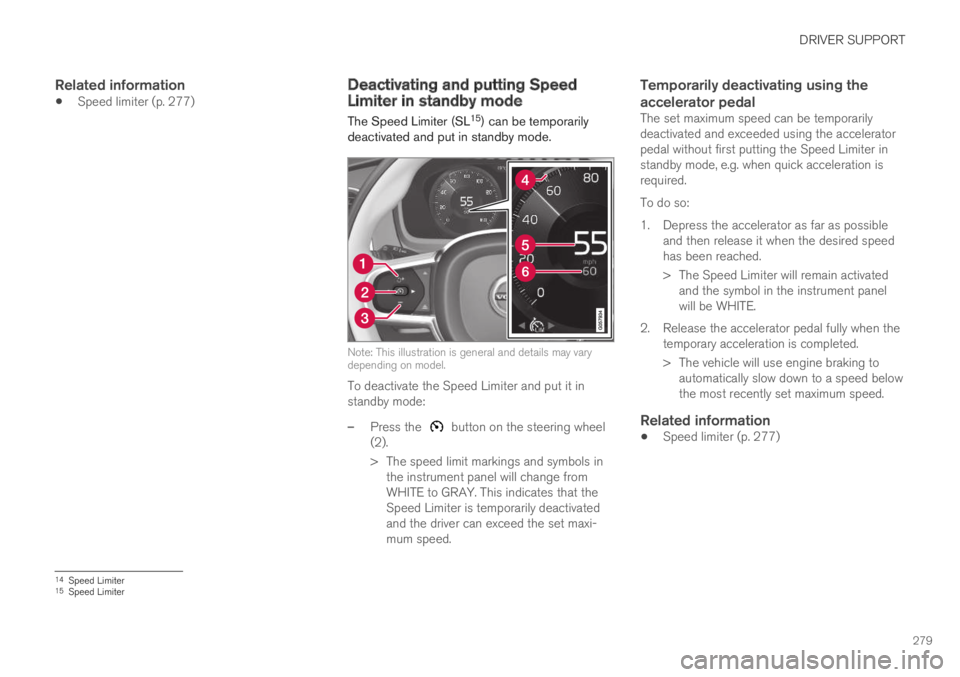
Note: This illustration is general and details may varydepending on model.
To deactivate the Speed Limiter and put it instandby mode:
–Press the button on the steering wheel(2).
>The speed limit markings and symbols inthe instrument panel will change fromWHITE to GRAY. This indicates that theSpeed Limiter is temporarily deactivatedand the driver can exceed the set maxi-mum speed.
Temporarily deactivating using the
accelerator pedal
The set maximum speed can be temporarilydeactivated and exceeded using the acceleratorpedal without first putting the Speed Limiter instandby mode, e.g. when quick acceleration isrequired.
To do so:
1. Depress the accelerator as far as possibleand then release it when the desired speedhas been reached.
> The Speed Limiter will remain activatedand the symbol in the instrument panelwill be WHITE.
2. Release the accelerator pedal fully when thetemporary acceleration is completed.
> The vehicle will use engine braking toautomatically slow down to a speed belowthe most recently set maximum speed.
Related information
Speed limiter (p. 277)
14Speed Limiter15Speed Limiter
Page 282 of 695
DRIVER SUPPORT
280
Reactivating Speed Limiter fromstandby mode
Speed Limiter (SL16) can be reactivated afterhaving been temporarily deactivated and put instandby mode.
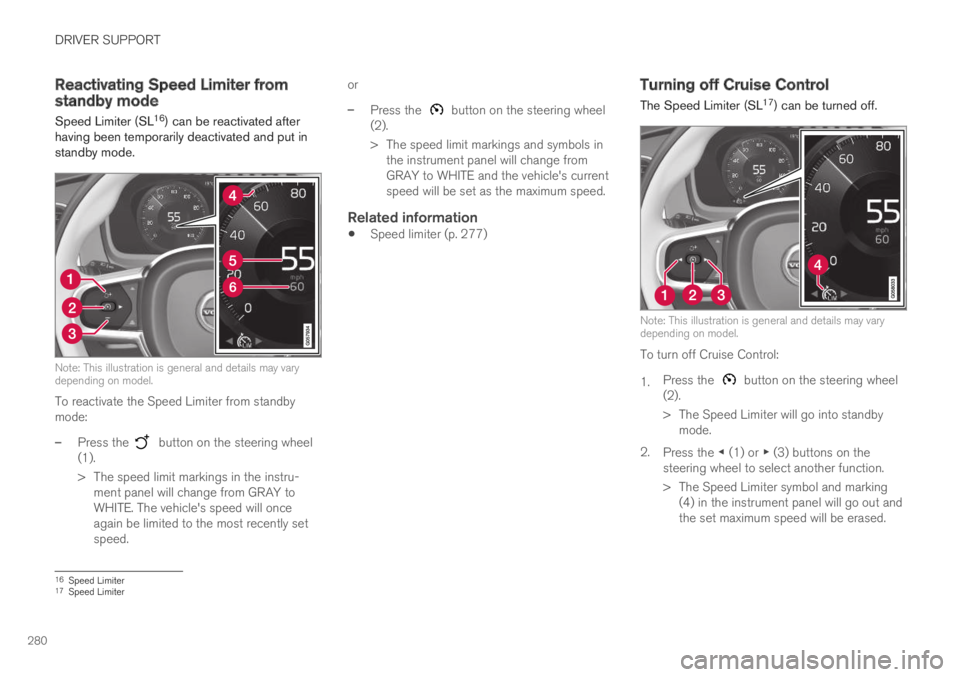
Note: This illustration is general and details may varydepending on model.
To reactivate the Speed Limiter from standbymode:
–Press the button on the steering wheel(1).
>The speed limit markings in the instru-ment panel will change from GRAY toWHITE. The vehicle's speed will onceagain be limited to the most recently setspeed.
or
–Press the button on the steering wheel(2).
>The speed limit markings and symbols inthe instrument panel will change fromGRAY to WHITE and the vehicle's currentspeed will be set as the maximum speed.
Related information
Speed limiter (p. 277)
Turning off Cruise Control
The Speed Limiter (SL17) can be turned off.
Note: This illustration is general and details may varydepending on model.
To turn off Cruise Control:
1.Press the button on the steering wheel(2).
>The Speed Limiter will go into standbymode.
2.Press the ◀ (1) or ▶ (3) buttons on thesteering wheel to select another function.
> The Speed Limiter symbol and marking(4) in the instrument panel will go out andthe set maximum speed will be erased.
16Speed Limiter17Speed Limiter
Page 283 of 695
DRIVER SUPPORT
}}
281
3.Press the (2) button on the steeringwheel keypad again.
>Another function will be activated.
Related information
Speed limiter (p. 277)
Cruise Control limitations
On steep downgrades, the Speed limiter's brak-ing capacity may not be sufficient and the setmaximum speed may be exceeded. If this hap-pens, Speed limit exceeded will be displayed inthe instrument panel to alert the driver.
NOTE
A text message on exceeded max. speed isactivated if the speed is exceeded by at least3 km/h (ca 2 mph).
Related information
Speed limiter (p. 277)
Automatic Speed Limiter
The Automatic Speed Limiter (ASL) functionhelps the driver adapt the vehicle's maximumspeed to the posted speed limits.
The Speed Limiter (SL18) function can beswitched to Automatic Speed Limiter (ASL).
The Automatic Speed Limiter function usesspeed information from the Road Sign Informa-tion function (RSI) to automatically adapt thevehicle's maximum speed.
18Speed Limiter
Page 284 of 695
||
DRIVER SUPPORT
282
WARNING
The ASL function is supplementary driversupport intended to facilitate driving andhelp make it safer – it cannot handle allsituations in all traffic, weather and roadconditions.
Even if the driver can clearly see thespeed limit sign, the speed informationfrom the Road Sign Information (RSI)function to ASL may be incorrect. In suchcases, the driver must intervene andaccelerate or brake to an appropriatespeed.
ASL is not a substitute for the driver'sattention and judgment. The driver isalways responsible for ensuring the vehi-cle is driven in a safe manner, at theappropriate speed, with an appropriatedistance to other vehicles, and in accord-ance with current traffic rules and regula-tions.
See also the heading "Road Sign Infor-mation limitations".
Is SL or ASL active?
The symbols in the instrument panel indicatewhich Speed Limiter function is active:
SymbolSLASL
A✓ ✓
Road sign symbolB after "70" = ASL isactivated.
✓
AWHITE symbol: The function is active. GRAY symbol: Standbymode.BSee "ASL symbol" below for an explanation of the symbol's dif-ferent colors.
ASL symbol
The road sign symbol (next to thestored speed ("70" here) in the centerof the speedometer) can be displayedin three different colors, which areexplained in the following table:
Road signsymbol's colorExplanation
Greenish-yel-lowASL is active
GrayASL is in standby mode
Amber/orange ASL is temporarily instandby mode, e.g. becausea speed limit sign could notbe read.
Related information
Speed limiter (p. 277)
Activating/deactivating Automatic SpeedLimiter (p. 283)
Changing Automatic Speed Limiter tolerance(p. 284)
Automatic Speed Limiter limitations (p. 285)