lock VOLVO XC60 TWIN ENGINE 2019 Workshop Manual
[x] Cancel search | Manufacturer: VOLVO, Model Year: 2019, Model line: XC60 TWIN ENGINE, Model: VOLVO XC60 TWIN ENGINE 2019Pages: 695, PDF Size: 14.96 MB
Page 200 of 695
||
SEATS AND STEERING WHEEL
* Option/accessory.198
Horn
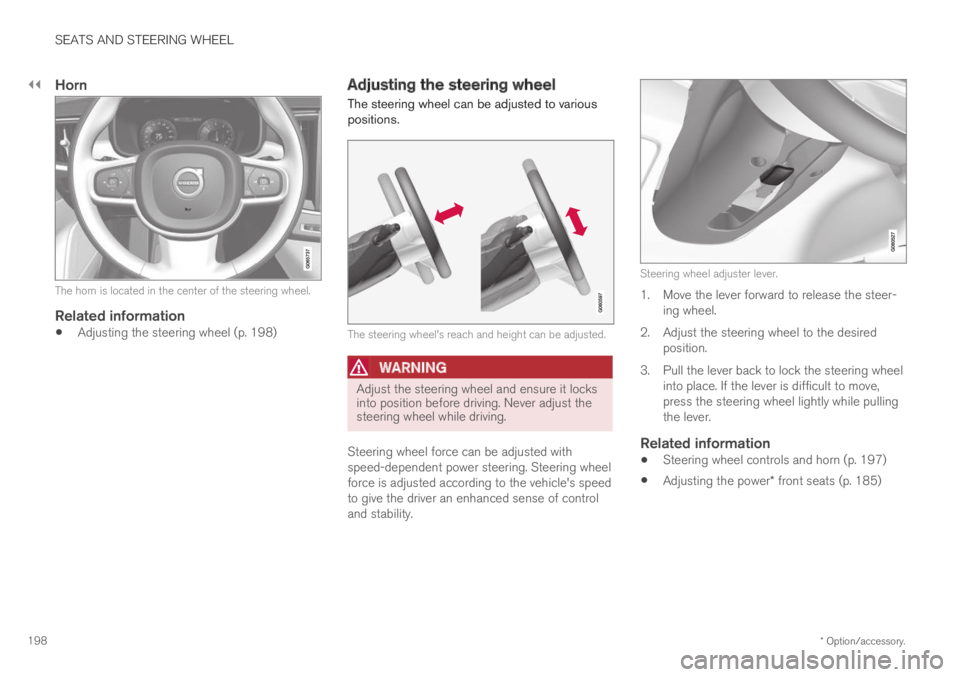
The horn is located in the center of the steering wheel.
Related information
Adjusting the steering wheel (p. 198)
Adjusting the steering wheel
The steering wheel can be adjusted to variouspositions.
The steering wheel's reach and height can be adjusted.
WARNING
Adjust the steering wheel and ensure it locksinto position before driving. Never adjust thesteering wheel while driving.
Steering wheel force can be adjusted withspeed-dependent power steering. Steering wheelforce is adjusted according to the vehicle's speedto give the driver an enhanced sense of controland stability.
Steering wheel adjuster lever.
1. Move the lever forward to release the steer-ing wheel.
2.Adjust the steering wheel to the desiredposition.
3. Pull the lever back to lock the steering wheelinto place. If the lever is difficult to move,press the steering wheel lightly while pullingthe lever.
Related information
Steering wheel controls and horn (p. 197)
Adjusting the power* front seats (p. 185)
Page 202 of 695
CLIMATE CONTROL
* Option/accessory.200
Climate
The vehicle is equipped with electronic climatecontrol. The climate system cools, heats anddehumidifies the air in the passenger compart-ment.
All of the climate system functions are controlledfrom the center display and the buttons on thecenter console.
Certain rear seat functions can also be controlledfrom the climate controls* on the rear of the tun-nel console.
Related information
Climate zones (p. 200)
Climate control sensors (p. 200)
Perceived temperature (p. 201)
Climate control system voice commands(p. 201)
Parking climate (p. 224)
Air quality (p. 202)
Air distribution (p. 205)
Climate system controls (p. 212)
Climate zones
The vehicle is divided into climate zones to makeit possible to set different temperatures for dif-ferent parts of the passenger compartment.
2-zone climate system
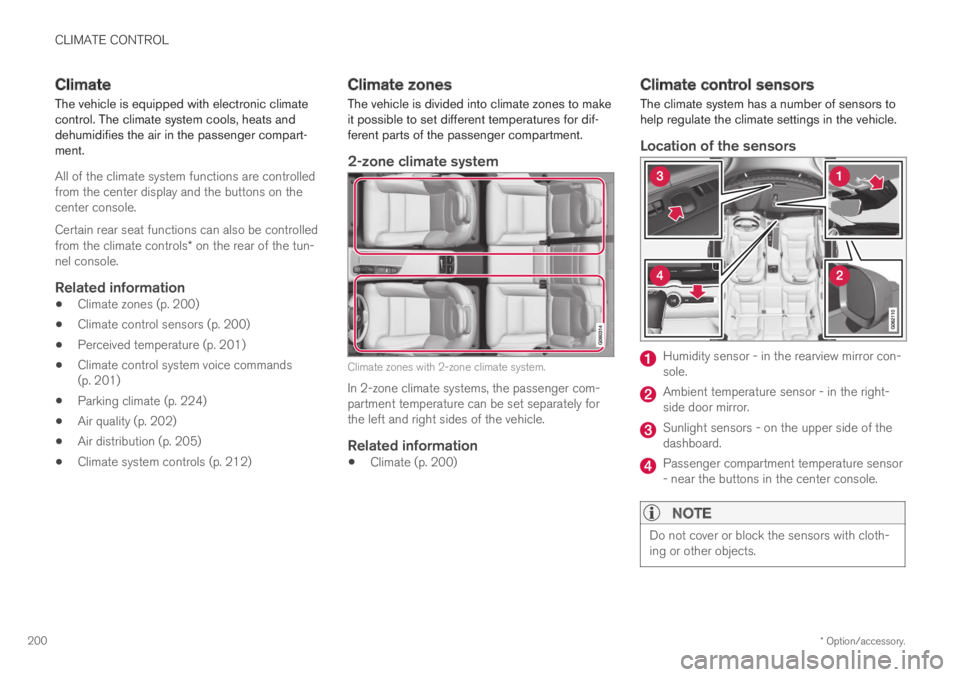
Climate zones with 2-zone climate system.
In 2-zone climate systems, the passenger com-partment temperature can be set separately forthe left and right sides of the vehicle.
Related information
Climate (p. 200)
Climate control sensors
The climate system has a number of sensors tohelp regulate the climate settings in the vehicle.
Location of the sensors
Humidity sensor - in the rearview mirror con-sole.
Ambient temperature sensor - in the right-side door mirror.
Sunlight sensors - on the upper side of thedashboard.
Passenger compartment temperature sensor- near the buttons in the center console.
NOTE
Do not cover or block the sensors with cloth-ing or other objects.
Page 206 of 695
CLIMATE CONTROL
* Option/accessory.204
Clean Zone Interior Package*
Clean Zone Interior Package (CZIP) is a seriesof modifications that filters even more allergy andasthma-inducing substances from the passengercompartment.
CZIP includes the following:
An enhanced function that starts the blowerwhen the vehicle is unlocked using theremote key. The blower will then fill the pas-senger compartment with fresh air. The func-tion starts when required and switches offautomatically after a period of time or whenone of the passenger compartment doors isopened. The amount of time the blower runsgradually decreases due to reduced need upuntil the vehicle is 4 years old.
The fully automatic Interior Air QualitySystem (IAQS).
Related information
Air quality (p. 202)
Clean Zone* (p. 203)
Interior Air Quality System* (p. 204)
Passenger compartment air filter (p. 205)
Interior Air Quality System*
Interior Air Quality System (IAQS) is a fully auto-matic air quality system that removes gases andparticles to reduce odors and contaminants inthe passenger compartment.
IAQS is part of the Clean Zone Interior Package(CZIP) and removes air contaminants such asparticles, hydrocarbons, nitric oxides and ground-level ozone.
If the system's air quality sensors detect contami-nants in the outside air, the air intake closes andair recirculation is activated.
NOTE
To ensure optimal air quality in the passengercompartment, the air quality sensor shouldalways be engaged.
Recirculation is limited in cold weather to pre-vent fogging.
In the event of fogging, use the defrosterfunctions for the windshield, side windowsand rear window.
Related information
Activating and deactivating the air qualitysensor* (p. 205)
Air quality (p. 202)
Clean Zone* (p. 203)
Clean Zone Interior Package* (p. 204)
Passenger compartment air filter (p. 205)
Page 230 of 695
||
CLIMATE CONTROL
228
4.Tap Date to set a time for a specific date.
Tap Days to set a time for one or more daysof the week.
With Days: Activate/deactivate the repeatfunction by selecting/deselecting theRepeat weekly checkbox.
5.With Date: Select a date for preconditioningby scrolling in the date list using the arrows.
With Days: Select days of the week for pre-conditioning by tapping the buttons for thedays.
6.Set the time at which preconditioning shouldbe completed by scrolling using the arrows inthe clock.
7.Tap Confirm to add a timer setting.
>The timer setting will be added to the listand activated.
Editing a timer setting
1. Open Climate view in the center display.
2.Select the Parking climate tab.
3.Tap the timer setting you would like tochange.
> A pop-up window will appear.
4. To edit a timer setting, follow the proceduresdescribed under the heading "Adding a timersetting" above.
Related information
Preconditioning (p. 225)
Preconditioning timer (p. 227)
Activating and deactivating preconditioningtimer (p. 228)
Deleting preconditioning timer settings(p. 229)
Activating and deactivatingpreconditioning timer
Timer settings in the preconditioning timer canbe activated or deactivated as needed.
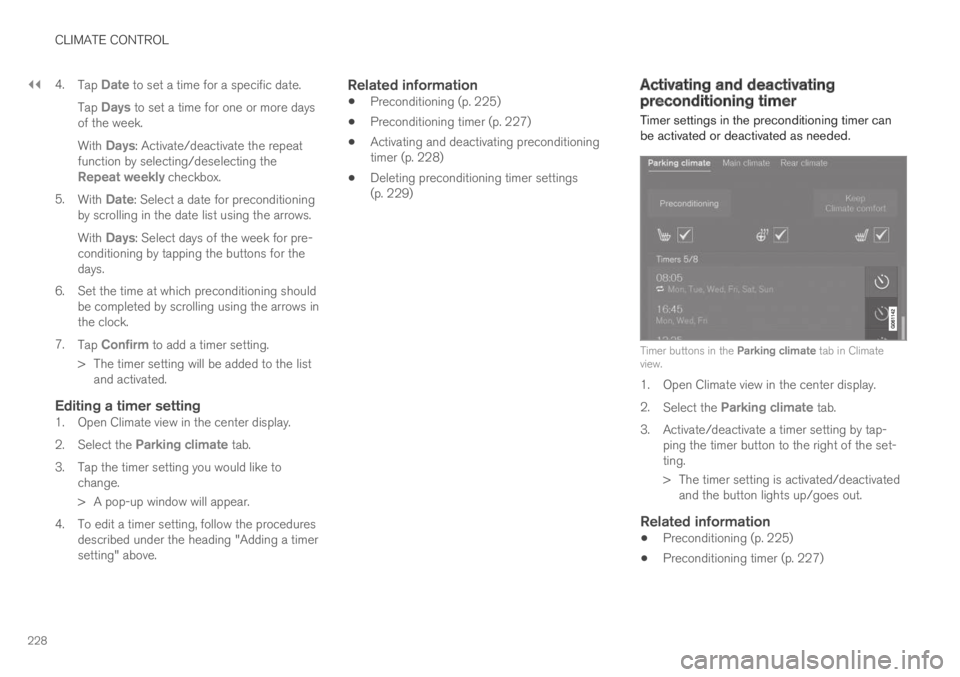
Timer buttons in the Parking climate tab in Climateview.
1. Open Climate view in the center display.
2.Select the Parking climate tab.
3.Activate/deactivate a timer setting by tap-ping the timer button to the right of the set-ting.
> The timer setting is activated/deactivatedand the button lights up/goes out.
Related information
Preconditioning (p. 225)
Preconditioning timer (p. 227)
Page 232 of 695
CLIMATE CONTROL
230
Climate comfort retaining function
The climate in the passenger compartment canbe maintained when the vehicle is parked, e.g. ifthe engine is turned off but the driver or passen-gers remain in the vehicle.
This function can only be direct-started.
The function utilizes several of the vehicle's sys-tems:
Residual heat from the engine is used tohelp heat the passenger compartment to acomfortable temperature.
In warm weather, the ventilation system coolsthe passenger compartment by blowing air infrom outside.
NOTE
Climate comfort maintenance will be deacti-vated if the vehicle is locked from the outsidein order to avoid using residual engine heatunnecessarily. This function is intended to beused to maintain climate comfort when thedriver or a passenger remains in the vehicleafter the engine is turned off.
Related information
Parking climate (p. 224)
Starting and switching off the climate retain-ing function when parking (p. 230)
Starting and switching off theclimate retaining function whenparking
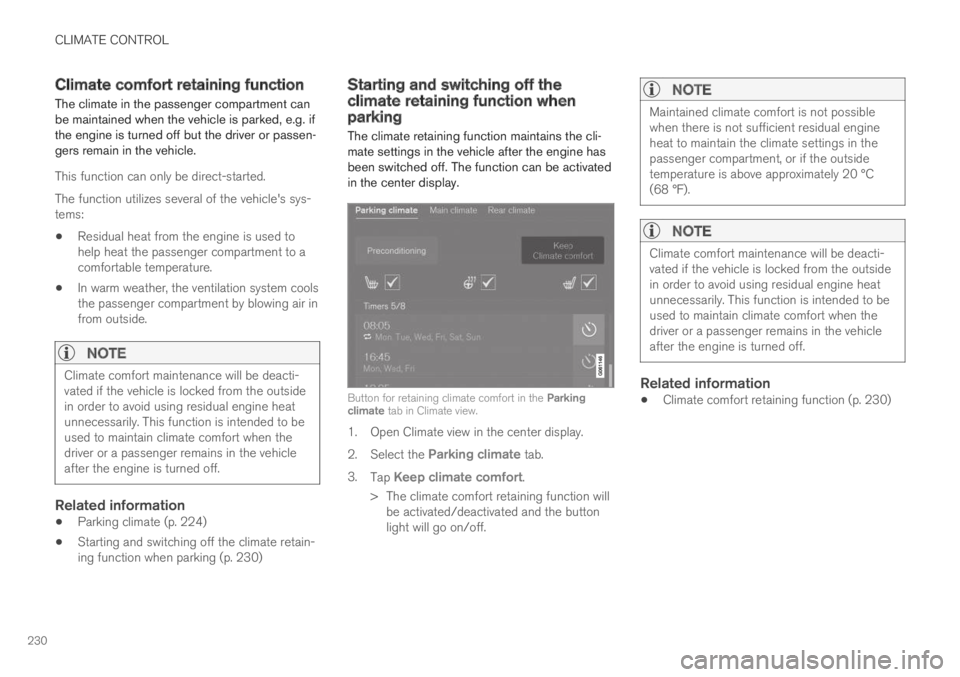
The climate retaining function maintains the cli-mate settings in the vehicle after the engine hasbeen switched off. The function can be activatedin the center display.
Button for retaining climate comfort in the Parkingclimate tab in Climate view.
1. Open Climate view in the center display.
2.Select the Parking climate tab.
3.Tap Keep climate comfort.
>The climate comfort retaining function willbe activated/deactivated and the buttonlight will go on/off.
NOTE
Maintained climate comfort is not possiblewhen there is not sufficient residual engineheat to maintain the climate settings in thepassenger compartment, or if the outsidetemperature is above approximately 20 °C(68 °F).
NOTE
Climate comfort maintenance will be deacti-vated if the vehicle is locked from the outsidein order to avoid using residual engine heatunnecessarily. This function is intended to beused to maintain climate comfort when thedriver or a passenger remains in the vehicleafter the engine is turned off.
Related information
Climate comfort retaining function (p. 230)
Page 238 of 695
KEY, LOCKS AND ALARM
* Option/accessory.236
Lock indication
When the vehicle is locked or unlocked, the turnsignals will flash to indicate that the vehicle hasbeen locked or unlocked correctly.
Exterior confirmation
Locking
The turn signals will flash once and the door
mirrors will fold in1 to confirm the vehicle islocked.
Unlocking
The turn signals will flash twice and the door
mirrors will fold out1 to confirm the vehicle isunlocked.
All doors, tailgate and hood must be closed forconfirmation to be given. If only the driver's door
is closed when the vehicle is locked2, the vehiclewill be locked but the turn signals will only flashto indicate locking when all doors and the hoodand tailgate have been closed.
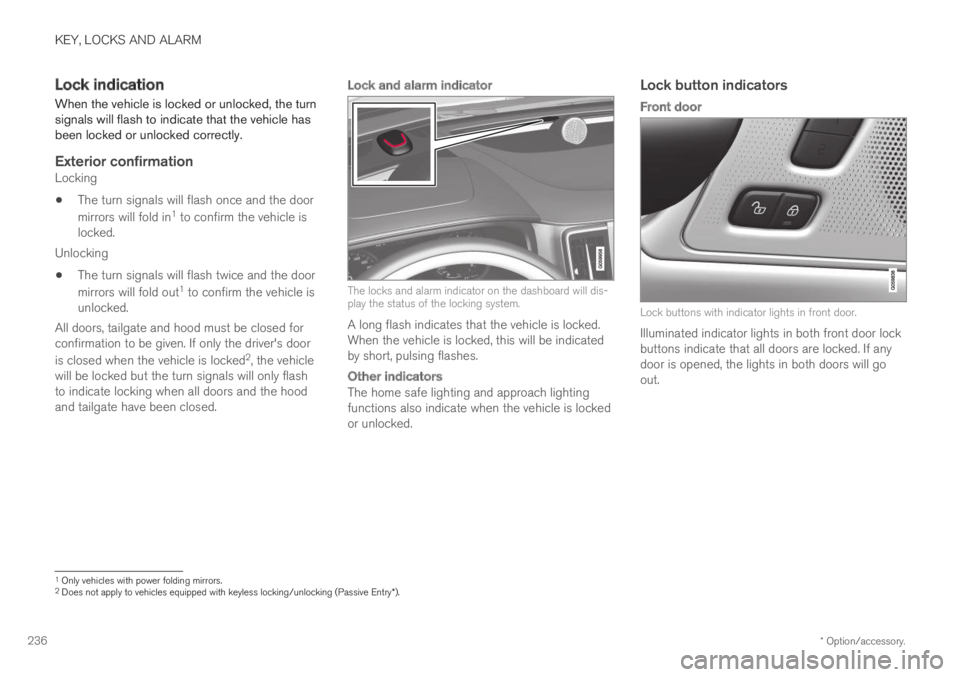
Lock and alarm indicator
The locks and alarm indicator on the dashboard will dis-play the status of the locking system.
A long flash indicates that the vehicle is locked.When the vehicle is locked, this will be indicatedby short, pulsing flashes.
Other indicators
The home safe lighting and approach lightingfunctions also indicate when the vehicle is lockedor unlocked.
Lock button indicators
Front door
Lock buttons with indicator lights in front door.
Illuminated indicator lights in both front door lockbuttons indicate that all doors are locked. If anydoor is opened, the lights in both doors will goout.
1Only vehicles with power folding mirrors.2Does not apply to vehicles equipped with keyless locking/unlocking (Passive Entry*).
Page 239 of 695
KEY, LOCKS AND ALARM
}}
* Option/accessory.237
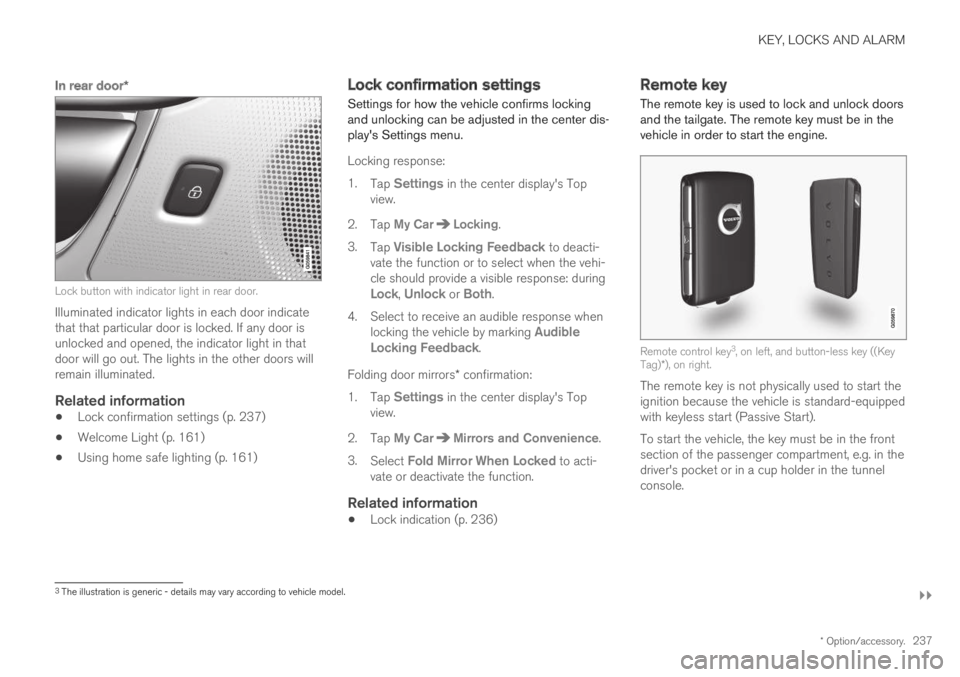
In rear door *
Lock button with indicator light in rear door.
Illuminated indicator lights in each door indicatethat that particular door is locked. If any door isunlocked and opened, the indicator light in thatdoor will go out. The lights in the other doors willremain illuminated.
Related information
Lock confirmation settings (p. 237)
Welcome Light (p. 161)
Using home safe lighting (p. 161)
Lock confirmation settings
Settings for how the vehicle confirms lockingand unlocking can be adjusted in the center dis-play's Settings menu.
Locking response:
1.Tap Settings in the center display's Topview.
2.Tap My CarLocking.
3.Tap Visible Locking Feedback to deacti-vate the function or to select when the vehi-cle should provide a visible response: duringLock, Unlock or Both.
4.Select to receive an audible response whenlocking the vehicle by marking AudibleLocking Feedback.
Folding door mirrors* confirmation:
1.Tap Settings in the center display's Topview.
2.Tap My CarMirrors and Convenience.
3.Select Fold Mirror When Locked to acti-vate or deactivate the function.
Related information
Lock indication (p. 236)
Remote key
The remote key is used to lock and unlock doorsand the tailgate. The remote key must be in thevehicle in order to start the engine.
Remote control key3, on left, and button-less key ((KeyTag)*), on right.
The remote key is not physically used to start theignition because the vehicle is standard-equippedwith keyless start (Passive Start).
To start the vehicle, the key must be in the frontsection of the passenger compartment, e.g. in thedriver's pocket or in a cup holder in the tunnelconsole.
3The illustration is generic - details may vary according to vehicle model.
Page 240 of 695
||
KEY, LOCKS AND ALARM
* Option/accessory.238
The keyless system for locking/unlocking thedoors and tailgate (Passive Entry*) is available asan option. This system has a range in a semicirclewith a radius of approximately 1.5 meter (5 feet)out from the driver's door and approx. 1 meter(3 feet) out from the tailgate.
With keyless start in combination with keylesslocking and unlocking, the remote key can belocated anywhere in the passenger compartmentor cargo compartment in order to start theengine.
Each remote key supplied with the vehicle can belinked to a driver profile with unique settings forthe vehicle. When a key with a specific profile isused, the vehicle settings are adjusted accordingto that profile.
Buttonless key, Key Tag
For vehicles equipped with keyless locking andunlocking*, a smaller, lighter and button-less key
(Key Tag4) is also provided. It works the sameway as the regular remote key as regard keylessstart and keyless locking and unlocking. The keyis waterproof up to a depth of approx. 10 meters(30 feet) for up to 60 minutes. It does not have adetachable key blade and its battery cannot bereplaced.
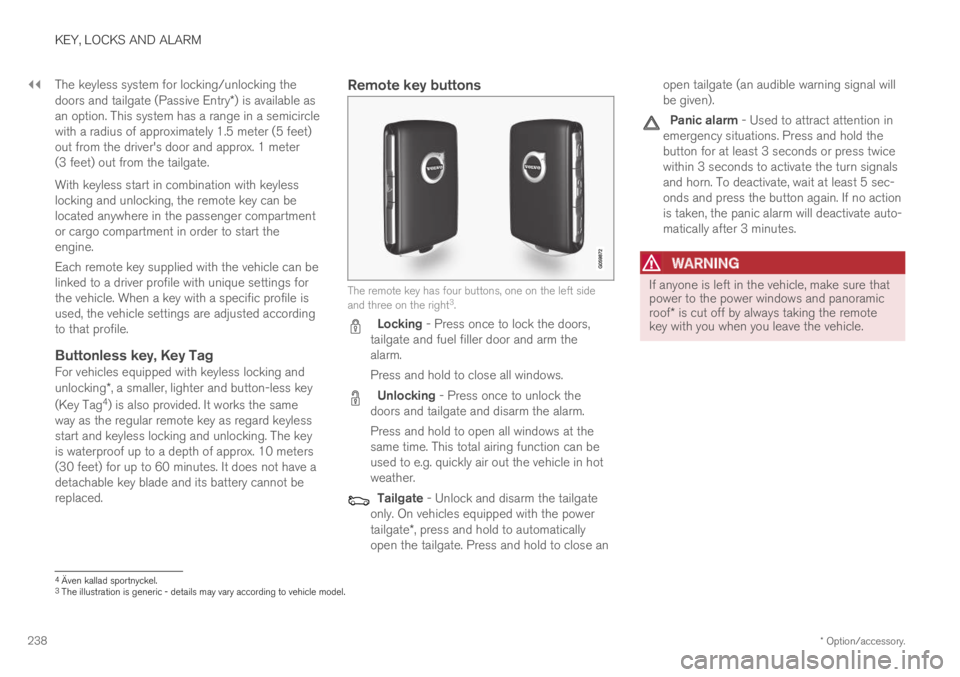
Remote key buttons
The remote key has four buttons, one on the left sideand three on the right3.
Locking - Press once to lock the doors,tailgate and fuel filler door and arm thealarm.
Press and hold to close all windows.
Unlocking - Press once to unlock thedoors and tailgate and disarm the alarm.
Press and hold to open all windows at thesame time. This total airing function can beused to e.g. quickly air out the vehicle in hotweather.
Tailgate - Unlock and disarm the tailgateonly. On vehicles equipped with the powertailgate*, press and hold to automaticallyopen the tailgate. Press and hold to close an
open tailgate (an audible warning signal willbe given).
Panic alarm - Used to attract attention inemergency situations. Press and hold thebutton for at least 3 seconds or press twicewithin 3 seconds to activate the turn signalsand horn. To deactivate, wait at least 5 sec-onds and press the button again. If no actionis taken, the panic alarm will deactivate auto-matically after 3 minutes.
WARNING
If anyone is left in the vehicle, make sure thatpower to the power windows and panoramicroof* is cut off by always taking the remotekey with you when you leave the vehicle.
4Även kallad sportnyckel.3The illustration is generic - details may vary according to vehicle model.
Page 241 of 695
KEY, LOCKS AND ALARM
* Option/accessory.239
NOTE
Be aware of the risk of locking the remotekey in the vehicle.
If the remote key or Key Tag is left in thevehicle, it will be deactivated when thevehicle is locked and the alarm set usinganother valid key. The deactivated key willbe reactivated when the vehicle isunlocked.
If the remote key or Red Key is left in thevehicle, it will be deactivated even if thevehicle is locked using Volvo On Call, andwill be reactivated when the vehicle isunlocked using Volvo On Call or bypressing the unlock button on the key.
Interference
Electromagnetic fields or obstructing objects mayinterfere with the remote key's functions for key-less start and keyless locking and unlocking*.
NOTE
Avoid storing the remote control key nearmetal objects or electronic devices, e.g. cellphones, tablets, laptops or chargers – pref-erably no closer than 10-15 cm (4-6 in.).
If you experience interference, use the remotekey's detachable blade to unlock the vehicle and
place the remote key in the backup key reader inthe tunnel console cup holder to disarm thealarm.
NOTE
When the remote control key is placed in thecup holder, make sure that no other vehiclekeys, metal objects or electronic devices (e.g.cell phones, tablets, laptops or chargers) arefound in the cup holder. Multiple vehicle keysclose to each other in the cup holder can dis-rupt their functionality.
WARNING
California Proposition 65
Operating, servicing and maintaining a pas-senger vehicle can expose you to chemicalsincluding engine exhaust, carbon monoxide,phthalates, and lead, which are known to theState of California to cause cancer and birthdefects or other reproductive harm. To mini-mize exposure, avoid breathing exhaust, donot idle the engine except as necessary, serv-ice your vehicle in a well ventilated area andwear gloves or wash your hands frequentlywhen servicing your vehicle. For more infor-mation go to www.P65Warnings.ca.gov/passenger-vehicle.
Related information
Locking and unlocking using the remote key(p. 240)
Remote key range (p. 242)
Replacing the remote key's battery (p. 243)
Detachable key blade (p. 248)
Electronic immobilizer (p. 251)
Linking a remote key to a driver profile(p. 138)
Page 242 of 695
KEY, LOCKS AND ALARM
* Option/accessory.240
Locking and unlocking using theremote key
All doors and tailgate can be locked andunlocked simultaneously using the buttons onthe remote key.
Locking with remote key
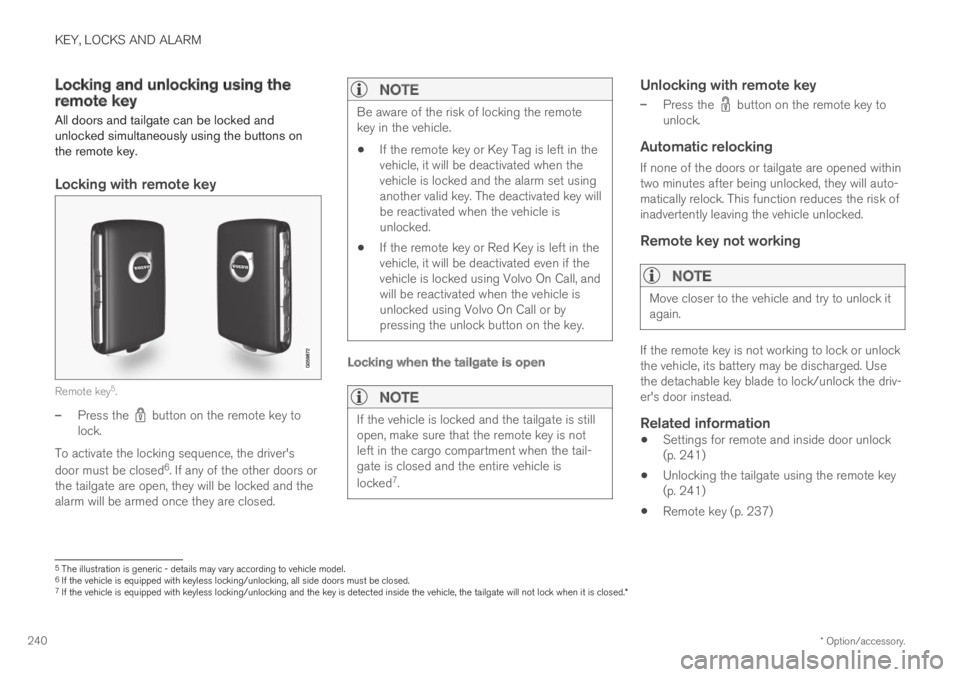
Remote key5.
–Press the button on the remote key tolock.
To activate the locking sequence, the driver's
door must be closed6. If any of the other doors orthe tailgate are open, they will be locked and thealarm will be armed once they are closed.
NOTE
Be aware of the risk of locking the remotekey in the vehicle.
If the remote key or Key Tag is left in thevehicle, it will be deactivated when thevehicle is locked and the alarm set usinganother valid key. The deactivated key willbe reactivated when the vehicle isunlocked.
If the remote key or Red Key is left in thevehicle, it will be deactivated even if thevehicle is locked using Volvo On Call, andwill be reactivated when the vehicle isunlocked using Volvo On Call or bypressing the unlock button on the key.
Locking when the tailgate is open
NOTE
If the vehicle is locked and the tailgate is stillopen, make sure that the remote key is notleft in the cargo compartment when the tail-gate is closed and the entire vehicle is
locked7.
Unlocking with remote key
–Press the button on the remote key tounlock.
Automatic relocking
If none of the doors or tailgate are opened withintwo minutes after being unlocked, they will auto-matically relock. This function reduces the risk ofinadvertently leaving the vehicle unlocked.
Remote key not working
NOTE
Move closer to the vehicle and try to unlock itagain.
If the remote key is not working to lock or unlockthe vehicle, its battery may be discharged. Usethe detachable key blade to lock/unlock the driv-er's door instead.
Related information
Settings for remote and inside door unlock(p. 241)
Unlocking the tailgate using the remote key(p. 241)
Remote key (p. 237)
5The illustration is generic - details may vary according to vehicle model.6If the vehicle is equipped with keyless locking/unlocking, all side doors must be closed.7If the vehicle is equipped with keyless locking/unlocking and the key is detected inside the vehicle, the tailgate will not lock when it is closed.*