display VOLVO XC60 TWIN ENGINE 2019 Repair Manual
[x] Cancel search | Manufacturer: VOLVO, Model Year: 2019, Model line: XC60 TWIN ENGINE, Model: VOLVO XC60 TWIN ENGINE 2019Pages: 695, PDF Size: 14.96 MB
Page 117 of 695
DISPLAYS AND VOICE CONTROL
}}
* Option/accessory.115
Activating and deactivating thecenter display
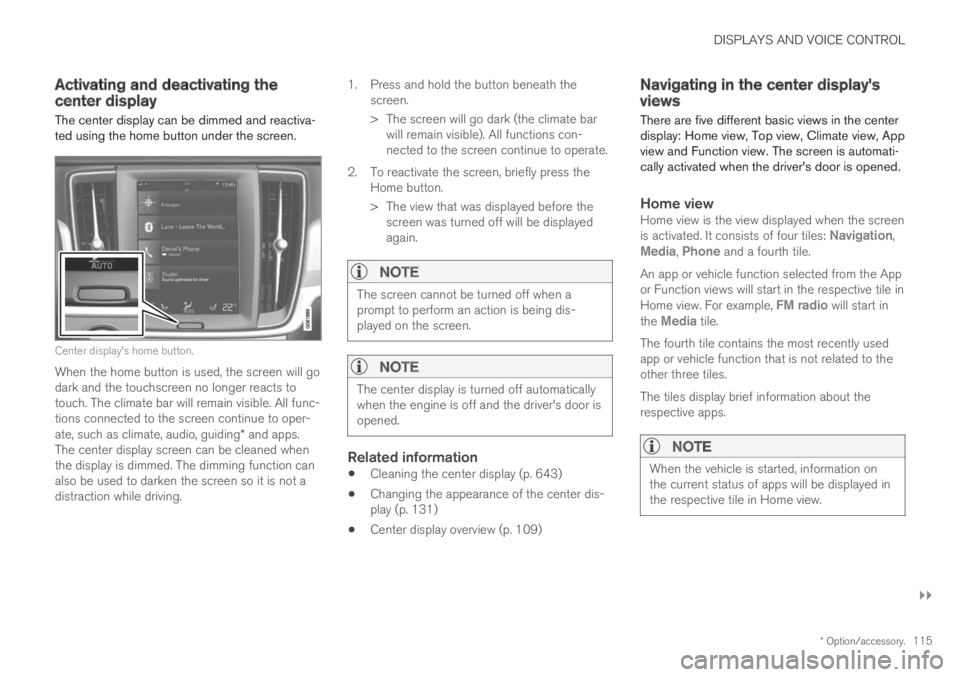
The center display can be dimmed and reactiva-ted using the home button under the screen.
Center display's home button.
When the home button is used, the screen will godark and the touchscreen no longer reacts totouch. The climate bar will remain visible. All func-tions connected to the screen continue to oper-ate, such as climate, audio, guiding* and apps.The center display screen can be cleaned whenthe display is dimmed. The dimming function canalso be used to darken the screen so it is not adistraction while driving.
1.Press and hold the button beneath thescreen.
> The screen will go dark (the climate barwill remain visible). All functions con-nected to the screen continue to operate.
2. To reactivate the screen, briefly press theHome button.
> The view that was displayed before thescreen was turned off will be displayedagain.
NOTE
The screen cannot be turned off when aprompt to perform an action is being dis-played on the screen.
NOTE
The center display is turned off automaticallywhen the engine is off and the driver's door isopened.
Related information
Cleaning the center display (p. 643)
Changing the appearance of the center dis-play (p. 131)
Center display overview (p. 109)
Navigating in the center display'sviews
There are five different basic views in the centerdisplay: Home view, Top view, Climate view, Appview and Function view. The screen is automati-cally activated when the driver's door is opened.
Home view
Home view is the view displayed when the screenis activated. It consists of four tiles: Navigation,Media, Phone and a fourth tile.
An app or vehicle function selected from the Appor Function views will start in the respective tile inHome view. For example, FM radio will start inthe Media tile.
The fourth tile contains the most recently usedapp or vehicle function that is not related to theother three tiles.
The tiles display brief information about therespective apps.
NOTE
When the vehicle is started, information onthe current status of apps will be displayed inthe respective tile in Home view.
Page 118 of 695
||
DISPLAYS AND VOICE CONTROL
* Option/accessory.116
NOTE
In Home view's standard mode – short presson the Home button. An animation describingaccess to the various views is shown on thescreen.
NOTE
When the vehicle is moving:
Certain functions (e.g. using the centerdisplay's keyboard) may be deactivated.
Certain texts (e.g. those generated byapps) will be shortened to three rows.Tap the Read out button to have theentire message read aloud.
The message will be shortened to onerow. Tap the Read out button to havethe entire message read aloud.
Status bar
Current vehicle activities are shown at the top ofthe screen in the status bar. Network and con-nection information is shown to the left of thestatus bar. Media-related information, the clockand information about background activities areshown to the right.
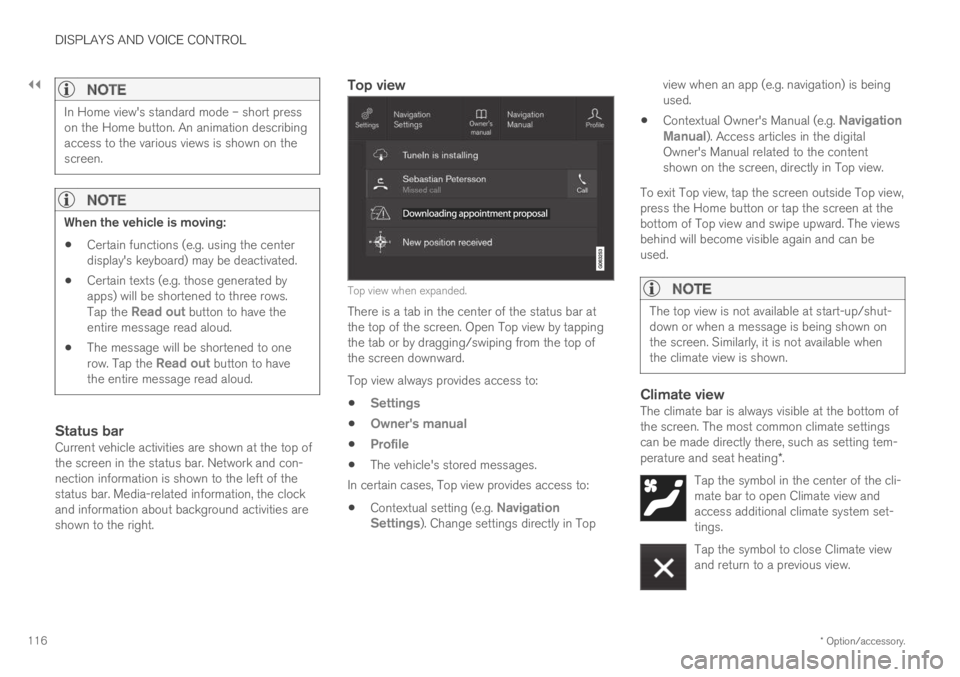
Top view
Top view when expanded.
There is a tab in the center of the status bar atthe top of the screen. Open Top view by tappingthe tab or by dragging/swiping from the top ofthe screen downward.
Top view always provides access to:
Settings
Owner's manual
Profile
The vehicle's stored messages.
In certain cases, Top view provides access to:
Contextual setting (e.g. NavigationSettings). Change settings directly in Top
view when an app (e.g. navigation) is beingused.
Contextual Owner's Manual (e.g. NavigationManual). Access articles in the digitalOwner's Manual related to the contentshown on the screen, directly in Top view.
To exit Top view, tap the screen outside Top view,press the Home button or tap the screen at thebottom of Top view and swipe upward. The viewsbehind will become visible again and can beused.
NOTE
The top view is not available at start-up/shut-down or when a message is being shown onthe screen. Similarly, it is not available whenthe climate view is shown.
Climate view
The climate bar is always visible at the bottom ofthe screen. The most common climate settingscan be made directly there, such as setting tem-perature and seat heating*.
Tap the symbol in the center of the cli-mate bar to open Climate view andaccess additional climate system set-tings.
Tap the symbol to close Climate viewand return to a previous view.
Page 119 of 695
DISPLAYS AND VOICE CONTROL
}}
* Option/accessory.117
App view
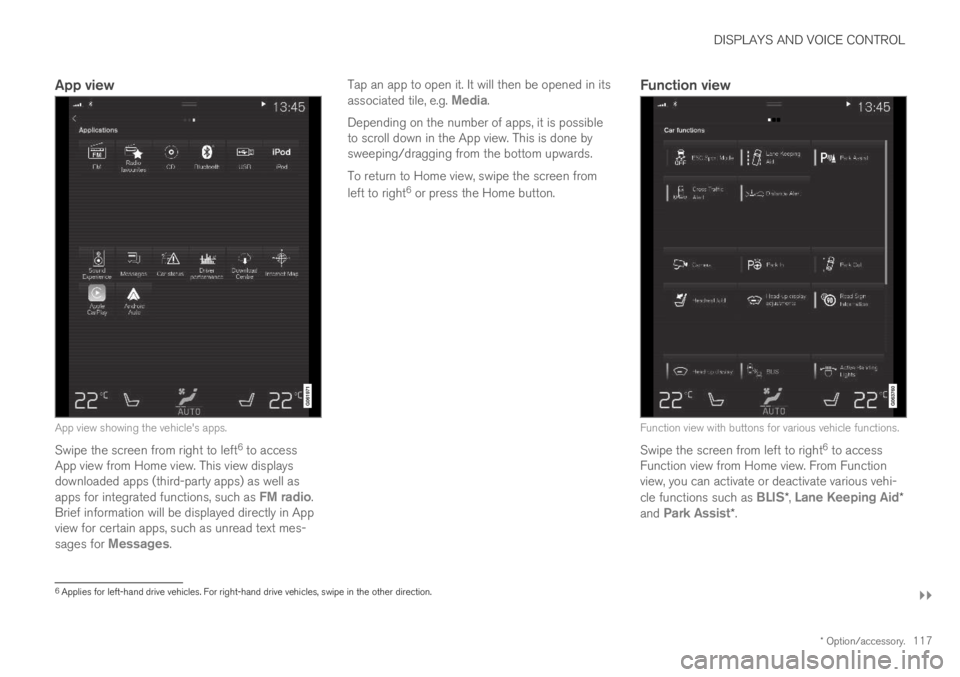
App view showing the vehicle's apps.
Swipe the screen from right to left6 to accessApp view from Home view. This view displaysdownloaded apps (third-party apps) as well asapps for integrated functions, such as FM radio.Brief information will be displayed directly in Appview for certain apps, such as unread text mes-sages for Messages.
Tap an app to open it. It will then be opened in itsassociated tile, e.g. Media.
Depending on the number of apps, it is possibleto scroll down in the App view. This is done bysweeping/dragging from the bottom upwards.
To return to Home view, swipe the screen from
left to right6 or press the Home button.
Function view
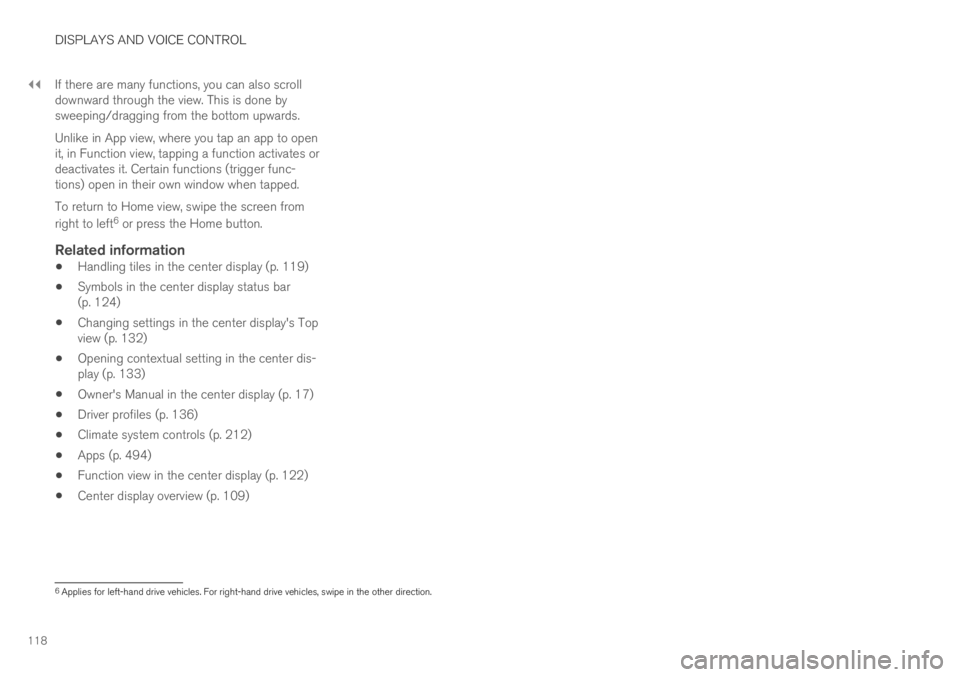
Function view with buttons for various vehicle functions.
Swipe the screen from left to right6 to accessFunction view from Home view. From Functionview, you can activate or deactivate various vehi-cle functions such as BLIS*, Lane Keeping Aid*and Park Assist*.
6Applies for left-hand drive vehicles. For right-hand drive vehicles, swipe in the other direction.
Page 120 of 695
||
DISPLAYS AND VOICE CONTROL
118
If there are many functions, you can also scrolldownward through the view. This is done bysweeping/dragging from the bottom upwards.
Unlike in App view, where you tap an app to openit, in Function view, tapping a function activates ordeactivates it. Certain functions (trigger func-tions) open in their own window when tapped.
To return to Home view, swipe the screen from
right to left6 or press the Home button.
Related information
Handling tiles in the center display (p. 119)
Symbols in the center display status bar(p. 124)
Changing settings in the center display's Topview (p. 132)
Opening contextual setting in the center dis-play (p. 133)
Owner's Manual in the center display (p. 17)
Driver profiles (p. 136)
Climate system controls (p. 212)
Apps (p. 494)
Function view in the center display (p. 122)
Center display overview (p. 109)
6Applies for left-hand drive vehicles. For right-hand drive vehicles, swipe in the other direction.
Page 121 of 695
DISPLAYS AND VOICE CONTROL
}}
119
Handling tiles in the center display
Home view consists of four tiles: Navigation,Media, Phone and a fourth tile. These viewscan be expanded.
Page 122 of 695
||
DISPLAYS AND VOICE CONTROL
120
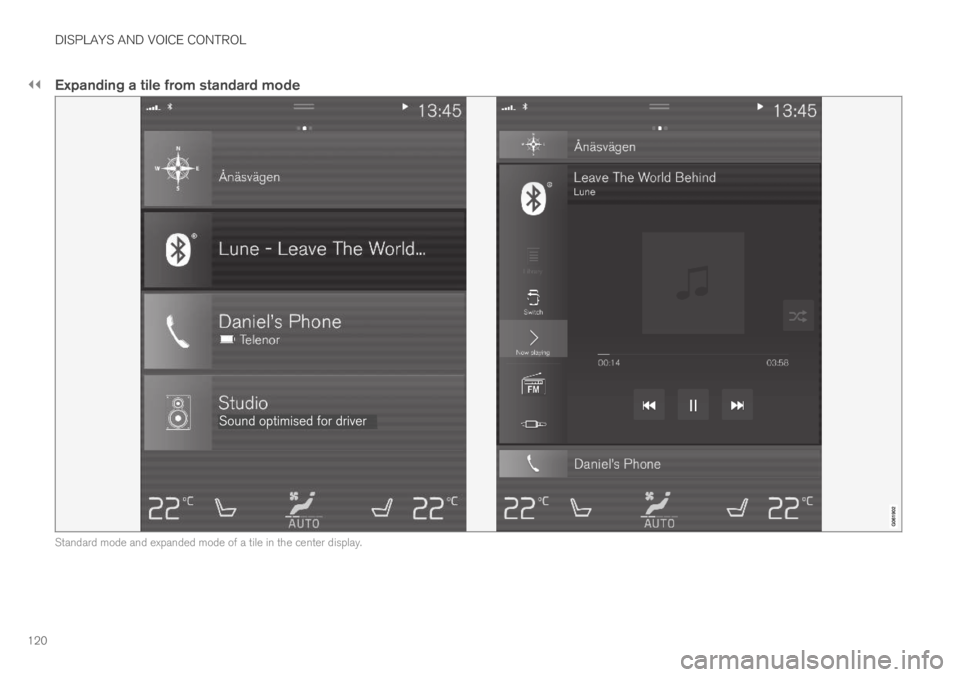
Expanding a tile from standard mode
Standard mode and expanded mode of a tile in the center display.
Page 123 of 695
DISPLAYS AND VOICE CONTROL
121
Expanding a tile:
–For tiles Navigation, Media and Phone:Tap the screen anywhere in the tile. When atile is expanded, the extra tile in Home viewwill be temporarily hidden. The other two tileswill be minimized and only show certain infor-mation. When the extra tile is tapped, theother three tiles are minimized and only cer-tain information is displayed.
Expanded view provides access to the basicfunctions of the respective apps.
Closing an expanded tile:
–The tile can be closed in three differentways:
Tap the top section of the expanded tile.
Tap another tile (it will then be opened inexpanded mode instead).
Press briefly on the Home button underthe center display.
Opening or closing a tile in full-screen
mode
The fourth tile7 and tile for Navigation can beopened in full-screen mode to show additionalinformation and possible settings.
When a tile is opened in full-screen mode, noinformation from the other tiles is displayed.
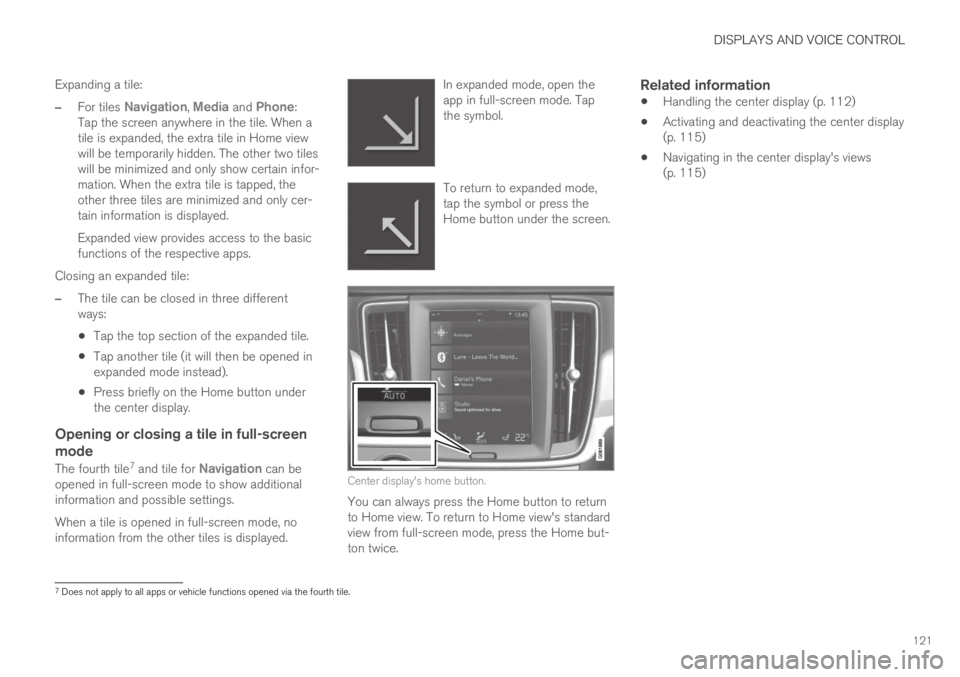
In expanded mode, open theapp in full-screen mode. Tapthe symbol.
To return to expanded mode,tap the symbol or press theHome button under the screen.
Center display's home button.
You can always press the Home button to returnto Home view. To return to Home view's standardview from full-screen mode, press the Home but-ton twice.
Related information
Handling the center display (p. 112)
Activating and deactivating the center display(p. 115)
Navigating in the center display's views(p. 115)
7Does not apply to all apps or vehicle functions opened via the fourth tile.
Page 124 of 695
DISPLAYS AND VOICE CONTROL
122
Function view in the center display
Function view, which is one of the center dis-play's basic views, contains all of the vehicle'sfunction buttons. From the Home view, navigate
to Function view by swiping from left to right
over the screen8.
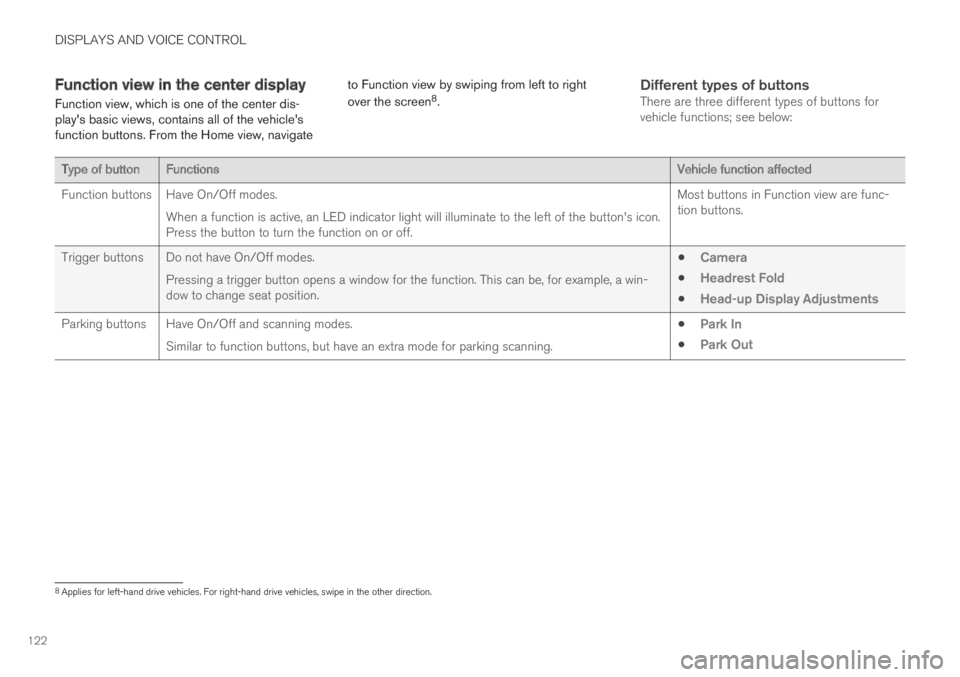
Different types of buttons
There are three different types of buttons forvehicle functions; see below:
Type of buttonFunctionsVehicle function affected
Function buttonsHave On/Off modes.
When a function is active, an LED indicator light will illuminate to the left of the button's icon.Press the button to turn the function on or off.
Most buttons in Function view are func-tion buttons.
Trigger buttons Do not have On/Off modes.
Pressing a trigger button opens a window for the function. This can be, for example, a win-dow to change seat position.
Camera
Headrest Fold
Head-up Display Adjustments
Parking buttons Have On/Off and scanning modes.
Similar to function buttons, but have an extra mode for parking scanning.
Park In
Park Out
8Applies for left-hand drive vehicles. For right-hand drive vehicles, swipe in the other direction.
Page 125 of 695
DISPLAYS AND VOICE CONTROL
123
Button modes
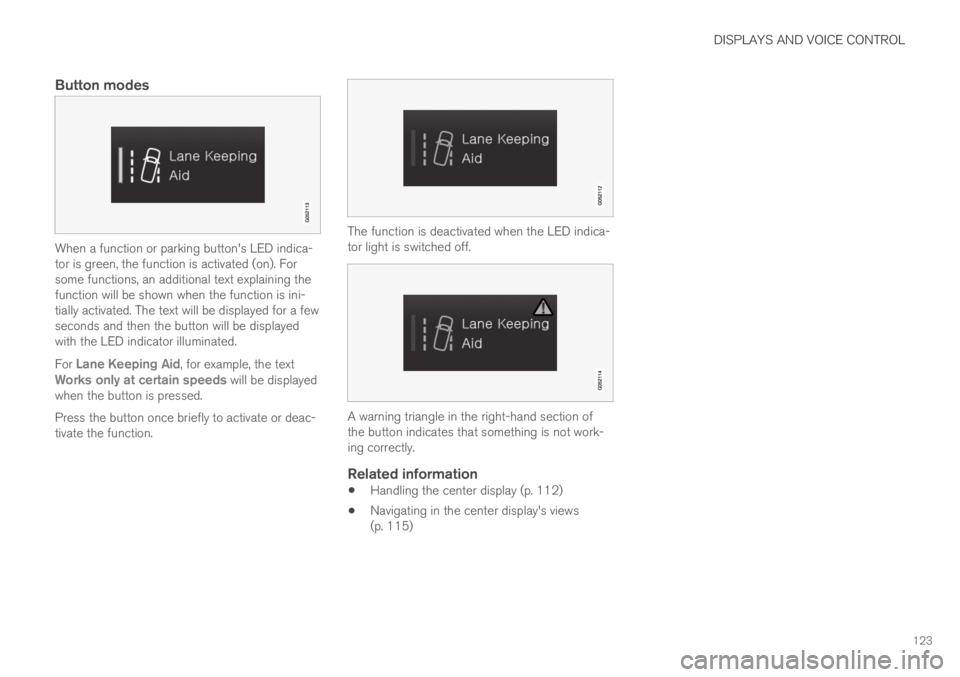
When a function or parking button's LED indica-tor is green, the function is activated (on). Forsome functions, an additional text explaining thefunction will be shown when the function is ini-tially activated. The text will be displayed for a fewseconds and then the button will be displayedwith the LED indicator illuminated.
For Lane Keeping Aid, for example, the textWorks only at certain speeds will be displayedwhen the button is pressed.
Press the button once briefly to activate or deac-tivate the function.
The function is deactivated when the LED indica-tor light is switched off.
A warning triangle in the right-hand section ofthe button indicates that something is not work-ing correctly.
Related information
Handling the center display (p. 112)
Navigating in the center display's views(p. 115)
Page 126 of 695
DISPLAYS AND VOICE CONTROL
124
Moving apps and buttons in thecenter display
The apps and buttons for vehicle functions canbe moved and organized in the App and Func-tion views.
1. Swipe from right to left9 to access App view
or swipe from left to right9 to access Func-tion view.
2.Press and hold an app or button.
> The app or button will change size andbecome slightly transparent. It can thenbe moved.
3. Drag the app or button to an available posi-tion in the view.
A maximum of 48 rows can be used to positionapps or buttons. To move an app or button out-side the visible view, drag it to the bottom of theview. New rows will be added and the app or but-ton can be placed in one of these.
Apps or buttons placed below the view's normaldisplay will not be visible on the screen.
Swipe the screen to scroll up or down in the viewto display information outside the view.
NOTE
Hide the apps that are rarely or never used bymoving them far down, outside of the visibleview. This makes it easier to find the appsused more frequently.
NOTE
Apps and vehicle function buttons cannot besituated at spots already in use.
Related information
Function view in the center display (p. 122)
Apps (p. 494)
Handling the center display (p. 112)
Symbols in the center display statusbar
Overview of symbols displayed in the center dis-play status bar.
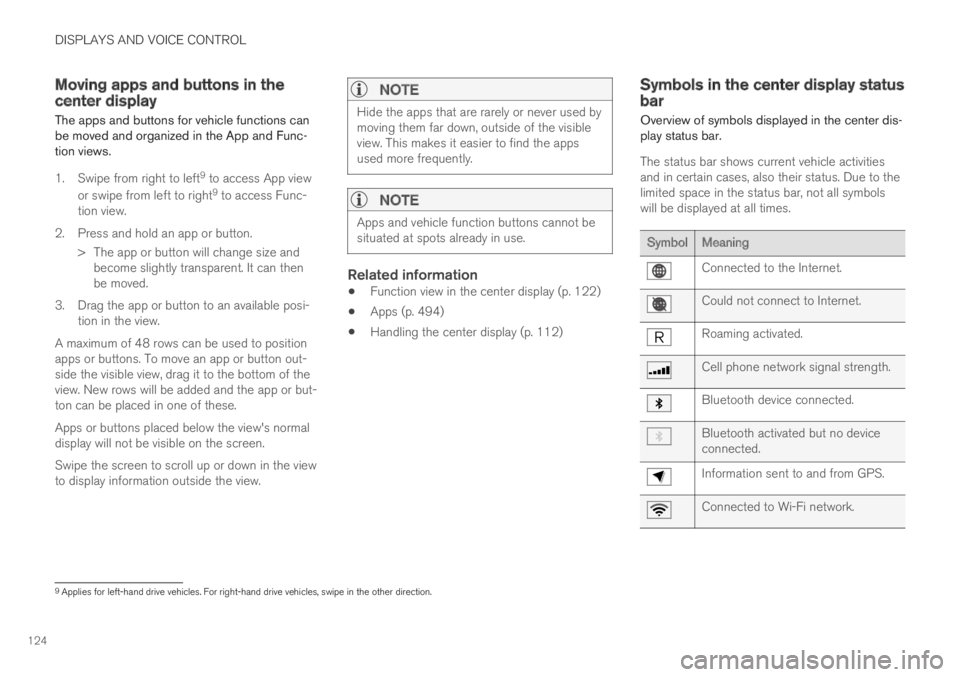
The status bar shows current vehicle activitiesand in certain cases, also their status. Due to thelimited space in the status bar, not all symbolswill be displayed at all times.
SymbolMeaning
Connected to the Internet.
Could not connect to Internet.
Roaming activated.
Cell phone network signal strength.
Bluetooth device connected.
Bluetooth activated but no deviceconnected.
Information sent to and from GPS.
Connected to Wi-Fi network.
9Applies for left-hand drive vehicles. For right-hand drive vehicles, swipe in the other direction.