brake VOLVO XC70 2004 User Guide
[x] Cancel search | Manufacturer: VOLVO, Model Year: 2004, Model line: XC70, Model: VOLVO XC70 2004Pages: 241, PDF Size: 5.78 MB
Page 39 of 241

2004 VOLVO XC70
2 0 0 4
VOLVO XC70
Chapter 2 - Instruments, switches and controls
pg. 23 Instruments, switches and controls
Interior 24
Exterior 25
Instruments 26
Instrument panel 27
Indicator and warning lights 28
Text information window 30
Switches in the center console 31
Trip computer 32
Cruise control 33
Light switch panel 34
Steering wheel adjustment/lock 35
Ignition switch, Turn signals 36
Windshield wipers/washers 37
Warning flashers, heated mirrors/rear window, heated front
seats 38
Parking brake, auxiliary socket/ashtrays 39
Electrically operated windows 40
Rearview/sideview mirrors 41
file:///K|/ownersdocs/2004/2004_XC70/04xc70_02a.htm (1 of 14)12/30/200\
6 4:32:56 PM
Page 44 of 241
 of fuel remaining.
14 Indicator and warning lights
pg. 28 Indicator and warning lights
The indic")
2004 VOLVO XC70
When the warning light comes on there are approximately 1.8 US gal. (8 \
liters) of fuel remaining.
14 Indicator and warning lights
pg. 28 Indicator and warning lights
The indicator and warning lights described on pages 28 and 29 should nev\
er stay on when driving*
When the ignition key is turned, all of the warning lights in the lower \
right-hand side of the instrument panel
should go on to test the function of the bulbs. If a light does not go o\
ff after the engine has started, the system
indicated should be inspected.
NOTE: The parking brake reminder light will not go off until the parking brake\
has been fully released.
Warning lamp in the center of the instrument panel
This lamp lights up red or yellow depending on the severity of the fault that has been detected.
Yellow light: Follow the instructions shown in the text window.
Red light: Stop the car as soon as possible in a suitable location and read the me\
ssage shown in the text
window.
Supplemental Restraint System (SRS)
If the light comes on (or stays on after the vehicle has started), the\
SRS diagnostic system has detected a
file:///K|/ownersdocs/2004/2004_XC70/04xc70_02a.htm (6 of 14)12/30/200\
6 4:32:56 PM
Page 45 of 241

2004 VOLVO XC70
fault. Drive to an authorized Volvo retailer for an inspection of the sy\
stem. See the SRS section for more
information.
Brake failure warning light
If the light comes on while driving or braking, stop immediately, open t\
he hood and check the brake
fluid level in the reservoir. See
page 134 for reservoir position and page 137 for instructions.
Canadian models are equipped with this warning light:
Oil pressure warning light
If the light comes on while driving, stop the car and then stop the engi\
ne immediately and check the
engine oil level. See
page 138. If the light stays on after restart, have the car towed to the nearest\
authorized
Volvo retailer. After hard driving, the light may come on occasionally w\
hen the engine is idling. This is
normal, provided it goes off when the engine speed is increased.
Parking brake reminder light
This light will be on when the parking brake (hand brake) is applied. \
The parking brake lever is situated
between the front seats.
Canadian models are equipped with this warning light:
Generator warning light
If the light comes on while the engine is running, have the charging sys\
tem checked.
* Rear fog light, if used, and trailer turn signal, if towing a trailer,\
will go on while driving.
file:///K|/ownersdocs/2004/2004_XC70/04xc70_02a.htm (7 of 14)12/30/200\
6 4:32:56 PM
Page 46 of 241
2004 VOLVO XC70
pg. 29 Indicator and warning lights
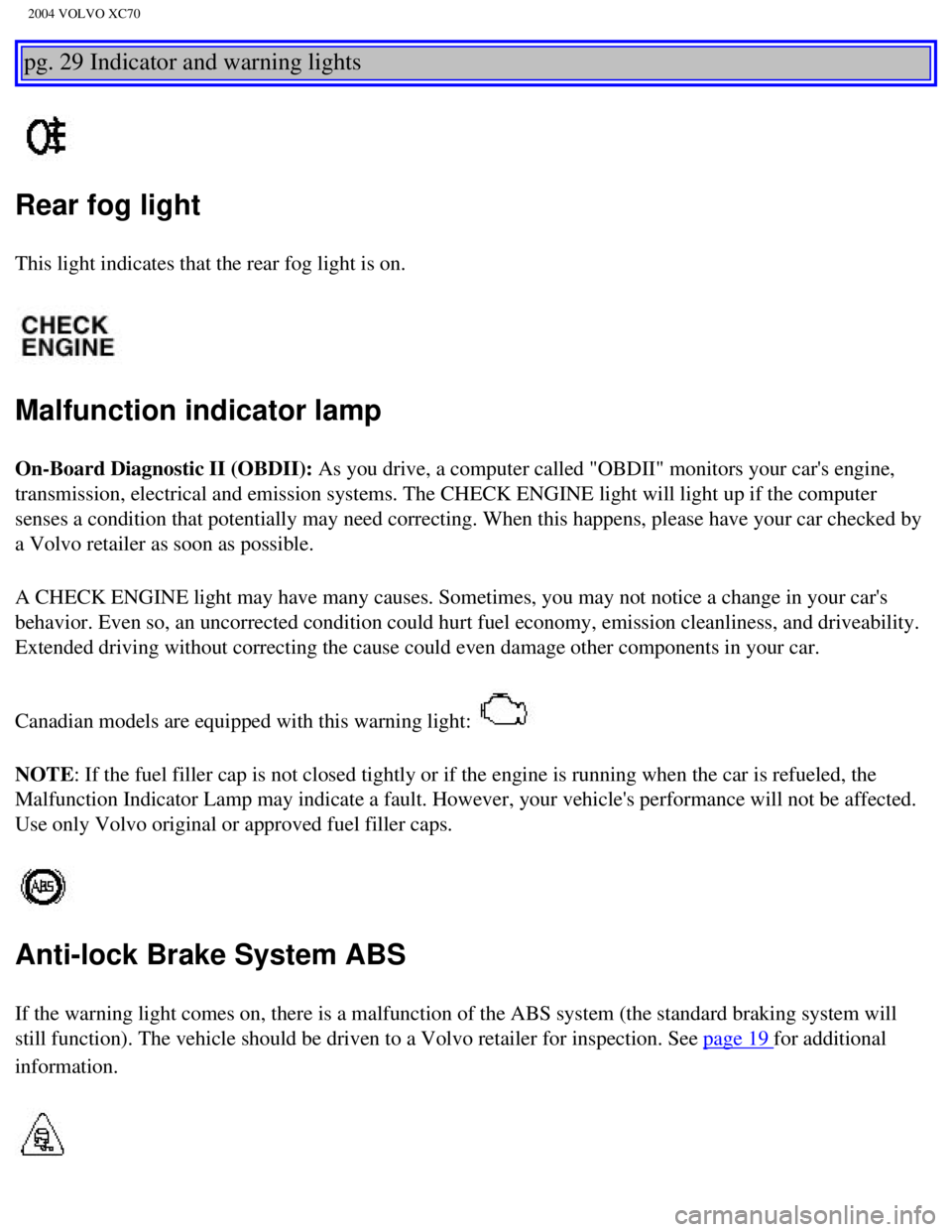
Rear fog light
This light indicates that the rear fog light is on.
Malfunction indicator lamp
On-Board Diagnostic II (OBDII): As you drive, a computer called "OBDII" monitors your car's engine,
transmission, electrical and emission systems. The CHECK ENGINE light wi\
ll light up if the computer
senses a condition that potentially may need correcting. When this happe\
ns, please have your car checked by
a Volvo retailer as soon as possible.
A CHECK ENGINE light may have many causes. Sometimes, you may not notice\
a change in your car's
behavior. Even so, an uncorrected condition could hurt fuel economy, emi\
ssion cleanliness, and driveability.
Extended driving without correcting the cause could even damage other co\
mponents in your car.
Canadian models are equipped with this warning light:
NOTE: If the fuel filler cap is not closed tightly or if the engine is runni\
ng when the car is refueled, the
Malfunction Indicator Lamp may indicate a fault. However, your vehicle's\
performance will not be affected.
Use only Volvo original or approved fuel filler caps.
Anti-lock Brake System ABS
If the warning light comes on, there is a malfunction of the ABS system \
(the standard braking system will
still function). The vehicle should be driven to a Volvo retailer for i\
nspection. See
page 19 for additional
information.
file:///K|/ownersdocs/2004/2004_XC70/04xc70_02a.htm (8 of 14)12/30/200\
6 4:32:56 PM
Page 53 of 241

2004 VOLVO XC70
pg. 33 Cruise control
Cruise control
The cruise control panel is located on the left side of the steering whe\
el hub.
Engaging cruise control/setting speed
l Press the CRUISE button
l Press + or - to set the current speed
l Increase or decrease speed as desired
NOTE: Cruise control will not function at speeds below 22 mph (35 km/h).
Braking
Cruise control is automatically disengaged when the brake pedal is depre\
ssed. The currently set speed is
stored in memory. Quickly pressing resume (
) will return the car to the previously set speed.
Acceleration
Momentary acceleration, such as when passing another car, does not affec\
t cruise control operation. The
car will automatically return to the previously set speed when you relea\
se the accelerator pedal.
When the cruise control is already engaged, the car's speed can be incre\
ased or decreased by holding
down + or - until the car reaches the desired speed. One short press on \
either symbol corresponds to a
speed change of approximately 1 mph (1.6 km/h).
file:///K|/ownersdocs/2004/2004_XC70/04xc70_02b.htm (1 of 18)12/30/200\
6 4:32:58 PM
Page 54 of 241

2004 VOLVO XC70
Disengaging cruise control
Cruise control can be disengaged by:
l Pressing the CRUISE button.
l Putting the gear selector in (N)eutral.
NOTE: Cruise control is automatically disengaged if the engine is switched off\
, if the gear selector is
placed in (N)eutral, if the car's speed drops to under 70% of the curr\
ently set speed or if the wheels start
to spin.
Temporarily disengaging cruise control
l Press 0 to temporarily disengage cruise control. Press "resume" () to return to the previously set
speed.
l Press the brake pedal. Press "resume" () to return to the previously set speed.
WARNING!
Cruise control should not be used in heavy traffic or when driving on we\
t or slippery roads. Cruise
control may not maintain set speed on steep downgrades.
pg. 34 Light switch panel
A - Headlights, parking lights
O All lights off
Models with daytime running lights: Low beam headlights will automatically come on if the ignition
key is in position II. Front and rear parking lights and license plate l\
ights will also be on.
Volvo recommends the use of daytime running lights. If, however, you wou\
ld prefer to have these lights
turned off (USA only), please consult your Volvo retailer. Please note\
that the use of daytime running
lights is mandatory in Canada.
NOTE: Bi-Xenon headlights (option): Turn the headlight switch to position 0\
to activate a daylight
sensor, which automatically switches the low beams on or off, depending \
on ambient light conditions.
When driving in daylight, the headlights will switch off and the daytime\
running lights will come on. In
file:///K|/ownersdocs/2004/2004_XC70/04xc70_02b.htm (2 of 18)12/30/200\
6 4:32:58 PM
Page 62 of 241

The front seat heating can be switched on and off as required.
l Press the switch once for maximum seat heating. Both LEDs in the switch \
will be lit")
2004 VOLVO XC70
Heated front seats (option)
The front seat heating can be switched on and off as required.
l Press the switch once for maximum seat heating. Both LEDs in the switch \
will be lit.
l Press the switch a second time for comfort heating. One LED in the switc\
h will be lit.
l Press the switch a third time to turn the heating off completely.
The seat heating for the passenger seat should be switched off when the \
seat is not occupied.
pg. 39 Parking brake, Auxiliary socket, Ashtrays
Parking brake (hand brake)
The lever is situated between the front seats. The brake is applied to t\
he rear wheels. The indicator light
in the instrument panel will light up to indicate when the parking brake\
is applied. Apply the parking
brake by pulling up firmly on the lever. Release the parking brake by de\
pressing the button at the end of
the lever and lowering the lever completely.
file:///K|/ownersdocs/2004/2004_XC70/04xc70_02b.htm (10 of 18)12/30/20\
06 4:32:58 PM
Page 63 of 241
 when parking. On hills, also\
turn the front wheels
toward the curb.
l The indicator light in the instrument panel wil")
2004 VOLVO XC70
WARNING!
l Always use the parking brake (hand brake) when parking. On hills, also\
turn the front wheels
toward the curb.
l The indicator light in the instrument panel will light up even if the pa\
rking brake is applied only
slightly. Be sure to pull the lever up sufficiently.
Front auxiliary socket
Rear auxiliary socket (option)
Auxiliary sockets
These 12 volt sockets can be used to plug in certain accessories such as\
cellular telephones, etc. The key
must be in position I (or higher) for the auxiliary socket to function\
.
The auxiliary sockets can also be used for cigarette lighters, which are\
available at your Volvo retailer.
file:///K|/ownersdocs/2004/2004_XC70/04xc70_02b.htm (11 of 18)12/30/20\
06 4:32:58 PM
Page 85 of 241

2004 VOLVO XC70
WARNING!
l Because the driver's seat can be adjusted with the ignition off, childre\
n should never be left
unattended in the car.
l Movement of the seat can be STOPPED at any time by pressing any button o\
n the power seat
control panel.
l Do not adjust the seat while driving. The seat should be adjusted so tha\
t the brake pedal can be
depressed fully. In addition, position the seat as far rearward as comfo\
rt and control allow.
l The seat rails on the floor must not be obstructed in any way when the s\
eat is in motion.
Programming the memory
Three seat positions can be programmed. To program a seat position:
1 Adjust the seat to the desired position.
2 Hold down the MEM button.
3 While holding down the MEM button, press button 1 to program the curren\
t position of the seat.
Buttons 2 and 3 can be programmed in the same way.
To move the seat to a programmed position, press and hold down button 1,\
2 or 3 until the seat moves to
the preset position and stops.
As a safety precaution, the seat will stop automatically if the button i\
s released before the seat has
reached the programmed position.
NOTE: The seat has an overload protector which engages if an object blocks the\
movement of the seat.
If this happens, remove the object and wait 20 seconds before operating \
the seat again.
* This option is only available on the driver's seat.
file:///K|/ownersdocs/2004/2004_XC70/04xc70_04a.htm (3 of 11)12/30/200\
6 4:32:59 PM
Page 88 of 241

2004 VOLVO XC70
The seat can be moved forward or rearward by pulling up on the front-rea\
r adjustment bar.
Check that the seat is securely locked into position after adjusting. WARNING!
Do not adjust the seat while driving. The seat should be adjusted so tha\
t the brake pedal can be
depressed fully. In addition, position the seat as far rearward as comfo\
rt and control allow.
pg. 59 Storage compartments
Clip for toll booth tickets, etc.
file:///K|/ownersdocs/2004/2004_XC70/04xc70_04a.htm (6 of 11)12/30/200\
6 4:32:59 PM