light VOLVO XC70 2016 Owner´s Manual
[x] Cancel search | Manufacturer: VOLVO, Model Year: 2016, Model line: XC70, Model: VOLVO XC70 2016Pages: 396, PDF Size: 10.01 MB
Page 134 of 396
04 Climate
04
132* Option/accessory, for more information, see Introduction.
Max. defroster and electrically heated windshield*
The heated windshield and max. defroster functions are used to clear the windshield andfront side windows of condensation and iceas quickly as possible.
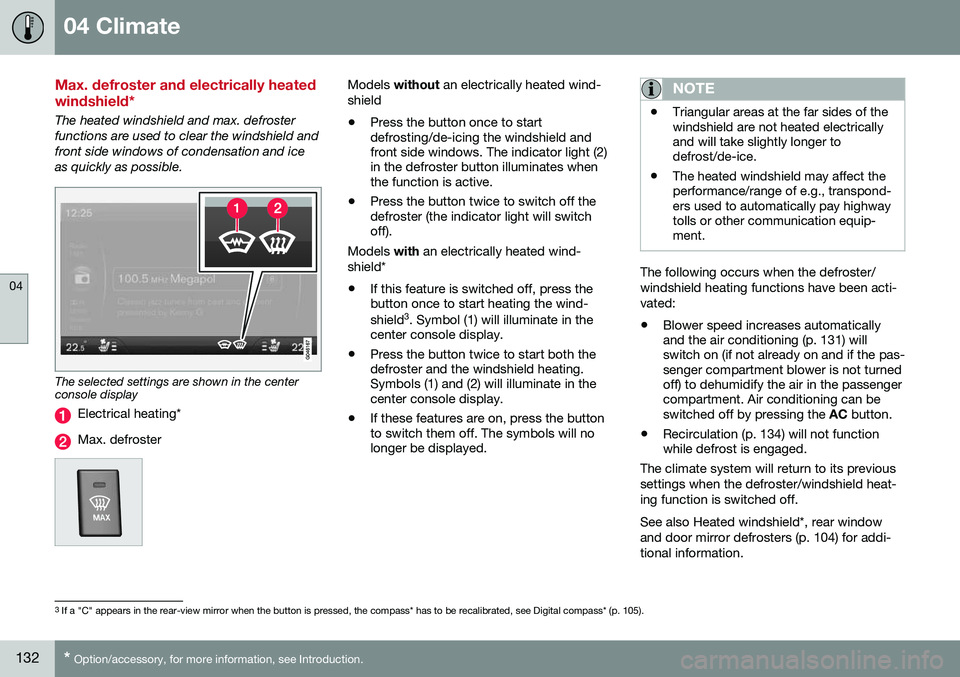
The selected settings are shown in the center console display
Electrical heating*
Max. defroster
Models without an electrically heated wind-
shield • Press the button once to start defrosting/de-icing the windshield andfront side windows. The indicator light (2)in the defroster button illuminates whenthe function is active.
• Press the button twice to switch off thedefroster (the indicator light will switchoff).
Models with an electrically heated wind-
shield*
• If this feature is switched off, press thebutton once to start heating the wind- shield 3
. Symbol (1) will illuminate in the
center console display.
• Press the button twice to start both the defroster and the windshield heating.Symbols (1) and (2) will illuminate in thecenter console display.
• If these features are on, press the buttonto switch them off. The symbols will nolonger be displayed.NOTE
•Triangular areas at the far sides of the windshield are not heated electricallyand will take slightly longer todefrost/de-ice.
• The heated windshield may affect theperformance/range of e.g., transpond-ers used to automatically pay highwaytolls or other communication equip-ment.
The following occurs when the defroster/ windshield heating functions have been acti-vated: •
Blower speed increases automatically and the air conditioning (p. 131) willswitch on (if not already on and if the pas-senger compartment blower is not turnedoff) to dehumidify the air in the passengercompartment. Air conditioning can beswitched off by pressing the
AC button.
• Recirculation (p. 134) will not functionwhile defrost is engaged.
The climate system will return to its previous
settings when the defroster/windshield heat- ing function is switched off. See also Heated windshield*, rear window and door mirror defrosters (p. 104) for addi-tional information.
3 If a "C" appears in the rear-view mirror when the button is pressed, the compass* has to be recalibrated, see Digital compass* (p. 105).
Page 136 of 396
04 Climate
04
134
Air distribution – recirculation
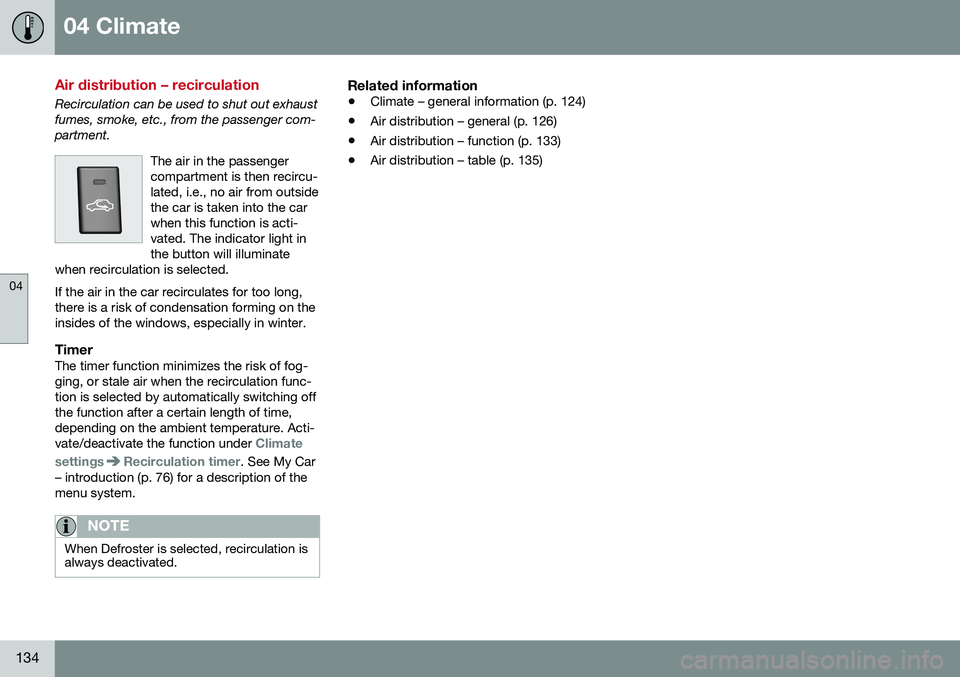
Recirculation can be used to shut out exhaust fumes, smoke, etc., from the passenger com-partment.The air in the passengercompartment is then recircu-lated, i.e., no air from outsidethe car is taken into the carwhen this function is acti-vated. The indicator light inthe button will illuminate
when recirculation is selected. If the air in the car recirculates for too long, there is a risk of condensation forming on theinsides of the windows, especially in winter.
TimerThe timer function minimizes the risk of fog- ging, or stale air when the recirculation func-tion is selected by automatically switching offthe function after a certain length of time,depending on the ambient temperature. Acti-vate/deactivate the function under
Climate
settings
Recirculation timer. See My Car
– introduction (p. 76) for a description of the menu system.
NOTE
When Defroster is selected, recirculation is always deactivated.
Related information
• Climate – general information (p. 124)
• Air distribution – general (p. 126)
• Air distribution – function (p. 133)
• Air distribution – table (p. 135)
Page 142 of 396
05 Loading and storage
05
140* Option/accessory, for more information, see Introduction.
Tunnel console
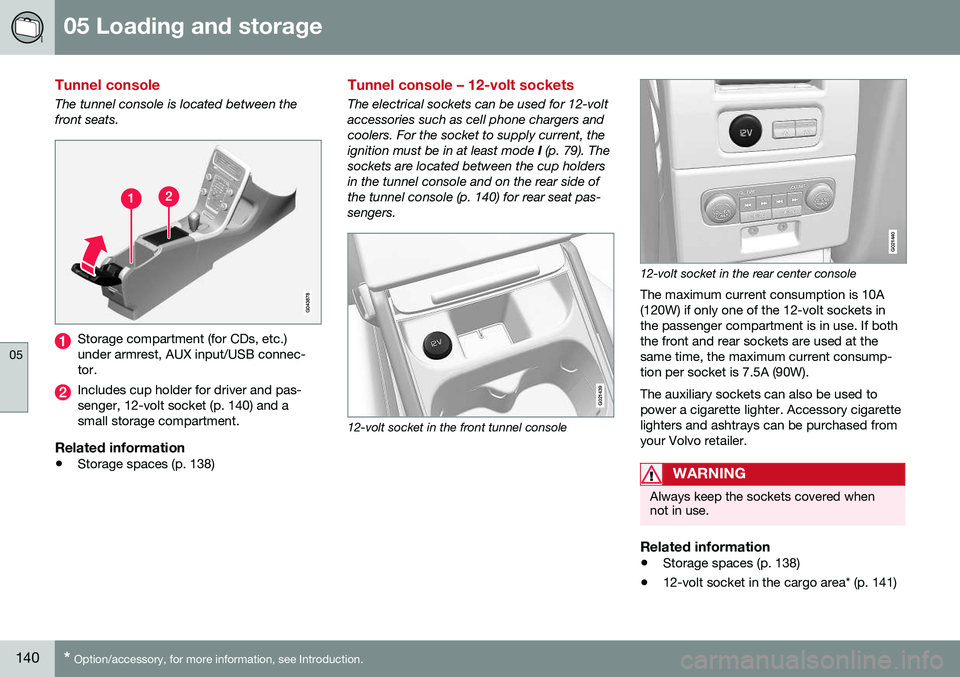
The tunnel console is located between the front seats.
Storage compartment (for CDs, etc.) under armrest, AUX input/USB connec-tor.
Includes cup holder for driver and pas- senger, 12-volt socket (p. 140) and asmall storage compartment.
Related information
• Storage spaces (p. 138)
Tunnel console – 12-volt sockets
The electrical sockets can be used for 12-volt accessories such as cell phone chargers andcoolers. For the socket to supply current, theignition must be in at least mode
I (p. 79). The
sockets are located between the cup holdersin the tunnel console and on the rear side ofthe tunnel console (p. 140) for rear seat pas-sengers.
G021439
12-volt socket in the front tunnel console
G021440
12-volt socket in the rear center console
The maximum current consumption is 10A (120W) if only one of the 12-volt sockets inthe passenger compartment is in use. If boththe front and rear sockets are used at thesame time, the maximum current consump-tion per socket is 7.5A (90W). The auxiliary sockets can also be used to power a cigarette lighter. Accessory cigarettelighters and ashtrays can be purchased fromyour Volvo retailer.
WARNING
Always keep the sockets covered when not in use.
Related information
• Storage spaces (p. 138)
• 12-volt socket in the cargo area* (p. 141)
Page 143 of 396
05 Loading and storage
05
* Option/accessory, for more information, see Introduction.141
Glove compartment
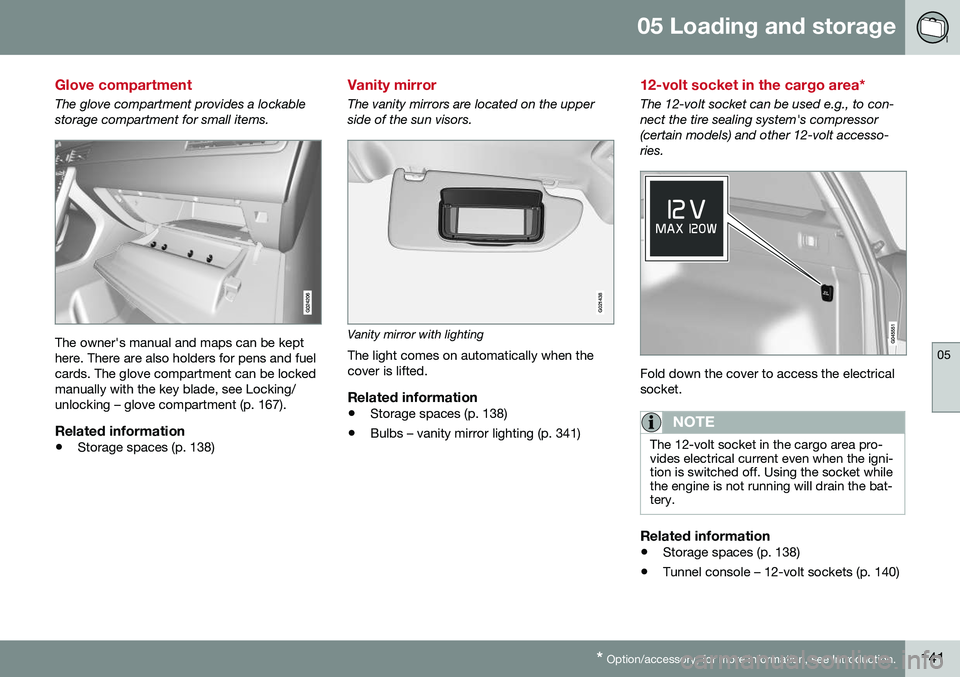
The glove compartment provides a lockable storage compartment for small items.
The owner's manual and maps can be kept here. There are also holders for pens and fuelcards. The glove compartment can be lockedmanually with the key blade, see Locking/unlocking – glove compartment (p. 167).
Related information
• Storage spaces (p. 138)
Vanity mirror
The vanity mirrors are located on the upper side of the sun visors.
G021438
Vanity mirror with lighting
The light comes on automatically when the cover is lifted.
Related information
• Storage spaces (p. 138)
• Bulbs – vanity mirror lighting (p. 341)
12-volt socket in the cargo area*
The 12-volt socket can be used e.g., to con- nect the tire sealing system's compressor(certain models) and other 12-volt accesso-ries.
Fold down the cover to access the electrical socket.
NOTE
The 12-volt socket in the cargo area pro- vides electrical current even when the igni-tion is switched off. Using the socket whilethe engine is not running will drain the bat-tery.
Related information
• Storage spaces (p. 138)
• Tunnel console – 12-volt sockets (p. 140)
Page 146 of 396
05 Loading and storage
05
144
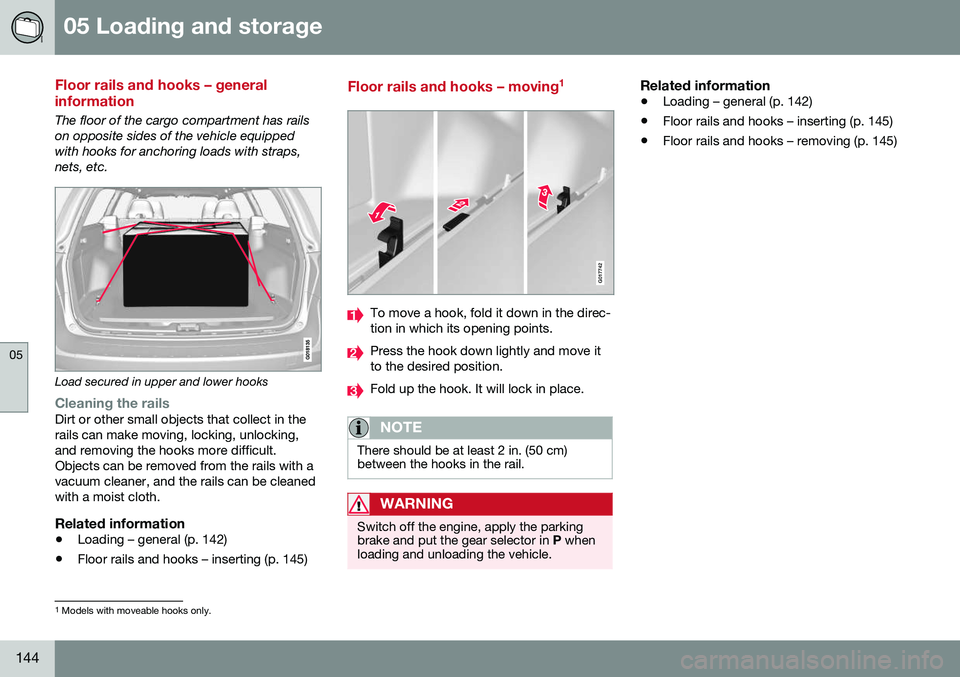
Floor rails and hooks – general information
The floor of the cargo compartment has rails on opposite sides of the vehicle equippedwith hooks for anchoring loads with straps,nets, etc.
Load secured in upper and lower hooks
Cleaning the railsDirt or other small objects that collect in the rails can make moving, locking, unlocking,and removing the hooks more difficult.Objects can be removed from the rails with avacuum cleaner, and the rails can be cleanedwith a moist cloth.
Related information
•Loading – general (p. 142)
• Floor rails and hooks – inserting (p. 145)
Floor rails and hooks – moving 1
G017742
To move a hook, fold it down in the direc- tion in which its opening points.
Press the hook down lightly and move it to the desired position.
Fold up the hook. It will lock in place.
NOTE
There should be at least 2 in. (50 cm) between the hooks in the rail.
WARNING
Switch off the engine, apply the parking brake and put the gear selector in
P when
loading and unloading the vehicle.
Related information
• Loading – general (p. 142)
• Floor rails and hooks – inserting (p. 145)
• Floor rails and hooks – removing (p. 145)
1
Models with moveable hooks only.
Page 147 of 396
05 Loading and storage
05
}}
145
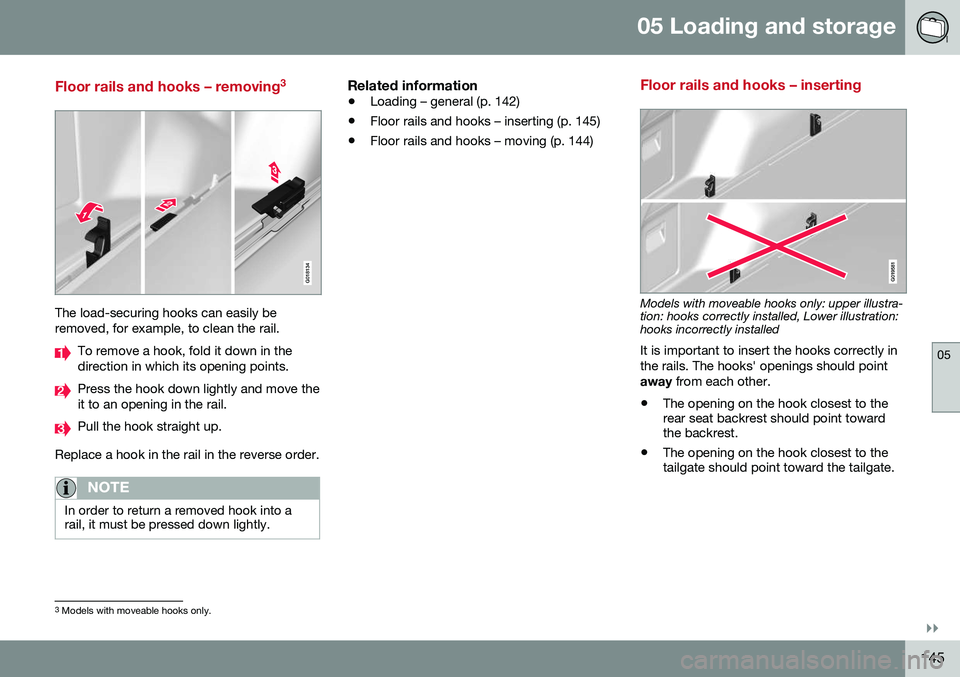
Floor rails and hooks – removing3
G018134
The load-securing hooks can easily be removed, for example, to clean the rail.
To remove a hook, fold it down in the direction in which its opening points.
Press the hook down lightly and move the it to an opening in the rail.
Pull the hook straight up.
Replace a hook in the rail in the reverse order.
NOTE
In order to return a removed hook into a rail, it must be pressed down lightly.
Related information
• Loading – general (p. 142)
• Floor rails and hooks – inserting (p. 145)
• Floor rails and hooks – moving (p. 144)
Floor rails and hooks – inserting
G019581
Models with moveable hooks only: upper illustra- tion: hooks correctly installed, Lower illustration:hooks incorrectly installed It is important to insert the hooks correctly in the rails. The hooks' openings should pointaway
from each other.
• The opening on the hook closest to the rear seat backrest should point towardthe backrest.
• The opening on the hook closest to thetailgate should point toward the tailgate.
3
Models with moveable hooks only.
Page 151 of 396
05 Loading and storage
05
}}
149
Cargo area cover
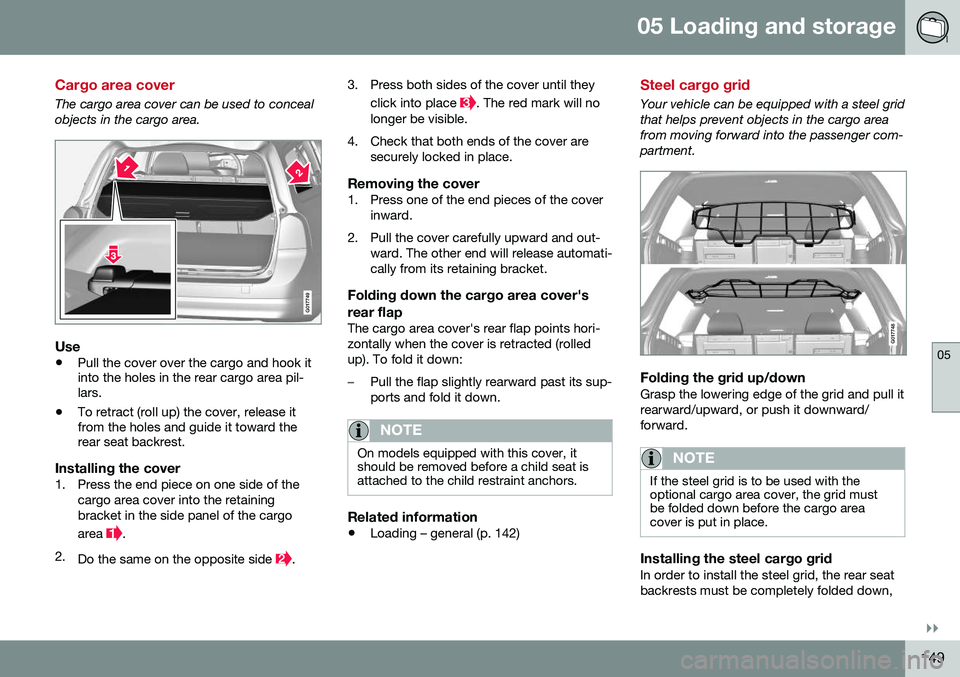
The cargo area cover can be used to conceal objects in the cargo area.
G017749
Use
•Pull the cover over the cargo and hook it into the holes in the rear cargo area pil-lars.
• To retract (roll up) the cover, release itfrom the holes and guide it toward therear seat backrest.
Installing the cover1. Press the end piece on one side of the
cargo area cover into the retaining bracket in the side panel of the cargo area
.
2. Do the same on the opposite side
. 3. Press both sides of the cover until they
click into place
. The red mark will no
longer be visible.
4. Check that both ends of the cover are securely locked in place.
Removing the cover1. Press one of the end pieces of the coverinward.
2. Pull the cover carefully upward and out- ward. The other end will release automati- cally from its retaining bracket.
Folding down the cargo area cover's rear flap
The cargo area cover's rear flap points hori- zontally when the cover is retracted (rolledup). To fold it down:
–Pull the flap slightly rearward past its sup- ports and fold it down.
NOTE
On models equipped with this cover, it should be removed before a child seat isattached to the child restraint anchors.
Related information
• Loading – general (p. 142)
Steel cargo grid
Your vehicle can be equipped with a steel grid that helps prevent objects in the cargo areafrom moving forward into the passenger com-partment.
G017748
Folding the grid up/downGrasp the lowering edge of the grid and pull it rearward/upward, or push it downward/forward.
NOTE
If the steel grid is to be used with the optional cargo area cover, the grid mustbe folded down before the cargo areacover is put in place.
Installing the steel cargo gridIn order to install the steel grid, the rear seat backrests must be completely folded down,
Page 152 of 396
||
05 Loading and storage
05
150
see Rear seats – folding backrest (p. 86)for instructions.
NOTE
•The steel cargo grid is easiest to install by two people, and should be foldeddown.
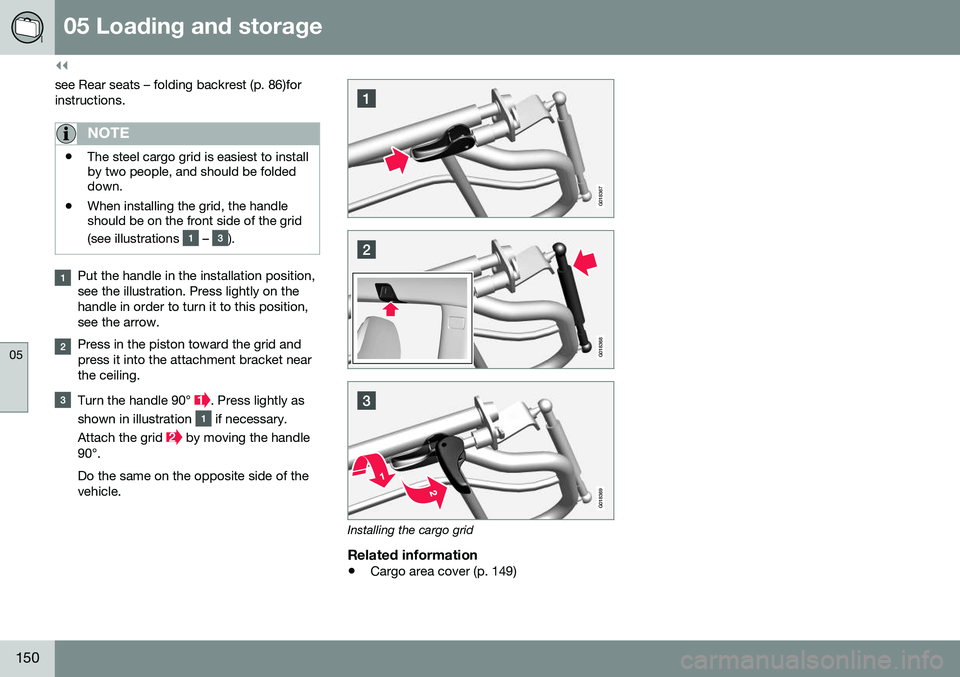
• When installing the grid, the handleshould be on the front side of the grid (see illustrations
– ).
Put the handle in the installation position, see the illustration. Press lightly on thehandle in order to turn it to this position,see the arrow.
Press in the piston toward the grid and press it into the attachment bracket nearthe ceiling.
Turn the handle 90° . Press lightly as
shown in illustration
if necessary.
Attach the grid
by moving the handle
90°. Do the same on the opposite side of the vehicle.
G018367
G018368
G018369
Installing the cargo grid
Related information
• Cargo area cover (p. 149)
Page 156 of 396
||
06 Locks and alarm
06
154
Making a settingDifferent alternatives for locking/unlocking confirmation can be selected in the menus bypressing MY CAR on the center console con-
trol panel. • To activate visual confirmation: go to
SettingsCar settingsLight
settings and select Door lock
confirmation light and/or Unlock
confirmation light by pressing OK/
MENU .
• To activate audible confirmation: go to
SettingsCar settingsLock
settings and select Audible
confirmation by pressing OK/MENU.
For a description of the menu system, see My Car – introduction (p. 76).
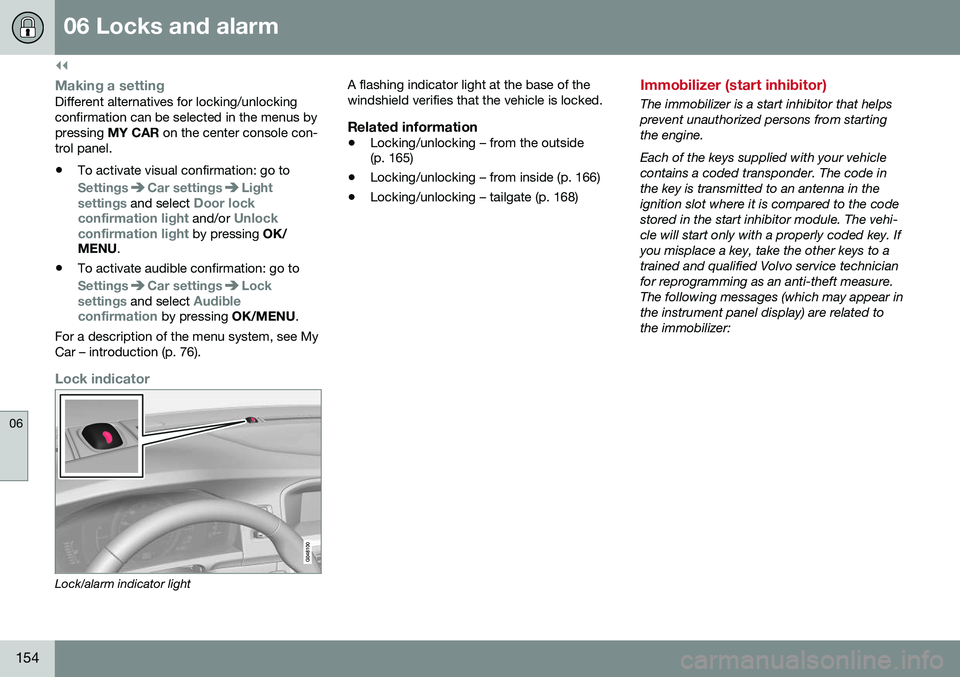
Lock indicator
Lock/alarm indicator light A flashing indicator light at the base of the windshield verifies that the vehicle is locked.
Related information
•
Locking/unlocking – from the outside (p. 165)
• Locking/unlocking – from inside (p. 166)
• Locking/unlocking – tailgate (p. 168)
Immobilizer (start inhibitor)
The immobilizer is a start inhibitor that helps prevent unauthorized persons from startingthe engine. Each of the keys supplied with your vehicle contains a coded transponder. The code inthe key is transmitted to an antenna in theignition slot where it is compared to the codestored in the start inhibitor module. The vehi-cle will start only with a properly coded key. Ifyou misplace a key, take the other keys to atrained and qualified Volvo service technicianfor reprogramming as an anti-theft measure.The following messages (which may appear inthe instrument panel display) are related tothe immobilizer:
Page 157 of 396
06 Locks and alarm
06
}}
* Option/accessory, for more information, see Introduction.155
MessageMeaning
Insert car keyRemote key not recognized during start. Try to start thevehicle again.
Car key not foundVehicles with keyless drive* only. Remote key not recog-nized during start. Try tostart the vehicle again. If the problem continues, insert the remote key into theignition slot and try to startthe vehicle again.
Immobil- izer TrystartagainRemote key fault during start. Contact an authorizedVolvo workshop.
CAUTION
Never use force when inserting the remote key in the ignition slot. The vehicle cannotbe started if the transponder is damaged.
USA–FCC ID: LTQWFS 125VO This device complies with part 15 of the FCC rules. Operation is subject to the followingcondition: (1) This device may not causeharmful interference, and (2) this device mustaccept any interference received, including interference that may cause undesired opera-tion. Canada–IC: 3659A-WFS125VOOperation is subject to the following condi- tions: (1) this device may not cause interfer-ence, and (2) this device must accept anyinterference, including interference that maycause undesired operation of the device. For information on starting the vehicle, see Starting the engine (p. 246).
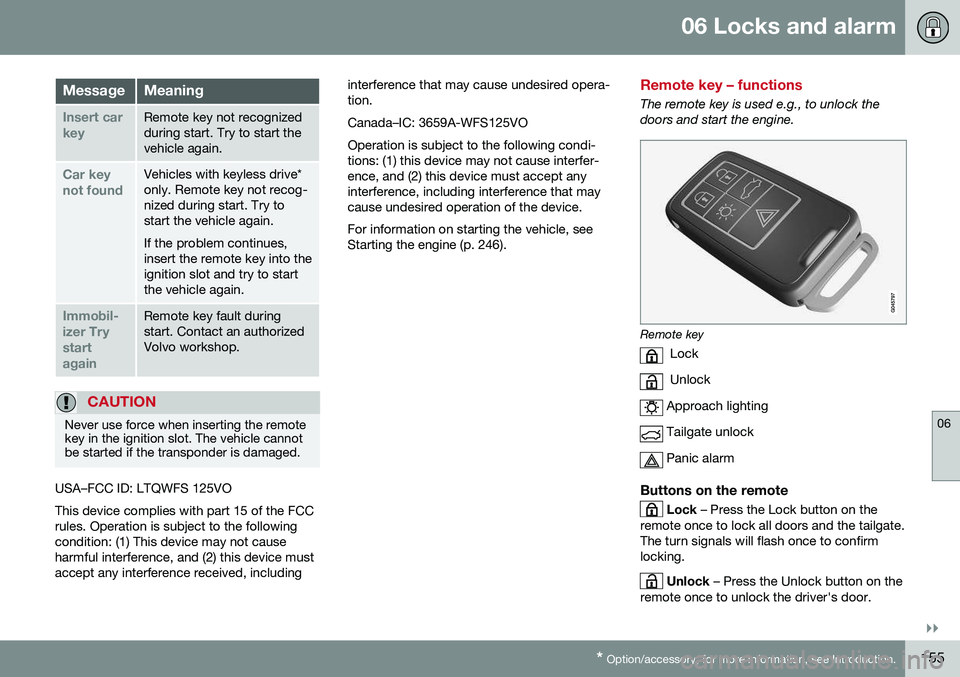
Remote key – functions
The remote key is used e.g., to unlock the doors and start the engine.
Remote key
Lock
Unlock
Approach lighting
Tailgate unlock
Panic alarm
Buttons on the remote
Lock – Press the Lock button on the
remote once to lock all doors and the tailgate. The turn signals will flash once to confirmlocking.
Unlock – Press the Unlock button on the
remote once to unlock the driver's door.