radio VOLVO XC90 2006 User Guide
[x] Cancel search | Manufacturer: VOLVO, Model Year: 2006, Model line: XC90, Model: VOLVO XC90 2006Pages: 254, PDF Size: 8.43 MB
Page 210 of 254
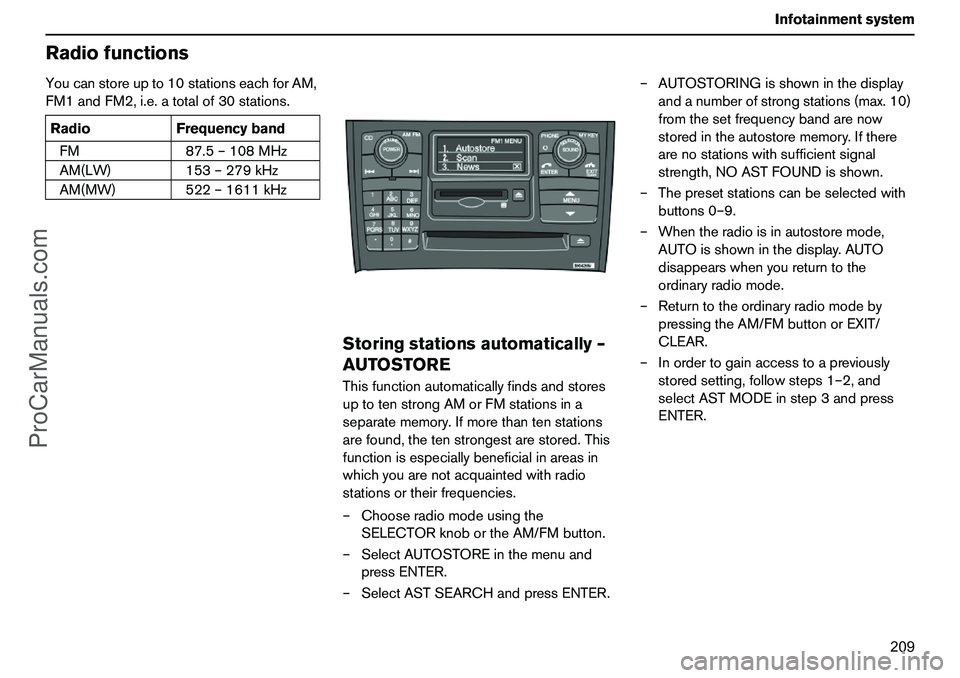
209 Infotainmentsystem
RadiofunctionsYoucanstoreupto10stationseachforAM,
FM1andFM2,i.e.atotalof30stations.
Storingstationsautomatically–
AUTOSTOREThisfunctionautomaticallyfindsandstores
uptotenstrongAMorFMstationsina
separatememory.Ifmorethantenstations
arefound,thetenstrongestarestored.This
functionisespeciallybeneficialinareasin
whichyouarenotacquaintedwithradio
stationsortheirfrequencies.
–Chooseradiomodeusingthe
SELECTORknobortheAM/FMbutton.
–SelectAUTOSTOREinthemenuand
pressENTER.
–SelectASTSEARCHandpressENTER.–AUTOSTORINGisshowninthedisplay
andanumberofstrongstations(max.10)
fromthesetfrequencybandarenow
storedintheautostorememory.Ifthere
arenostationswithsufficientsignal
strength,NOASTFOUNDisshown.
–Thepresetstationscanbeselectedwith
buttons0–9.
–Whentheradioisinautostoremode,
AUTOisshowninthedisplay.AUTO
disappearswhenyoureturntothe
ordinaryradiomode.
–Returntotheordinaryradiomodeby
pressingtheAM/FMbuttonorEXIT/
CLEAR.
–Inordertogainaccesstoapreviously
storedsetting,followsteps1–2,and
selectASTMODEinstep3andpress
ENTER. RadioFrequencyband
FM87.5–108MHz
AM(LW)153–279kHz
AM(MW)522–1611kHz
ProCarManuals.com
Page 211 of 254
210 InfotainmentsystemRadiofunctionsScanning–SCANThescanfunctionautomaticallysearchesfor
AMorFMstationsignals.Whentheradio
findsastation,scanningstopsfor
approx.8secondsandthenresumes.
–Chooseradiomodeusingthe
SELECTORknobortheAM/FMbutton.
–SelectSCANinthemenuandpress
ENTER.
–SCANisshowninthedisplay.
–PresstheEXIT/CLEARbuttontoexit.RadioDataSystem–RDSRDSisasystemwhichlinksspecificnetwork
transmitterstogetherandisused,for
example,toassistmotoristsbysettingthecorrectfrequencyirrespectiveofthetrans-
mittertowhichthecaroccupantsare
listeningortheactiveaudiosource(e.g.CD).
Thesystemcanalsobeusedforreceiving
trafficinformationandforfindingbroadcasts
ofaspecifictype.Radiotext,whichisalsoa
partofRDS,isusedbyradiostationstosend
informationregardingbroadcastsalreadyin
progress.
NOTE!SomeradiostationsdonotuseRDS
oronlyusealimitedrangeofitsfeatures.
Automaticsearchforprogram
information–PISeekWhenlisteningtoanRDStransmitter,
variousinformation,suchastrafficinfor-
mation,isstoredintheradio.
WhenapreselectedRDStransmitterislater
selected,theradioupdatesthetransmitter’s
RDSinformation.Iftheradioisinthe
boundaryareaorjustoutsideofthetrans-
mitter’srange,theradioautomatically
searchesforthestrongestpossibletrans-
mitterforthisstation.
Ifthereisnotransmitterwithin"listening
distance",theradiobecomessilentand
"PISEEKPRESSEXITTOCANCEL"is
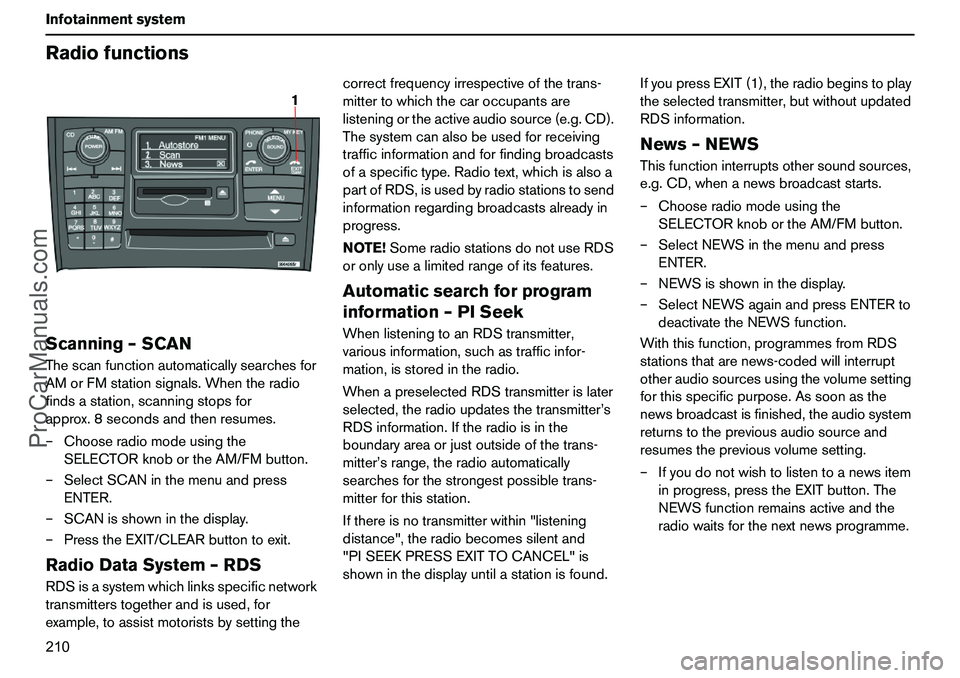
showninthedisplayuntilastationisfound.IfyoupressEXIT(1),theradiobeginstoplay
theselectedtransmitter,butwithoutupdated
RDSinformation.
News–NEWSThisfunctioninterruptsothersoundsources,
e.g.CD,whenanewsbroadcaststarts.
–Chooseradiomodeusingthe
SELECTORknobortheAM/FMbutton.
–SelectNEWSinthemenuandpress
ENTER.
–NEWSisshowninthedisplay.
–SelectNEWSagainandpressENTERto
deactivatetheNEWSfunction.
Withthisfunction,programmesfromRDS
stationsthatarenews-codedwillinterrupt
otheraudiosourcesusingthevolumesetting
forthisspecificpurpose.Assoonasthe
newsbroadcastisfinished,theaudiosystem
returnstothepreviousaudiosourceand
resumesthepreviousvolumesetting.
–Ifyoudonotwishtolistentoanewsitem
inprogress,presstheEXITbutton.The
NEWSfunctionremainsactiveandthe
radiowaitsforthenextnewsprogramme.
1
ProCarManuals.com
Page 212 of 254
211 Infotainmentsystem
RadiofunctionsTrafficinformation–TPThisfunctioninterruptsotheraudiosources
inordertobroadcasttrafficinformationfrom
RDSstations;themessageisheardatthe
volumesetforthisspecificpurpose.Assoon
asthemessageends,theaudiosystem
returnstothepreviousaudiosourceand
resumesthepreviousvolumesetting.
–SelectTPinthemenuandpressENTER.
–TPisshowninthedisplay.
–SelectTPagainandpressENTERto
deactivatetheTPfunction.
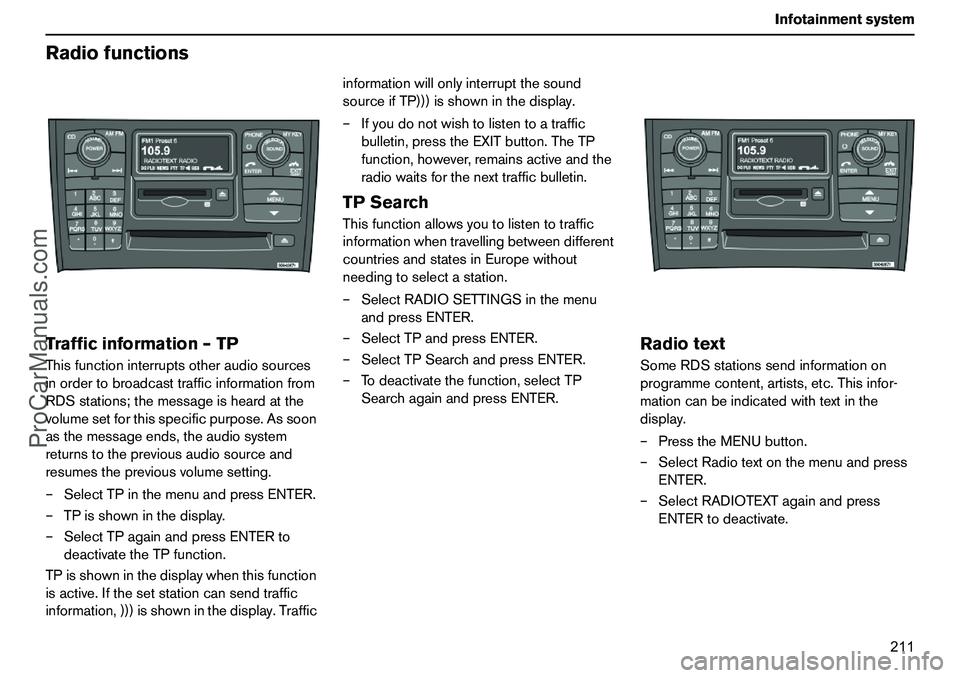
TPisshowninthedisplaywhenthisfunction
isactive.Ifthesetstationcansendtraffic
information,)))isshowninthedisplay.Trafficinformationwillonlyinterruptthesound
sourceifTP)))isshowninthedisplay.
–Ifyoudonotwishtolistentoatraffic
bulletin,presstheEXITbutton.TheTP
function,however,remainsactiveandthe
radiowaitsforthenexttrafficbulletin.
TPSearchThisfunctionallowsyoutolistentotraffic
informationwhentravellingbetweendifferent
countriesandstatesinEuropewithout
needingtoselectastation.
–SelectRADIOSETTINGSinthemenu
andpressENTER.
–SelectTPandpressENTER.
–SelectTPSearchandpressENTER.
–Todeactivatethefunction,selectTP
SearchagainandpressENTER.
RadiotextSomeRDSstationssendinformationon
programmecontent,artists,etc.Thisinfor-
mationcanbeindicatedwithtextinthe
display.
–PresstheMENUbutton.
–SelectRadiotextonthemenuandpress
ENTER.
–SelectRADIOTEXTagainandpress
ENTERtodeactivate.
ProCarManuals.com
Page 213 of 254
212 InfotainmentsystemRadiofunctionsAlarmAlarmsaretransmittedautomaticallyandthe
functioncannotbedeactivated.
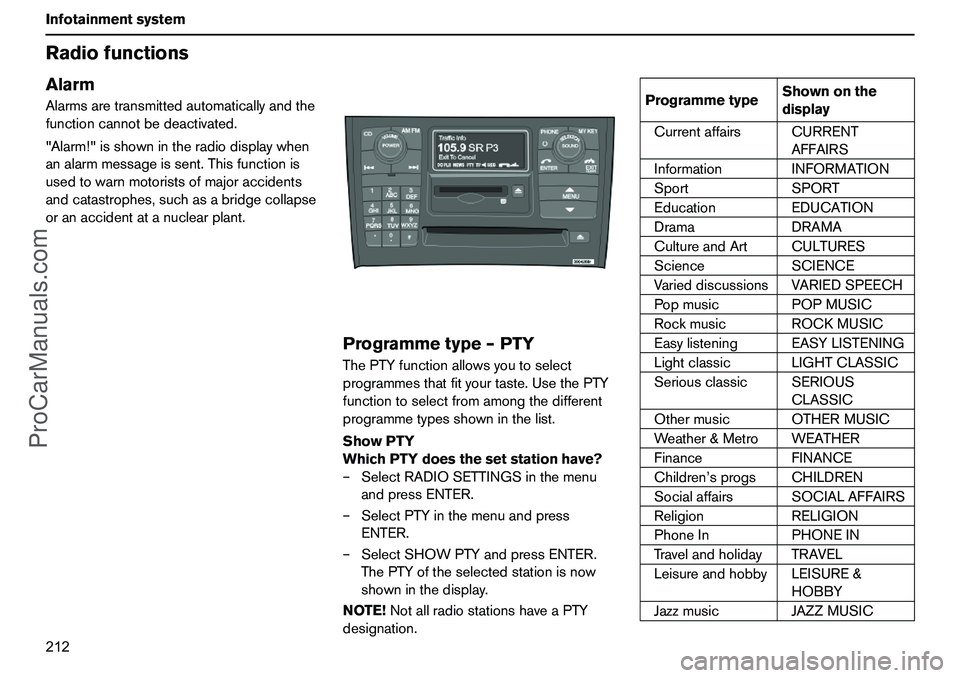
"Alarm!"isshownintheradiodisplaywhen
analarmmessageissent.Thisfunctionis
usedtowarnmotoristsofmajoraccidents
andcatastrophes,suchasabridgecollapse
oranaccidentatanuclearplant.
Programmetype–PTYThePTYfunctionallowsyoutoselect
programmesthatfityourtaste.UsethePTY
functiontoselectfromamongthedifferent
programmetypesshowninthelist.
ShowPTY
WhichPTYdoesthesetstationhave?
–SelectRADIOSETTINGSinthemenu
andpressENTER.
–SelectPTYinthemenuandpress
ENTER.
–SelectSHOWPTYandpressENTER.
ThePTYoftheselectedstationisnow
showninthedisplay.
NOTE!NotallradiostationshaveaPTY
designation.
ProgrammetypeShownonthe
display
CurrentaffairsCURRENT
AFFAIRS
InformationINFORMATION
SportSPORT
EducationEDUCATION
DramaDRAMA
CultureandArtCULTURES
ScienceSCIENCE
VarieddiscussionsVARIEDSPEECH
PopmusicPOPMUSIC
RockmusicROCKMUSIC
EasylisteningEASYLISTENING
LightclassicLIGHTCLASSIC
SeriousclassicSERIOUS
CLASSIC
OthermusicOTHERMUSIC
Weather&MetroWEATHER
FinanceFINANCE
Children’sprogsCHILDREN
SocialaffairsSOCIALAFFAIRS
ReligionRELIGION
PhoneInPHONEIN
TravelandholidayTRAVEL
LeisureandhobbyLEISURE&
HOBBY
JazzmusicJAZZMUSIC
ProCarManuals.com
Page 214 of 254
213 Infotainmentsystem
Radiofunctions
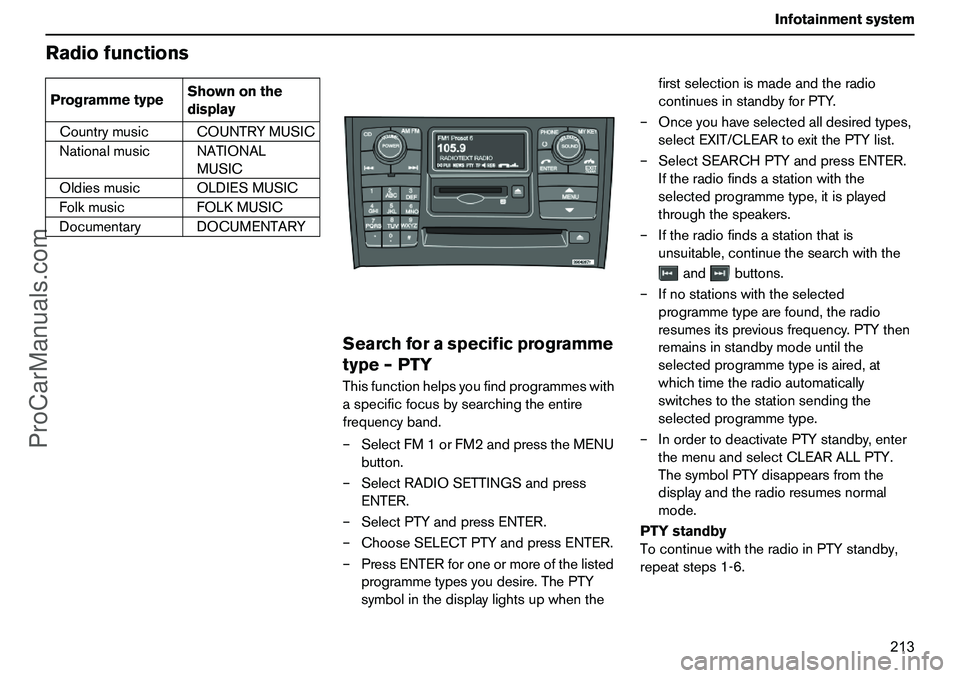
Searchforaspecificprogramme
type–PTYThisfunctionhelpsyoufindprogrammeswith
aspecificfocusbysearchingtheentire
frequencyband.
–SelectFM1orFM2andpresstheMENU
button.
–SelectRADIOSETTINGSandpress
ENTER.
–SelectPTYandpressENTER.
–ChooseSELECTPTYandpressENTER.
–PressENTERforoneormoreofthelisted
programmetypesyoudesire.ThePTY
symbolinthedisplaylightsupwhenthefirstselectionismadeandtheradio
continuesinstandbyforPTY.
–Onceyouhaveselectedalldesiredtypes,
selectEXIT/CLEARtoexitthePTYlist.
–SelectSEARCHPTYandpressENTER.
Iftheradiofindsastationwiththe
selectedprogrammetype,itisplayed
throughthespeakers.
–Iftheradiofindsastationthatis
unsuitable,continuethesearchwiththe
andbuttons.
–Ifnostationswiththeselected
programmetypearefound,theradio
resumesitspreviousfrequency.PTYthen
remainsinstandbymodeuntilthe
selectedprogrammetypeisaired,at
whichtimetheradioautomatically
switchestothestationsendingthe
selectedprogrammetype.
–InordertodeactivatePTYstandby,enter
themenuandselectCLEARALLPTY.
ThesymbolPTYdisappearsfromthe
displayandtheradioresumesnormal
mode.
PTYstandby
TocontinuewiththeradioinPTYstandby,
repeatsteps1-6. CountrymusicCOUNTRYMUSIC
NationalmusicNATIONAL
MUSIC
OldiesmusicOLDIESMUSIC
FolkmusicFOLKMUSIC
DocumentaryDOCUMENTARY ProgrammetypeShownonthe
display
ProCarManuals.com
Page 215 of 254
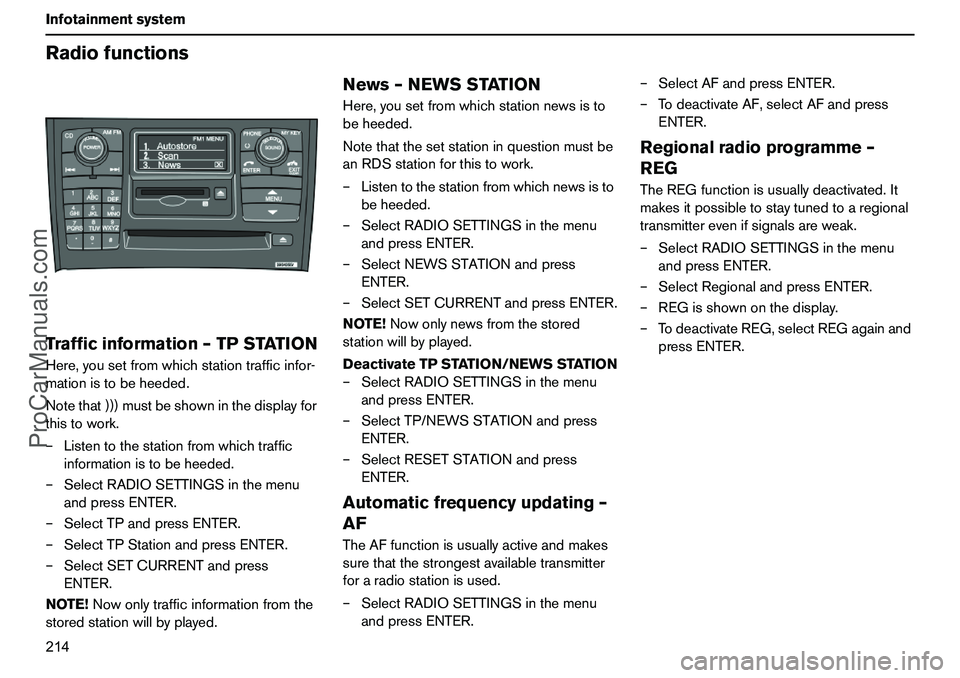
214 InfotainmentsystemRadiofunctionsTrafficinformation–TPSTATIONHere,yousetfromwhichstationtrafficinfor-
mationistobeheeded.
Notethat)))mustbeshowninthedisplayfor
thistowork.
–Listentothestationfromwhichtraffic
informationistobeheeded.
–SelectRADIOSETTINGSinthemenu
andpressENTER.
–SelectTPandpressENTER.
–SelectTPStationandpressENTER.
–SelectSETCURRENTandpress
ENTER.
NOTE!Nowonlytrafficinformationfromthe
storedstationwillbyplayed.
News–NEWSSTATIONHere,yousetfromwhichstationnewsisto
beheeded.
Notethatthesetstationinquestionmustbe
anRDSstationforthistowork.
–Listentothestationfromwhichnewsisto
beheeded.
–SelectRADIOSETTINGSinthemenu
andpressENTER.
–SelectNEWSSTATIONandpress
ENTER.
–SelectSETCURRENTandpressENTER.
NOTE!Nowonlynewsfromthestored
stationwillbyplayed.
DeactivateTPSTATION/NEWSSTATION
–SelectRADIOSETTINGSinthemenu
andpressENTER.
–SelectTP/NEWSSTATIONandpress
ENTER.
–SelectRESETSTATIONandpress
ENTER.Automaticfrequencyupdating–
AFTheAFfunctionisusuallyactiveandmakes
surethatthestrongestavailabletransmitter
foraradiostationisused.
–SelectRADIOSETTINGSinthemenu
andpressENTER.–SelectAFandpressENTER.
–TodeactivateAF,selectAFandpress
ENTER.
Regionalradioprogramme–
REGTheREGfunctionisusuallydeactivated.It
makesitpossibletostaytunedtoaregional
transmitterevenifsignalsareweak.
–SelectRADIOSETTINGSinthemenu
andpressENTER.
–SelectRegionalandpressENTER.
–REGisshownonthedisplay.
–TodeactivateREG,selectREGagainand
pressENTER.
ProCarManuals.com
Page 216 of 254
215 Infotainmentsystem
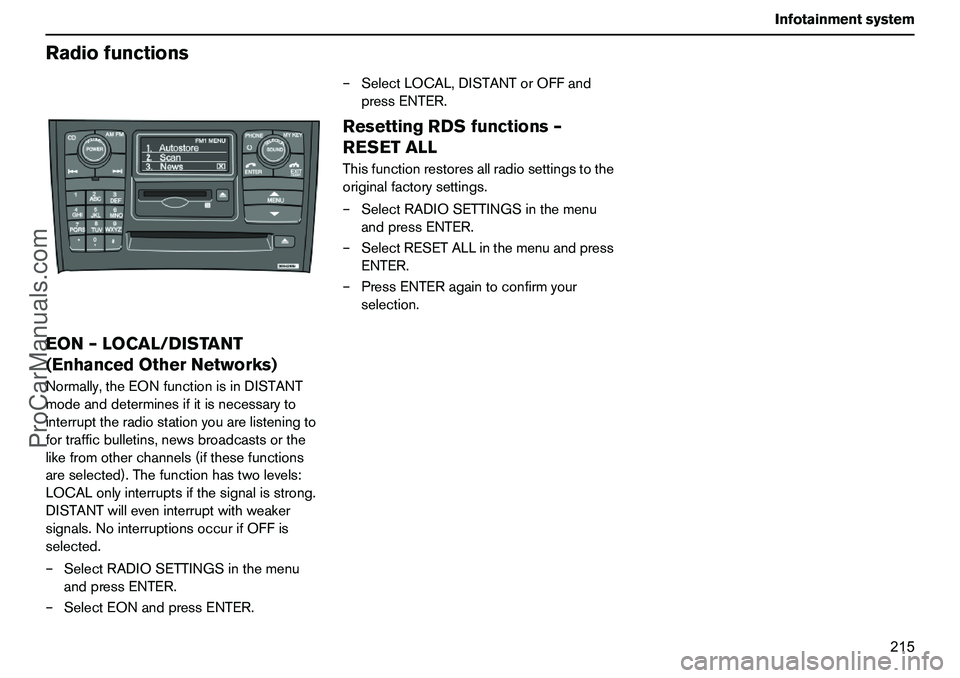
RadiofunctionsEON–LOCAL/DISTANT
(EnhancedOtherNetworks)Normally,theEONfunctionisinDISTANT
modeanddeterminesifitisnecessaryto
interrupttheradiostationyouarelisteningto
fortrafficbulletins,newsbroadcastsorthe
likefromotherchannels(ifthesefunctions
areselected).Thefunctionhastwolevels:
LOCALonlyinterruptsifthesignalisstrong.
DISTANTwilleveninterruptwithweaker
signals.NointerruptionsoccurifOFFis
selected.
–SelectRADIOSETTINGSinthemenu
andpressENTER.
–SelectEONandpressENTER.–SelectLOCAL,DISTANTorOFFand
pressENTER.
ResettingRDSfunctions–
RESETALLThisfunctionrestoresallradiosettingstothe
originalfactorysettings.
–SelectRADIOSETTINGSinthemenu
andpressENTER.
–SelectRESETALLinthemenuandpress
ENTER.
–PressENTERagaintoconfirmyour
selection.
ProCarManuals.com
Page 221 of 254
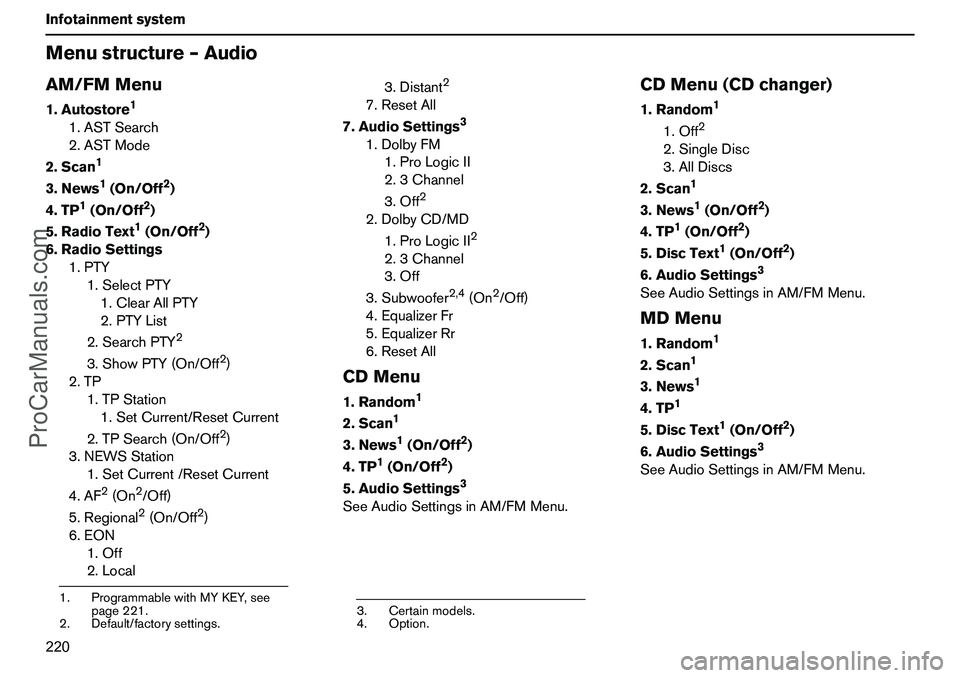
220 InfotainmentsystemMenustructure–AudioAM/FMMenu1.Autostore
1
1.ASTSearch
2.ASTMode
2.Scan
1
3.News
1(On/Off
2)
4.TP
1(On/Off
2)
5.RadioText1(On/Off
2)
6.RadioSettings
1.PTY
1.SelectPTY
1.ClearAllPTY
2.PTYList
2.SearchPTY
2
3.ShowPTY(On/Off
2)
2.TP
1.TPStation
1.SetCurrent/ResetCurrent
2.TPSearch(On/Off2)
3.NEWSStation
1.SetCurrent/ResetCurrent
4.AF
2(On
2/Off)
5.Regional2(On/Off
2)
6.EON
1.Off
2.Local3.Distant
2
7.ResetAll
7.AudioSettings
3
1.DolbyFM
1.ProLogicII
2.3Channel
3.Off
2
2.DolbyCD/MD
1.ProLogicII
2
2.3Channel
3.Off
3.Subwoofer
2,4
(On
2/Off)
4.EqualizerFr
5.EqualizerRr
6.ResetAll
CDMenu1.Random
1
2.Scan
1
3.News
1(On/Off
2)
4.TP
1(On/Off
2)
5.AudioSettings3
SeeAudioSettingsinAM/FMMenu.
CDMenu(CDchanger)1.Random
1
1.Off
2
2.SingleDisc
3.AllDiscs
2.Scan
1
3.News
1(On/Off
2)
4.TP
1(On/Off
2)
5.DiscText
1(On/Off
2)
6.AudioSettings
3
SeeAudioSettingsinAM/FMMenu.MDMenu1.Random
1
2.Scan
1
3.News
1
4.TP
1
5.DiscText
1(On/Off
2)
6.AudioSettings
3
SeeAudioSettingsinAM/FMMenu.
1.ProgrammablewithMYKEY,see
page221.
2.Default/factorysettings.
3.Certainmodels.
4.Option.
ProCarManuals.com
Page 226 of 254
225 Infotainmentsystem
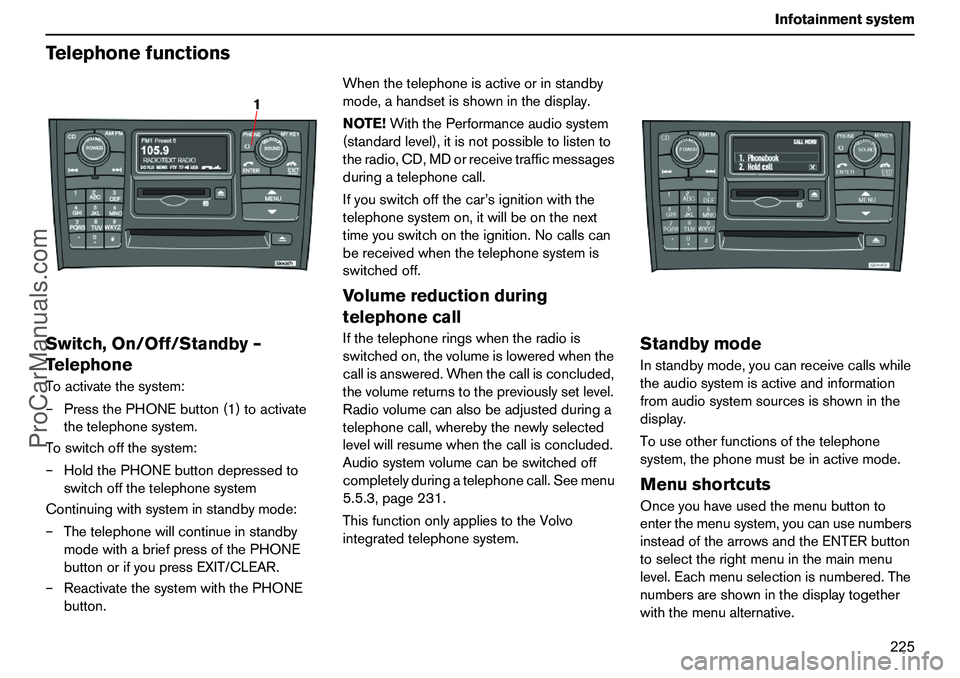
TelephonefunctionsSwitch,On/Off/Standby–
TelephoneToactivatethesystem:
–PressthePHONEbutton(1)toactivate
thetelephonesystem.
Toswitchoffthesystem:
–HoldthePHONEbuttondepressedto
switchoffthetelephonesystem
Continuingwithsysteminstandbymode:
–Thetelephonewillcontinueinstandby
modewithabriefpressofthePHONE
buttonorifyoupressEXIT/CLEAR.
–ReactivatethesystemwiththePHONE
button.Whenthetelephoneisactiveorinstandby
mode,ahandsetisshowninthedisplay.
NOTE!WiththePerformanceaudiosystem
(standardlevel),itisnotpossibletolistento
theradio,CD,MDorreceivetrafficmessages
duringatelephonecall.
Ifyouswitchoffthecar’signitionwiththe
telephonesystemon,itwillbeonthenext
timeyouswitchontheignition.Nocallscan
bereceivedwhenthetelephonesystemis
switchedoff.
Volumereductionduring
telephonecallIfthetelephoneringswhentheradiois
switchedon,thevolumeisloweredwhenthe
callisanswered.Whenthecallisconcluded,
thevolumereturnstothepreviouslysetlevel.
Radiovolumecanalsobeadjustedduringa
telephonecall,wherebythenewlyselected
levelwillresumewhenthecallisconcluded.
Audiosystemvolumecanbeswitchedoff
completelyduringatelephonecall.Seemenu
5.5.3,page231.
ThisfunctiononlyappliestotheVolvo
integratedtelephonesystem.
StandbymodeInstandbymode,youcanreceivecallswhile
theaudiosystemisactiveandinformation
fromaudiosystemsourcesisshowninthe
display.
Touseotherfunctionsofthetelephone
system,thephonemustbeinactivemode.MenushortcutsOnceyouhaveusedthemenubuttonto
enterthemenusystem,youcanusenumbers
insteadofthearrowsandtheENTERbutton
toselecttherightmenuinthemainmenu
level.Eachmenuselectionisnumbered.The
numbersareshowninthedisplaytogether
withthemenualternative.
1
ProCarManuals.com
Page 232 of 254
231 Infotainmentsystem
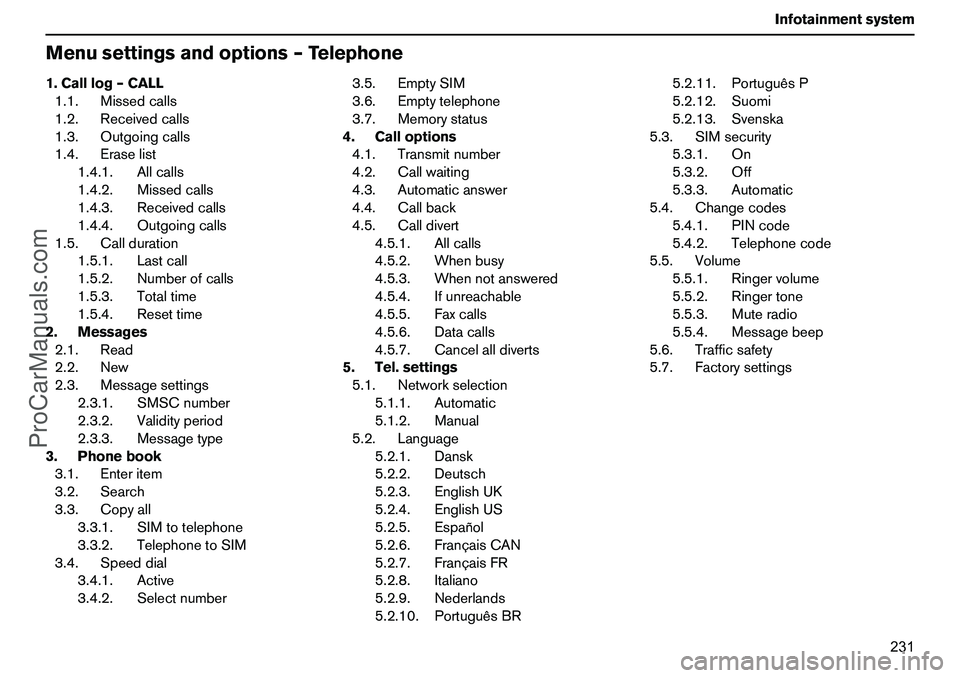
Menusettingsandoptions–Telephone1.Calllog–CALL
1.1.Missedcalls
1.2.Receivedcalls
1.3.Outgoingcalls
1.4.Eraselist
1.4.1.Allcalls
1.4.2.Missedcalls
1.4.3.Receivedcalls
1.4.4.Outgoingcalls
1.5.Callduration
1.5.1.Lastcall
1.5.2.Numberofcalls
1.5.3.Totaltime
1.5.4.Resettime
2.Messages
2.1.Read
2.2.New
2.3.Messagesettings
2.3.1.SMSCnumber
2.3.2.Validityperiod
2.3.3.Messagetype
3.Phonebook
3.1.Enteritem
3.2.Search
3.3.Copyall
3.3.1.SIMtotelephone
3.3.2.TelephonetoSIM
3.4.Speeddial
3.4.1.Active
3.4.2.Selectnumber3.5.EmptySIM
3.6.Emptytelephone
3.7.Memorystatus
4.Calloptions
4.1.Transmitnumber
4.2.Callwaiting
4.3.Automaticanswer
4.4.Callback
4.5.Calldivert
4.5.1.Allcalls
4.5.2.Whenbusy
4.5.3.Whennotanswered
4.5.4.Ifunreachable
4.5.5.Faxcalls
4.5.6.Datacalls
4.5.7.Cancelalldiverts
5.Tel.settings
5.1.Networkselection
5.1.1.Automatic
5.1.2.Manual
5.2.Language
5.2.1.Dansk
5.2.2.Deutsch
5.2.3.EnglishUK
5.2.4.EnglishUS
5.2.5.Español
5.2.6.FrançaisCAN
5.2.7.FrançaisFR
5.2.8.Italiano
5.2.9.Nederlands
5.2.10.PortuguêsBR5.2.11.PortuguêsP
5.2.12.Suomi
5.2.13.Svenska
5.3.SIMsecurity
5.3.1.On
5.3.2.Off
5.3.3.Automatic
5.4.Changecodes
5.4.1.PINcode
5.4.2.Telephonecode
5.5.Volume
5.5.1.Ringervolume
5.5.2.Ringertone
5.5.3.Muteradio
5.5.4.Messagebeep
5.6.Trafficsafety
5.7.Factorysettings
ProCarManuals.com