infotainment VOLVO XC90 2006 Owner's Guide
[x] Cancel search | Manufacturer: VOLVO, Model Year: 2006, Model line: XC90, Model: VOLVO XC90 2006Pages: 254, PDF Size: 8.43 MB
Page 224 of 254
223 Infotainmentsystem
Telephone(option)Telephonesystemcomponents1.Steeringwheelkeypad
Youcancontrolthemajorityoftelephone
functionsusingthesteeringwheelkeypad.
Whenthetelephoneisactive,thesteering
wheelkeypadcanonlybeusedfortelephone
functions.Wheninactivemode,telephone
informationisalwaysshowninthecontrol
paneldisplay.
2.Microphone
Thehandsfreemicrophoneisintegratedin
theceilingpanel.
3.Controlpanel
Alltelephonesystemfunctions,exceptcall
volume,canbecontrolledfromthecontrol
panelkeypad.Thedisplayshowsmenu
functions,messages,telephonenumbers,
etc.
4.SIMcard
TheSIMcardisinsertedintothefrontofthe
controlpanel.
5.Privacyhandset
Theprivacyhandsetcanbeusedwhenyou
donotwishtobedisturbed.
6.Antenna
Theantennaismountedagainstthe
windscreeninfrontoftherearviewmirror.
GeneralrulesPuttrafficsafetyfirst!Ifasthedriveryou
needtousetheprivacyhandset,parkthe
carinasafeplacefirst.
Switchoffthesystemwhenrefuellingthe
car.
Switchoffthesystemnearblastingwork.
Letonlyauthorisedpersonnelservice
yourtelephonesystem.EmergencycallsEmergencycallstoalarmcentrescanbe
madewithoutaSIMcardaslongasthereis
coveragebyaGSMoperator.
–Activatethetelephone.
–Ringtheemergencynumberthatapplies
toyourregion(withinEU:112).
–PresstheENTERbuttononthecontrol
panelorsteeringwheel.LoudspeakerThetelephoneusesthespeakerinthe
driver’sdoororthecentrespeakerofthe
audiosystem(ifthereisone).
ProCarManuals.com
Page 225 of 254
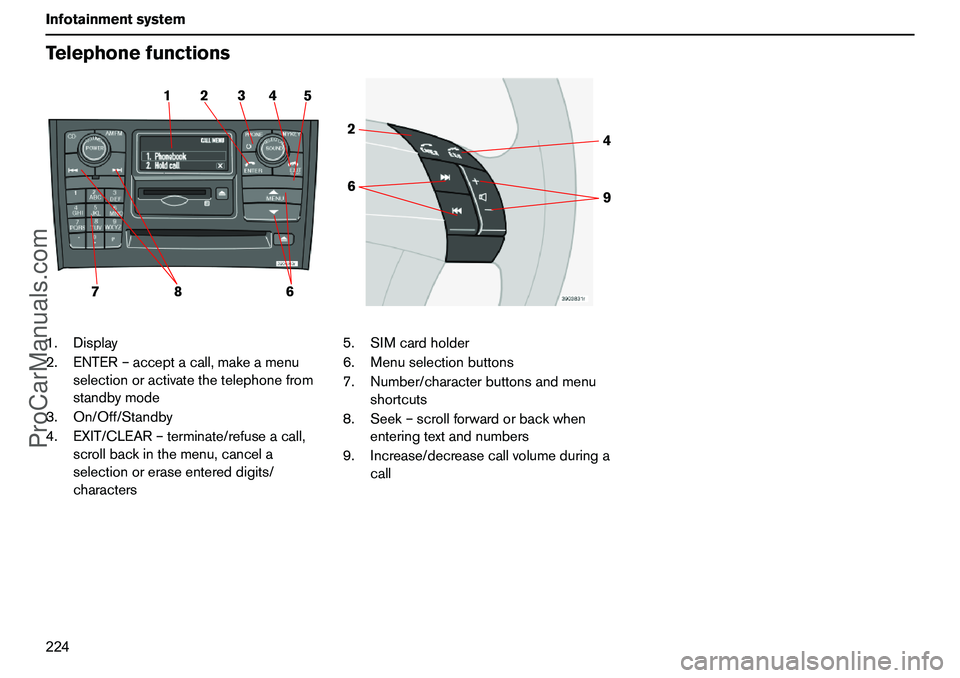
224 InfotainmentsystemTelephonefunctions1.Display
2.ENTER–acceptacall,makeamenu
selectionoractivatethetelephonefrom
standbymode
3.On/Off/Standby
4.EXIT/CLEAR–terminate/refuseacall,
scrollbackinthemenu,cancela
selectionoreraseentereddigits/
characters5.SIMcardholder
6.Menuselectionbuttons
7.Number/characterbuttonsandmenu
shortcuts
8.Seek–scrollforwardorbackwhen
enteringtextandnumbers
9.Increase/decreasecallvolumeduringa
call
2 15 4 3
78
6
64 2
9
ProCarManuals.com
Page 226 of 254
225 Infotainmentsystem
TelephonefunctionsSwitch,On/Off/Standby–
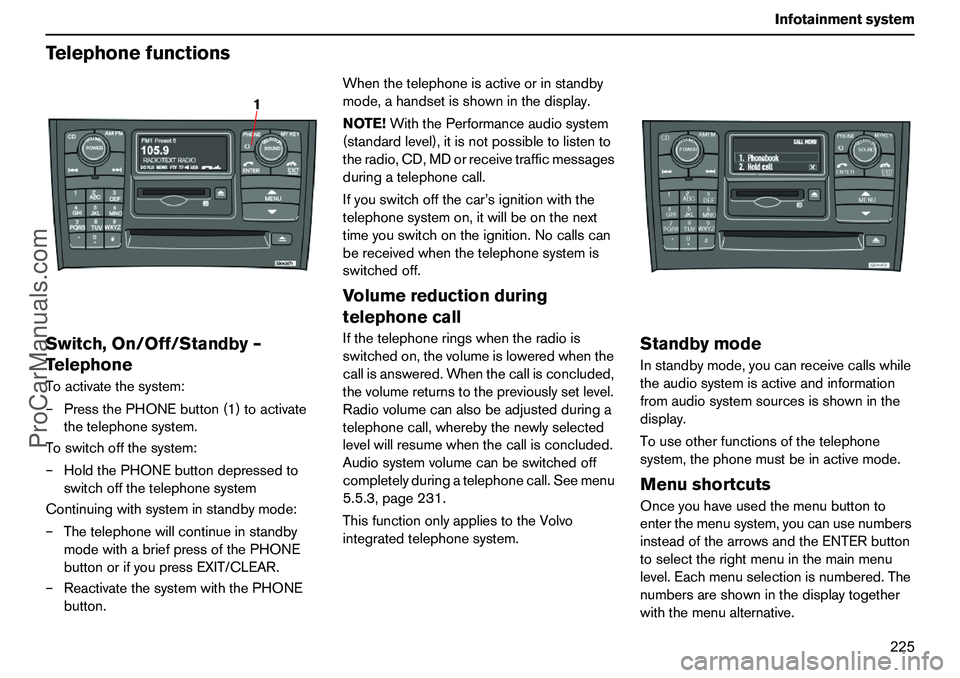
TelephoneToactivatethesystem:
–PressthePHONEbutton(1)toactivate
thetelephonesystem.
Toswitchoffthesystem:
–HoldthePHONEbuttondepressedto
switchoffthetelephonesystem
Continuingwithsysteminstandbymode:
–Thetelephonewillcontinueinstandby
modewithabriefpressofthePHONE
buttonorifyoupressEXIT/CLEAR.
–ReactivatethesystemwiththePHONE
button.Whenthetelephoneisactiveorinstandby
mode,ahandsetisshowninthedisplay.
NOTE!WiththePerformanceaudiosystem
(standardlevel),itisnotpossibletolistento
theradio,CD,MDorreceivetrafficmessages
duringatelephonecall.
Ifyouswitchoffthecar’signitionwiththe
telephonesystemon,itwillbeonthenext
timeyouswitchontheignition.Nocallscan
bereceivedwhenthetelephonesystemis
switchedoff.
Volumereductionduring
telephonecallIfthetelephoneringswhentheradiois
switchedon,thevolumeisloweredwhenthe
callisanswered.Whenthecallisconcluded,
thevolumereturnstothepreviouslysetlevel.
Radiovolumecanalsobeadjustedduringa
telephonecall,wherebythenewlyselected
levelwillresumewhenthecallisconcluded.
Audiosystemvolumecanbeswitchedoff
completelyduringatelephonecall.Seemenu
5.5.3,page231.
ThisfunctiononlyappliestotheVolvo
integratedtelephonesystem.
StandbymodeInstandbymode,youcanreceivecallswhile
theaudiosystemisactiveandinformation
fromaudiosystemsourcesisshowninthe
display.
Touseotherfunctionsofthetelephone
system,thephonemustbeinactivemode.MenushortcutsOnceyouhaveusedthemenubuttonto
enterthemenusystem,youcanusenumbers
insteadofthearrowsandtheENTERbutton
toselecttherightmenuinthemainmenu
level.Eachmenuselectionisnumbered.The
numbersareshowninthedisplaytogether
withthemenualternative.
1
ProCarManuals.com
Page 227 of 254
226 InfotainmentsystemTelephonefunctionsTrafficsafetyForreasonsofsafety,partsofthetelephone
menusystemcannotbeaccessedatspeeds
inexcessof8km/h.Youmayonlycomplete
menusystemactivitiesthathavealready
beenstarted.
Thespeedlimitercanbedisconnectedusing
menufunction5.6.
SIMcardThetelephonecanonlybeusedwithavalid
SIMcard(SubscriberIdentityModule).Your
networkoperatorsuppliesthiscard.
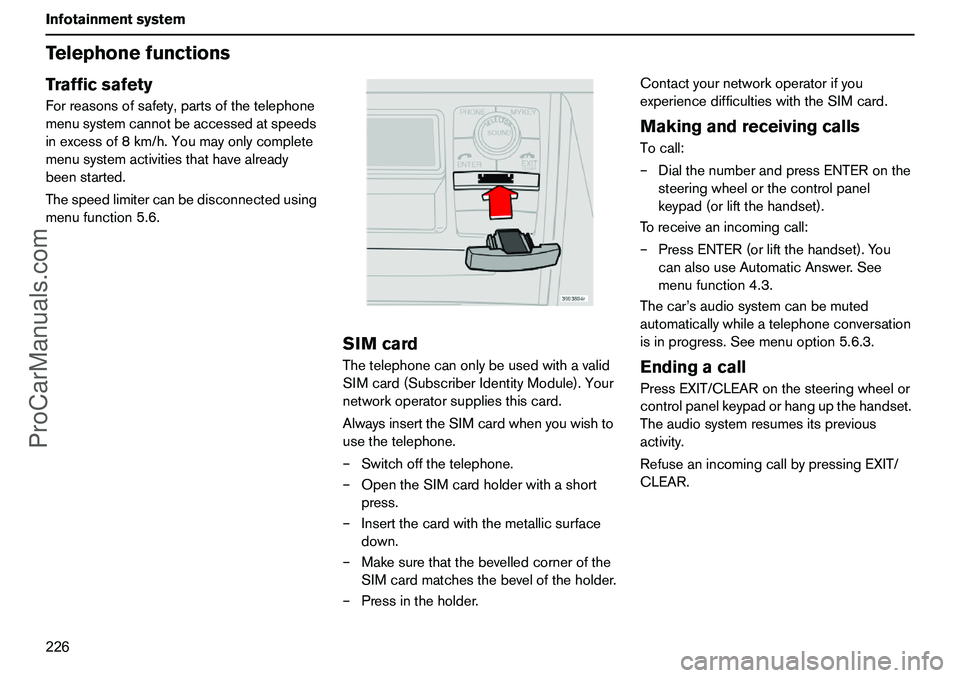
AlwaysinserttheSIMcardwhenyouwishto
usethetelephone.
–Switchoffthetelephone.
–OpentheSIMcardholderwithashort
press.
–Insertthecardwiththemetallicsurface
down.
–Makesurethatthebevelledcornerofthe
SIMcardmatchesthebeveloftheholder.
–Pressintheholder.Contactyournetworkoperatorifyou
experiencedifficultieswiththeSIMcard.
MakingandreceivingcallsTocall:
–DialthenumberandpressENTERonthe
steeringwheelorthecontrolpanel
keypad(orliftthehandset).
Toreceiveanincomingcall:
–PressENTER(orliftthehandset).You
canalsouseAutomaticAnswer.See
menufunction4.3.
Thecar’saudiosystemcanbemuted
automaticallywhileatelephoneconversation
isinprogress.Seemenuoption5.6.3.EndingacallPressEXIT/CLEARonthesteeringwheelor
controlpanelkeypadorhangupthehandset.
Theaudiosystemresumesitsprevious
activity.
RefuseanincomingcallbypressingEXIT/
CLEAR.
ProCarManuals.com
Page 228 of 254
227 Infotainmentsystem
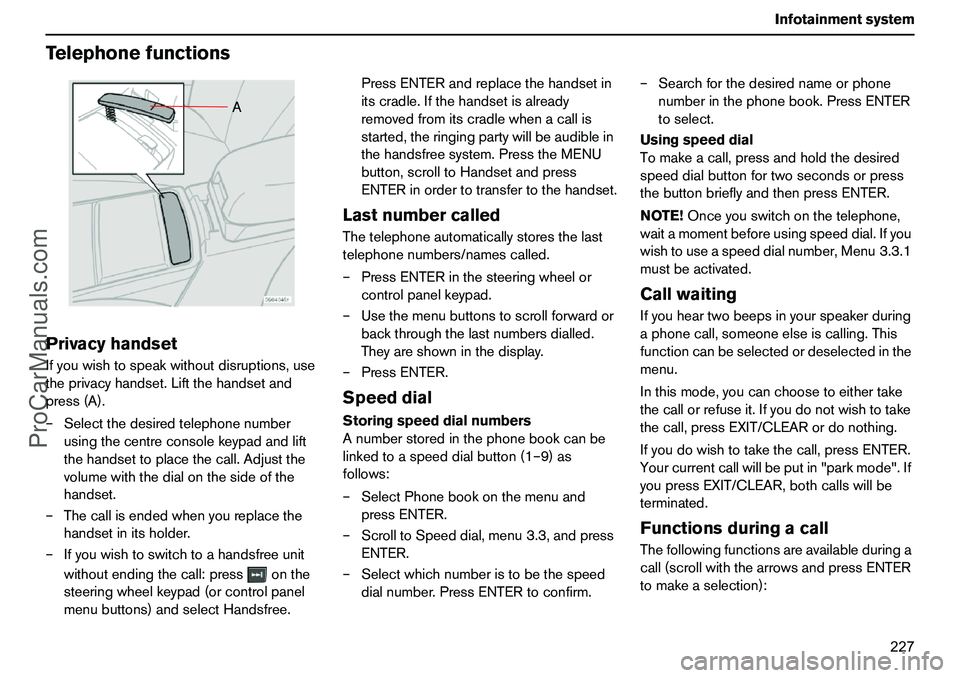
TelephonefunctionsPrivacyhandsetIfyouwishtospeakwithoutdisruptions,use
theprivacyhandset.Liftthehandsetand
press(A).
–Selectthedesiredtelephonenumber
usingthecentreconsolekeypadandlift
thehandsettoplacethecall.Adjustthe
volumewiththedialonthesideofthe
handset.
–Thecallisendedwhenyoureplacethe
handsetinitsholder.
–Ifyouwishtoswitchtoahandsfreeunit
withoutendingthecall:pressonthe
steeringwheelkeypad(orcontrolpanel
menubuttons)andselectHandsfree.PressENTERandreplacethehandsetin
itscradle.Ifthehandsetisalready
removedfromitscradlewhenacallis
started,theringingpartywillbeaudiblein
thehandsfreesystem.PresstheMENU
button,scrolltoHandsetandpress
ENTERinordertotransfertothehandset.
LastnumbercalledThetelephoneautomaticallystoresthelast
telephonenumbers/namescalled.
–PressENTERinthesteeringwheelor
controlpanelkeypad.
–Usethemenubuttonstoscrollforwardor
backthroughthelastnumbersdialled.
Theyareshowninthedisplay.
–PressENTER.SpeeddialStoringspeeddialnumbers
Anumberstoredinthephonebookcanbe
linkedtoaspeeddialbutton(1–9)as
follows:
–SelectPhonebookonthemenuand
pressENTER.
–ScrolltoSpeeddial,menu3.3,andpress
ENTER.
–Selectwhichnumberistobethespeed
dialnumber.PressENTERtoconfirm.–Searchforthedesirednameorphone
numberinthephonebook.PressENTER
toselect.
Usingspeeddial
Tomakeacall,pressandholdthedesired
speeddialbuttonfortwosecondsorpress
thebuttonbrieflyandthenpressENTER.
NOTE!Onceyouswitchonthetelephone,
waitamomentbeforeusingspeeddial.Ifyou
wishtouseaspeeddialnumber,Menu3.3.1
mustbeactivated.
CallwaitingIfyouheartwobeepsinyourspeakerduring
aphonecall,someoneelseiscalling.This
functioncanbeselectedordeselectedinthe
menu.
Inthismode,youcanchoosetoeithertake
thecallorrefuseit.Ifyoudonotwishtotake
thecall,pressEXIT/CLEARordonothing.
Ifyoudowishtotakethecall,pressENTER.
Yourcurrentcallwillbeputin"parkmode".If
youpressEXIT/CLEAR,bothcallswillbe
terminated.FunctionsduringacallThefollowingfunctionsareavailableduringa
call(scrollwiththearrowsandpressENTER
tomakeaselection):
A
ProCarManuals.com
Page 229 of 254
228 InfotainmentsystemTelephonefunctionsThefollowingfunctionsareavailablewhen
youhaveacurrentcallandaparkedcall
(scrollwiththearrowsandpressENTERto
makeaselection):
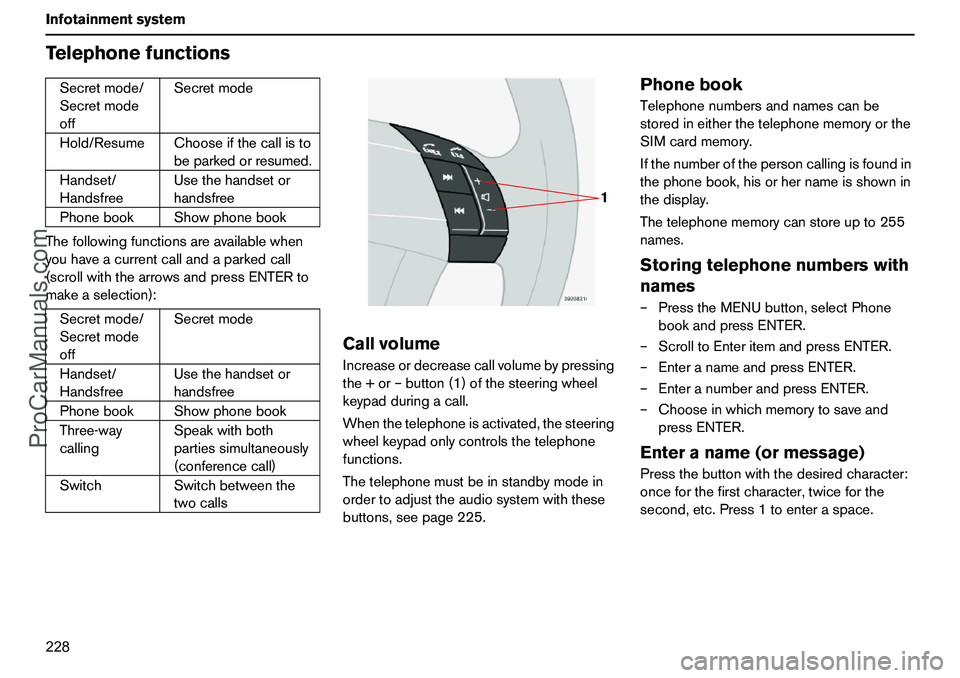
CallvolumeIncreaseordecreasecallvolumebypressing
the+or–button(1)ofthesteeringwheel
keypadduringacall.
Whenthetelephoneisactivated,thesteering
wheelkeypadonlycontrolsthetelephone
functions.
Thetelephonemustbeinstandbymodein
ordertoadjusttheaudiosystemwiththese
buttons,seepage225.
PhonebookTelephonenumbersandnamescanbe
storedineitherthetelephonememoryorthe
SIMcardmemory.
Ifthenumberofthepersoncallingisfoundin
thephonebook,hisorhernameisshownin
thedisplay.
Thetelephonememorycanstoreupto255
names.Storingtelephonenumberswith
names–PresstheMENUbutton,selectPhone
bookandpressENTER.
–ScrolltoEnteritemandpressENTER.
–EnteranameandpressENTER.
–EnteranumberandpressENTER.
–Chooseinwhichmemorytosaveand
pressENTER.Enteraname(ormessage)Pressthebuttonwiththedesiredcharacter:
onceforthefirstcharacter,twiceforthe
second,etc.Press1toenteraspace. Secretmode/
Secretmode
offSecretmode
Hold/ResumeChooseifthecallisto
beparkedorresumed.
Handset/
HandsfreeUsethehandsetor
handsfree
PhonebookShowphonebook
Secretmode/
Secretmode
offSecretmode
Handset/
HandsfreeUsethehandsetor
handsfree
PhonebookShowphonebook
Three-way
callingSpeakwithboth
partiessimultaneously
(conferencecall)
SwitchSwitchbetweenthe
twocalls
1
ProCarManuals.com
Page 230 of 254
229 Infotainmentsystem
TelephonefunctionsQuittingtextinput:–Clearallenteredcharacterswithalong
pressontheEXIT/CLEARbutton.
–Returntothemenuwithanadditional
longpressontheEXIT/CLEARbutton.
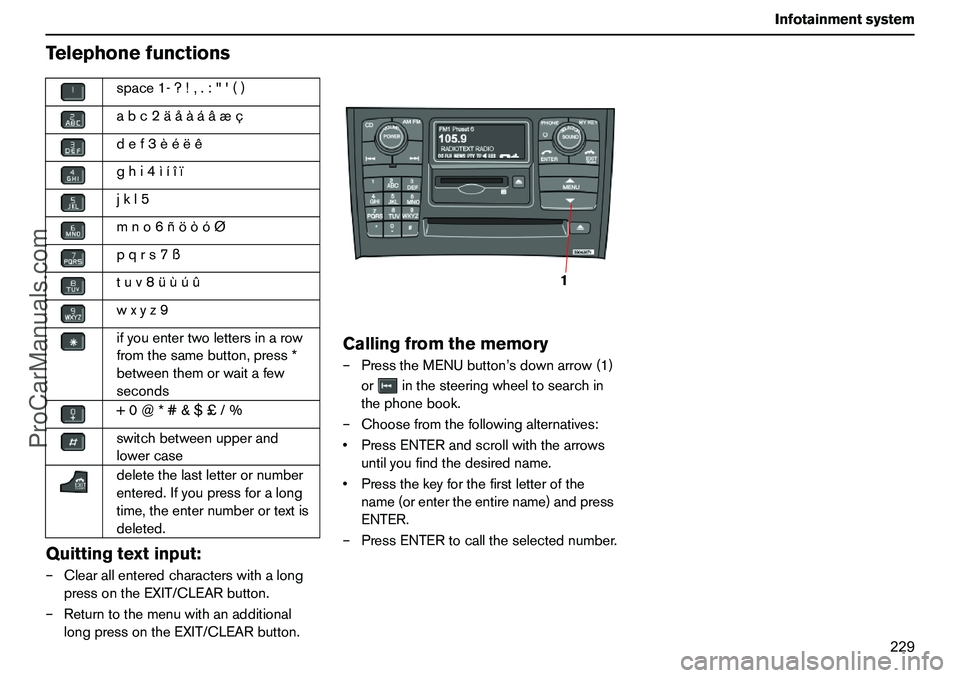
Callingfromthememory–PresstheMENUbutton’sdownarrow(1)
orinthesteeringwheeltosearchin
thephonebook.
–Choosefromthefollowingalternatives:
PressENTERandscrollwiththearrows
untilyoufindthedesiredname.
Pressthekeyforthefirstletterofthe
name(orentertheentirename)andpress
ENTER.
–PressENTERtocalltheselectednumber. space1-?!,.:"'()
abc2äåàáâæç
def3èéëê
ghi4ìíîï
jkl5
mno6ñöòóØ
pqrs7ß
tuv8üùúû
wxyz9
ifyouentertwolettersinarow
fromthesamebutton,press*
betweenthemorwaitafew
seconds
+0@*#&$£/%
switchbetweenupperand
lowercase
deletethelastletterornumber
entered.Ifyoupressforalong
time,theenternumberortextis
deleted.
1
ProCarManuals.com
Page 231 of 254
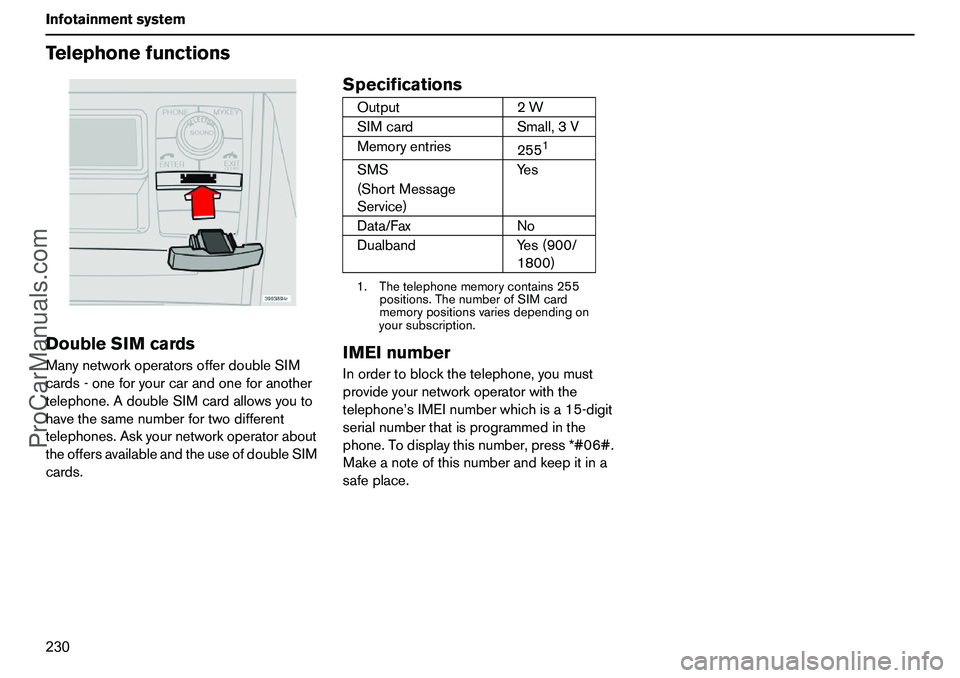
230 InfotainmentsystemTelephonefunctionsDoubleSIMcardsManynetworkoperatorsofferdoubleSIM
cards-oneforyourcarandoneforanother
telephone.AdoubleSIMcardallowsyouto
havethesamenumberfortwodifferent
telephones.Askyournetworkoperatorabout
theoffersavailableandtheuseofdoubleSIM
cards.
Specifications
IMEInumberInordertoblockthetelephone,youmust
provideyournetworkoperatorwiththe
telephone’sIMEInumberwhichisa15-digit
serialnumberthatisprogrammedinthe
phone.Todisplaythisnumber,press*#06#.
Makeanoteofthisnumberandkeepitina
safeplace.Output2W
SIMcardSmall,3V
Memoryentries
255
1
1.Thetelephonememorycontains255
positions.ThenumberofSIMcard
memorypositionsvariesdependingon
yoursubscription.SMS
(ShortMessage
Service)Yes
Data/FaxNo
DualbandYes(900/
1800)
ProCarManuals.com
Page 232 of 254
231 Infotainmentsystem
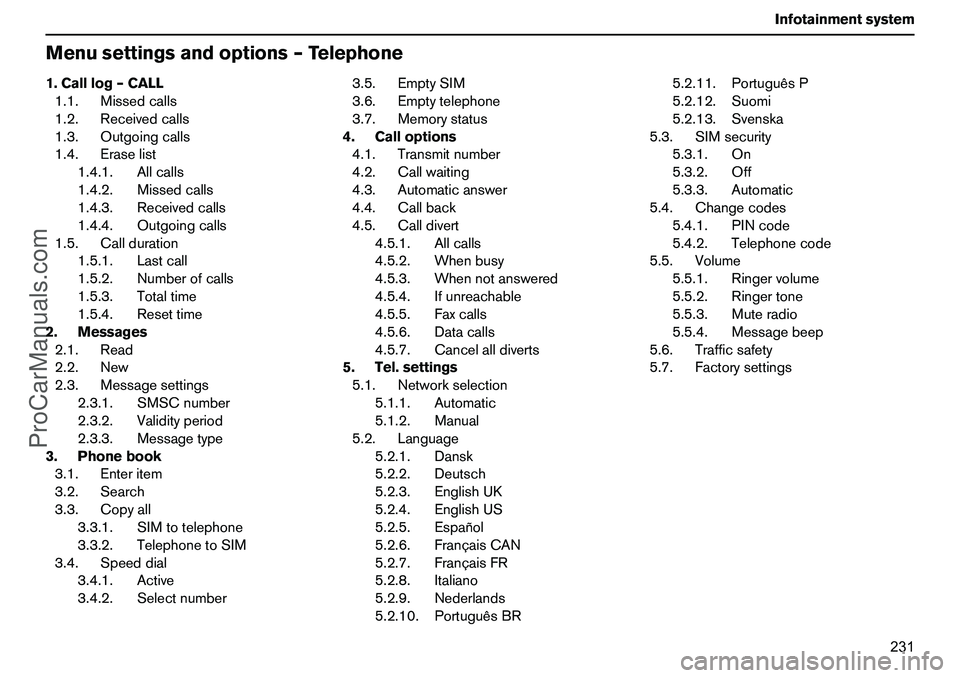
Menusettingsandoptions–Telephone1.Calllog–CALL
1.1.Missedcalls
1.2.Receivedcalls
1.3.Outgoingcalls
1.4.Eraselist
1.4.1.Allcalls
1.4.2.Missedcalls
1.4.3.Receivedcalls
1.4.4.Outgoingcalls
1.5.Callduration
1.5.1.Lastcall
1.5.2.Numberofcalls
1.5.3.Totaltime
1.5.4.Resettime
2.Messages
2.1.Read
2.2.New
2.3.Messagesettings
2.3.1.SMSCnumber
2.3.2.Validityperiod
2.3.3.Messagetype
3.Phonebook
3.1.Enteritem
3.2.Search
3.3.Copyall
3.3.1.SIMtotelephone
3.3.2.TelephonetoSIM
3.4.Speeddial
3.4.1.Active
3.4.2.Selectnumber3.5.EmptySIM
3.6.Emptytelephone
3.7.Memorystatus
4.Calloptions
4.1.Transmitnumber
4.2.Callwaiting
4.3.Automaticanswer
4.4.Callback
4.5.Calldivert
4.5.1.Allcalls
4.5.2.Whenbusy
4.5.3.Whennotanswered
4.5.4.Ifunreachable
4.5.5.Faxcalls
4.5.6.Datacalls
4.5.7.Cancelalldiverts
5.Tel.settings
5.1.Networkselection
5.1.1.Automatic
5.1.2.Manual
5.2.Language
5.2.1.Dansk
5.2.2.Deutsch
5.2.3.EnglishUK
5.2.4.EnglishUS
5.2.5.Español
5.2.6.FrançaisCAN
5.2.7.FrançaisFR
5.2.8.Italiano
5.2.9.Nederlands
5.2.10.PortuguêsBR5.2.11.PortuguêsP
5.2.12.Suomi
5.2.13.Svenska
5.3.SIMsecurity
5.3.1.On
5.3.2.Off
5.3.3.Automatic
5.4.Changecodes
5.4.1.PINcode
5.4.2.Telephonecode
5.5.Volume
5.5.1.Ringervolume
5.5.2.Ringertone
5.5.3.Muteradio
5.5.4.Messagebeep
5.6.Trafficsafety
5.7.Factorysettings
ProCarManuals.com
Page 233 of 254
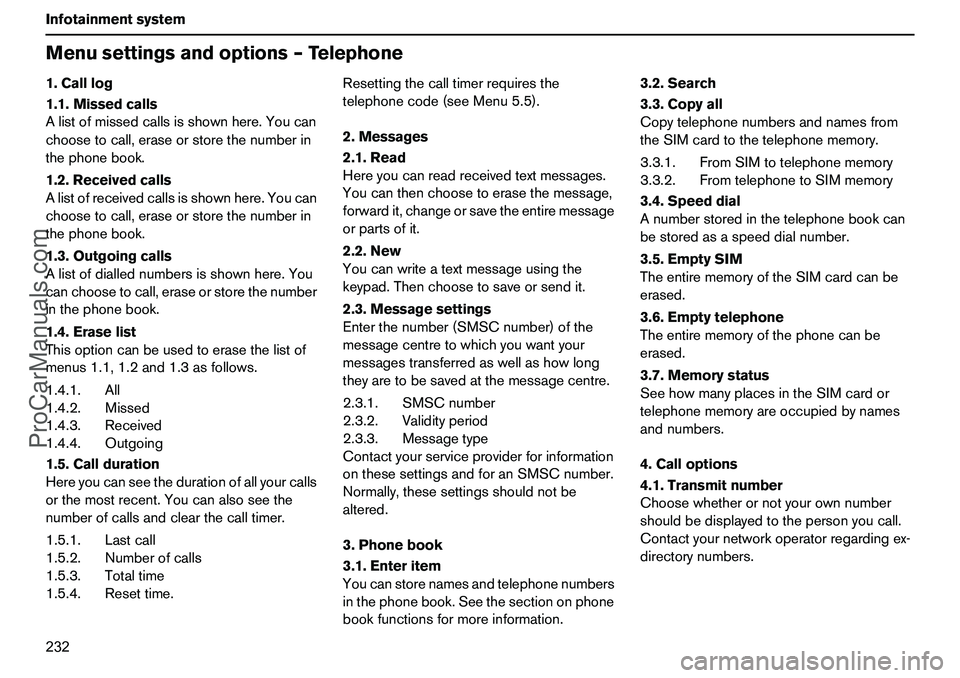
232 InfotainmentsystemMenusettingsandoptions–Telephone1.Calllog
1.1.Missedcalls
Alistofmissedcallsisshownhere.Youcan
choosetocall,eraseorstorethenumberin
thephonebook.
1.2.Receivedcalls
Alistofreceivedcallsisshownhere.Youcan
choosetocall,eraseorstorethenumberin
thephonebook.
1.3.Outgoingcalls
Alistofdiallednumbersisshownhere.You
canchoosetocall,eraseorstorethenumber
inthephonebook.
1.4.Eraselist
Thisoptioncanbeusedtoerasethelistof
menus1.1,1.2and1.3asfollows.
1.4.1.All
1.4.2.Missed
1.4.3.Received
1.4.4.Outgoing
1.5.Callduration
Hereyoucanseethedurationofallyourcalls
orthemostrecent.Youcanalsoseethe
numberofcallsandclearthecalltimer.
1.5.1.Lastcall
1.5.2.Numberofcalls
1.5.3.Totaltime
1.5.4.Resettime.Resettingthecalltimerrequiresthe
telephonecode(seeMenu5.5).
2.Messages
2.1.Read
Hereyoucanreadreceivedtextmessages.
Youcanthenchoosetoerasethemessage,
forwardit,changeorsavetheentiremessage
orpartsofit.
2.2.New
Youcanwriteatextmessageusingthe
keypad.Thenchoosetosaveorsendit.
2.3.Messagesettings
Enterthenumber(SMSCnumber)ofthe
messagecentretowhichyouwantyour
messagestransferredaswellashowlong
theyaretobesavedatthemessagecentre.
2.3.1.SMSCnumber
2.3.2.Validityperiod
2.3.3.Messagetype
Contactyourserviceproviderforinformation
onthesesettingsandforanSMSCnumber.
Normally,thesesettingsshouldnotbe
altered.
3.Phonebook
3.1.Enteritem
Youcanstorenamesandtelephonenumbers
inthephonebook.Seethesectiononphone
bookfunctionsformoreinformation.3.2.Search
3.3.Copyall
Copytelephonenumbersandnamesfrom
theSIMcardtothetelephonememory.
3.3.1.FromSIMtotelephonememory
3.3.2.FromtelephonetoSIMmemory
3.4.Speeddial
Anumberstoredinthetelephonebookcan
bestoredasaspeeddialnumber.
3.5.EmptySIM
TheentirememoryoftheSIMcardcanbe
erased.
3.6.Emptytelephone
Theentirememoryofthephonecanbe
erased.
3.7.Memorystatus
SeehowmanyplacesintheSIMcardor
telephonememoryareoccupiedbynames
andnumbers.
4.Calloptions
4.1.Transmitnumber
Choosewhetherornotyourownnumber
shouldbedisplayedtothepersonyoucall.
Contactyournetworkoperatorregardingex-
directorynumbers.
ProCarManuals.com