infotainment VOLVO XC90 2006 Owner's Manual
[x] Cancel search | Manufacturer: VOLVO, Model Year: 2006, Model line: XC90, Model: VOLVO XC90 2006Pages: 254, PDF Size: 8.43 MB
Page 214 of 254
213 Infotainmentsystem
Radiofunctions
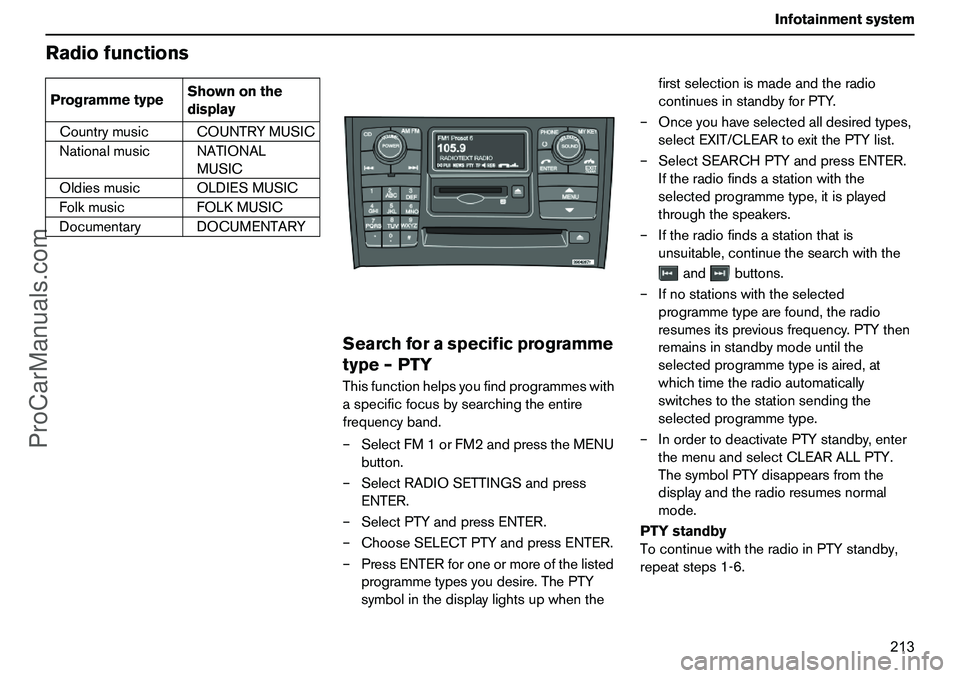
Searchforaspecificprogramme
type–PTYThisfunctionhelpsyoufindprogrammeswith
aspecificfocusbysearchingtheentire
frequencyband.
–SelectFM1orFM2andpresstheMENU
button.
–SelectRADIOSETTINGSandpress
ENTER.
–SelectPTYandpressENTER.
–ChooseSELECTPTYandpressENTER.
–PressENTERforoneormoreofthelisted
programmetypesyoudesire.ThePTY
symbolinthedisplaylightsupwhenthefirstselectionismadeandtheradio
continuesinstandbyforPTY.
–Onceyouhaveselectedalldesiredtypes,
selectEXIT/CLEARtoexitthePTYlist.
–SelectSEARCHPTYandpressENTER.
Iftheradiofindsastationwiththe
selectedprogrammetype,itisplayed
throughthespeakers.
–Iftheradiofindsastationthatis
unsuitable,continuethesearchwiththe
andbuttons.
–Ifnostationswiththeselected
programmetypearefound,theradio
resumesitspreviousfrequency.PTYthen
remainsinstandbymodeuntilthe
selectedprogrammetypeisaired,at
whichtimetheradioautomatically
switchestothestationsendingthe
selectedprogrammetype.
–InordertodeactivatePTYstandby,enter
themenuandselectCLEARALLPTY.
ThesymbolPTYdisappearsfromthe
displayandtheradioresumesnormal
mode.
PTYstandby
TocontinuewiththeradioinPTYstandby,
repeatsteps1-6. CountrymusicCOUNTRYMUSIC
NationalmusicNATIONAL
MUSIC
OldiesmusicOLDIESMUSIC
FolkmusicFOLKMUSIC
DocumentaryDOCUMENTARY ProgrammetypeShownonthe
display
ProCarManuals.com
Page 215 of 254
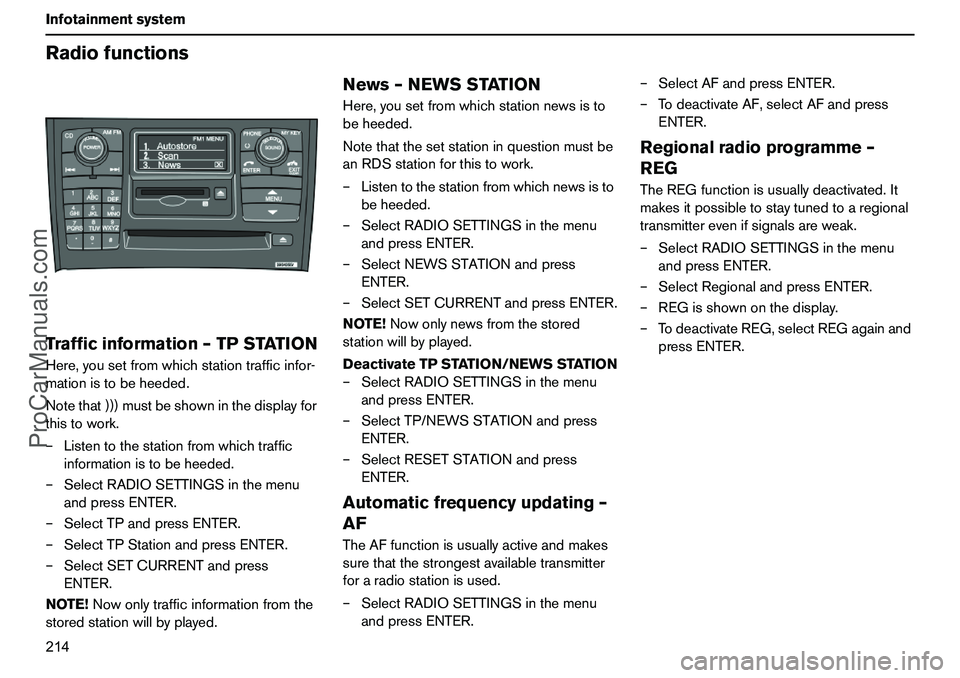
214 InfotainmentsystemRadiofunctionsTrafficinformation–TPSTATIONHere,yousetfromwhichstationtrafficinfor-
mationistobeheeded.
Notethat)))mustbeshowninthedisplayfor
thistowork.
–Listentothestationfromwhichtraffic
informationistobeheeded.
–SelectRADIOSETTINGSinthemenu
andpressENTER.
–SelectTPandpressENTER.
–SelectTPStationandpressENTER.
–SelectSETCURRENTandpress
ENTER.
NOTE!Nowonlytrafficinformationfromthe
storedstationwillbyplayed.
News–NEWSSTATIONHere,yousetfromwhichstationnewsisto
beheeded.
Notethatthesetstationinquestionmustbe
anRDSstationforthistowork.
–Listentothestationfromwhichnewsisto
beheeded.
–SelectRADIOSETTINGSinthemenu
andpressENTER.
–SelectNEWSSTATIONandpress
ENTER.
–SelectSETCURRENTandpressENTER.
NOTE!Nowonlynewsfromthestored
stationwillbyplayed.
DeactivateTPSTATION/NEWSSTATION
–SelectRADIOSETTINGSinthemenu
andpressENTER.
–SelectTP/NEWSSTATIONandpress
ENTER.
–SelectRESETSTATIONandpress
ENTER.Automaticfrequencyupdating–
AFTheAFfunctionisusuallyactiveandmakes
surethatthestrongestavailabletransmitter
foraradiostationisused.
–SelectRADIOSETTINGSinthemenu
andpressENTER.–SelectAFandpressENTER.
–TodeactivateAF,selectAFandpress
ENTER.
Regionalradioprogramme–
REGTheREGfunctionisusuallydeactivated.It
makesitpossibletostaytunedtoaregional
transmitterevenifsignalsareweak.
–SelectRADIOSETTINGSinthemenu
andpressENTER.
–SelectRegionalandpressENTER.
–REGisshownonthedisplay.
–TodeactivateREG,selectREGagainand
pressENTER.
ProCarManuals.com
Page 216 of 254
215 Infotainmentsystem
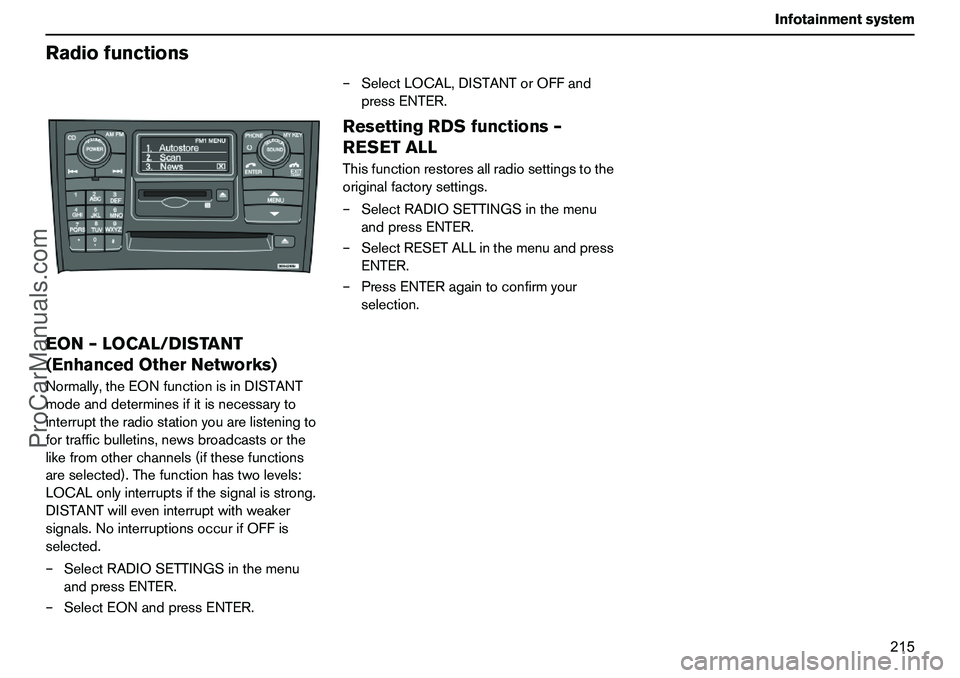
RadiofunctionsEON–LOCAL/DISTANT
(EnhancedOtherNetworks)Normally,theEONfunctionisinDISTANT
modeanddeterminesifitisnecessaryto
interrupttheradiostationyouarelisteningto
fortrafficbulletins,newsbroadcastsorthe
likefromotherchannels(ifthesefunctions
areselected).Thefunctionhastwolevels:
LOCALonlyinterruptsifthesignalisstrong.
DISTANTwilleveninterruptwithweaker
signals.NointerruptionsoccurifOFFis
selected.
–SelectRADIOSETTINGSinthemenu
andpressENTER.
–SelectEONandpressENTER.–SelectLOCAL,DISTANTorOFFand
pressENTER.
ResettingRDSfunctions–
RESETALLThisfunctionrestoresallradiosettingstothe
originalfactorysettings.
–SelectRADIOSETTINGSinthemenu
andpressENTER.
–SelectRESETALLinthemenuandpress
ENTER.
–PressENTERagaintoconfirmyour
selection.
ProCarManuals.com
Page 217 of 254
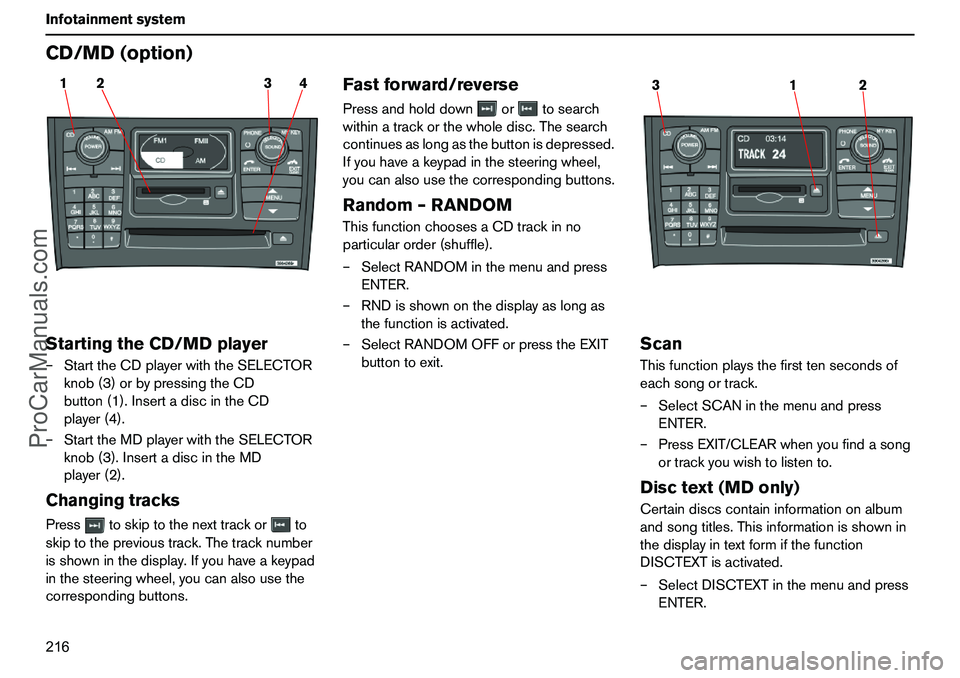
216 InfotainmentsystemCD/MD(option)StartingtheCD/MDplayer–StarttheCDplayerwiththeSELECTOR
knob(3)orbypressingtheCD
button(1).InsertadiscintheCD
player(4).
–StarttheMDplayerwiththeSELECTOR
knob(3).InsertadiscintheMD
player(2).ChangingtracksPresstoskiptothenexttrackorto
skiptotheprevioustrack.Thetracknumber
isshowninthedisplay.Ifyouhaveakeypad
inthesteeringwheel,youcanalsousethe
correspondingbuttons.
Fastforward/reversePressandholddownortosearch
withinatrackorthewholedisc.Thesearch
continuesaslongasthebuttonisdepressed.
Ifyouhaveakeypadinthesteeringwheel,
youcanalsousethecorrespondingbuttons.Random–RANDOMThisfunctionchoosesaCDtrackinno
particularorder(shuffle).
–SelectRANDOMinthemenuandpress
ENTER.
–RNDisshownonthedisplayaslongas
thefunctionisactivated.
–SelectRANDOMOFForpresstheEXIT
buttontoexit.
ScanThisfunctionplaysthefirsttensecondsof
eachsongortrack.
–SelectSCANinthemenuandpress
ENTER.
–PressEXIT/CLEARwhenyoufindasong
ortrackyouwishtolistento.Disctext(MDonly)Certaindiscscontaininformationonalbum
andsongtitles.Thisinformationisshownin
thedisplayintextformifthefunction
DISCTEXTisactivated.
–SelectDISCTEXTinthemenuandpress
ENTER.
2 14 3
1 32
ProCarManuals.com
Page 218 of 254
217 Infotainmentsystem
CD/MD(option)–Ifinformationisstoredonthedisc,itis
showninthedisplay.
–Todeactivatethefunction,select
DISCTEXTandpressENTER.
MDeject
Ifyoupressthebutton(1),theMDplayer
stopsandejectsthedisc.
CDeject
Ifyoupressthebutton(2),theCDplayer
stopsandejectsthedisc.
Forreasonsoftrafficsafety,theejectedCD
remainsoutnomorethan12seconds.The
CDplayerthenpullsitbackin.Toreactivate
theCDplayer,presstheCDbutton(3).CDdiscsUsingCDdiscsburnedathomecouldresult
inpoorornon-existentsound.MusicCD
discscomplyingwiththeISO60908
standardprovidethebestsoundquality.IMPORTANT!Onlyusestandarddiscs(12cmin
diameter).DonotuseCDswiththathave
disclabels.TheheatfromtheCDplayer
couldcausethelabeltocomeloosefrom
thedisc.TheCDplayercouldthenbe
damaged.
ProCarManuals.com
Page 219 of 254
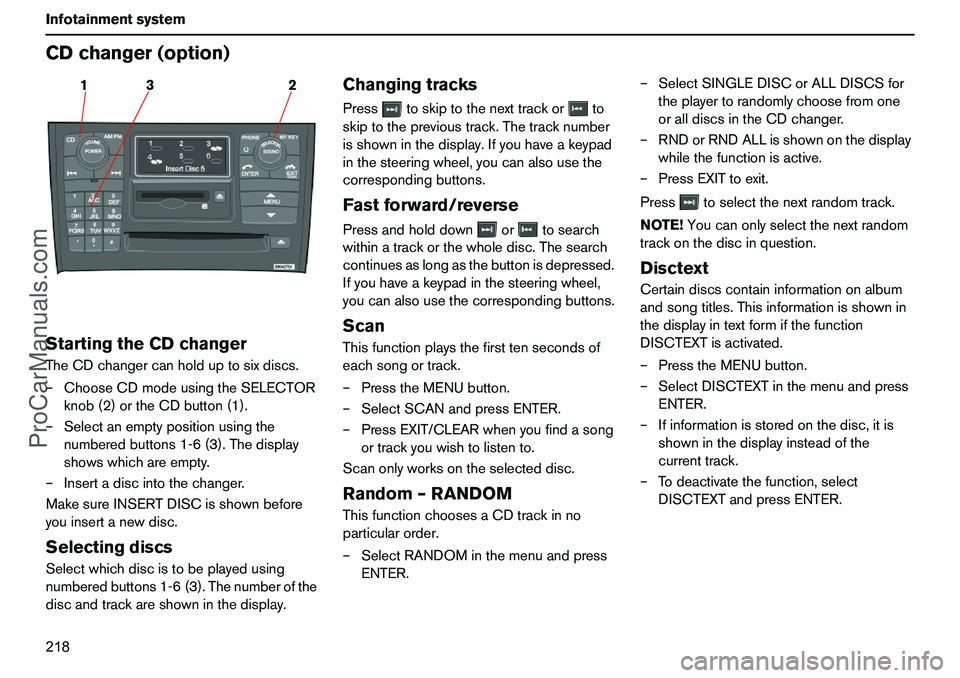
218 InfotainmentsystemCDchanger(option)StartingtheCDchangerTheCDchangercanholduptosixdiscs.
–ChooseCDmodeusingtheSELECTOR
knob(2)ortheCDbutton(1).
–Selectanemptypositionusingthe
numberedbuttons1-6(3).Thedisplay
showswhichareempty.
–Insertadiscintothechanger.
MakesureINSERTDISCisshownbefore
youinsertanewdisc.SelectingdiscsSelectwhichdiscistobeplayedusing
numberedbuttons1-6(3).Thenumberofthe
discandtrackareshowninthedisplay.
ChangingtracksPresstoskiptothenexttrackorto
skiptotheprevioustrack.Thetracknumber
isshowninthedisplay.Ifyouhaveakeypad
inthesteeringwheel,youcanalsousethe
correspondingbuttons.Fastforward/reversePressandholddownortosearch
withinatrackorthewholedisc.Thesearch
continuesaslongasthebuttonisdepressed.
Ifyouhaveakeypadinthesteeringwheel,
youcanalsousethecorrespondingbuttons.ScanThisfunctionplaysthefirsttensecondsof
eachsongortrack.
–PresstheMENUbutton.
–SelectSCANandpressENTER.
–PressEXIT/CLEARwhenyoufindasong
ortrackyouwishtolistento.
Scanonlyworksontheselecteddisc.Random–RANDOMThisfunctionchoosesaCDtrackinno
particularorder.
–SelectRANDOMinthemenuandpress
ENTER.–SelectSINGLEDISCorALLDISCSfor
theplayertorandomlychoosefromone
oralldiscsintheCDchanger.
–RNDorRNDALLisshownonthedisplay
whilethefunctionisactive.
–PressEXITtoexit.
Presstoselectthenextrandomtrack.
NOTE!Youcanonlyselectthenextrandom
trackonthediscinquestion.
DisctextCertaindiscscontaininformationonalbum
andsongtitles.Thisinformationisshownin
thedisplayintextformifthefunction
DISCTEXTisactivated.
–PresstheMENUbutton.
–SelectDISCTEXTinthemenuandpress
ENTER.
–Ifinformationisstoredonthedisc,itis
showninthedisplayinsteadofthe
currenttrack.
–Todeactivatethefunction,select
DISCTEXTandpressENTER.
3 12
ProCarManuals.com
Page 220 of 254
219 Infotainmentsystem
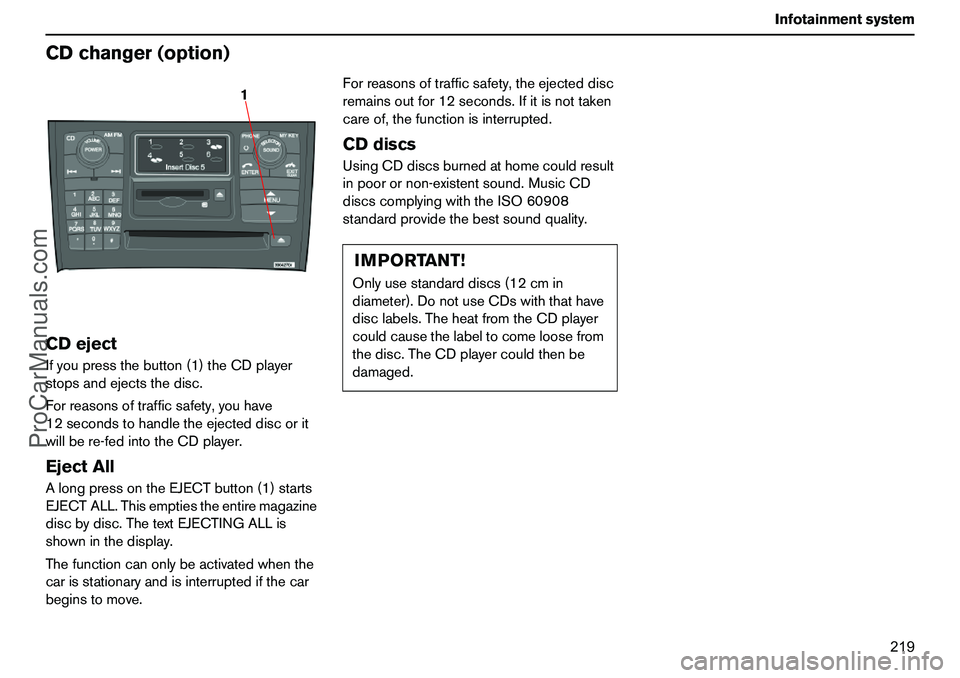
CDchanger(option)CDejectIfyoupressthebutton(1)theCDplayer
stopsandejectsthedisc.
Forreasonsoftrafficsafety,youhave
12secondstohandletheejecteddiscorit
willbere-fedintotheCDplayer.EjectAllAlongpressontheEJECTbutton(1)starts
EJECTALL.Thisemptiestheentiremagazine
discbydisc.ThetextEJECTINGALLis
showninthedisplay.
Thefunctioncanonlybeactivatedwhenthe
carisstationaryandisinterruptedifthecar
beginstomove.Forreasonsoftrafficsafety,theejecteddisc
remainsoutfor12seconds.Ifitisnottaken
careof,thefunctionisinterrupted.
CDdiscsUsingCDdiscsburnedathomecouldresult
inpoorornon-existentsound.MusicCD
discscomplyingwiththeISO60908
standardprovidethebestsoundquality.
1
IMPORTANT!Onlyusestandarddiscs(12cmin
diameter).DonotuseCDswiththathave
disclabels.TheheatfromtheCDplayer
couldcausethelabeltocomeloosefrom
thedisc.TheCDplayercouldthenbe
damaged.
ProCarManuals.com
Page 221 of 254
220 InfotainmentsystemMenustructure–AudioAM/FMMenu1.Autostore
1
1.ASTSearch
2.ASTMode
2.Scan
1
3.News
1(On/Off
2)
4.TP
1(On/Off
2)
5.RadioText1(On/Off
2)
6.RadioSettings
1.PTY
1.SelectPTY
1.ClearAllPTY
2.PTYList
2.SearchPTY
2
3.ShowPTY(On/Off
2)
2.TP
1.TPStation
1.SetCurrent/ResetCurrent
2.TPSearch(On/Off2)
3.NEWSStation
1.SetCurrent/ResetCurrent
4.AF
2(On
2/Off)
5.Regional2(On/Off
2)
6.EON
1.Off
2.Local3.Distant
2
7.ResetAll
7.AudioSettings
3
1.DolbyFM
1.ProLogicII
2.3Channel
3.Off
2
2.DolbyCD/MD
1.ProLogicII
2
2.3Channel
3.Off
3.Subwoofer
2,4
(On
2/Off)
4.EqualizerFr
5.EqualizerRr
6.ResetAll
CDMenu1.Random
1
2.Scan
1
3.News
1(On/Off
2)
4.TP
1(On/Off
2)
5.AudioSettings3
SeeAudioSettingsinAM/FMMenu.
CDMenu(CDchanger)1.Random
1
1.Off
2
2.SingleDisc
3.AllDiscs
2.Scan
1
3.News
1(On/Off
2)
4.TP
1(On/Off
2)
5.DiscText
1(On/Off
2)
6.AudioSettings
3
SeeAudioSettingsinAM/FMMenu.MDMenu1.Random
1
2.Scan
1
3.News
1
4.TP
1
5.DiscText
1(On/Off
2)
6.AudioSettings
3
SeeAudioSettingsinAM/FMMenu.
1.ProgrammablewithMYKEY,see
page221.
2.Default/factorysettings.
3.Certainmodels.
4.Option.
ProCarManuals.com
Page 222 of 254
221 Infotainmentsystem
Menustructure–AudioMyownshortcutbutton–
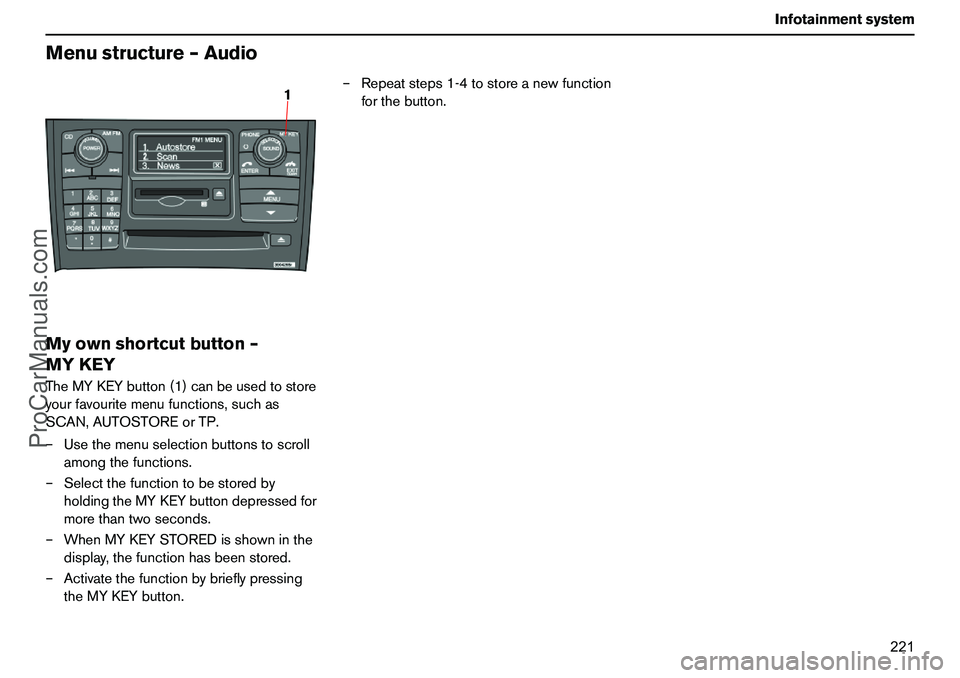
MYKEYTheMYKEYbutton(1)canbeusedtostore
yourfavouritemenufunctions,suchas
SCAN,AUTOSTOREorTP.
–Usethemenuselectionbuttonstoscroll
amongthefunctions.
–Selectthefunctiontobestoredby
holdingtheMYKEYbuttondepressedfor
morethantwoseconds.
–WhenMYKEYSTOREDisshowninthe
display,thefunctionhasbeenstored.
–Activatethefunctionbybrieflypressing
theMYKEYbutton.–Repeatsteps1-4tostoreanewfunction
forthebutton.
1
ProCarManuals.com
Page 223 of 254
222 InfotainmentsystemTelephone(option)
ProCarManuals.com