stop start VOLVO XC90 2006 User Guide
[x] Cancel search | Manufacturer: VOLVO, Model Year: 2006, Model line: XC90, Model: VOLVO XC90 2006Pages: 256, PDF Size: 6.87 MB
Page 131 of 256

2006 VOLVO XC90
The button must be pressed for at least a half second to prevent SC from\
being switched off
inadvertently.
When the system has been switched off, the green indicator lamp in the b\
utton will go out and "DSTC
SPIN CONTROL OFF" will be displayed in the text window.
All DSTC functions are (re)activated each time the engine is started.
pg. 99 Starting and driving
Dynamic Stability Traction Control (DSTC) (contd)
The Stability Control indicator light
The Stability Control indicator light will come on for approximately 2 s\
econds when the ignition is
switched on as the system performs a self-diagnostic test.
The Stability Control indicator light will flash when:
l Traction Control is actively functioning to help avoid drive-wheel spin.\
l Spin Control is actively functioning to help avoid loss of traction duri\
ng acceleration.
l Active Yaw Control is actively functioning to help avoid skids or latera\
l slides.
l Roll Stability Control is actively functioning to help avoid a roll-over\
situation.
The warning symbol in the instrument panel
A steady yellow glow indicates:
l That the system has been automatically disengaged due to a fault. "ANTI \
SKID SERVICE
REQUIRED" will be displayed in the text window. If this occurs, stop the\
vehicle in a suitable place,
switch off and restart the engine. If the light remains on, an authorize\
d Volvo retailer should check the
system.
l In the event of high brake temperature, "TRACTION CONTROL TEMPORARILY OF\
F" will be
displayed in the text window.
The system will automatically switch on again when the brakes have coole\
d.
pg. 100 Starting and driving
Park assist
file:///K|/ownersdocs/2006/2006_XC90/06xc90_06b.htm (5 of 18)12/30/200\
6 5:32:46 PM
Page 138 of 256
2006 VOLVO XC90
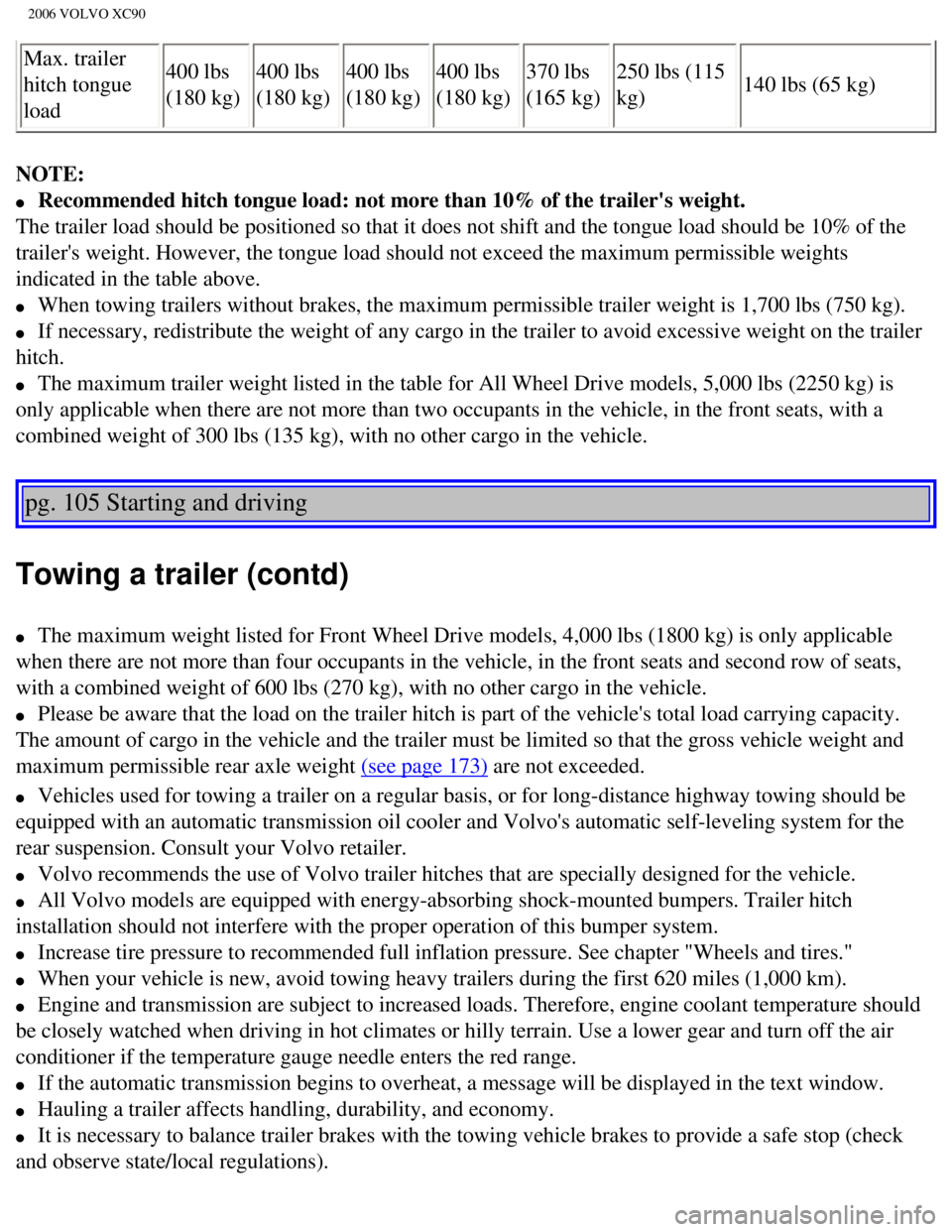
Max. trailer
hitch tongue
load400 lbs
(180 kg)
400 lbs
(180 kg)400 lbs
(180 kg)400 lbs
(180 kg)370 lbs
(165 kg)250 lbs (115
kg)
140 lbs (65 kg)
NOTE:
l Recommended hitch tongue load: not more than 10% of the trailer's weight\
.
The trailer load should be positioned so that it does not shift and the \
tongue load should be 10% of the
trailer's weight. However, the tongue load should not exceed the maximum\
permissible weights
indicated in the table above.
l When towing trailers without brakes, the maximum permissible trailer wei\
ght is 1,700 lbs (750 kg).
l If necessary, redistribute the weight of any cargo in the trailer to avo\
id excessive weight on the trailer
hitch.
l The maximum trailer weight listed in the table for All Wheel Drive model\
s, 5,000 lbs (2250 kg) is
only applicable when there are not more than two occupants in the vehicl\
e, in the front seats, with a
combined weight of 300 lbs (135 kg), with no other cargo in the vehicl\
e.
pg. 105 Starting and driving
Towing a trailer (contd)
l The maximum weight listed for Front Wheel Drive models, 4,000 lbs (1800\
kg) is only applicable
when there are not more than four occupants in the vehicle, in the front\
seats and second row of seats,
with a combined weight of 600 lbs (270 kg), with no other cargo in the\
vehicle.
l Please be aware that the load on the trailer hitch is part of the vehicl\
e's total load carrying capacity.
The amount of cargo in the vehicle and the trailer must be limited so th\
at the gross vehicle weight and
maximum permissible rear axle weight
(see page 173) are not exceeded.
l Vehicles used for towing a trailer on a regular basis, or for long-dista\
nce highway towing should be
equipped with an automatic transmission oil cooler and Volvo's automatic\
self-leveling system for the
rear suspension. Consult your Volvo retailer.
l Volvo recommends the use of Volvo trailer hitches that are specially des\
igned for the vehicle.
l All Volvo models are equipped with energy-absorbing shock-mounted bumper\
s. Trailer hitch
installation should not interfere with the proper operation of this bump\
er system.
l Increase tire pressure to recommended full inflation pressure. See chapt\
er "Wheels and tires."
l When your vehicle is new, avoid towing heavy trailers during the first 6\
20 miles (1,000 km).
l Engine and transmission are subject to increased loads. Therefore, engin\
e coolant temperature should
be closely watched when driving in hot climates or hilly terrain. Use a \
lower gear and turn off the air
conditioner if the temperature gauge needle enters the red range.
l If the automatic transmission begins to overheat, a message will be disp\
layed in the text window.
l Hauling a trailer affects handling, durability, and economy.
l It is necessary to balance trailer brakes with the towing vehicle brakes\
to provide a safe stop (check
and observe state/local regulations).
file:///K|/ownersdocs/2006/2006_XC90/06xc90_06b.htm (12 of 18)12/30/20\
06 5:32:46 PM
Page 233 of 256
 or the \
AM/FM button (2).
2. Press briefly on
or to search for the next strong station. The radio wi")
2006 VOLVO XC90
Station search
1. Choose radio mode AM/FM1/FM2 using the SELECTOR control (1) or the \
AM/FM button (2).
2. Press briefly on
or to search for the next strong station. The radio will search for the ne\
xt
audible station and then stop.
3. Press one of the buttons again to start a new search.
Manually search for a known frequency
1. Press and hold the
or button (or the corresponding buttons on the steering wheel
keypad). MAN will be shown in the display. The radio will slowly scroll\
in the desired direction and
then increase speed after a few seconds.
2. Release the button when the desired frequency is displayed.
3. If you need to adjust the frequency, press briefly on
or .
4. The manual search function is available for five seconds after you la\
st pressed the button.
pg. 193 Audio
file:///K|/ownersdocs/2006/2006_XC90/06xc90_11a.htm (11 of 18)12/30/20\
06 5:32:55 PM
Page 237 of 256
2006 VOLVO XC90
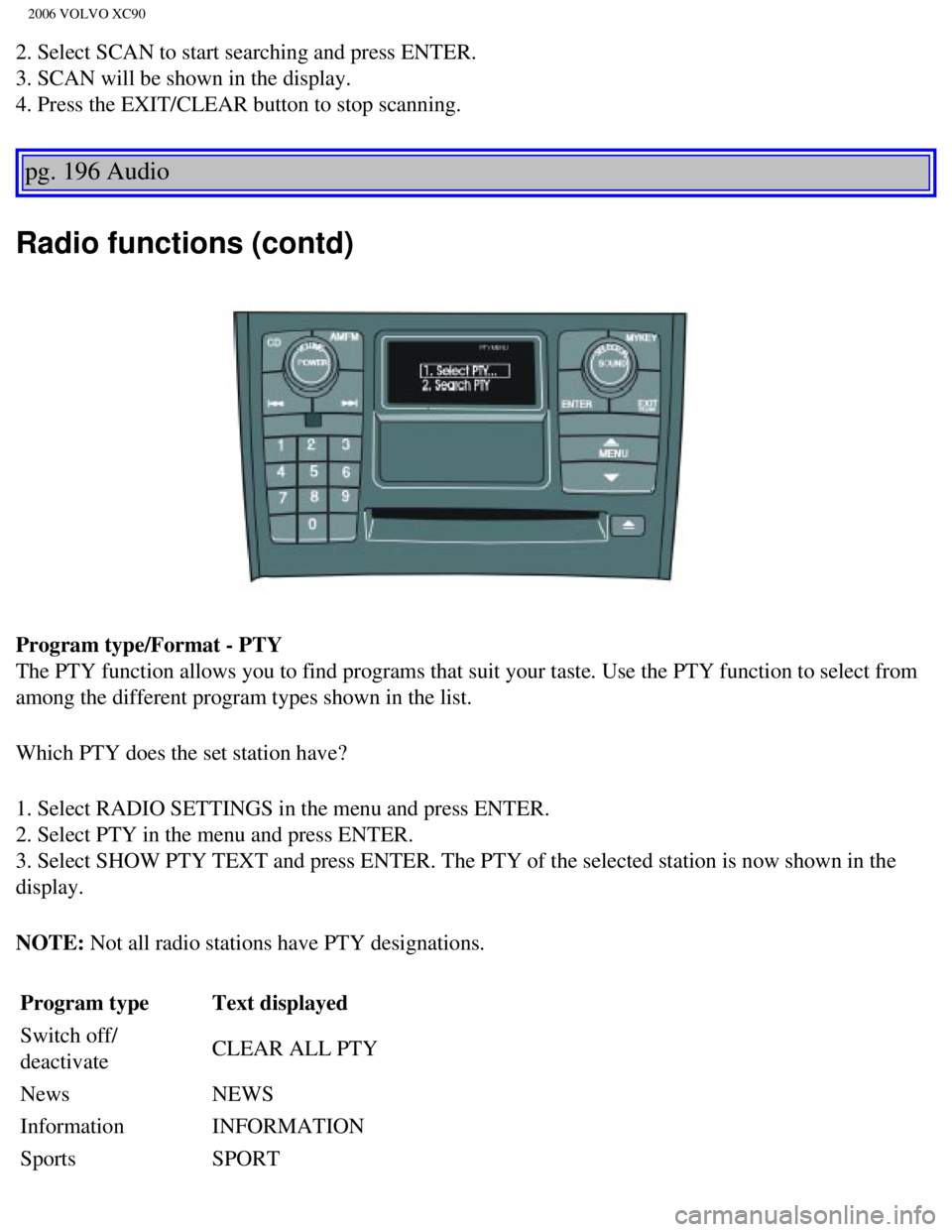
2. Select SCAN to start searching and press ENTER.
3. SCAN will be shown in the display.
4. Press the EXIT/CLEAR button to stop scanning.
pg. 196 Audio
Radio functions (contd)
Program type/Format - PTY
The PTY function allows you to find programs that suit your taste. Use t\
he PTY function to select from
among the different program types shown in the list.
Which PTY does the set station have?
1. Select RADIO SETTINGS in the menu and press ENTER.
2. Select PTY in the menu and press ENTER.
3. Select SHOW PTY TEXT and press ENTER. The PTY of the selected station\
is now shown in the
display.
NOTE: Not all radio stations have PTY designations. Program type Text displayed
Switch off/
deactivate CLEAR ALL PTY
News NEWS
Information INFORMATION
Sports SPORT
file:///K|/ownersdocs/2006/2006_XC90/06xc90_11a.htm (15 of 18)12/30/20\
06 5:32:55 PM
Page 243 of 256
 or the CD button \
(2).
2. Insert a CD into the player.
CD Pause
To pause CD playback, turn the volume all the")
2006 VOLVO XC90
Starting the CD
1. Select the CD mode using the SELECTOR control (1) or the CD button \
(2).
2. Insert a CD into the player.
CD Pause
To pause CD playback, turn the volume all the way down. "CD paused" will\
be displayed. This will not
occur if someone in the rear seat is listening to the CD through the opt\
ional headphones.
Play will resume when the volume is turned up again.
Changing tracks
Press
to go to the next track or to go to the previous track. The track number is shown in the
display. If you have a keypad in the steering wheel, you can use the arr\
ow keys in the same way.
Searching within a track
Press and hold down
or to search within a track or the whole disc. The search continues as
long as the buttons are depressed. If you have a keypad in the steering \
wheel, you can use the arrow keys
in the same way.
Random play
This function plays the tracks on a CD in random order (shuffle).
1. Press the MENU button.
2. Select RANDOM and press ENTER.
3. RND is shown in the display as long as the function is activated.
4. Go into the menu and select RANDOM OFF to stop random play, or press \
EXIT.
file:///K|/ownersdocs/2006/2006_XC90/06xc90_11b.htm (3 of 11)12/30/200\
6 5:32:56 PM
Page 247 of 256

2006 VOLVO XC90
changer.
4. RND or RND ALL is shown in the display for as long as the function is\
activated.
NOTE: Press
to play the next randomly selected track. This can only be done on the \
currently
selected disc.
5. Press EXIT to stop random play.
Ejecting one disc
A short press on the EJECT button (1) will eject the CD that is currently playing. \
NOTE: For reasons of traffic safety, you have 12 seconds in which to remove th\
e ejected disc. After
that, the disc automatically reinserts into the player.
Ejecting all discs
A long press on the EJECT button (1) starts the EJECT ALL function.
The text EJECTING ALL will be displayed and the entire magazine will be \
emptied disc by disc.
NOTE:
- The EJECT ALL function can only be used while the vehicle is at a stan\
dstill and will be cancelled if
the vehicle begins to move.
- For reasons of traffic safety, you have 12 seconds in which to remove \
the ejected disc. After that, the
disc automatically reinserts into the player.
pg. 203 Audio
Audio systems - general information
Compact disc care
l Before using a new CD for the first time, remove any burrs in the center\
/outer edge by running the
stem of a pen or similar object around the hole/edge of the disc.
l Use CD standard EN 60908 discs only. Discs not meeting this standard may\
cause problems with
system (poor sound). CDR discs can cause listening problems due to the\
quality of the disc or recording
equipment used.
l Keep the discs clean. Wipe them with a soft, clean, lint-free cloth, wor\
king from the center outwards.
If necessary, dampen the cloth with a neutral soap solution. Dry thoroug\
hly before using.
l Never use cleaning spray or antistatic liquid. Use only cleaners specifi\
cally made for CD's.
l Use discs of the correct size only (3.5" discs should never be used). \
l Do not put tape or labels on the disc itself. They could become stuck in\
the player.
l Volvo does not recommend the use of plastic outer rings on the disc.
l Condensation may occur on discs/optical components of the changer in col\
d winter weather. The disc
file:///K|/ownersdocs/2006/2006_XC90/06xc90_11b.htm (7 of 11)12/30/200\
6 5:32:56 PM