ECO mode VOLVO XC90 2009 Owner´s Manual
[x] Cancel search | Manufacturer: VOLVO, Model Year: 2009, Model line: XC90, Model: VOLVO XC90 2009Pages: 282, PDF Size: 8.76 MB
Page 87 of 282
02 Instruments and controls
HomeLink® Wireless Control System (option)
0287 Erasing HomeLink Buttons
To erase programming from the three Home-
Link buttons (individual buttons cannot be
erased but can be “reprogrammed” as outlined
below), follow the step noted:•
Press and hold the two outer HomeLink
buttons until the indicator light begins to
flash-after 10 seconds. Release both but-
tons. Do not hold for longer that 20 sec-
onds. HomeLink is now in the train (or
learning) mode and can be programmed at
any time beginning with “Programming” -
step 1.
Reprogramming a Single HomeLink
ButtonTo program a device to HomeLink using a
HomeLink button previously trained, follow
these steps:
1. Press and hold the desired HomeLink but-
ton.DO NOT release the button.
2. The indicator light will begin to flash after
20 seconds. Without releasing the Home-
Link button, proceed with “Programming”
- step 1.
For questions or comments, contact HomeLink
at: www.homelink.com or 1–800–355–3515.This device complies with FCC rules part 15
and Industry Canada (IC) RSS-210. Operation
is subject to the following two conditions: (1)
This device may not cause harmful interfer-
ence, and (2) This device must accept any
interference that may be received including
interference that may cause undesired opera-
tion.
NOTE
The transmitter has been tested and com-
plies with FCC and IC rules. Changes or
modifications not expressly approved by
the party responsible for compliance could
void the user’s authority to operate the
device.
1
HomeLink and the HomeLink house are regis-
tered trademarks of Johnson Controls, Inc.
1The term “IC:” before the certification/registration number only signifies that Industry Canada technical specifications were met.
Page 94 of 282

03 ClimateElectronic climate control (ECC)
0394
minated outside air, the air intake closes and
the air inside the passenger compartment is
recirculated, i.e. no outside air enters the vehi-
cle. The filter also cleans recirculated passen-
ger compartment air.
When the ECC system is in the AUTO mode,
the green LED will be on. RecirculationPress this switch to engage the recirculation
function (air in the passenger compartment
recirculates – no fresh air enters the compart-
ment). The LED in the switch will light up to
indicate that the function is engaged.•
Use this function if the outside air is con-
taminated with exhaust gases, smoke, etc
or to heat/cool the vehicle quickly.
•
Recirculation should not be used for more
than 15 minutes. If your windows begin to
fog or mist, make sure that the recirculation
function is switched off.
•
SelectingDefroster automatically
switches recirculation off.
•
Timer mode activation: (Vehicles equipped
with the Interior Air Quality system have no
timer mode) Press and hold the recircula-
tion button for at least 3 seconds to acti-
vate a recirculation timer mode. The amber
LED in the recirculation button will flash 5
times to show that the timer mode is being
activated. In timer mode, each time therecirculation button is pressed, the climate
control system will recirculate the air in the
passenger compartment for
5 – 12 minutes, depending on the outside
air temperature, and then revert back to
fresh air.
•
Timer mode deactivation: Press and hold
the recirculation button for 3 seconds. The
amber LED in the recirculation button will
illuminate steadily for 5 seconds to show a
return to "normal" mode.
•
In normal mode, when the recirculation
button is pressed, the climate control sys-
tem will recirculate the air in the passenger
compartment until the recirculation button
is pressed again.
•
Timer mode memory: If the vehicle is
turned off while timer mode is active, timer
mode will still be active when the vehicle is
restarted. AUTOThis function automatically regulates the
Electronic Climate Control system so that
the selected temperatures are maintained.
The blower, heating, air distribution (air
flow), air conditioning, and optional air qual-
ity sensor are controlled. If you prefer to man-
ually set any of these functions, the remaining
functions will still be controlled automatically.
Pressing the AUTO button overrides any set-
tings that were previously made manually.
Air distributionAir flow to windows
Air through panel vents
Air through floor vents
G027267
PressAUTO to automatically regulate air flow
or press any combination of the controls
shown in the illustration to manually adjust air
flow. An LED in the switch will light up if an air
flow control has been pressed. Passenger compartment temperature
sensorMeasures the temperature in the compart-
ment. DefrosterThis function defrosts/deices the windshield
and front side windows. The LED in the switch
Page 103 of 282
04 Interior
Rear seats
04``103 Entering the optional third row of seats
G027027
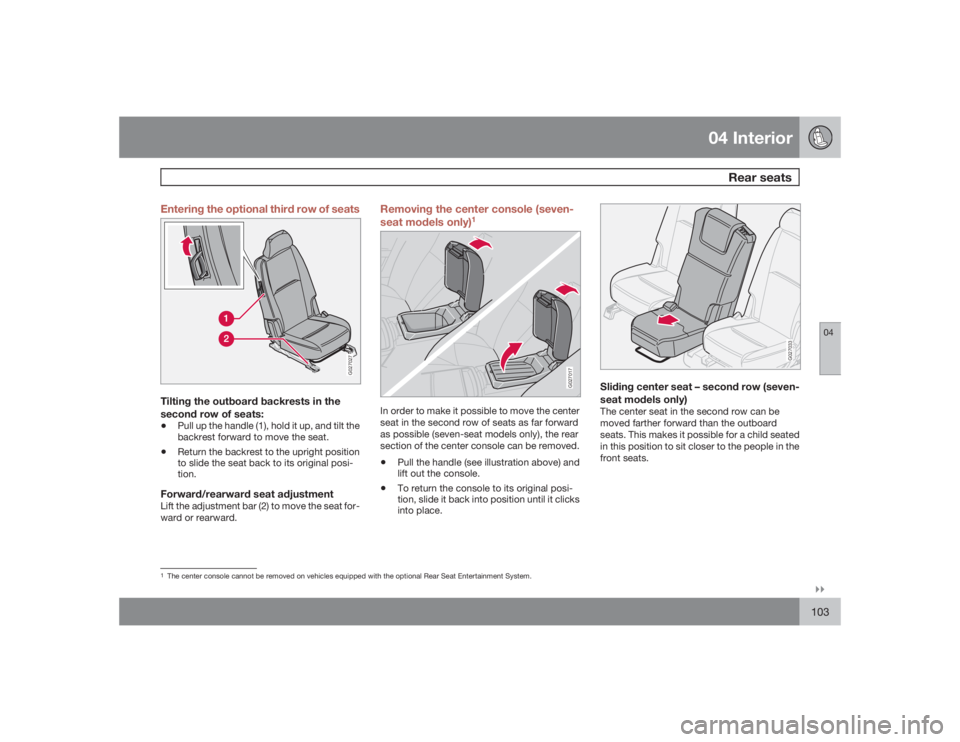
Tilting the outboard backrests in the
second row of seats:•
Pull up the handle (1), hold it up, and tilt the
backrest forward to move the seat.
•
Return the backrest to the upright position
to slide the seat back to its original posi-
tion.
Forward/rearward seat adjustmentLift the adjustment bar (2) to move the seat for-
ward or rearward.
Removing the center console (seven-
seat models only)
1
G027017
In order to make it possible to move the center
seat in the second row of seats as far forward
as possible (seven-seat models only), the rear
section of the center console can be removed.•
Pull the handle (see illustration above) and
lift out the console.
•
To return the console to its original posi-
tion, slide it back into position until it clicks
into place.
G027033
Sliding center seat – second row (seven-
seat models only)The center seat in the second row can be
moved farther forward than the outboard
seats. This makes it possible for a child seated
in this position to sit closer to the people in the
front seats.
1The center console cannot be removed on vehicles equipped with the optional Rear Seat Entertainment System.
Page 104 of 282
04 InteriorRear seats
04104
G027015
Head restraint – second row, center
positionThe head restraint in the center position can be
adjusted to 4 different heights.
To raise – pull the restraint up until it clicks into
one of the four heights positions.
To lower – press the button at the base of the
support (see illustration above) and press the
head restraint down.
WARNING
The center rear seat head restraint should
only be in its lowest position when this seat
is NOT occupied. When the center position
is occupied, the head restraint should be
correctly adjusted to the passenger’s
height.
G027022
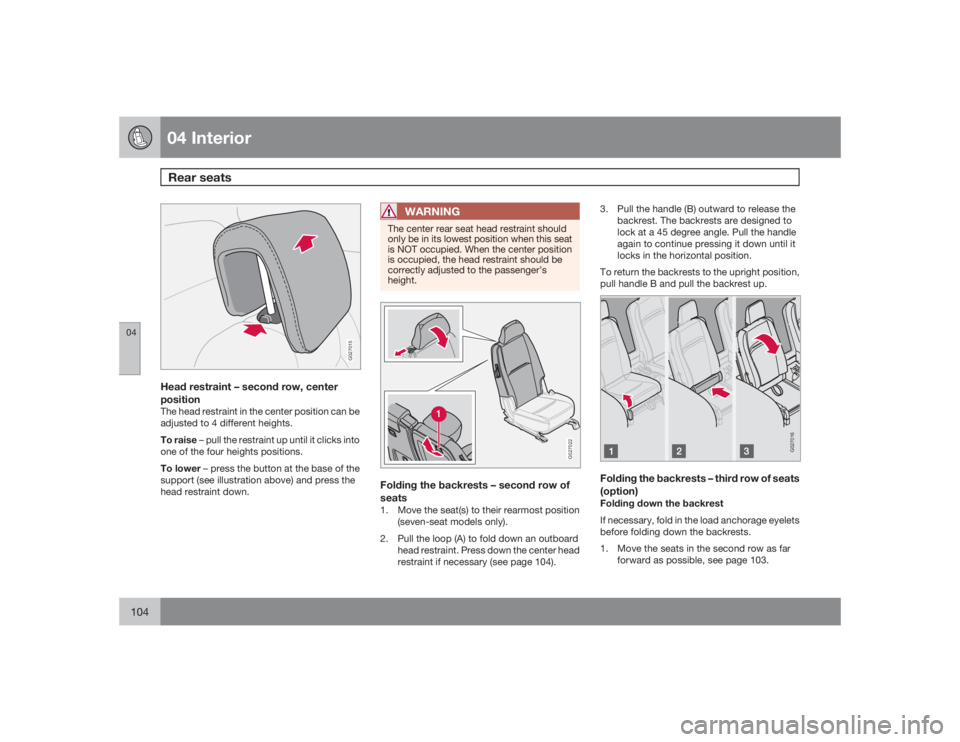
Folding the backrests – second row of
seats1. Move the seat(s) to their rearmost position
(seven-seat models only).
2. Pull the loop (A) to fold down an outboard
head restraint. Press down the center head
restraint if necessary (see page 104).3. Pull the handle (B) outward to release the
backrest. The backrests are designed to
lock at a 45 degree angle. Pull the handle
again to continue pressing it down until it
locks in the horizontal position.
To return the backrests to the upright position,
pull handle B and pull the backrest up.
G027016
Folding the backrests – third row of seats
(option)Folding down the backrest
If necessary, fold in the load anchorage eyelets
before folding down the backrests.
1. Move the seats in the second row as far
forward as possible, see page 103.
Page 112 of 282
04 InteriorSecuring cargo
04112
G027031
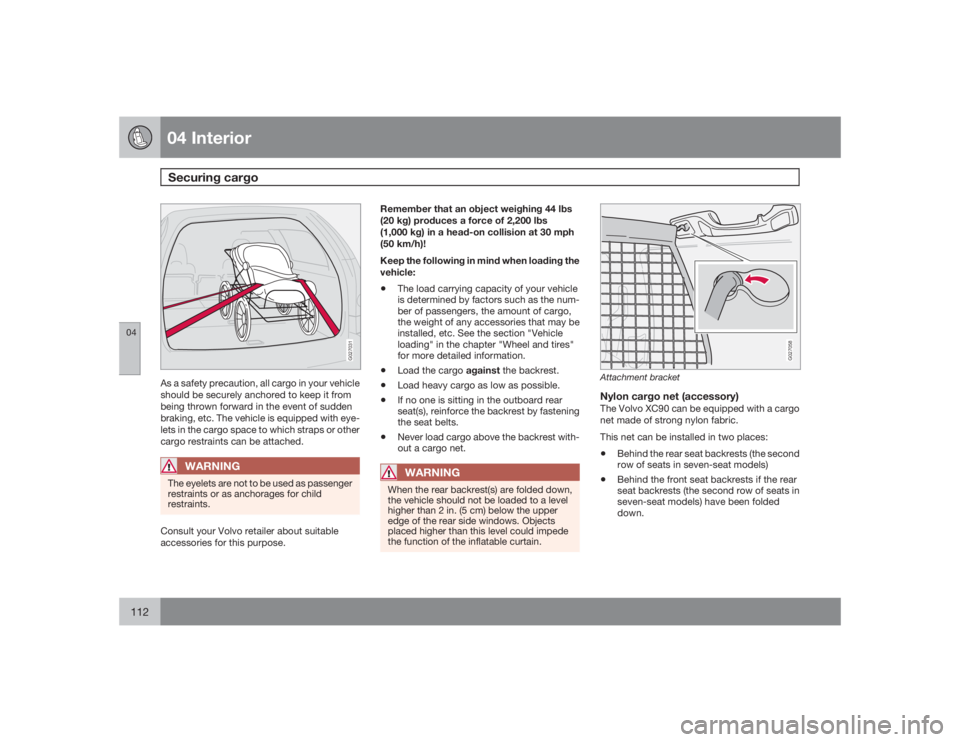
As a safety precaution, all cargo in your vehicle
should be securely anchored to keep it from
being thrown forward in the event of sudden
braking, etc. The vehicle is equipped with eye-
lets in the cargo space to which straps or other
cargo restraints can be attached.
WARNING
The eyelets are not to be used as passenger
restraints or as anchorages for child
restraints.Consult your Volvo retailer about suitable
accessories for this purpose.Remember that an object weighing 44 lbs
(20 kg) produces a force of 2,200 lbs
(1,000 kg) in a head-on collision at 30 mph
(50 km/h)!
Keep the following in mind when loading the
vehicle:
•
The load carrying capacity of your vehicle
is determined by factors such as the num-
ber of passengers, the amount of cargo,
the weight of any accessories that may be
installed, etc. See the section "Vehicle
loading" in the chapter "Wheel and tires"
for more detailed information.
•
Load the cargo against the backrest.
•
Load heavy cargo as low as possible.
•
If no one is sitting in the outboard rear
seat(s), reinforce the backrest by fastening
the seat belts.
•
Never load cargo above the backrest with-
out a cargo net.WARNING
When the rear backrest(s) are folded down,
the vehicle should not be loaded to a level
higher than 2 in. (5 cm) below the upper
edge of the rear side windows. Objects
placed higher than this level could impede
the function of the inflatable curtain.
G027058
Attachment bracketNylon cargo net (accessory)The Volvo XC90 can be equipped with a cargo
net made of strong nylon fabric.
This net can be installed in two places:•
Behind the rear seat backrests (the second
row of seats in seven-seat models)
•
Behind the front seat backrests if the rear
seat backrests (the second row of seats in
seven-seat models) have been folded
down.
Page 114 of 282
04 InteriorSecuring cargo
04114
Steel grid (accessory)
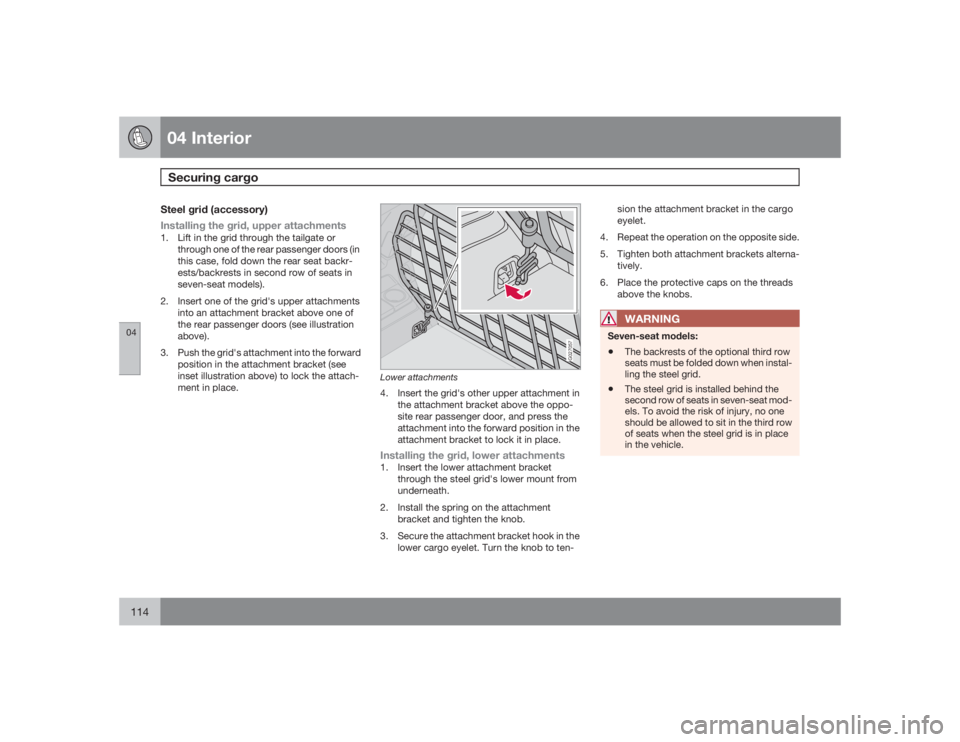
Installing the grid, upper attachments1. Lift in the grid through the tailgate or
through one of the rear passenger doors (in
this case, fold down the rear seat backr-
ests/backrests in second row of seats in
seven-seat models).
2. Insert one of the grid's upper attachments
into an attachment bracket above one of
the rear passenger doors (see illustration
above).
3. Push the grid's attachment into the forward
position in the attachment bracket (see
inset illustration above) to lock the attach-
ment in place.
G027057
Lower attachments4. Insert the grid's other upper attachment in
the attachment bracket above the oppo-
site rear passenger door, and press the
attachment into the forward position in the
attachment bracket to lock it in place.Installing the grid, lower attachments1. Insert the lower attachment bracket
through the steel grid's lower mount from
underneath.
2. Install the spring on the attachment
bracket and tighten the knob.
3. Secure the attachment bracket hook in the
lower cargo eyelet. Turn the knob to ten-sion the attachment bracket in the cargo
eyelet.
4. Repeat the operation on the opposite side.
5. Tighten both attachment brackets alterna-
tively.
6. Place the protective caps on the threads
above the knobs.
WARNING
Seven-seat models:•
The backrests of the optional third row
seats must be folded down when instal-
ling the steel grid.
•
The steel grid is installed behind the
second row of seats in seven-seat mod-
els. To avoid the risk of injury, no one
should be allowed to sit in the third row
of seats when the steel grid is in place
in the vehicle.
Page 136 of 282
06 Starting and drivingEconomical driving
06136
Economical driving conserves natural
resourcesBetter driving economy may be obtained by
thinking ahead, avoiding rapid starts and stops
and adjusting the speed of your vehicle to
immediate traffic conditions. Observe the fol-
lowing rules:•
Bring the engine to normal operating tem-
perature as soon as possible by driving
with a light foot on the accelerator pedal for
the first few minutes of operation. A cold
engine uses more fuel and is subject to
increased wear.
•
Whenever possible, avoid using the vehicle
for driving short distances. This does not
allow the engine to reach normal operating
temperature.
•
Drive carefully and avoid rapid acceleration
and hard braking.
•
Use the transmission's D (Drive) position
as often as possible and avoid using "kick-
down" to help improve fuel economy.
•
Do not exceed posted speed limits.
•
Avoid carrying unnecessary items (extra
load) in the vehicle.
•
Maintain correct tire pressure. Check tire
pressure regularly (when tires are cold).
•
Remove snow tires when threat of snow or
ice has ended.
•
Note that roof racks, ski racks, etc,
increase air resistance and also fuel con-
sumption.
•
At highway driving speeds, fuel consump-
tion will be lower with the air conditioning
on and the windows closed than with the
air conditioning off and the windows open.
•
Using the onboard trip computer's fuel
consumption modes can help you learn
how to drive more economically.
Other factors that decrease gas mileage
are:
•
Dirty air cleaner
•
Dirty engine oil and clogged oil filter
•
Dragging brakes
•
Incorrect front end alignment.
Some of the above mentioned items and others
are checked at the standard Maintenance
Service intervals.CAUTION
Drive slowly and carefully if going through
standing water (i.e. flooded roadways, etc.).
Damage to the engine could result if excess
water is drawn in through the air intake sys-
tem. Never drive the vehicle in water deeper
than 18 inches (48 cm).
Page 139 of 282
06 Starting and driving
Automatic transmission
06``139
NOTE
The gear selector must be in the D (Drive)
position for kickdown to function.Manual shifting – GeartronicYou can move the gear selector freely between
theMAN (Manual) and D (Drive) positions to
select forward gears while driving. Gears 3, 4,
5, and 6 have a "lock-up" function which
reduces engine speed and helps save fuel.
NOTE
Reverse, Neutral, and Park cannot be
selected in Geartronic mode.•
A "lock-up" feature
1 reduces engine speed
and help saves fuel.
The currently selected gear will be displayed in
the instrument panel (see page 54).
•
To access the MAN shifting position from
D, move the gear selector to the left to
MAN.
•
To return to the D positions from MAN,
move the gear selector to the right.
While drivingIf you select the MAN position while driving, the
gear that was being used in the D position will
also initially be selected in MAN position.•
Move the gear selector forward (toward
"+") to shift to a higher gear or rearward
(toward "–") to shift to a lower gear.
•
If you hold the gear selector toward "–", the
transmission will downshift one gear and
will utilize the braking power of the engine.
If the current speed is too high for using a
lower gear, the downshift will not occur
until the speed has decreased enough to
allow the lower gear to be used.
•
If you slow down to a very low speed, the
transmission will automatically shift down.
•
When starting in the MAN position, 3rd
gear is the highest gear that may be
selected.
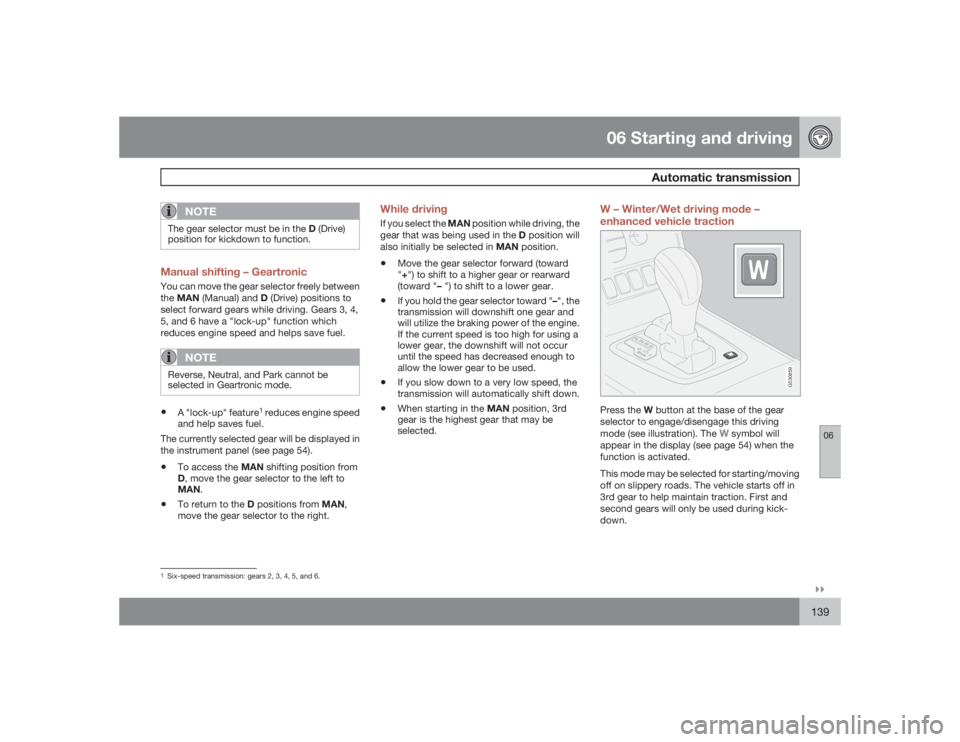
W – Winter/Wet driving mode –
enhanced vehicle traction
G030859
Press the W button at the base of the gear
selector to engage/disengage this driving
mode (see illustration). The
W symbol will
appear in the display (see page 54) when the
function is activated.
This mode may be selected for starting/moving
off on slippery roads. The vehicle starts off in
3rd gear to help maintain traction. First and
second gears will only be used during kick-
down.
1Six-speed transmission: gears 2, 3, 4, 5, and 6.
Page 152 of 282
06 Starting and drivingTowing a trailer
06152
NOTE
•
Recommended hitch tongue load:
not more than 10% of the trailer's
weight. The trailer load should be posi-
tioned so that it does not shift and the
tongue load should be 10% of the trail-
er's weight. However, the tongue load
should not exceed the maximum per-
missible weights indicated in the table
above.
•
When towing trailers without brakes,
the maximum permissible trailer weight
is 1,700 lbs (750 kg).
•
If necessary, redistribute the weight of
any cargo in the trailer to avoid exces-
sive weight on the trailer hitch.
•
The maximum trailer weight listed in the
table for All Wheel Drive models,
5,000 lbs (2250 kg) is only applicable
when there are not more than two occu-
pants in the vehicle, in the front seats,
with a combined weight of 300 lbs
(135 kg), with no other cargo in the vehi-
cle.
•
The maximum weight listed for Front
Wheel Drive models, 4,000 lbs (1800 kg)
is only applicable when there are not
more than four occupants in the vehicle,
in the front seats and second row of
seats, with a combined weight of
600 lbs (270 kg), with no other cargo in
the vehicle.
NOTE
•
Vehicles used for towing a trailer on a
regular basis, or for long-distance high-
way towing should be equipped with an
automatic transmission oil cooler and
Volvo's automatic self-leveling system
for the rear suspension. Consult your
Volvo retailer.
•
Volvo recommends the use of Volvo
trailer hitches that are specially
designed for the vehicle.
•
All Volvo models are equipped with
energy-absorbing shock-mounted
bumpers. Trailer hitch installation
should not interfere with the proper
operation of this bumper system.
•
Increase tire pressure to recommended
full inflation pressure. See chapter
"Wheels and tires."
•
When your vehicle is new, avoid towing
heavy trailers during the first 620 miles
(1,000 km).
•
Engine and transmission are subject to
increased loads. Therefore, engine
coolant temperature should be closely
watched when driving in hot climates or
hilly terrain. Use a lower gear and turn
off the air conditioner if the temperature
gauge needle enters the red range.
Page 153 of 282
06 Starting and driving
Towing a trailer
06``153
NOTE
•
If the automatic transmission begins to
overheat, a message will be displayed
in the text window.
•
Hauling a trailer affects handling, dura-
bility, and economy.
•
It is necessary to balance trailer brakes
with the towing vehicle brakes to pro-
vide a safe stop (check and observe
state/local regulations).
•
Do not connect the trailer's brake sys-
tem directly to the vehicle's brake sys-
tem.
•
Remove the ball and drawbar assembly
when the hitch is not being used.
•
Volvo recommends the use of synthetic
engine oil when towing a trailer over
long distances or in mountainous areas.
NOTE
•
When parking the vehicle with a trailer
on a hill, apply the parking brake before
putting the gear selector in P. When
starting on a hill, put the gear selector in
D before releasing the parking brake.
Always follow the trailer manufacturer's
recommendations for wheel chocking.
•
If you use the manual (Geartronic) shift
positions while towing a trailer, make
sure the gear you select does not put
too much strain on the engine (using too
high a gear).
WARNING
•
Bumper-attached trailer hitches must
not be used on Volvos, nor should
safety chains be attached to the
bumper.
•
Trailer hitches attaching to the vehicle
rear axle must not be used.
•
Never connect a trailer's hydraulic
brake system directly to the vehicle
brake system, nor a trailer's lighting
system directly to the vehicle lighting
system. Consult a trained and qualified
Volvo service technician for correct
installation.
•
When towing a trailer, the trailer's safety
wire must be correctly fastened to the
hole or hook provided in the trailer hitch
on the vehicle. The safety wire should
never be fastened to or wound around
the drawbar ball.
Smoother starts with a trailerModels equipped with the V8-engine and the
6-speed automatic transmission have a built-
in function that reduces acceleration slightly in
first gear when the vehicle is towing a trailer.
This is done to help avoid wheel spin and to
make starting off smoother.•
This function is activated when the trailer's
electrical connector is plugged into the