radio controls VOLVO XC90 2014 Owner´s Manual
[x] Cancel search | Manufacturer: VOLVO, Model Year: 2014, Model line: XC90, Model: VOLVO XC90 2014Pages: 308, PDF Size: 13.31 MB
Page 7 of 308
Contents
5
09
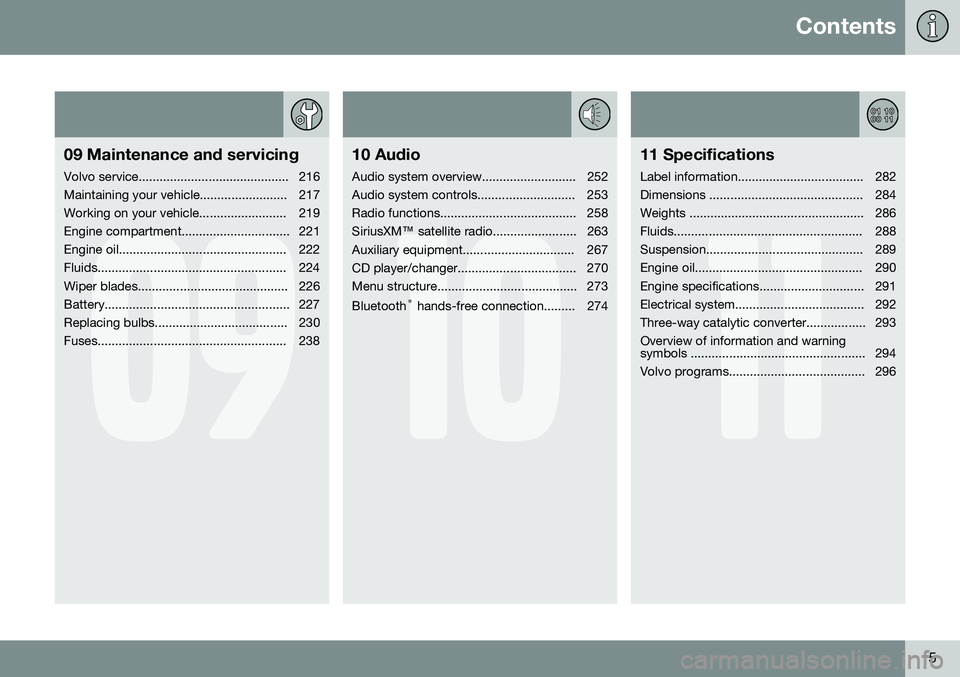
09 Maintenance and servicing
Volvo service........................................... 216
Maintaining your vehicle......................... 217
Working on your vehicle......................... 219
Engine compartment............................... 221
Engine oil................................................ 222
Fluids...................................................... 224
Wiper blades........................................... 226
Battery..................................................... 227
Replacing bulbs...................................... 230
Fuses...................................................... 238
10
10 Audio
Audio system overview........................... 252
Audio system controls............................ 253
Radio functions....................................... 258SiriusXM™ satellite radio........................ 263
Auxiliary equipment................................ 267
CD player/changer.................................. 270
Menu structure........................................ 273 Bluetooth ®
hands-free connection......... 274
11
11 Specifications
Label information.................................... 282
Dimensions ............................................ 284
Weights .................................................. 286
Fluids...................................................... 288
Suspension............................................. 289
Engine oil................................................ 290
Engine specifications.............................. 291
Electrical system..................................... 292
Three-way catalytic converter................. 293Overview of information and warning
symbols .................................................. 294
Volvo programs....................................... 296
Page 91 of 308
02 Instruments and controls
HomeLink®
Wireless Control System*
02
* Option/accessory, for more information, see Introduction.89
Introduction
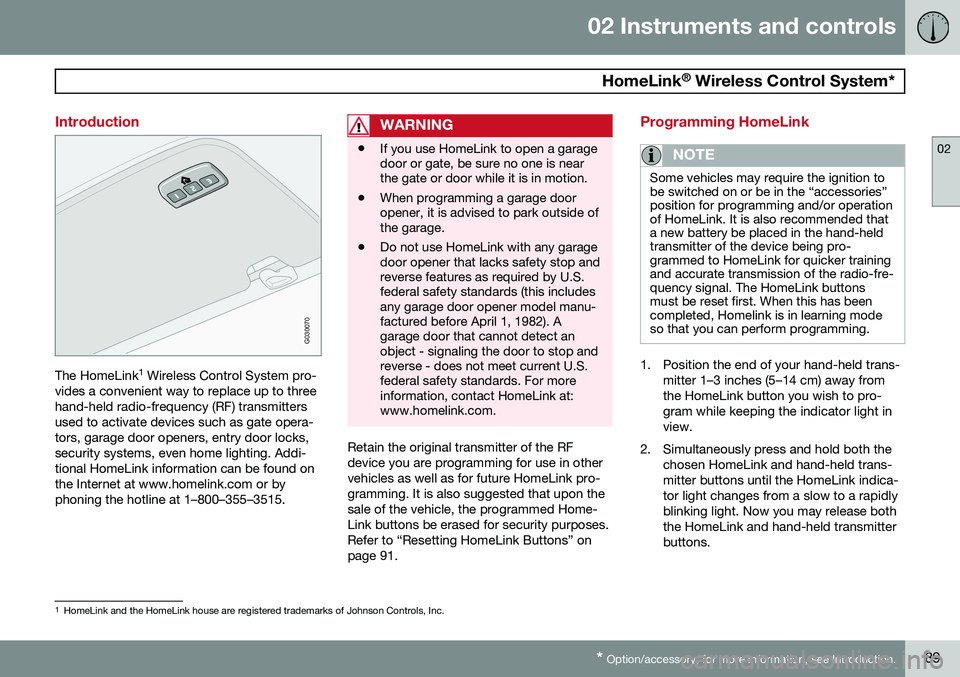
G030070
The HomeLink 1
Wireless Control System pro-
vides a convenient way to replace up to three hand-held radio-frequency (RF) transmittersused to activate devices such as gate opera-tors, garage door openers, entry door locks,security systems, even home lighting. Addi-tional HomeLink information can be found onthe Internet at www.homelink.com or byphoning the hotline at 1–800–355–3515.
WARNING
• If you use HomeLink to open a garage door or gate, be sure no one is nearthe gate or door while it is in motion.
• When programming a garage dooropener, it is advised to park outside ofthe garage.
• Do not use HomeLink with any garagedoor opener that lacks safety stop andreverse features as required by U.S.federal safety standards (this includesany garage door opener model manu-factured before April 1, 1982). Agarage door that cannot detect anobject - signaling the door to stop andreverse - does not meet current U.S.federal safety standards. For moreinformation, contact HomeLink at:www.homelink.com.
Retain the original transmitter of the RF device you are programming for use in othervehicles as well as for future HomeLink pro-gramming. It is also suggested that upon thesale of the vehicle, the programmed Home-Link buttons be erased for security purposes.Refer to “Resetting HomeLink Buttons” onpage 91.
Programming HomeLink
NOTE
Some vehicles may require the ignition to be switched on or be in the “accessories”position for programming and/or operationof HomeLink. It is also recommended thata new battery be placed in the hand-heldtransmitter of the device being pro-grammed to HomeLink for quicker trainingand accurate transmission of the radio-fre-quency signal. The HomeLink buttonsmust be reset first. When this has beencompleted, Homelink is in learning modeso that you can perform programming.
1. Position the end of your hand-held trans-
mitter 1–3 inches (5–14 cm) away from the HomeLink button you wish to pro-gram while keeping the indicator light inview.
2. Simultaneously press and hold both the chosen HomeLink and hand-held trans-mitter buttons until the HomeLink indica-tor light changes from a slow to a rapidlyblinking light. Now you may release boththe HomeLink and hand-held transmitterbuttons.
1HomeLink and the HomeLink house are registered trademarks of Johnson Controls, Inc.
Page 92 of 308
02 Instruments and controls
HomeLink®
Wireless Control System*
02
90* Option/accessory, for more information, see Introduction.
NOTE
Some devices may require you to replace this Programming Step 2 with proceduresnoted in the “Gate Operator / CanadianProgramming” section. If the HomeLinkindicator light does not change to a rapidlyblinking light after performing these steps,contact HomeLink at www.homelink.comor by phoning the hotline at1–800–355–3515.
3. Firmly press, hold for five seconds and
release the programmed HomeLink but-
ton up to two separate times to activate the door. If the door does not activate,press and hold the just-trained HomeLinkbutton and observe the indicator light.
• If the indicator light
stays on con-
stantly, programming is complete and your device should activate when the HomeLink button is pressed andreleased.
• If the indicator light blinks
rapidly for
two seconds and then turns to aconstant light continue with “Pro- gramming” steps 4-6 to complete the
programming of a rolling code equip- ped device (most commonly a garagedoor opener). 4. At the garage door opener receiver
(motor-head unit) in the garage, locate the “learn” or “smart” button. This canusually be found where the hangingantenna wire is attached to the motor-head unit.
5. Firmly press and release the “learn” or “smart” button. (The name and color ofthe button may vary by manufacturer.)There are 30 seconds to initiate step 6.
6. Return to the vehicle and firmly press, hold for two seconds and release the pro-grammed HomeLink button. Repeat the“press/hold/release” sequence a secondtime, and, depending on the brand of thegarage door opener (or other rolling codeequipped device), repeat this sequence athird time to complete the programmingprocess.
HomeLink should now activate your rollingcode equipped device.
Gate Operator/Canadian ProgrammingCanadian radio-frequency laws require trans-mitter signals to “time-out” (or quit) after sev-eral seconds of transmission – which may notbe long enough for HomeLink to pick up thesignal during programming. Similar to thisCanadian law, some U.S. gate operators aredesigned to “time-out” in the same manner. If you live in Canada or you are having diffi-culties programming a gate operator orgarage door opener by using the “Program-ming” procedures,
replace “Programming
HomeLink” step 2 with the following :
• Continue to press and hold the HomeLink button while you
press and release -
every two seconds (“cycle”) your hand-
held transmitter until the HomeLink indi-cator light changes from a slow to a rap-idly blinking light. Now you may releaseboth the HomeLink and hand-held trans-mitter buttons.
Proceed with “Programming” step 3 to com- plete.
Using HomeLink
To operate, simply press and hold the pro- grammed HomeLink button until the traineddevice begins to operate (this may take sev-eral seconds). Activation will now occur forthe trained device (i.e., garage door opener,gate operator, security system, entry doorlock, home/office lighting, etc.). For conven-ience, the hand-held transmitter of the devicemay also be used at any time. In the eventthat there are still programming difficulties orquestions, contact HomeLink at:www.homelink.com or by phoning the hotlineat 1–800–355–3515.
Page 252 of 308
250
Audio system overview......................................................................... 252
Audio system controls.......................................................................... 253
Radio functions.....................................................................................258SiriusXM™ satellite radio...................................................................... 263
Auxiliary equipment............................................................................... 267
CD player/changer................................................................................ 270
Menu structure......................................................................................273 Bluetooth ®
hands-free connection....................................................... 274
Page 255 of 308
10 Audio
Audio system controls
10
}}
253
Steering wheel keypad
G027135
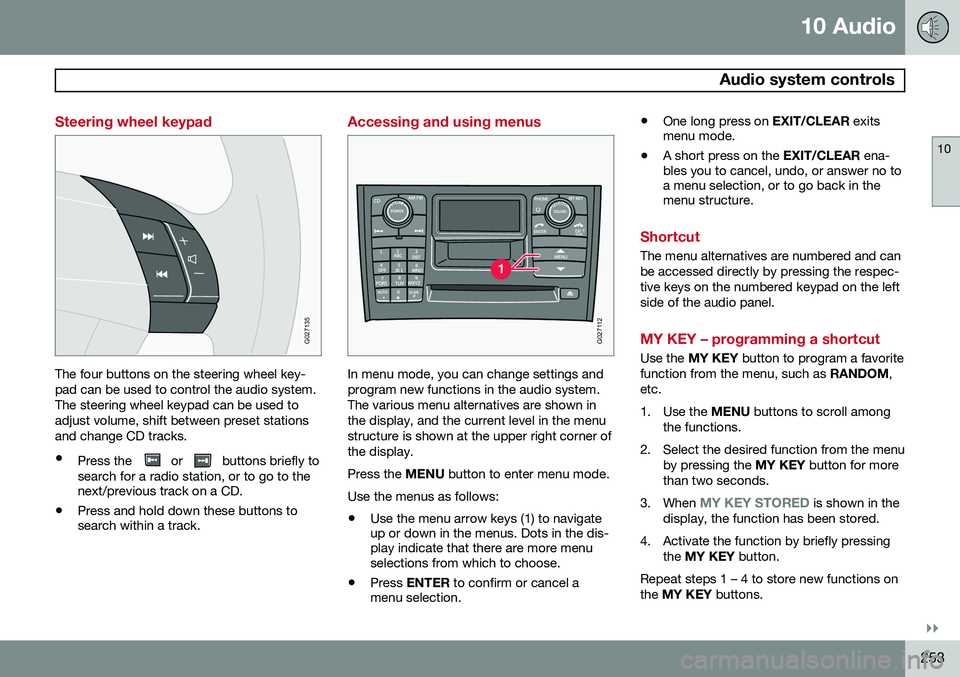
The four buttons on the steering wheel key- pad can be used to control the audio system.The steering wheel keypad can be used toadjust volume, shift between preset stationsand change CD tracks.
• Press the
or buttons briefly to
search for a radio station, or to go to the next/previous track on a CD.
• Press and hold down these buttons tosearch within a track.
Accessing and using menus
G027112
In menu mode, you can change settings and program new functions in the audio system.The various menu alternatives are shown inthe display, and the current level in the menustructure is shown at the upper right corner ofthe display. Press the
MENU button to enter menu mode.
Use the menus as follows:
• Use the menu arrow keys (1) to navigate up or down in the menus. Dots in the dis-play indicate that there are more menuselections from which to choose.
• Press
ENTER to confirm or cancel a
menu selection. •
One long press on
EXIT/CLEAR exits
menu mode.
• A short press on the
EXIT/CLEAR ena-
bles you to cancel, undo, or answer no toa menu selection, or to go back in themenu structure.
Shortcut
The menu alternatives are numbered and can be accessed directly by pressing the respec-tive keys on the numbered keypad on the leftside of the audio panel.
MY KEY – programming a shortcut
Use the MY KEY button to program a favorite
function from the menu, such as RANDOM,
etc.
1. Use the MENU buttons to scroll among
the functions.
2. Select the desired function from the menu by pressing the MY KEY button for more
than two seconds.
3. When
MY KEY STORED is shown in the
display, the function has been stored.
4. Activate the function by briefly pressing the MY KEY button.
Repeat steps 1 – 4 to store new functions on the MY KEY buttons.
Page 256 of 308
10 Audio
Audio system controls
10
254* Option/accessory, for more information, see Introduction.
NOTE
The MY KEY buttons can only be pro-
grammed for one shortcut function at a time.
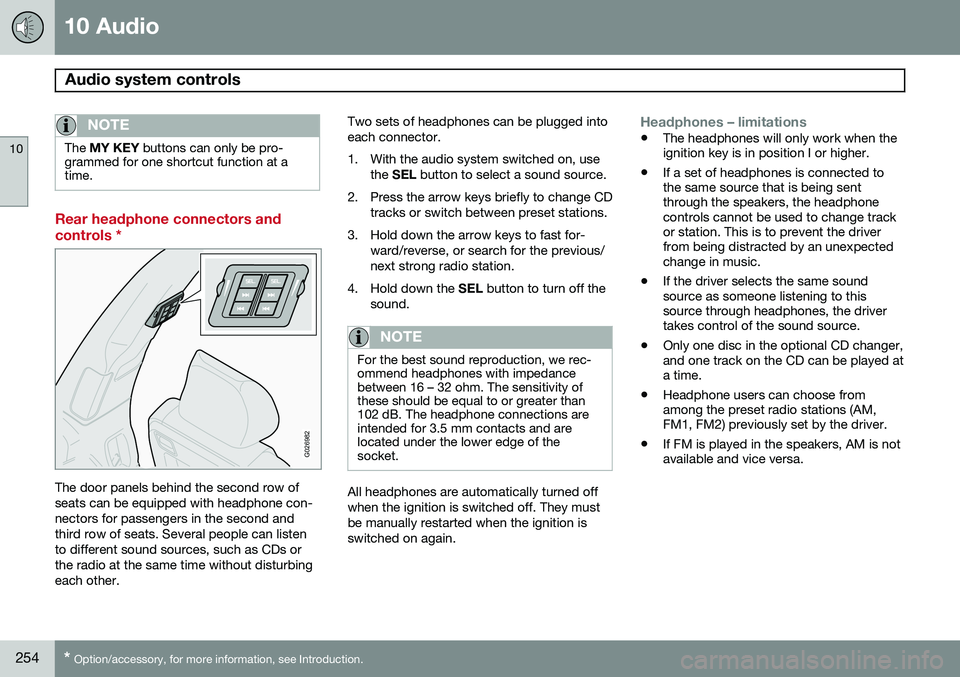
Rear headphone connectors and controls *
G026982
The door panels behind the second row of seats can be equipped with headphone con-nectors for passengers in the second andthird row of seats. Several people can listento different sound sources, such as CDs orthe radio at the same time without disturbingeach other. Two sets of headphones can be plugged intoeach connector.
1. With the audio system switched on, use
the SEL button to select a sound source.
2. Press the arrow keys briefly to change CD tracks or switch between preset stations.
3. Hold down the arrow keys to fast for- ward/reverse, or search for the previous/ next strong radio station.
4. Hold down the SEL button to turn off the
sound.
NOTE
For the best sound reproduction, we rec- ommend headphones with impedancebetween 16 – 32 ohm. The sensitivity ofthese should be equal to or greater than102 dB. The headphone connections areintended for 3.5 mm contacts and arelocated under the lower edge of thesocket.
All headphones are automatically turned off when the ignition is switched off. They mustbe manually restarted when the ignition isswitched on again.
Headphones – limitations
• The headphones will only work when the ignition key is in position I or higher.
• If a set of headphones is connected tothe same source that is being sentthrough the speakers, the headphonecontrols cannot be used to change trackor station. This is to prevent the driverfrom being distracted by an unexpectedchange in music.
• If the driver selects the same soundsource as someone listening to thissource through headphones, the drivertakes control of the sound source.
• Only one disc in the optional CD changer,and one track on the CD can be played ata time.
• Headphone users can choose fromamong the preset radio stations (AM,FM1, FM2) previously set by the driver.
• If FM is played in the speakers, AM is notavailable and vice versa.
Page 257 of 308
10 Audio
Audio system controls
10
* Option/accessory, for more information, see Introduction.255
On/Off button
G027146
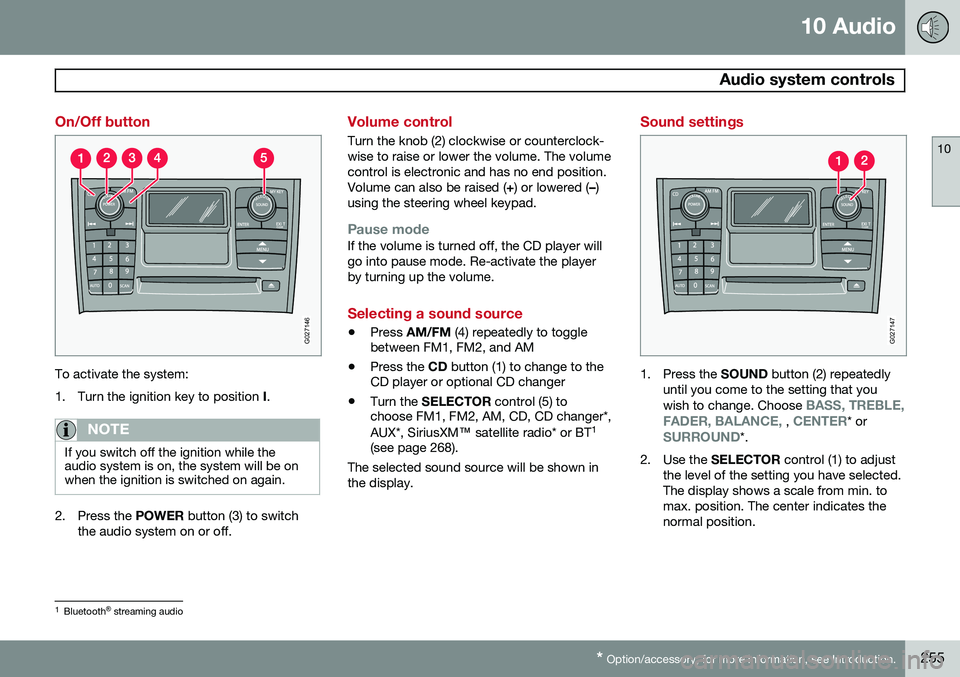
To activate the system:
1. Turn the ignition key to position I.
NOTE
If you switch off the ignition while the audio system is on, the system will be onwhen the ignition is switched on again.
2. Press the POWER button (3) to switch
the audio system on or off.
Volume control
Turn the knob (2) clockwise or counterclock- wise to raise or lower the volume. The volumecontrol is electronic and has no end position.Volume can also be raised ( +) or lowered ( –)
using the steering wheel keypad.
Pause modeIf the volume is turned off, the CD player will go into pause mode. Re-activate the playerby turning up the volume.
Selecting a sound source
• Press
AM/FM (4) repeatedly to toggle
between FM1, FM2, and AM
• Press the
CD button (1) to change to the
CD player or optional CD changer
• Turn the
SELECTOR control (5) to
choose FM1, FM2, AM, CD, CD changer*, AUX*, SiriusXM ™ satellite radio* or BT 1
(see page 268).
The selected sound source will be shown in the display.
Sound settings
G027147
1. Press the SOUND button (2) repeatedly
until you come to the setting that you wish to change. Choose
BASS, TREBLE,
FADER, BALANCE, , CENTER* orSURROUND*.
2. Use the SELECTOR control (1) to adjust
the level of the setting you have selected. The display shows a scale from min. tomax. position. The center indicates thenormal position.
1 Bluetooth ®
streaming audio
Page 258 of 308
10 Audio
Audio system controls
10
256
NOTE
Sound level for the center speaker can only be set if Dolby Pro Logic II (DPL II) or
three-channel stereo (3-CH) is selected in
the menu.
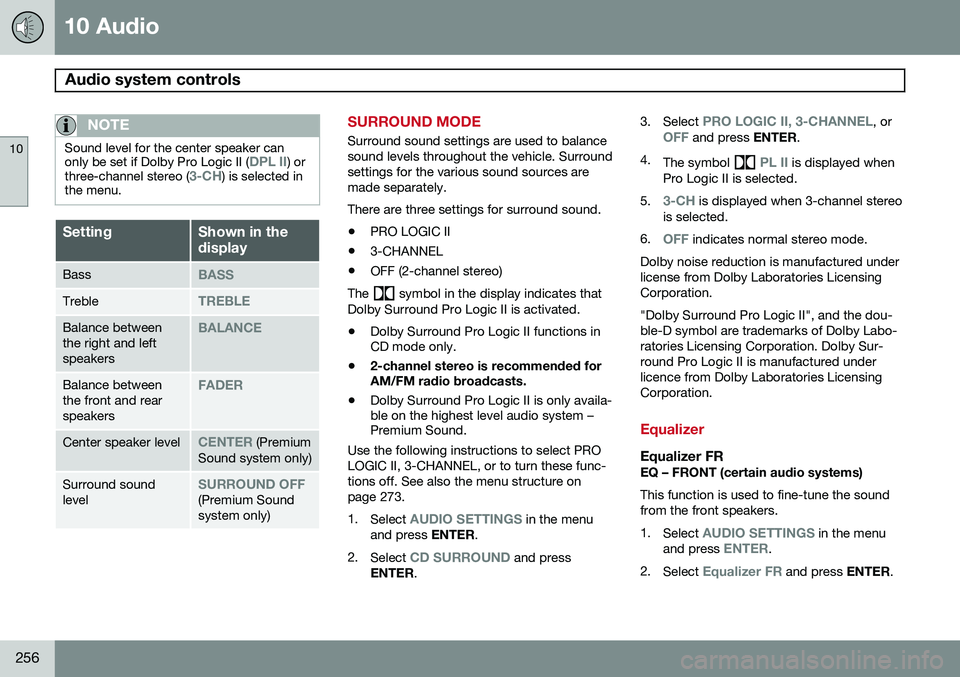
SettingShown in the display
BassBASS
TrebleTREBLE
Balance between the right and leftspeakersBALANCE
Balance between the front and rearspeakersFADER
Center speaker levelCENTER (Premium
Sound system only)
Surround sound levelSURROUND OFF(Premium Sound system only)
SURROUND MODE
Surround sound settings are used to balance sound levels throughout the vehicle. Surroundsettings for the various sound sources aremade separately. There are three settings for surround sound. • PRO LOGIC II
• 3-CHANNEL
• OFF (2-channel stereo)
The
symbol in the display indicates that
Dolby Surround Pro Logic II is activated.
• Dolby Surround Pro Logic II functions in CD mode only.
• 2-channel stereo is recommended forAM/FM radio broadcasts.
• Dolby Surround Pro Logic II is only availa-ble on the highest level audio system –Premium Sound.
Use the following instructions to select PRO LOGIC II, 3-CHANNEL, or to turn these func-tions off. See also the menu structure onpage 273. 1. Select
AUDIO SETTINGS in the menu
and press ENTER.
2. Select
CD SURROUND and press
ENTER . 3.
Select
PRO LOGIC II, 3-CHANNEL, orOFF and press ENTER.
4. The symbol
PL II is displayed when
Pro Logic II is selected.
5.
3-CH is displayed when 3-channel stereo
is selected.
6.
OFF indicates normal stereo mode.
Dolby noise reduction is manufactured under license from Dolby Laboratories LicensingCorporation. "Dolby Surround Pro Logic II", and the dou- ble-D symbol are trademarks of Dolby Labo-ratories Licensing Corporation. Dolby Sur-round Pro Logic II is manufactured underlicence from Dolby Laboratories LicensingCorporation.
Equalizer
Equalizer FREQ – FRONT (certain audio systems) This function is used to fine-tune the sound from the front speakers. 1. Select
AUDIO SETTINGS in the menu
and press ENTER.
2. Select
Equalizer FR and press ENTER.
Page 259 of 308
10 Audio
Audio system controls
10
257
3. Use the menu selection buttons to set the
level or use the SELECTOR control.
4. Press ENTER to select the next fre-
quency. You can select five frequencies.
5. Press ENTER until you come to the menu
mode to save the changes you have made.
Equalizer RREQ – REAR (certain audio systems) This function is used to fine-tune the sound from the rear speakers. 1. Select
AUDIO SETTINGS in the menu
and press ENTER.
2. Select
EQ- REAR and press ENTER.
3. Use the menu selection buttons to set the level or use the SELECTOR control.
4. Press ENTER to select the next fre-
quency. You can select five frequencies
5. Press ENTER until you come to the menu
mode to save the changes you have made.
Optimal sound reproductionThe audio system is calibrated for optimalsound reproduction through the use of digitalsignal processing. This calibration takes intoaccount the speakers, amplifier, cabin acous-tics, the seating position of the listener, etc., for each combination of vehicle and audiosystem. There is also dynamic calibration thattakes into account the setting of the volumecontrol, radio reception, and the vehicle'sspeed. The sound settings described in this manual, such as
BASS, TREBLE, andEQUALIZER are only intended to enable the
user to adapt sound reproduction to his/her personal preferences.
Page 269 of 308
10 Audio
Auxiliary equipment
10
* Option/accessory, for more information, see Introduction.267
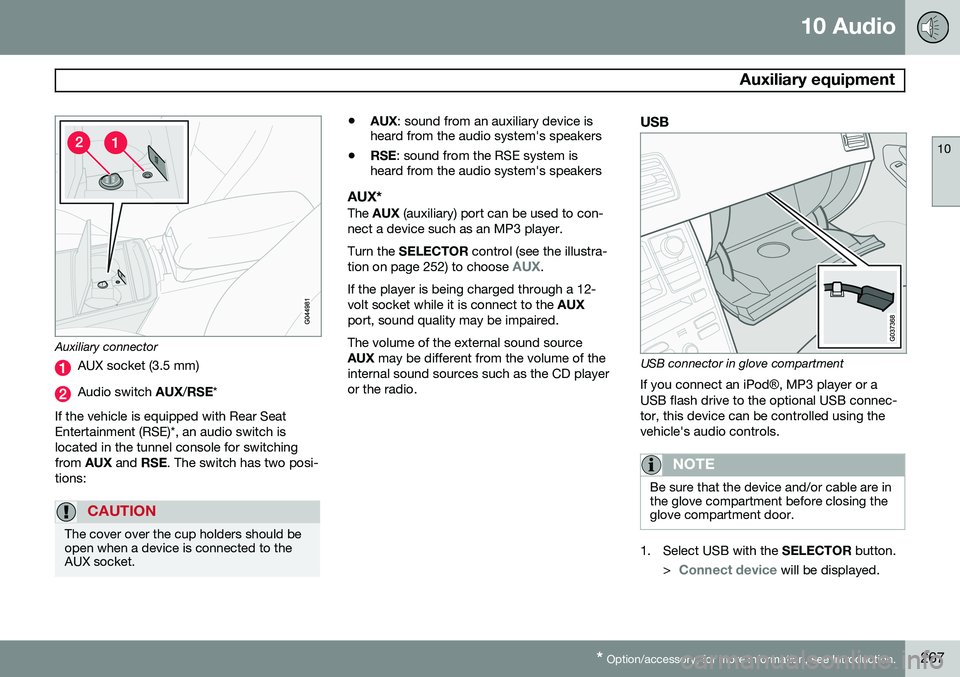
Auxiliary connector
AUX socket (3.5 mm)
Audio switch AUX/RSE *
If the vehicle is equipped with Rear Seat Entertainment (RSE)*, an audio switch islocated in the tunnel console for switchingfrom AUX and RSE. The switch has two posi-
tions:
CAUTION
The cover over the cup holders should be open when a device is connected to theAUX socket.
• AUX
: sound from an auxiliary device is
heard from the audio system's speakers
• RSE
: sound from the RSE system is
heard from the audio system's speakers
AUX*The AUX (auxiliary) port can be used to con-
nect a device such as an MP3 player. Turn the SELECTOR control (see the illustra-
tion on page 252) to choose
AUX.
If the player is being charged through a 12- volt socket while it is connect to the AUX
port, sound quality may be impaired. The volume of the external sound source AUX may be different from the volume of the
internal sound sources such as the CD player or the radio.
USB
USB connector in glove compartment
If you connect an iPod ®, MP3 player or a
USB flash drive to the optional USB connec- tor, this device can be controlled using thevehicle's audio controls.
NOTE
Be sure that the device and/or cable are in the glove compartment before closing theglove compartment door.
1. Select USB with the SELECTOR button.
>
Connect device will be displayed.