warning light VOLVO XC90 2014 Owner´s Manual
[x] Cancel search | Manufacturer: VOLVO, Model Year: 2014, Model line: XC90, Model: VOLVO XC90 2014Pages: 308, PDF Size: 13.31 MB
Page 61 of 308
02 Instruments and controls
Instrument panel
02
59
Gear and driving mode indicator – The currently selected driving mode is dis-played here. If you use the Geartronicfunction on the automatic transmission,the currently selected gear will be dis-played.
Ambient temperature gauge – This dis- play indicates the air temperature outsideyour vehicle. A "snowflake" symbol in thetext window is displayed when the tem-perature is in the range of 23 – 36 °F (–5 –+2 °C). Please note that this symbol doesnot indicate a fault with your vehicle. Atlow speeds or when the vehicle is notmoving, the temperature readings may beslightly higher than the actual ambienttemperature.
Clock/set button – Turn the button to set the clock.
Fuel gauge – see page 288 for fuel tank volume. When the warning light in thegauge comes on, the vehicle should berefueled as soon as possible. The tripcomputer section (see page 76) pro-vides more information on fuel level andconsumption.
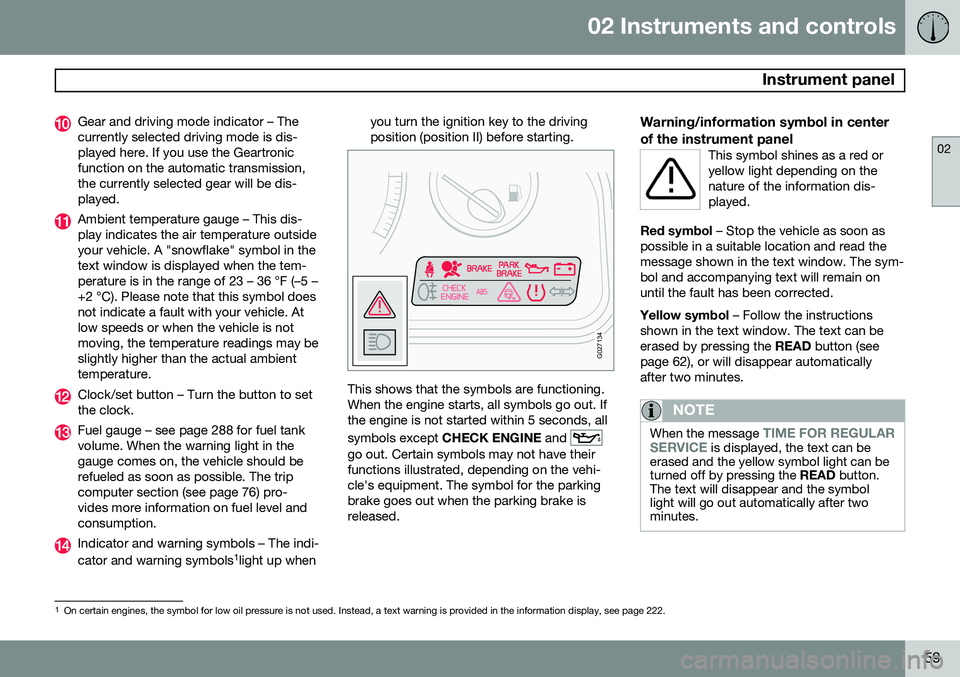
Indicator and warning symbols – The indi- cator and warning symbols1
light up when you turn the ignition key to the driving position (position II) before starting.
G027134
This shows that the symbols are functioning. When the engine starts, all symbols go out. Ifthe engine is not started within 5 seconds, all symbols except
CHECK ENGINE and
go out. Certain symbols may not have their functions illustrated, depending on the vehi-cle's equipment. The symbol for the parkingbrake goes out when the parking brake isreleased.
Warning/information symbol in center of the instrument panel
This symbol shines as a red or yellow light depending on thenature of the information dis-played.
Red symbol – Stop the vehicle as soon as
possible in a suitable location and read the message shown in the text window. The sym-bol and accompanying text will remain onuntil the fault has been corrected. Yellow symbol – Follow the instructions
shown in the text window. The text can be erased by pressing the READ button (see
page 62), or will disappear automaticallyafter two minutes.
NOTE
When the message TIME FOR REGULAR
SERVICE is displayed, the text can be
erased and the yellow symbol light can be turned off by pressing the READ button.
The text will disappear and the symbollight will go out automatically after twominutes.
1 On certain engines, the symbol for low oil pressure is not used. Instead, a text warning is provided in the information display, see page 222.
Page 62 of 308
02 Instruments and controls
Instrument panel
02
60
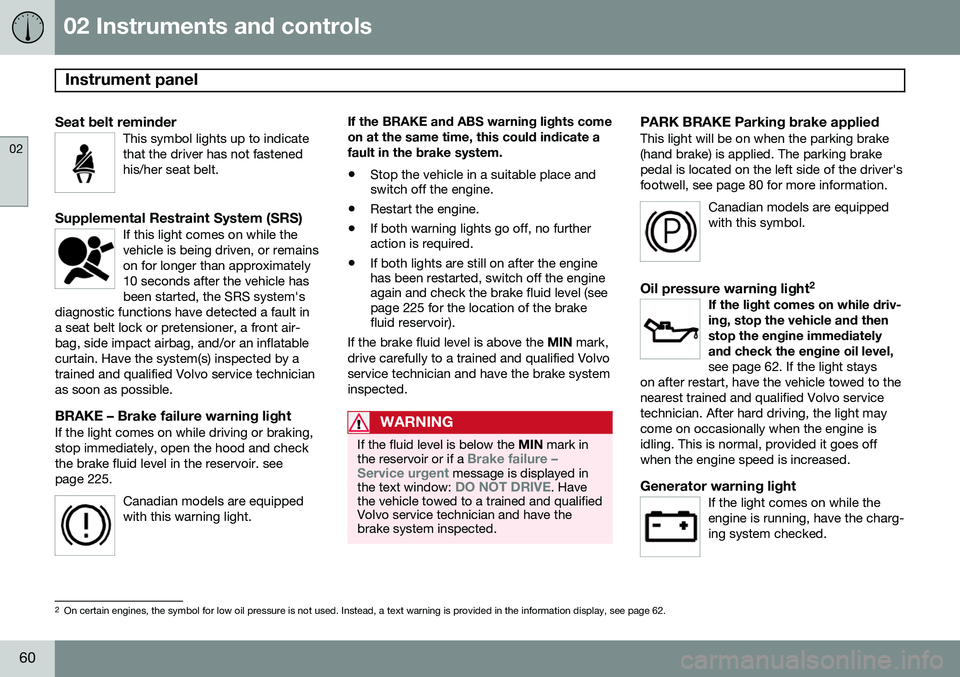
Seat belt reminderThis symbol lights up to indicate that the driver has not fastenedhis/her seat belt.
Supplemental Restraint System (SRS)If this light comes on while the vehicle is being driven, or remainson for longer than approximately10 seconds after the vehicle hasbeen started, the SRS system's
diagnostic functions have detected a fault ina seat belt lock or pretensioner, a front air-bag, side impact airbag, and/or an inflatablecurtain. Have the system(s) inspected by atrained and qualified Volvo service technicianas soon as possible.
BRAKE – Brake failure warning lightIf the light comes on while driving or braking, stop immediately, open the hood and checkthe brake fluid level in the reservoir. seepage 225.
Canadian models are equippedwith this warning light.
If the BRAKE and ABS warning lights come on at the same time, this could indicate afault in the brake system.
• Stop the vehicle in a suitable place and switch off the engine.
• Restart the engine.
• If both warning lights go off, no furtheraction is required.
• If both lights are still on after the enginehas been restarted, switch off the engineagain and check the brake fluid level (seepage 225 for the location of the brakefluid reservoir).
If the brake fluid level is above the MIN mark,
drive carefully to a trained and qualified Volvo service technician and have the brake systeminspected.
WARNING
If the fluid level is below the MIN mark in
the reservoir or if a Brake failure –
Service urgent message is displayed in
the text window: DO NOT DRIVE. Have
the vehicle towed to a trained and qualified Volvo service technician and have thebrake system inspected.
PARK BRAKE Parking brake appliedThis light will be on when the parking brake (hand brake) is applied. The parking brakepedal is located on the left side of the driver'sfootwell, see page 80 for more information.
Canadian models are equippedwith this symbol.
Oil pressure warning light 2If the light comes on while driv- ing, stop the vehicle and thenstop the engine immediatelyand check the engine oil level, see page 62. If the light stays
on after restart, have the vehicle towed to the nearest trained and qualified Volvo servicetechnician. After hard driving, the light maycome on occasionally when the engine isidling. This is normal, provided it goes offwhen the engine speed is increased.
Generator warning lightIf the light comes on while the engine is running, have the charg-ing system checked.
2 On certain engines, the symbol for low oil pressure is not used. Instead, a text warning is provided in the information display, see page 62.
Page 63 of 308
02 Instruments and controls
Instrument panel
02
61
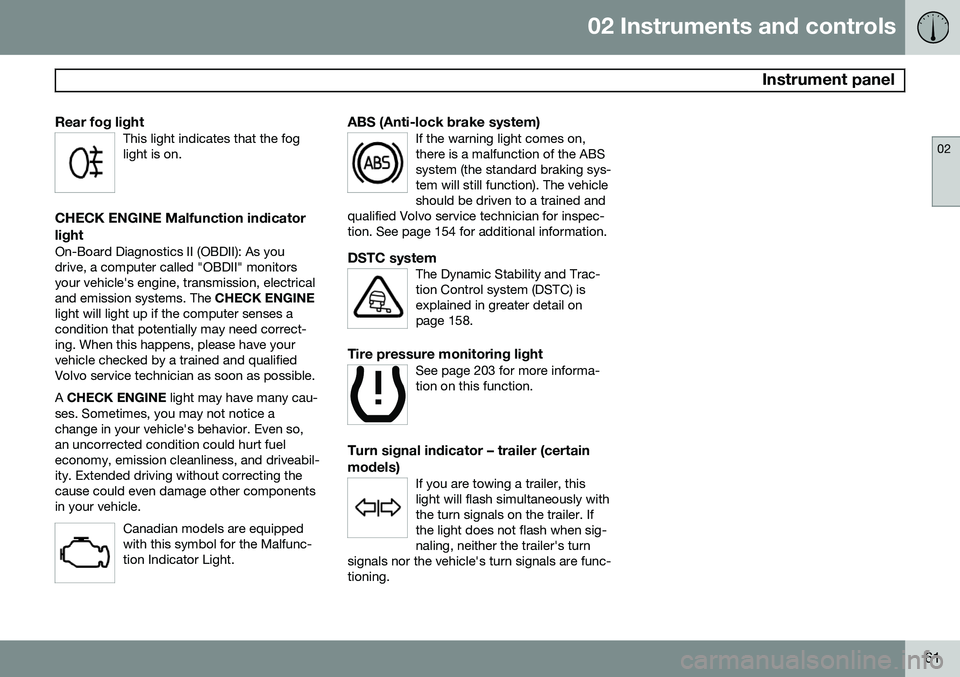
Rear fog lightThis light indicates that the fog light is on.
CHECK ENGINE Malfunction indicator light
On-Board Diagnostics II (OBDII): As you drive, a computer called "OBDII" monitorsyour vehicle's engine, transmission, electricaland emission systems. The CHECK ENGINE
light will light up if the computer senses acondition that potentially may need correct-ing. When this happens, please have yourvehicle checked by a trained and qualifiedVolvo service technician as soon as possible. A CHECK ENGINE light may have many cau-
ses. Sometimes, you may not notice a change in your vehicle's behavior. Even so,an uncorrected condition could hurt fueleconomy, emission cleanliness, and driveabil-ity. Extended driving without correcting thecause could even damage other componentsin your vehicle.
Canadian models are equippedwith this symbol for the Malfunc-tion Indicator Light.
ABS (Anti-lock brake system)If the warning light comes on, there is a malfunction of the ABSsystem (the standard braking sys-tem will still function). The vehicleshould be driven to a trained and
qualified Volvo service technician for inspec-tion. See page 154 for additional information.
DSTC systemThe Dynamic Stability and Trac- tion Control system (DSTC) isexplained in greater detail onpage 158.
Tire pressure monitoring lightSee page 203 for more informa- tion on this function.
Turn signal indicator – trailer (certain models)
If you are towing a trailer, this light will flash simultaneously withthe turn signals on the trailer. Ifthe light does not flash when sig-naling, neither the trailer's turn
signals nor the vehicle's turn signals are func-tioning.
Page 64 of 308
02 Instruments and controls
Information display
02
62
Message in the text windows
G026979
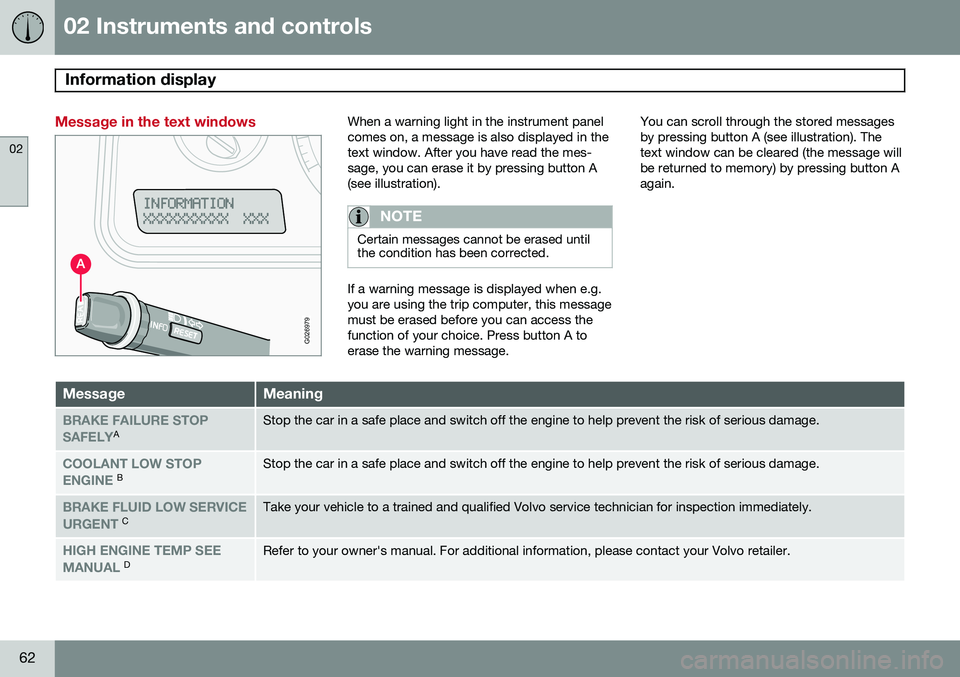
When a warning light in the instrument panel comes on, a message is also displayed in thetext window. After you have read the mes-sage, you can erase it by pressing button A(see illustration).
NOTE
Certain messages cannot be erased until the condition has been corrected.
If a warning message is displayed when e.g. you are using the trip computer, this messagemust be erased before you can access thefunction of your choice. Press button A toerase the warning message.You can scroll through the stored messagesby pressing button A (see illustration). Thetext window can be cleared (the message willbe returned to memory) by pressing button Aagain.
MessageMeaning
BRAKE FAILURE STOP SAFELYAStop the car in a safe place and switch off the engine to help prevent the risk of serious damage.
COOLANT LOW STOP ENGINE BStop the car in a safe place and switch off the engine to help prevent the risk of serious damage.
BRAKE FLUID LOW SERVICE URGENT CTake your vehicle to a trained and qualified Volvo service technician for inspection immediately.
HIGH ENGINE TEMP SEE MANUAL DRefer to your owner's manual. For additional information, please contact your Volvo retailer.
Page 67 of 308
02 Instruments and controls
Center console buttons
02
* Option/accessory, for more information, see Introduction.65
NOTE
If the door mirrors have been inadvertently pushed out of position (in a car wash,parking lot, etc.) manually return them tonormal position. If mirror adjustment doesnot seem to operate after manual folding,reset the folding mirrors as follows:
• Turn the ignition key to position
II.
• Manually fold the mirror(s) to the nor- mal position.
• Press the button to fold both mirrorsin.
• Press the button again to fold the mir-rors out to their normal position.
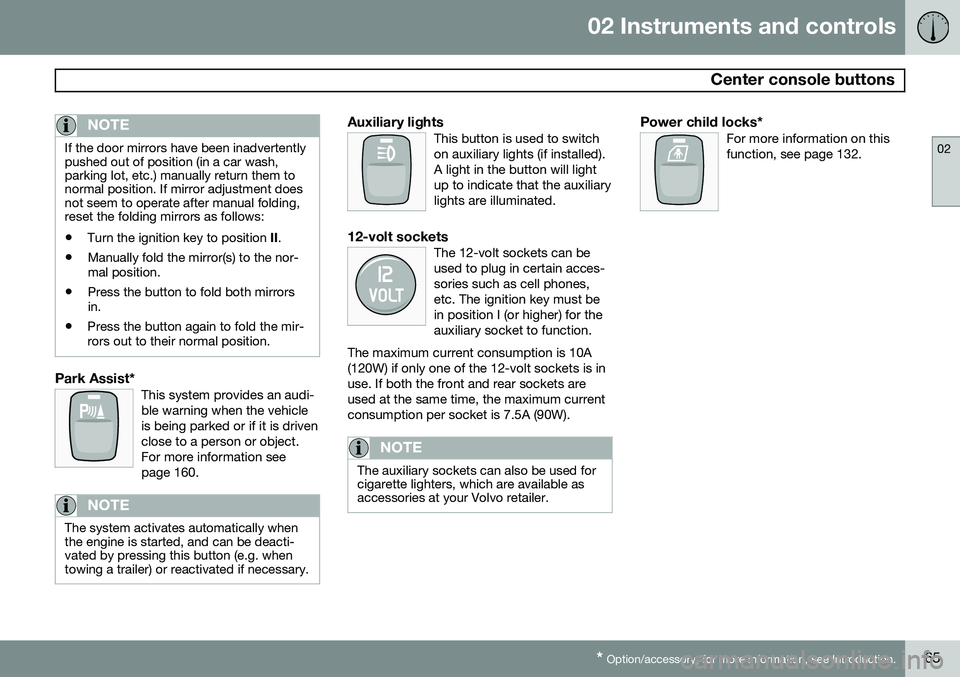
Park Assist*This system provides an audi- ble warning when the vehicleis being parked or if it is drivenclose to a person or object.For more information seepage 160.
NOTE
The system activates automatically when the engine is started, and can be deacti-vated by pressing this button (e.g. whentowing a trailer) or reactivated if necessary.
Auxiliary lightsThis button is used to switch on auxiliary lights (if installed).A light in the button will lightup to indicate that the auxiliarylights are illuminated.
12-volt socketsThe 12-volt sockets can be used to plug in certain acces-sories such as cell phones,etc. The ignition key must bein position I (or higher) for theauxiliary socket to function.
The maximum current consumption is 10A(120W) if only one of the 12-volt sockets is inuse. If both the front and rear sockets areused at the same time, the maximum currentconsumption per socket is 7.5A (90W).
NOTE
The auxiliary sockets can also be used for cigarette lighters, which are available asaccessories at your Volvo retailer.
Power child locks*For more information on this function, see page 132.
Page 70 of 308
02 Instruments and controls
Lighting panel
02
68
wheel (see the right-pointing beam in the illustration).
NOTE
When driving in daylight conditions, the headlights will switch off and the daytimerunning lights will come on. In darkness,the daytime running lights will switch offand the Active Bending Lights will switchon.
The ABL function is activated automatically when the engine is started and the headlight switch is in the
position and can be
deactivated/reactivated by pressing the but- ton in the center console (see page 64.
LED Daytime Running Lights (DRL)
To help conserve fuel by reducing the use of electrical current in the vehicle, DRL can beused in daylight conditions instead of the lowbeam headlights, which consume more elec-trical current. The daytime running lights aremounted in the front spoiler and use bright,electricity-saving LEDs (light emitting diodes).
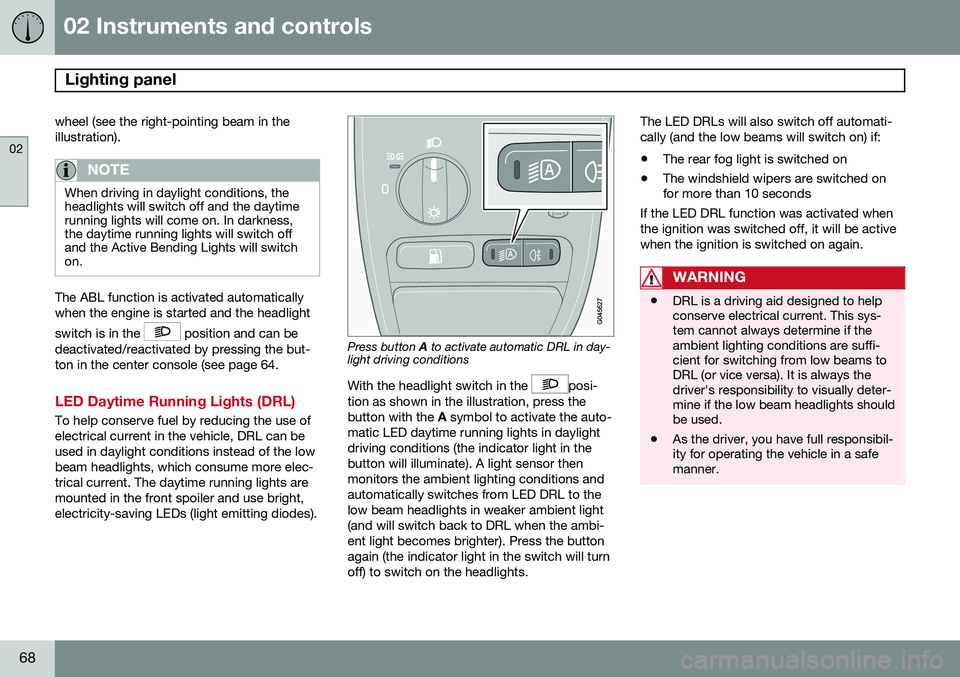
Press button A to activate automatic DRL in day-
light driving conditions
With the headlight switch in the
posi-
tion as shown in the illustration, press the button with the A symbol to activate the auto-
matic LED daytime running lights in daylightdriving conditions (the indicator light in thebutton will illuminate). A light sensor thenmonitors the ambient lighting conditions andautomatically switches from LED DRL to thelow beam headlights in weaker ambient light(and will switch back to DRL when the ambi-ent light becomes brighter). Press the buttonagain (the indicator light in the switch will turnoff) to switch on the headlights. The LED DRLs will also switch off automati-cally (and the low beams will switch on) if:
• The rear fog light is switched on
• The windshield wipers are switched on for more than 10 seconds
If the LED DRL function was activated when the ignition was switched off, it will be activewhen the ignition is switched on again.
WARNING
• DRL is a driving aid designed to help conserve electrical current. This sys-tem cannot always determine if theambient lighting conditions are suffi-cient for switching from low beams toDRL (or vice versa). It is always thedriver's responsibility to visually deter-mine if the low beam headlights shouldbe used.
• As the driver, you have full responsibil-ity for operating the vehicle in a safemanner.
Page 77 of 308
02 Instruments and controls
Hazard warning flashers
02
75
Hazard warning flashers
12
3
4 5
6
7 8
9
ABC
DEF
GHI JKL MNO
PQRS TUVWXYZ
0
* #
POWERVOLUMECD AM FM
G027096
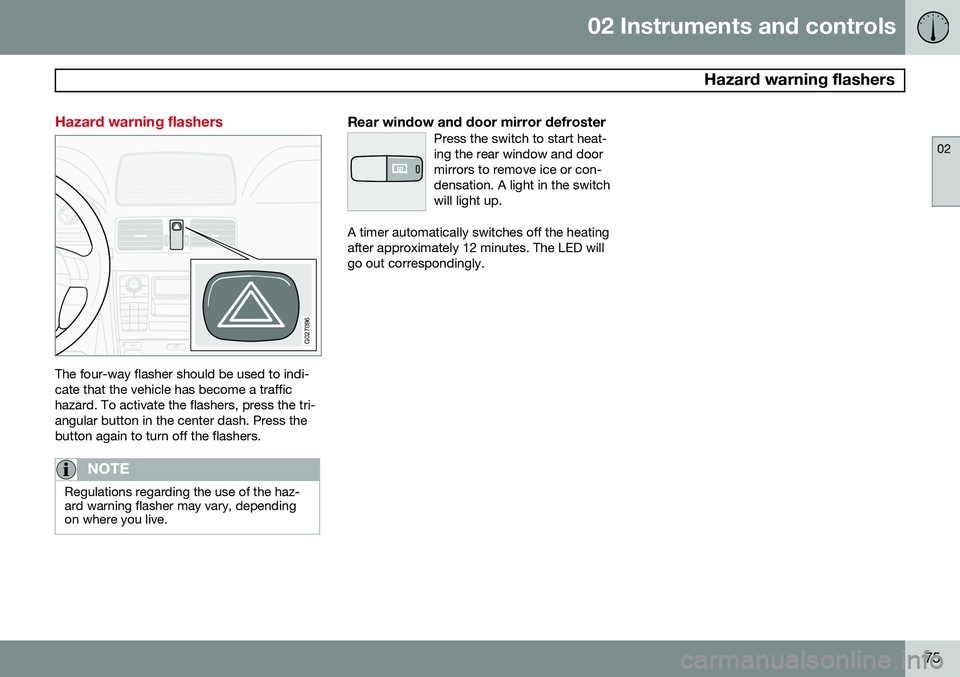
The four-way flasher should be used to indi- cate that the vehicle has become a traffichazard. To activate the flashers, press the tri-angular button in the center dash. Press thebutton again to turn off the flashers.
NOTE
Regulations regarding the use of the haz- ard warning flasher may vary, dependingon where you live.
Rear window and door mirror defrosterPress the switch to start heat- ing the rear window and doormirrors to remove ice or con-densation. A light in the switchwill light up.
A timer automatically switches off the heating after approximately 12 minutes. The LED willgo out correspondingly.
Page 83 of 308
02 Instruments and controls
Hood/tailgate
02
81
Opening/closing the hood
G026995
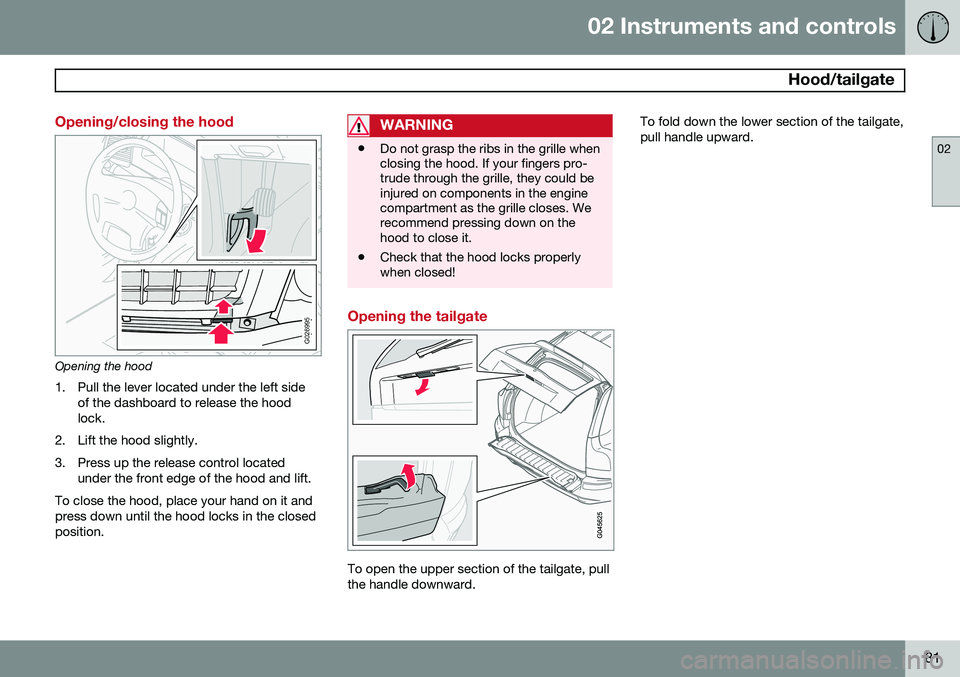
Opening the hood1. Pull the lever located under the left side of the dashboard to release the hood lock.
2. Lift the hood slightly.
3. Press up the release control located under the front edge of the hood and lift.
To close the hood, place your hand on it and press down until the hood locks in the closedposition.
WARNING
• Do not grasp the ribs in the grille when closing the hood. If your fingers pro-trude through the grille, they could beinjured on components in the enginecompartment as the grille closes. Werecommend pressing down on thehood to close it.
• Check that the hood locks properlywhen closed!
Opening the tailgate
To open the upper section of the tailgate, pull the handle downward. To fold down the lower section of the tailgate,pull handle upward.
Page 84 of 308
02 Instruments and controls
Power windows
02
82
Power windows
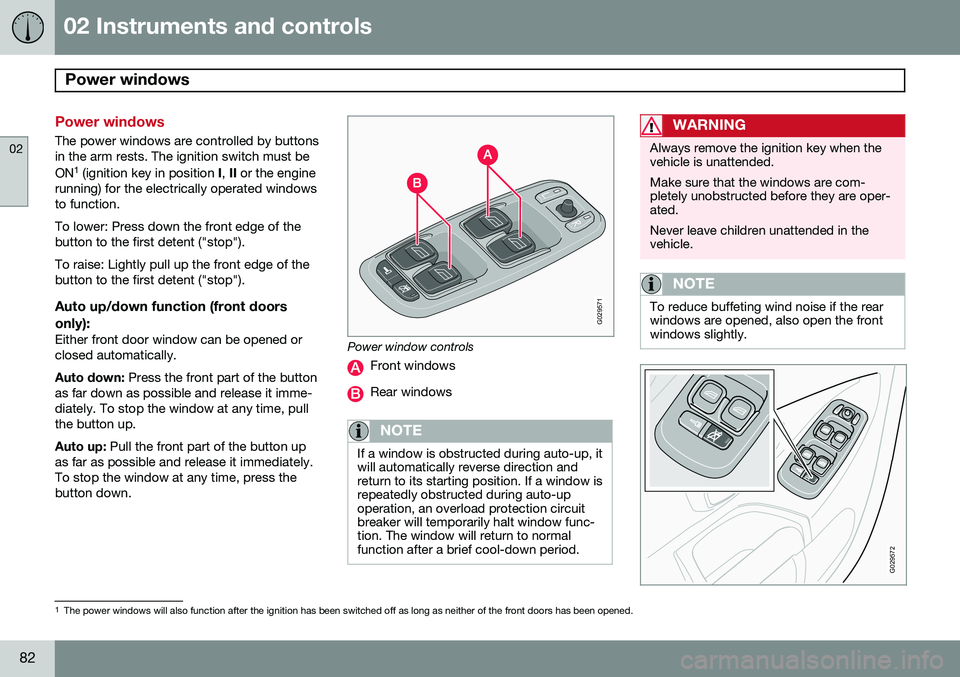
The power windows are controlled by buttons in the arm rests. The ignition switch must be ON1
(ignition key in position I, II or the engine
running) for the electrically operated windows to function. To lower: Press down the front edge of the button to the first detent ("stop"). To raise: Lightly pull up the front edge of the button to the first detent ("stop").
Auto up/down function (front doors
only):
Either front door window can be opened orclosed automatically. Auto down: Press the front part of the button
as far down as possible and release it imme- diately. To stop the window at any time, pullthe button up. Auto up: Pull the front part of the button up
as far as possible and release it immediately. To stop the window at any time, press thebutton down.
G029571
Power window controls
Front windows
Rear windows
NOTE
If a window is obstructed during auto-up, it will automatically reverse direction andreturn to its starting position. If a window isrepeatedly obstructed during auto-upoperation, an overload protection circuitbreaker will temporarily halt window func-tion. The window will return to normalfunction after a brief cool-down period.
WARNING
Always remove the ignition key when the vehicle is unattended. Make sure that the windows are com- pletely unobstructed before they are oper-ated. Never leave children unattended in the vehicle.
NOTE
To reduce buffeting wind noise if the rear windows are opened, also open the frontwindows slightly.
G029572
1 The power windows will also function after the ignition has been switched off as long as neither of the front doors has been opened.
Page 91 of 308
02 Instruments and controls
HomeLink®
Wireless Control System*
02
* Option/accessory, for more information, see Introduction.89
Introduction
G030070
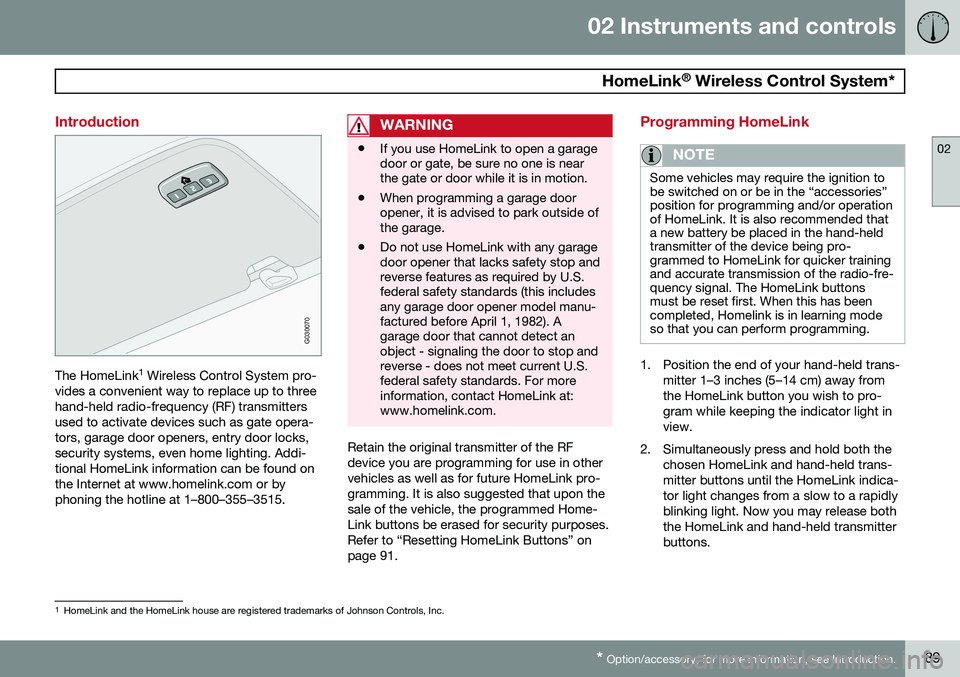
The HomeLink 1
Wireless Control System pro-
vides a convenient way to replace up to three hand-held radio-frequency (RF) transmittersused to activate devices such as gate opera-tors, garage door openers, entry door locks,security systems, even home lighting. Addi-tional HomeLink information can be found onthe Internet at www.homelink.com or byphoning the hotline at 1–800–355–3515.
WARNING
• If you use HomeLink to open a garage door or gate, be sure no one is nearthe gate or door while it is in motion.
• When programming a garage dooropener, it is advised to park outside ofthe garage.
• Do not use HomeLink with any garagedoor opener that lacks safety stop andreverse features as required by U.S.federal safety standards (this includesany garage door opener model manu-factured before April 1, 1982). Agarage door that cannot detect anobject - signaling the door to stop andreverse - does not meet current U.S.federal safety standards. For moreinformation, contact HomeLink at:www.homelink.com.
Retain the original transmitter of the RF device you are programming for use in othervehicles as well as for future HomeLink pro-gramming. It is also suggested that upon thesale of the vehicle, the programmed Home-Link buttons be erased for security purposes.Refer to “Resetting HomeLink Buttons” onpage 91.
Programming HomeLink
NOTE
Some vehicles may require the ignition to be switched on or be in the “accessories”position for programming and/or operationof HomeLink. It is also recommended thata new battery be placed in the hand-heldtransmitter of the device being pro-grammed to HomeLink for quicker trainingand accurate transmission of the radio-fre-quency signal. The HomeLink buttonsmust be reset first. When this has beencompleted, Homelink is in learning modeso that you can perform programming.
1. Position the end of your hand-held trans-
mitter 1–3 inches (5–14 cm) away from the HomeLink button you wish to pro-gram while keeping the indicator light inview.
2. Simultaneously press and hold both the chosen HomeLink and hand-held trans-mitter buttons until the HomeLink indica-tor light changes from a slow to a rapidlyblinking light. Now you may release boththe HomeLink and hand-held transmitterbuttons.
1HomeLink and the HomeLink house are registered trademarks of Johnson Controls, Inc.