display VOLVO XC90 2015 Workshop Manual
[x] Cancel search | Manufacturer: VOLVO, Model Year: 2015, Model line: XC90, Model: VOLVO XC90 2015Pages: 570, PDF Size: 12.44 MB
Page 116 of 570
INSTRUMENTS AND CONTROLS
114
Editing a driver profile
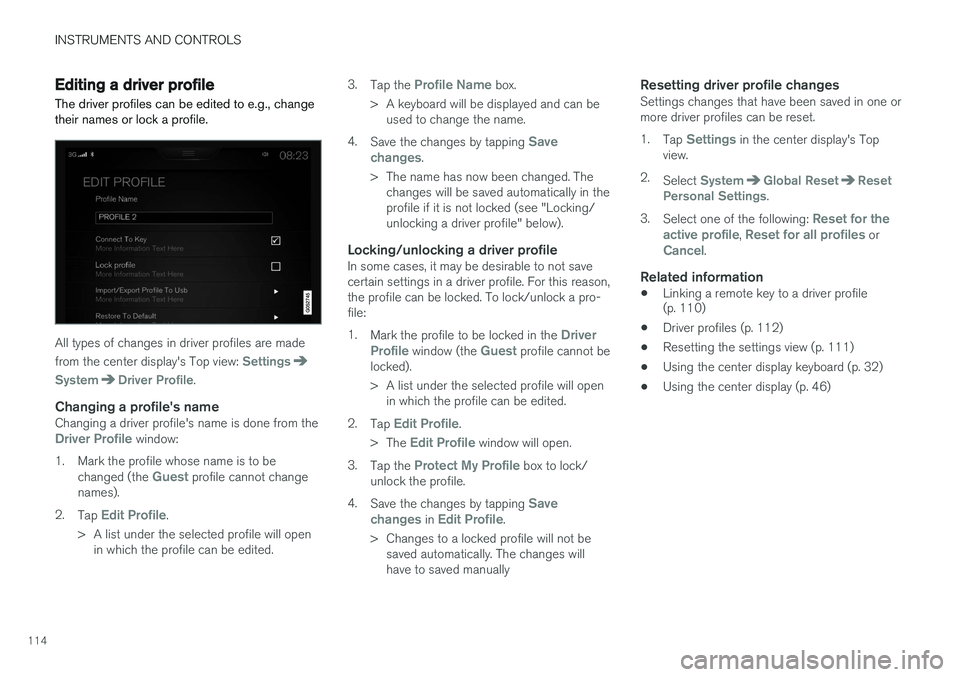
The driver profiles can be edited to e.g., change their names or lock a profile.
All types of changes in driver profiles are made from the center display's Top view:
Settings
SystemDriver Profile.
Changing a profile's nameChanging a driver profile's name is done from theDriver Profile window:
1. Mark the profile whose name is to be changed (the
Guest profile cannot change
names).
2. Tap
Edit Profile.
> A list under the selected profile will open in which the profile can be edited. 3.
Tap the
Profile Name box.
> A keyboard will be displayed and can be used to change the name.
4. Save the changes by tapping
Save
changes.
> The name has now been changed. The changes will be saved automatically in the profile if it is not locked (see "Locking/unlocking a driver profile" below).
Locking/unlocking a driver profileIn some cases, it may be desirable to not savecertain settings in a driver profile. For this reason,the profile can be locked. To lock/unlock a pro-file: 1. Mark the profile to be locked in the
Driver
Profile window (the Guest profile cannot be
locked).
> A list under the selected profile will open in which the profile can be edited.
2. Tap
Edit Profile.
> The
Edit Profile window will open.
3. Tap the
Protect My Profile box to lock/
unlock the profile.
4. Save the changes by tapping
Save
changes in Edit Profile.
> Changes to a locked profile will not be saved automatically. The changes will have to saved manually
Resetting driver profile changesSettings changes that have been saved in one ormore driver profiles can be reset. 1. Tap
Settings in the center display's Top
view.
2. Select
SystemGlobal ResetReset
Personal Settings.
3. Select one of the following:
Reset for the
active profile, Reset for all profiles orCancel.
Related information
• Linking a remote key to a driver profile (p. 110)
• Driver profiles (p. 112)
• Resetting the settings view (p. 111)
• Using the center display keyboard (p. 32)
• Using the center display (p. 46)
Page 117 of 570
INSTRUMENTS AND CONTROLS
115
Importing/exporting a driver profile from/to a USB flash drive A driver profile can be imported or exported to another vehicle using a USB flash drive.
The following steps describe the procedure for importing or exporting settings saved in a driverprofile to a USB flash drive: 1.Tap
Settings in the center display's Top
view.
2. Tap
SystemDriver Profile.
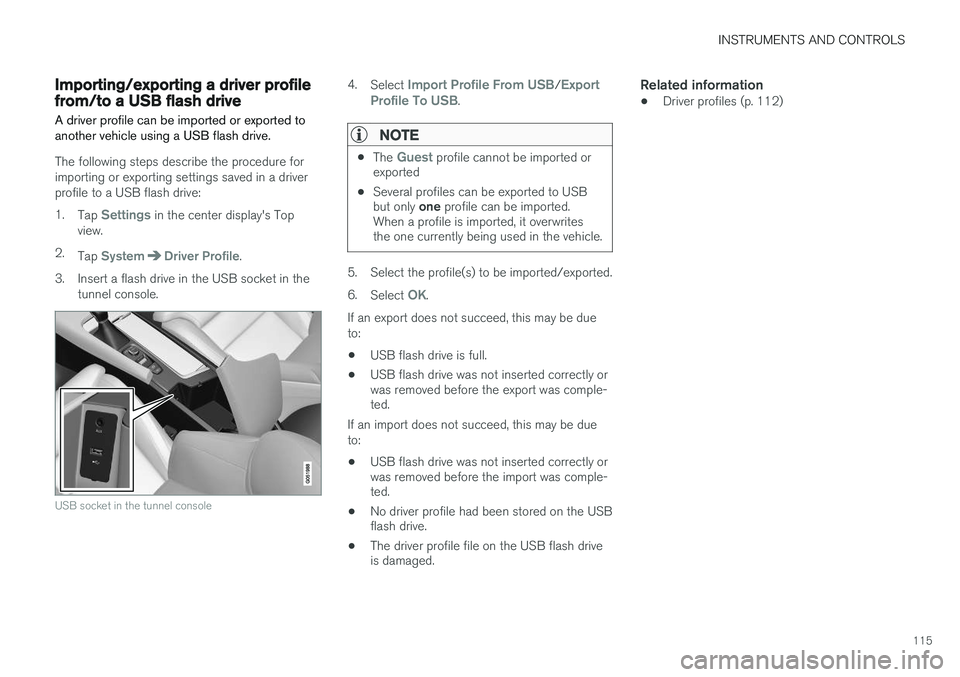
3. Insert a flash drive in the USB socket in the tunnel console.
USB socket in the tunnel console
4.Select Import Profile From USB/Export
Profile To USB.
NOTE
• The Guest profile cannot be imported or
exported
• Several profiles can be exported to USB but only
one profile can be imported.
When a profile is imported, it overwrites the one currently being used in the vehicle.
5. Select the profile(s) to be imported/exported. 6. Select
OK.
If an export does not succeed, this may be due to:
• USB flash drive is full.
• USB flash drive was not inserted correctly or was removed before the export was comple-ted.
If an import does not succeed, this may be due to:
• USB flash drive was not inserted correctly or was removed before the import was comple-ted.
• No driver profile had been stored on the USBflash drive.
• The driver profile file on the USB flash driveis damaged.
Related information
•Driver profiles (p. 112)
Page 118 of 570

INSTRUMENTS AND CONTROLS
116
Ambient temperature sensor
The ambient temperature sensor displays the temperature outside the vehicle in the instrumentpanel.
Location of the ambient temperature sensor (tempera- ture shown here in degrees Celsius)
NOTE
When the ambient temperature is between 23° and 36 °F (–5° and +2 °C), a snowflakesymbol will be displayed next to the tempera-ture. This symbol serves as a warning for pos-sible slippery road surfaces. Please note that this symbol does not indicate a fault with your
vehicle. At low speeds or when the vehicle is not mov- ing, the temperature readings may be slightlyhigher than the actual ambient temperature.
SettingsChanging measurement standard in the center display:
1. Pull down the center display's Top view and
tap
Settings.
2. Tap
SystemUnits.
3. Select measurement standard,
Metric,Imperial or US.
Related information
• Instrument panel (p. 128)
• Climate system sensors (p. 177)
Clock The clock is displayed in the instrument panel and in the center display.
Location of the clock in the instrument panel
Certain messages and other information in the instrument panel may temporarily obscure theclock. In the center display, the clock is located at the upper right of the status bar.
Settings for date and time
Select SettingsSystemDate & Time in
the center display's Top view to change the for- mat for displaying date or time. Set the date and time by tapping the up or down arrows on the center display.
Page 119 of 570
INSTRUMENTS AND CONTROLS
* Option/accessory, for more information, see Introduction.117
Automatic time
The function Automatic Time is also available,
which adjusts the time zone automatically, depending on the vehicle's location. If
Automatic
Time has not been selected, set the date and
time manually by tapping the up or down arrows on the center display.
Daylight savings timeIn certain countries, an automatic change to day- light savings time can be selected by activating
Auto. If the automatic change is not available,
change to daylight savings time by selecting Onor Off.
Related information
• Instrument panel (p. 128)
• Center display overview (p. 29)
• Using the center display (p. 46)
Head-up display (HUD)
*
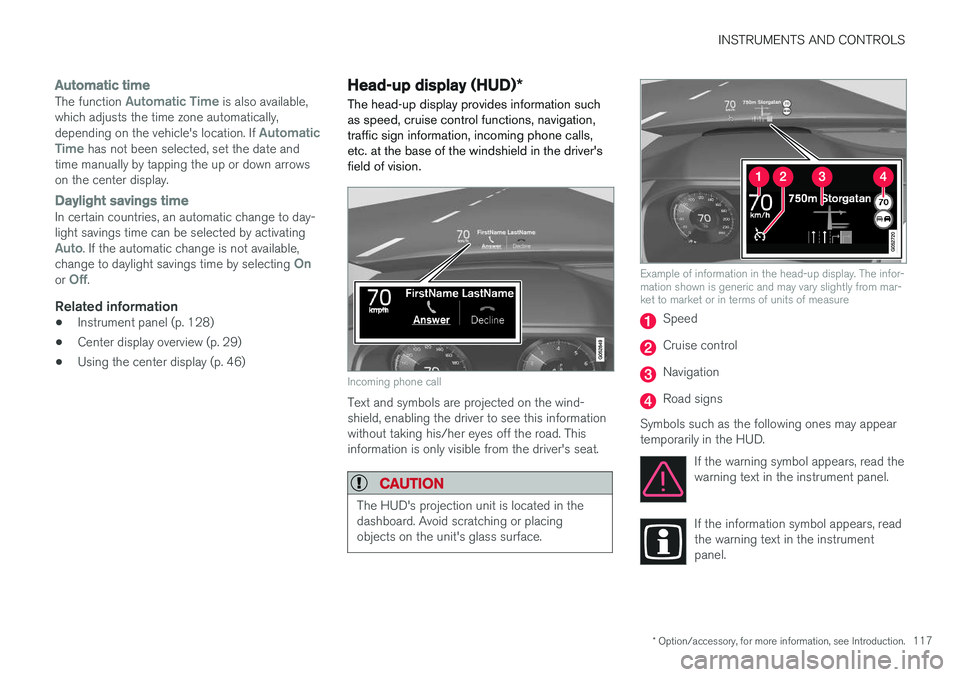
The head-up display provides information such as speed, cruise control functions, navigation,traffic sign information, incoming phone calls,etc. at the base of the windshield in the driver'sfield of vision.
Incoming phone call
Text and symbols are projected on the wind- shield, enabling the driver to see this informationwithout taking his/her eyes off the road. Thisinformation is only visible from the driver's seat.
CAUTION
The HUD's projection unit is located in the dashboard. Avoid scratching or placingobjects on the unit's glass surface.
Example of information in the head-up display. The infor- mation shown is generic and may vary slightly from mar-ket to market or in terms of units of measure
Speed
Cruise control
Navigation
Road signs
Symbols such as the following ones may appear temporarily in the HUD. If the warning symbol appears, read thewarning text in the instrument panel.
If the information symbol appears, read the warning text in the instrumentpanel.
Page 120 of 570
INSTRUMENTS AND CONTROLS
* Option/accessory, for more information, see Introduction.
118
NOTE
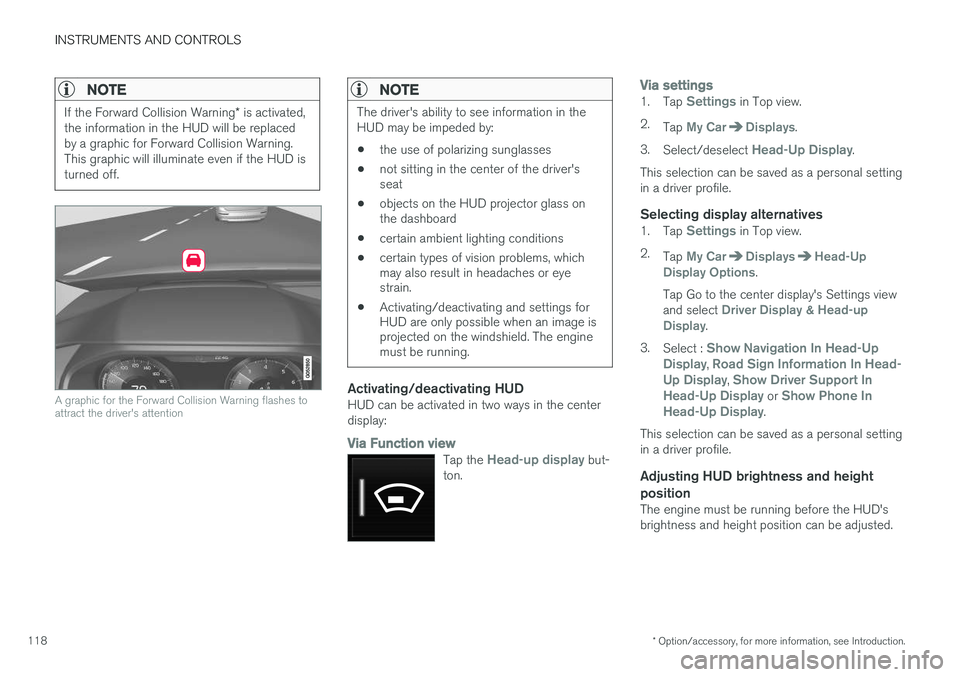
If the Forward Collision Warning * is activated,
the information in the HUD will be replaced by a graphic for Forward Collision Warning.This graphic will illuminate even if the HUD isturned off.
A graphic for the Forward Collision Warning flashes to attract the driver's attention
NOTE
The driver's ability to see information in the HUD may be impeded by: • the use of polarizing sunglasses
• not sitting in the center of the driver's seat
• objects on the HUD projector glass onthe dashboard
• certain ambient lighting conditions
• certain types of vision problems, whichmay also result in headaches or eyestrain.
• Activating/deactivating and settings forHUD are only possible when an image isprojected on the windshield. The enginemust be running.
Activating/deactivating HUDHUD can be activated in two ways in the center display:
Via Function view
Tap the Head-up display but-
ton.
Via settings1. Tap Settings in Top view.
2. Tap
My CarDisplays.
3. Select/deselect
Head-Up Display.
This selection can be saved as a personal setting in a driver profile.
Selecting display alternatives1. Tap Settings in Top view.
2. Tap
My CarDisplaysHead-Up
Display Options.
Tap Go to the center display's Settings view and select
Driver Display & Head-up
Display.
3. Select :
Show Navigation In Head-Up
Display, Road Sign Information In Head-
Up Display, Show Driver Support In
Head-Up Display or Show Phone In
Head-Up Display.
This selection can be saved as a personal setting in a driver profile.
Adjusting HUD brightness and height position
The engine must be running before the HUD'sbrightness and height position can be adjusted.
Page 121 of 570

INSTRUMENTS AND CONTROLS
* Option/accessory, for more information, see Introduction.119
1.
Tap Head-up display adjustments in the
center display's Function view.
2. Use the right-side steering wheel keypad to adjust the HUD's brightness and height posi- tion on the windshield in the driver's field ofvision.
Reduce brightness
Increase brightness
Higher position
Lower position
Confirm
This selection can be saved as a personal setting in a driver profile.
Adapting brightnessThe brightness of the graphics displayed in the HUD are also automatically adjusted according toambient lighting conditions. HUD brightness isalso affected by adjustments to the brightness ofthe other displays in the vehicle.
Power front seat * memory functionThe position of the HUD can be stored in the power seat's memory function.
Replacing the windshieldVehicles with a head-up display have a specialtype of windshield meeting the requirements fordisplaying projected information. If the windshield has to be replaced, contact a trained and qualified Volvo service technician orauthorized workshop. The correct type of replace-ment windshield must be used for a head-up dis-play.
Calibrating the horizontal positionIf the windshield has been replaced, it may benecessary to calibrate the HUD's horizontal posi-tion. This means that the projected image willhave to be rotated clockwise or counterclockwise.To do so: 1. Pull down the center display's Top view and
tap
Settings.
2. Select
My CarDisplaysHead-Up
Display Calibration.
3. Use the buttons on the right-side steering wheel keypad to calibrate the horizontal posi- tion.
Rotate counterclockwise
Rotate clockwise
Confirm
CleaningWipe the glass covering the HUD projection unit carefully with a clean and dry (or very slightlydamp if necessary) microfiber cloth.
Page 122 of 570
INSTRUMENTS AND CONTROLS
* Option/accessory, for more information, see Introduction.
120 Never use strong stain removers. For difficult cleaning conditions, a special cleaning agent canbe purchased at a Volvo retailer.
Related information
•
Driver profiles (p. 112)
• Center display overview (p. 29)
• Navigating in the center display's views (p. 39)
Voice control
Voice commands make it possible for the driver to voice-control certain functions in the mediaplayer, a Bluetooth-connected cell phone, cli- mate system and the Volvo navigation system *.
Voice control offers convenience and enables the driver to keep his/her hands on the steeringwheel and concentrate on driving and the trafficsituation around the vehicle.
WARNING
As the driver, you have full responsibility for operating the vehicle safely and adhering toall applicable traffic regulations.
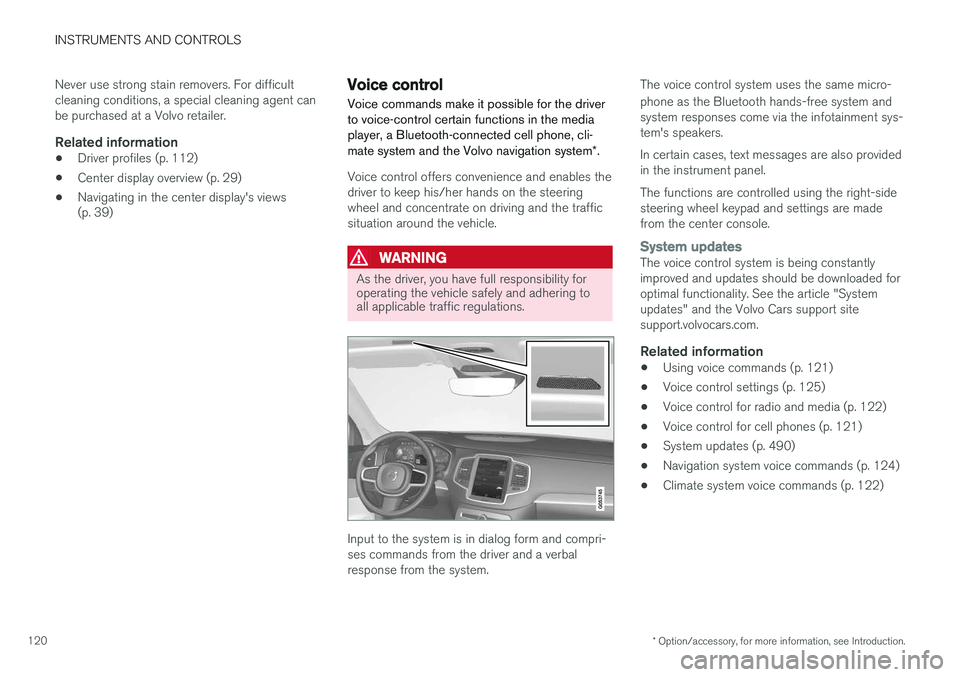
Input to the system is in dialog form and compri- ses commands from the driver and a verbalresponse from the system. The voice control system uses the same micro- phone as the Bluetooth hands-free system and system responses come via the infotainment sys-tem's speakers. In certain cases, text messages are also provided in the instrument panel. The functions are controlled using the right-side steering wheel keypad and settings are madefrom the center console.
System updatesThe voice control system is being constantly improved and updates should be downloaded foroptimal functionality. See the article "Systemupdates" and the Volvo Cars support sitesupport.volvocars.com.
Related information
•
Using voice commands (p. 121)
• Voice control settings (p. 125)
• Voice control for radio and media (p. 122)
• Voice control for cell phones (p. 121)
• System updates (p. 490)
• Navigation system voice commands (p. 124)
• Climate system voice commands (p. 122)
Page 123 of 570
INSTRUMENTS AND CONTROLS
121
Using voice commands
The following is an introduction for using voice commands.
Press the button on the right- side steering wheel keypad toactivate the system and initiatea voice command dialog.
Keep the following points in mind when using voice commands:
• When giving a command, speak at your usual speed and in a normal tone of voice
after
the tone .
• Avoid speaking while the system is respond- ing. Commands cannot be processed duringa response.
• Avoid background noises in the cabin whenusing the system by closing the vehicle's doors, windows and panoramic roof
* when
giving voice commands..
Voice command dialogs can be cancelled by:
• Saying "
Cancel".
• By pressing and holding the
button on
the right-side steering wheel keypad.
To speed up a command dialog or to skip system responses, press the
button on the right-
side steering wheel keypad when the system is responding.
Voice command examples
Press , say " Call"-"[First-name] "-"[Last-
name] "-"[number category] " to call a contact
in your phonebook if the person has more than one phone number listed (i.e., home, mobile, work,etc.). For example, press
and say
" Call "-"Robin "-"Smith "-"mobile ".
Commands/phrasesThe following commands can always be used: •
Repeat: the system will repeat the most
recent voice instruction.
•
Cancel: cancel the dialog.
•
Help: Initiates a help dialog. The system will
provide several alternative commands that can be used in a given situation.
The commands for specific situations are descri- bed in the respective articles such as "Cell phonecommands", etc.
NumbersNumbers can be spoken individually, in groups or the entire phone number can be given at onetime.
Related information
• Voice control (p. 120)
Voice control for cell phones Voice commands can be used to control many of the most common functions in a Bluetooth ®
-
connected cell phone.
Cell phone voice commands:
• "
Phone ": initiates a phone dialog and dis-
plays possible commands.
• "
Call "-"[First-name] "-"[Last-name] ": calls
the selected contact from the phonebook.
• "
Call "-"[First-name] "-"[Last-
name] "-"[number category] ": calls a con-
tact in your phonebook if the person has more than one phone number listed (i.e.,home, mobile, work, etc.).
• "
Call "-"[phone number] ": calls the phone
number.
• "
Call list ": displays a list of calls.
Command for having a text message read aloud:
• "
Read message ": the message will be read
aloud.
Related information
• Using voice commands (p. 121)
Page 124 of 570
INSTRUMENTS AND CONTROLS
* Option/accessory, for more information, see Introduction.
122
Voice control for radio and media
The following voice commands can be used for the radio or an external multimedia device.
• "
Media and radio ": initiates a dialog for
media and radio, and displays possible com- mands.
• "
Play "-"[artist] ": plays music by the selected
artist.
• "
Play "-"[song title] ": plays the selected
song.
• "
Play "-"[song title] "-"from "-"[album] ":
plays the selected song from the selectedalbum.
• "
Play "-"[radio station] ": starts the selected
radio station.
• "
Tune "-"[frequency] ": tunes to the selected
frequency on the current waveband. If nowaveband has been selected, FM is thedefault.
• "
Tune "-"[frequency] "-"[waveband] ": tunes
to the selected station on the selected wave-band.
• "
Radio ": starts FM radio.
• "
Radio FM ": starts FM radio.
• "
Radio AM " : starts AM radio.
• "
SiriusXM "*: starts satellite radio
• "
CD ": starts playback from a CD.
• "
USB ": starts playback from a USB flash
drive. •
"
iPod ": starts playback from an iPod.
• "
Bluetooth ": starts playback from a Blue-
tooth-connected device.
• Similar music
": starts playback from a USB
flash drive with music similar to the type cur-rently playing.
Related information
• Voice control (p. 120)
• Using voice commands (p. 121)
• Voice control settings (p. 125)
Climate system voice commands Voice commands can be used to control the cli- mate system to e.g., change the temperature, activate seat heating
* or change blower (fan)
speed.
Page 126 of 570
INSTRUMENTS AND CONTROLS
124
Navigation system voice commands
Many of the navigation system's functions can be activated using voice commands.
The procedure for using voice control is descri- bed in greater detail in the articles "Voice con-trol," "Using voice control" and "Voice controlsettings."
Voice commandsThe following list contains examples of com-mands that are unique to navigation system.
–To use the voice control system, press the
on the right-side steering wheel keypad and say one of the following commands after the tone:
• "
Navigation: Starts a navigation voice
command dialog and displays available commands.
• "
Take me home: Guidance will be given
to the location set as Home. The location
for Home is set using the Set home
address function in Favorites in the Top
view in the center display.
• "
Go to [City]: Enter a city as a destina-
tion, e.g., "Go to New York."
• "
Go to [Address]: Enter an address as a
destination, e.g., Go to 125 43 St, New York."
• "
Go to [Zip code]: Enter a zip code as a
destination, e.g., "Go to 07405."
• "
Go to [Name]: Enter a name from a list
of contacts e.g., "Go to Robyn Smith."
• "
Search [POI]: Search for a POI 7
, which
is always sorted according to POIs "around the vehicle." To search along the route, say "
Along the route" when the
list of results is displayed.
• "
Search [POI] in [a city]: Search for a
POI 7
in city/location.
• "
Search [POI category]: Search for a
POI 7
category, which is always sorted
"Around the vehicle."
7 You can opt to call the POI or set it as a destination.