display VOLVO XC90 2015 Manual Online
[x] Cancel search | Manufacturer: VOLVO, Model Year: 2015, Model line: XC90, Model: VOLVO XC90 2015Pages: 570, PDF Size: 12.44 MB
Page 157 of 570

INSTRUMENTS AND CONTROLS
155
Activating/deactivating the rain sensor
The rain sensor monitors the amount of water on the windshield and automatically regulates wiperspeed.
Right-side steering wheel lever
Rain sensor button
Thumb wheel for adjusting sensitivity/interval wiper speed
When the rain sensor is activated, the
symbol will illuminate in the instrument panel.
Activating the rain sensorWhen activating the rain sensor, the engine must be running or the ignition must be in mode I or II.
The windshield wiper lever must also be in posi-tion 0 or in the single sweep position. Activate the rain sensor by pressing the
button. The wipers will make one sweep. If the lever is pressed down, the wipers will make additional sweeps across the windshield. Move the thumb wheel upward for increased sen- sitivity or downward for decreased sensitivity. Thewipers will make one extra sweep if the thumbwheel is moved upward.
Deactivating the rain sensor
Deactivate the rain sensor by pressing the button or by moving the lever upward to another wiper position. The rain sensor is automatically deactivated in ignition mode
0.
The rain sensor is also automatically deactivated when the wipers blades are put in the serviceposition and will reactivate when the wipers havebeen returned to the normal operating position.
CAUTION
Deactivate the rain sensor when washing the vehicle in an automatic car wash if the engine is running or if the ignition is left in mode I or
II . The symbol in the instrument panel will go
out. If the rain sensor is not deactivated, the wipers may start inadvertently in the car washand could be damaged.
Activating/deactivating the memory function
The rain sensor's memory function can be set to activate the rain sensor each time the engine isstarted: 1. In the center display, select
SettingsMy
Car
Wipers
2. Activate by selecting the Rain Sensor
Memory box.
Deactivate by deselecting the
Rain Sensor
Memory box.
Related information
• Using the windshield wipers (p. 154)
• Windshield wipers in the service position (p. 522)
• Tailgate window wiper and washer (p. 157)
Page 159 of 570

INSTRUMENTS AND CONTROLS
* Option/accessory, for more information, see Introduction.157
Tailgate window wiper and washer
Start the tailgate window wiper/washer with con- trols on the right-side steering wheel lever.
NOTE
The rear wiper is equipped with a cut-off function, which means that it will not operateif its electric motor overheats. The wiper willfunction again after a cool-down period(30 seconds or longer, depending on the heatof the motor and ambient temperature condi-tions).
Using the tailgate wiper/washer
Press for tailgate interval wiper
Press for tailgate continuous wiper
–Move the lever forward to wash/wipe the tail- gate window.
Tailgate wiper and reverse gear1. In the center display, select SettingsMy
Car
Wipers.
2. Activate/deactivate by selecting/deselecting the
Auto Rear Wiper box.
If the windshield wipers are on and the transmis- sion is put into reverse gear, the tailgate wiperwill start. This function is deactivated when a dif-ferent gear is selected.
NOTE
On vehicles with the optional rain sensor, the tailgate wiper will be activated when reverseis selected, if the rain sensor is activated andit is raining.
Related information
• Using the windshield wipers (p. 154)
• Windshield and headlight washers (p. 156)
• Refilling the windshield washer fluid reservoir (p. 524)
• Activating/deactivating the rain sensor(p. 155)
Steering wheel The steering wheel has controls for the horn, certain optional driver support systems, menus/messages and paddles for manually shifting gears
*.
Page 160 of 570
INSTRUMENTS AND CONTROLS
* Option/accessory, for more information, see Introduction.
158
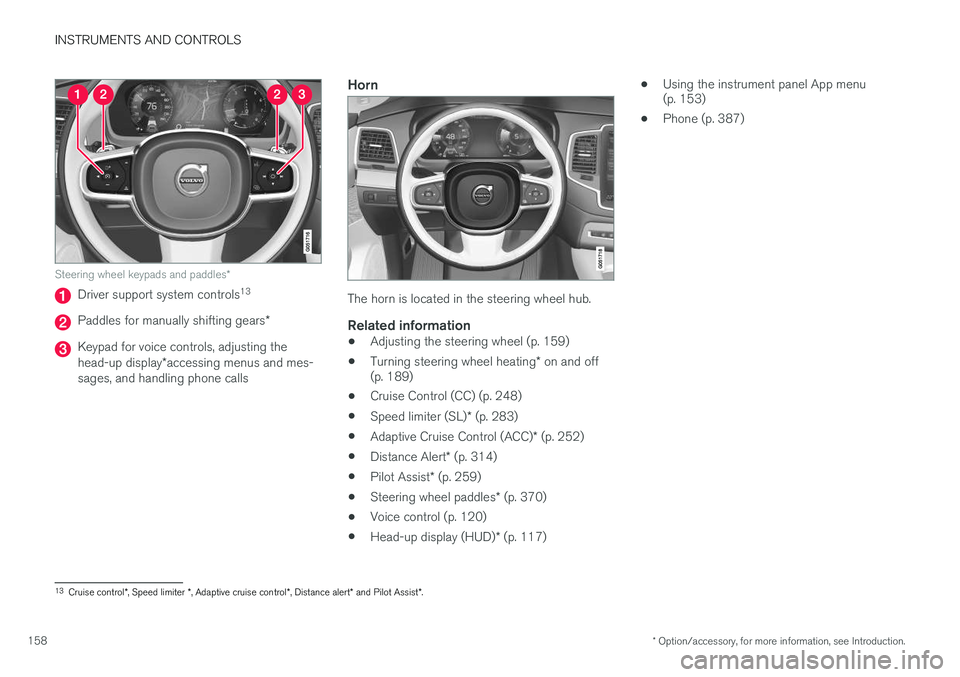
Steering wheel keypads and paddles *
Driver support system controls13
Paddles for manually shifting gears
*
Keypad for voice controls, adjusting the head-up display*accessing menus and mes-
sages, and handling phone calls
Horn
The horn is located in the steering wheel hub.
Related information
• Adjusting the steering wheel (p. 159)
• Turning steering wheel heating
* on and off
(p. 189)
• Cruise Control (CC) (p. 248)
• Speed limiter (SL)
* (p. 283)
• Adaptive Cruise Control (ACC)
* (p. 252)
• Distance Alert
* (p. 314)
• Pilot Assist
* (p. 259)
• Steering wheel paddles
* (p. 370)
• Voice control (p. 120)
• Head-up display (HUD)
* (p. 117) •
Using the instrument panel App menu (p. 153)
• Phone (p. 387)
13
Cruise control *, Speed limiter *, Adaptive cruise control *, Distance alert * and Pilot Assist *.
Page 161 of 570
INSTRUMENTS AND CONTROLS
* Option/accessory, for more information, see Introduction.159
Adjusting the steering wheel
The steering wheel can be adjusted to various positions.
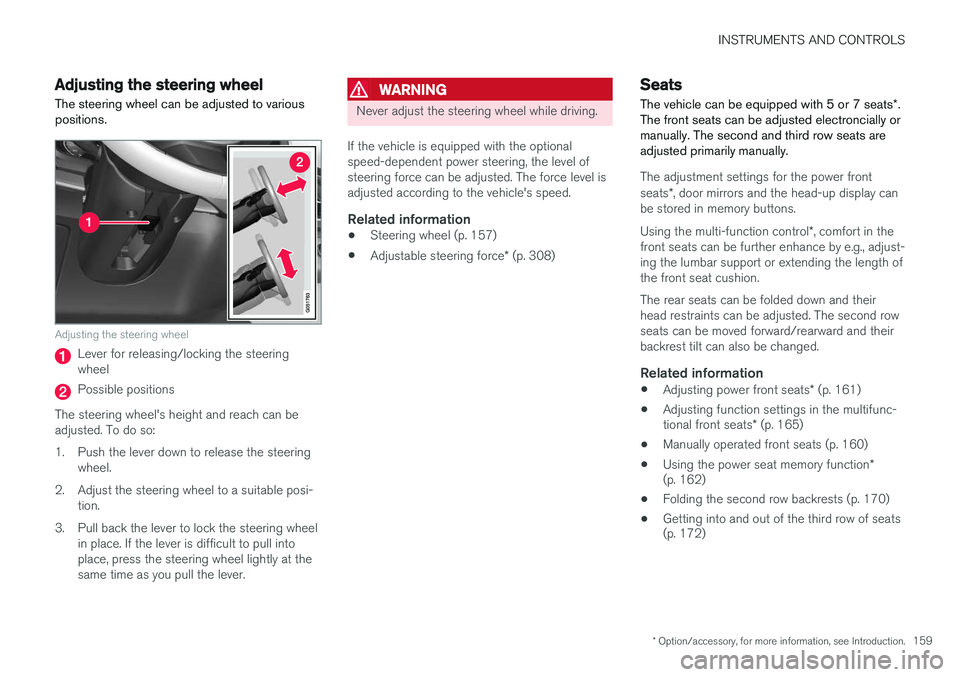
Adjusting the steering wheel
Lever for releasing/locking the steering wheel
Possible positions
The steering wheel's height and reach can be adjusted. To do so:
1. Push the lever down to release the steering wheel.
2. Adjust the steering wheel to a suitable posi- tion.
3. Pull back the lever to lock the steering wheel in place. If the lever is difficult to pull into place, press the steering wheel lightly at thesame time as you pull the lever.
WARNING
Never adjust the steering wheel while driving.
If the vehicle is equipped with the optional speed-dependent power steering, the level ofsteering force can be adjusted. The force level isadjusted according to the vehicle's speed.
Related information
• Steering wheel (p. 157)
• Adjustable steering force
* (p. 308)
Seats
The vehicle can be equipped with 5 or 7 seats *.
The front seats can be adjusted electroncially or manually. The second and third row seats areadjusted primarily manually.
The adjustment settings for the power front seats *, door mirrors and the head-up display can
be stored in memory buttons. Using the multi-function control *, comfort in the
front seats can be further enhance by e.g., adjust- ing the lumbar support or extending the length ofthe front seat cushion. The rear seats can be folded down and their head restraints can be adjusted. The second rowseats can be moved forward/rearward and theirbackrest tilt can also be changed.
Related information
• Adjusting power front seats
* (p. 161)
• Adjusting function settings in the multifunc- tional front seats
* (p. 165)
• Manually operated front seats (p. 160)
• Using the power seat memory function
*
(p. 162)
• Folding the second row backrests (p. 170)
• Getting into and out of the third row of seats (p. 172)
Page 164 of 570
INSTRUMENTS AND CONTROLS
* Option/accessory, for more information, see Introduction.
162
Adjusting the passenger's seat from the driver's seat *
Using the controls on the side of the driver's seat, the driver can adjust the position of thefront passenger's seat.
Activating the function in the center display
From the center display, the function can be acti- vated in two ways. After activating the function, adjust the passeng- er's seat within 10 seconds . If no adjustments
are made in that time span, the function deacti- vates automatically.
Activating from Function view
1. Go to the center display's Function view. 2. Activate the function by tapping
Adjust
passenger seat.
Activating from Settings
–In the center display, select SettingsMy
Car
SeatsAdjust Passenger Seat
From Driver Position.
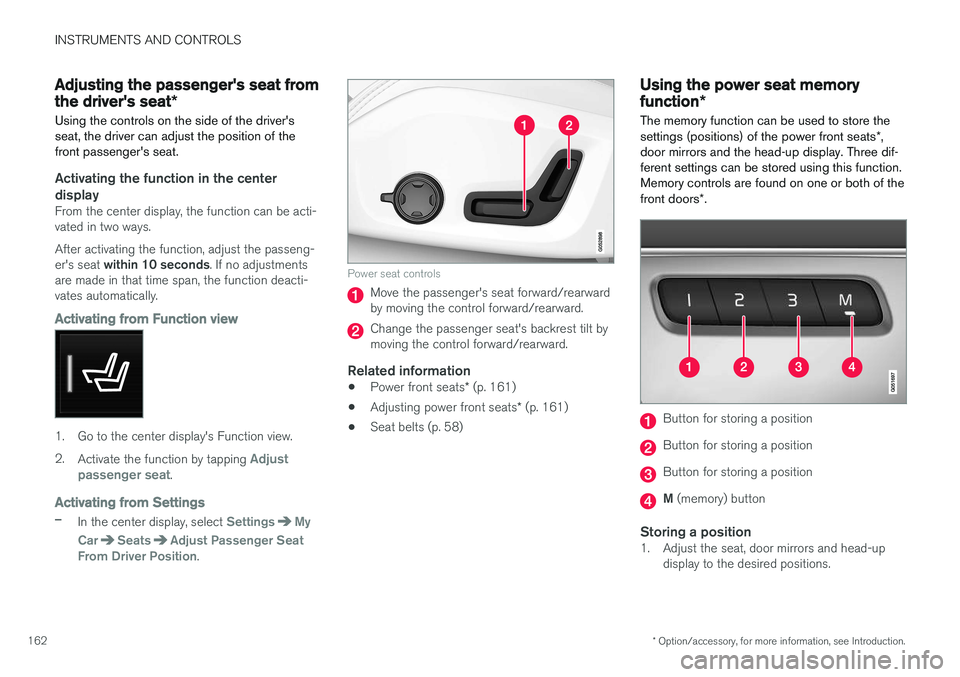
Power seat controls
Move the passenger's seat forward/rearward by moving the control forward/rearward.
Change the passenger seat's backrest tilt by moving the control forward/rearward.
Related information
• Power front seats
* (p. 161)
• Adjusting power front seats
* (p. 161)
• Seat belts (p. 58)
Using the power seat memory function
*
The memory function can be used to store the settings (positions) of the power front seats *,
door mirrors and the head-up display. Three dif- ferent settings can be stored using this function.Memory controls are found on one or both of the front doors *.
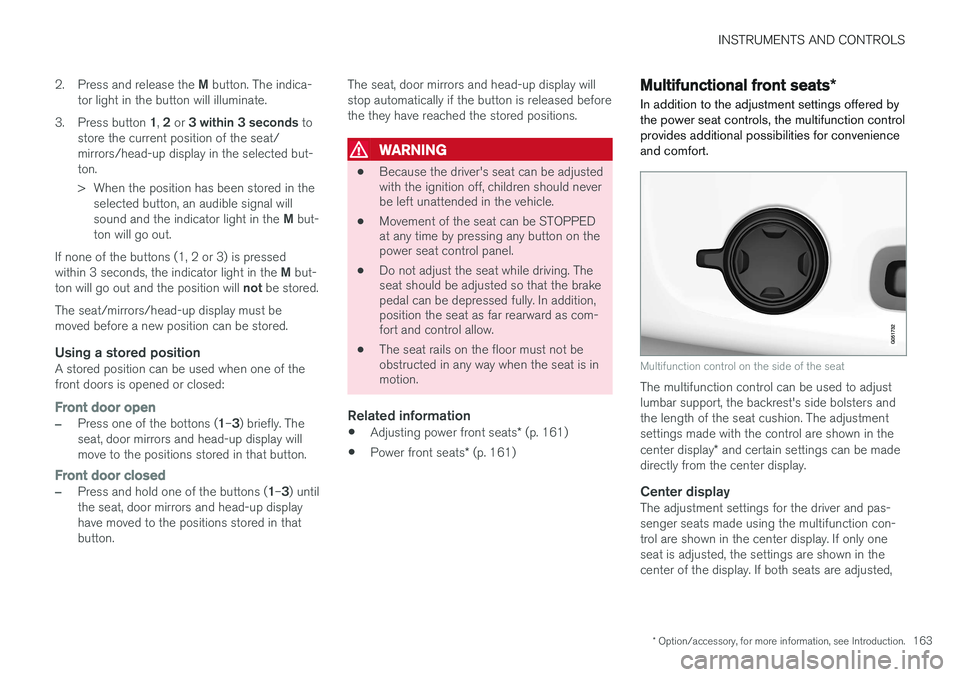
Button for storing a position
Button for storing a position
Button for storing a position
M (memory) button
Storing a position1. Adjust the seat, door mirrors and head-up
display to the desired positions.
Page 165 of 570
INSTRUMENTS AND CONTROLS
* Option/accessory, for more information, see Introduction.163
2.
Press and release the M button. The indica-
tor light in the button will illuminate.
3. Press button 1, 2 or 3 within 3 seconds to
store the current position of the seat/ mirrors/head-up display in the selected but-ton.
> When the position has been stored in the selected button, an audible signal will sound and the indicator light in the M but-
ton will go out.
If none of the buttons (1, 2 or 3) is pressedwithin 3 seconds, the indicator light in the M but-
ton will go out and the position will not be stored.
The seat/mirrors/head-up display must be moved before a new position can be stored.
Using a stored positionA stored position can be used when one of thefront doors is opened or closed:
Front door open
–Press one of the bottons ( 1–3 ) briefly. The
seat, door mirrors and head-up display will move to the positions stored in that button.
Front door closed
–Press and hold one of the buttons ( 1–3 ) until
the seat, door mirrors and head-up display have moved to the positions stored in thatbutton. The seat, door mirrors and head-up display willstop automatically if the button is released beforethe they have reached the stored positions.
WARNING
•
Because the driver's seat can be adjusted with the ignition off, children should neverbe left unattended in the vehicle.
• Movement of the seat can be STOPPEDat any time by pressing any button on thepower seat control panel.
• Do not adjust the seat while driving. Theseat should be adjusted so that the brakepedal can be depressed fully. In addition,position the seat as far rearward as com-fort and control allow.
• The seat rails on the floor must not beobstructed in any way when the seat is inmotion.
Related information
•
Adjusting power front seats
* (p. 161)
• Power front seats
* (p. 161)
Multifunctional front seats *
In addition to the adjustment settings offered by the power seat controls, the multifunction controlprovides additional possibilities for convenienceand comfort.
Multifunction control on the side of the seat
The multifunction control can be used to adjust lumbar support, the backrest's side bolsters andthe length of the seat cushion. The adjustmentsettings made with the control are shown in the center display * and certain settings can be made
directly from the center display.
Center displayThe adjustment settings for the driver and pas- senger seats made using the multifunction con-trol are shown in the center display. If only oneseat is adjusted, the settings are shown in thecenter of the display. If both seats are adjusted,
Page 166 of 570
INSTRUMENTS AND CONTROLS
* Option/accessory, for more information, see Introduction.
164 the settings for the driver seat are shown on the upper half of the screen and the ones made forthe passenger seat are on the lower half. Press the Home button on the center console to exit the seat adjustment setting view.
Related information
•
Power front seats
* (p. 161)
• Operating multifunctional front seats
*
(p. 164)
• Adjusting function settings in the multifunc- tional front seats
* (p. 165)
• Turning seat heating
* on and off (p. 191)
Operating multifunctional front seats *
Multifunction seat adjustments are made using
the controls on the side of the seat. The results are shown at the same time in the center dis- play *.
Navigating in seat adjustment settings
using the multifunction controls
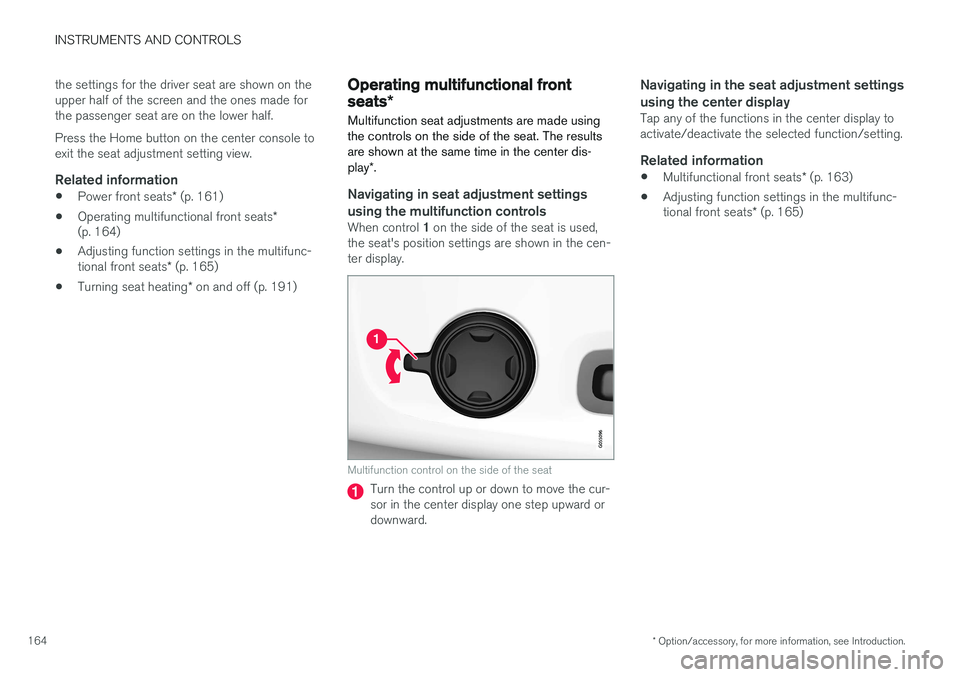
When control 1 on the side of the seat is used,
the seat's position settings are shown in the cen- ter display.
Multifunction control on the side of the seat
Turn the control up or down to move the cur- sor in the center display one step upward ordownward.
Navigating in the seat adjustment settings using the center display
Tap any of the functions in the center display to activate/deactivate the selected function/setting.
Related information
• Multifunctional front seats
* (p. 163)
• Adjusting function settings in the multifunc- tional front seats
* (p. 165)
Page 167 of 570
INSTRUMENTS AND CONTROLS
* Option/accessory, for more information, see Introduction.165
Adjusting function settings in the multifunctional front seats*
The multifunction controls on the side of the seat as well as the center display can be used tomake seat adjustments. The adjustment settings are shown in the center display *.
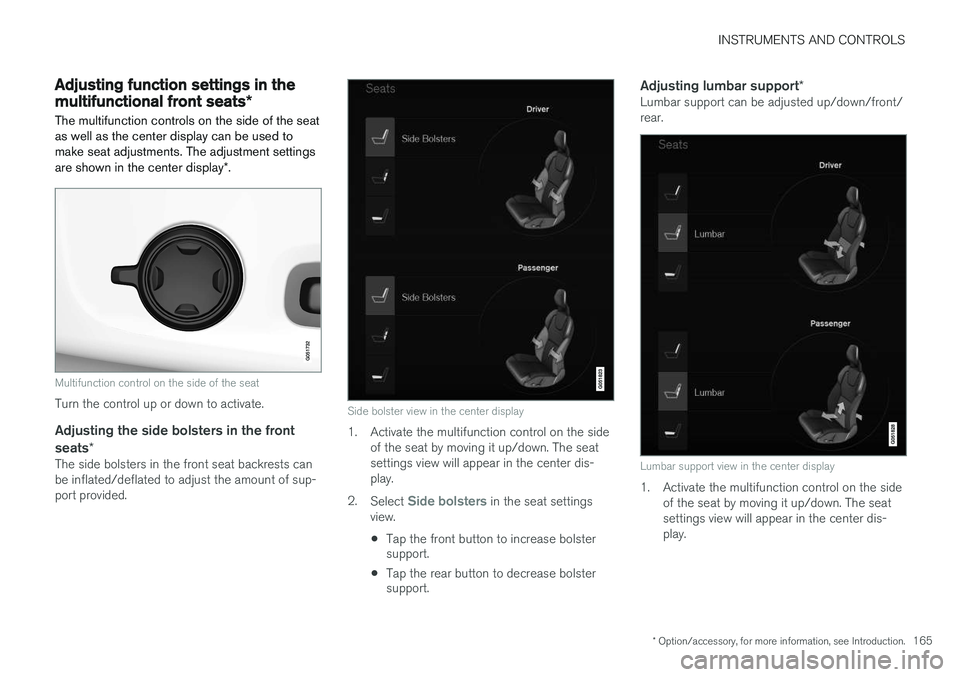
Multifunction control on the side of the seat
Turn the control up or down to activate.
Adjusting the side bolsters in the front
seats *
The side bolsters in the front seat backrests can be inflated/deflated to adjust the amount of sup-port provided.
Side bolster view in the center display
1. Activate the multifunction control on the side
of the seat by moving it up/down. The seat settings view will appear in the center dis-play.
2. Select
Side bolsters in the seat settings
view.
• Tap the front button to increase bolster support.
• Tap the rear button to decrease bolstersupport.
Adjusting lumbar support
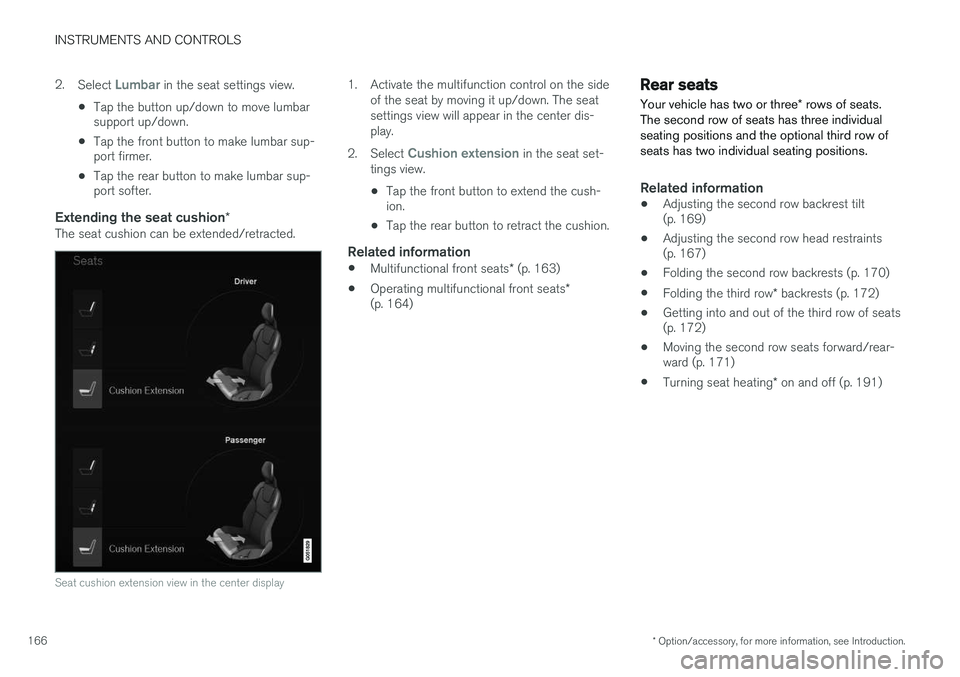
*Lumbar support can be adjusted up/down/front/ rear.
Lumbar support view in the center display
1. Activate the multifunction control on the side
of the seat by moving it up/down. The seat settings view will appear in the center dis-play.
Page 168 of 570
INSTRUMENTS AND CONTROLS
* Option/accessory, for more information, see Introduction.
166 2.
Select
Lumbar in the seat settings view.
• Tap the button up/down to move lumbar support up/down.
• Tap the front button to make lumbar sup-port firmer.
• Tap the rear button to make lumbar sup-port softer.
Extending the seat cushion
*The seat cushion can be extended/retracted.
Seat cushion extension view in the center display
1. Activate the multifunction control on the side
of the seat by moving it up/down. The seat settings view will appear in the center dis-play.
2. Select
Cushion extension in the seat set-
tings view.
• Tap the front button to extend the cush- ion.
• Tap the rear button to retract the cushion.
Related information
•
Multifunctional front seats
* (p. 163)
• Operating multifunctional front seats
*
(p. 164)
Rear seats
Your vehicle has two or three * rows of seats.
The second row of seats has three individual seating positions and the optional third row ofseats has two individual seating positions.
Related information
• Adjusting the second row backrest tilt (p. 169)
• Adjusting the second row head restraints(p. 167)
• Folding the second row backrests (p. 170)
• Folding the third row
* backrests (p. 172)
• Getting into and out of the third row of seats(p. 172)
• Moving the second row seats forward/rear-ward (p. 171)
• Turning seat heating
* on and off (p. 191)
Page 169 of 570
INSTRUMENTS AND CONTROLS
* Option/accessory, for more information, see Introduction.167
Easy access to and from the driver seat
The
Easy Ingress & Egress function can be
used to make getting into and out of the driver's seat easier.
Easy egressTo make getting out of the driver's seat easier, the seat is lowered, the side bolsters deflate andthe seat cushion retracts at the same time. The easy egress function must be activated in the center display. 1. Move the gear selector to the P position.
2. Switch off the engine.
3. Unbuckle the seat belt.
4. Open the driver's door. > The seat, side bolsters and seat cushionall move at the same time to a position that makes it easier to leave the seat.
Easy ingressThe seat remains in the easy egress positionwhen the driver leaves the vehicle. When thedriver returns to the vehicle, the seat is in a posi-tion to make sitting down easier. When the driveris seated, has buckled the seat belt and has put the ignition in at least mode 1, the seat will return
to the driver's preferred position.
Activating/deactivating the function1. In the center display, select SettingsMy
Car
Seats.
2. Activate/deactivate the function by select- ing/deselecting the
Easy Ingress & Egressbox.
Related information
• Power front seats
* (p. 161)
• Ignition modes (p. 355)
Adjusting the second row head restraints
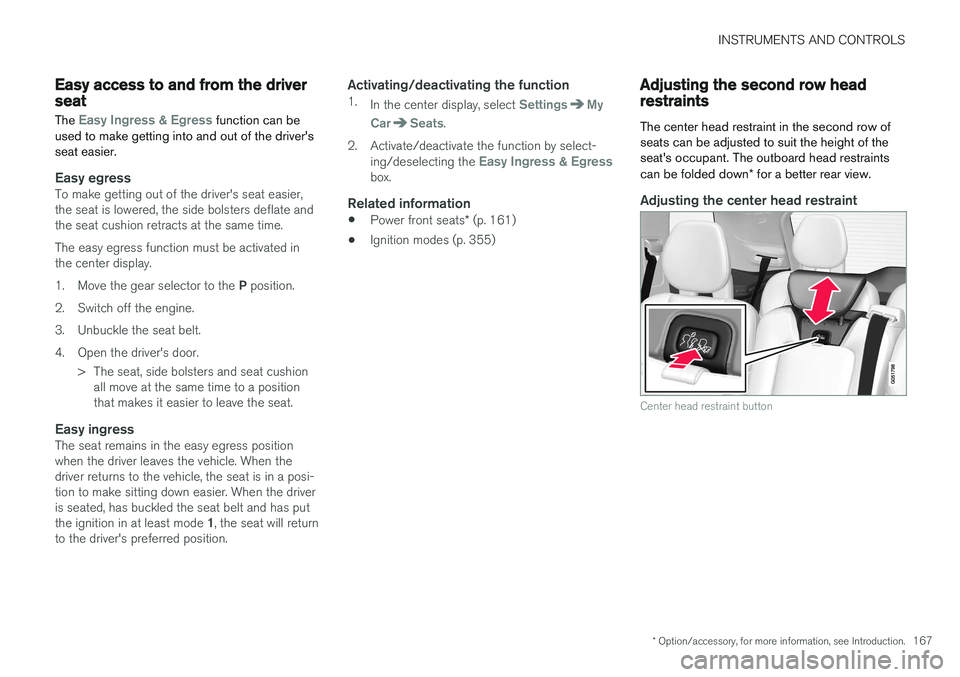
The center head restraint in the second row of seats can be adjusted to suit the height of theseat's occupant. The outboard head restraints can be folded down * for a better rear view.
Adjusting the center head restraint
Center head restraint button