navigation VOLVO XC90 2015 Workshop Manual
[x] Cancel search | Manufacturer: VOLVO, Model Year: 2015, Model line: XC90, Model: VOLVO XC90 2015Pages: 570, PDF Size: 12.44 MB
Page 454 of 570
NAVIGATION*
* Option/accessory, for more information, see Introduction.
452
Favorites
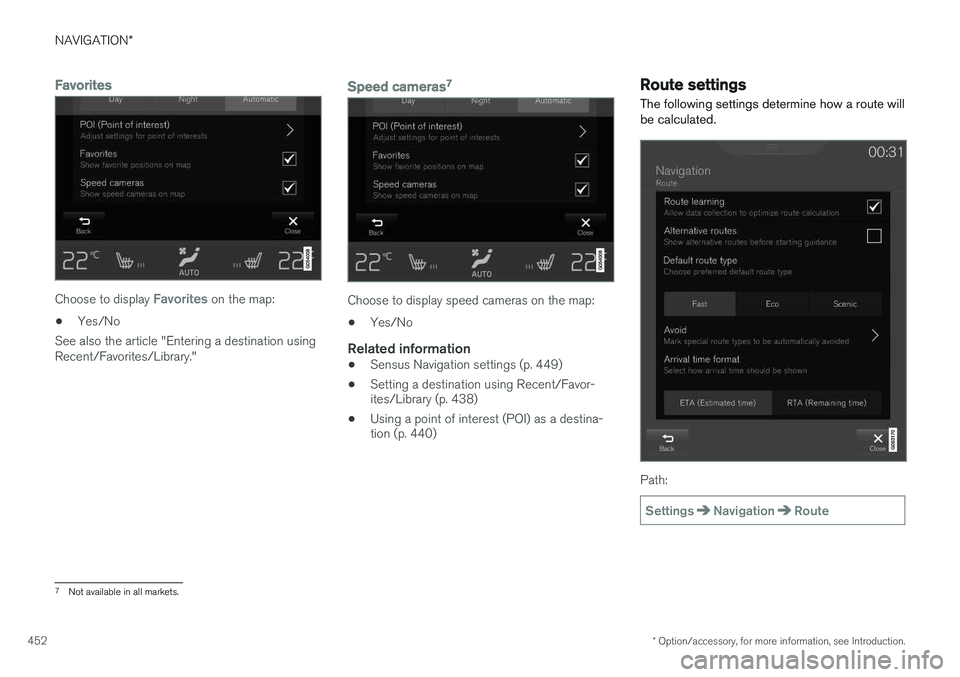
Choose to display Favorites on the map:
• Yes/No
See also the article "Entering a destination using Recent/Favorites/Library."
Speed cameras 7
Choose to display speed cameras on the map:
• Yes/No
Related information
•Sensus Navigation settings (p. 449)
• Setting a destination using Recent/Favor- ites/Library (p. 438)
• Using a point of interest (POI) as a destina-tion (p. 440)
Route settings
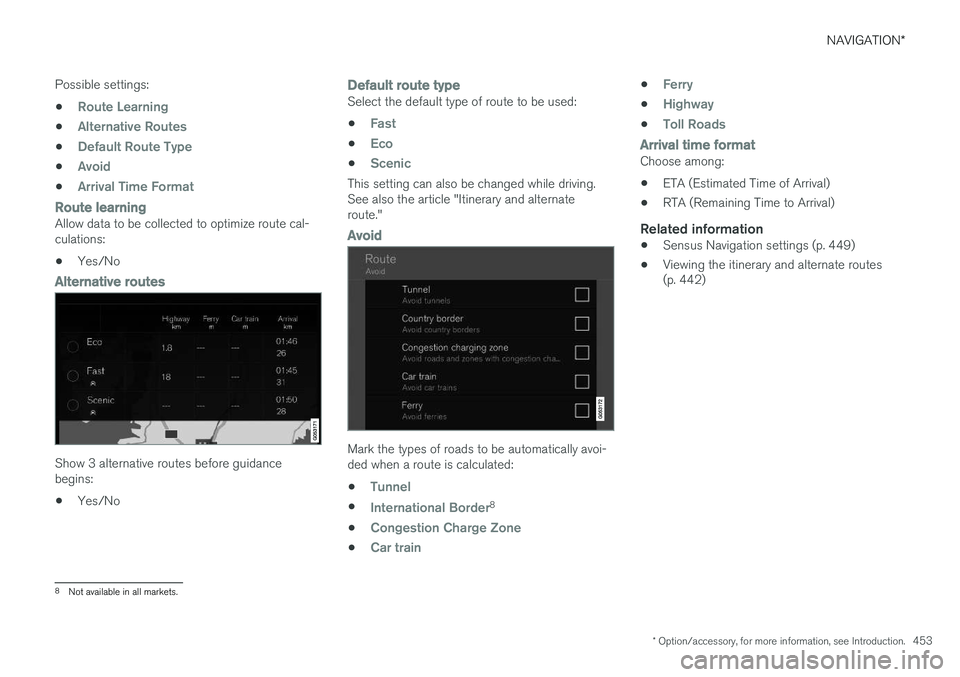
The following settings determine how a route will be calculated.
Path:
SettingsNavigationRoute
7 Not available in all markets.
Page 455 of 570
NAVIGATION*
* Option/accessory, for more information, see Introduction.
453
Possible settings:
•
Route Learning
•Alternative Routes
•Default Route Type
•Avoid
•Arrival Time Format
Route learningAllow data to be collected to optimize route cal- culations:
• Yes/No
Alternative routes
Show 3 alternative routes before guidance begins:
• Yes/No
Default route typeSelect the default type of route to be used:
•
Fast
•Eco
•Scenic
This setting can also be changed while driving. See also the article "Itinerary and alternateroute."
Avoid
Mark the types of roads to be automatically avoi- ded when a route is calculated:
•
Tunnel
•International Border8
•
Congestion Charge Zone
•Car train
•Ferry
•Highway
•Toll Roads
Arrival time formatChoose among: • ETA (Estimated Time of Arrival)
• RTA (Remaining Time to Arrival)
Related information
•Sensus Navigation settings (p. 449)
• Viewing the itinerary and alternate routes (p. 442)
8
Not available in all markets.
Page 456 of 570
NAVIGATION*
* Option/accessory, for more information, see Introduction.
454
Traffic information settings 9
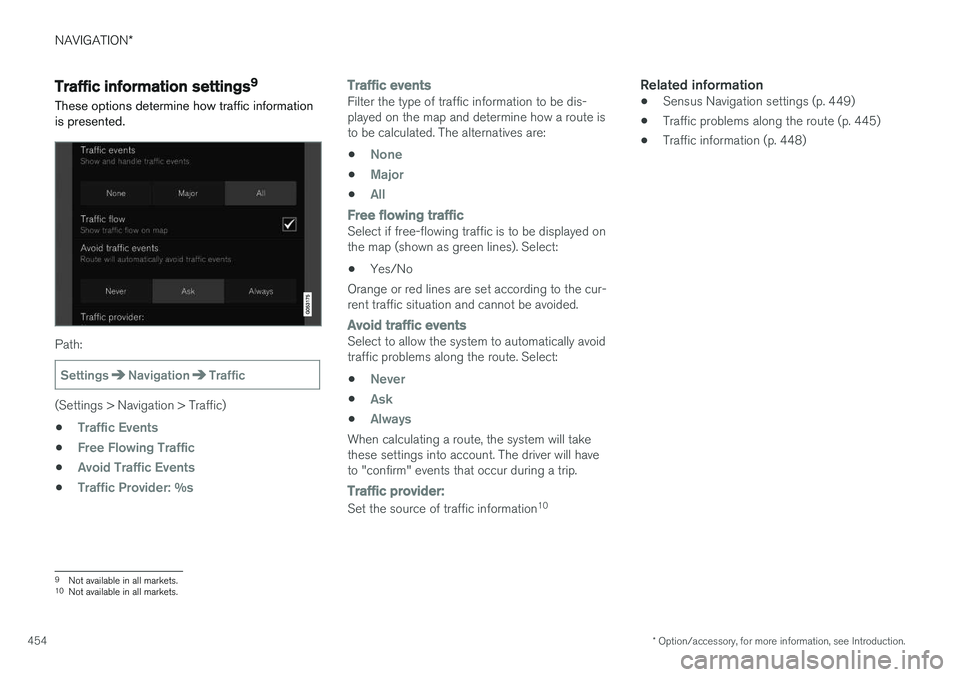
These options determine how traffic information is presented.
Path:
SettingsNavigationTraffic
(Settings > Navigation > Traffic) •
Traffic Events
•Free Flowing Traffic
•Avoid Traffic Events
•Traffic Provider: %s
Traffic eventsFilter the type of traffic information to be dis- played on the map and determine how a route isto be calculated. The alternatives are:
•
None
•Major
•All
Free flowing trafficSelect if free-flowing traffic is to be displayed on the map (shown as green lines). Select: • Yes/No
Orange or red lines are set according to the cur-rent traffic situation and cannot be avoided.
Avoid traffic eventsSelect to allow the system to automatically avoid traffic problems along the route. Select:
•
Never
•Ask
•Always
When calculating a route, the system will take these settings into account. The driver will haveto "confirm" events that occur during a trip.
Traffic provider:
Set the source of traffic information 10
Related information
•
Sensus Navigation settings (p. 449)
• Traffic problems along the route (p. 445)
• Traffic information (p. 448)
9
Not available in all markets.
10 Not available in all markets.
Page 457 of 570
NAVIGATION*
* Option/accessory, for more information, see Introduction.
455
Guidance settings
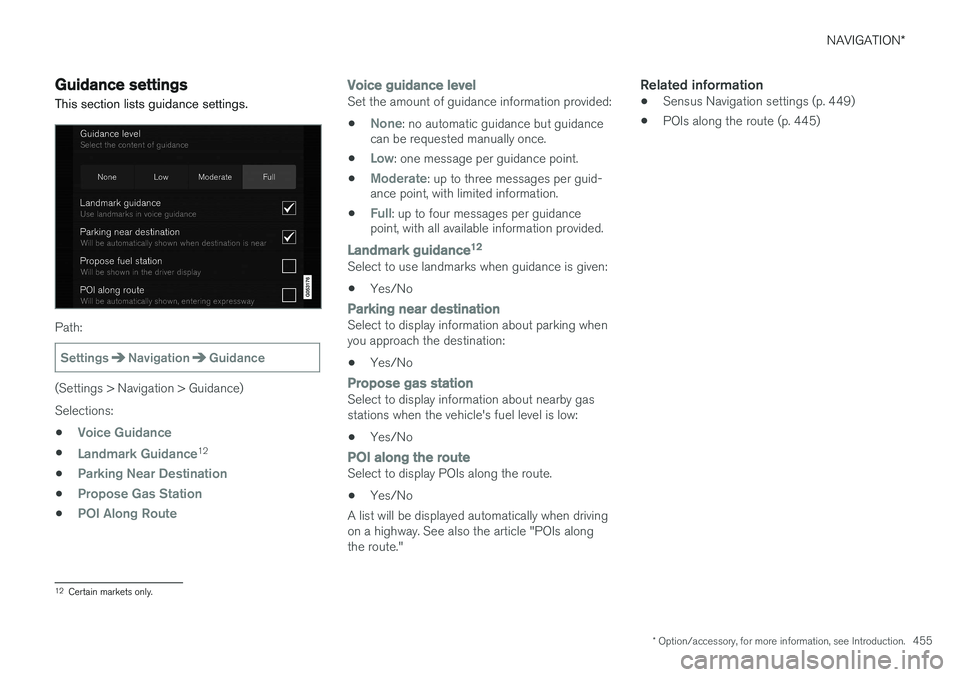
This section lists guidance settings.
Path:
SettingsNavigationGuidance
(Settings > Navigation > Guidance) Selections: •
Voice Guidance
•Landmark Guidance12
•
Parking Near Destination
•Propose Gas Station
•POI Along Route
Voice guidance levelSet the amount of guidance information provided: •
None: no automatic guidance but guidance
can be requested manually once.
•
Low: one message per guidance point.
•
Moderate: up to three messages per guid-
ance point, with limited information.
•
Full: up to four messages per guidance
point, with all available information provided.
Landmark guidance 12Select to use landmarks when guidance is given:
• Yes/No
Parking near destinationSelect to display information about parking when you approach the destination: •
Yes/No
Propose gas stationSelect to display information about nearby gas stations when the vehicle's fuel level is low:
• Yes/No
POI
along the routeSelect to display POIs along the route.
• Yes/No
A list will be displayed automatically when driving on a highway. See also the article "POIs alongthe route."
Related information
• Sensus Navigation settings (p. 449)
• POIs along the route (p. 445)
12
Certain markets only.
Page 458 of 570
NAVIGATION*
* Option/accessory, for more information, see Introduction.
456
System settings
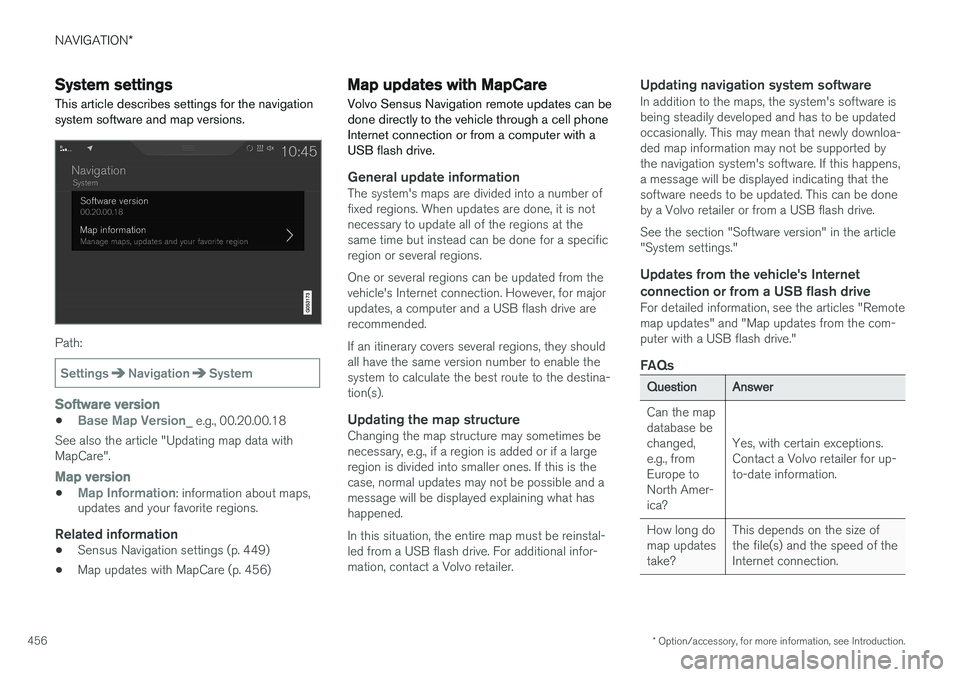
This article describes settings for the navigation system software and map versions.
Path:
SettingsNavigationSystem
Software version
•Base Map Version_ e.g., 00.20.00.18
See also the article "Updating map data with MapCare".
Map version
•Map Information: information about maps,
updates and your favorite regions.
Related information
• Sensus Navigation settings (p. 449)
• Map updates with MapCare (p. 456)
Map updates with MapCare
Volvo Sensus Navigation remote updates can be done directly to the vehicle through a cell phoneInternet connection or from a computer with aUSB flash drive.
General update informationThe system's maps are divided into a number of fixed regions. When updates are done, it is notnecessary to update all of the regions at thesame time but instead can be done for a specificregion or several regions. One or several regions can be updated from the vehicle's Internet connection. However, for majorupdates, a computer and a USB flash drive arerecommended. If an itinerary covers several regions, they should all have the same version number to enable thesystem to calculate the best route to the destina-tion(s).
Updating the map structureChanging the map structure may sometimes benecessary, e.g., if a region is added or if a largeregion is divided into smaller ones. If this is thecase, normal updates may not be possible and amessage will be displayed explaining what hashappened. In this situation, the entire map must be reinstal- led from a USB flash drive. For additional infor-mation, contact a Volvo retailer.
Updating navigation system softwareIn addition to the maps, the system's software isbeing steadily developed and has to be updatedoccasionally. This may mean that newly downloa-ded map information may not be supported bythe navigation system's software. If this happens,a message will be displayed indicating that thesoftware needs to be updated. This can be doneby a Volvo retailer or from a USB flash drive. See the section "Software version" in the article "System settings."
Updates from the vehicle's Internet
connection or from a USB flash drive
For detailed information, see the articles "Remotemap updates" and "Map updates from the com-puter with a USB flash drive."
FAQs
QuestionAnswer
Can the map database bechanged,e.g., fromEurope toNorth Amer-ica?
Yes, with certain exceptions. Contact a Volvo retailer for up-to-date information.
How long do map updatestake?This depends on the size of the file(s) and the speed of theInternet connection.
Page 459 of 570
NAVIGATION*
* Option/accessory, for more information, see Introduction.
457
QuestionAnswer
How big is an update?This varies from market to market. Consult a Volvoretailer.
Updating has not worked.What shouldI do?Try the Volvo Cars support site (support.volvocars.com) orcontact a Volvo retailer.
Related information
•Remote map updates (p. 457)
• Map updates from a computer with a USB flash drive (p. 458)
• Sensus Navigation troubleshooting (p. 462)
• Copyright (p. 462)
• Navigation license agreements (p. 460)
• System updates (p. 490)
• Internet connected vehicle (p. 401)
• Connecting to the Internet (p. 402)
• System settings (p. 456)
Remote map updates
Some preparation is necessary before a remote update can be made through the vehicle's cellphone Internet connection.
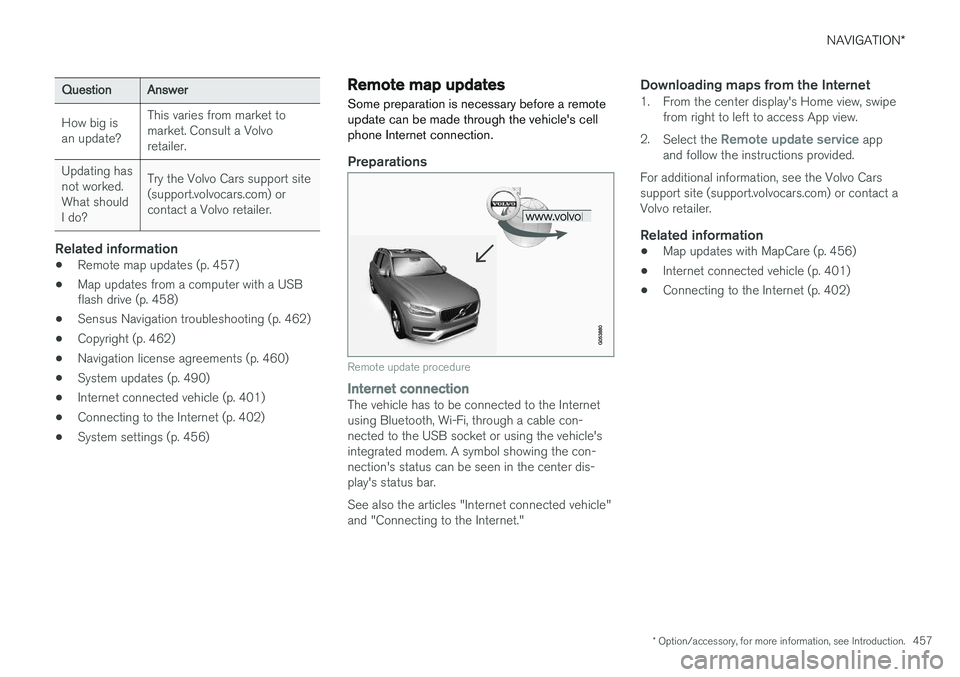
Preparations
Remote update procedure
Internet connectionThe vehicle has to be connected to the Internet using Bluetooth, Wi-Fi, through a cable con-nected to the USB socket or using the vehicle'sintegrated modem. A symbol showing the con-nection's status can be seen in the center dis-play's status bar. See also the articles "Internet connected vehicle" and "Connecting to the Internet."
Downloading maps from the Internet1. From the center display's Home view, swipe from right to left to access App view.
2. Select the
Remote update service app
and follow the instructions provided.
For additional information, see the Volvo Cars support site (support.volvocars.com) or contact aVolvo retailer.
Related information
• Map updates with MapCare (p. 456)
• Internet connected vehicle (p. 401)
• Connecting to the Internet (p. 402)
Page 460 of 570
NAVIGATION*
* Option/accessory, for more information, see Introduction.
458
Map updates from a computer with a USB flash drive
Some preparation is necessary before a USB map update can be carried out.
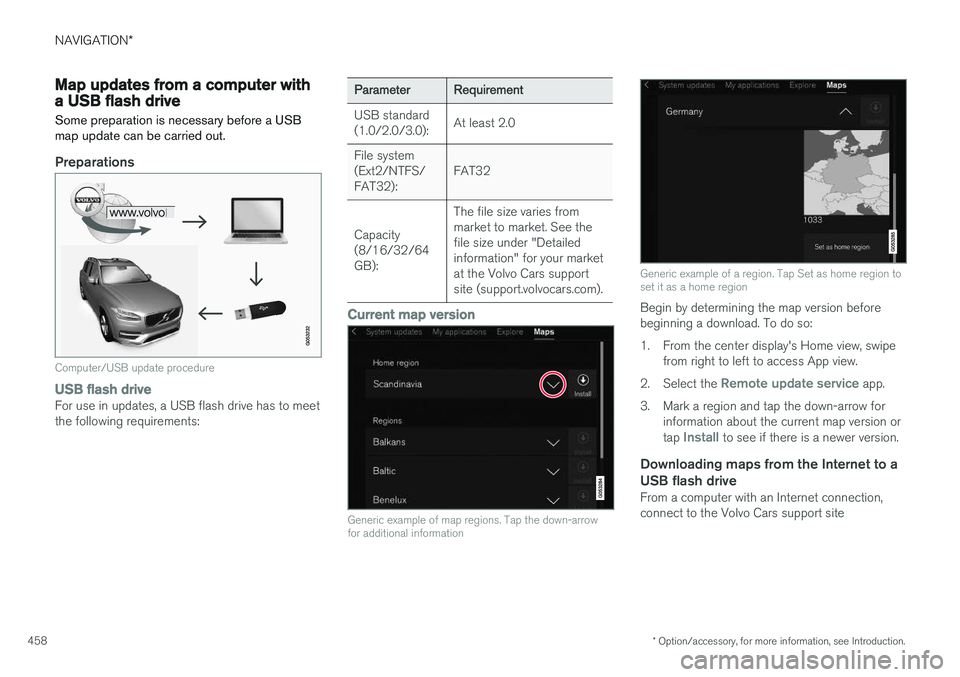
Preparations
Computer/USB update procedure
USB flash driveFor use in updates, a USB flash drive has to meet the following requirements:
ParameterRequirement
USB standard (1.0/2.0/3.0):At least 2.0
File system (Ext2/NTFS/FAT32):FAT32
Capacity (8/16/32/64GB):
The file size varies from market to market. See thefile size under "Detailedinformation" for your marketat the Volvo Cars supportsite (support.volvocars.com).
Current map version
Generic example of map regions. Tap the down-arrow for additional information
Generic example of a region. Tap Set as home region to set it as a home region
Begin by determining the map version before beginning a download. To do so:
1. From the center display's Home view, swipe from right to left to access App view.
2. Select the
Remote update service app.
3. Mark a region and tap the down-arrow for information about the current map version or tap
Install to see if there is a newer version.
Downloading maps from the Internet to a USB flash drive
From a computer with an Internet connection, connect to the Volvo Cars support site
Page 461 of 570
NAVIGATION*
* Option/accessory, for more information, see Introduction.
459
(support.volvocars.com) and follow the instruc- tions on the screen.
1. Tap "Detailed information" for the region to
be updated.
2. Information about the latest maps for the region will be displayed. Verify that it is newer than the version in the vehicle.
3. Connect a USB flash drive to the computer and download the update to the USB drive.
The amount of time for the download variesaccording to the size of the file and the speed ofthe Internet connection.
Transferring the updated maps from the USB drive to the vehicle
General informationThis transfer may take between 30–60 minutes depending on the file size. This must be donewith the navigation and infotainment systemsactivated. If the engine is not running, it may be necessary to connect a battery charger to avoid dischargingthe battery. An update can also be done whiledriving. During a complete map download, certain info- tainment system functions may not be availableor have limited functionality:
• Navigation
• Voice commands •
Information/media stored on the vehicle's hard drive
Updating1. Activate the navigation system (see the pre-
vious section "Current map version").
2. Connect the USB drive to the vehicle's USB socket in the tunnel console.
3. The navigation system will automatically detect any available updates. The update's progress will be displayed on the screen as%. The driver must tap
Confirm to start the
update or Cancel to interrupt it.
4. Tap
Confirm. The update will begin and pro-
gress information will be shown on the cen- ter display.
5. The center display will indicate when the update has been completed. Remove theUSB drive from the socket.
6. Verify that the correct map information has been transferred by repeating the procedurein "Current map version."
Interruptions
What happens if...Answer
...the infotainment system is turned offwhile an update is inprogress?The process will pause and will continue auto-matically when thesystem is reactivated.
...the USB flash drive is removed from theUSB socket while anupdate is in pro-gress?The process will pause and will continue auto-matically when theUSB drive is recon-nected to the USBsocket.
If an update is interrupted, an explanatory text will always appear on the center display. For additional information, see the Volvo Cars support site (support.volvocars.com) or contact aVolvo retailer.
Related information
• Map updates with MapCare (p. 456)
Page 462 of 570
NAVIGATION*
* Option/accessory, for more information, see Introduction.
460
Navigation license agreements
The following is information for the end-user of the Sensus Navigation system.
END USER LICENSE AGREEMENT FOR DISTRIBUTION BY HERE
FOR THE AMERICAS/ASIA PACIFIC
END-USER TERMSThe content provided (
Page 463 of 570
NAVIGATION*
* Option/accessory, for more information, see Introduction.
461
a particular purpose, usefulness, use or results to be obtained from this Data, or that the Data orserver will be uninterrupted or error free. Disclaimer of Warranty
: HERE AND ITS
LICENSORS (INCLUDING THEIR LICENSORS AND SUPPLIERS) DISCLAIM ANYWARRANTIES, EXPRESS OR IMPLIED, OFQUALITY, PERFORMANCE,MERCHANTABILITY, FITNESS FOR APARTICULAR PURPOSE ORNONINFRINGEMENT. Some States, Territoriesand Countries do not allow certain warrantyexclusions, so to that extent the above exclusionmay not apply to you. Disclaimer of Liability : HERE AND ITS
LICENSORS (INCLUDING THEIR LICENSORS AND SUPPLIERS) SHALL NOT BE LIABLE TOYOU IN RESPECT OF ANY CLAIM, DEMANDOR ACTION, IRRESPECTIVE OF THE NATUREOF THE CAUSE OF THE CLAIM, DEMAND ORACTION ALLEGING ANY LOSS, INJURY ORDAMAGES, DIRECT OR INDIRECT, WHICH MAYRESULT FROM THE USE OR POSSESSION OFTHIS DATA; OR FOR ANY LOSS OF PROFIT,REVENUE, CONTRACTS OR SAVINGS, OR ANYOTHER DIRECT, INDIRECT, INCIDENTAL,SPECIAL OR CONSEQUENTIAL DAMAGESARISING OUT OF YOUR USE OF OR INABILITYTO USE THIS DATA, ANY DEFECT IN THISDATA, OR THE BREACH OF THESE TERMS ORCON¬DITIONS, WHETHER IN AN ACTION INCONTRACT OR TORT OR BASED ON A WARRANTY, EVEN IF HERE OR ITSLICENSORS HAVE BEEN ADVISED OF THEPOSSIBILITY OF SUCH DAMAGES. SomeStates, Territories and Countries do not allowcertain liability exclusions or damages limitations,so to that extent the above may not apply to you. Export Control
: You agree not to export from
any¬where any part of the Data or any direct product thereof except in compliance with, andwith all licenses and ap¬provals required under,applicable export laws, rules and regulations,including but not limited to the laws, rules andregulations administered by the Office of ForeignAssets Control of the U.S. Department ofCommerce and the Bureau of Industry andSecurity of the U.S. De¬partment of Commerce.To the extent that any such export laws, rules orregulations prohibit HERE from complying withany of its obligations hereunder to deliver ordistribute Data, such failure shall be excused andshall not constitute a breach of this Agreement. Entire Agreement : These terms and conditions
constitute the entire agreement between HERE (and its licensors, including their licensors andsuppliers) and you pertaining to the subjectmatter hereof, and supersedes in their entiretyany and all written or oral agreements previouslyexisting between us with respect to such subjectmatter. Severability : You and HERE agree that if any
portion of this agreement is found illegal or unenforceable, that portion shall be severed and the remainder of the Agreement shall be givenfull force and effect. Governing Law
: The above terms and conditions
shall be governed by the laws of the State of Illinois (for Data for the Americas and/or the AsiaPacific region) or The Netherlands (for Data forEurope, the Middle East and Africa), withoutgiving effect to (i) its conflict of laws provisions,or (ii) the United Nations Convention forContracts for the International Sale of Goods,which is explicitly excluded. For any and alldisputes, claims and actions arising from or inconnection with the Data (