connect VOLVO XC90 2015 Manual PDF
[x] Cancel search | Manufacturer: VOLVO, Model Year: 2015, Model line: XC90, Model: VOLVO XC90 2015Pages: 570, PDF Size: 12.44 MB
Page 458 of 570
NAVIGATION*
* Option/accessory, for more information, see Introduction.
456
System settings
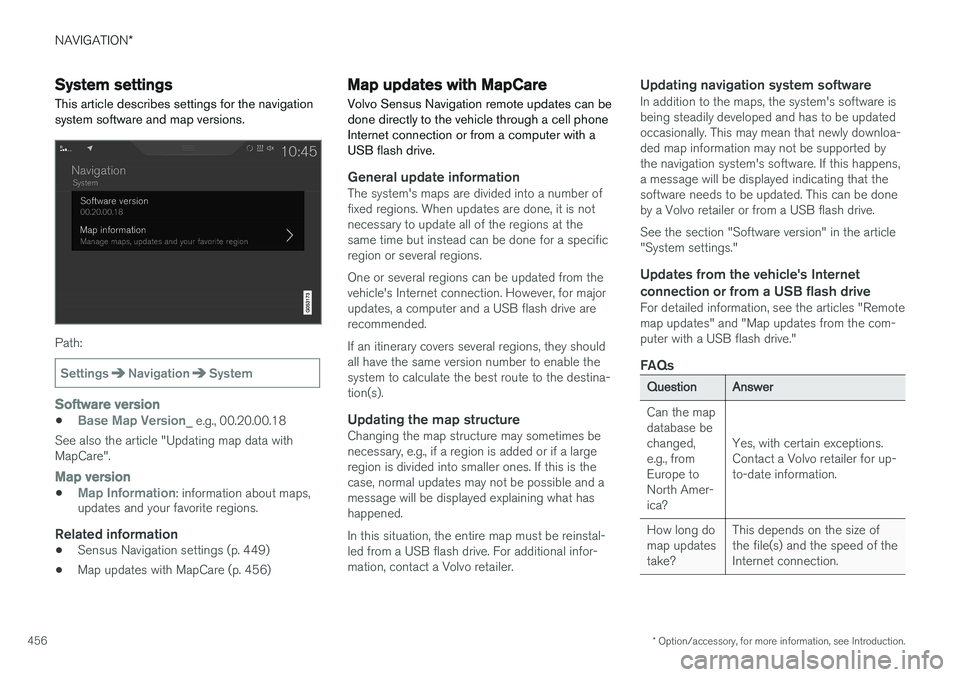
This article describes settings for the navigation system software and map versions.
Path:
SettingsNavigationSystem
Software version
•Base Map Version_ e.g., 00.20.00.18
See also the article "Updating map data with MapCare".
Map version
•Map Information: information about maps,
updates and your favorite regions.
Related information
• Sensus Navigation settings (p. 449)
• Map updates with MapCare (p. 456)
Map updates with MapCare
Volvo Sensus Navigation remote updates can be done directly to the vehicle through a cell phoneInternet connection or from a computer with aUSB flash drive.
General update informationThe system's maps are divided into a number of fixed regions. When updates are done, it is notnecessary to update all of the regions at thesame time but instead can be done for a specificregion or several regions. One or several regions can be updated from the vehicle's Internet connection. However, for majorupdates, a computer and a USB flash drive arerecommended. If an itinerary covers several regions, they should all have the same version number to enable thesystem to calculate the best route to the destina-tion(s).
Updating the map structureChanging the map structure may sometimes benecessary, e.g., if a region is added or if a largeregion is divided into smaller ones. If this is thecase, normal updates may not be possible and amessage will be displayed explaining what hashappened. In this situation, the entire map must be reinstal- led from a USB flash drive. For additional infor-mation, contact a Volvo retailer.
Updating navigation system softwareIn addition to the maps, the system's software isbeing steadily developed and has to be updatedoccasionally. This may mean that newly downloa-ded map information may not be supported bythe navigation system's software. If this happens,a message will be displayed indicating that thesoftware needs to be updated. This can be doneby a Volvo retailer or from a USB flash drive. See the section "Software version" in the article "System settings."
Updates from the vehicle's Internet
connection or from a USB flash drive
For detailed information, see the articles "Remotemap updates" and "Map updates from the com-puter with a USB flash drive."
FAQs
QuestionAnswer
Can the map database bechanged,e.g., fromEurope toNorth Amer-ica?
Yes, with certain exceptions. Contact a Volvo retailer for up-to-date information.
How long do map updatestake?This depends on the size of the file(s) and the speed of theInternet connection.
Page 459 of 570
NAVIGATION*
* Option/accessory, for more information, see Introduction.
457
QuestionAnswer
How big is an update?This varies from market to market. Consult a Volvoretailer.
Updating has not worked.What shouldI do?Try the Volvo Cars support site (support.volvocars.com) orcontact a Volvo retailer.
Related information
•Remote map updates (p. 457)
• Map updates from a computer with a USB flash drive (p. 458)
• Sensus Navigation troubleshooting (p. 462)
• Copyright (p. 462)
• Navigation license agreements (p. 460)
• System updates (p. 490)
• Internet connected vehicle (p. 401)
• Connecting to the Internet (p. 402)
• System settings (p. 456)
Remote map updates
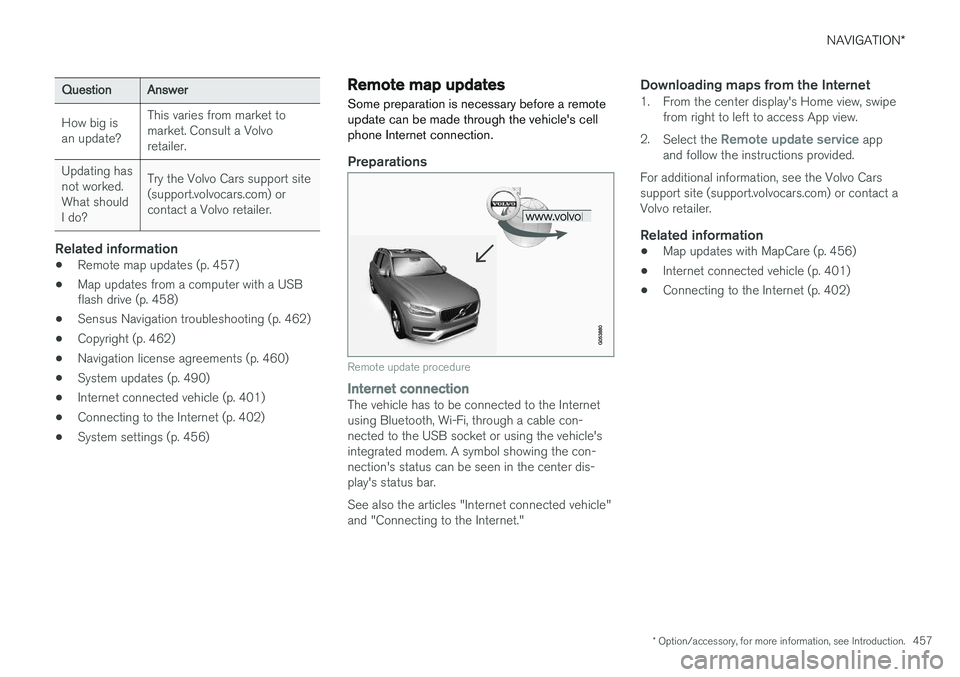
Some preparation is necessary before a remote update can be made through the vehicle's cellphone Internet connection.
Preparations
Remote update procedure
Internet connectionThe vehicle has to be connected to the Internet using Bluetooth, Wi-Fi, through a cable con-nected to the USB socket or using the vehicle'sintegrated modem. A symbol showing the con-nection's status can be seen in the center dis-play's status bar. See also the articles "Internet connected vehicle" and "Connecting to the Internet."
Downloading maps from the Internet1. From the center display's Home view, swipe from right to left to access App view.
2. Select the
Remote update service app
and follow the instructions provided.
For additional information, see the Volvo Cars support site (support.volvocars.com) or contact aVolvo retailer.
Related information
• Map updates with MapCare (p. 456)
• Internet connected vehicle (p. 401)
• Connecting to the Internet (p. 402)
Page 460 of 570
NAVIGATION*
* Option/accessory, for more information, see Introduction.
458
Map updates from a computer with a USB flash drive
Some preparation is necessary before a USB map update can be carried out.
Preparations
Computer/USB update procedure
USB flash driveFor use in updates, a USB flash drive has to meet the following requirements:
ParameterRequirement
USB standard (1.0/2.0/3.0):At least 2.0
File system (Ext2/NTFS/FAT32):FAT32
Capacity (8/16/32/64GB):
The file size varies from market to market. See thefile size under "Detailedinformation" for your marketat the Volvo Cars supportsite (support.volvocars.com).
Current map version
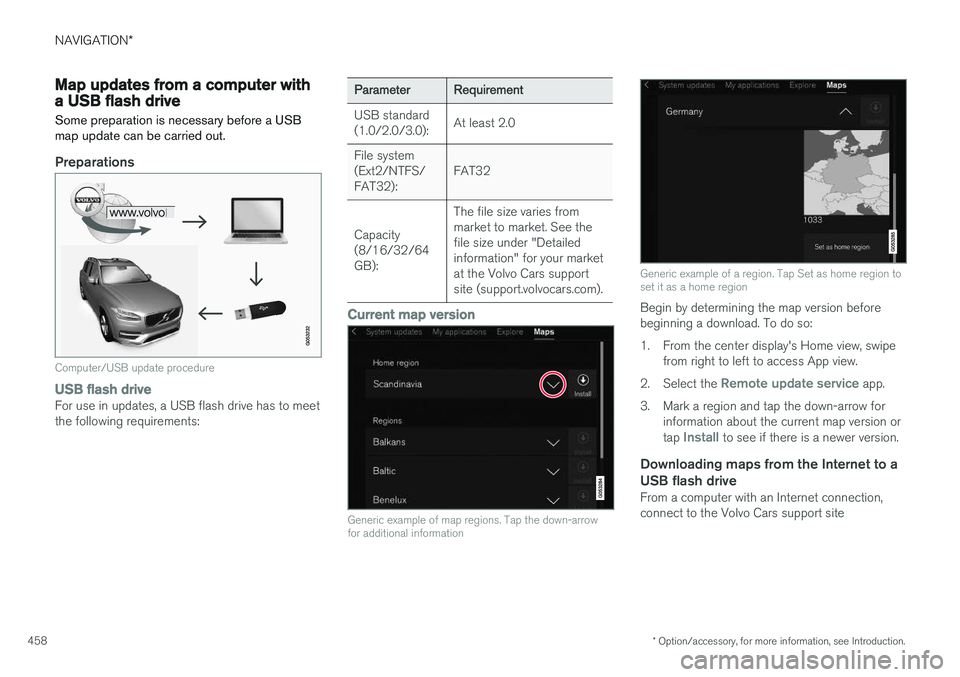
Generic example of map regions. Tap the down-arrow for additional information
Generic example of a region. Tap Set as home region to set it as a home region
Begin by determining the map version before beginning a download. To do so:
1. From the center display's Home view, swipe from right to left to access App view.
2. Select the
Remote update service app.
3. Mark a region and tap the down-arrow for information about the current map version or tap
Install to see if there is a newer version.
Downloading maps from the Internet to a USB flash drive
From a computer with an Internet connection, connect to the Volvo Cars support site
Page 461 of 570
NAVIGATION*
* Option/accessory, for more information, see Introduction.
459
(support.volvocars.com) and follow the instruc- tions on the screen.
1. Tap "Detailed information" for the region to
be updated.
2. Information about the latest maps for the region will be displayed. Verify that it is newer than the version in the vehicle.
3. Connect a USB flash drive to the computer and download the update to the USB drive.
The amount of time for the download variesaccording to the size of the file and the speed ofthe Internet connection.
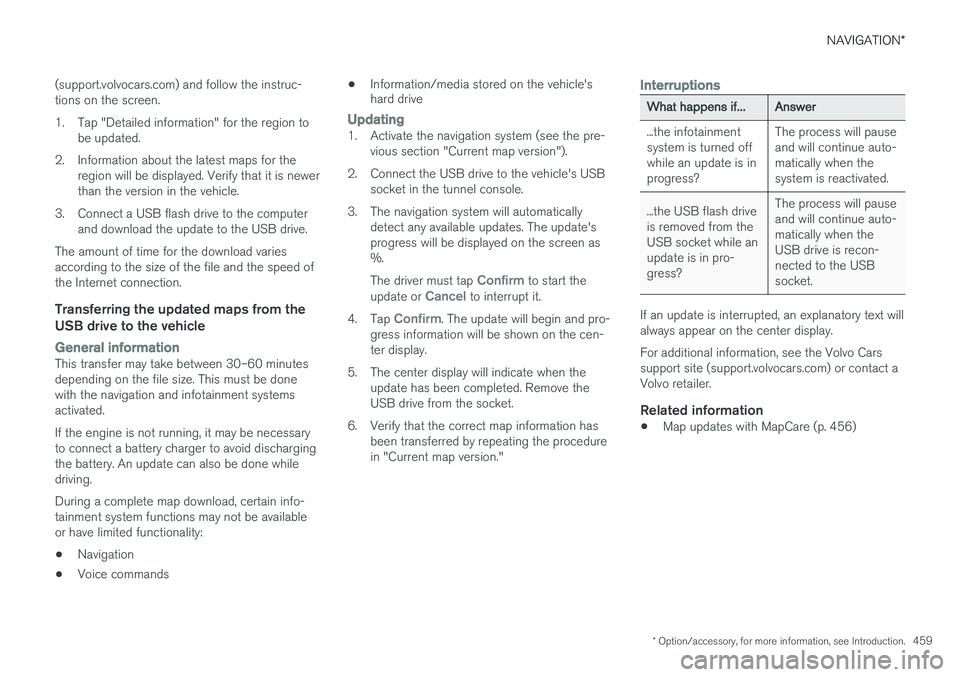
Transferring the updated maps from the USB drive to the vehicle
General informationThis transfer may take between 30–60 minutes depending on the file size. This must be donewith the navigation and infotainment systemsactivated. If the engine is not running, it may be necessary to connect a battery charger to avoid dischargingthe battery. An update can also be done whiledriving. During a complete map download, certain info- tainment system functions may not be availableor have limited functionality:
• Navigation
• Voice commands •
Information/media stored on the vehicle's hard drive
Updating1. Activate the navigation system (see the pre-
vious section "Current map version").
2. Connect the USB drive to the vehicle's USB socket in the tunnel console.
3. The navigation system will automatically detect any available updates. The update's progress will be displayed on the screen as%. The driver must tap
Confirm to start the
update or Cancel to interrupt it.
4. Tap
Confirm. The update will begin and pro-
gress information will be shown on the cen- ter display.
5. The center display will indicate when the update has been completed. Remove theUSB drive from the socket.
6. Verify that the correct map information has been transferred by repeating the procedurein "Current map version."
Interruptions
What happens if...Answer
...the infotainment system is turned offwhile an update is inprogress?The process will pause and will continue auto-matically when thesystem is reactivated.
...the USB flash drive is removed from theUSB socket while anupdate is in pro-gress?The process will pause and will continue auto-matically when theUSB drive is recon-nected to the USBsocket.
If an update is interrupted, an explanatory text will always appear on the center display. For additional information, see the Volvo Cars support site (support.volvocars.com) or contact aVolvo retailer.
Related information
• Map updates with MapCare (p. 456)
Page 463 of 570
NAVIGATION*
* Option/accessory, for more information, see Introduction.
461
a particular purpose, usefulness, use or results to be obtained from this Data, or that the Data orserver will be uninterrupted or error free. Disclaimer of Warranty
: HERE AND ITS
LICENSORS (INCLUDING THEIR LICENSORS AND SUPPLIERS) DISCLAIM ANYWARRANTIES, EXPRESS OR IMPLIED, OFQUALITY, PERFORMANCE,MERCHANTABILITY, FITNESS FOR APARTICULAR PURPOSE ORNONINFRINGEMENT. Some States, Territoriesand Countries do not allow certain warrantyexclusions, so to that extent the above exclusionmay not apply to you. Disclaimer of Liability : HERE AND ITS
LICENSORS (INCLUDING THEIR LICENSORS AND SUPPLIERS) SHALL NOT BE LIABLE TOYOU IN RESPECT OF ANY CLAIM, DEMANDOR ACTION, IRRESPECTIVE OF THE NATUREOF THE CAUSE OF THE CLAIM, DEMAND ORACTION ALLEGING ANY LOSS, INJURY ORDAMAGES, DIRECT OR INDIRECT, WHICH MAYRESULT FROM THE USE OR POSSESSION OFTHIS DATA; OR FOR ANY LOSS OF PROFIT,REVENUE, CONTRACTS OR SAVINGS, OR ANYOTHER DIRECT, INDIRECT, INCIDENTAL,SPECIAL OR CONSEQUENTIAL DAMAGESARISING OUT OF YOUR USE OF OR INABILITYTO USE THIS DATA, ANY DEFECT IN THISDATA, OR THE BREACH OF THESE TERMS ORCON¬DITIONS, WHETHER IN AN ACTION INCONTRACT OR TORT OR BASED ON A WARRANTY, EVEN IF HERE OR ITSLICENSORS HAVE BEEN ADVISED OF THEPOSSIBILITY OF SUCH DAMAGES. SomeStates, Territories and Countries do not allowcertain liability exclusions or damages limitations,so to that extent the above may not apply to you. Export Control
: You agree not to export from
any¬where any part of the Data or any direct product thereof except in compliance with, andwith all licenses and ap¬provals required under,applicable export laws, rules and regulations,including but not limited to the laws, rules andregulations administered by the Office of ForeignAssets Control of the U.S. Department ofCommerce and the Bureau of Industry andSecurity of the U.S. De¬partment of Commerce.To the extent that any such export laws, rules orregulations prohibit HERE from complying withany of its obligations hereunder to deliver ordistribute Data, such failure shall be excused andshall not constitute a breach of this Agreement. Entire Agreement : These terms and conditions
constitute the entire agreement between HERE (and its licensors, including their licensors andsuppliers) and you pertaining to the subjectmatter hereof, and supersedes in their entiretyany and all written or oral agreements previouslyexisting between us with respect to such subjectmatter. Severability : You and HERE agree that if any
portion of this agreement is found illegal or unenforceable, that portion shall be severed and the remainder of the Agreement shall be givenfull force and effect. Governing Law
: The above terms and conditions
shall be governed by the laws of the State of Illinois (for Data for the Americas and/or the AsiaPacific region) or The Netherlands (for Data forEurope, the Middle East and Africa), withoutgiving effect to (i) its conflict of laws provisions,or (ii) the United Nations Convention forContracts for the International Sale of Goods,which is explicitly excluded. For any and alldisputes, claims and actions arising from or inconnection with the Data (
Page 491 of 570
MAINTENANCE AND SERVICING
489
Emission inspection readiness
How do states use OBD II for emission
inspections?
Many states connect a computer directly to a vehicle's OBD II system. The inspector can thenread "faults." In some states, this type of inspec-tion has replaced the tailpipe emission test.
How can my vehicle fail OBD II emission
inspection?
Your vehicle can fail OBD II emission inspection for any of the following reasons.
• If your Check Engine (MIL) light is lit, your vehicle may fail inspection.
• If your vehicle's Check Engine light was lit,but went out without any action on your part,OBD II will still have a recorded fault. Yourvehicle may pass or fail, depending on theinspection practices in your area.
• If you had recent service that required dis-connecting the battery, OBD II diagnosticinformation may be incomplete and "notready" for inspection. A vehicle that is notready may fail inspection.
How can I prepare for my next
OBD II
emission inspection?
• If your Check Engine (MIL) light is lit – or was lit but went out without service, have yourvehicle diagnosed and, if necessary, servicedby a qualified Volvo technician.
• If you recently had service for a lit CheckEngine light, or if you had service that required disconnecting the battery, a periodof driving is necessary to bring the OBD IIsystem to "ready" for inspection. Two half-hour trips of mixed stop-and-go/highwaydriving are typically needed to allow OBD II toreach readiness. Your Volvo retailer can pro-vide you with more information on planning atrip.
• Maintain your vehicle in accordance with yourvehicle's maintenance schedule.
Owner maintenancePeriodic maintenance requirements and intervals are described in your vehicle's Warranty andService Records Information booklet. The following points can be carried out between the normally scheduled maintenance services.
Each time the car is refueled:
•Check the engine oil level.
• Clean the windshield, windshield wipers, headlights, and taillights.
Monthly:
•
Check cold tire pressure in all tires. Inspect the tires for wear.
• Check that engine coolant and other fluidlevels are between the indicated "min" and"max" markings.
• Clean interior glass surfaces with a glasscleaner and soft paper towels.
• Wipe driver information displays with a softcloth. •
Visually inspect battery terminals for corro-sion. Corrosion may indicate a loose terminalconnector, or a battery near the end of itsuseful service life. Consult your Volvo retailerfor additional information.
As needed:Wash the car, including the undercarriage, to reduce wear that can be caused by a buildup ofdirt, and corrosion that can be caused by salt res-idues. Clean leaves and twigs from air intake vents at the base of the windshield, and from other placeswhere they may collect.
NOTE
Complete service information for qualified technicians is available online for purchase orsubscription at www.volvotechinfo.com.
Related information
•
Climate system service (p. 495)
Page 492 of 570
MAINTENANCE AND SERVICING
490
System updatesUpdates are available for infotainment-related services and Internet connections. If system soft-ware updates are available, they can be to bedownloaded all at once or separately.
System (software) updates are handled through the Remote
update service app in the
center display's App view. Tap once to start a download app inHome view's lower sub-view. Ifno search for updates has
been performed since the last time the infotain-ment system was started, a search will be initi-ated. No search will begin if a software download is underway. An icon in the
System updates button indicates
the number of updates that are currently availa- ble. Tap the button to display a list of updatesthat can be installed in the vehicle. For additional information and answers to com- monly asked questions pertaining to the functionand downloading system updates, go to sup-port.volvocars.com. Background searches for software updates is activated by default when the vehicle isdelivered from the factory.
NOTE
Downloading data may affect other system features that share the Internet connection. Adownload can be cancelled at any time or theother features can be temporarily turned offwhile the software download is underway.
NOTE
An update may be interrupted when the igni- tion is switched off. However, an update does not have to be completed when the ignition is switched off; itwill resume automatically when the ignition isswitched on again.
Updating all system software
–Select Install all at the bottom of the list.
To avoid displaying a list, select
Install all by theSystem updates button.
Updating individual programs
–Select Install to choose the software to be
downloaded.
Cancelling a download
–Tap the activity indicator that replaced theInstall button on the screen when the down-
load began. Keep in mind that a download can be cancelled but an installation that has already begun cannotbe interrupted.
Allowing background searches or
software updates
This function can be deactivated from the centerdisplay:
1. Go to the Settings in the center display's Top view and select
Remote Update Service.
2. Tap
SystemRemote Update Service.
3. Tap to deselect
Auto Software Update.
If an update is available,
New software updates
available will appear in the center display's sta-
tus bar. Tap the message to start a download app in Home view's lower sub-view. As soon as the download app has started, an icon in the
System
updates button will indicate the number of
downloads available.
Related information
• Center display overview (p. 29)
• Navigating in the center display's views (p. 39)
Page 493 of 570
MAINTENANCE AND SERVICING
491
Remote updates With the vehicle connected to the Internet, updates for a number of the vehicle's systemscan be downloaded from the center display.
The Remote updates app is
started from the center dis- play's App view and makes itpossible to:
• search for and update system software
• update the Sensus Navigation maps
• download, update and uninstall apps
Related information
•Downloading, updating and uninstalling apps (p. 404)
• System updates (p. 490)
• Map updates with MapCare (p. 456)
Vehicle status
The vehicle's general status can be displayed in the center display along with the possibility to book service 1
The Car status app is started
in the center display's App view and has three tabs:
•Messages: stored messages
•
Status: tire pressure and engine oil level
•
Appointments: booking service or repairs 1
Related information
•
Using the center display (p. 46)
• Booking service and repairs (p. 491)
• Checking inflation pressure (p. 482)
• Checking and refilling engine oil (p. 521)
Booking service and repairs Connected Service Booking (CSB) makes it possible to use the vehicle's Internet connectionto set up a time for service, maintenance and/orrepairs.
The information is handled through the Car
status app, which can be opened from the cen-
ter display's App view. Information about your vehicle is sent to your retailer, who will contact you to make a workshopappointment. The system will also send areminder as the appointment approaches and theSensus Navigation system will provide directionsto the workshop if necessary. This feature makes it convenient to book a work- shop appointment directly from your vehicle.Vehicle-related information is sent to yourretailer, who prepares your visit to the workshop.The retailer will send you an email with a link tothe Volvo On-Line Service Scheduler where youcan book a workshop appointment at a conven-ient time. Information about your retailer is alsoavailable in the vehicle so that you can contactthe retailer/workshop at any time.
1 Certain markets only.
Page 494 of 570
MAINTENANCE AND SERVICING
492
Before the service can be used
Volvo ID
•The owner (primary driver) must create or have a Volvo ID (see the article "Volvo ID").
• Register your Volvo ID in the vehicle asexplained in the article "Volvo ID". If you havealready registered a Volvo ID, use the sameemail address that you used to create theVolvo ID.
Changing a
Volvo ID email addressIf you would like to register a different email address, open the Volvo ID app and tap Change
Volvo ID. Follow the instructions provided. See
also the article "Volvo ID" for additional informa- tion.
Selecting a Volvo retailerBy default, the retailer where you purchased your vehicle will be your preferred retailer/Volvoauthorized workshop who will perform serviceand repairs on your vehicle. To change the pre-ferred retailer, go to Dealer Locator atvolvocars.com and select a retailer, click "ServiceScheduler" and book an appointment at the newpreferred retailer.
Prerequisites for booking service from the
vehicle
In order to book an appointment from the vehicle, it must be connected to the Internet (see the arti-cle "Internet connected vehicle").
Using the serviceWhen it is time for service or in certain cases ifrepairs are necessary, a message will appear inthe instrument panel and in the center display.This message is triggered by: • the amount of time that has elapsed since the last service
• the number of hours the engine has runsince the last service
• mileage since the last service.
• Specific warnings or fault codes in the vehi-cle
Booking service or repairsSubmit a booking request whenever you need a workshop appointment or when a messageregarding the need for service or repairs hasbeen displayed in the instrument panel and in thecenter display.
Sending an appointment request
1.
Open the Car status app in the center dis-
play's App view.
2. Tap
Appointments. 3.
Under
Appointments, tap Request
appointment.
4. Check that your
Volvo ID is correct.
5. Check that the correct retailer is listed. If you prefer, simply tap the button to initiate a call to the retailer.
6. Tap
Send appointment request. Your
request and vehicle data will be sent to your retailer through the vehicle's Internet con-nection.
> Volvo will send a booking invitation to your email address.
7. Open the email and click the link to the Volvo On-Line Service Scheduler for your retailer and book a workshop appointment at a con-venient time with your preferred service advi-sor. Add any additional preferences and freetext to your booking. At this point in thebooking procedure, you can also change yourpreferred retailer by selecting the second linkin the email, which leads you to the VolvoRetailer Locator where you can selectanother retailer. Click the "Service Appoint-ment" link to start your booking.
8. When you have submitted your workshop booking in the Volvo On-Line Service Sched-uler, your appointment will be confirmedonline in an email and by a message in thecenter display after a short delay.
Page 495 of 570
MAINTENANCE AND SERVICING
493
9. One day prior to your appointment, you will
receive a reminder via email and a message will appear on the center display.
10. On the day of your appointment, a reminder will appear again on the center display.
Viewing your appointments on the center display
When the vehicle has received information about an appointment, a message will appear on thecenter display.
–Tap the message to see the appointment details.
Sending vehicle-related informationInformation about the vehicle can be sent at any time using its Internet connection. Using this function does not sent a workshop
appointment request to your retailer ; only
vehicle data will be transmitted to Volvo. This vehicle data can be accessed by any retailer ifyou call the retailer and provide your VehicleIdentification Number (VIN).
1. Open the Car status app in the center dis-
play's App view. 2.
Tap
Appointments.
3. Under
Appointments, tap Send vehicle
data.
> A message confirming that vehicle infor- mation has been sent via the Internet connection will appear on the center dis-play. Transmission of the vehicle informa-tion can be cancelled at any time by tap-ping the X in the activity indicator.
Viewing workshop information
1. Open the Car status app in the center dis-
play's App view.
2. Tap
Appointments.
3. Under
Appointments, tap Retailer
information.
> A window with retailer information will appear.
4. If you prefer, call the retailer, or select an address or GPS coordinates to activate the navigation system.
Booking and vehicle informationWhen you make an appointment or send vehicleinformation from you vehicle, this information will be sent using the Internet connection. Informa-tion about the vehicle includes:
• service requirements
• time since service was last performed
• function status
• fluid levels
• mileage (odometer reading)
• VIN (Vehicle Identification Number)
• The vehicle's software version
• Diagnostic information
Related information
•Internet connected vehicle (p. 401)
• Volvo ID (p. 27)