key VOLVO XC90 T8 2016 Owner´s Manual
[x] Cancel search | Manufacturer: VOLVO, Model Year: 2016, Model line: XC90 T8, Model: VOLVO XC90 T8 2016Pages: 546, PDF Size: 10.26 MB
Page 424 of 546
INFOTAINMENT
* Option/accessory, for more information, see Introduction.
422
Apple CarPlay
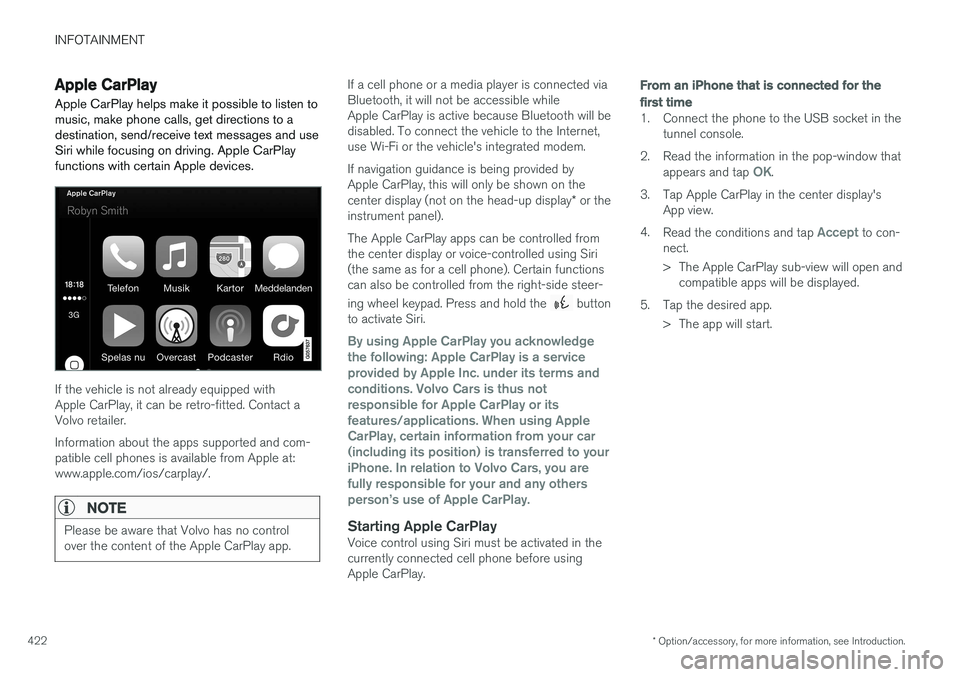
Apple CarPlay helps make it possible to listen to music, make phone calls, get directions to adestination, send/receive text messages and useSiri while focusing on driving. Apple CarPlayfunctions with certain Apple devices.
If the vehicle is not already equipped with Apple CarPlay, it can be retro-fitted. Contact aVolvo retailer. Information about the apps supported and com- patible cell phones is available from Apple at:www.apple.com/ios/carplay/.
NOTE
Please be aware that Volvo has no control over the content of the Apple CarPlay app.
If a cell phone or a media player is connected via Bluetooth, it will not be accessible whileApple CarPlay is active because Bluetooth will bedisabled. To connect the vehicle to the Internet,use Wi-Fi or the vehicle's integrated modem. If navigation guidance is being provided by Apple CarPlay, this will only be shown on the center display (not on the head-up display * or the
instrument panel). The Apple CarPlay apps can be controlled from the center display or voice-controlled using Siri(the same as for a cell phone). Certain functionscan also be controlled from the right-side steer- ing wheel keypad. Press and hold the
button
to activate Siri.
By using Apple CarPlay you acknowledge the following: Apple CarPlay is a serviceprovided by Apple Inc. under its terms andconditions. Volvo Cars is thus notresponsible for Apple CarPlay or itsfeatures/applications. When using AppleCarPlay, certain information from your car(including its position) is transferred to youriPhone. In relation to Volvo Cars, you arefully responsible for your and any othersperson
Page 426 of 546
||
INFOTAINMENT
* Option/accessory, for more information, see Introduction.
424
Related information
• Apple CarPlay (p. 422)
• Resetting the settings view (p. 115)
CD (media) player
*
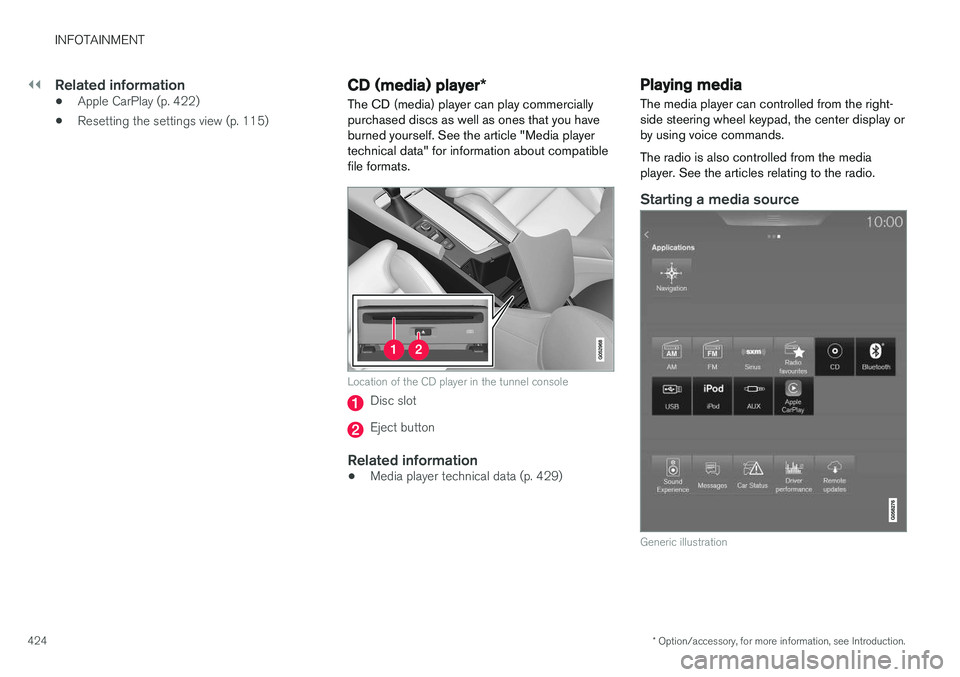
The CD (media) player can play commercially purchased discs as well as ones that you haveburned yourself. See the article "Media playertechnical data" for information about compatiblefile formats.
Location of the CD player in the tunnel console
Disc slot
Eject button
Related information
• Media player technical data (p. 429)
Playing media The media player can controlled from the right- side steering wheel keypad, the center display orby using voice commands. The radio is also controlled from the media player. See the articles relating to the radio.
Starting a media source
Generic illustration
Page 427 of 546
INFOTAINMENT
}}
425
CD
1. Insert a CD. 2.Open the
CD app in the center display's App
view.
3. Select a track. > Playback will begin.
USB flash drive
1. Insert the flash drive in the USB socket. 2. Open the
USB app in the center display's
App view.
3. Select a track. > Playback will begin.
Mp3 player and iPod®
NOTE
Use the iPod app ( not the USB app) to start playback. When an iPod is the media source, the info- tainment system will use a menu structuresimilar to the iPod's own menu structure.
1. Connect the device.
2. Start playback in the connected device.3.
Open the
iPod, USB, AUX) app in the cen-
ter display's App view.
> Playback will begin.
Bluetooth-connected device
1. Connect the device.
2. Activate Bluetooth in the device.
3. Start playback from the connected device.4. Open the
Bluetooth app in the center dis-
play's App view.
> Playback will begin.
Internet media
1. Connect the vehicle to the Internet.
2. Open the app in the center display's App view.
> Playback will begin.
Video
1. Connect the device. 2.Open the
USB app in the center display's
App view.
3. Tap the title of the video content to be played.
> Playback will begin.
Apple CarPlay
Apple CarPlay is described in a separate article.
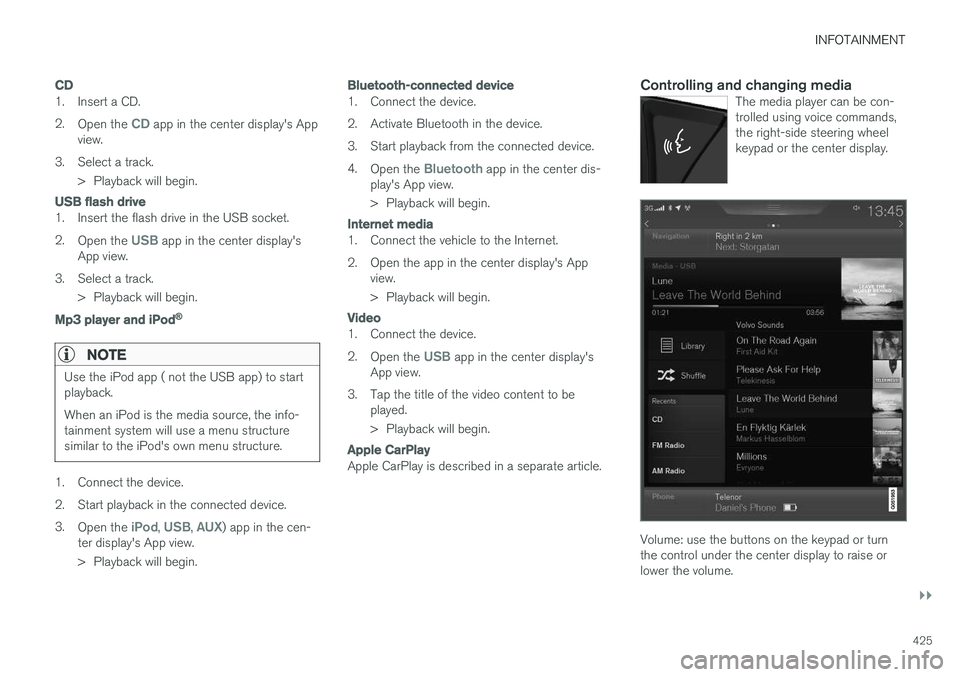
Controlling and changing mediaThe media player can be con- trolled using voice commands,the right-side steering wheelkeypad or the center display.
Volume: use the buttons on the keypad or turn the control under the center display to raise orlower the volume.
Page 428 of 546
||
INFOTAINMENT
* Option/accessory, for more information, see Introduction.
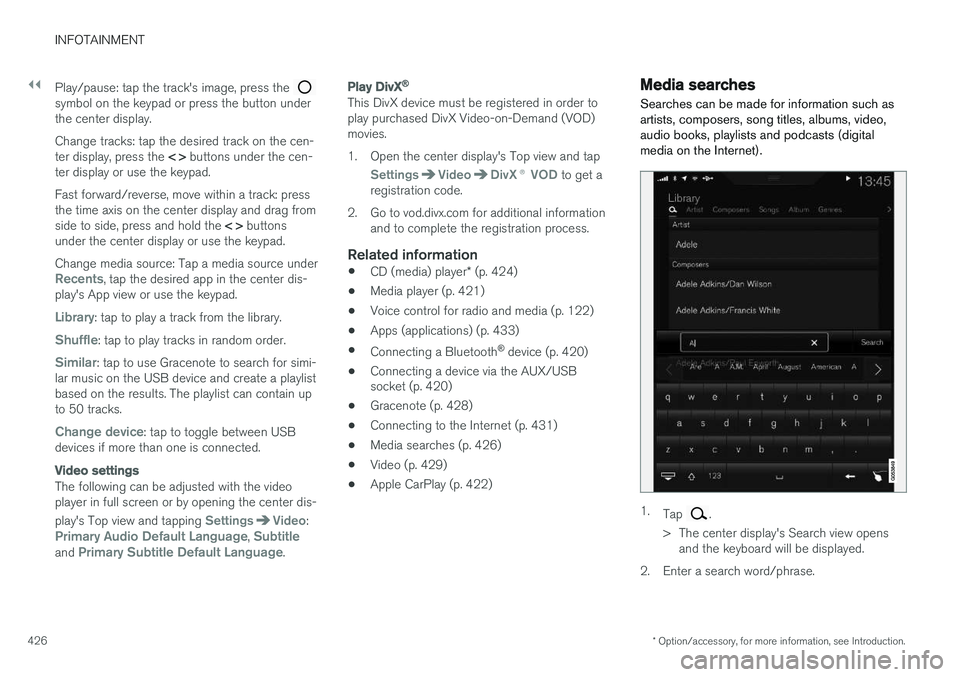
426 Play/pause: tap the track's image, press the
symbol on the keypad or press the button under the center display. Change tracks: tap the desired track on the cen- ter display, press the
< > buttons under the cen-
ter display or use the keypad. Fast forward/reverse, move within a track: press the time axis on the center display and drag from side to side, press and hold the < > buttons
under the center display or use the keypad. Change media source: Tap a media source under
Recents, tap the desired app in the center dis-
play's App view or use the keypad.
Library: tap to play a track from the library.
Shuffle: tap to play tracks in random order.
Similar: tap to use Gracenote to search for simi-
lar music on the USB device and create a playlist based on the results. The playlist can contain upto 50 tracks.
Change device: tap to toggle between USB
devices if more than one is connected.
Video settings
The following can be adjusted with the video player in full screen or by opening the center dis- play's Top view and tapping
SettingsVideo:Primary Audio Default Language, Subtitleand Primary Subtitle Default Language.
Play DivX®
This DivX device must be registered in order to play purchased DivX Video-on-Demand (VOD)movies.
1. Open the center display's Top view and tap
SettingsVideoDivX
® VOD to get a
registration code.
2. Go to vod.divx.com for additional information and to complete the registration process.
Related information
• CD (media) player
* (p. 424)
• Media player (p. 421)
• Voice control for radio and media (p. 122)
• Apps (applications) (p. 433)
• Connecting a Bluetooth ®
device (p. 420)
• Connecting a device via the AUX/USB socket (p. 420)
• Gracenote (p. 428)
• Connecting to the Internet (p. 431)
• Media searches (p. 426)
• Video (p. 429)
• Apple CarPlay (p. 422)
Media searches
Searches can be made for information such as artists, composers, song titles, albums, video,audio books, playlists and podcasts (digitalmedia on the Internet).
1. Tap .
> The center display's Search view opens and the keyboard will be displayed.
2. Enter a search word/phrase.
Page 429 of 546
INFOTAINMENT
427
3.
Tap
Search.
> The infotainment system will search through all connected devices and any results will be displayed by category.
Related information
• Media player (p. 421)
• Playing media (p. 424)
• Using the center display keyboard (p. 35)
Playing media through the AUX/USB sockets
An external media device, such as an iPod or an mp-3 player can be connected to the infotain-ment system.
A device with rechargeable batteries can be recharged when it is connected to the USBsocket (if the ignition is on or the engine is run-ning). To simplify the use of a USB flash drive, it is advisable to only store files with compatible fileformats on it. It will take considerably longer forthe system to index the files on the drive if it con-tains anything other than compatible files. In addition to audio, the vehicle's media player also supports video playback when the externaldevice is connected to the USB socket. Certain mp-3 players have proprietary file formats that are not supported by the infotainment sys-tem.
Related information
• Connecting a device via the AUX/USB socket (p. 420)
Streaming media through a Bluetooth connection The media player is equipped with Bluetooth ®
for streaming audio files from external Bluetooth ®
-enabled devices.
Related information
• Connecting a Bluetooth ®
device (p. 420)
• Playing media (p. 424)
• Voice control for radio and media (p. 122)
• Media player (p. 421)
• Ignition modes (p. 370)
• Media player technical data (p. 429)
Page 493 of 546
MAINTENANCE AND SERVICING
}}
* Option/accessory, for more information, see Introduction.491
Positions
•Fuses 1, 3–21, 23–36, 39–53 and 55–59 are called "Micro".
• Fuses 2, 22, 37–38 and 54 are called"MCase" and should only be replaced by atrained and qualified Volvo service technician.
FunctionA
––
– 120-volt socket between the rear seats A–
––
Alarm system movement sensor B5
Media player5
Instrument panel5
Center console buttons5
Sun sensor5
––
––
Steering wheel module5
Module for start knob and parking brake5
FunctionA
Heated steering wheel
* module15
––
––
––
––
Climate system control module10
––
On-board diagnostics (OBDII)10
Center display5
Climate system blower module (front)40
––
Instrument lighting; Courtesy light- ing; Rearview mirror auto-dim func-tion; Rain and light sensor; Rear tunnel console keypad *A
; Power
front seats *; Power rear seats A
;
Display for rear seat conveniencefunctions A
; Rear seat massage
function A7.5
FunctionA
Control module for driver support functions5
Panorama roof and sun shade
*20
Head-up display*5
Courtesy lighting5
––
Ceiling console display (seat belt reminder, front passenger side air-bag indicator)5
––
Humidity sensor5
Rear passenger-side door module20
Fuses in the cargo compartment10
Internet connection control module; Volvo On Call control module5
Rear driver-side door module20
Infotainment control module (amplifier)40
Climate system blower module (rear)40
Page 507 of 546
MAINTENANCE AND SERVICING
}}}}
505
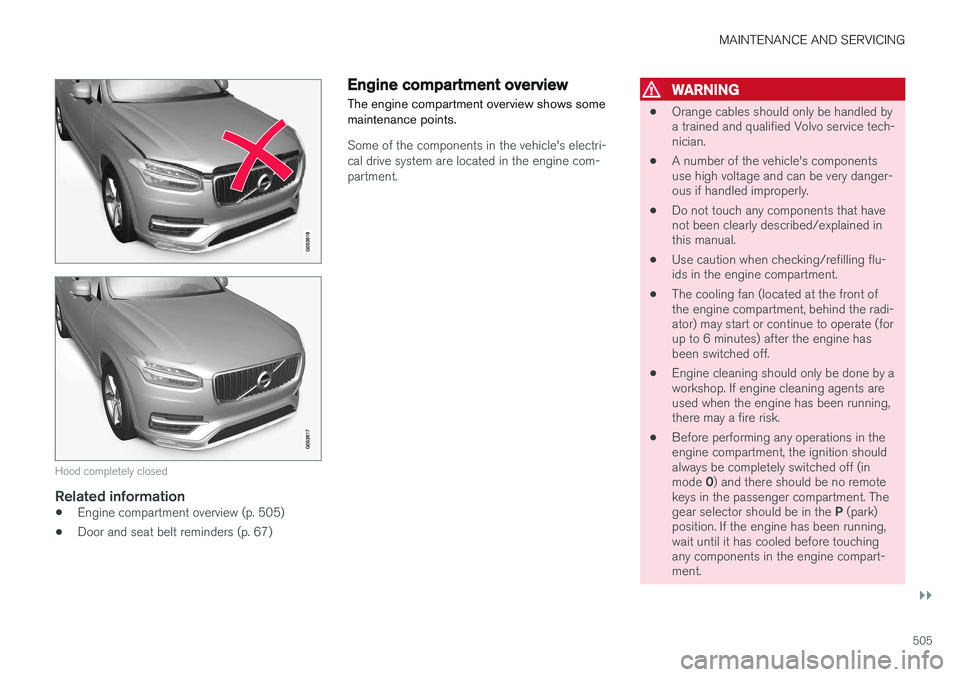
Hood completely closed
Related information
•Engine compartment overview (p. 505)
• Door and seat belt reminders (p. 67)
Engine compartment overview
The engine compartment overview shows some maintenance points.
Some of the components in the vehicle's electri- cal drive system are located in the engine com-partment.
WARNING
• Orange cables should only be handled by a trained and qualified Volvo service tech-nician.
• A number of the vehicle's componentsuse high voltage and can be very danger-ous if handled improperly.
• Do not touch any components that havenot been clearly described/explained inthis manual.
• Use caution when checking/refilling flu-ids in the engine compartment.
• The cooling fan (located at the front ofthe engine compartment, behind the radi-ator) may start or continue to operate (forup to 6 minutes) after the engine hasbeen switched off.
• Engine cleaning should only be done by aworkshop. If engine cleaning agents areused when the engine has been running,there may a fire risk.
• Before performing any operations in theengine compartment, the ignition shouldalways be completely switched off (in mode
0) and there should be no remote
keys in the passenger compartment. Thegear selector should be in the P (park)
position. If the engine has been running, wait until it has cooled before touchingany components in the engine compart-ment.
Page 536 of 546
INDEX
534Brake system
Brake pad inspection 347
fluid 528
general information 346, 348, 350
Bulbs 500 replacing 496
specifications 501
C
Cameradriver support systems 252
limitations 254
Camera, Park Assist 311, 313, 315, 316
Capacity weight 449, 525
Cargo area, steel grid 219
Cargo area cover 221Cargo compartment fuses 493
raising/lowering the level 215
Cargo net 217
Cargo space 208
Car wash 511
Catalytic converter 364CD, USB, iPod, AUX, Bluetooth, Recents, Library, Shuffle, Similar, Change device, Pri-
mary Audio Default Language, Subtitle, Pri- mary Subtitle Default Language, Video, DivX ® VOD 424
CD player 424 Cell phone hands-free 414
Pairing 415
Cell phone voice control 122 Center display changing settings 34
cleaning 515
keyboard 35
navigating in 42
overview 32
screen in the center console 49
symbols in the status bar 47
Chains 451
Changing a wheel 453Charging cable hybrid battery 375
Child restraints recalls and registration 70
Child restraint systems 70 booster cushions 77
convertible seats 74
infant seats 72
ISOFIX/LATCH anchors 78
top tether anchors 80Child safety 68booster cushions 77
child restraint systems 70, 79
convertible seats 74
infant seats 72
Child safety locks 228 Child seats lower attachment points 79
City safety 287, 293City Safety crossing traffic 291
detecting objects 290
limitations 293
rear collision warning 292
symbols and messages 297
troubleshooting 295
City Safety, On/Off 289 Cleaning exterior 511
interior 513
Clean Zone Interior Package 186
Climate system 188 air distribution 201, 202, 204
air filter 187
air vents 202
auto mode 187
blower 191
center display controls 189
Page 537 of 546
INDEX
535
Electronic Climate Control 188
introduction 178, 188
passenger compartment filter 186
preconditioning 179, 181
rear controls 188, 190
recirculation 194
refrigerant 527
service 479
setting the temperature 192
voice commands 123
Clock 117
Cold weather driving 358
Collision warning system 288
Compass in rearview mirror 139 calibrate 139
Connected service booking 475
Convertible seats 74
Coolant 528 refilling 468
Corrosion protection 516
Courtesy lighting 148
Crash event data 30
Crash mode 87, 88
Cross Traffic Alert 333, 334, 335, 337
Cruise control 261, 262, 263, 264, 265 adaptive 266, 268, 269, 271, 272, 273 , 282 , 283 , 284 , 285 , 286
Curb weight 449, 525
D
Daytime running lights 140, 142 Defroster
rear window and mirrors 195
Detachable key blade 237, 248
Digital owner's manual 55, 56
Dimensions 523
Disconnecting the front passenger
Page 539 of 546
INDEX
537
Home safe lighting 148
Hood, opening/closing 504
Horn, Keypad, Paddles, Signal 160hybrid
battery 481
Hybrid battery charge status 385
battery specifications 527
charging cable circuit breaker 377
charging current 387
charging the battery 382, 383, 387
drive systems 374
electric motor in city driving 389
information in the instrument panel 130
messages and symbols 378
vehicle storage 388
Hybrid battery charging cable 375
stopping the charging procedure 381
I
ID, Volvo 31
Ignition modes 370
Immobilizer (start inhibitor) 231
Indicator lights 137
Infant seats 72
Inflatable Curtain 92
Inflation pressure 451
Inflation pressure table 531
Information lights 137
Infotainment 441
Infotainment (Infotainment system) 404
Infotainment system 407, 409, 410CD player 424
cell phone 414
general sound settings 404
Gracenote 428
introduction 404
media player 420, 424
media player sound settings 428
media search 426
radio 405
searching for radio stations 406
sound settings 404, 428
type approval 437
video 429
voice control 120
Inspection readiness 472
Instrument lighting 141
Instrument overview 103Instrument panel hybrid information 130
Intellisafe 21Interior Air Quality System 186
Interior lighting 148
Internet connection 431 applications (apps) 433
bluetooth settings 433
booking service 475
establishing a connection 431
troubleshooting 435
ISOFIX/LATCH anchors 78
J
Jack 453 location of 453, 454
Jump starting 360, 365
K
Key remote 235
Key blade 237, 248