steering VOLVO XC90 T8 2016 Owner´s Manual
[x] Cancel search | Manufacturer: VOLVO, Model Year: 2016, Model line: XC90 T8, Model: VOLVO XC90 T8 2016Pages: 546, PDF Size: 10.26 MB
Page 427 of 546
INFOTAINMENT
}}
425
CD
1. Insert a CD. 2.Open the
CD app in the center display's App
view.
3. Select a track. > Playback will begin.
USB flash drive
1. Insert the flash drive in the USB socket. 2. Open the
USB app in the center display's
App view.
3. Select a track. > Playback will begin.
Mp3 player and iPod®
NOTE
Use the iPod app ( not the USB app) to start playback. When an iPod is the media source, the info- tainment system will use a menu structuresimilar to the iPod's own menu structure.
1. Connect the device.
2. Start playback in the connected device.3.
Open the
iPod, USB, AUX) app in the cen-
ter display's App view.
> Playback will begin.
Bluetooth-connected device
1. Connect the device.
2. Activate Bluetooth in the device.
3. Start playback from the connected device.4. Open the
Bluetooth app in the center dis-
play's App view.
> Playback will begin.
Internet media
1. Connect the vehicle to the Internet.
2. Open the app in the center display's App view.
> Playback will begin.
Video
1. Connect the device. 2.Open the
USB app in the center display's
App view.
3. Tap the title of the video content to be played.
> Playback will begin.
Apple CarPlay
Apple CarPlay is described in a separate article.
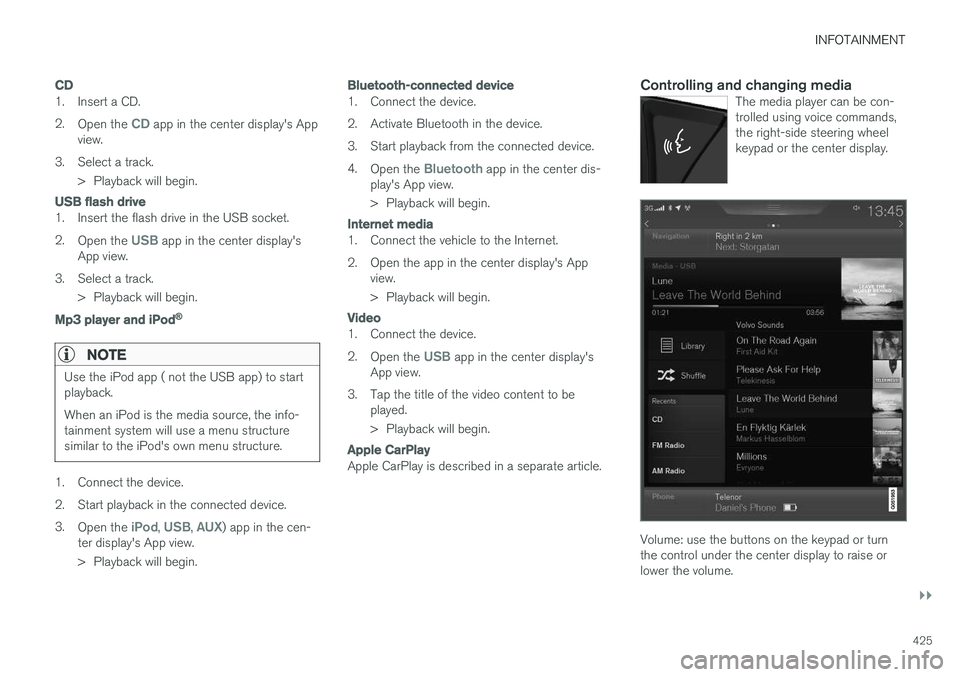
Controlling and changing mediaThe media player can be con- trolled using voice commands,the right-side steering wheelkeypad or the center display.
Volume: use the buttons on the keypad or turn the control under the center display to raise orlower the volume.
Page 466 of 546
||
WHEELS AND TIRES
464
Connecting
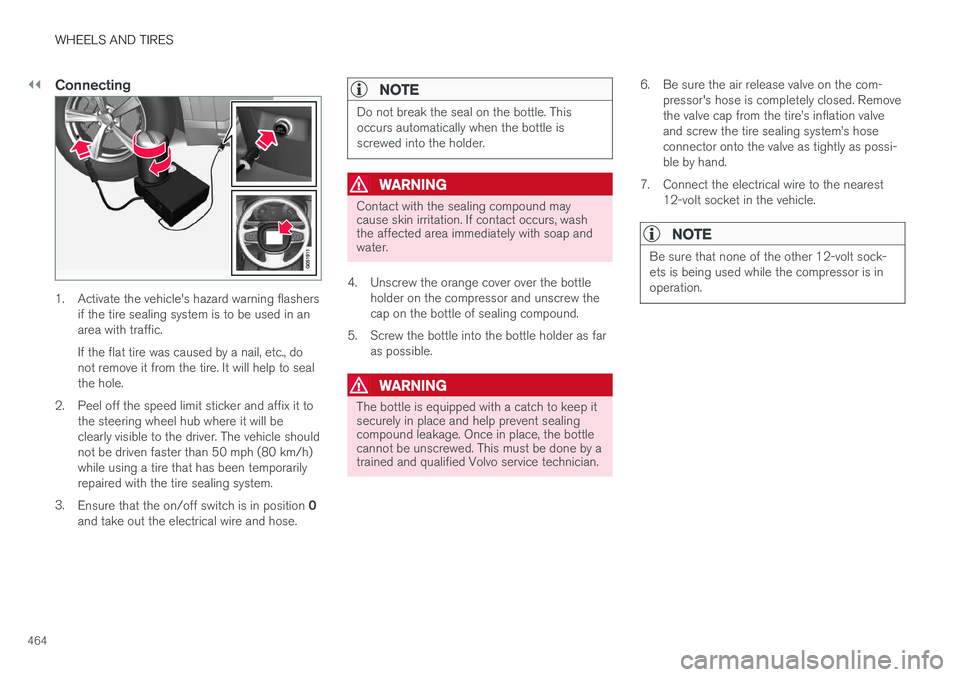
1. Activate the vehicle's hazard warning flashersif the tire sealing system is to be used in an area with traffic. If the flat tire was caused by a nail, etc., do not remove it from the tire. It will help to sealthe hole.
2. Peel off the speed limit sticker and affix it to the steering wheel hub where it will beclearly visible to the driver. The vehicle shouldnot be driven faster than 50 mph (80 km/h)while using a tire that has been temporarilyrepaired with the tire sealing system.
3. Ensure that the on/off switch is in position 0
and take out the electrical wire and hose.
NOTE
Do not break the seal on the bottle. This occurs automatically when the bottle isscrewed into the holder.
WARNING
Contact with the sealing compound may cause skin irritation. If contact occurs, washthe affected area immediately with soap andwater.
4. Unscrew the orange cover over the bottle holder on the compressor and unscrew the cap on the bottle of sealing compound.
5. Screw the bottle into the bottle holder as far as possible.
WARNING
The bottle is equipped with a catch to keep it securely in place and help prevent sealingcompound leakage. Once in place, the bottlecannot be unscrewed. This must be done by atrained and qualified Volvo service technician. 6. Be sure the air release valve on the com-
pressor's hose is completely closed. Remove the valve cap from the tire
Page 468 of 546
||
WHEELS AND TIRES
466
ice technician to have the bottle removed and properly disposed of.
WARNING
If heavy vibrations, unsteady steering behavior, or noises should occur while driving, reducespeed and park the vehicle in a safe place.Recheck the tire for bumps, cracks, or othervisible damage, and recheck its inflation pres-sure. If the pressure is below 19 psi (1.3 bar),do not continue driving. Have the vehicletowed to a trained and qualified Volvo servicetechnician.
15. Rechecking the pressure Reconnect the tire sealing system's hose to the tire's inflation valve. 16. Without starting the compressor, check the
inflation pressure on the air pressure gauge. •If the pressure is under 19 psi (1.3 bar), the puncture has not been sealed suffi-ciently and the vehicle should not bedriven. Have the vehicle towed to a trainedand qualified Volvo service technician.
• If the pressure is more than 19 psi(1.3 bar), connect the electrical wire to a12-volt socket, start the compressor andinflate the tire to the correct pressure(see the tire pressure decal on the on thedriver's side B-pillar (the structural mem-ber at the side of the vehicle, at the rearof the driver's door opening). Use the airrelease valve to release some air from thetire if necessary.
17. Switch off the compressor and disconnect the electrical wire from the 12-volt socket. Unscrew the hose from the tire
Page 469 of 546
WHEELS AND TIRES
}}
467
WARNING
•After using the tire sealing system, the vehicle should not be driven farther thanapproximately 120 miles (200 km).
• Have the tire inspected by a trained andqualified Volvo service technician as soonas possible to determine if it can be per-manently repaired or must be replaced.
• The vehicle should not be driven fasterthan 50 mph (80 km/h) while using a tirethat has been temporarily repaired withthe tire sealing system.
• After using the tire sealing system, drivecarefully and avoid abrupt steeringmaneuvers and sudden stops.
Related information
• Tire sealing system (p. 461)
• Checking tire inflation pressure (p. 451)
Inflating a tire with the tire sealing system compressor
The compressor can be used to inflate a tire.
1. The compressor should be switched off. Ensure that the on/off switch is in position 0.
Take out the electrical wire and hose.
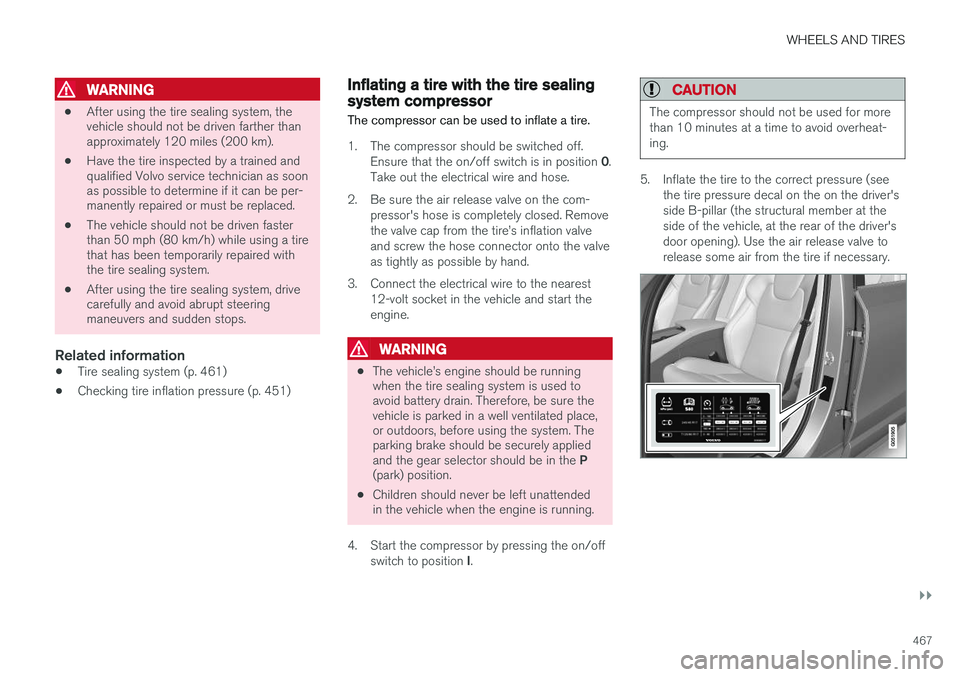
2. Be sure the air release valve on the com- pressor's hose is completely closed. Remove the valve cap from the tire
Page 489 of 546
![VOLVO XC90 T8 2016 Owner´s Manual MAINTENANCE AND SERVICING
}}
* Option/accessory, for more information, see Introduction.487
Function[A]
––
Horn20
Alarm siren*5
Brake system control module (valves, parking brake)40
Windshield wip](/img/45/36400/w960_36400-488.png "VOLVO XC90 T8 2016 Owner´s Manual MAINTENANCE AND SERVICING
}}
* Option/accessory, for more information, see Introduction.487
Function[A]
––
Horn20
Alarm siren*5
Brake system control module (valves, parking brake)40
Windshield wip")
MAINTENANCE AND SERVICING
}}
* Option/accessory, for more information, see Introduction.487
Function[A]
––
Horn20
Alarm siren*5
Brake system control module (valves, parking brake)40
Windshield wipers30
Tailgate window washer25
Heated windshield *, passenger
side40
––
Brake system control module (ABS pump)40
––
Heated windshield *, passenger
sideShunt
Feed when ignition is switched on to: engine control module,transmission components, elec-trical power steering, centralelectrical module5
Exterior vehicle sound (certain markets)5
Function[A]
Passenger side headlight7,5
––
––
––
Air bags; Occupant Weight Sen- sor (OWS)5
Driver side headlight7,5
Accelerator pedal sensor5
Transmission control module; Gear selector control module15
Engine control module5
––
––
––
––
Engine control module; Turbo- charger valve20
Solenoids; Valves; Engine cool- ing system thermostat10
Function[A]
Vacuum regulators; Valve7,5
Spoiler shutter control module; Radiator shutter control module;Fuel leakage detection5
––
Heated oxygen sensors (front and rear)15
Oil pump solenoid; A/C mag- netic coupling; heated oxygensensor (center)15
––
Engine control module20
Ignition coil; Spark plugs15
––
––
Transmission oil pump control module30
Vacuum pump control module40
Transmission actuator25
––
Page 493 of 546
MAINTENANCE AND SERVICING
}}
* Option/accessory, for more information, see Introduction.491
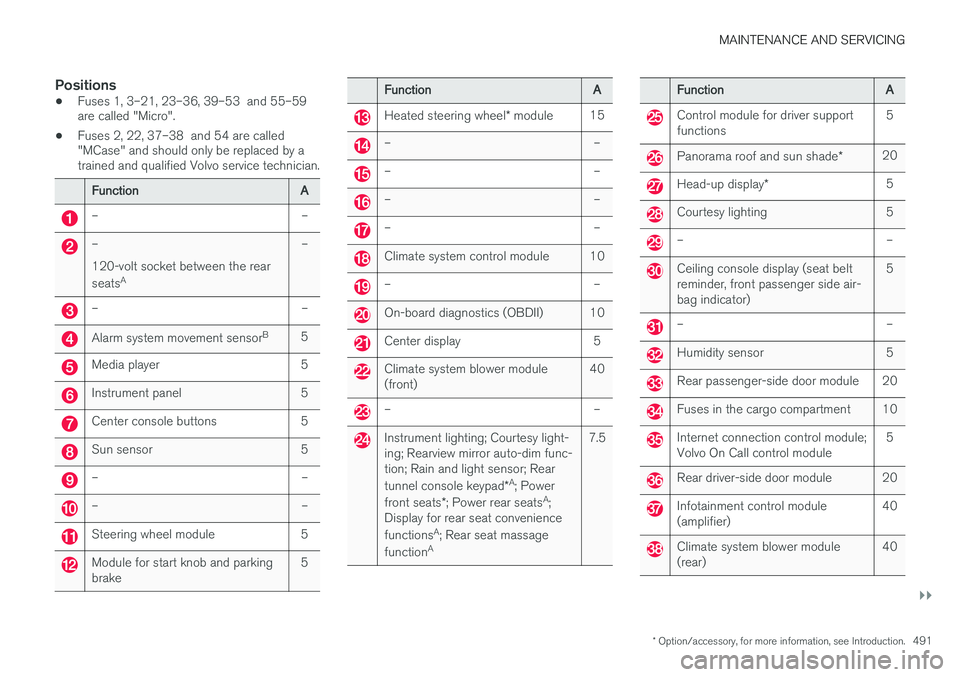
Positions
•Fuses 1, 3–21, 23–36, 39–53 and 55–59 are called "Micro".
• Fuses 2, 22, 37–38 and 54 are called"MCase" and should only be replaced by atrained and qualified Volvo service technician.
FunctionA
––
– 120-volt socket between the rear seats A–
––
Alarm system movement sensor B5
Media player5
Instrument panel5
Center console buttons5
Sun sensor5
––
––
Steering wheel module5
Module for start knob and parking brake5
FunctionA
Heated steering wheel
* module15
––
––
––
––
Climate system control module10
––
On-board diagnostics (OBDII)10
Center display5
Climate system blower module (front)40
––
Instrument lighting; Courtesy light- ing; Rearview mirror auto-dim func-tion; Rain and light sensor; Rear tunnel console keypad *A
; Power
front seats *; Power rear seats A
;
Display for rear seat conveniencefunctions A
; Rear seat massage
function A7.5
FunctionA
Control module for driver support functions5
Panorama roof and sun shade
*20
Head-up display*5
Courtesy lighting5
––
Ceiling console display (seat belt reminder, front passenger side air-bag indicator)5
––
Humidity sensor5
Rear passenger-side door module20
Fuses in the cargo compartment10
Internet connection control module; Volvo On Call control module5
Rear driver-side door module20
Infotainment control module (amplifier)40
Climate system blower module (rear)40
Page 516 of 546
||
MAINTENANCE AND SERVICING
* Option/accessory, for more information, see Introduction.
514
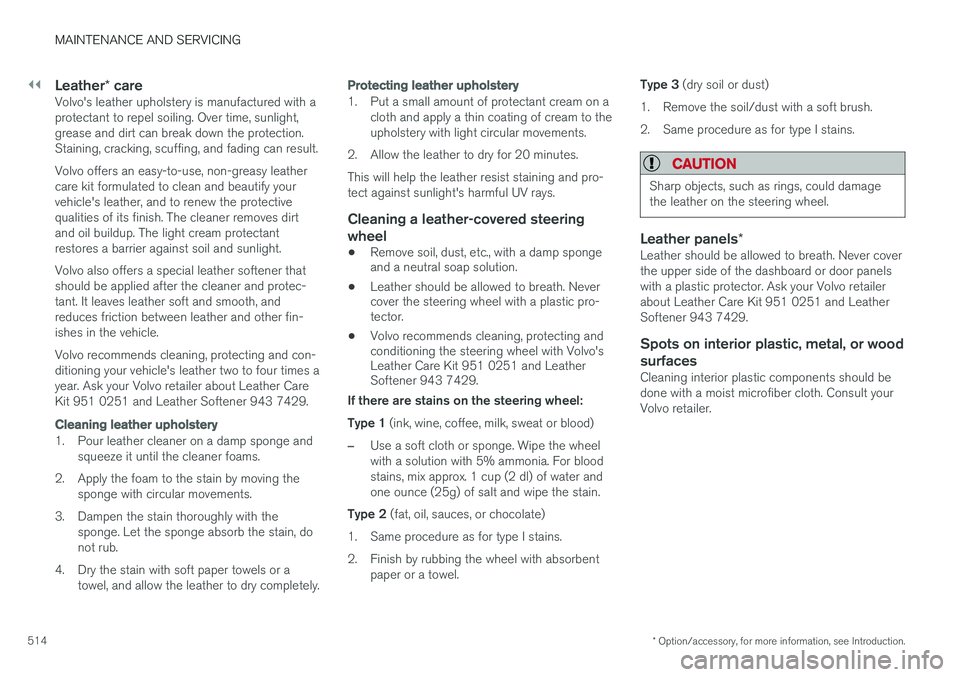
Leather * careVolvo's leather upholstery is manufactured with a protectant to repel soiling. Over time, sunlight,grease and dirt can break down the protection.Staining, cracking, scuffing, and fading can result. Volvo offers an easy-to-use, non-greasy leather care kit formulated to clean and beautify yourvehicle's leather, and to renew the protectivequalities of its finish. The cleaner removes dirtand oil buildup. The light cream protectantrestores a barrier against soil and sunlight. Volvo also offers a special leather softener that should be applied after the cleaner and protec-tant. It leaves leather soft and smooth, andreduces friction between leather and other fin-ishes in the vehicle. Volvo recommends cleaning, protecting and con- ditioning your vehicle's leather two to four times ayear. Ask your Volvo retailer about Leather CareKit 951 0251 and Leather Softener 943 7429.
Cleaning leather upholstery
1. Pour leather cleaner on a damp sponge and
squeeze it until the cleaner foams.
2. Apply the foam to the stain by moving the sponge with circular movements.
3. Dampen the stain thoroughly with the sponge. Let the sponge absorb the stain, do not rub.
4. Dry the stain with soft paper towels or a towel, and allow the leather to dry completely.
Protecting leather upholstery
1. Put a small amount of protectant cream on acloth and apply a thin coating of cream to the upholstery with light circular movements.
2. Allow the leather to dry for 20 minutes. This will help the leather resist staining and pro- tect against sunlight's harmful UV rays.
Cleaning a leather-covered steering
wheel
• Remove soil, dust, etc., with a damp sponge and a neutral soap solution.
• Leather should be allowed to breath. Nevercover the steering wheel with a plastic pro-tector.
• Volvo recommends cleaning, protecting andconditioning the steering wheel with Volvo'sLeather Care Kit 951 0251 and LeatherSoftener 943 7429.
If there are stains on the steering wheel: Type 1 (ink, wine, coffee, milk, sweat or blood)
–Use a soft cloth or sponge. Wipe the wheel with a solution with 5% ammonia. For bloodstains, mix approx. 1 cup (2 dl) of water andone ounce (25g) of salt and wipe the stain.
Type 2 (fat, oil, sauces, or chocolate)
1. Same procedure as for type I stains.
2. Finish by rubbing the wheel with absorbent paper or a towel. Type 3
(dry soil or dust)
1. Remove the soil/dust with a soft brush.
2. Same procedure as for type I stains.
CAUTION
Sharp objects, such as rings, could damage the leather on the steering wheel.
Leather panels *Leather should be allowed to breath. Never cover the upper side of the dashboard or door panelswith a plastic protector. Ask your Volvo retailerabout Leather Care Kit 951 0251 and LeatherSoftener 943 7429.
Spots on interior plastic, metal, or wood
surfaces
Cleaning interior plastic components should bedone with a moist microfiber cloth. Consult yourVolvo retailer.
Page 541 of 546
INDEX
539
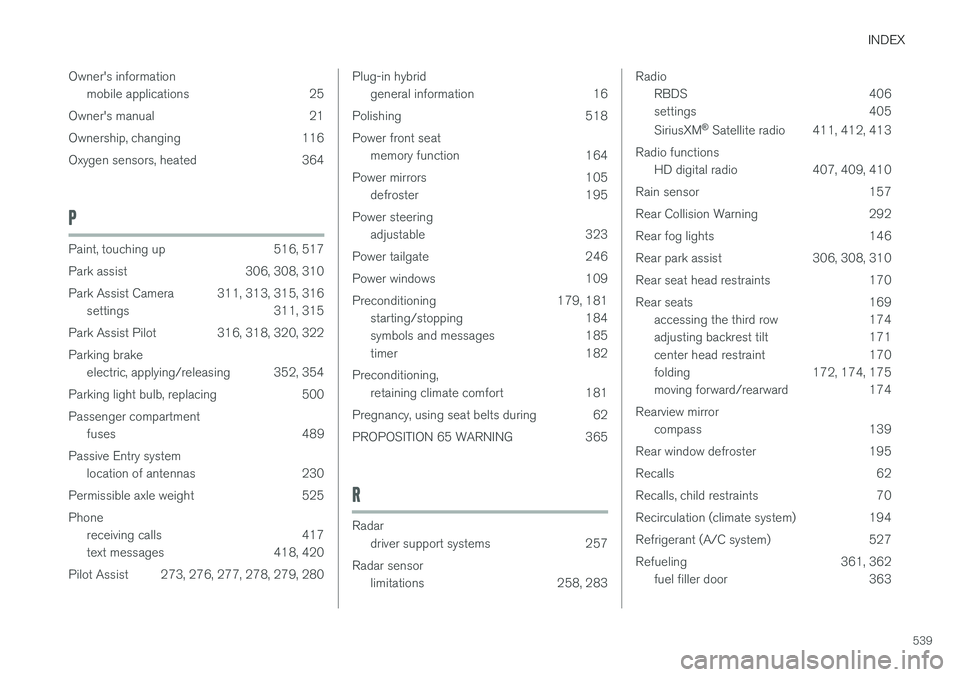
Owner's information
mobile applications 25
Owner's manual 21
Ownership, changing 116
Oxygen sensors, heated 364
P
Paint, touching up 516, 517
Park assist 306, 308, 310
Park Assist Camera 311, 313, 315, 316 settings 311, 315
Park Assist Pilot 316, 318, 320, 322Parking brake electric, applying/releasing 352, 354
Parking light bulb, replacing 500Passenger compartment fuses 489
Passive Entry system location of antennas 230
Permissible axle weight 525Phone receiving calls 417
text messages 418, 420
Pilot Assist 273, 276, 277, 278, 279, 280
Plug-in hybrid general information 16
Polishing 518 Power front seat memory function 164
Power mirrors 105 defroster 195
Power steering adjustable 323
Power tailgate 246
Power windows 109
Preconditioning 179, 181 starting/stopping 184
symbols and messages 185
timer 182
Preconditioning, retaining climate comfort 181
Pregnancy, using seat belts during 62
PROPOSITION 65 WARNING 365
R
Radar driver support systems 257
Radar sensor limitations 258, 283
Radio
RBDS 406
settings 405 SiriusXM ®
Satellite radio 411, 412, 413
Radio functions HD digital radio 407, 409, 410
Rain sensor 157
Rear Collision Warning 292
Rear fog lights 146
Rear park assist 306, 308, 310
Rear seat head restraints 170
Rear seats 169 accessing the third row 174
adjusting backrest tilt 171
center head restraint 170
folding 172, 174, 175
moving forward/rearward 174
Rearview mirror compass 139
Rear window defroster 195
Recalls 62
Recalls, child restraints 70
Recirculation (climate system) 194
Refrigerant (A/C system) 527
Refueling 361, 362 fuel filler door 363
Page 542 of 546
INDEX
540Registering child restraints 70
Remote key 235, 240
immobilizer 231
range 235
replacing the battery 232
Remote updates 475
Replacing bulbs 496
Replacing fuses 483, 484, 489, 493
Reporting safety defects 61
Roadside Assistance 14
Road sign information (RSI) 304, 305, 306
Rollover Protection System (ROPS) 327
Roll Stability Control (RSC) 327
S
Safety, occupant 60
Safety defects, reporting 61
Safety locks, child 228
Safety mode 87Seat adjusting the passenger's seat from the
driver's seat 164
Seat belt reminder 67
Seat beltsAutomatic locking retractor/Emergency
locking retractor 70
buckling 65
pretensioners 64, 65
reminder 67
securing child restraint systems 72, 74, 77
unbuckling 65
use during pregnancy 62
using 64
Seats rear 169
Sensus 22 Service connected service booking 475
Settings view categories 112
resetting 115
system settings 114
Shiftlock override 396
Side door mirrors 105
Side impact airbags 93 SiriusXM ®
Satellite radio
traffic information 411, 412, 413
Snow chains 451
Snow tires 451Sound settings media 428
ringtones 419
Sound settings, audio system 404, 428 Specifications bulbs 501
Speed camera alert 305
Speed limiter 298, 299, 304 automatic 300, 302
deactivating/reactivating 303
starting/activating 299
Spin control 323
Stability system 323 sport mode 324
Start and lock system type designations 230
Starting and driving 346
Starting the engine 372Starting the vehicle after a crash (crash mode) 87, 88
Start inhibitor (immobilizer) 231
Steel grid in cargo area 219
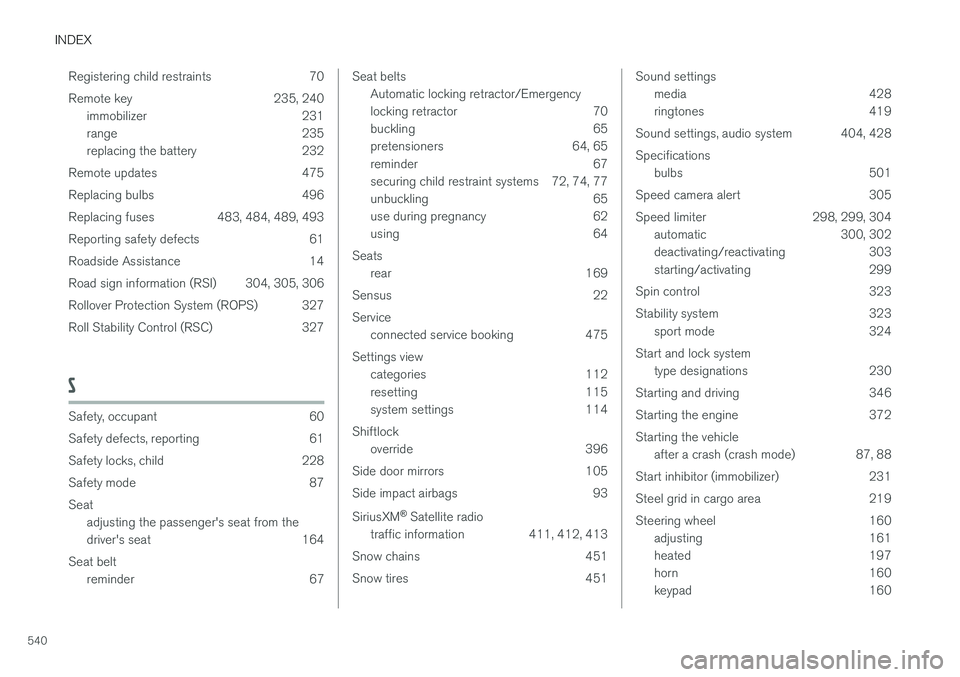
Steering wheel 160 adjusting 161
heated 197
horn 160
keypad 160
Page 543 of 546
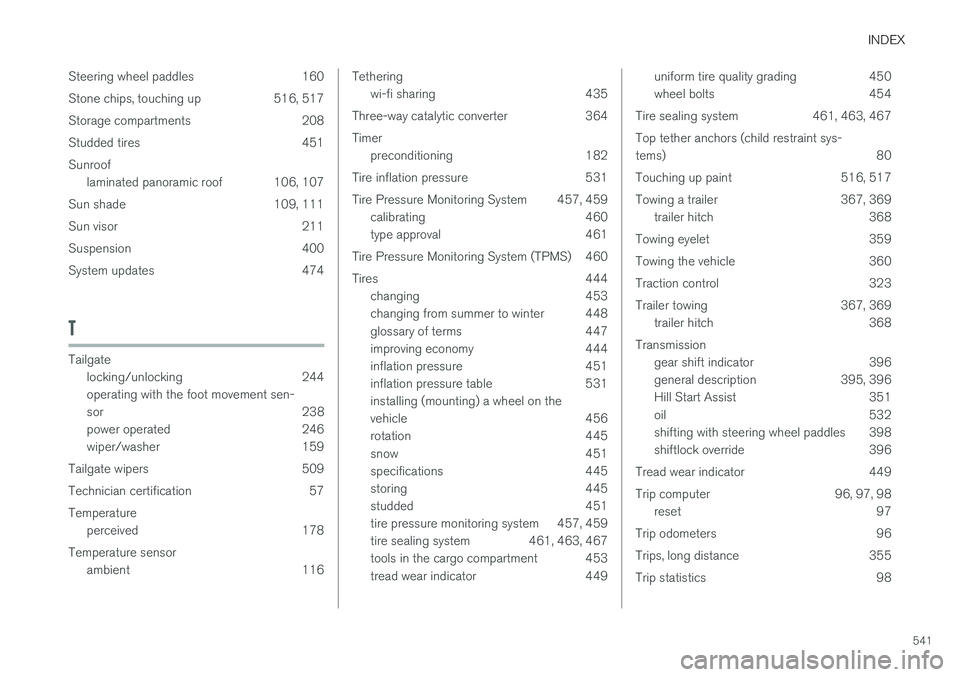
INDEX
541
Steering wheel paddles 160
Stone chips, touching up 516, 517
Storage compartments 208
Studded tires 451Sunroof
laminated panoramic roof 106, 107
Sun shade 109, 111
Sun visor 211
Suspension 400
System updates 474
T
Tailgate locking/unlocking 244 operating with the foot movement sen-
sor 238
power operated 246
wiper/washer 159
Tailgate wipers 509
Technician certification 57Temperature perceived 178
Temperature sensor ambient 116
Tetheringwi-fi sharing 435
Three-way catalytic converter 364 Timer preconditioning 182
Tire inflation pressure 531
Tire Pressure Monitoring System 457, 459 calibrating 460
type approval 461
Tire Pressure Monitoring System (TPMS) 460
Tires 444 changing 453
changing from summer to winter 448
glossary of terms 447
improving economy 444
inflation pressure 451
inflation pressure table 531installing (mounting) a wheel on the
vehicle 456
rotation 445
snow 451
specifications 445
storing 445
studded 451
tire pressure monitoring system 457, 459
tire sealing system 461, 463, 467
tools in the cargo compartment 453
tread wear indicator 449uniform tire quality grading 450
wheel bolts 454
Tire sealing system 461, 463, 467 Top tether anchors (child restraint sys- tems) 80
Touching up paint 516, 517
Towing a trailer 367, 369 trailer hitch 368
Towing eyelet 359
Towing the vehicle 360
Traction control 323
Trailer towing 367, 369 trailer hitch 368
Transmission gear shift indicator 396
general description 395, 396
Hill Start Assist 351
oil 532
shifting with steering wheel paddles 398
shiftlock override 396
Tread wear indicator 449
Trip computer 96, 97, 98 reset 97
Trip odometers 96
Trips, long distance 355
Trip statistics 98