ECU VOLVO XC90 T8 2016 Owner´s Manual
[x] Cancel search | Manufacturer: VOLVO, Model Year: 2016, Model line: XC90 T8, Model: VOLVO XC90 T8 2016Pages: 546, PDF Size: 10.26 MB
Page 438 of 546
||
INFOTAINMENT
436Tap
Connected devices to see a list of con-
nected devices.
Related information
• Internet connected vehicle (p. 431)
• Wi-Fi technology and security (p. 436)
• Symbols in the center display status bar (p. 47)
• Internet connection troubleshooting (p. 435)
Deleting Wi-Fi networks
Networks that are not used can be deleted.
1. Tap Settings in the center display's Top
view.
2. Tap
Wi-FiSaved networks.
3. Tap
Forget to remove the network.
4. Confirm the selection. > The vehicle will no longer connect to thedeleted network.
Deleting all networksAll networks can be deleted at the same time by returning (resetting) to factory settings. If this is done, all user data and settings will be reset to their default settings.
Related information
• Internet connected vehicle (p. 431)
• Connecting to the Internet (p. 431)
Wi-Fi technology and security
The following are types of networks can be con- nect to.
It is possible to connect to the following types of networks:
• Frequency: 2.4 or 5 GHz 7
.
• Standards: 802.11 a/b/g/n.
• Security type: WPA2-AES-CCMP.
The vehicle's Wi-Fi system is designed to man-age Wi-Fi devices in the vehicle. If several devices are using a frequency at the same time, this may result in poorer performance.
Related information
• Internet connected vehicle (p. 431)
• Connecting to the Internet (p. 431)
• Tethering (Wi-Fi sharing) (p. 435)
• Internet connection troubleshooting (p. 435)
7
Selecting a frequency is not possible in all markets.
Page 466 of 546
||
WHEELS AND TIRES
464
Connecting
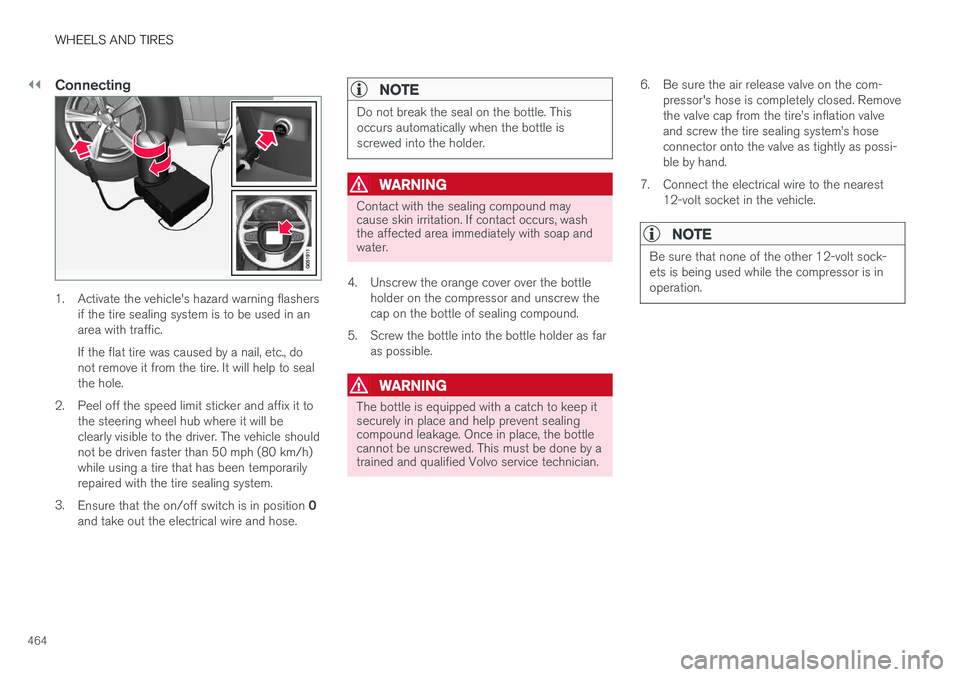
1. Activate the vehicle's hazard warning flashersif the tire sealing system is to be used in an area with traffic. If the flat tire was caused by a nail, etc., do not remove it from the tire. It will help to sealthe hole.
2. Peel off the speed limit sticker and affix it to the steering wheel hub where it will beclearly visible to the driver. The vehicle shouldnot be driven faster than 50 mph (80 km/h)while using a tire that has been temporarilyrepaired with the tire sealing system.
3. Ensure that the on/off switch is in position 0
and take out the electrical wire and hose.
NOTE
Do not break the seal on the bottle. This occurs automatically when the bottle isscrewed into the holder.
WARNING
Contact with the sealing compound may cause skin irritation. If contact occurs, washthe affected area immediately with soap andwater.
4. Unscrew the orange cover over the bottle holder on the compressor and unscrew the cap on the bottle of sealing compound.
5. Screw the bottle into the bottle holder as far as possible.
WARNING
The bottle is equipped with a catch to keep it securely in place and help prevent sealingcompound leakage. Once in place, the bottlecannot be unscrewed. This must be done by atrained and qualified Volvo service technician. 6. Be sure the air release valve on the com-
pressor's hose is completely closed. Remove the valve cap from the tire
Page 512 of 546
||
MAINTENANCE AND SERVICING
510
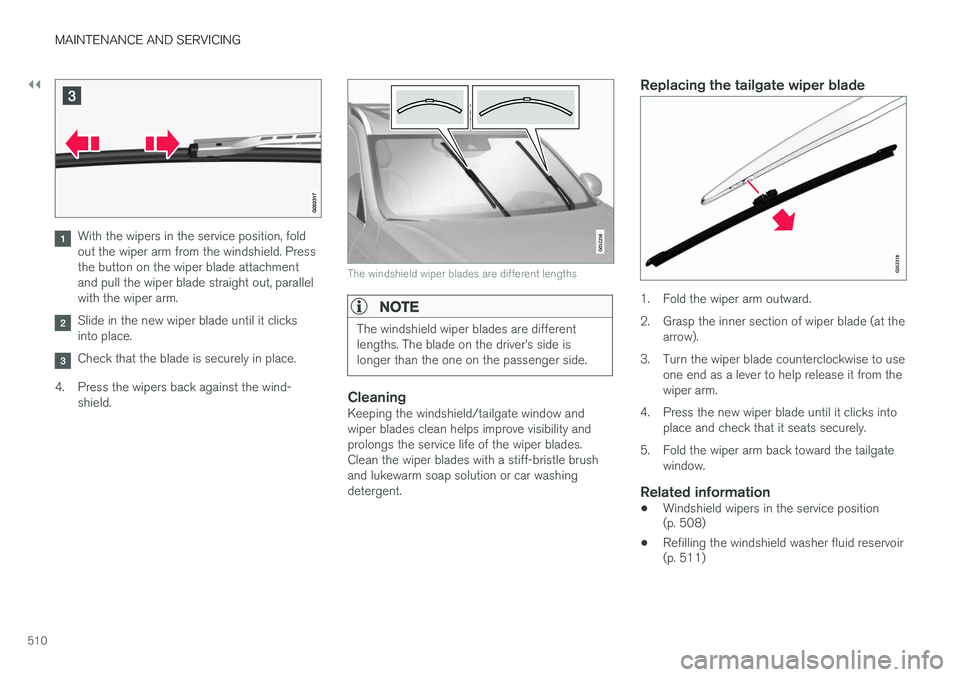
With the wipers in the service position, fold out the wiper arm from the windshield. Pressthe button on the wiper blade attachmentand pull the wiper blade straight out, parallelwith the wiper arm.
Slide in the new wiper blade until it clicks into place.
Check that the blade is securely in place.
4. Press the wipers back against the wind- shield.
The windshield wiper blades are different lengths
NOTE
The windshield wiper blades are different lengths. The blade on the driver
Page 515 of 546
MAINTENANCE AND SERVICING
}}
513
CAUTION
•Before driving into an automatic car wash, turn off the optional rain sensor toavoid damaging the windshield wipers.
• Make sure that side view mirrors, auxiliarylamps, etc, are secure, and that anyantenna(s) are retracted or removed. Oth-erwise there is risk of the machine dis-lodging them.
• Chromed wheels:
Clean chrome-plated
wheels using the same detergents usedfor the body of the vehicle. Aggressivewheel-cleaning agents can permanentlystain chrome-plated wheels.
WARNING
• When the vehicle is driven immediately after being washed, apply the brakes,including the parking brake, several timesin order to remove any moisture from thebrake linings.
• Engine cleaning agents should not beused when the engine is warm. This con-stitutes a fire risk.
Exterior componentsVolvo recommends the use of special cleaning products, available at your Volvo retailer, forcleaning colored plastic, rubber, or ornamentalcomponents such as chromed strips on the exte- rior of your vehicle. The instructions for usingthese products should be followed carefully. Sol-vents or stain removers should not be used.
CAUTION
•
Avoid waxing or polishing plastic or rub- ber components
• Polishing chromed strips can wear awayor damage the surface
• Polishes containing abrasive substancesshould not be used
Related information
•Paint damage (p. 516)
• Corrosion protection (p. 516)
• Polishing and waxing (p. 518)
• Windshield wipers in the service position (p. 508)
Cleaning the interior
Only use cleaning agents and car care products recommended by Volvo. Clean regularly and fol-low the instructions included with the car careproduct.
CAUTION
• Under no circumstances should gasoline, naphtha or similar cleaning agents beused on the plastic or the leather sincethese can cause damage.
• Take extra care when removing stainssuch as ink or lipstick since the coloringcan spread.
• Use solvents sparingly. Too much solventcan damage the seat padding.
• Start from the outside of the stain andwork toward the center.
• Sharp objects (e.g. pencils or pens in apocket) or Velcro fasteners on clothingmay damage the textile upholstery.
• Clothing that is not colorfast, such asnew jeans or suede garments, may stainthe upholstery.
Fabric upholstery and ceiling linerClean with soapy water or a detergent. For more difficult spots caused by oil, ice cream, shoe pol-ish, grease, etc., use a clothing/fabric stainremover. Consult your Volvo retailer.
Page 517 of 546
MAINTENANCE AND SERVICING
}}
515
CAUTION
•Do not use cleaning agents with high alcohol content such as washer fluid toclean instrument panel glass.
• Never spray cleaning agents or waterdirectly onto components with electricalbuttons or controls. Clean components ofthis type by applying the cleaning agent/water sparingly to a cloth and wiping thecomponents so that no liquid penetratesinto these components.
Cleaning the seat beltsClean only with lukewarm water and a mild soap solution.
Cleaning floor matsThe floor mats should be vacuumed or brushedclean regularly, especially during winter whenthey should be taken out for drying. Spots on tex-tile mats can be removed with a mild detergent.For best protection in winter, Volvo recommendsthe use of Volvo rubber floor mats. Consult yourVolvo retailer.
WARNING
•
Never use more than one floor mat at a time on the driver's floor. Before driving,remove the original mat from the driver'sseat floor before using any other type offloor mat. Any mat used in this positionshould be securely and properly anchoredin the attaching pins. An extra mat on thedriver's floor can cause the acceleratorand/or brake pedal to catch. Check thatthe movement of these pedals is notimpeded.
• Volvo's floor mats are specially manufac-tured for your car. They must be firmlysecured in the clips on the floor so thatthey cannot slide and become trappedunder the pedals on the driver's side.
Related information
• Cleaning the center display (p. 515)
Cleaning the center display
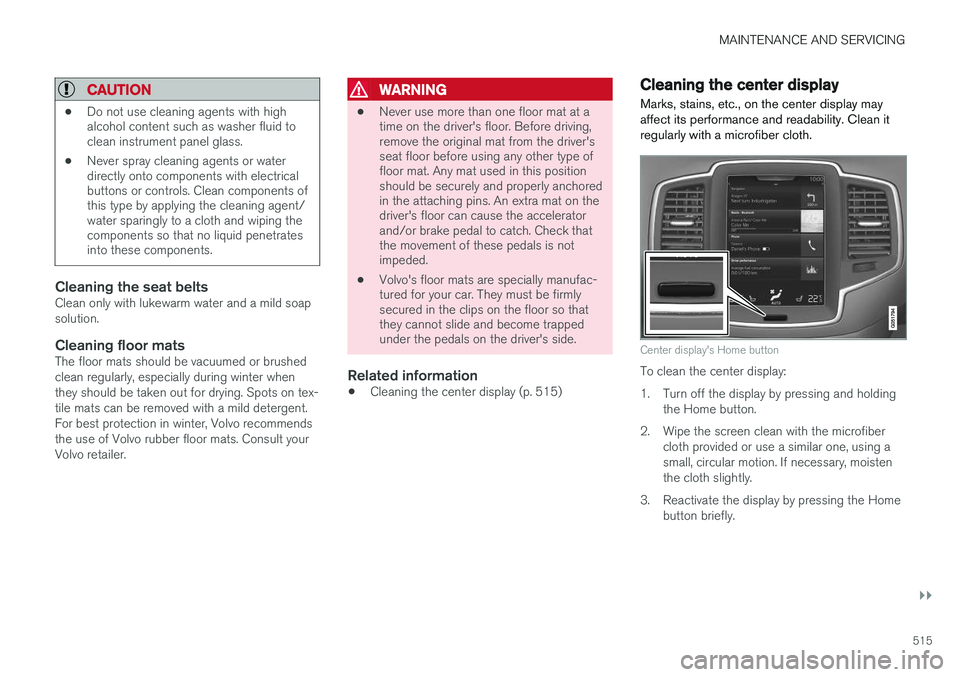
Marks, stains, etc., on the center display may affect its performance and readability. Clean itregularly with a microfiber cloth.
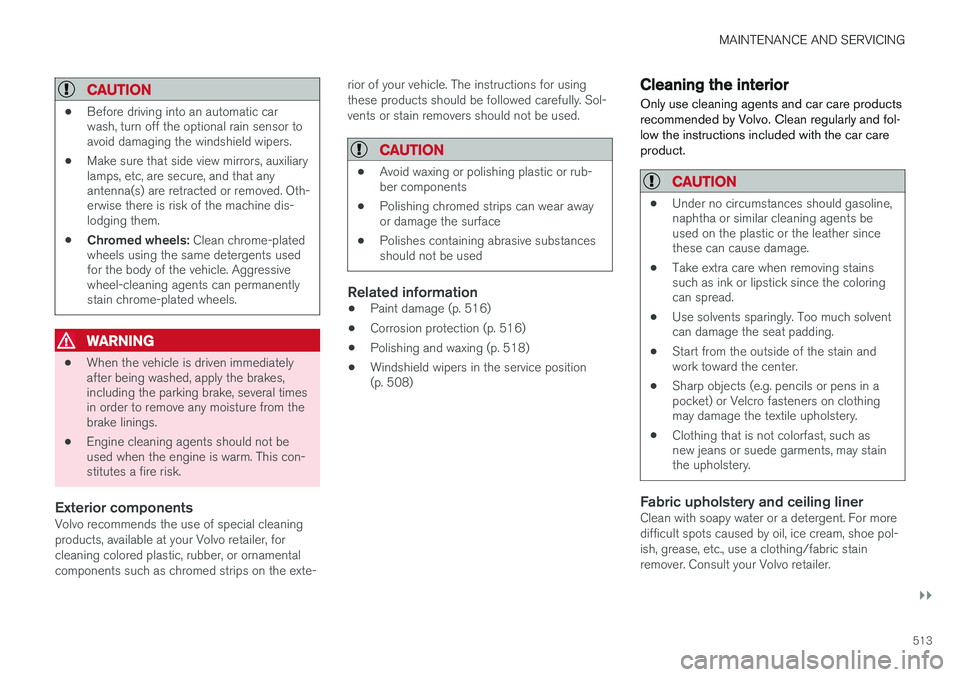
Center display's Home button
To clean the center display:
1. Turn off the display by pressing and holding the Home button.
2. Wipe the screen clean with the microfiber cloth provided or use a similar one, using a small, circular motion. If necessary, moistenthe cloth slightly.
3. Reactivate the display by pressing the Home button briefly.
Page 542 of 546
INDEX
540Registering child restraints 70
Remote key 235, 240
immobilizer 231
range 235
replacing the battery 232
Remote updates 475
Replacing bulbs 496
Replacing fuses 483, 484, 489, 493
Reporting safety defects 61
Roadside Assistance 14
Road sign information (RSI) 304, 305, 306
Rollover Protection System (ROPS) 327
Roll Stability Control (RSC) 327
S
Safety, occupant 60
Safety defects, reporting 61
Safety locks, child 228
Safety mode 87Seat adjusting the passenger's seat from the
driver's seat 164
Seat belt reminder 67
Seat beltsAutomatic locking retractor/Emergency
locking retractor 70
buckling 65
pretensioners 64, 65
reminder 67
securing child restraint systems 72, 74, 77
unbuckling 65
use during pregnancy 62
using 64
Seats rear 169
Sensus 22 Service connected service booking 475
Settings view categories 112
resetting 115
system settings 114
Shiftlock override 396
Side door mirrors 105
Side impact airbags 93 SiriusXM ®
Satellite radio
traffic information 411, 412, 413
Snow chains 451
Snow tires 451Sound settings media 428
ringtones 419
Sound settings, audio system 404, 428 Specifications bulbs 501
Speed camera alert 305
Speed limiter 298, 299, 304 automatic 300, 302
deactivating/reactivating 303
starting/activating 299
Spin control 323
Stability system 323 sport mode 324
Start and lock system type designations 230
Starting and driving 346
Starting the engine 372Starting the vehicle after a crash (crash mode) 87, 88
Start inhibitor (immobilizer) 231
Steel grid in cargo area 219
Steering wheel 160 adjusting 161
heated 197
horn 160
keypad 160