ECO mode VOLVO XC90 T8 2016 Owner´s Manual
[x] Cancel search | Manufacturer: VOLVO, Model Year: 2016, Model line: XC90 T8, Model: VOLVO XC90 T8 2016Pages: 546, PDF Size: 10.26 MB
Page 373 of 546
STARTING AND DRIVING
* Option/accessory, for more information, see Introduction.371
ModeFunctions available
0•The odometer, clock and tem- perature gauge are illuminated
• Power seats
* can be adjusted
• The power windows can be oper-ated
• The 12-volt socket in the cargocompartment can be used
• The center display is activatedand can be used
• The infotainment system can beused for a limited time
In this mode, certain functions can only be used for a limited time to helpminimize battery drain
I• The laminated panoramic roof
*,
power seats */windows,12-volt
sockets in the passenger com- partment, Bluetooth, navigation system *, climate system blower,
windshield wipers can be oper- ated
• The infotainment system will start(if it was started when the ignitionwas switched off)
Using electrical current will drain the start battery in this mode.
ModeFunctions available
II• The headlights illuminate
• Warning/indicator lights illumi- nate for 5 seconds
• A number of other functions willalso be activated. However, the heated seats
* and heated rear
window functions can only be activated when the engine is run-ning.
This mode should only be used for very short periods to help avoiddraining the battery.
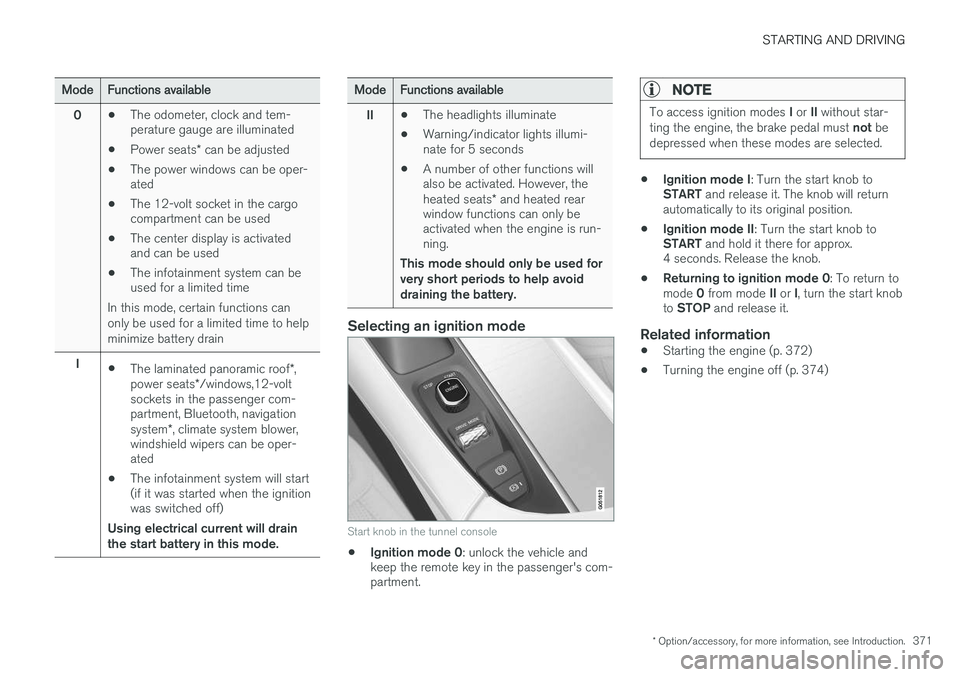
Selecting an ignition mode
Start knob in the tunnel console
• Ignition mode 0
: unlock the vehicle and
keep the remote key in the passenger's com- partment.
NOTE
To access ignition modes I or II without star-
ting the engine, the brake pedal must not be
depressed when these modes are selected.
• Ignition mode I
: Turn the start knob to
START and release it. The knob will return
automatically to its original position.
• Ignition mode II
: Turn the start knob to
START and hold it there for approx.
4 seconds. Release the knob.
• Returning to ignition mode 0
: To return to
mode 0 from mode II or I, turn the start knob
to STOP and release it.
Related information
•Starting the engine (p. 372)
• Turning the engine off (p. 374)
Page 375 of 546
STARTING AND DRIVING
}}
373
WARNING
•Never use more than one floor mat at a time on the driver's floor. Before driving,remove the original mat from the driver'sseat floor before using any other type offloor mat. Any mat used in this positionshould be securely and properly anchoredin the attaching pins. An extra mat on thedriver's floor can cause the acceleratorand/or brake pedal to catch. Check thatthe movement of these pedals is notimpeded.
• Volvo's floor mats are specially manufac-tured for your car. They must be firmlysecured in the clips on the floor so thatthey cannot slide and become trappedunder the pedals on the driver's side.
During normal starts, the electric motor is priori- tized and the gasoline engine will not start. Thismeans that when the start knob has been turned toward START and released, the electric motor is
activated ("started") and the vehicle is ready to be driven. The warning and information symbolsin the instrument panel will go out and thechosen theme will be displayed to indicate thatthe electric motor has been activated. However, in certain situations, such as in cold weather or if the hybrid battery is not sufficientlycharged, the gasoline engine will start instead.
NOTE
The vehicle cannot be started if the hybrid battery is discharged.
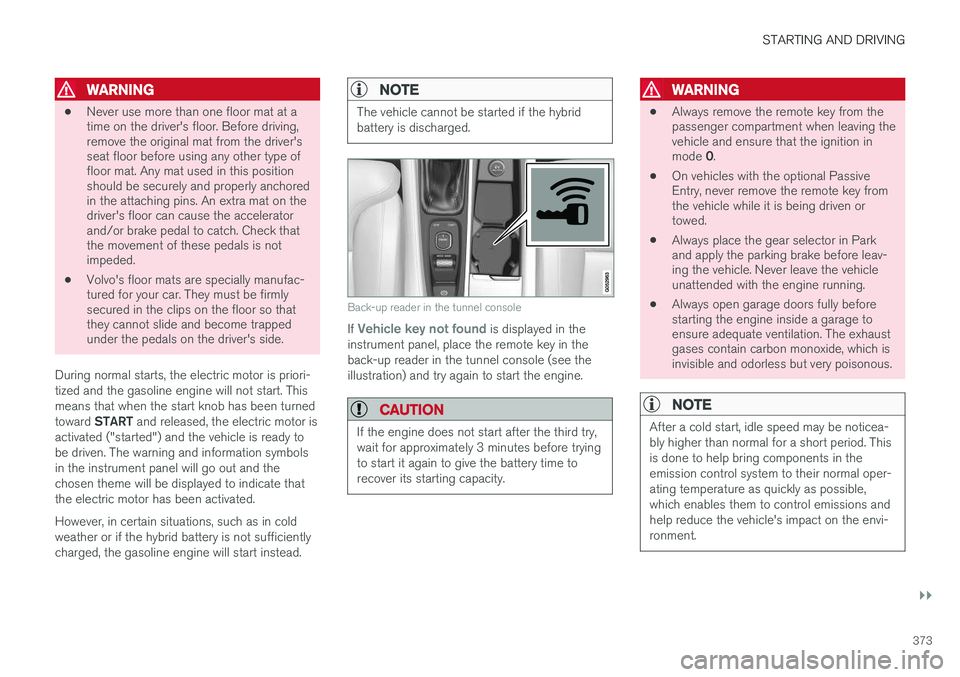
Back-up reader in the tunnel console
If Vehicle key not found is displayed in the
instrument panel, place the remote key in the back-up reader in the tunnel console (see theillustration) and try again to start the engine.
CAUTION
If the engine does not start after the third try, wait for approximately 3 minutes before tryingto start it again to give the battery time torecover its starting capacity.
WARNING
• Always remove the remote key from the passenger compartment when leaving thevehicle and ensure that the ignition in mode
0.
• On vehicles with the optional Passive Entry, never remove the remote key fromthe vehicle while it is being driven ortowed.
• Always place the gear selector in Parkand apply the parking brake before leav-ing the vehicle. Never leave the vehicleunattended with the engine running.
• Always open garage doors fully beforestarting the engine inside a garage toensure adequate ventilation. The exhaustgases contain carbon monoxide, which isinvisible and odorless but very poisonous.
NOTE
After a cold start, idle speed may be noticea- bly higher than normal for a short period. Thisis done to help bring components in theemission control system to their normal oper-ating temperature as quickly as possible,which enables them to control emissions andhelp reduce the vehicle's impact on the envi-ronment.
Page 376 of 546
||
STARTING AND DRIVING
374
CAUTION
•When starting in cold weather, the auto- matic transmission may shift up at slightlyhigher engine speeds than normal untilthe automatic transmission fluid reachesnormal operating temperature.
• Do not race a cold engine immediatelyafter starting. Oil flow may not reachsome lubrication points fast enough toprevent engine damage.
• The engine should be idling when youmove the gear selector. Never accelerateuntil after you feel the transmissionengage. Accelerating immediately afterselecting a gear will cause harsh engage-ment and premature transmission wear.
• Selecting
P or N when idling at a stand-
still for prolonged periods of time will helpprevent overheating of the automatictransmission fluid.
Related information
• Ignition modes (p. 370)
• Turning the engine off (p. 374)
• Changing the remote key's battery (p. 232)
• Jump starting (p. 365)
Turning the engine off
The engine can be turned off using the start knob on the tunnel console.
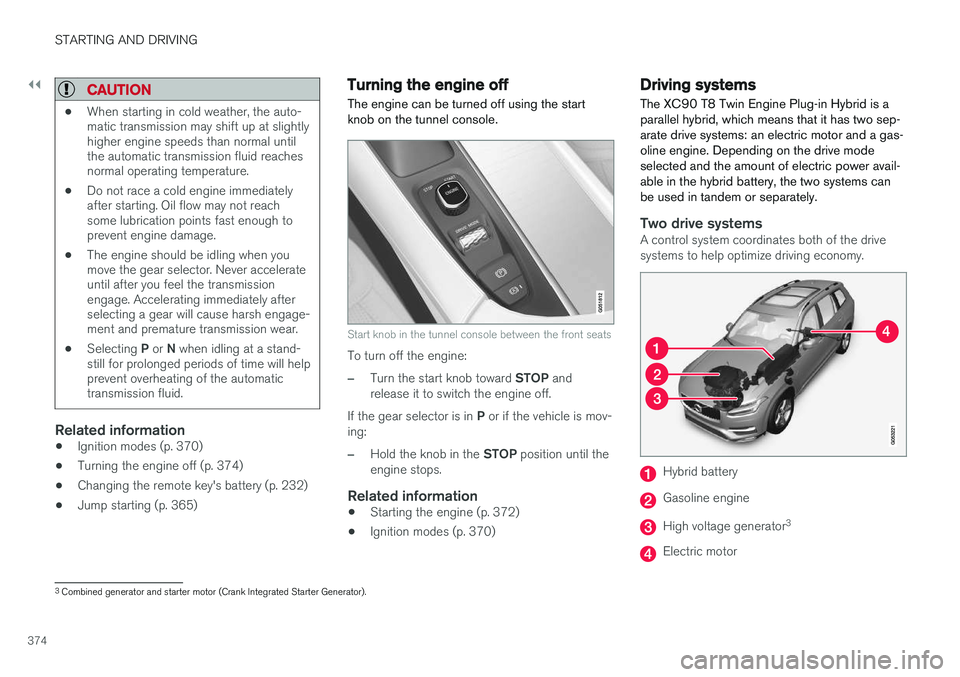
Start knob in the tunnel console between the front seats
To turn off the engine:
–Turn the start knob toward STOP and
release it to switch the engine off.
If the gear selector is in P or if the vehicle is mov-
ing:
–Hold the knob in the STOP position until the
engine stops.
Related information
• Starting the engine (p. 372)
• Ignition modes (p. 370)
Driving systems
The XC90 T8 Twin Engine Plug-in Hybrid is a parallel hybrid, which means that it has two sep-arate drive systems: an electric motor and a gas-oline engine. Depending on the drive modeselected and the amount of electric power avail-able in the hybrid battery, the two systems canbe used in tandem or separately.
Two drive systemsA control system coordinates both of the drive systems to help optimize driving economy.
Hybrid battery
Gasoline engine
High voltage generator 3
Electric motor
3
Combined generator and starter motor (Crank Integrated Starter Generator).
Page 377 of 546
STARTING AND DRIVING
}}
375
The gasoline engine and electric motor both gen- erate power directly to the wheels. The gasolineengine can also charge the hybrid battery using aspecial high-voltage generator.
Related information
•
Drive modes (p. 390)
• Charging the hybrid battery (p. 383)
• General information about the XC90 T8 Twin Engine Plug-in Hybrid (p. 16)
• Parking climate (preconditioning) (p. 179)
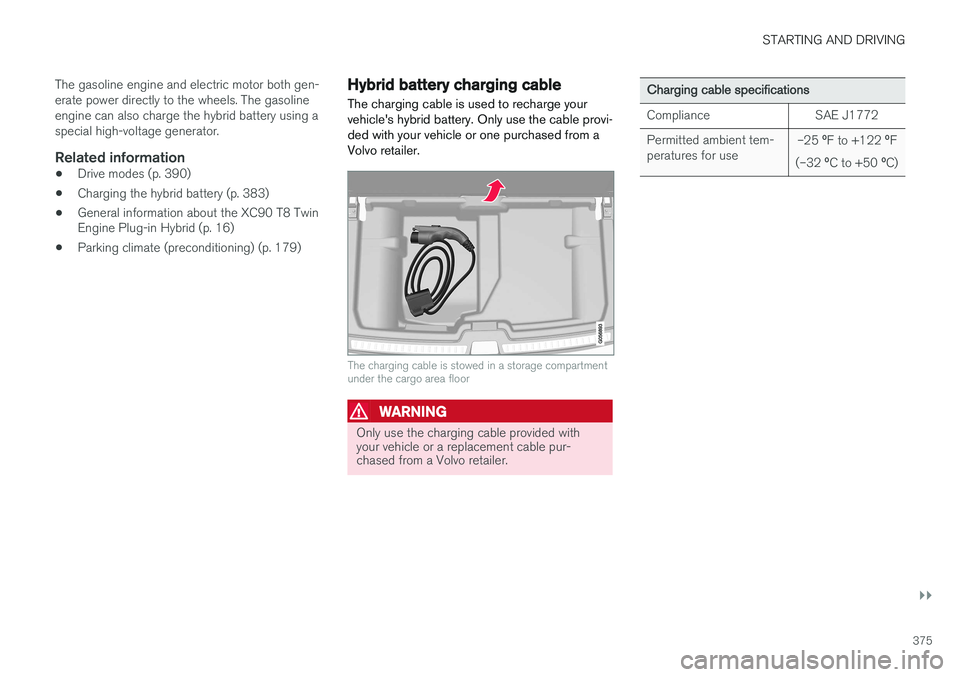
Hybrid battery charging cable
The charging cable is used to recharge your vehicle's hybrid battery. Only use the cable provi-ded with your vehicle or one purchased from aVolvo retailer.
The charging cable is stowed in a storage compartment under the cargo area floor
WARNING
Only use the charging cable provided with your vehicle or a replacement cable pur-chased from a Volvo retailer.
Charging cable specifications
ComplianceSAE J1772
Permitted ambient tem- peratures for use–25 ºF to +122 ºF
(–32 ºC to +50 ºC)
Page 385 of 546
STARTING AND DRIVING
}}
383
4. The charging cable's coupler will lock onto
the charging socket and charging will begin within approx. 10 seconds. The approximateremaining charging time and charging statuswill be displayed in the instrument panel. Seealso the article "Hybrid battery charge sta-tus." Charging will be temporarily interrupted if the vehicle is unlocked: •If a door is opened, charging will restart within 2 minutes.
• if no door is opened, the vehicle will auto-matically relock and charging will restartafter 1 minute.
NOTE
Charging status is shown in the instrument panel, which goes dark after a period of time.Reactivate the instrument panel by: •pressing the brake pedal
• opening one of the doors
• putting the ignition in mode
I ( without
pressing the brake pedal , turn the start
knob to START and release it).
CAUTION
Never disconnect the charging cable from the 120-/240-volt socket while charging is inprogress. This could damage the socket. Always stop the charging process (by unlock- ing the vehicle) and disconnect the chargingcable from the vehicle's charging socket before disconnecting the other end from the
120-/240-volt socket being used.
During the charging process, condensation may form under the vehicle, which is normal and iscaused by cooling the hybrid battery.
Related information
• Hybrid battery charge status (p. 385)
• Charging the hybrid battery (p. 383)
• Hybrid battery charging cable (p. 375)
• Stopping hybrid battery charging (p. 381)
Charging the hybrid battery In addition to the conventional fuel tank, the XC90 T8 Twin Engine Plug-in Hybrid is alsoequipped with a rechargeable lithium-ion hybridbattery.
The hybrid battery is recharged using a charging cable located in a storage compartment underthe floor of the cargo area. See also the article"Charging cable."
WARNING
The hybrid electrical system in your vehicle uses high voltage electrical current. Any dam-age to this system or to the hybrid batterymay result in the danger of overheating, fire,or serious injury. If the vehicle is involved in acollision or is subjected to flooding, fires, etc.,have it inspected by a trained and qualifiedVolvo service technician. Prior to this inspec-tion, the vehicle should be parked outdoors ata safe distance from any building or poten-tially flammable materials.
The hybrid battery's charging time depends on the charging current used.
Page 386 of 546
||
STARTING AND DRIVING
384
NOTE
The capacity of the hybrid battery diminishes somewhat with age and use, which couldresult in increased use of the gasoline engineand consequently, slightly higher fuel con-sumption.
Charging is indicated in three ways: •Charge module (the unit that is plugged into the wall socket): The blue indicator light onthe cable's charge module will flash red sev-eral times when the unit is plugged into awall socket while a safety check is being per-formed and will then glow steadily blue toindicate that the charger is ready to use.
• A green indicator light in the vehicle's charg-ing socket will flash green while the batteryis charging and will glow steadily green whenthe hybrid battery is fully charged. The blueindicator light in the charge module will alsoflash while charging is underway and willglow steadily blue when charging is comple-ted.
• A gauge in the instrument panel will alsoindicate the battery's charge level.
The hybrid battery charging process also charges the vehicle's start battery. If the hybrid battery's temperature is below – 13 ºF (–10 ºC) or above +104 ºF (+40 ºC), some
of the vehicle's functions may be reduced or not be available at all (e.g., drive mode may not be available). The electric motor cannot be used if the hybrid battery's temperature is too low or too high. If thePURE drive mode is selected, the gasolineengine will be used.Temperature controlDuring charging, if the temperature in the charg-ing cable becomes too high and reaches a criticallimit, charging will be interrupted.
CAUTION
If charging is interrupted repeatedly, have the charging cable and the vehicle's chargingsystem inspected by a trained and qualifiedVolvo service technician.
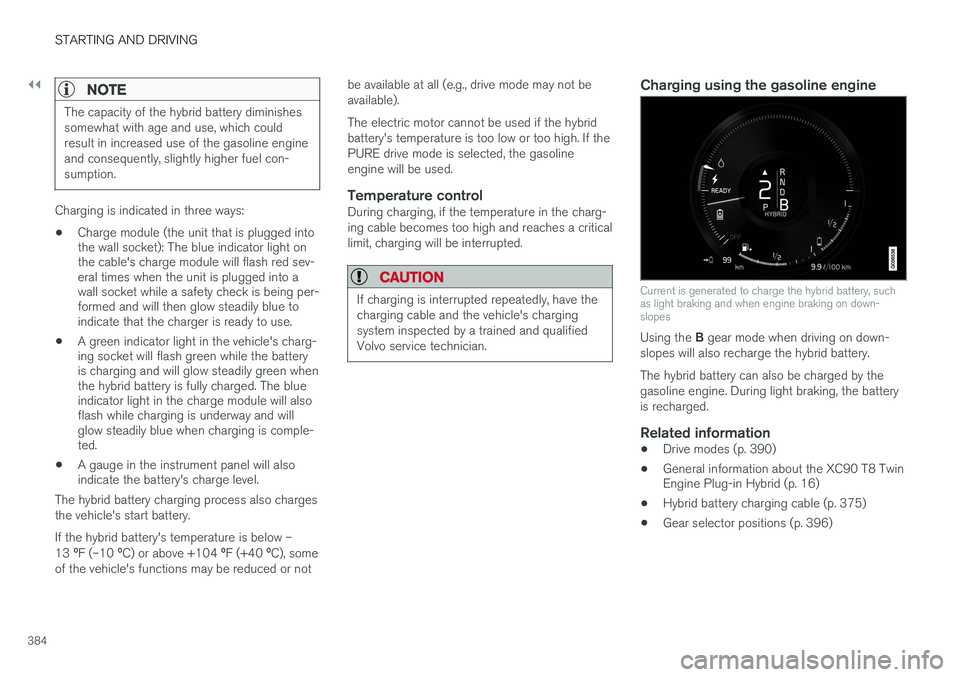
Charging using the gasoline engine
Current is generated to charge the hybrid battery, such as light braking and when engine braking on down-slopes
Using the
B gear mode when driving on down-
slopes will also recharge the hybrid battery. The hybrid battery can also be charged by the gasoline engine. During light braking, the batteryis recharged.
Related information
• Drive modes (p. 390)
• General information about the XC90 T8 Twin Engine Plug-in Hybrid (p. 16)
• Hybrid battery charging cable (p. 375)
• Gear selector positions (p. 396)
Page 387 of 546
STARTING AND DRIVING
}}
385
Hybrid battery charge status The hybrid battery's charge status (level) is indi- cated by an LED light in the vehicle's chargingsocket and in the instrument panel.
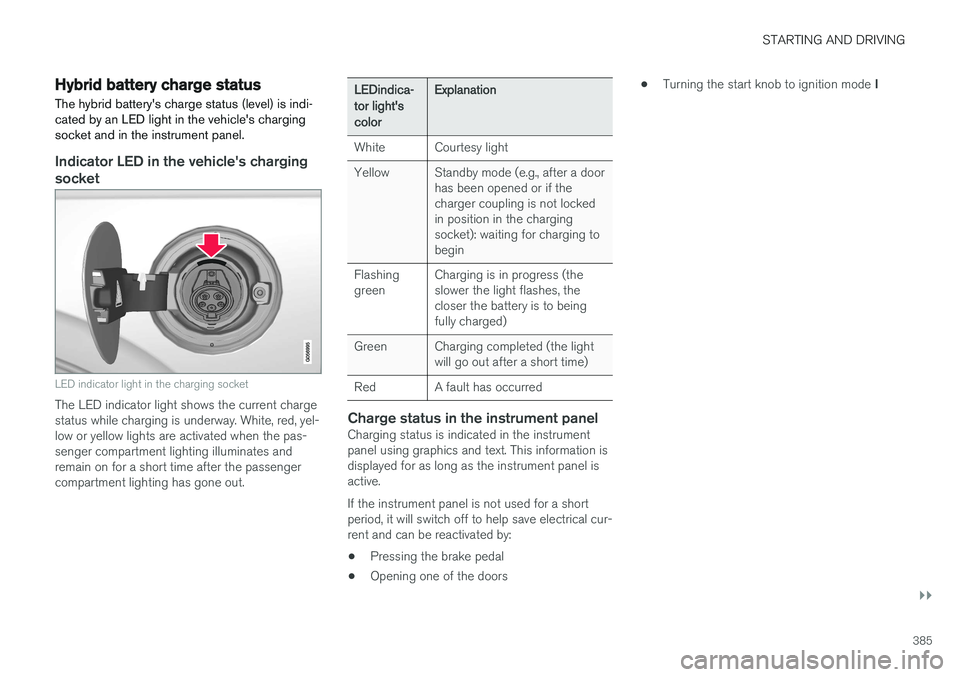
Indicator LED in the vehicle's charging socket
LED indicator light in the charging socket
The LED indicator light shows the current charge status while charging is underway. White, red, yel-low or yellow lights are activated when the pas-senger compartment lighting illuminates andremain on for a short time after the passengercompartment lighting has gone out.
LEDindica- tor light'scolorExplanation
WhiteCourtesy light
YellowStandby mode (e.g., after a door has been opened or if thecharger coupling is not lockedin position in the chargingsocket): waiting for charging tobegin
Flashing greenCharging is in progress (the slower the light flashes, thecloser the battery is to beingfully charged)
GreenCharging completed (the light will go out after a short time)
RedA fault has occurred
Charge status in the instrument panelCharging status is indicated in the instrument panel using graphics and text. This information isdisplayed for as long as the instrument panel isactive. If the instrument panel is not used for a short period, it will switch off to help save electrical cur-rent and can be reactivated by:
• Pressing the brake pedal
• Opening one of the doors •
Turning the start knob to ignition mode
I
Page 391 of 546
STARTING AND DRIVING
389
Using the electric motor in city driving A number of factors affect the electric motor's driving range.
The driver can affect some of these factors while others depend on outside conditions such astemperature, road surface, etc.
Factors that determine the electric motor's driving range
Factors outside of the driver's control
The following are examples of factors that the driver cannot control:
• The current traffic situation
• Driving short distances
• Topography
• Ambient temperature and headwinds
• Road conditions/road surface
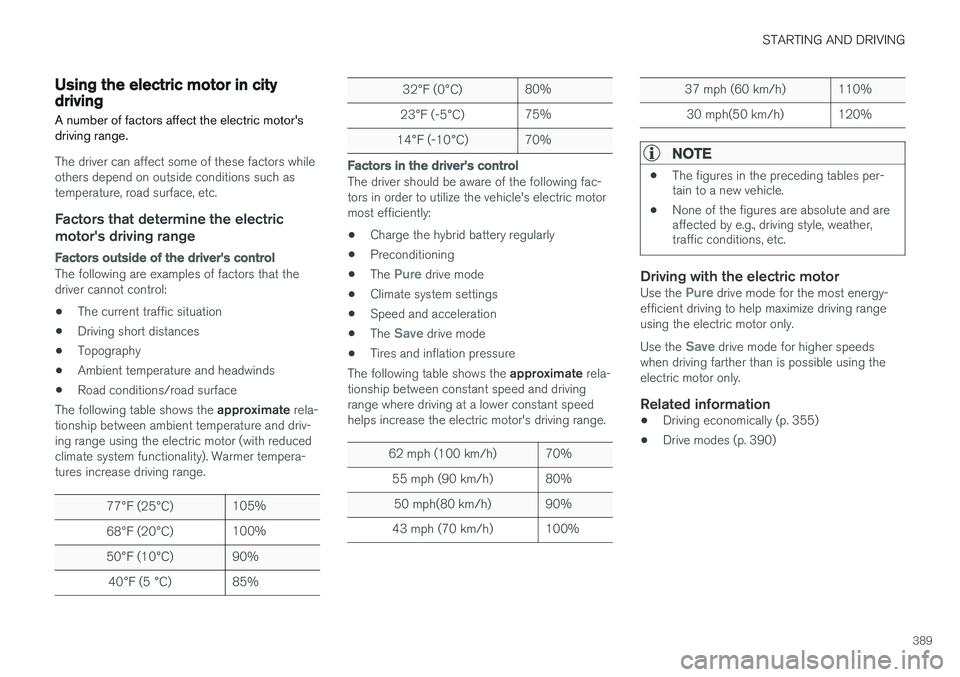
The following table shows the approximate rela-
tionship between ambient temperature and driv-ing range using the electric motor (with reducedclimate system functionality). Warmer tempera-tures increase driving range.
77 °F (25 °C)105%
68 °F (20 °C)100%
50 °F (10 °C)90%
40 °F (5 °C)85%
32 °F (0 °C)80%
23 °F (-5 °C)75%
14 °F (-10 °C)70%
Factors in the driver's control
The driver should be aware of the following fac- tors in order to utilize the vehicle's electric motormost efficiently:
• Charge the hybrid battery regularly
• Preconditioning
• The
Pure drive mode
• Climate system settings
• Speed and acceleration
• The
Save drive mode
• Tires and inflation pressure
The following table shows the approximate rela-
tionship between constant speed and driving range where driving at a lower constant speedhelps increase the electric motor's driving range.
62 mph (100 km/h)70%
55 mph (90 km/h)80%
50 mph(80 km/h)90%
43 mph (70 km/h)100%
37 mph (60 km/h)110%
30 mph(50 km/h)120%
NOTE
• The figures in the preceding tables per- tain to a new vehicle.
• None of the figures are absolute and areaffected by e.g., driving style, weather,traffic conditions, etc.
Driving with the electric motorUse the Pure drive mode for the most energy-
efficient driving to help maximize driving range using the electric motor only. Use the
Save drive mode for higher speeds
when driving farther than is possible using the electric motor only.
Related information
• Driving economically (p. 355)
• Drive modes (p. 390)
Page 395 of 546
STARTING AND DRIVING
* Option/accessory, for more information, see Introduction.393
INDIVIDUAL
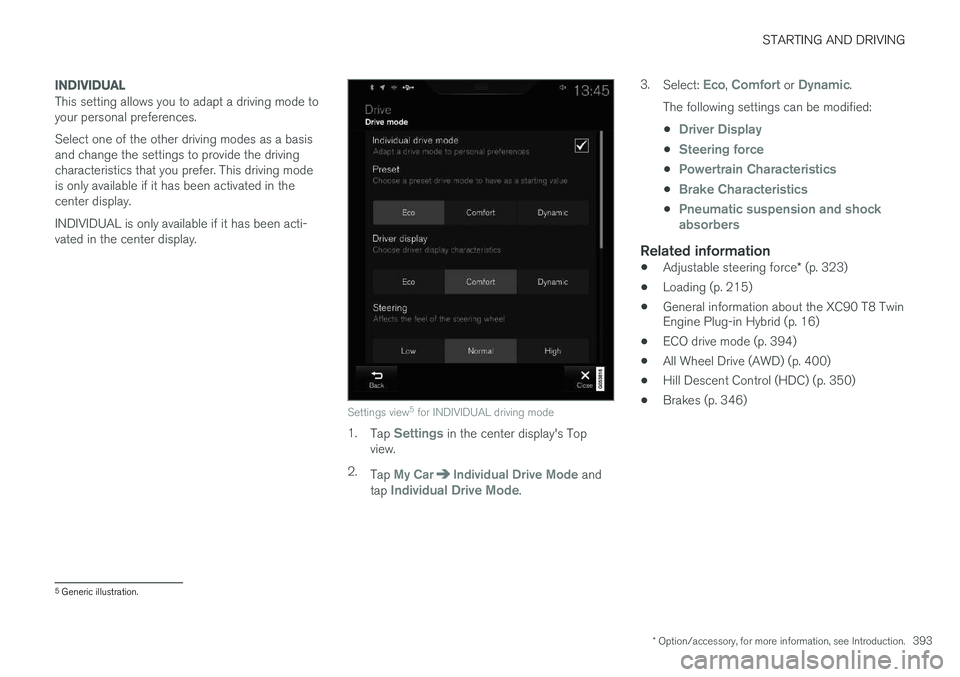
This setting allows you to adapt a driving mode to your personal preferences. Select one of the other driving modes as a basis and change the settings to provide the drivingcharacteristics that you prefer. This driving modeis only available if it has been activated in thecenter display. INDIVIDUAL is only available if it has been acti- vated in the center display.
Settings view5
for INDIVIDUAL driving mode
1. Tap Settings in the center display's Top
view.
2. Tap
My CarIndividual Drive Mode and
tap Individual Drive Mode. 3.
Select:
Eco, Comfort or Dynamic.
The following settings can be modified: •
Driver Display
•Steering force
•Powertrain Characteristics
•Brake Characteristics
•Pneumatic suspension and shock absorbers
Related information
• Adjustable steering force
* (p. 323)
• Loading (p. 215)
• General information about the XC90 T8 Twin Engine Plug-in Hybrid (p. 16)
• ECO drive mode (p. 394)
• All Wheel Drive (AWD) (p. 400)
• Hill Descent Control (HDC) (p. 350)
• Brakes (p. 346)
5
Generic illustration.
Page 396 of 546
STARTING AND DRIVING
* Option/accessory, for more information, see Introduction.
394
ECO drive mode
The Eco drive mode is a function designed to give the driver the opportunity to drive more eco-nomically and to help reduce fuel consumption.
When this mode is activated, the following cha- racteristics are modified:
• The automatic transmission's shifting points
• The engine management system and accel- erator pedal response
• Climate system settings: certain functionswill be temporarily reduced or deactivated
• The suspension's self-leveling function
* low-
ers ground clearance to help reduce windresistance
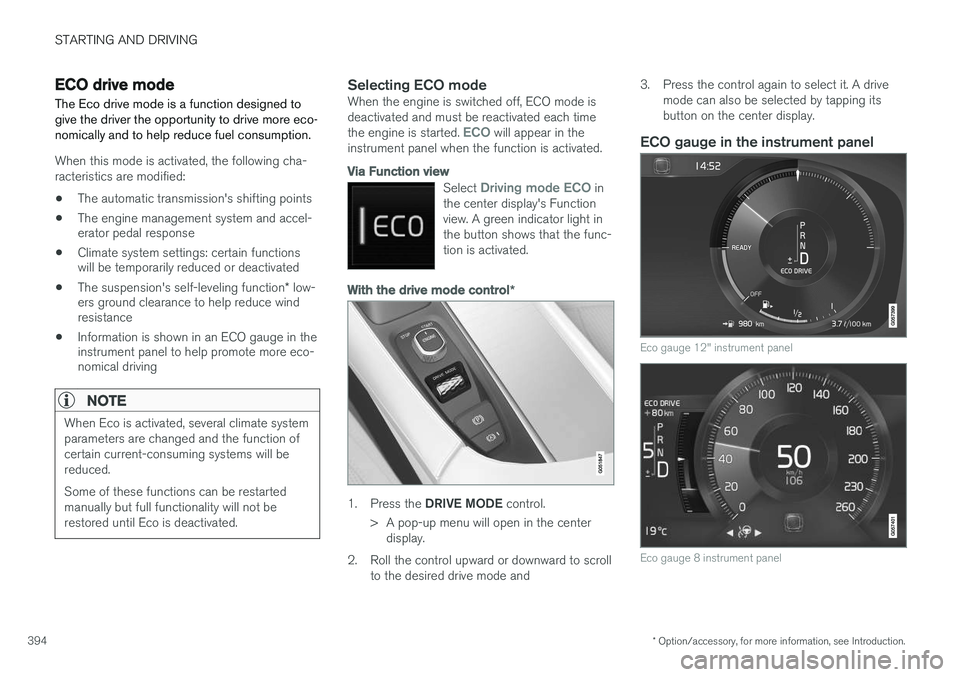
• Information is shown in an ECO gauge in theinstrument panel to help promote more eco-nomical driving
NOTE
When Eco is activated, several climate system parameters are changed and the function ofcertain current-consuming systems will bereduced. Some of these functions can be restarted manually but full functionality will not berestored until Eco is deactivated.
Selecting ECO modeWhen the engine is switched off, ECO mode is deactivated and must be reactivated each time the engine is started.
ECO will appear in the
instrument panel when the function is activated.
Via Function view
Select Driving mode ECO in
the center display's Function view. A green indicator light inthe button shows that the func-tion is activated.
With the drive mode control *
1.
Press the DRIVE MODE control.
> A pop-up menu will open in the center display.
2. Roll the control upward or downward to scroll to the desired drive mode and 3. Press the control again to select it. A drive
mode can also be selected by tapping its button on the center display.
ECO gauge in the instrument panel
Eco gauge 12" instrument panel
Eco gauge 8 instrument panel