mode VOLVO XC90 T8 2017 Owner´s Manual
[x] Cancel search | Manufacturer: VOLVO, Model Year: 2017, Model line: XC90 T8, Model: VOLVO XC90 T8 2017Pages: 580, PDF Size: 10.37 MB
Page 339 of 580
DRIVER SUPPORT
}}
337
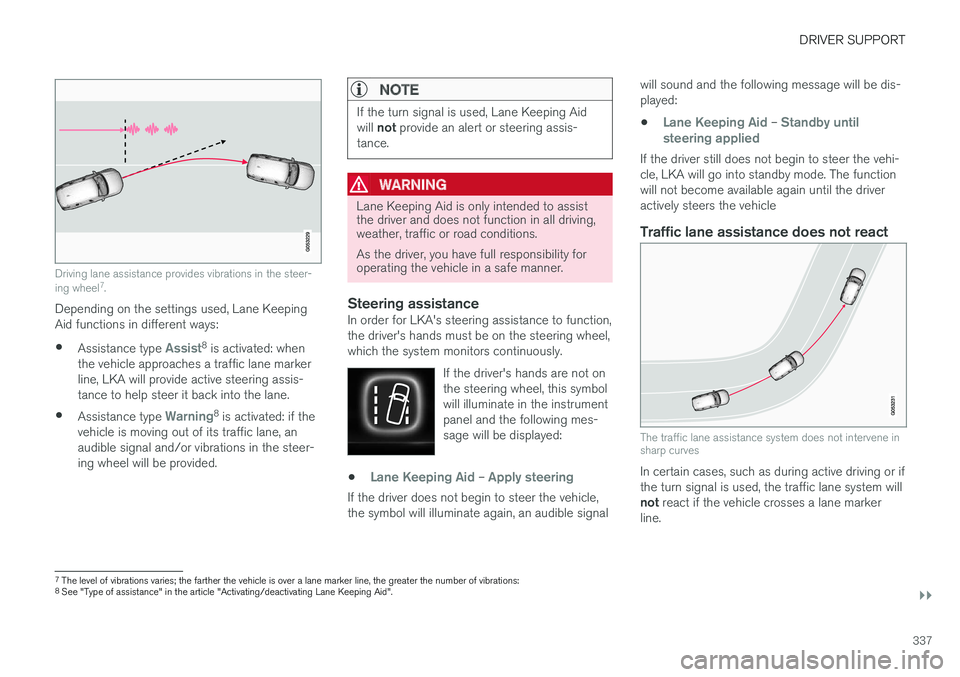
Driving lane assistance provides vibrations in the steer- ing wheel7
.
Depending on the settings used, Lane Keeping Aid functions in different ways:
• Assistance type
Assist8
is activated: when
the vehicle approaches a traffic lane marker line, LKA will provide active steering assis-tance to help steer it back into the lane.
• Assistance type
Warning8
is activated: if the
vehicle is moving out of its traffic lane, an audible signal and/or vibrations in the steer-ing wheel will be provided.
NOTE
If the turn signal is used, Lane Keeping Aid will not provide an alert or steering assis-
tance.
WARNING
Lane Keeping Aid is only intended to assist the driver and does not function in all driving,weather, traffic or road conditions. As the driver, you have full responsibility for operating the vehicle in a safe manner.
Steering assistanceIn order for LKA's steering assistance to function, the driver's hands must be on the steering wheel,which the system monitors continuously.
If the driver's hands are not onthe steering wheel, this symbolwill illuminate in the instrumentpanel and the following mes-sage will be displayed:
•Lane Keeping Aid – Apply steering
If the driver does not begin to steer the vehicle, the symbol will illuminate again, an audible signal will sound and the following message will be dis-played:
•
Lane Keeping Aid – Standby until
steering applied
If the driver still does not begin to steer the vehi- cle, LKA will go into standby mode. The functionwill not become available again until the driveractively steers the vehicle
Traffic lane assistance does not react
The traffic lane assistance system does not intervene in sharp curves
In certain cases, such as during active driving or if the turn signal is used, the traffic lane system will not react if the vehicle crosses a lane marker
line.
7 The level of vibrations varies; the farther the vehicle is over a lane marker line, the greater the number of vibrations:
8 See "Type of assistance" in the article "Activating/deactivating Lane Keeping Aid".
Page 340 of 580
||
DRIVER SUPPORT
338
LimitationsIn certain demanding driving situations, the driv- ing lane assistance functions may not be able toassist the driver. In these situations, it may beadvisable to turn the function off. Examples of such situations: •road construction
• winter driving conditions
• poor road surfaces
• a very active driving style
• bad weather with reduced visibility
• edges or lines other than the lane's marker lines
• roads with indistinct or no lane marker lines
The driving lane assistance function use the vehi-cle's camera, which has general limitations. Seethe article "Camera limitations."
Related information
• Activating/deactivating Lane Keeping Aid(LKA) (p. 338)
• Camera limitations (p. 309)
• Run-off Mitigation (p. 341)
Activating/deactivating Lane Keeping Aid (LKA) LKA can be activated/deactivated.
Activating/deactivating
The function can be activated/deactivated in the center display's Function view.
–Tap Lane Keeping Aid.
> LKA is activated (GREEN indicator light in the button), or is deactivated (GRAY indi- cator light in the button).
Type of warningChoose the type of warning that the driver willreceive if the vehicle starts to leave its drivinglane. 1. Tap
Settings in the center display's Top
view.
2. Tap
My CarIntelliSafeLane
Assistance. 3.
Under
Lane Keeping Aid Warning
Feedback, select:
•
Sound: an audible warning signal will be
provided
•
Vibrations: the driver will be warned by
vibrations in the steering wheel
Type of assistanceSelect the type of assistance LKA should provide: 1. Tap
Settings in the center display's Top
view.
2. Tap
My CarIntelliSafeLane
Assistance.
3. Under
Lane Keeping Aid Mode, select:
•
Assist: the system will provide steering
assistance but no warning.
•
Both: the system will provide steering
assistance and warning
•
Warning: the system will provide warning
but no steering assistance
Related information
• Driving lane assistance (p. 336)
• Driving lane assistance symbols and mes- sages (p. 339)
Page 342 of 580
||
DRIVER SUPPORT
340
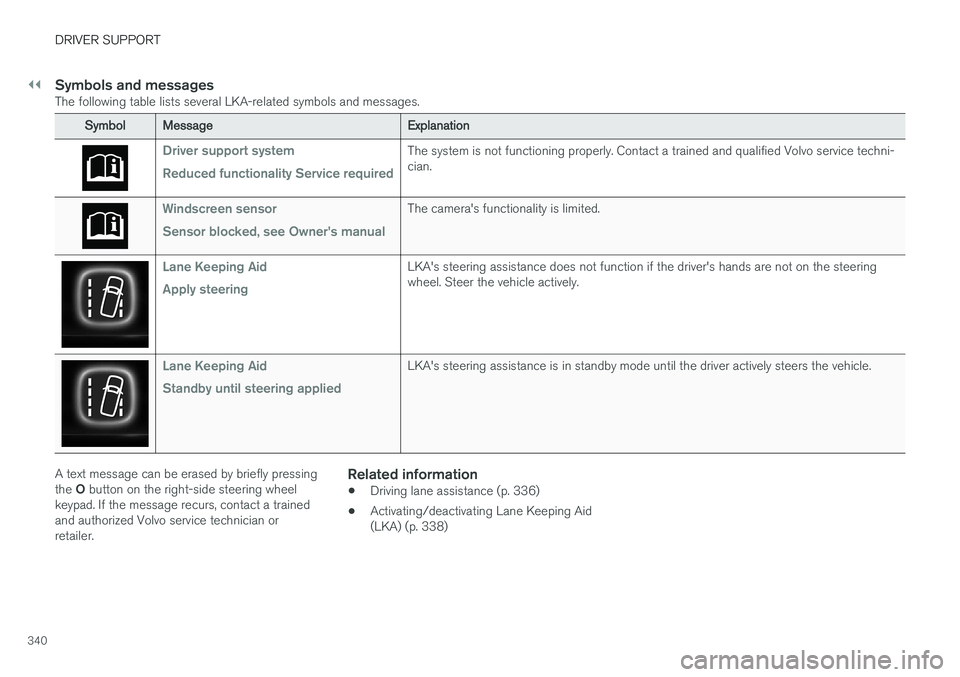
Symbols and messagesThe following table lists several LKA-related symbols and messages.
SymbolMessage Explanation
Driver support system Reduced functionality Service requiredThe system is not functioning properly. Contact a trained and qualified Volvo service techni- cian.
Windscreen sensor Sensor blocked, see Owner's manualThe camera's functionality is limited.
Lane Keeping Aid Apply steeringLKA's steering assistance does not function if the driver's hands are not on the steering wheel. Steer the vehicle actively.
Lane Keeping Aid Standby until steering appliedLKA's steering assistance is in standby mode until the driver actively steers the vehicle.
A text message can be erased by briefly pressing the O button on the right-side steering wheel
keypad. If the message recurs, contact a trained and authorized Volvo service technician orretailer.Related information
• Driving lane assistance (p. 336)
• Activating/deactivating Lane Keeping Aid(LKA) (p. 338)
Page 351 of 580
DRIVER SUPPORT
}}
* Option/accessory.349
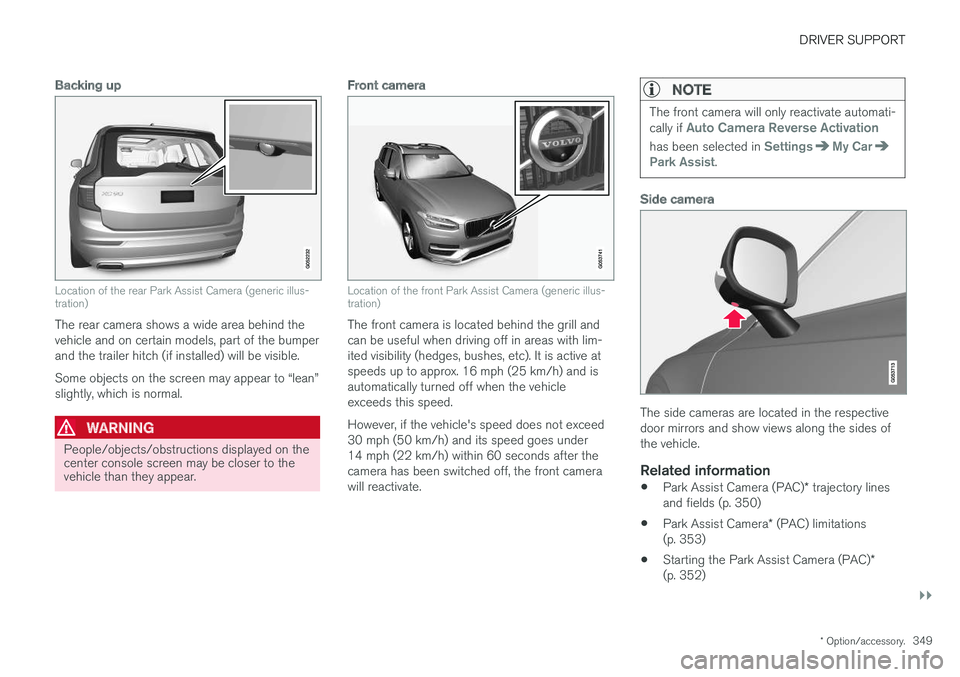
Backing up
Location of the rear Park Assist Camera (generic illus- tration)
The rear camera shows a wide area behind the vehicle and on certain models, part of the bumperand the trailer hitch (if installed) will be visible. Some objects on the screen may appear to “lean” slightly, which is normal.
WARNING
People/objects/obstructions displayed on the center console screen may be closer to thevehicle than they appear.
Front camera
Location of the front Park Assist Camera (generic illus- tration)
The front camera is located behind the grill and can be useful when driving off in areas with lim-ited visibility (hedges, bushes, etc). It is active atspeeds up to approx. 16 mph (25 km/h) and isautomatically turned off when the vehicleexceeds this speed. However, if the vehicle's speed does not exceed 30 mph (50 km/h) and its speed goes under14 mph (22 km/h) within 60 seconds after thecamera has been switched off, the front camerawill reactivate.
NOTE
The front camera will only reactivate automati- cally if Auto Camera Reverse Activation
has been selected in SettingsMy CarPark Assist.
Side camera
The side cameras are located in the respective door mirrors and show views along the sides ofthe vehicle.
Related information
•Park Assist Camera (PAC)
* trajectory lines
and fields (p. 350)
• Park Assist Camera
* (PAC) limitations
(p. 353)
• Starting the Park Assist Camera (PAC)
*
(p. 352)
Page 353 of 580
DRIVER SUPPORT
}}
* Option/accessory.351
Models with the 360° panorama camera system and Park Assist sensors *
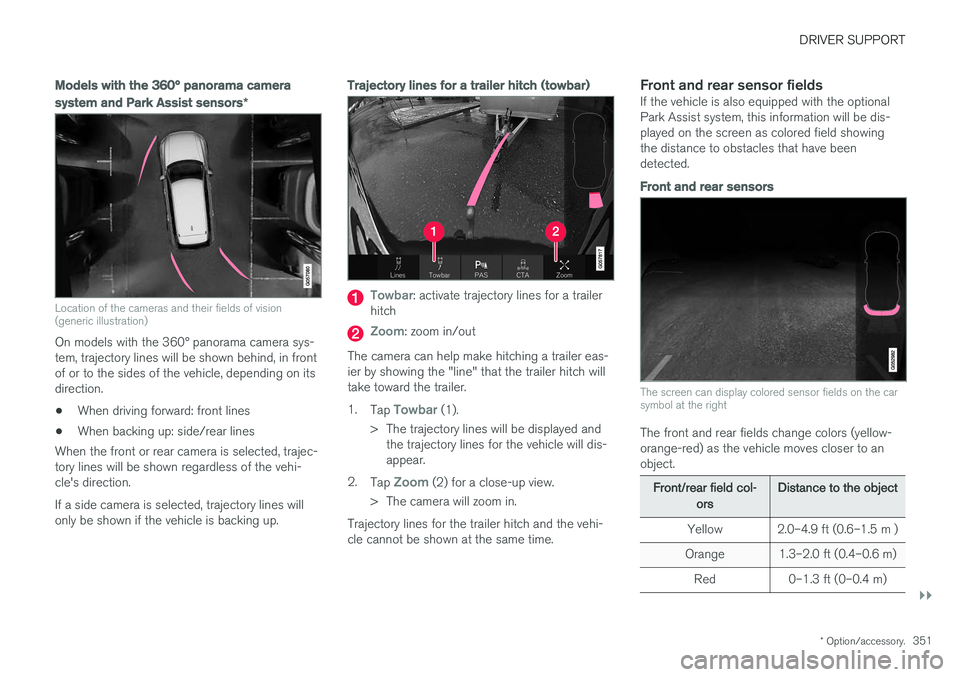
Location of the cameras and their fields of vision (generic illustration)
On models with the 360° panorama camera sys- tem, trajectory lines will be shown behind, in frontof or to the sides of the vehicle, depending on itsdirection.
• When driving forward: front lines
• When backing up: side/rear lines
When the front or rear camera is selected, trajec-tory lines will be shown regardless of the vehi-cle's direction. If a side camera is selected, trajectory lines will only be shown if the vehicle is backing up.
Trajectory lines for a trailer hitch (towbar)
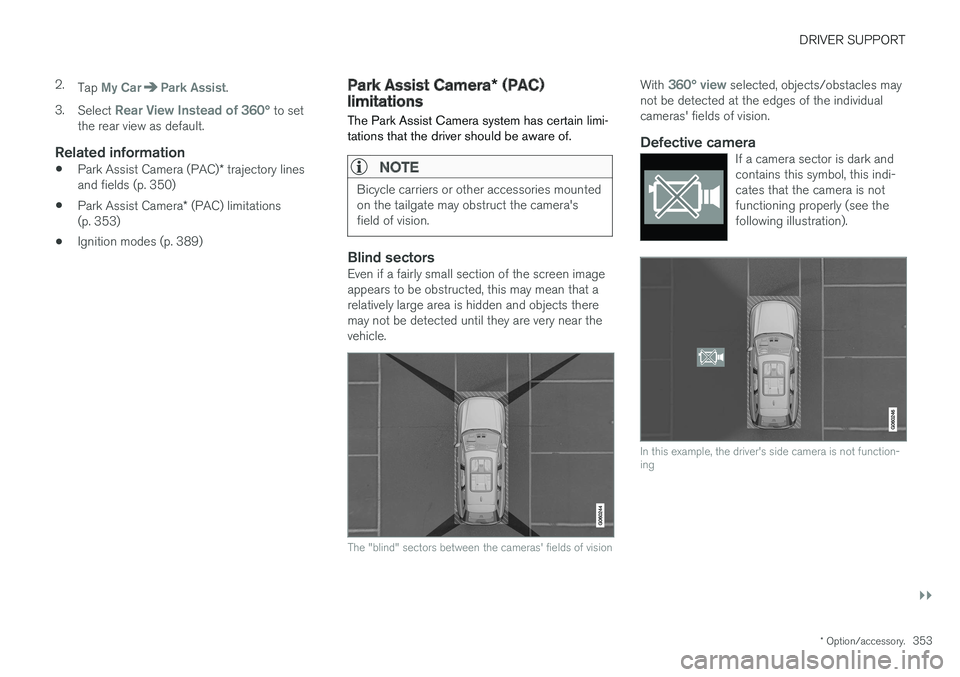
Towbar: activate trajectory lines for a trailer
hitch
Zoom: zoom in/out
The camera can help make hitching a trailer eas- ier by showing the "line" that the trailer hitch willtake toward the trailer. 1. Tap
Towbar (1).
> The trajectory lines will be displayed and the trajectory lines for the vehicle will dis- appear.
2. Tap
Zoom (2) for a close-up view.
> The camera will zoom in.
Trajectory lines for the trailer hitch and the vehi- cle cannot be shown at the same time.
Front and rear sensor fieldsIf the vehicle is also equipped with the optionalPark Assist system, this information will be dis-played on the screen as colored field showingthe distance to obstacles that have beendetected.
Front and rear sensors
The screen can display colored sensor fields on the car symbol at the right
The front and rear fields change colors (yellow- orange-red) as the vehicle moves closer to anobject.
Front/rear field col- ors Distance to the object
Yellow 2.0–4.9 ft (0.6–1.5 m )
Orange 1.3–2.0 ft (0.4–0.6 m) Red 0–1.3 ft (0–0.4 m)
Page 355 of 580
DRIVER SUPPORT
}}
* Option/accessory.353
2.
Tap
My CarPark Assist.
3. Select
Rear View Instead of 360° to set
the rear view as default.
Related information
• Park Assist Camera (PAC)
* trajectory lines
and fields (p. 350)
• Park Assist Camera
* (PAC) limitations
(p. 353)
• Ignition modes (p. 389)
Park Assist Camera
* (PAC)
limitations
The Park Assist Camera system has certain limi- tations that the driver should be aware of.
NOTE
Bicycle carriers or other accessories mounted on the tailgate may obstruct the camera'sfield of vision.
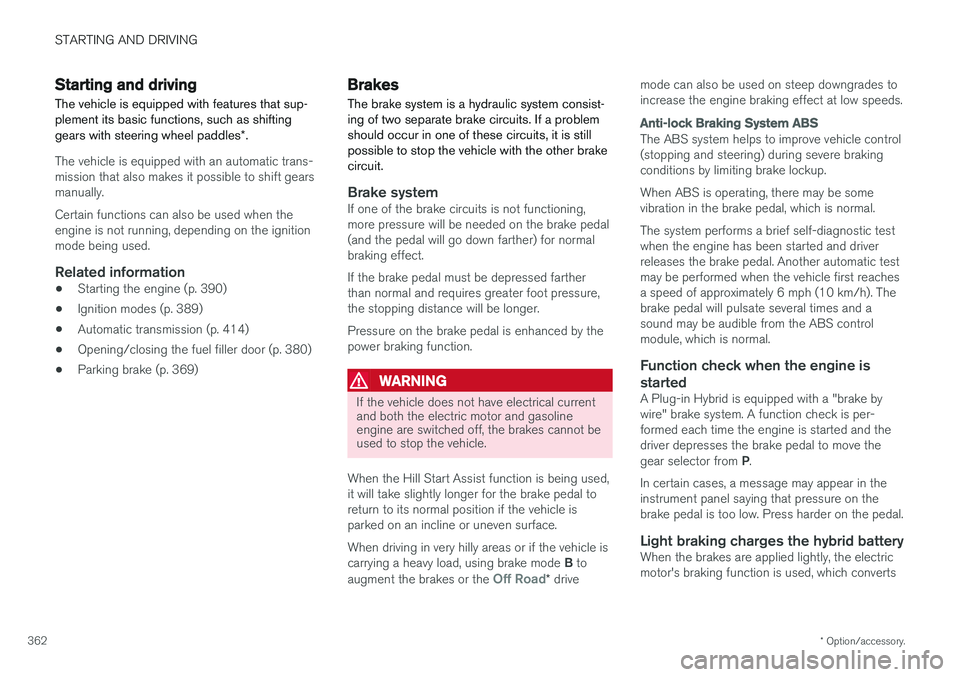
Blind sectorsEven if a fairly small section of the screen image appears to be obstructed, this may mean that arelatively large area is hidden and objects theremay not be detected until they are very near thevehicle.
The "blind" sectors between the cameras' fields of vision
With 360° view selected, objects/obstacles may
not be detected at the edges of the individual cameras' fields of vision.
Defective cameraIf a camera sector is dark andcontains this symbol, this indi-cates that the camera is notfunctioning properly (see thefollowing illustration).
In this example, the driver's side camera is not function- ing
Page 364 of 580
STARTING AND DRIVING
* Option/accessory.
362
Starting and driving The vehicle is equipped with features that sup- plement its basic functions, such as shifting gears with steering wheel paddles *.
The vehicle is equipped with an automatic trans- mission that also makes it possible to shift gearsmanually. Certain functions can also be used when the engine is not running, depending on the ignitionmode being used.
Related information
• Starting the engine (p. 390)
• Ignition modes (p. 389)
• Automatic transmission (p. 414)
• Opening/closing the fuel filler door (p. 380)
• Parking brake (p. 369)
Brakes The brake system is a hydraulic system consist- ing of two separate brake circuits. If a problemshould occur in one of these circuits, it is stillpossible to stop the vehicle with the other brakecircuit.
Brake systemIf one of the brake circuits is not functioning, more pressure will be needed on the brake pedal(and the pedal will go down farther) for normalbraking effect. If the brake pedal must be depressed farther than normal and requires greater foot pressure,the stopping distance will be longer. Pressure on the brake pedal is enhanced by the power braking function.
WARNING
If the vehicle does not have electrical current and both the electric motor and gasolineengine are switched off, the brakes cannot beused to stop the vehicle.
When the Hill Start Assist function is being used, it will take slightly longer for the brake pedal toreturn to its normal position if the vehicle isparked on an incline or uneven surface. When driving in very hilly areas or if the vehicle is carrying a heavy load, using brake mode B to
augment the brakes or the
Off Road* drive mode can also be used on steep downgrades to increase the engine braking effect at low speeds.
Anti-lock Braking System
ABS
The ABS system helps to improve vehicle control (stopping and steering) during severe brakingconditions by limiting brake lockup. When ABS is operating, there may be some vibration in the brake pedal, which is normal. The system performs a brief self-diagnostic test when the engine has been started and driverreleases the brake pedal. Another automatic testmay be performed when the vehicle first reachesa speed of approximately 6 mph (10 km/h). Thebrake pedal will pulsate several times and asound may be audible from the ABS controlmodule, which is normal.
Function check when the engine is
started
A Plug-in Hybrid is equipped with a "brake bywire" brake system. A function check is per-formed each time the engine is started and thedriver depresses the brake pedal to move the gear selector from P.
In certain cases, a message may appear in the instrument panel saying that pressure on thebrake pedal is too low. Press harder on the pedal.
Light braking charges the hybrid batteryWhen the brakes are applied lightly, the electricmotor's braking function is used, which converts
Page 366 of 580
||
STARTING AND DRIVING
* Option/accessory.
364
Instrument panel symbols
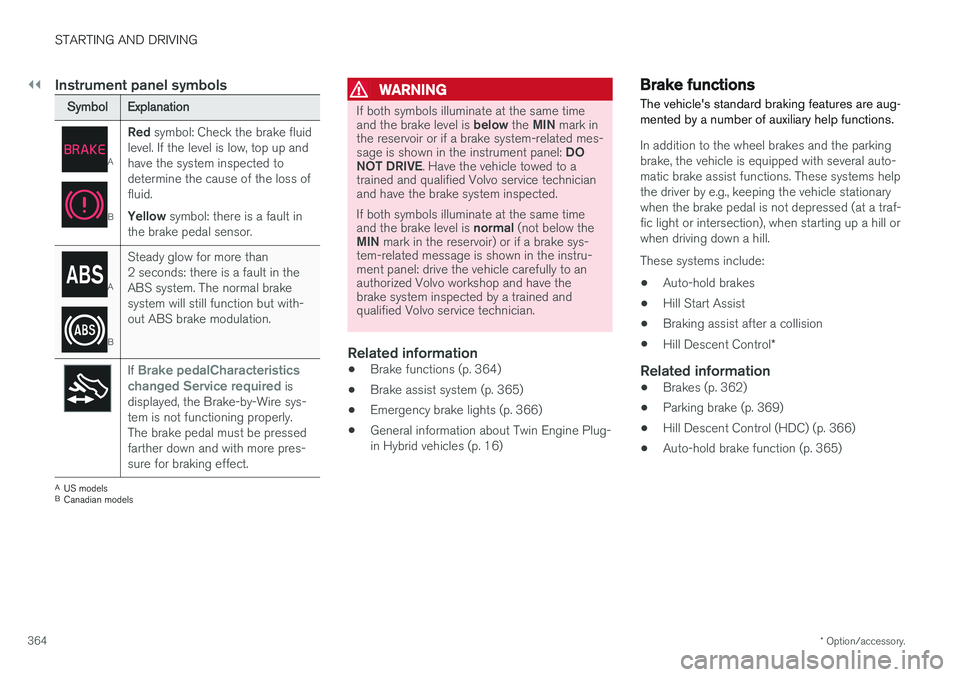
Symbol Explanation
A
BRed
symbol: Check the brake fluid
level. If the level is low, top up and have the system inspected todetermine the cause of the loss offluid. Yellow symbol: there is a fault in
the brake pedal sensor.
A
B Steady glow for more than 2 seconds: there is a fault in theABS system. The normal brakesystem will still function but with-out ABS brake modulation.
If Brake pedalCharacteristics
changed Service required is
displayed, the Brake-by-Wire sys- tem is not functioning properly.The brake pedal must be pressedfarther down and with more pres-sure for braking effect.
A US models
B Canadian models
WARNING
If both symbols illuminate at the same time and the brake level is below the MIN mark in
the reservoir or if a brake system-related mes-sage is shown in the instrument panel: DO
NOT DRIVE . Have the vehicle towed to a
trained and qualified Volvo service technician and have the brake system inspected. If both symbols illuminate at the same time and the brake level is normal (not below the
MIN mark in the reservoir) or if a brake sys-
tem-related message is shown in the instru- ment panel: drive the vehicle carefully to anauthorized Volvo workshop and have thebrake system inspected by a trained andqualified Volvo service technician.
Related information
• Brake functions (p. 364)
• Brake assist system (p. 365)
• Emergency brake lights (p. 366)
• General information about Twin Engine Plug- in Hybrid vehicles (p. 16)
Brake functions
The vehicle's standard braking features are aug- mented by a number of auxiliary help functions.
In addition to the wheel brakes and the parking brake, the vehicle is equipped with several auto-matic brake assist functions. These systems helpthe driver by e.g., keeping the vehicle stationarywhen the brake pedal is not depressed (at a traf-fic light or intersection), when starting up a hill orwhen driving down a hill. These systems include: • Auto-hold brakes
• Hill Start Assist
• Braking assist after a collision
• Hill Descent Control
*
Related information
•Brakes (p. 362)
• Parking brake (p. 369)
• Hill Descent Control (HDC) (p. 366)
• Auto-hold brake function (p. 365)
Page 367 of 580
STARTING AND DRIVING
365
Auto-hold brake function
With the Auto-hold brake function, the driver can release the brake pedal and the brakes willremain applied, for example, when the vehiclehas stopped at a traffic light or intersection.
When the vehicle is no longer moving forward, Auto-hold applies the brakes automatically, eitherusing the normal brakes or the parking brake.The brakes will be released when the acceleratorpedal is depressed. If the driver's door is opened or the engine is turned off, the parking brake will be applied auto-matically. Auto-hold is deactivated when the transmission is in neutral or if the driver's door is open and theseat belt is unbuckled.
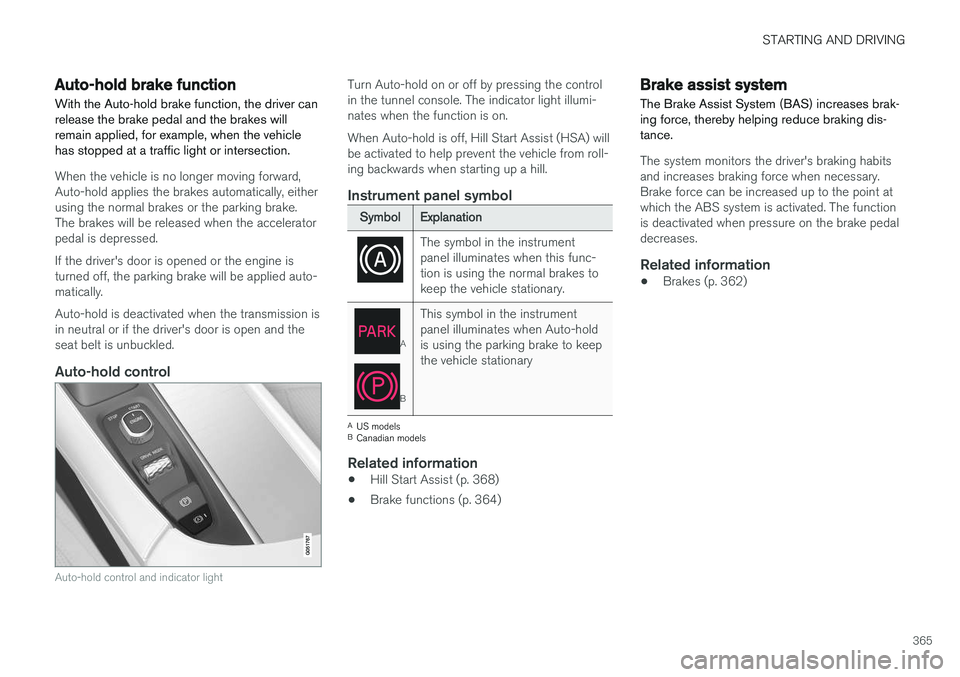
Auto-hold control
Auto-hold control and indicator light
Turn Auto-hold on or off by pressing the control in the tunnel console. The indicator light illumi-nates when the function is on. When Auto-hold is off, Hill Start Assist (HSA) will be activated to help prevent the vehicle from roll-ing backwards when starting up a hill.
Instrument panel symbol
Symbol Explanation
The symbol in the instrument panel illuminates when this func-tion is using the normal brakes tokeep the vehicle stationary.
A
BThis symbol in the instrument panel illuminates when Auto-holdis using the parking brake to keepthe vehicle stationary
A
US models
B Canadian models
Related information
• Hill Start Assist (p. 368)
• Brake functions (p. 364)
Brake assist system The Brake Assist System (BAS) increases brak- ing force, thereby helping reduce braking dis-tance.
The system monitors the driver's braking habits and increases braking force when necessary.Brake force can be increased up to the point atwhich the ABS system is activated. The functionis deactivated when pressure on the brake pedaldecreases.
Related information
• Brakes (p. 362)
Page 368 of 580
STARTING AND DRIVING
366
Braking effect after a collisionIn certain types of collisions, the vehicle's brakes are applied to help prevent or mitigate a secon-dary collision.
Maintaining control of the vehicle after a collision may be difficult. To help avoid or mitigate theeffect of a secondary collision, the brakes areapplied automatically to help bring the vehicle toa stop. The brake lights and hazard warning flashers will be activated and the flashers will remain on afterthe vehicle has come to a standstill. The parkingbrake will then be applied automatically. In a situation where stopping the vehicle may not be desirable, the driver can override this systemby pressing the accelerator pedal. This feature can only function if the brake system is intact after the collision.
Related information
• Brake functions (p. 364)
• Airbag system (p. 69)
• Rear Collision Warning (RCW) (p. 324)
Emergency brake lights
The emergency brake lights activate in the event of hard braking/rapid deceleration at most nor-mal driving speeds or if the ABS system is acti-vated. This function causes an additional taillighton each side of the vehicle to illuminate to helpalert vehicles traveling behind.
Once the emergency brake lights have been acti- vated, if the driver releases the brake pedal, thebrake lights will return to their normal function.
Related information
• Brakes (p. 362)
• Hazard warning flashers (p. 150)
• Brake lights (p. 150)
Hill Descent Control (HDC) HDC is a type of low-speed automatic engine brake and makes it possible to increase ordecrease the vehicle's speed on steep downhillgradients using only the accelerator pedal, with-out applying the brakes. HDC is integrated into the
Off Road drive
mode.
HDC is particularly useful when driving down steep hills with rough surfaces, and where theroad may have slippery patches.
WARNING
HDC does not function in all situations, and is a supplementary braking aid. The driver hasfull responsibility for driving in a safe manner.
FunctionHDC allows the vehicle to roll forward or in reverse at very low speed with enhanced enginebraking. However, speed can be adjusted to ahigher level with the accelerator pedal. When theaccelerator pedal is released, the vehicle willreturn to very low speed regardless of the steep-ness of the hill and without applying the brakes.The brake lights illuminate when HDC is func-tioning. The driver can use the brakes to slow or stop the vehicle at any time.