seats VOLVO XC90 T8 2017 Owner´s Manual
[x] Cancel search | Manufacturer: VOLVO, Model Year: 2017, Model line: XC90 T8, Model: VOLVO XC90 T8 2017Pages: 580, PDF Size: 10.37 MB
Page 202 of 580
||
CLIMATE
200
NOTE
If the blower is turned off completely, the air conditioning is disengaged, which may resultin fogging on the windows.
Setting the rear seat blower speed
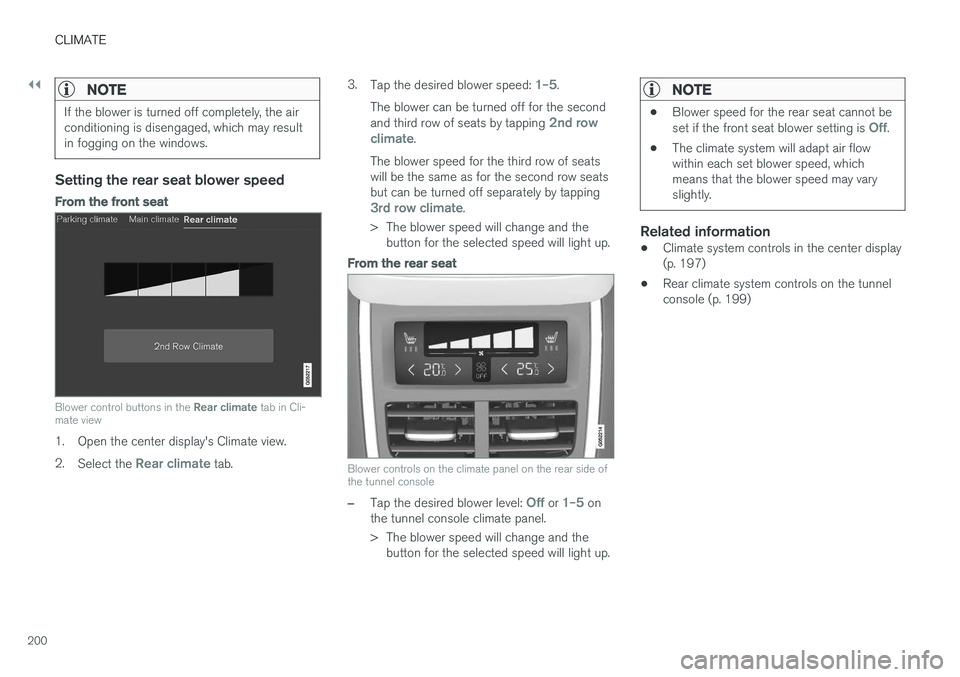
From the front seat
Blower control buttons in the Rear climate tab in Cli-
mate view
1. Open the center display's Climate view. 2. Select the
Rear climate tab. 3.
Tap the desired blower speed:
1–5.
The blower can be turned off for the second and third row of seats by tapping
2nd row
climate.
The blower speed for the third row of seats will be the same as for the second row seatsbut can be turned off separately by tapping
3rd row climate.
> The blower speed will change and the button for the selected speed will light up.
From the rear seat
Blower controls on the climate panel on the rear side of the tunnel console
–Tap the desired blower level: Off or 1–5 on
the tunnel console climate panel.
> The blower speed will change and the button for the selected speed will light up.
NOTE
• Blower speed for the rear seat cannot be set if the front seat blower setting is Off.
• The climate system will adapt air flow within each set blower speed, whichmeans that the blower speed may varyslightly.
Related information
• Climate system controls in the center display (p. 197)
• Rear climate system controls on the tunnelconsole (p. 199)
Page 203 of 580
CLIMATE
}}
201
Setting the temperature3
The temperature can be set separately for the left and right sides of the passenger compart-ment and for the front and rear seats separately.
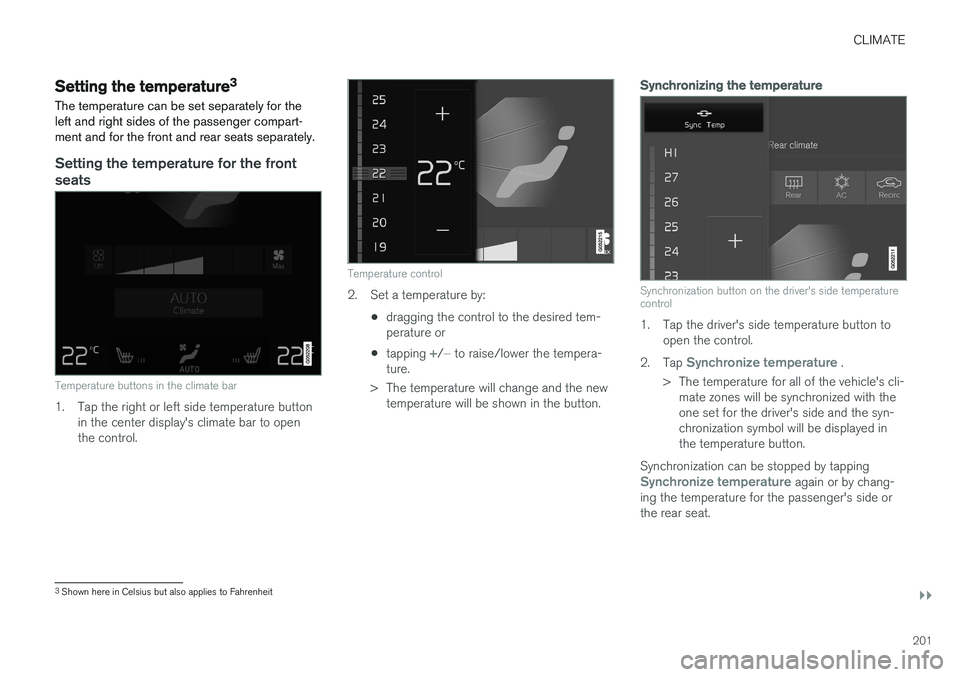
Setting the temperature for the front seats
Temperature buttons in the climate bar
1. Tap the right or left side temperature button in the center display's climate bar to open the control.
Temperature control
2. Set a temperature by:
•dragging the control to the desired tem- perature or
• tapping
+/− to raise/lower the tempera-
ture.
> The temperature will change and the new temperature will be shown in the button.
Synchronizing the temperature
Synchronization button on the driver's side temperature control
1. Tap the driver's side temperature button to open the control.
2. Tap
Synchronize temperature .
> The temperature for all of the vehicle's cli- mate zones will be synchronized with the one set for the driver's side and the syn-chronization symbol will be displayed inthe temperature button.
Synchronization can be stopped by tapping
Synchronize temperature again or by chang-
ing the temperature for the passenger's side or the rear seat.
3 Shown here in Celsius but also applies to Fahrenheit
Page 207 of 580
CLIMATE
}}
* Option/accessory.205
From the center display's Climate view
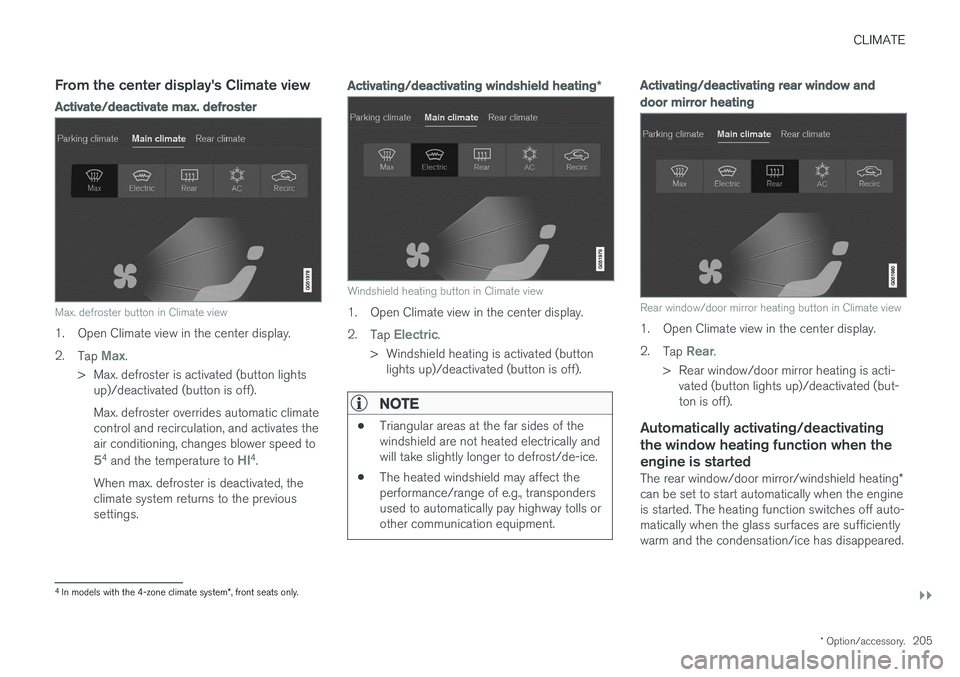
Activate/deactivate max. defroster
Max. defroster button in Climate view
1. Open Climate view in the center display. 2.
Tap
Max.
> Max. defroster is activated (button lights up)/deactivated (button is off). Max. defroster overrides automatic climate control and recirculation, and activates theair conditioning, changes blower speed to
54 and the temperature to HI4.
When max. defroster is deactivated, the climate system returns to the previoussettings.
Activating/deactivating windshield heating *
Windshield heating button in Climate view
1. Open Climate view in the center display. 2.
Tap
Electric.
> Windshield heating is activated (button lights up)/deactivated (button is off).
NOTE
• Triangular areas at the far sides of the windshield are not heated electrically andwill take slightly longer to defrost/de-ice.
• The heated windshield may affect theperformance/range of e.g., transpondersused to automatically pay highway tolls orother communication equipment.
Activating/deactivating rear window and door mirror heating
Rear window/door mirror heating button in Climate view
1. Open Climate view in the center display. 2.
Tap
Rear.
> Rear window/door mirror heating is acti- vated (button lights up)/deactivated (but- ton is off).
Automatically activating/deactivating the window heating function when theengine is started
The rear window/door mirror/windshield heating *
can be set to start automatically when the engine is started. The heating function switches off auto-matically when the glass surfaces are sufficientlywarm and the condensation/ice has disappeared.
4 In models with the 4-zone climate system *, front seats only.
Page 208 of 580
||
CLIMATE
* Option/accessory.
206 1.
Tap
Settings in the center display's Top
view and select Climate.
2. Activate/deactivate the respective defroster functions when the engine is started by selecting/deselecting the boxes for
Auto
Front Defroster and Auto Rear Defroster.
The heating function will switch off automatically when the window/mirror is sufficiently warm andthe ice/condensation has disappeared.
Related information
• Climate system controls (p. 197)
• Climate system controls in the center display(p. 197)
• Defrosting windows and mirrors (p. 204)
• Air conditioning (p. 207)
• Turning recirculation on and off (p. 203)
• Adjusting air distribution (p. 211)
• Setting the blower speed (p. 199)
• Automatic climate control (p. 196)
• Turning front seat ventilation
* on and off
(p. 209)
• Turning steering wheel heating
* on and off
(p. 206)
Turning steering wheel heating * on
and off
The steering wheel can be heated electrically for added comfort in cold weather.
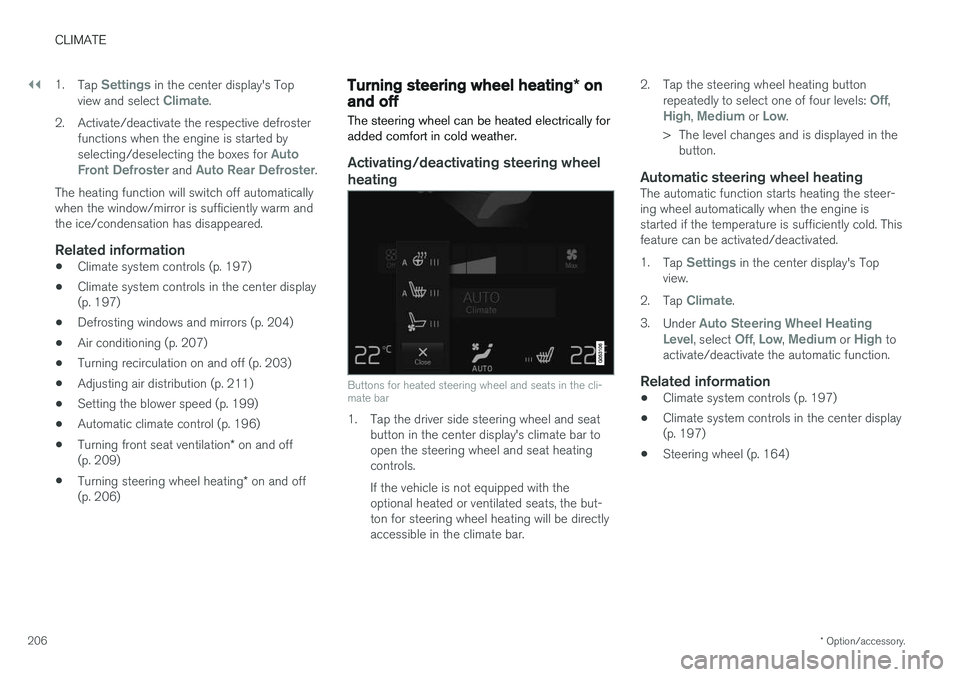
Activating/deactivating steering wheel
heating
Buttons for heated steering wheel and seats in the cli- mate bar
1. Tap the driver side steering wheel and seat button in the center display's climate bar to open the steering wheel and seat heatingcontrols. If the vehicle is not equipped with the optional heated or ventilated seats, the but-ton for steering wheel heating will be directlyaccessible in the climate bar. 2. Tap the steering wheel heating button
repeatedly to select one of four levels:
Off,High, Medium or Low.
> The level changes and is displayed in the button.
Automatic steering wheel heatingThe automatic function starts heating the steer- ing wheel automatically when the engine isstarted if the temperature is sufficiently cold. Thisfeature can be activated/deactivated. 1. Tap
Settings in the center display's Top
view.
2. Tap
Climate.
3. Under
Auto Steering Wheel Heating
Level, select Off, Low, Medium or High to
activate/deactivate the automatic function.
Related information
• Climate system controls (p. 197)
• Climate system controls in the center display (p. 197)
• Steering wheel (p. 164)
Page 209 of 580
CLIMATE
* Option/accessory.207
Air conditioning
The air conditioning cools and dehumidifies the air in the passenger compartment.
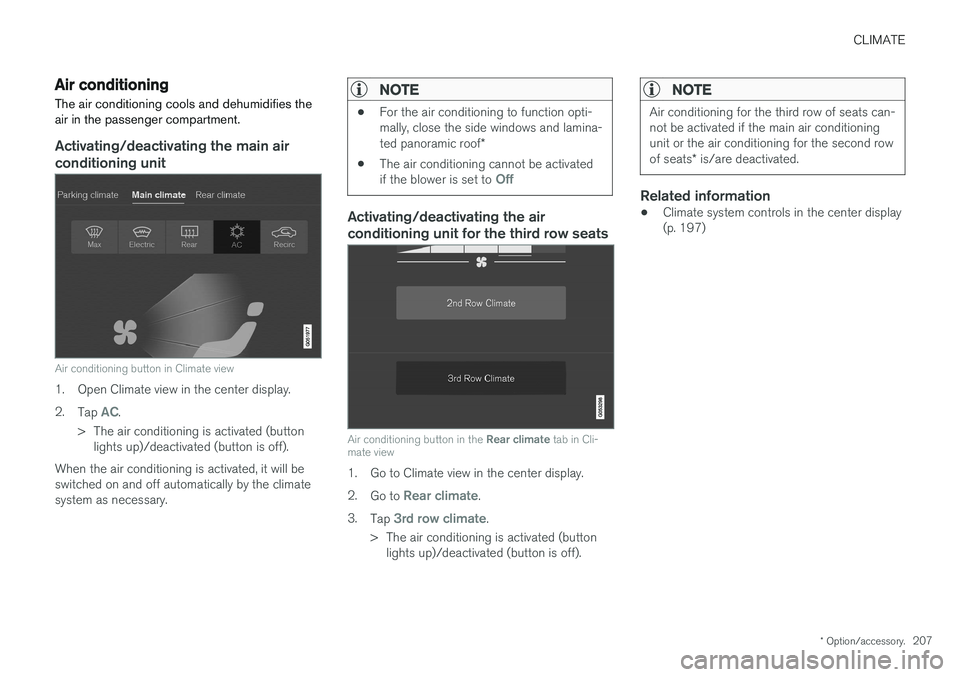
Activating/deactivating the main air conditioning unit
Air conditioning button in Climate view
1. Open Climate view in the center display. 2. Tap
AC.
> The air conditioning is activated (button lights up)/deactivated (button is off).
When the air conditioning is activated, it will be switched on and off automatically by the climatesystem as necessary.
NOTE
• For the air conditioning to function opti- mally, close the side windows and lamina- ted panoramic roof
*
• The air conditioning cannot be activated if the blower is set to
Off
Activating/deactivating the air conditioning unit for the third row seats
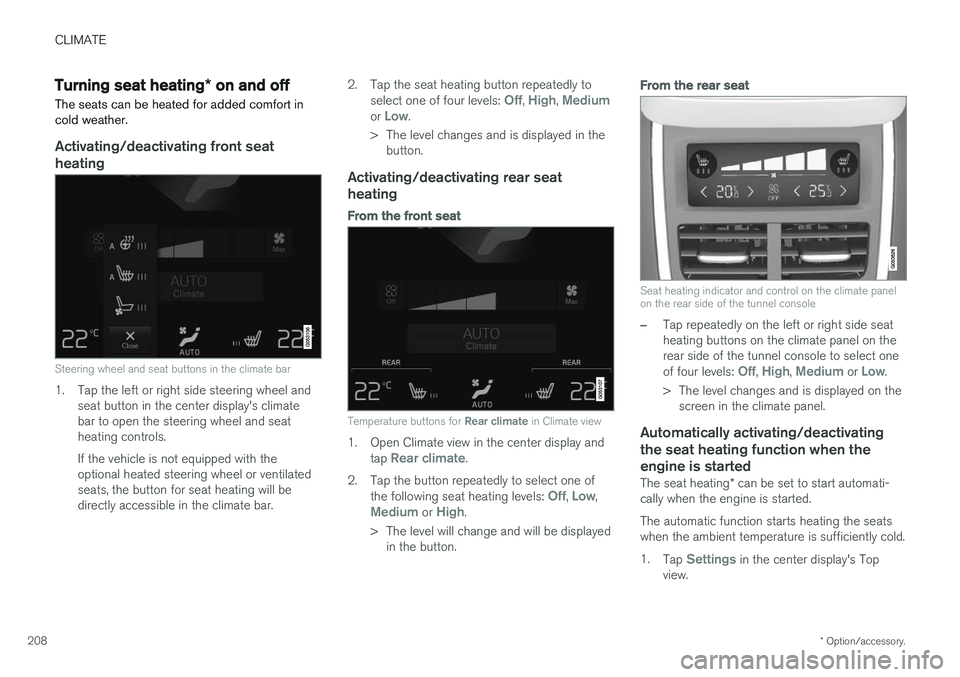
Air conditioning button in the
Rear climate tab in Cli-
mate view
1. Go to Climate view in the center display. 2. Go to
Rear climate.
3. Tap
3rd row climate.
> The air conditioning is activated (button lights up)/deactivated (button is off).
NOTE
Air conditioning for the third row of seats can- not be activated if the main air conditioningunit or the air conditioning for the second row of seats * is/are deactivated.
Related information
• Climate system controls in the center display (p. 197)
Page 210 of 580
CLIMATE
* Option/accessory.
208
Turning seat heating * on and off
The seats can be heated for added comfort in cold weather.
Activating/deactivating front seat heating
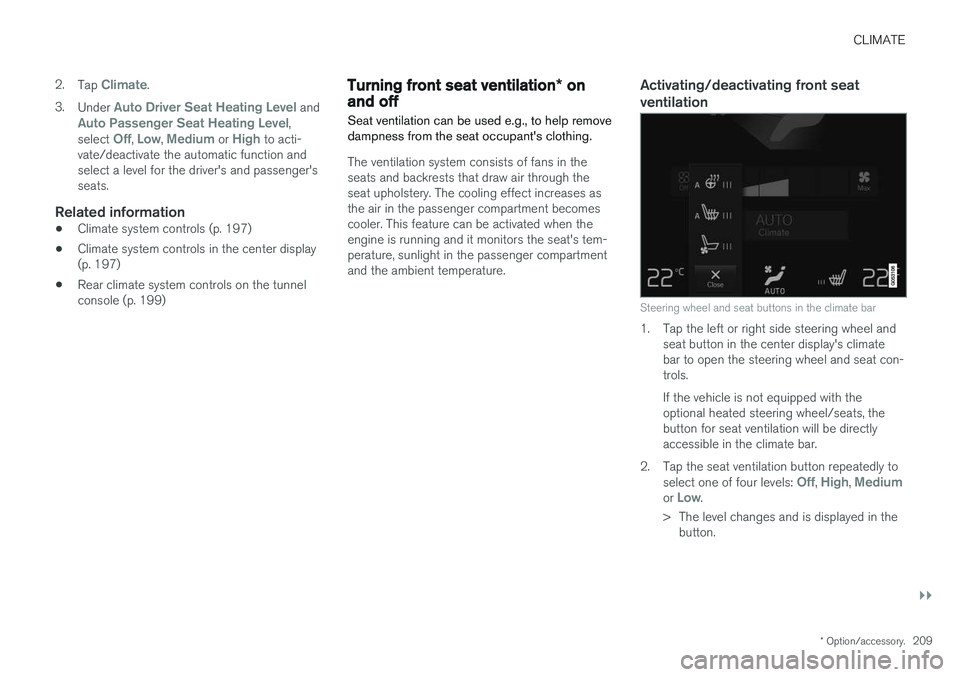
Steering wheel and seat buttons in the climate bar
1. Tap the left or right side steering wheel and seat button in the center display's climate bar to open the steering wheel and seatheating controls. If the vehicle is not equipped with the optional heated steering wheel or ventilatedseats, the button for seat heating will bedirectly accessible in the climate bar. 2. Tap the seat heating button repeatedly to
select one of four levels:
Off, High, Mediumor Low.
> The level changes and is displayed in the button.
Activating/deactivating rear seat heating
From the front seat
Temperature buttons for Rear climate in Climate view
1. Open Climate view in the center display and
tap Rear climate.
2. Tap the button repeatedly to select one of the following seat heating levels:
Off, Low,Medium or High.
> The level will change and will be displayed in the button.
From the rear seat
Seat heating indicator and control on the climate panel on the rear side of the tunnel console
–Tap repeatedly on the left or right side seat heating buttons on the climate panel on therear side of the tunnel console to select one of four levels:
Off, High, Medium or Low.
> The level changes and is displayed on the screen in the climate panel.
Automatically activating/deactivating the seat heating function when theengine is started
The seat heating * can be set to start automati-
cally when the engine is started. The automatic function starts heating the seats when the ambient temperature is sufficiently cold. 1. Tap
Settings in the center display's Top
view.
Page 211 of 580
CLIMATE
}}
* Option/accessory.209
2.
Tap
Climate.
3. Under
Auto Driver Seat Heating Level andAuto Passenger Seat Heating Level,
select Off, Low, Medium or High to acti-
vate/deactivate the automatic function and select a level for the driver's and passenger'sseats.
Related information
• Climate system controls (p. 197)
• Climate system controls in the center display(p. 197)
• Rear climate system controls on the tunnelconsole (p. 199)
Turning front seat ventilation
* on
and off
Seat ventilation can be used e.g., to help remove dampness from the seat occupant's clothing.
The ventilation system consists of fans in the seats and backrests that draw air through theseat upholstery. The cooling effect increases asthe air in the passenger compartment becomescooler. This feature can be activated when theengine is running and it monitors the seat's tem-perature, sunlight in the passenger compartmentand the ambient temperature.
Activating/deactivating front seat ventilation
Steering wheel and seat buttons in the climate bar
1. Tap the left or right side steering wheel and seat button in the center display's climate bar to open the steering wheel and seat con-trols. If the vehicle is not equipped with the optional heated steering wheel/seats, thebutton for seat ventilation will be directlyaccessible in the climate bar.
2. Tap the seat ventilation button repeatedly to select one of four levels:
Off, High, Mediumor Low.
> The level changes and is displayed in the button.
Page 212 of 580
||
CLIMATE
* Option/accessory.
210
NOTE
Seat ventilation cannot be started if the tem- perature in the passenger compartment is toolow. For use over extended periods, the setting
Low is recommended.
Related information
• Climate system controls (p. 197)
• Climate system controls in the center display (p. 197)
Air distribution
The incoming air is distributed through a number of different vents in the passenger compartment.
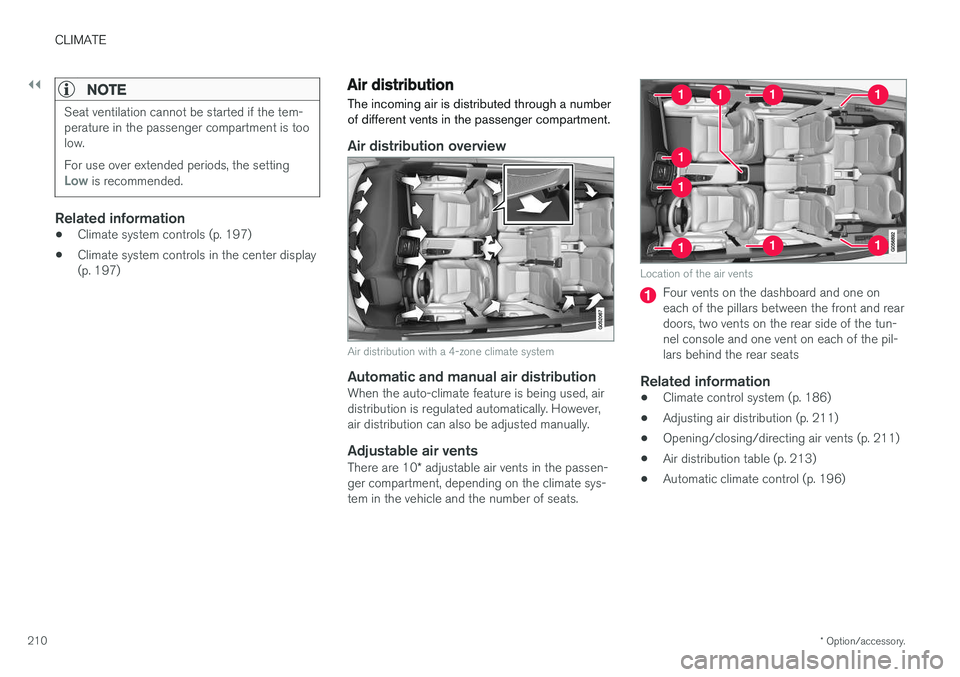
Air distribution overview
Air distribution with a 4-zone climate system
Automatic and manual air distributionWhen the auto-climate feature is being used, air distribution is regulated automatically. However,air distribution can also be adjusted manually.
Adjustable air vents
There are 10 * adjustable air vents in the passen-
ger compartment, depending on the climate sys-tem in the vehicle and the number of seats.
Location of the air vents
Four vents on the dashboard and one on each of the pillars between the front and reardoors, two vents on the rear side of the tun-nel console and one vent on each of the pil-lars behind the rear seats
Related information
• Climate control system (p. 186)
• Adjusting air distribution (p. 211)
• Opening/closing/directing air vents (p. 211)
• Air distribution table (p. 213)
• Automatic climate control (p. 196)
Page 218 of 580
LOADING AND STORAGE
* Option/accessory.
216
Cargo space
The vehicle has flexible cargo capacity that makes it possible to load and secure largeobjects.
By folding down the backrests in the second and third rows * of seats, the cargo capacity of the
vehicle increases considerably. To make loading easier, the rear section of the vehicle can beraised and lowered using the pneumatic suspen- sion *. Use the load anchoring eyelets or the gro-
cery bag holder to secure objects and the cargo compartment cover to help conceal the load. The jack *, tire sealing system and tools can be
found under the cargo compartment's floor.
Related information
• Loading (p. 216)
• Cargo compartment cover
* (p. 225)
• Cargo net (p. 221)
• Grocery bag holder (p. 221)
• Load anchoring eyelets (p. 224)
• Steel cargo grid
* (p. 223)
• Folding the second row backrests (p. 176)
• Folding the third row backrests (p. 178)
• Leveling control
* and suspension (p. 419)
Loading
The load carrying capacity of your vehicle is determined by factors such as the number ofpassengers, the amount of cargo, the weight ofany accessories that may be installed, etc.
Loading recommendations
• Load objects in the cargo compartment against the backrest whenever possible.
• If the backrests of the second row seats arefolded down, they should not be in contactwith the front seat backrests. This couldimpede the function of the WhiplashProtection System (WHIPS).
• Unstable loads can be secured to the loadanchoring eyelets with straps or web lash-ings to help keep them from shifting.
• Stop the engine and apply the parking brakewhen loading or unloading long objects. Thegear selector can be knocked out of positionby long loads, which could set the vehicle inmotion.
WARNING
•
Stop the engine, put the gear selector in P
, and apply the parking brake when
loading or unloading long objects.
• The vehicle's driving characteristics may change depending on the weight and dis-tribution of the load.
• A 44-pound (20 kg) object produces aforce of 2,200 pounds (1,000 kg) in ahead-on collision at 30 mph (50 km/h).
• The cargo area and rear seat should notbe loaded to a level higher than 2 in.(5 cm) below the upper edge of the rearside windows. Objects placed higher thanthis level could impede the function ofthe Inflatable Curtain.
WARNING
• Cover sharp edges on long loads to help prevent injury to occupants. Secure theload to help prevent shifting during sud-den stops.
• Always secure large and heavy objectswith a seat belt or cargo retaining straps.
• Always secure the load to help prevent itfrom moving in the event of sudden stops.
• Switch off the engine, apply the parking brake and put the gear selector in
P
when loading and unloading the vehicle.
Page 219 of 580
LOADING AND STORAGE
}}
* Option/accessory.217
Raising/lowering the rear-end of the vehicle*
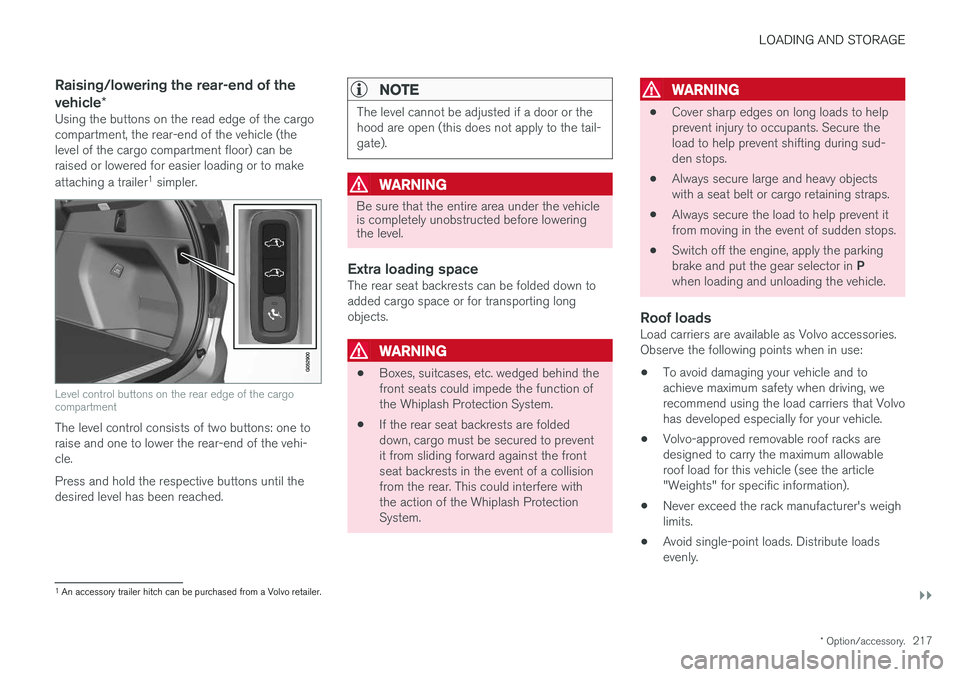
Using the buttons on the read edge of the cargo compartment, the rear-end of the vehicle (thelevel of the cargo compartment floor) can beraised or lowered for easier loading or to make attaching a trailer 1
simpler.
Level control buttons on the rear edge of the cargo compartment
The level control consists of two buttons: one to raise and one to lower the rear-end of the vehi-cle. Press and hold the respective buttons until the desired level has been reached.
NOTE
The level cannot be adjusted if a door or the hood are open (this does not apply to the tail-gate).
WARNING
Be sure that the entire area under the vehicle is completely unobstructed before loweringthe level.
Extra loading spaceThe rear seat backrests can be folded down to added cargo space or for transporting longobjects.
WARNING
• Boxes, suitcases, etc. wedged behind the front seats could impede the function ofthe Whiplash Protection System.
• If the rear seat backrests are foldeddown, cargo must be secured to preventit from sliding forward against the frontseat backrests in the event of a collisionfrom the rear. This could interfere withthe action of the Whiplash ProtectionSystem.
WARNING
• Cover sharp edges on long loads to help prevent injury to occupants. Secure theload to help prevent shifting during sud-den stops.
• Always secure large and heavy objectswith a seat belt or cargo retaining straps.
• Always secure the load to help prevent itfrom moving in the event of sudden stops.
• Switch off the engine, apply the parking brake and put the gear selector in
P
when loading and unloading the vehicle.
Roof loadsLoad carriers are available as Volvo accessories. Observe the following points when in use:
• To avoid damaging your vehicle and toachieve maximum safety when driving, werecommend using the load carriers that Volvohas developed especially for your vehicle.
• Volvo-approved removable roof racks aredesigned to carry the maximum allowableroof load for this vehicle (see the article"Weights" for specific information).
• Never exceed the rack manufacturer's weighlimits.
• Avoid single-point loads. Distribute loadsevenly.
1
An accessory trailer hitch can be purchased from a Volvo retailer.