ECO mode VOLVO XC90 T8 2018 Owner´s Manual
[x] Cancel search | Manufacturer: VOLVO, Model Year: 2018, Model line: XC90 T8, Model: VOLVO XC90 T8 2018Pages: 686, PDF Size: 11.51 MB
Page 279 of 686
DRIVER SUPPORT
277
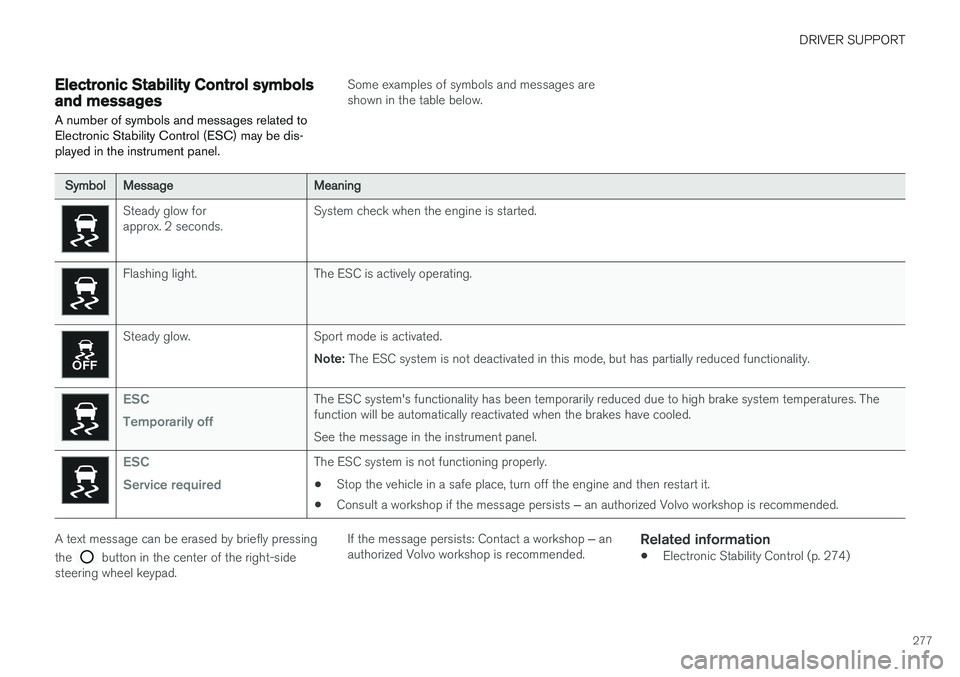
Electronic Stability Control symbolsand messages
A number of symbols and messages related to Electronic Stability Control (ESC) may be dis-played in the instrument panel.
Some examples of symbols and messages are shown in the table below.
SymbolMessageMeaning
Steady glow for approx. 2 seconds. System check when the engine is started.
Flashing light. The ESC is actively operating.
Steady glow. Sport mode is activated.
Note: The ESC system is not deactivated in this mode, but has partially reduced functionality.
ESC Temporarily offThe ESC system's functionality has been temporarily reduced due to high brake system temperatures. The function will be automatically reactivated when the brakes have cooled. See the message in the instrument panel.
ESC Service requiredThe ESC system is not functioning properly.
• Stop the vehicle in a safe place, turn off the engine and then restart it.
• Consult a workshop if the message persists
‒ an authorized Volvo workshop is recommended.
A text message can be erased by briefly pressing the
button in the center of the right-side
steering wheel keypad. If the message persists: Contact a workshop
‒ an
authorized Volvo workshop is recommended.
Related information
• Electronic Stability Control (p. 274)
Page 289 of 686
DRIVER SUPPORT
287
•
Reactivating Cruise Control from standby mode (p. 290)
• Switching off Cruise Control (p. 290)
Activating and starting CruiseControl
The Cruise Control (CC 28
) function must be
selected and activated in order to regulate speed.
Note: This illustration is general and details may vary depending on model.
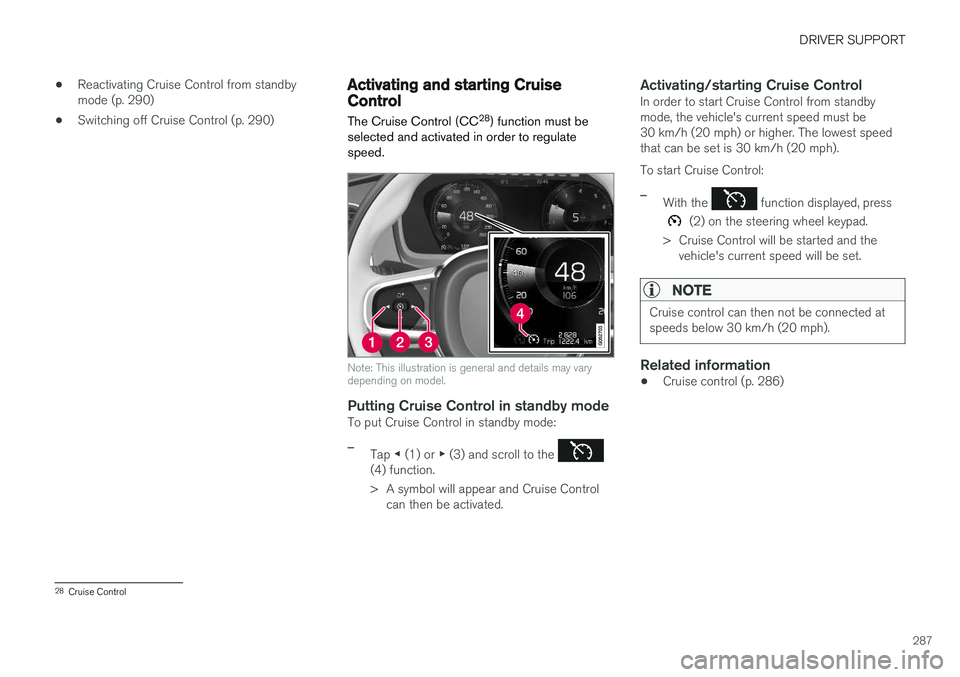
Putting Cruise Control in standby modeTo put Cruise Control in standby mode:
–Tap ◀ (1) or ▶ (3) and scroll to the (4) function.
> A symbol will appear and Cruise Control
can then be activated.
Activating/starting Cruise ControlIn order to start Cruise Control from standby mode, the vehicle's current speed must be30 km/h (20 mph) or higher. The lowest speedthat can be set is 30 km/h (20 mph). To start Cruise Control:
–With the function displayed, press
(2) on the steering wheel keypad.
> Cruise Control will be started and the vehicle's current speed will be set.
NOTE
Cruise control can then not be connected at speeds below 30 km/h (20 mph).
Related information
• Cruise control (p. 286)
28
Cruise Control
Page 291 of 686
DRIVER SUPPORT
289
Cruise Control Eco Cruise
In the ECO drive mode, cruise control's accelera- tion and deceleration will be smoother than inother drive modes to help provide optimal fuelefficiency and reduced environmental impact.Because of this, the vehicle's actual speed maybe slightly above or below the set speed.
Cruise Control Dynamic Cruise
With the Dynamic drive mode, cruise control's acceleration and deceleration will be faster andmore immediate than in other drive modes.
Related information
•Cruise control (p. 286)
Deactivating and putting CruiseControl in standby mode
Cruise Control (CC 31
) can be temporarily put
into standby mode and then reactivated.
Deactivating and putting Cruise Control in standby mode
Note: This illustration is general and details may vary depending on model.
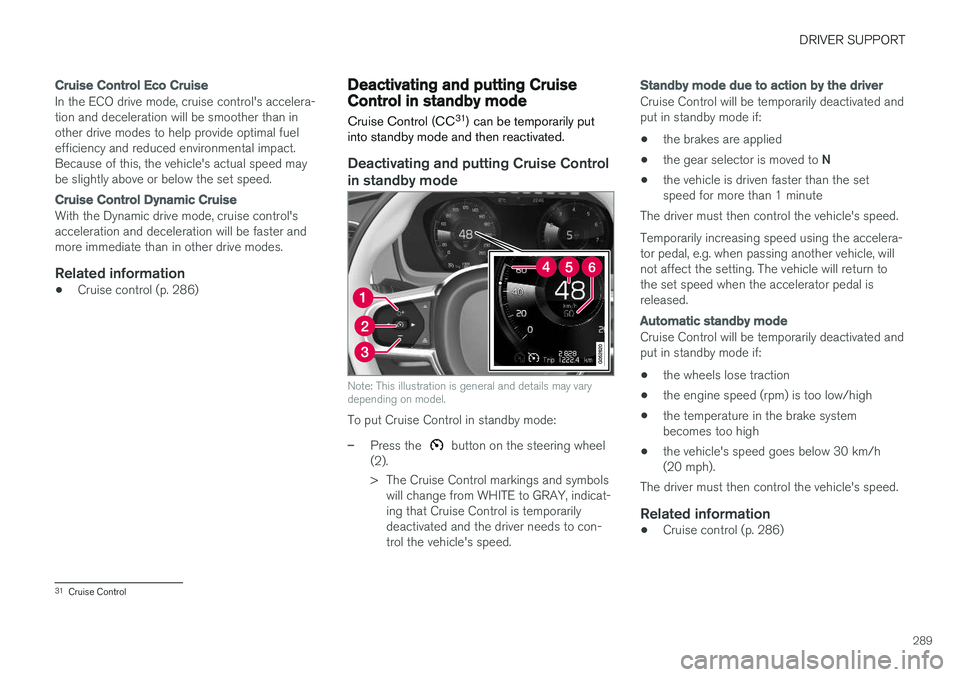
To put Cruise Control in standby mode:
–Press the button on the steering wheel
(2).
> The Cruise Control markings and symbols will change from WHITE to GRAY, indicat- ing that Cruise Control is temporarilydeactivated and the driver needs to con-trol the vehicle's speed.
Standby mode due to action by the driver
Cruise Control will be temporarily deactivated and put in standby mode if:
• the brakes are applied
• the gear selector is moved to
N
• the vehicle is driven faster than the setspeed for more than 1 minute
The driver must then control the vehicle's speed. Temporarily increasing speed using the accelera- tor pedal, e.g. when passing another vehicle, willnot affect the setting. The vehicle will return tothe set speed when the accelerator pedal isreleased.
Automatic standby mode
Cruise Control will be temporarily deactivated and put in standby mode if:
• the wheels lose traction
• the engine speed (rpm) is too low/high
• the temperature in the brake systembecomes too high
• the vehicle's speed goes below 30 km/h(20 mph).
The driver must then control the vehicle's speed.
Related information
• Cruise control (p. 286)
31
Cruise Control
Page 293 of 686
DRIVER SUPPORT
}}
* Option/accessory.291
Function buttons and symbols 33
.
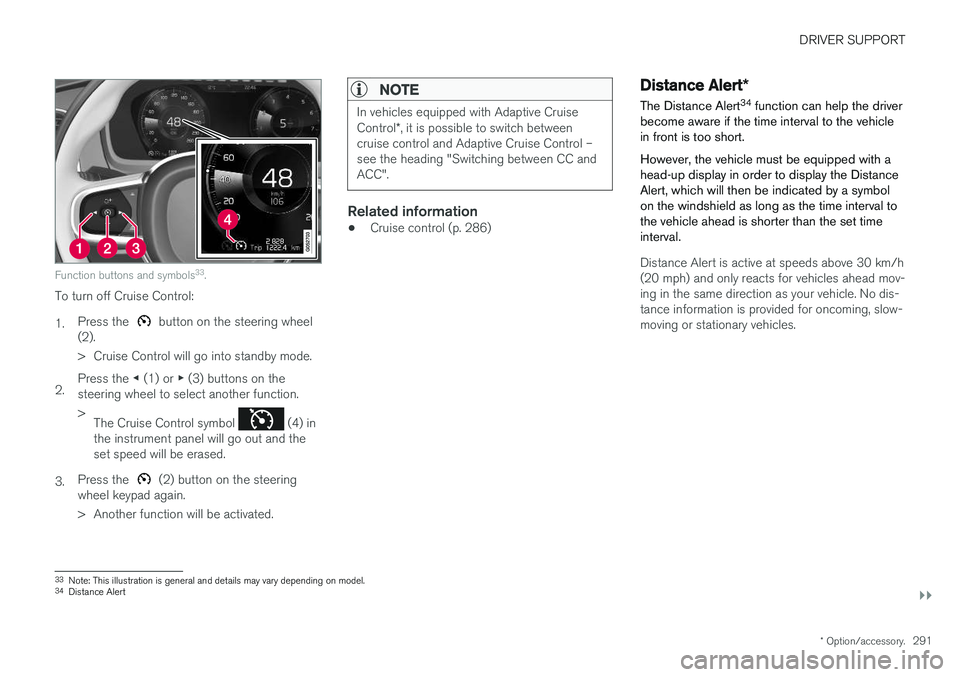
To turn off Cruise Control: 1. Press the
button on the steering wheel
(2).
> Cruise Control will go into standby mode.
2. Press the
◀ (1) or ▶ (3) buttons on the
steering wheel to select another function.> The Cruise Control symbol
(4) in
the instrument panel will go out and the set speed will be erased.
3. Press the
(2) button on the steering
wheel keypad again.
> Another function will be activated.
NOTE
In vehicles equipped with Adaptive Cruise Control *, it is possible to switch between
cruise control and Adaptive Cruise Control – see the heading "Switching between CC andACC".
Related information
• Cruise control (p. 286)
Distance Alert
*
The Distance Alert 34
function can help the driver
become aware if the time interval to the vehicle in front is too short. However, the vehicle must be equipped with a head-up display in order to display the DistanceAlert, which will then be indicated by a symbolon the windshield as long as the time interval tothe vehicle ahead is shorter than the set timeinterval.
Distance Alert is active at speeds above 30 km/h (20 mph) and only reacts for vehicles ahead mov-ing in the same direction as your vehicle. No dis-tance information is provided for oncoming, slow-moving or stationary vehicles.
33 Note: This illustration is general and details may vary depending on model.
34 Distance Alert
Page 300 of 686
DRIVER SUPPORT
* Option/accessory.
298 •
Managing Adaptive Cruise Control speed (p. 300)
• Setting Adaptive Cruise Control time inter-vals (p. 301)
• Deactivating/reactivating Adaptive CruiseControl (p. 302)
• Passing assistance with Adaptive CruiseControl (p. 304)
• Starting passing assistance with AdaptiveCruise Control (p. 304)
• Limitations of passing assistance with Adap-tive Cruise Control (p. 305)
• Switching target vehicles with AdaptiveCruise Control (p. 305)
• Automatic braking with Adaptive Cruise Con-trol (p. 306)
• Adaptive Cruise Control limitations (p. 307)
• Switching between Cruise Control and Adap-tive Cruise Control (p. 307)
• Symbols and messages for Adaptive CruiseControl (p. 309)
Adaptive Cruise Control andcollision warning
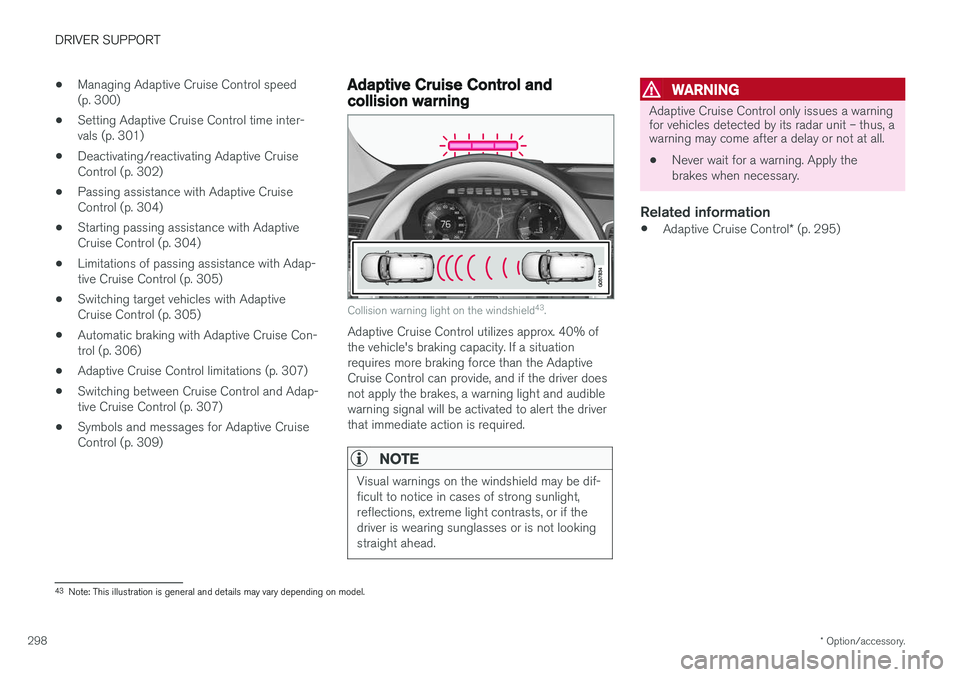
Collision warning light on the windshield 43
.
Adaptive Cruise Control utilizes approx. 40% of the vehicle's braking capacity. If a situationrequires more braking force than the AdaptiveCruise Control can provide, and if the driver doesnot apply the brakes, a warning light and audiblewarning signal will be activated to alert the driverthat immediate action is required.
NOTE
Visual warnings on the windshield may be dif- ficult to notice in cases of strong sunlight,reflections, extreme light contrasts, or if thedriver is wearing sunglasses or is not lookingstraight ahead.
WARNING
Adaptive Cruise Control only issues a warning for vehicles detected by its radar unit – thus, awarning may come after a delay or not at all.
• Never wait for a warning. Apply the brakes when necessary.
Related information
•
Adaptive Cruise Control
* (p. 295)
43
Note: This illustration is general and details may vary depending on model.
Page 301 of 686
DRIVER SUPPORT
}}
* Option/accessory.299
Head-up display for Adaptive CruiseControl with collision warning
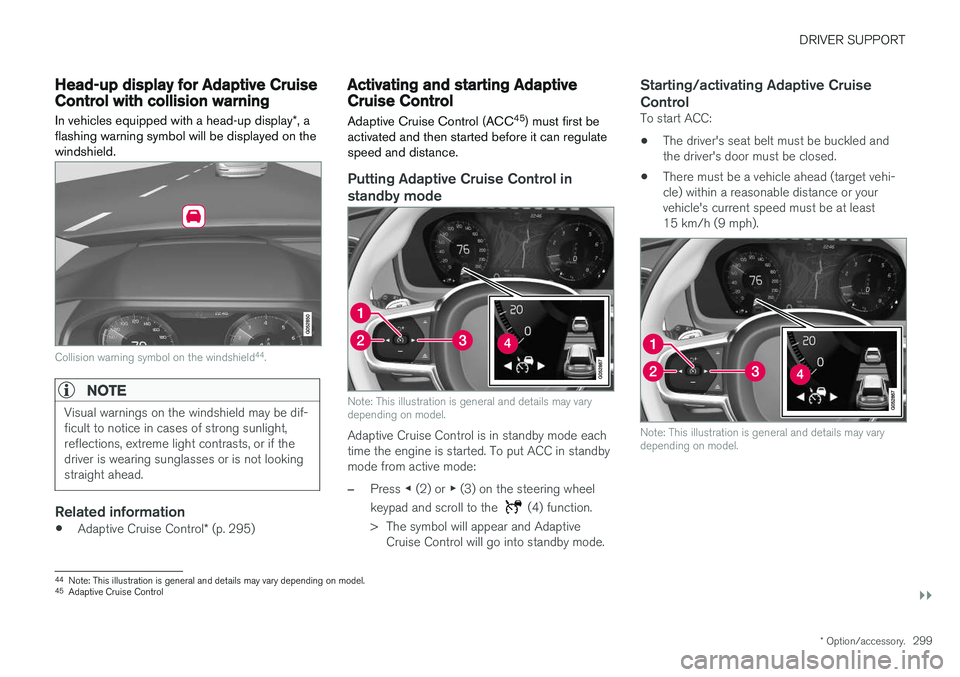
In vehicles equipped with a head-up display *, a
flashing warning symbol will be displayed on the windshield.
Collision warning symbol on the windshield 44
.
NOTE
Visual warnings on the windshield may be dif- ficult to notice in cases of strong sunlight,reflections, extreme light contrasts, or if thedriver is wearing sunglasses or is not lookingstraight ahead.
Related information
• Adaptive Cruise Control
* (p. 295)
Activating and starting AdaptiveCruise Control Adaptive Cruise Control (ACC 45
) must first be
activated and then started before it can regulate speed and distance.
Putting Adaptive Cruise Control in standby mode
Note: This illustration is general and details may vary depending on model.
Adaptive Cruise Control is in standby mode each time the engine is started. To put ACC in standbymode from active mode:
–Press ◀ (2) or ▶ (3) on the steering wheel
keypad and scroll to the
(4) function.
> The symbol will appear and Adaptive Cruise Control will go into standby mode.
Starting/activating Adaptive Cruise Control
To start ACC:
• The driver's seat belt must be buckled and the driver's door must be closed.
• There must be a vehicle ahead (target vehi-cle) within a reasonable distance or yourvehicle's current speed must be at least15 km/h (9 mph).
Note: This illustration is general and details may vary depending on model.
44
Note: This illustration is general and details may vary depending on model.
45 Adaptive Cruise Control
Page 303 of 686
DRIVER SUPPORT
}}
* Option/accessory.301
Automatic transmission
Adaptive Cruise Control can follow another vehi- cle at speeds from a standstill up to 200 km/h(125 mph). The lowest speed that can be set for Adaptive Cruise Control is 30 km/h (20 mph). When fol-lowing another vehicle, ACC can monitor thatvehicle's speed and slow your own vehicle downto a standstill, but it is not possible to set speedslower than 30 km/h (20 mph). The highest possible speed that can be set is 200 km/h (125 mph).
Related information
•Adaptive Cruise Control
* (p. 295)
Setting Adaptive Cruise Controltime intervals Adaptive Cruise Control (ACC 47
) can be set to
various time intervals to the vehicle ahead.
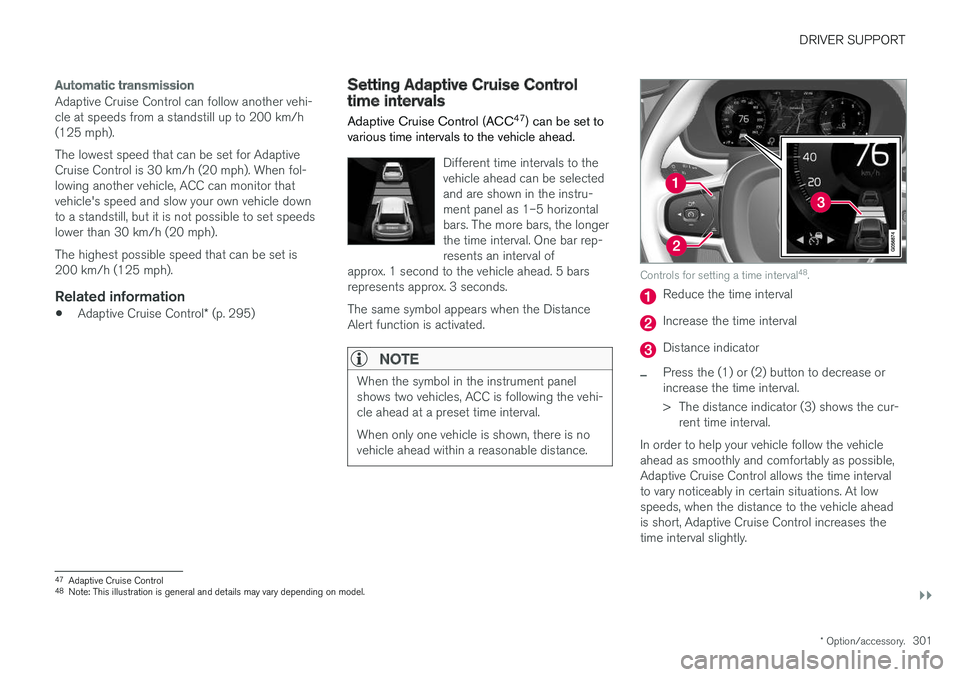
Different time intervals to the vehicle ahead can be selectedand are shown in the instru-ment panel as 1–5 horizontalbars. The more bars, the longerthe time interval. One bar rep-resents an interval of
approx. 1 second to the vehicle ahead. 5 barsrepresents approx. 3 seconds. The same symbol appears when the Distance Alert function is activated.
NOTE
When the symbol in the instrument panel shows two vehicles, ACC is following the vehi-cle ahead at a preset time interval. When only one vehicle is shown, there is no vehicle ahead within a reasonable distance.
Controls for setting a time interval 48
.
Reduce the time interval
Increase the time interval
Distance indicator
–Press the (1) or (2) button to decrease or increase the time interval.
> The distance indicator (3) shows the cur-
rent time interval.
In order to help your vehicle follow the vehicle ahead as smoothly and comfortably as possible,Adaptive Cruise Control allows the time intervalto vary noticeably in certain situations. At lowspeeds, when the distance to the vehicle aheadis short, Adaptive Cruise Control increases thetime interval slightly.
47 Adaptive Cruise Control
48 Note: This illustration is general and details may vary depending on model.
Page 304 of 686
||
DRIVER SUPPORT
* Option/accessory.
302
NOTE
• The greater the vehicles' speed, the greater the distance between them for aset time interval.
• Only use the time intervals permitted bylocal traffic regulations.
• If the Adaptive Cruise Control does notseem to respond with a speed increasewhen activated, it may be because thetime interval to the vehicle ahead isshorter than the set time interval.
WARNING
•Only use a time interval suitable for the current traffic conditions.
• The driver should be aware that shorttime intervals give them limited time toreact and act to any unforeseen trafficsituation.
Setting how ACC should maintain distance
* to the vehicle ahead
A number of different settings can be made for how Adaptive Cruise Control should maintain atime interval to the vehicle ahead. Settings are made using the DRIVE MODE controls. Select one of the following:
•
Eco - ACC will focus on providing optimal
fuel economy, which will increase the time interval to the vehicle ahead.
•
Comfort - ACC will focus on following the
set time interval to the vehicle ahead as smoothly as possible.
•
Dynamic - ACC will focus on following the
set time interval to the vehicle ahead more exactly, which could mean faster accelerationand heavier braking.
For more information, see "Drive modes".
Related information
• Adaptive Cruise Control
* (p. 295)
Deactivating/reactivating AdaptiveCruise Control Adaptive Cruise Control (ACC 49
) can be tempo-
rarily put into standby mode and then reactiva- ted.
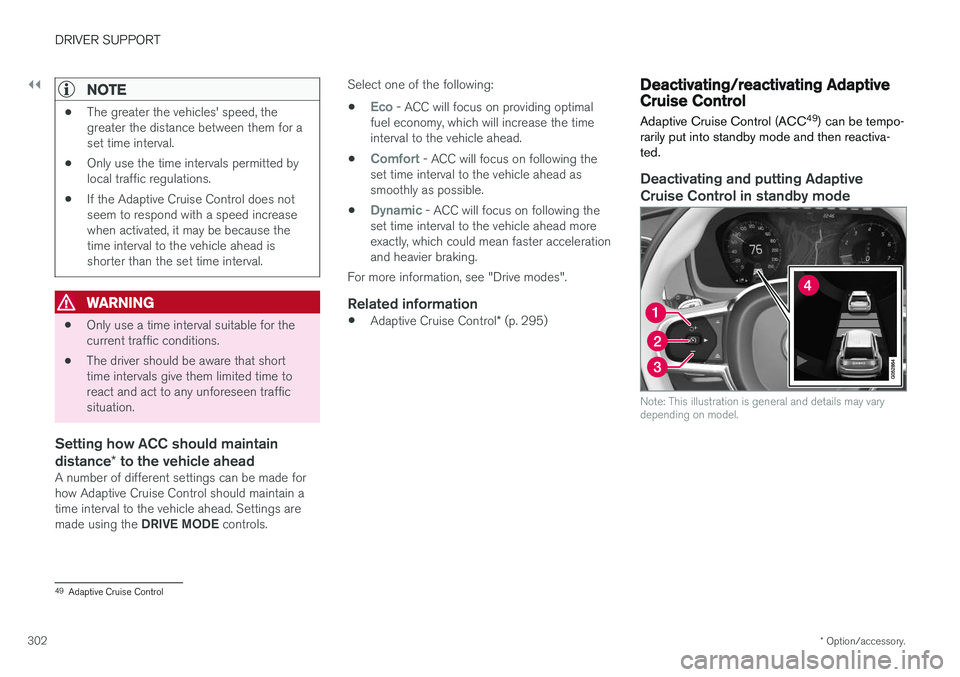
Deactivating and putting Adaptive Cruise Control in standby mode
Note: This illustration is general and details may vary depending on model.
49 Adaptive Cruise Control
Page 307 of 686
DRIVER SUPPORT
* Option/accessory.305
Limitations of passing assistancewith Adaptive Cruise Control
Passing assistance functionality may be reduced in certain situations.
WARNING
The driver should be aware that if conditions suddenly change when using Parking Assis-tance, the function may implement an unde-sired acceleration in certain conditions. Some situations should be avoided, e.g. if: • the vehicle is approaching an exit in the same direction as passing would normallyoccur
• the vehicle ahead slows before your vehi-cle has had time to switch to the passinglane
• traffic in the passing lane slows down
• a vehicle for right-hand traffic is driven ina country with left-hand traffic (or viceversa).
Situations of this type can be avoided by tempo- rarily putting ACC 53
in standby mode.
Related information
• Adaptive Cruise Control
* (p. 295)
Switching target vehicles withAdaptive Cruise Control
At certain speeds, models with automatic trans- missions and Adaptive Cruise Control (ACC 54
)
can switch target vehicles.
Switching target vehicles
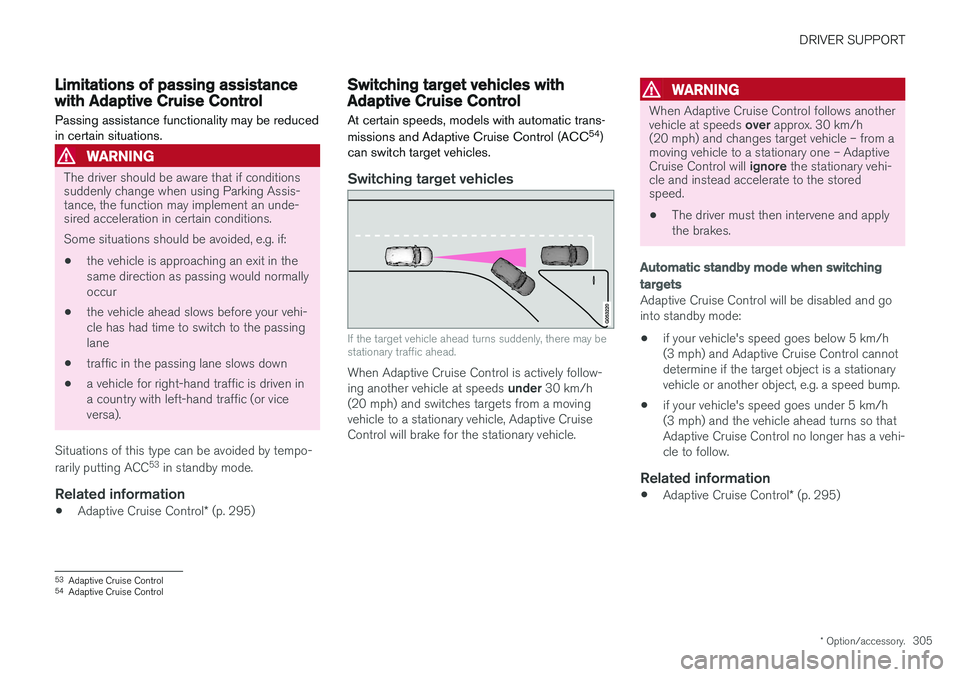
If the target vehicle ahead turns suddenly, there may be stationary traffic ahead.
When Adaptive Cruise Control is actively follow- ing another vehicle at speeds under 30 km/h
(20 mph) and switches targets from a moving vehicle to a stationary vehicle, Adaptive CruiseControl will brake for the stationary vehicle.
WARNING
When Adaptive Cruise Control follows another vehicle at speeds over approx. 30 km/h
(20 mph) and changes target vehicle – from a moving vehicle to a stationary one – Adaptive Cruise Control will ignore the stationary vehi-
cle and instead accelerate to the stored speed. • The driver must then intervene and apply the brakes.
Automatic standby mode when switching
targets
Adaptive Cruise Control will be disabled and go into standby mode:
• if your vehicle's speed goes below 5 km/h(3 mph) and Adaptive Cruise Control cannotdetermine if the target object is a stationaryvehicle or another object, e.g. a speed bump.
• if your vehicle's speed goes under 5 km/h(3 mph) and the vehicle ahead turns so thatAdaptive Cruise Control no longer has a vehi-cle to follow.
Related information
•
Adaptive Cruise Control
* (p. 295)
53
Adaptive Cruise Control
54 Adaptive Cruise Control
Page 308 of 686
DRIVER SUPPORT
* Option/accessory.
306
Automatic braking with AdaptiveCruise Control The Adaptive cruise control (ACC 55
) has a spe-
cial brake function in slow traffic and while sta- tionary.
Braking function in slow traffic and at a standstill
In slow-moving, stop-and-go traffic or when stop- ped at a traffic light, driving will resume automati-cally if the vehicle is stopped for less thanapprox. 3 seconds. If it takes more than 3 sec-onds for the vehicle ahead to begin moving again,Adaptive Cruise Control will go into standbymode and the Auto-hold brake function will acti-vate.
–Adaptive Cruise Control can be reactivated in one of the following ways:
• Pressing the
button on the steering
wheel keypad.
• Pressing the accelerator pedal.
> Adaptive Cruise Control will resume fol- lowing the vehicle ahead if it begins to move within approx. 6 seconds.
NOTE
ACC can keep the vehicle stationary for no more than 5 minutes – after that time theparking brake is applied and Adaptive CruiseControl is deactivated. The parking brake must be released before Adaptive Cruise Control can be reactivated.
Deactivation of the Auto-hold brake function
In certain situations, Auto-hold will be deactivated when the vehicle is at a standstill and AdaptiveCruise Control will go into standby mode. Thismeans that the brakes will be released and thevehicle could begin to roll. The driver mustactively apply the brakes to keep the vehicle sta-tionary. This can occur if:
• the driver depresses the brake pedal
• the parking brake is applied
• the gear selector is moved to the
P
, N
or R
positions
• the driver puts Adaptive Cruise Control in standby mode.
Auto Activate Parking BrakeIn certain situations, the parking brake will beapplied to keep the vehicle at a standstill. This occurs if Adaptive Cruise Control is keepingthe vehicle stationary using the brakes and:
• the driver opens the door or unbuckleshis/her seat belt
• ACC has kept the vehicle at a standstill formore than approx. 5 minutes
• the brakes overheat
• the driver switches off the engine manually.
Related information
•
Adaptive Cruise Control
* (p. 295)
55
Adaptive Cruise Control