ECO mode VOLVO XC90 T8 2018 Owner´s Manual
[x] Cancel search | Manufacturer: VOLVO, Model Year: 2018, Model line: XC90 T8, Model: VOLVO XC90 T8 2018Pages: 686, PDF Size: 11.51 MB
Page 450 of 686
||
STARTING AND DRIVING
448
INDIVIDUAL
•Customizes drive mode to personal preferen- ces.
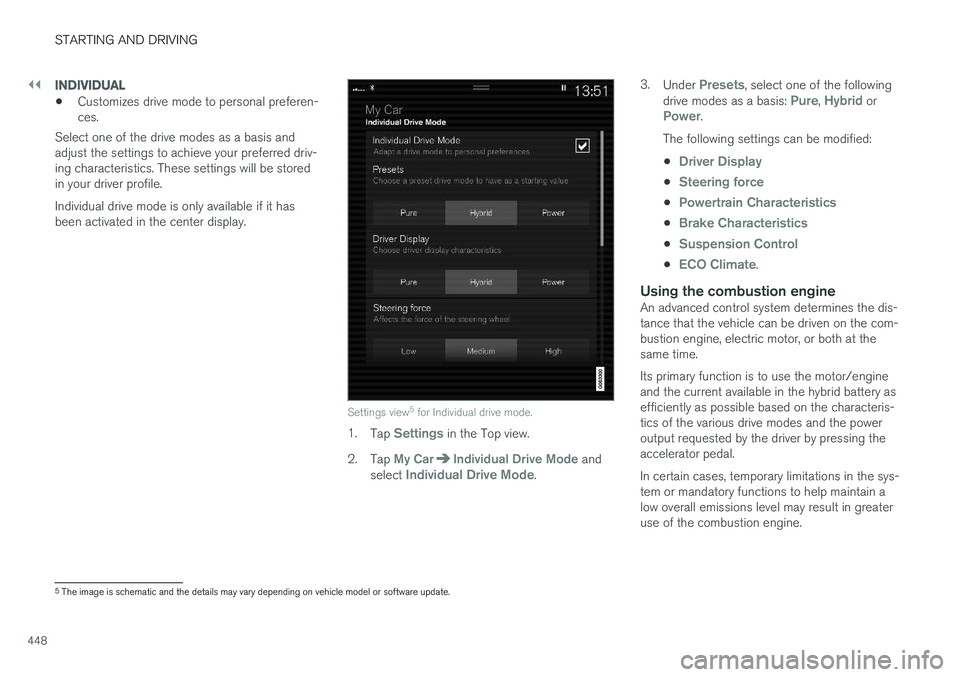
Select one of the drive modes as a basis andadjust the settings to achieve your preferred driv-ing characteristics. These settings will be storedin your driver profile. Individual drive mode is only available if it has been activated in the center display.
Settings view 5
for Individual drive mode.
1. Tap Settings in the Top view.
2. Tap
My CarIndividual Drive Mode and
select Individual Drive Mode. 3.
Under
Presets, select one of the following
drive modes as a basis: Pure, Hybrid orPower.
The following settings can be modified: •
Driver Display
•Steering force
•Powertrain Characteristics
•Brake Characteristics
•Suspension Control
•ECO Climate.
Using the combustion engineAn advanced control system determines the dis- tance that the vehicle can be driven on the com- bustion engine, electric motor, or both at the same time. Its primary function is to use the motor/engine and the current available in the hybrid battery asefficiently as possible based on the characteris-tics of the various drive modes and the poweroutput requested by the driver by pressing theaccelerator pedal. In certain cases, temporary limitations in the sys- tem or mandatory functions to help maintain alow overall emissions level may result in greateruse of the combustion engine.
5 The image is schematic and the details may vary depending on vehicle model or software update.
Page 451 of 686
STARTING AND DRIVING
449
Related information
•Changing drive mode (p. 449)
• Economical driving (p. 456)
• Hybrid gauge (p. 87)
• General information about Twin Engine (p. 406)
Changing drive mode The drive mode is changed using the control in the tunnel console.
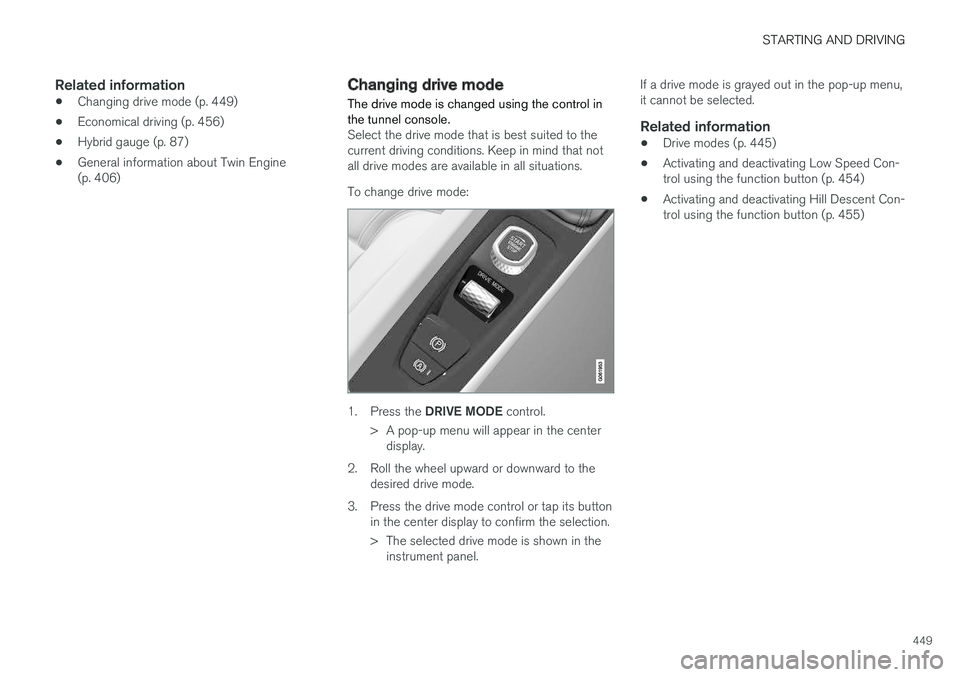
Select the drive mode that is best suited to the current driving conditions. Keep in mind that notall drive modes are available in all situations. To change drive mode:
1.
Press the DRIVE MODE control.
> A pop-up menu will appear in the center display.
2. Roll the wheel upward or downward to the desired drive mode.
3. Press the drive mode control or tap its button in the center display to confirm the selection.
> The selected drive mode is shown in theinstrument panel. If a drive mode is grayed out in the pop-up menu, it cannot be selected.
Related information
•
Drive modes (p. 445)
• Activating and deactivating Low Speed Con-trol using the function button (p. 454)
• Activating and deactivating Hill Descent Con-trol using the function button (p. 455)
Page 452 of 686
STARTING AND DRIVING
* Option/accessory.
450
Leveling control * and suspension
The vehicle's leveling control system adjusts the suspension and shock absorbers automaticallyto help provide good comfort and control whiledriving. Leveling can also be controlled manuallyto facilitate loading or getting in and out of thevehicle.
Pneumatic suspension and shock absorbers
The system is adapted to the selected drive mode and vehicle speed. The pneumatic suspen-sion reduces the vehicle's ground clearance athigher speeds to reduce air resistance andincrease stability. The shock absorbers are nor-mally set to provide the best possible comfort and are adjusted continuously according to theroad surface and the vehicle's acceleration, brak-ing and cornering.
The instrument panel indicateswhen the suspension level isbeing adjusted.The level cannot be adjusted when any of the side doors or the tailgate is open.
ParkingWhen parking, make sure that there is adequatespace above and below the vehicle since ground clearance may vary depending on e.g. ambienttemperature, how the vehicle is loaded, if loadingmode is used, which drive mode is selected afterthe engine is started, etc. The level may also be adjusted a period after the vehicle is parked. This is to compensate for anyheight changes that may occur due to tempera-ture changes in the air springs when the vehiclecools.
TransportingWhen transporting the vehicle on a ferry, train ortruck, only secure (lash) the vehicle around thetires, not using any other parts of the chassis.Changes in the pneumatic suspension may occurduring transport, which could adversely affect thelashing and result in damage.
Page 454 of 686
||
STARTING AND DRIVING
* Option/accessory.
452
SymbolMessageMeaning
Suspension Slow down Vehicle too highA fault has occurred. If the message appears while driving, contact a workshop A
.
Suspension Auto adjusting vehicle levelLevel control to target height is in progress.
A An authorized Volvo workshop is recommended.
Related information
• Leveling control settings
* (p. 453)
• Drive modes (p. 445)
Page 455 of 686
STARTING AND DRIVING
}}
* Option/accessory.453
Leveling control settings *
The vehicle can be lowered or raised to make it easier to load or for passengers to get in andout. Turn off leveling control before lifting the vehicle with a jack to help avoid problems with thepneumatic suspension.
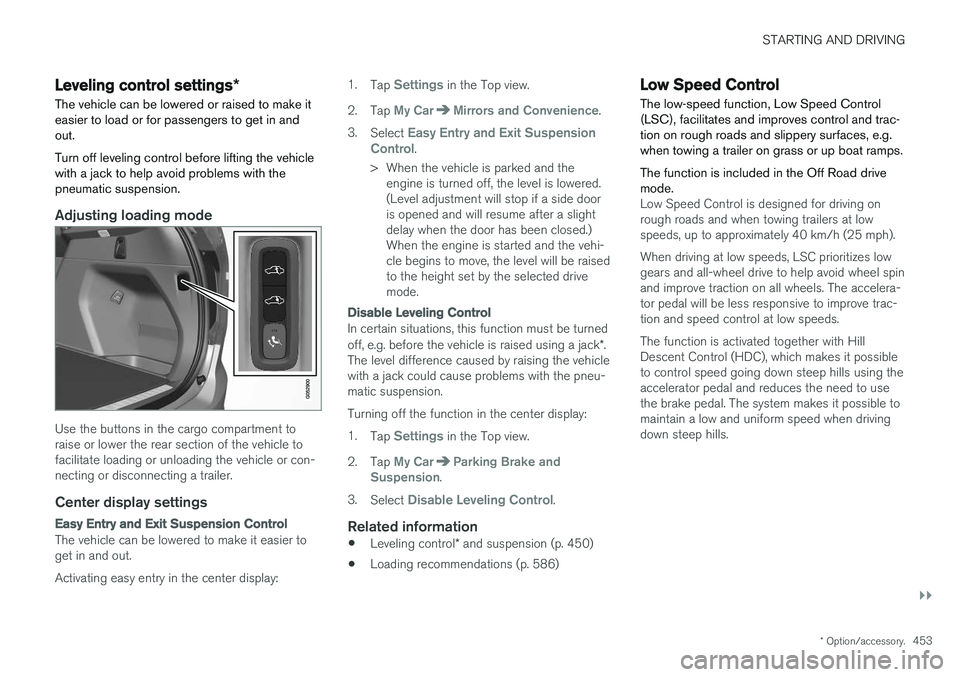
Adjusting loading mode
Use the buttons in the cargo compartment to raise or lower the rear section of the vehicle tofacilitate loading or unloading the vehicle or con-necting or disconnecting a trailer.
Center display settings
Easy Entry and Exit Suspension Control
The vehicle can be lowered to make it easier to get in and out. Activating easy entry in the center display: 1.
Tap
Settings in the Top view.
2. Tap
My CarMirrors and Convenience.
3. Select
Easy Entry and Exit Suspension
Control.
> When the vehicle is parked and the engine is turned off, the level is lowered. (Level adjustment will stop if a side dooris opened and will resume after a slightdelay when the door has been closed.)When the engine is started and the vehi-cle begins to move, the level will be raisedto the height set by the selected drivemode.
Disable Leveling Control
In certain situations, this function must be turned off, e.g. before the vehicle is raised using a jack *.
The level difference caused by raising the vehicle with a jack could cause problems with the pneu-matic suspension. Turning off the function in the center display:1. Tap
Settings in the Top view.
2. Tap
My CarParking Brake and
Suspension.
3. Select
Disable Leveling Control.
Related information
• Leveling control
* and suspension (p. 450)
• Loading recommendations (p. 586)
Low Speed Control The low-speed function, Low Speed Control (LSC), facilitates and improves control and trac-tion on rough roads and slippery surfaces, e.g.when towing a trailer on grass or up boat ramps. The function is included in the Off Road drive mode.
Low Speed Control is designed for driving on rough roads and when towing trailers at lowspeeds, up to approximately 40 km/h (25 mph). When driving at low speeds, LSC prioritizes low gears and all-wheel drive to help avoid wheel spinand improve traction on all wheels. The accelera-tor pedal will be less responsive to improve trac-tion and speed control at low speeds. The function is activated together with Hill Descent Control (HDC), which makes it possibleto control speed going down steep hills using theaccelerator pedal and reduces the need to usethe brake pedal. The system makes it possible tomaintain a low and uniform speed when drivingdown steep hills.
Page 458 of 686
||
STARTING AND DRIVING
456
Related information
•Hill Descent Control (p. 454)
• Changing drive mode (p. 449)
Economical driving
Drive economically and environmentally con- scious by thinking ahead, avoiding rapid startsand stops and adapting driving style and speedto the current traffic conditions.
Planning for electric drivingIt is important to plan electric motor use carefully to achieve the best possible mileage:
Charge
• Charge the vehicle regularly by plugging it into an electrical outlet. Make it a habit to always begin trips with the hybrid battery fully charged.
• Locate charging stations along your route.
• If possible, choose parking spots with charg-ing stations.
NOTE
Charge the vehicle from the electricity grid as often as possible!
Preconditioning
•
Whenever possible, precondition the vehicle before driving by connecting the chargingcable to an electrical outlet.
• Avoid parking the vehicle somewhere wherethe interior will become too hot or too coldwhile the vehicle is parked. If possible, parkthe vehicle in a climate-controlled garage. •
During a short drive after passenger com-partment preconditioning, turn off the pas-senger compartment fan or the air condition-ing in a hot climate.
• If preconditioning is not possible when it iscold outside, use seat and steering wheelheating first. Avoid heating the entire pas-senger compartment to reduce the amountof current being taken from the hybrid bat-tery.
Page 459 of 686
STARTING AND DRIVING
}}
457
Driving
•Choose the Pure drive mode to help mini- mize electric power consumption.
• Maintain a steady speed and a generous fol-lowing distance to traffic ahead to minimizebraking. This drive mode has the lowestpower consumption.
• Balance energy requirements using theaccelerator pedal. Use the indicator on theinstrument panel to see available electricpower and avoid starting the combustionengine unnecessarily. The electric motor ismore effective than the combustion engine,especially at low speeds.
• When braking is necessary, brake gentlyusing the brake pedal. This will recharge thehybrid battery. A regenerative function isintegrated in the brake pedal and can beaugmented by the electric motor's brakingcapacity when the gear selector is in mode B
.
• Higher speeds increase energy consumption - air resistance increases with speed.
• Activate the
Hold function in the Function
view at high speeds when traveling farther than is possible using the hybrid battery'scapacity.
• Whenever possible, avoid using the
Chargefunction to charge the hybrid battery. Charg- ing the battery using the combustion engine increases fuel consumption and carbon diox-ide emissions.
• In a cold climate, reduce heating of the wind-shield/rear window, mirrors, seats and thesteering wheel.
• Maintain the correct pressure in the tires andcheck pressure regularly.
• The type of tires used could affect energyconsumption - consult a retailer for advice onsuitable tires.
• Remove unnecessary items from the vehicle- the heavier the load, the higher the fuelconsumption.
• Roof loads increase air resistance andincrease fuel consumption. Remove roofboxes, ski racks, etc. that are not in use.
• Avoid driving with the windows open.
• Do not keep the vehicle still on an upwardgradient by using the accelerator pedal. Usethe brakes instead.
Related information
•
Drive-E
‒
purer driving pleasure (p. 27)
• Factors affecting electric motor range(p. 458)
• Using the electric motor only (p. 457)
• Hybrid gauge (p. 87)
• Checking tire pressure (p. 557)
Using the electric motor only
When using the electric motor, Volvo Twin Engine provides a combination of good fueleconomy, low emissions and high performance.
For energy-efficient driving:
• Select the Pure drive mode to help maximize driving range using only the electric motor.
• Balance energy requirements using theaccelerator pedal. Use the indicator on theinstrument panel's hybrid gauge to see avail-able electric power and avoid starting thecombustion engine unnecessarily.
• When braking is necessary, brake gentlyusing the brake pedal. This will recharge thehybrid battery.
• Activate the
Hold function in the Function
view at high speeds when traveling farther than is possible using the hybrid battery'scapacity.
• Reduce current consumption in the passen-ger compartment by reducing e.g. fan speed,electric heating, or air conditioning use.
Also follow the general economical driving adviceregarding speed, tires and load to maximizerange.
Related information
• General information about Twin Engine(p. 406)
• Economical driving (p. 456)
Page 461 of 686
STARTING AND DRIVING
}}
459
Factors the driver can control
The driver should be aware that the following fac- tors help conserve energy and improve drivingrange:• charging the battery regularly
• preconditioning
• Pure drive mode
• climate control settings
• speed and acceleration
• the
Hold function
• tires and tire pressure.
The following table shows the approximate rela- tionship between constant speed and drivingrange. Driving at a lower constant speed helpsincrease the electric motor's driving range.
Constant speed
100 km/h (62 mph) 50 %80 km/h (50 mph) 70 %
60 km/h (37 mph) 90 %
50 km/h (31 mph) 100 %
NOTE
• The figures shown in the tables pertain to a new vehicle.
• None of the figures are absolute and areaffected by e.g. driving style, environmentand other conditions.
Related information
• Using the electric motor only (p. 457)
• Economical driving (p. 456)
• "Hold" and "Charge" functions (p. 459)
• Drive modes (p. 445)
"Hold" and "Charge" functions
In certain situations, it can be useful to control the hybrid battery's charge level while driving. This is possible with the
Hold and Charge func-
tions, which are available in all drive modes.
Function buttons for Hold and ChargeThe functions can be activated in the center dis- play's Function view.
Hold
Battery level sustained for later use.
This function retains the charge in the hybrid battery for theelectric motor and saves availa-ble electrical current for use at
a later time, such as when driving in an urban area or residential neighborhood.
Hold is availa-
ble regardless of the hybrid battery's charge level. The vehicle will function as in normal hybrid driv- ing with a discharged battery - in addition toreusing energy from e.g. regenerative braking, thecombustion engine will be used more frequentlyto maintain the charge in the battery.
Page 462 of 686
||
STARTING AND DRIVING
460
Charge
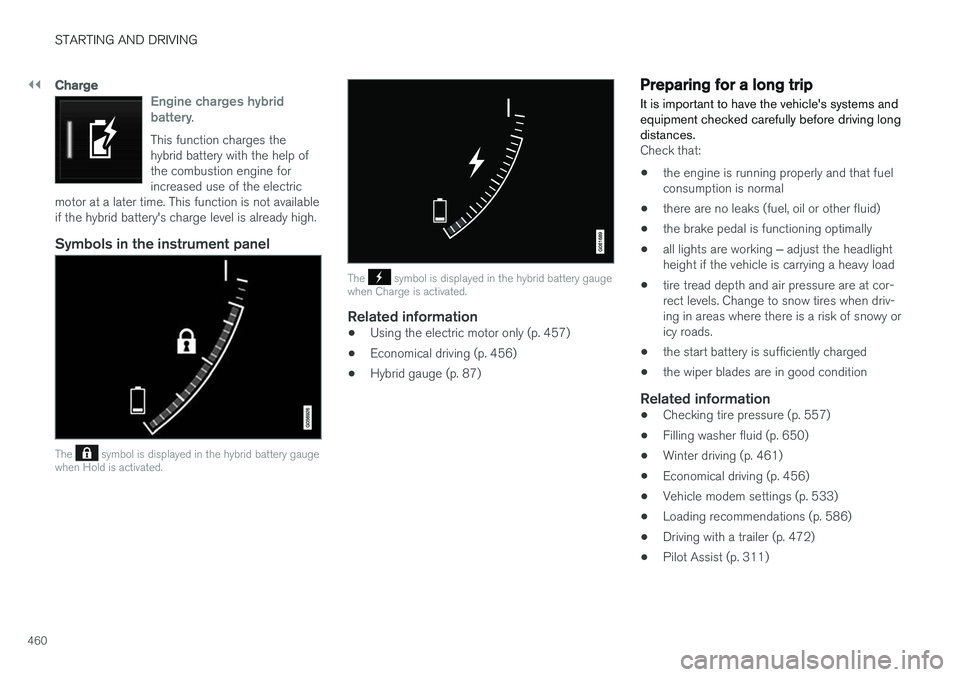
Engine charges hybrid battery.
This function charges the hybrid battery with the help ofthe combustion engine forincreased use of the electric
motor at a later time. This function is not availableif the hybrid battery's charge level is already high.
Symbols in the instrument panel
The symbol is displayed in the hybrid battery gauge
when Hold is activated.
The symbol is displayed in the hybrid battery gauge
when Charge is activated.
Related information
• Using the electric motor only (p. 457)
• Economical driving (p. 456)
• Hybrid gauge (p. 87)
Preparing for a long trip
It is important to have the vehicle's systems and equipment checked carefully before driving longdistances.
Check that:
• the engine is running properly and that fuel consumption is normal
• there are no leaks (fuel, oil or other fluid)
• the brake pedal is functioning optimally
• all lights are working
‒ adjust the headlight
height if the vehicle is carrying a heavy load
• tire tread depth and air pressure are at cor-rect levels. Change to snow tires when driv-ing in areas where there is a risk of snowy oricy roads.
• the start battery is sufficiently charged
• the wiper blades are in good condition
Related information
• Checking tire pressure (p. 557)
• Filling washer fluid (p. 650)
• Winter driving (p. 461)
• Economical driving (p. 456)
• Vehicle modem settings (p. 533)
• Loading recommendations (p. 586)
• Driving with a trailer (p. 472)
• Pilot Assist (p. 311)
Page 464 of 686
STARTING AND DRIVING
462
Driving through standing water
Driving the vehicle through a deep pool of stand- ing water on a water-covered roadway is calledfording. This must be done with great caution.
To prevent damage to the vehicle when driving through water (e.g. on flooded roads): • Do not drive in water higher than the floor of the vehicle. If possible, check the depth ofthe water at its deepest point before drivingthrough it. Be particularly careful when driv-ing through flowing water.
• Always select the
Off Road drive mode
before driving in water to ensure the gasoline engine is running.
• Do not drive faster than walking speed.
• Do not stop the vehicle in the water. Drivecarefully forward or back the vehicle out ofthe water.
• Remember that waves created by passingvehicles could cause the water level to riseabove the vehicle's floor level.
• Avoid driving through salt water to help avoidthe risk of corrosion.
CAUTION
Parts of the vehicle (e.g. engine, transmission, driveline, electrical components, etc.) can bedamaged if the vehicle is driven through waterhigher than its floor level. Damage to anycomponents caused by flooding, vapor lock orinsufficient oil is not covered under warranty. If the engine stalls while the vehicle is in water, do not attempt to restart it. Have thevehicle towed on the bed of a tow truck to aworkshop - an authorized Volvo workshop isrecommended.
When you have passed the water, press lightly on the brake pedal and check that the brakes arefunctioning properly. Water, mud, slush, etc. canmake the brake linings slippery, resulting indelayed braking effect. If the vehicle is equipped with a trailer coupling contact, clean the contact after driving in water ormud.
Related information
•
Recovery (p. 477)
• Low Speed Control (p. 453)
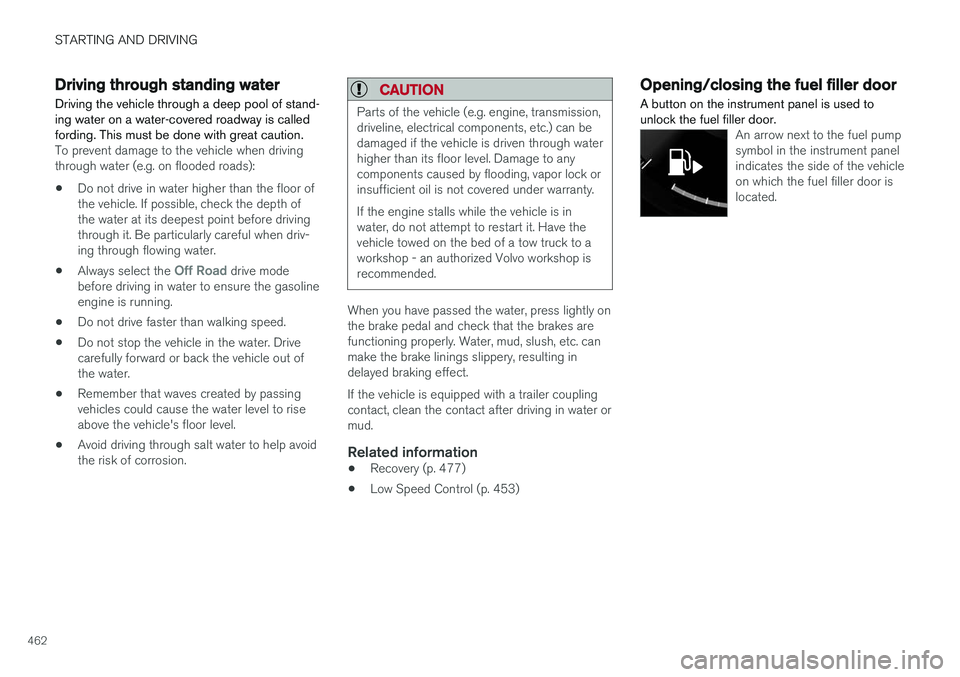
Opening/closing the fuel filler door A button on the instrument panel is used to unlock the fuel filler door.
An arrow next to the fuel pump symbol in the instrument panelindicates the side of the vehicleon which the fuel filler door islocated.