light VOLVO XC90 T8 2018 Owner´s Manual
[x] Cancel search | Manufacturer: VOLVO, Model Year: 2018, Model line: XC90 T8, Model: VOLVO XC90 T8 2018Pages: 686, PDF Size: 11.51 MB
Page 236 of 686
CLIMATE CONTROL
234
Deleting preconditioning timersettings
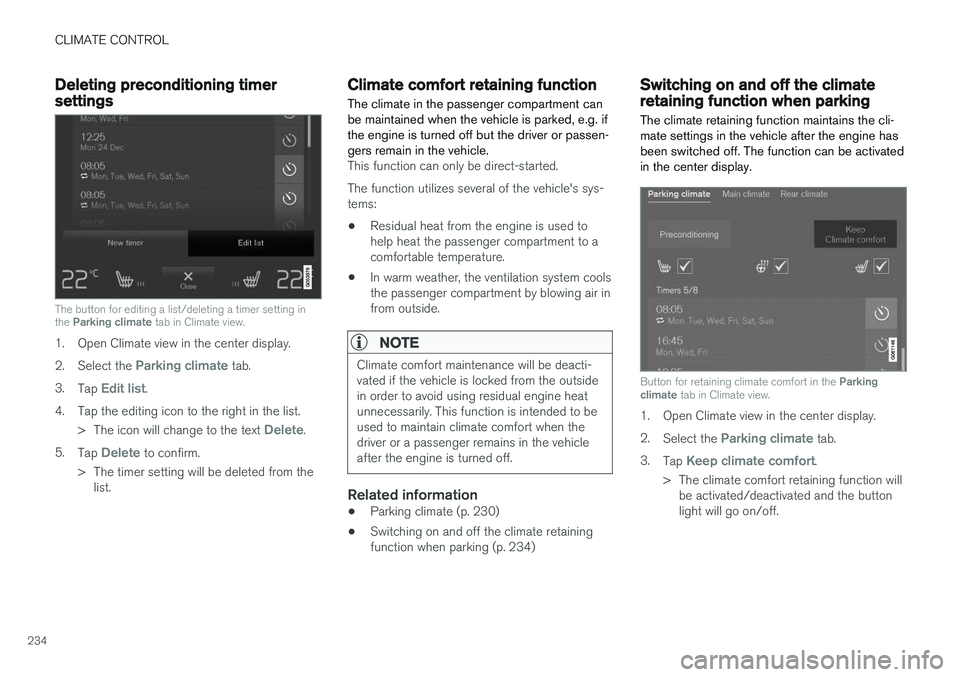
The button for editing a list/deleting a timer setting in the Parking climate tab in Climate view.
1. Open Climate view in the center display. 2.
Select the
Parking climate tab.
3. Tap
Edit list.
4. Tap the editing icon to the right in the list. >The icon will change to the text
Delete.
5. Tap
Delete to confirm.
> The timer setting will be deleted from the list.
Climate comfort retaining function
The climate in the passenger compartment can be maintained when the vehicle is parked, e.g. ifthe engine is turned off but the driver or passen-gers remain in the vehicle.
This function can only be direct-started. The function utilizes several of the vehicle's sys- tems:
• Residual heat from the engine is used tohelp heat the passenger compartment to acomfortable temperature.
• In warm weather, the ventilation system coolsthe passenger compartment by blowing air infrom outside.
NOTE
Climate comfort maintenance will be deacti- vated if the vehicle is locked from the outsidein order to avoid using residual engine heatunnecessarily. This function is intended to beused to maintain climate comfort when thedriver or a passenger remains in the vehicleafter the engine is turned off.
Related information
• Parking climate (p. 230)
• Switching on and off the climate retaining function when parking (p. 234)
Switching on and off the climateretaining function when parking
The climate retaining function maintains the cli- mate settings in the vehicle after the engine hasbeen switched off. The function can be activatedin the center display.
Button for retaining climate comfort in the Parking
climate tab in Climate view.
1. Open Climate view in the center display. 2.
Select the
Parking climate tab.
3. Tap
Keep climate comfort.
> The climate comfort retaining function will be activated/deactivated and the button light will go on/off.
Page 240 of 686
KEY, LOCKS AND ALARM
* Option/accessory.
238
Lock indication
When the vehicle is locked or unlocked, the turn signals will flash to indicate that the vehicle hasbeen locked or unlocked correctly.
Exterior confirmationLocking
• The turn signals will flash once and the door mirrors will fold in 1
to confirm the vehicle is
locked.
Unlocking
• The turn signals will flash twice and the doormirrors will fold out 1
to confirm the vehicle is
unlocked.
All doors, tailgate and hood must be closed for confirmation to be given. If only the driver's door is closed when the vehicle is locked 2
, the vehicle
will be locked but the turn signals will only flash to indicate locking when all doors and the hoodand tailgate have been closed.
Lock and alarm indicator
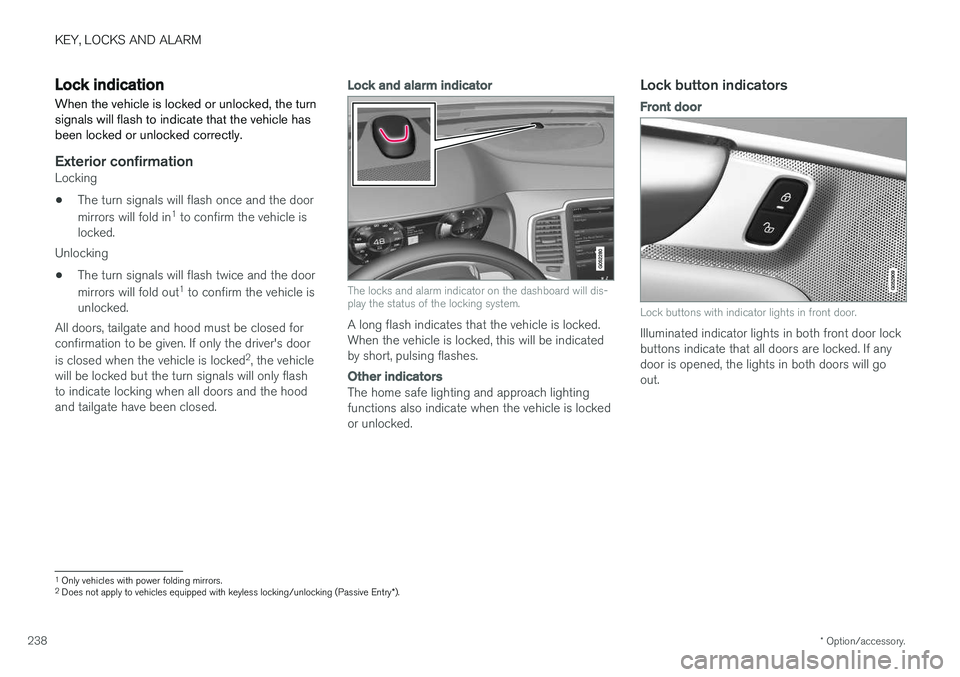
The locks and alarm indicator on the dashboard will dis- play the status of the locking system.
A long flash indicates that the vehicle is locked. When the vehicle is locked, this will be indicatedby short, pulsing flashes.
Other indicators
The home safe lighting and approach lighting functions also indicate when the vehicle is lockedor unlocked.
Lock button indicators
Front door
Lock buttons with indicator lights in front door.
Illuminated indicator lights in both front door lock buttons indicate that all doors are locked. If anydoor is opened, the lights in both doors will goout.
1 Only vehicles with power folding mirrors.
2 Does not apply to vehicles equipped with keyless locking/unlocking (Passive Entry *).
Page 241 of 686
KEY, LOCKS AND ALARM
}}
* Option/accessory.239
In rear door*
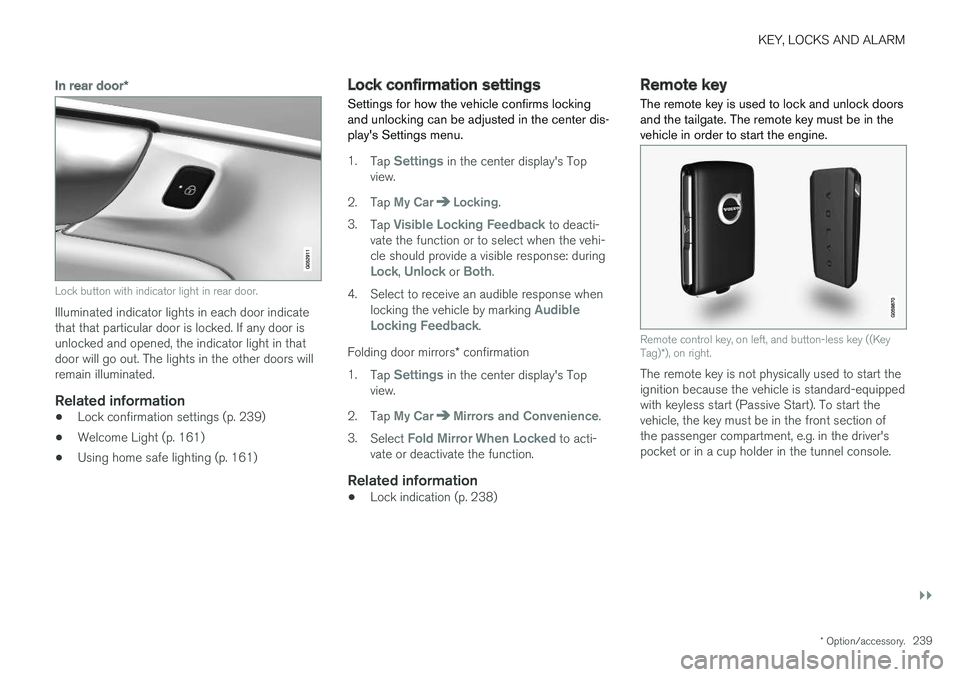
Lock button with indicator light in rear door.
Illuminated indicator lights in each door indicate that that particular door is locked. If any door isunlocked and opened, the indicator light in thatdoor will go out. The lights in the other doors willremain illuminated.
Related information
•Lock confirmation settings (p. 239)
• Welcome Light (p. 161)
• Using home safe lighting (p. 161)
Lock confirmation settings Settings for how the vehicle confirms locking and unlocking can be adjusted in the center dis-play's Settings menu.
1.
Tap Settings in the center display's Top
view.
2. Tap
My CarLocking.
3. Tap
Visible Locking Feedback to deacti-
vate the function or to select when the vehi- cle should provide a visible response: during
Lock, Unlock or Both.
4. Select to receive an audible response when locking the vehicle by marking
Audible
Locking Feedback.
Folding door mirrors * confirmation
1. Tap
Settings in the center display's Top
view.
2. Tap
My CarMirrors and Convenience.
3. Select
Fold Mirror When Locked to acti-
vate or deactivate the function.
Related information
• Lock indication (p. 238)
Remote key
The remote key is used to lock and unlock doors and the tailgate. The remote key must be in thevehicle in order to start the engine.
Remote control key, on left, and button-less key ((Key Tag) *), on right.
The remote key is not physically used to start the ignition because the vehicle is standard-equippedwith keyless start (Passive Start). To start thevehicle, the key must be in the front section ofthe passenger compartment, e.g. in the driver'spocket or in a cup holder in the tunnel console.
Page 242 of 686
||
KEY, LOCKS AND ALARM
* Option/accessory.
240 The keyless system for locking/unlocking the doors and tailgate (Passive Entry
*) is available as
an option. This system has a range in a semicircle with a radius of approximately 1.5 meter (5 feet)out from the driver's door and approx. 1 meter(3 feet) out from the tailgate. With keyless start in combination with keyless locking and unlocking, the remote key can belocated anywhere in the passenger compartmentor cargo compartment in order to start theengine. Each remote key supplied with the vehicle can be linked to a driver profile with unique settings forthe vehicle. When a key with a specific profile isused, the vehicle settings are adjusted accordingto that profile.
Buttonless key, Key TagFor vehicles equipped with keyless locking and unlocking *, a smaller, lighter and button-less key
(Key Tag 3
) is also provided. It works the same
way as the regular remote key as regard keyless start and keyless locking and unlocking 4
. It does
not have a detachable key blade and its battery cannot be replaced.
Remote key buttons
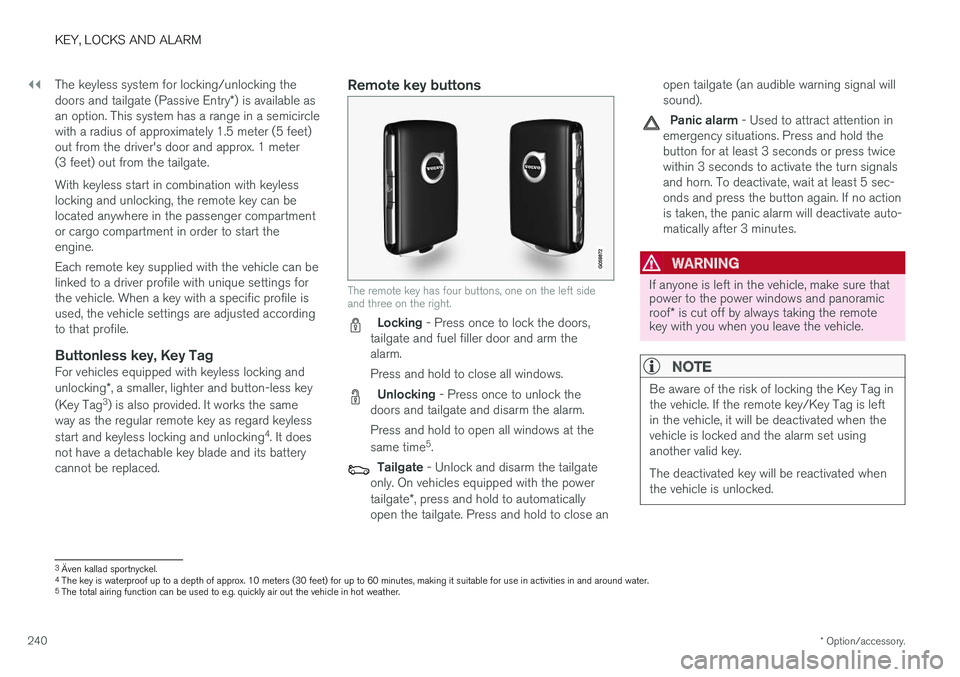
The remote key has four buttons, one on the left side and three on the right.
Locking - Press once to lock the doors,
tailgate and fuel filler door and arm the alarm. Press and hold to close all windows.
Unlocking - Press once to unlock the
doors and tailgate and disarm the alarm. Press and hold to open all windows at the same time 5
.
Tailgate - Unlock and disarm the tailgate
only. On vehicles equipped with the power tailgate *, press and hold to automatically
open the tailgate. Press and hold to close an open tailgate (an audible warning signal will sound).
Panic alarm - Used to attract attention in
emergency situations. Press and hold the button for at least 3 seconds or press twicewithin 3 seconds to activate the turn signalsand horn. To deactivate, wait at least 5 sec-onds and press the button again. If no actionis taken, the panic alarm will deactivate auto-matically after 3 minutes.
WARNING
If anyone is left in the vehicle, make sure that power to the power windows and panoramic roof * is cut off by always taking the remote
key with you when you leave the vehicle.
NOTE
Be aware of the risk of locking the Key Tag in the vehicle. If the remote key/Key Tag is leftin the vehicle, it will be deactivated when thevehicle is locked and the alarm set usinganother valid key. The deactivated key will be reactivated when the vehicle is unlocked.
3 Även kallad sportnyckel.
4 The key is waterproof up to a depth of approx. 10 meters (30 feet) for up to 60 minutes, making it suitable for use in activities in and around water.
5 The total airing function can be used to e.g. quickly air out the vehicle in hot weather.
Page 245 of 686
KEY, LOCKS AND ALARM
}}
* Option/accessory.243
Unlocking the tailgate using theremote key
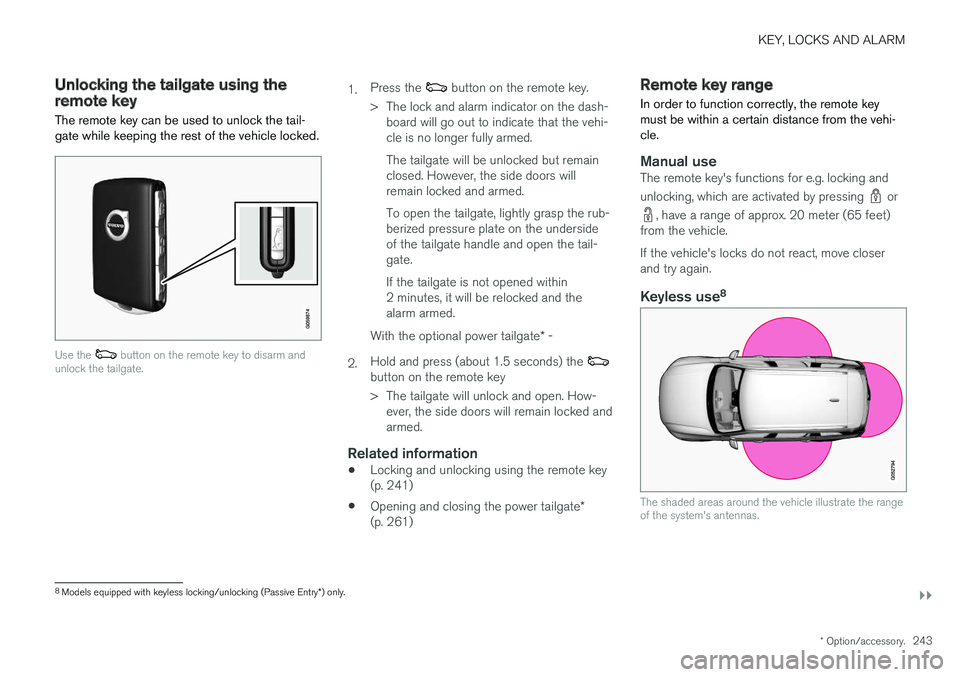
The remote key can be used to unlock the tail- gate while keeping the rest of the vehicle locked.
Use the button on the remote key to disarm and
unlock the tailgate.
1. Press the button on the remote key.
> The lock and alarm indicator on the dash- board will go out to indicate that the vehi- cle is no longer fully armed. The tailgate will be unlocked but remain closed. However, the side doors willremain locked and armed. To open the tailgate, lightly grasp the rub- berized pressure plate on the undersideof the tailgate handle and open the tail-gate. If the tailgate is not opened within 2 minutes, it will be relocked and thealarm armed.
2. With the optional power tailgate
* -
Hold and press (about 1.5 seconds) the
button on the remote key
> The tailgate will unlock and open. How- ever, the side doors will remain locked and armed.
Related information
• Locking and unlocking using the remote key(p. 241)
• Opening and closing the power tailgate
*
(p. 261)
Remote key range
In order to function correctly, the remote key must be within a certain distance from the vehi-cle.
Manual useThe remote key's functions for e.g. locking and unlocking, which are activated by pressing
or
, have a range of approx. 20 meter (65 feet)
from the vehicle. If the vehicle's locks do not react, move closer and try again.
Keyless use 8
The shaded areas around the vehicle illustrate the range of the system's antennas.
8
Models equipped with keyless locking/unlocking (Passive Entry *) only.
Page 247 of 686
KEY, LOCKS AND ALARM
}}
* Option/accessory.245
The battery in the smaller key without buttons
9
(the Key Tag) cannot be replaced. A new key can be ordered from an authorized Volvo workshop.
CAUTION
An end-of-life Key Tag must be turned in to an authorized Volvo workshop. The key mustbe deleted from the vehicle because it canstill be used to start the vehicle via backupstart.
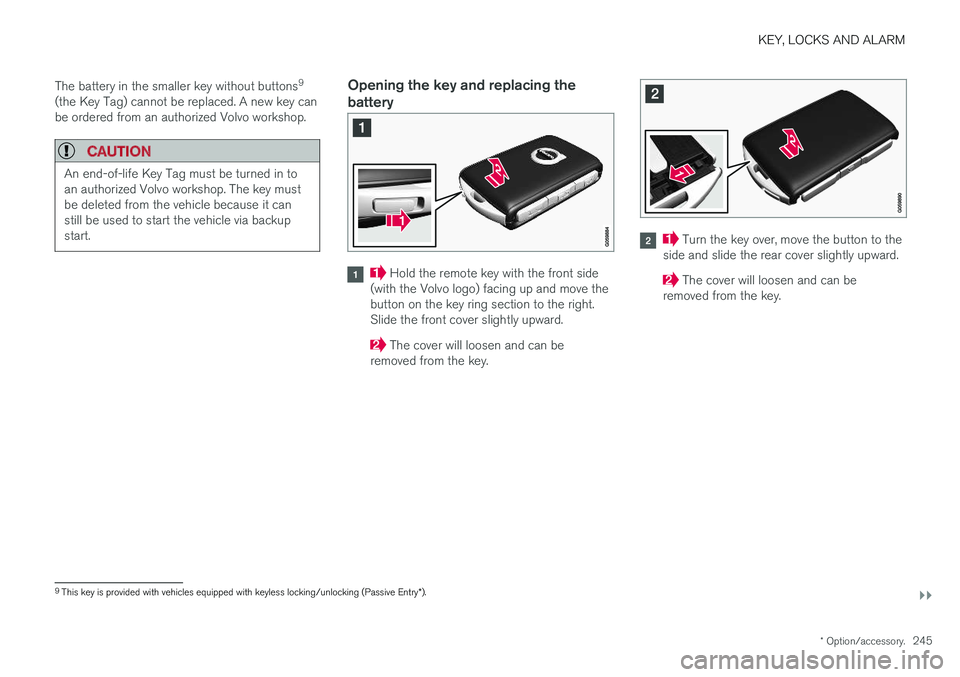
Opening the key and replacing the battery
Hold the remote key with the front side
(with the Volvo logo) facing up and move the button on the key ring section to the right.Slide the front cover slightly upward.
The cover will loosen and can be
removed from the key.
Turn the key over, move the button to the
side and slide the rear cover slightly upward.
The cover will loosen and can be
removed from the key.
9 This key is provided with vehicles equipped with keyless locking/unlocking (Passive Entry *).
Page 252 of 686
KEY, LOCKS AND ALARM
* Option/accessory.
250
Detachable key blade The remote key contains a detachable metal key blade that can be used to activate a number offunctions and preform certain actions.
A Volvo workshop can provide you with the key blade's unique code, which is recommended incase you need to order a new key blade.
Using the detachable key bladeThe detachable key blade can be used to:
• manually open the left-side front door if cen-tral locking cannot be activated with theremote key.
• emergency lock all doors.
• activate/deactivate the rear door mechanicalchild safety locks.
The button-less Key Tag 10
does not have a
detachable key blade. If needed, use the standardremote key's detachable key blade.
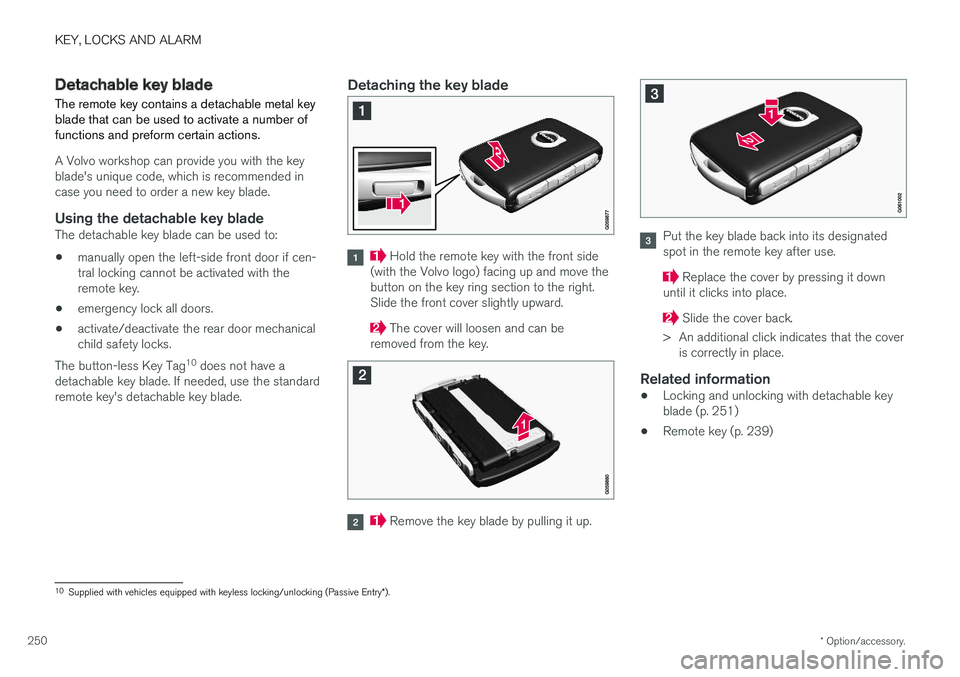
Detaching the key blade
Hold the remote key with the front side
(with the Volvo logo) facing up and move the button on the key ring section to the right.Slide the front cover slightly upward.
The cover will loosen and can be
removed from the key.
Remove the key blade by pulling it up.
Put the key blade back into its designated spot in the remote key after use.
Replace the cover by pressing it down
until it clicks into place.
Slide the cover back.
> An additional click indicates that the cover is correctly in place.
Related information
• Locking and unlocking with detachable key blade (p. 251)
• Remote key (p. 239)
10
Supplied with vehicles equipped with keyless locking/unlocking (Passive Entry *).
Page 257 of 686
KEY, LOCKS AND ALARM
* Option/accessory.255
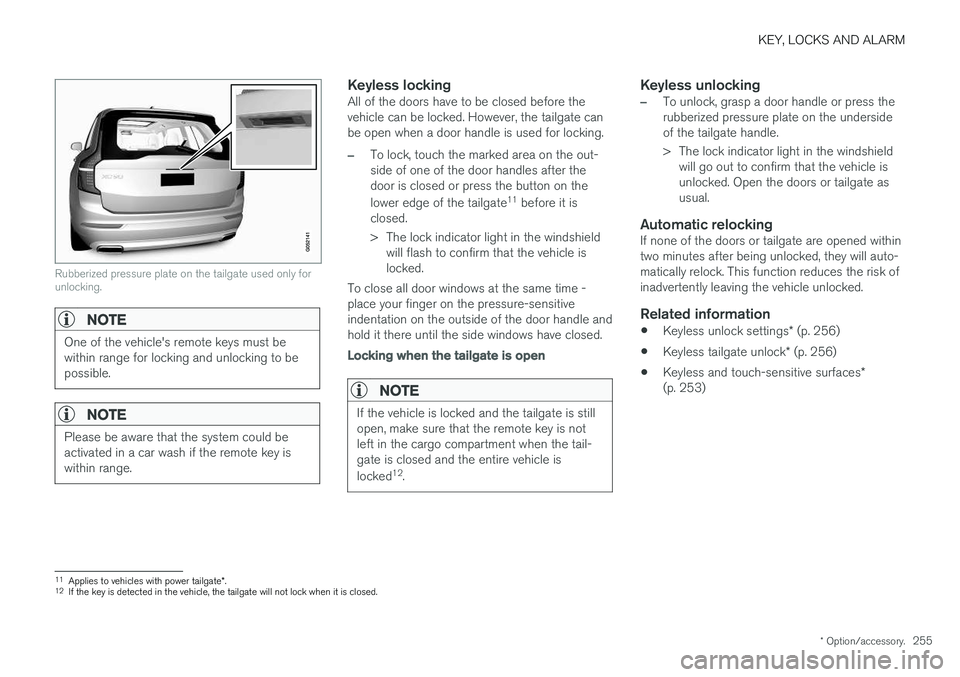
Rubberized pressure plate on the tailgate used only for unlocking.
NOTE
One of the vehicle's remote keys must be within range for locking and unlocking to bepossible.
NOTE
Please be aware that the system could be activated in a car wash if the remote key iswithin range.
Keyless lockingAll of the doors have to be closed before the vehicle can be locked. However, the tailgate canbe open when a door handle is used for locking.
–To lock, touch the marked area on the out- side of one of the door handles after thedoor is closed or press the button on the lower edge of the tailgate 11
before it is
closed.
> The lock indicator light in the windshield will flash to confirm that the vehicle is locked.
To close all door windows at the same time -place your finger on the pressure-sensitiveindentation on the outside of the door handle andhold it there until the side windows have closed.
Locking when the tailgate is open
NOTE
If the vehicle is locked and the tailgate is still open, make sure that the remote key is notleft in the cargo compartment when the tail-gate is closed and the entire vehicle is locked 12
.
Keyless unlocking
–To unlock, grasp a door handle or press the rubberized pressure plate on the undersideof the tailgate handle.
> The lock indicator light in the windshield
will go out to confirm that the vehicle is unlocked. Open the doors or tailgate asusual.
Automatic relockingIf none of the doors or tailgate are opened withintwo minutes after being unlocked, they will auto-matically relock. This function reduces the risk ofinadvertently leaving the vehicle unlocked.
Related information
• Keyless unlock settings
* (p. 256)
• Keyless tailgate unlock
* (p. 256)
• Keyless and touch-sensitive surfaces
*
(p. 253)
11 Applies to vehicles with power tailgate *.
12 If the key is detected in the vehicle, the tailgate will not lock when it is closed.
Page 258 of 686
KEY, LOCKS AND ALARM
* Option/accessory.
256
Keyless unlock settings *
Several different sequences are available for keyless unlocking.
1. Tap Settings in the center display's Top
view.
2. Tap
My CarLockingKeyless Unlock
3. Select alternative: •
All Doors
- unlocks all doors at the same time.
•
Single Door
- unlocks the selected door.
Related information
• Keyless locking and unlocking
* (p. 254)
• Keyless and touch-sensitive surfaces
*
(p. 253)
Keyless tailgate unlock *
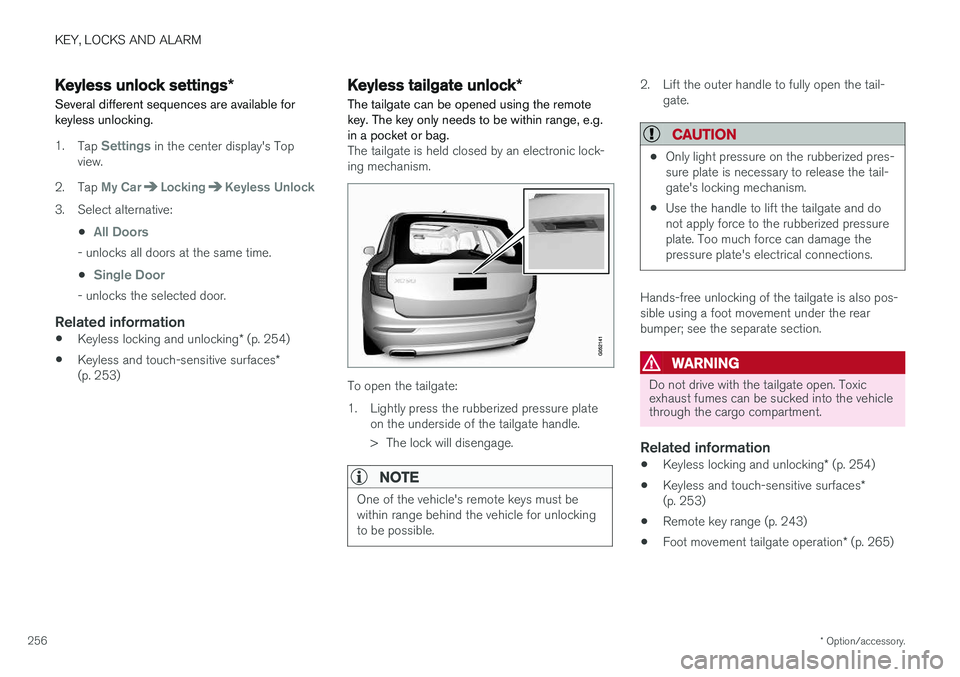
The tailgate can be opened using the remote key. The key only needs to be within range, e.g.in a pocket or bag.
The tailgate is held closed by an electronic lock- ing mechanism.
To open the tailgate:
1. Lightly press the rubberized pressure plate on the underside of the tailgate handle.
> The lock will disengage.
NOTE
One of the vehicle's remote keys must be within range behind the vehicle for unlockingto be possible.
2. Lift the outer handle to fully open the tail-gate.
CAUTION
•Only light pressure on the rubberized pres- sure plate is necessary to release the tail-gate's locking mechanism.
• Use the handle to lift the tailgate and donot apply force to the rubberized pressureplate. Too much force can damage thepressure plate's electrical connections.
Hands-free unlocking of the tailgate is also pos- sible using a foot movement under the rearbumper; see the separate section.
WARNING
Do not drive with the tailgate open. Toxic exhaust fumes can be sucked into the vehiclethrough the cargo compartment.
Related information
•
Keyless locking and unlocking
* (p. 254)
• Keyless and touch-sensitive surfaces
*
(p. 253)
• Remote key range (p. 243)
• Foot movement tailgate operation
* (p. 265)
Page 259 of 686
KEY, LOCKS AND ALARM
}}
* Option/accessory.257
Antenna locations for the start andlock system
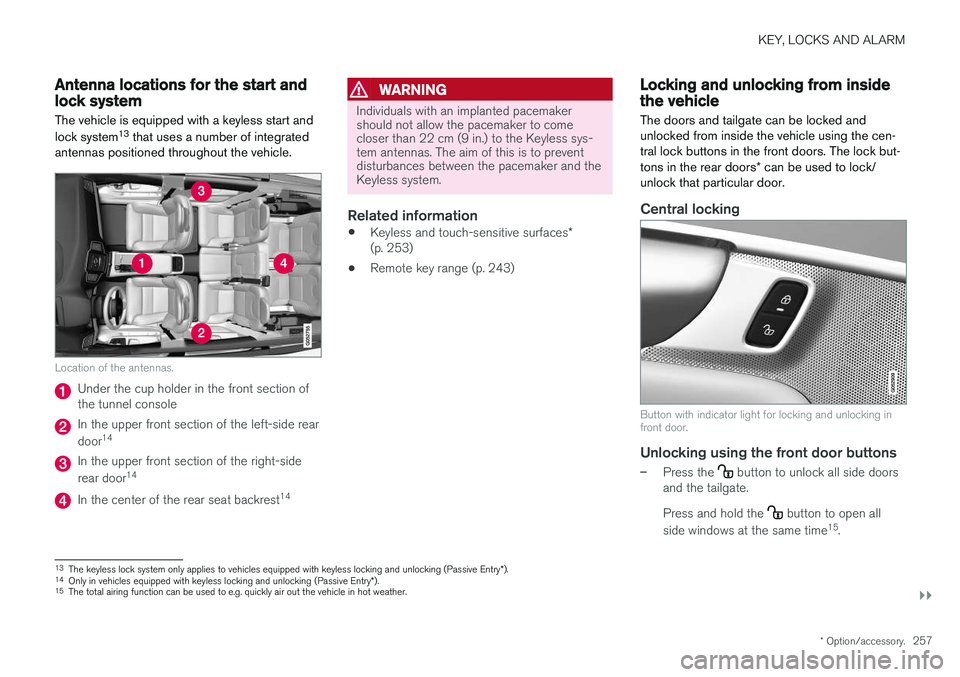
The vehicle is equipped with a keyless start and lock system 13
that uses a number of integrated
antennas positioned throughout the vehicle.
Location of the antennas.
Under the cup holder in the front section of the tunnel console
In the upper front section of the left-side rear door 14
In the upper front section of the right-side rear door 14
In the center of the rear seat backrest 14
WARNING
Individuals with an implanted pacemaker should not allow the pacemaker to comecloser than 22 cm (9 in.) to the Keyless sys-tem antennas. The aim of this is to preventdisturbances between the pacemaker and theKeyless system.
Related information
•
Keyless and touch-sensitive surfaces
*
(p. 253)
• Remote key range (p. 243)
Locking and unlocking from insidethe vehicle
The doors and tailgate can be locked and unlocked from inside the vehicle using the cen-tral lock buttons in the front doors. The lock but- tons in the rear doors * can be used to lock/
unlock that particular door.
Central locking
Button with indicator light for locking and unlocking in front door.
Unlocking using the front door buttons
–Press the button to unlock all side doors
and the tailgate. Press and hold the
button to open all
side windows at the same time 15
.
13 The keyless lock system only applies to vehicles equipped with keyless locking and unlocking (Passive Entry *).
14 Only in vehicles equipped with keyless locking and unlocking (Passive Entry *).
15 The total airing function can be used to e.g. quickly air out the vehicle in hot weather.