light VOLVO XC90 T8 2018 Owner´s Manual
[x] Cancel search | Manufacturer: VOLVO, Model Year: 2018, Model line: XC90 T8, Model: VOLVO XC90 T8 2018Pages: 686, PDF Size: 11.51 MB
Page 223 of 686
CLIMATE CONTROL
221
Vehicles with a heated windshield:
–Press the button repeatedly to switch between the three levels:
• Activated windshield heating
• Activated windshield heating and maxdefroster
• Deactivated.
> The heated windshield and max defroster are activated/deactivated and the buttonlights up/goes out.
NOTE
The max defroster starts after a slight delay to avoid a brief increase in blower speed if theheated windshield function has been deacti-vated by pressing the button twice in quicksuccession.
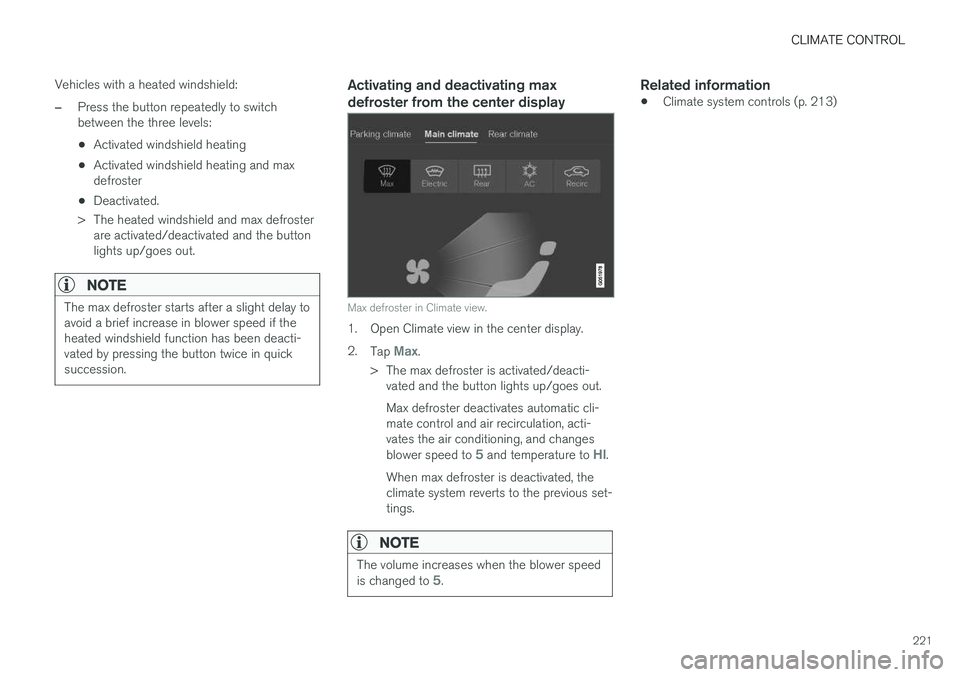
Activating and deactivating max defroster from the center display
Max defroster in Climate view.
1. Open Climate view in the center display. 2. Tap
Max.
> The max defroster is activated/deacti- vated and the button lights up/goes out. Max defroster deactivates automatic cli- mate control and air recirculation, acti-vates the air conditioning, and changes blower speed to
5 and temperature to HI.
When max defroster is deactivated, the climate system reverts to the previous set-tings.
NOTE
The volume increases when the blower speed is changed to 5.
Related information
• Climate system controls (p. 213)
Page 224 of 686
CLIMATE CONTROL
* Option/accessory.
222
Activating and deactivating the
heated windshield *
Windshield heating is used to quickly remove condensation and ice from the windshield.
Activating and deactivating windshield heating from the center console
A button in the center console is used to quickly access windshield heating.
Button in center console.
–Press the button repeatedly to switch between the three levels:
• Activated windshield heating
• Activated windshield heating and maxdefroster
• Deactivated.
> The heated windshield and max defroster are activated/deactivated and the buttonlights up/goes out.
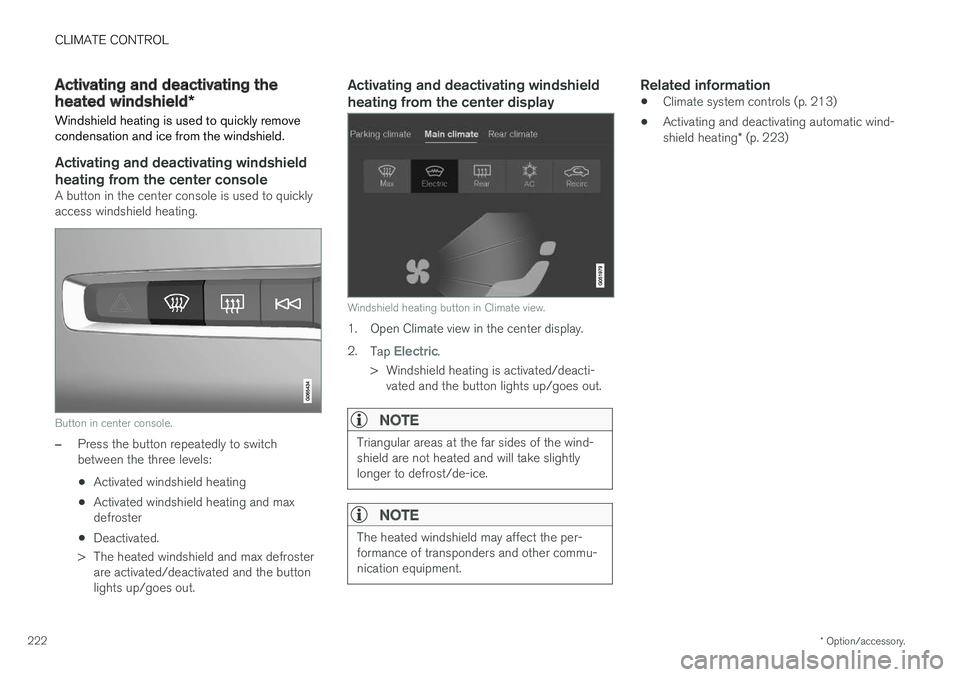
Activating and deactivating windshield heating from the center display
Windshield heating button in Climate view.
1. Open Climate view in the center display. 2. Tap
Electric.
> Windshield heating is activated/deacti- vated and the button lights up/goes out.
NOTE
Triangular areas at the far sides of the wind- shield are not heated and will take slightlylonger to defrost/de-ice.
NOTE
The heated windshield may affect the per- formance of transponders and other commu-nication equipment.
Related information
• Climate system controls (p. 213)
• Activating and deactivating automatic wind- shield heating
* (p. 223)
Page 225 of 686
CLIMATE CONTROL
* Option/accessory.223
Activating and deactivating
automatic windshield heating *
Windshield heating is used to quickly remove condensation and ice from the windshield.
Windshield heating can be set to automatically activate when the engine is started. With auto-matic start activated, heating will be activatedwhen there is a risk of ice or condensation on thewindows or mirrors. Heating is automaticallyswitched off when the window or door mirror issufficiently warm and the condensation or ice isgone. 1. Tap
Settings in the Top view in the center
display.
2. Tap
Climate.
3. Select
Auto Front Defroster to activate/
deactivate automatic windshield heating.
Related information
• Activating and deactivating the heated wind- shield
* (p. 222)
Activating and deactivating theheated rear window and doormirrors The heated rear window and door mirrors are used to quickly remove condensation and icefrom the glass.
Activating and deactivating the heated rear window and door mirrors from thecenter console
A button in the center console offers quick access to the heated rear window and door mir-rors functions.
Button in center console.
–Tap the button.
> Heated windows and door mirrors are
activated and the button lights up/goes out.
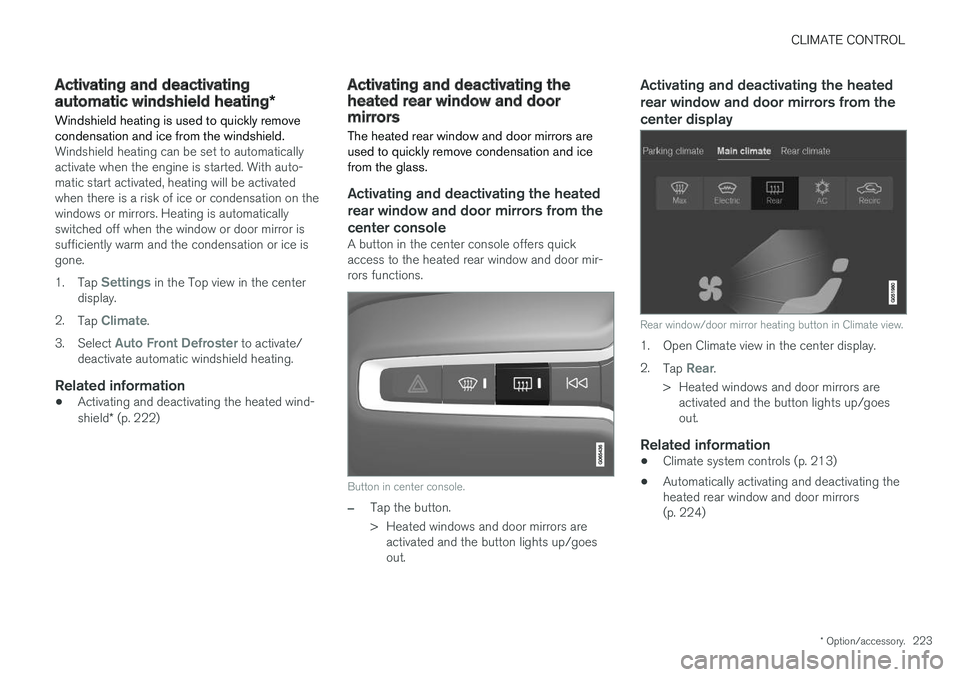
Activating and deactivating the heated rear window and door mirrors from thecenter display
Rear window/door mirror heating button in Climate view.
1. Open Climate view in the center display. 2. Tap
Rear.
> Heated windows and door mirrors are activated and the button lights up/goes out.
Related information
• Climate system controls (p. 213)
• Automatically activating and deactivating theheated rear window and door mirrors(p. 224)
Page 226 of 686
CLIMATE CONTROL
224
Automatically activating anddeactivating the heated rear windowand door mirrorsThe heated rear window and door mirrors are used to quickly remove condensation and icefrom the glass.
It is possible to select whether rear window and door mirror heating should be automatically acti-vated or deactivated when the engine is started.With automatic start activated, heating will beactivated when there is a risk of ice or condensa-tion on the windows or mirrors. Heating is auto-matically switched off when the window or doormirror is sufficiently warm and the condensationor ice is gone. 1. Tap
Settings in the Top view in the center
display.
2. Tap
Climate.
3. Select
Auto Rear Defroster to activate/
deactivate automatic rear window and door heating.
Related information
• Activating and deactivating the heated rearwindow and door mirrors (p. 223)
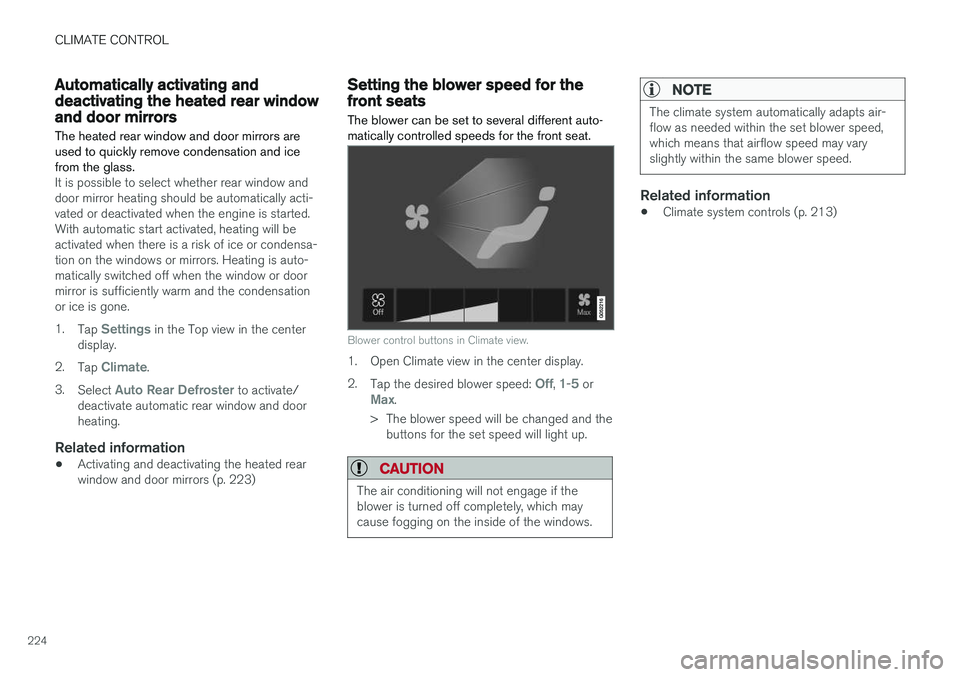
Setting the blower speed for thefront seats The blower can be set to several different auto- matically controlled speeds for the front seat.
Blower control buttons in Climate view.
1. Open Climate view in the center display. 2.
Tap the desired blower speed:
Off, 1-5 orMax.
> The blower speed will be changed and the buttons for the set speed will light up.
CAUTION
The air conditioning will not engage if the blower is turned off completely, which maycause fogging on the inside of the windows.
NOTE
The climate system automatically adapts air- flow as needed within the set blower speed,which means that airflow speed may varyslightly within the same blower speed.
Related information
• Climate system controls (p. 213)
Page 227 of 686
CLIMATE CONTROL
}}
* Option/accessory.225
Setting the blower speed for therear seats
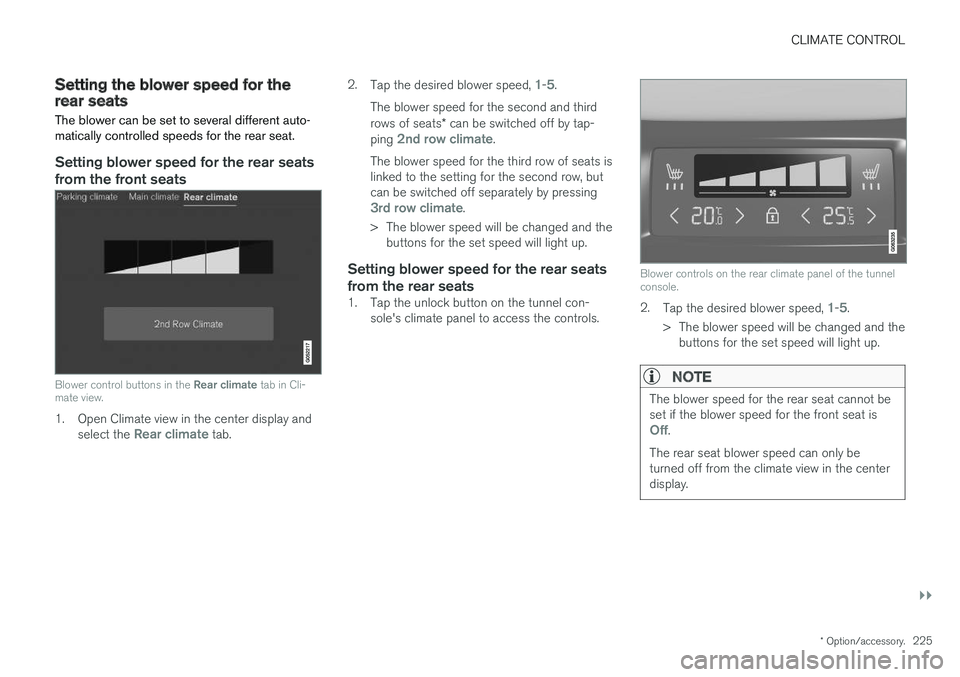
The blower can be set to several different auto- matically controlled speeds for the rear seat.
Setting blower speed for the rear seats from the front seats
Blower control buttons in the Rear climate tab in Cli-
mate view.
1. Open Climate view in the center display and
select the Rear climate tab. 2.
Tap the desired blower speed,
1-5.
The blower speed for the second and third rows of seats * can be switched off by tap-
ping
2nd row climate.
The blower speed for the third row of seats is linked to the setting for the second row, butcan be switched off separately by pressing
3rd row climate.
> The blower speed will be changed and the buttons for the set speed will light up.
Setting blower speed for the rear seats from the rear seats
1. Tap the unlock button on the tunnel con- sole's climate panel to access the controls.
Blower controls on the rear climate panel of the tunnel console.
2.Tap the desired blower speed, 1-5.
> The blower speed will be changed and the buttons for the set speed will light up.
NOTE
The blower speed for the rear seat cannot be set if the blower speed for the front seat is
Off.
The rear seat blower speed can only be turned off from the climate view in the centerdisplay.
Page 228 of 686
||
CLIMATE CONTROL
226
NOTE
The climate system automatically adapts air- flow as needed within the set blower speed,which means that airflow speed may varyslightly within the same blower speed.
Related information
•Climate system controls (p. 213)
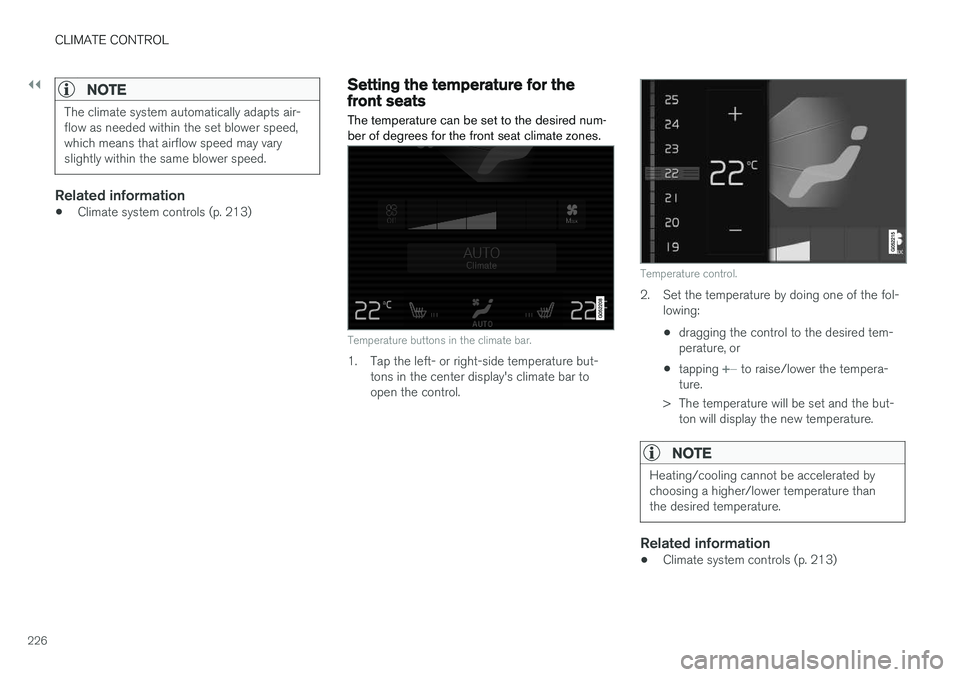
Setting the temperature for thefront seats The temperature can be set to the desired num- ber of degrees for the front seat climate zones.
Temperature buttons in the climate bar.
1. Tap the left- or right-side temperature but-
tons in the center display's climate bar to open the control.
Temperature control.
2. Set the temperature by doing one of the fol-lowing:
• dragging the control to the desired tem- perature, or
• tapping
+
− to raise/lower the tempera-
ture.
> The temperature will be set and the but- ton will display the new temperature.
NOTE
Heating/cooling cannot be accelerated by choosing a higher/lower temperature thanthe desired temperature.
Related information
• Climate system controls (p. 213)
Page 230 of 686
CLIMATE CONTROL
* Option/accessory.
228
Synchronize temperature
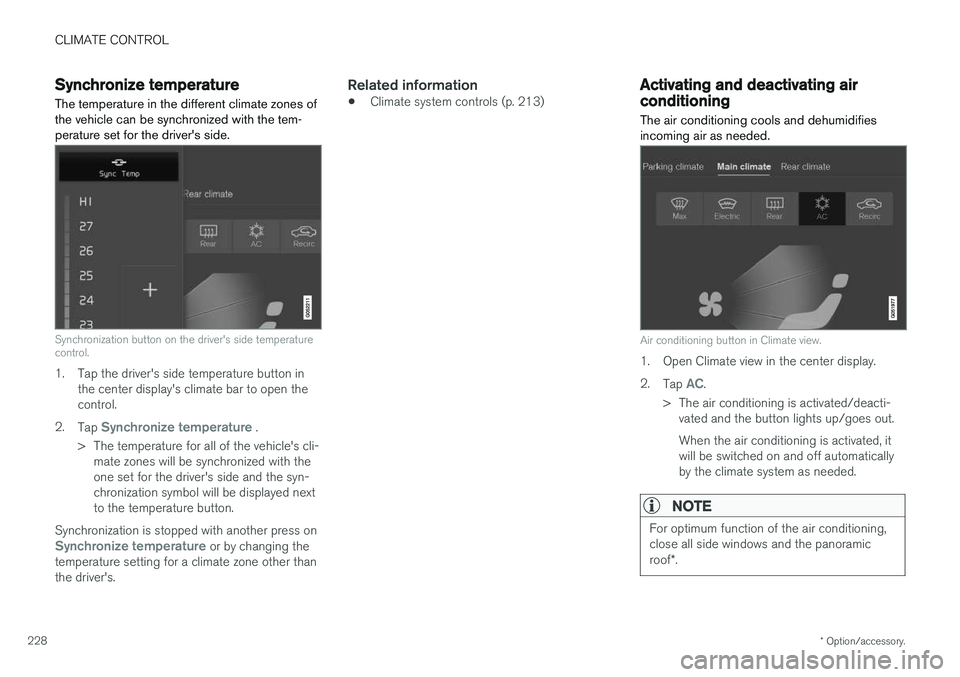
The temperature in the different climate zones of the vehicle can be synchronized with the tem-perature set for the driver's side.
Synchronization button on the driver's side temperature control.
1. Tap the driver's side temperature button in the center display's climate bar to open the control.
2. Tap
Synchronize temperature .
> The temperature for all of the vehicle's cli- mate zones will be synchronized with the one set for the driver's side and the syn-chronization symbol will be displayed nextto the temperature button.
Synchronization is stopped with another press on
Synchronize temperature or by changing the
temperature setting for a climate zone other than the driver's.
Related information
• Climate system controls (p. 213)
Activating and deactivating airconditioning
The air conditioning cools and dehumidifies incoming air as needed.
Air conditioning button in Climate view.
1. Open Climate view in the center display. 2. Tap
AC.
> The air conditioning is activated/deacti- vated and the button lights up/goes out. When the air conditioning is activated, it will be switched on and off automaticallyby the climate system as needed.
NOTE
For optimum function of the air conditioning, close all side windows and the panoramic roof *.
Page 231 of 686
CLIMATE CONTROL
* Option/accessory.229
NOTE
The air conditioning cannot be activated when the fan speed is set to Off.
Related information
•Climate system controls (p. 213)
Activating and deactivating climate
control for the third-row seats
*
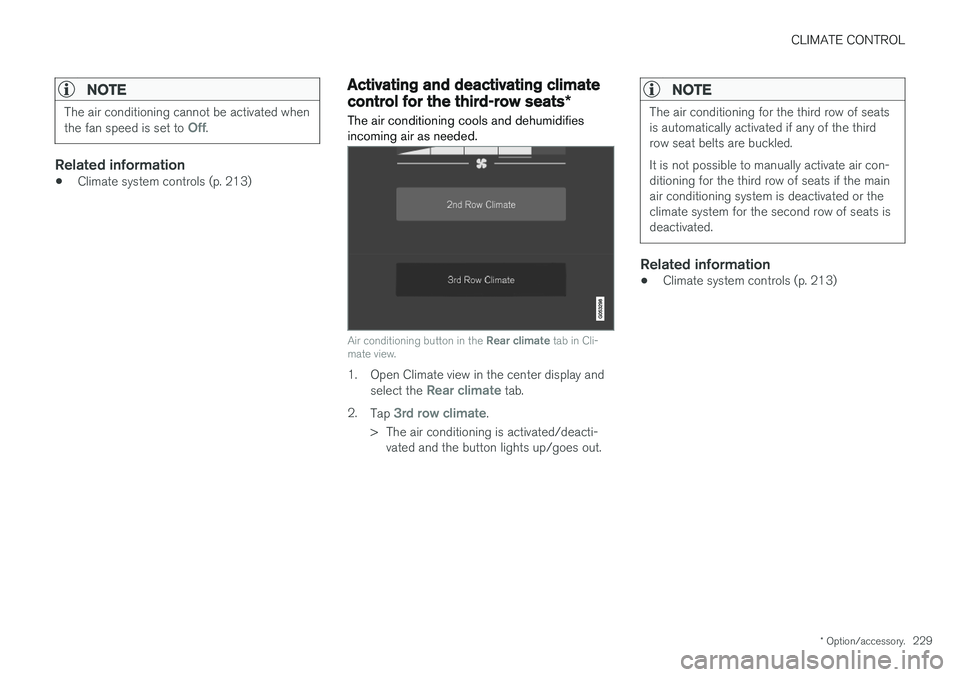
The air conditioning cools and dehumidifies incoming air as needed.
Air conditioning button in the Rear climate tab in Cli-
mate view.
1. Open Climate view in the center display and
select the Rear climate tab.
2. Tap
3rd row climate.
> The air conditioning is activated/deacti- vated and the button lights up/goes out.
NOTE
The air conditioning for the third row of seats is automatically activated if any of the thirdrow seat belts are buckled. It is not possible to manually activate air con- ditioning for the third row of seats if the mainair conditioning system is deactivated or theclimate system for the second row of seats isdeactivated.
Related information
• Climate system controls (p. 213)
Page 233 of 686
CLIMATE CONTROL
}}
231
NOTE
Preconditioning is only available when the car is connected to an electrical outlet. A charg-ing post that is not always active, for examplebecause of a timer, can cause loss of functionfor preconditioning. If the car is not connected to an electrical socket it is still possible in a warm climate toachieve brief cooling of the passenger com-partment by direct starting preconditioning.
NOTE
During preconditioning of the passenger compartment, the vehicle works to reach acomfortable temperature and not the tem-perature set in the climate system.
Related information
•Parking climate (p. 230)
• Starting and stopping preconditioning (p. 231)
• Preconditioning timer settings (p. 232)
Starting and stoppingpreconditioning
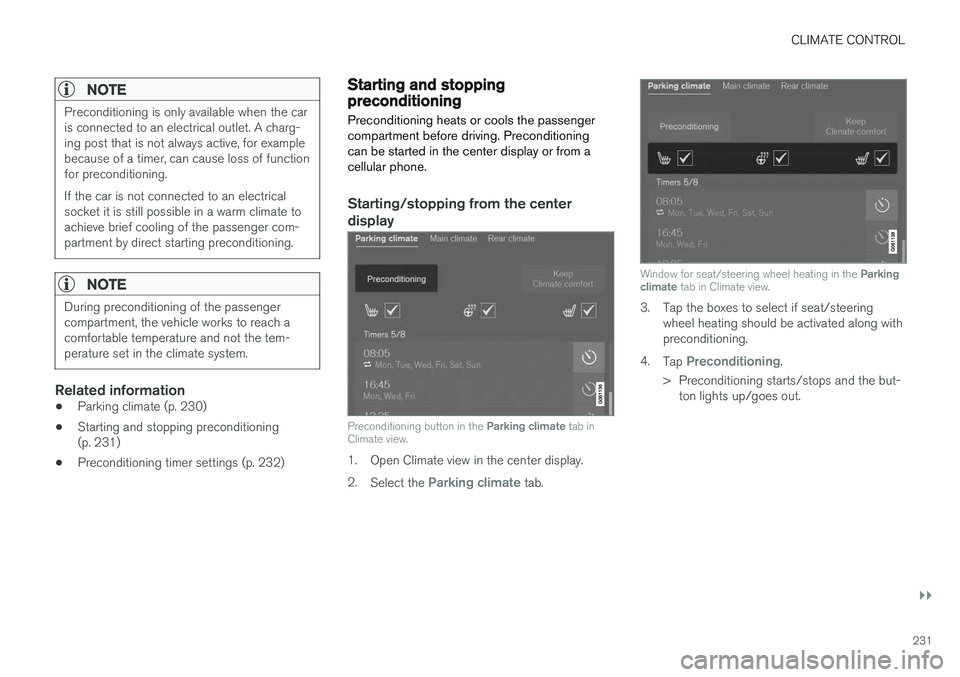
Preconditioning heats or cools the passenger compartment before driving. Preconditioningcan be started in the center display or from acellular phone.
Starting/stopping from the center display
Preconditioning button in the Parking climate tab in
Climate view.
1. Open Climate view in the center display. 2. Select the
Parking climate tab.
Window for seat/steering wheel heating in the Parking
climate tab in Climate view.
3. Tap the boxes to select if seat/steering
wheel heating should be activated along with preconditioning.
4. Tap
Preconditioning.
> Preconditioning starts/stops and the but- ton lights up/goes out.
Page 235 of 686
CLIMATE CONTROL
233
Adding and editing timer setting forpreconditioningThe preconditioning timer can store up to 8 pre- set timer settings.
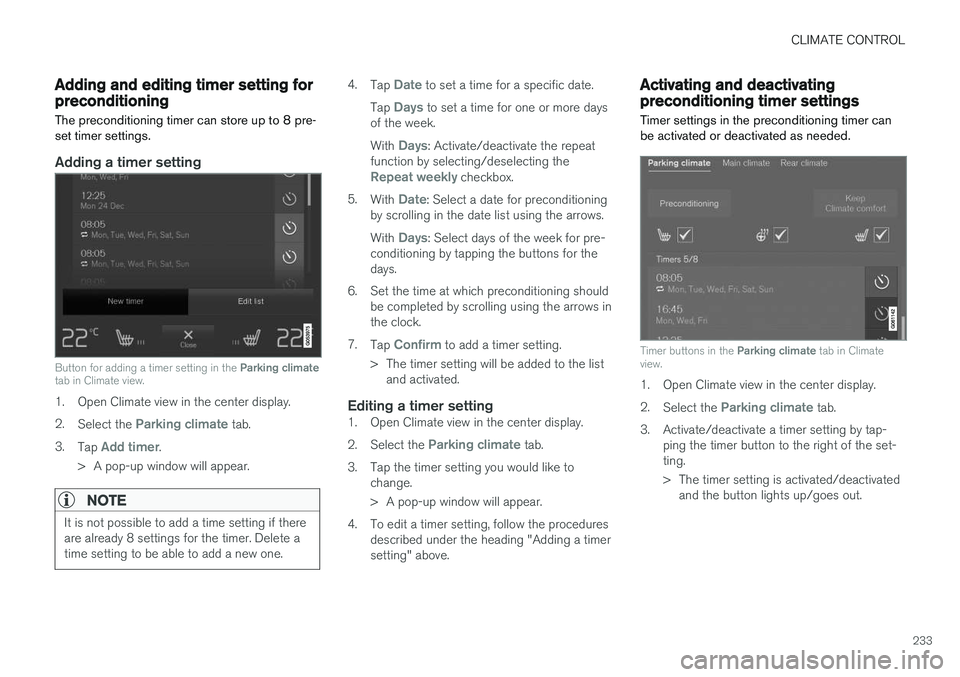
Adding a timer setting
Button for adding a timer setting in the Parking climate
tab in Climate view.
1. Open Climate view in the center display. 2. Select the
Parking climate tab.
3. Tap
Add timer.
> A pop-up window will appear.
NOTE
It is not possible to add a time setting if there are already 8 settings for the timer. Delete atime setting to be able to add a new one.
4. Tap Date to set a time for a specific date.
Tap
Days to set a time for one or more days
of the week. With
Days: Activate/deactivate the repeat
function by selecting/deselecting the
Repeat weekly checkbox.
5. With
Date: Select a date for preconditioning
by scrolling in the date list using the arrows. With
Days: Select days of the week for pre-
conditioning by tapping the buttons for the days.
6. Set the time at which preconditioning should be completed by scrolling using the arrows inthe clock.
7. Tap
Confirm to add a timer setting.
> The timer setting will be added to the list and activated.
Editing a timer setting1. Open Climate view in the center display. 2. Select the
Parking climate tab.
3. Tap the timer setting you would like to change.
> A pop-up window will appear.
4. To edit a timer setting, follow the procedures described under the heading "Adding a timer setting" above.
Activating and deactivatingpreconditioning timer settings
Timer settings in the preconditioning timer can be activated or deactivated as needed.
Timer buttons in the Parking climate tab in Climate
view.
1. Open Climate view in the center display. 2. Select the
Parking climate tab.
3. Activate/deactivate a timer setting by tap- ping the timer button to the right of the set- ting.
> The timer setting is activated/deactivatedand the button lights up/goes out.