lights VOLVO XC90 TWIN ENGINE 2018 User Guide
[x] Cancel search | Manufacturer: VOLVO, Model Year: 2018, Model line: XC90 TWIN ENGINE, Model: VOLVO XC90 TWIN ENGINE 2018Pages: 686, PDF Size: 17 MB
Page 156 of 686
LIGHTING
154Parking lights
The parking lights can be used to help other
road users see the vehicle if it is stopped or
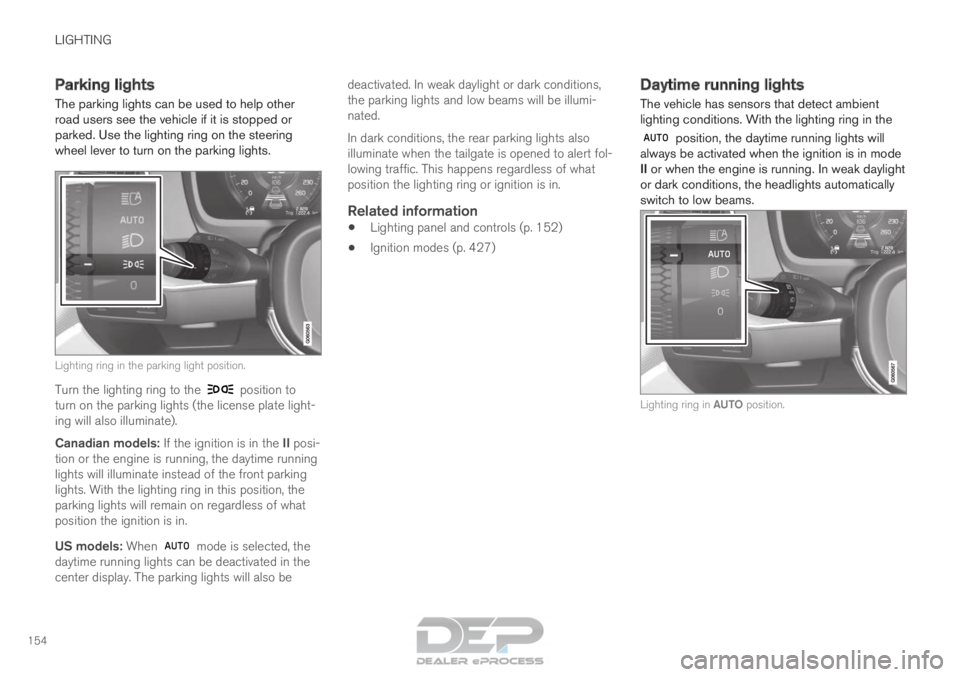
parked. Use the lighting ring on the steering
wheel lever to turn on the parking lights.
Lighting ring in the parking light position.
Turn the lighting ring to the position to
turn on the parking lights (the license plate light-
ing will also illuminate).
Canadian models: If the ignition is in the II posi-
tion or the engine is running, the daytime running
lights will illuminate instead of the front parking
lights. With the lighting ring in this position, the
parking lights will remain on regardless of what
position the ignition is in.
US models: When mode is selected, the
daytime running lights can be deactivated in the
center display. The parking lights will also be deactivated. In weak daylight or dark conditions,
the parking lights and low beams will be illumi-
nated.
In dark conditions, the rear parking lights also
illuminate when the tailgate is opened to alert fol-
lowing traffic. This happens regardless of what
position the lighting ring or ignition is in.
Related information
•
Lighting panel and controls (p. 152)
• Ignition modes (p. 427) Daytime running lights
The vehicle has sensors that detect ambient
lighting conditions. With the lighting ring in the position, the daytime running lights will
always be activated when the ignition is in mode
II or when the engine is running. In weak daylight
or dark conditions, the headlights automatically
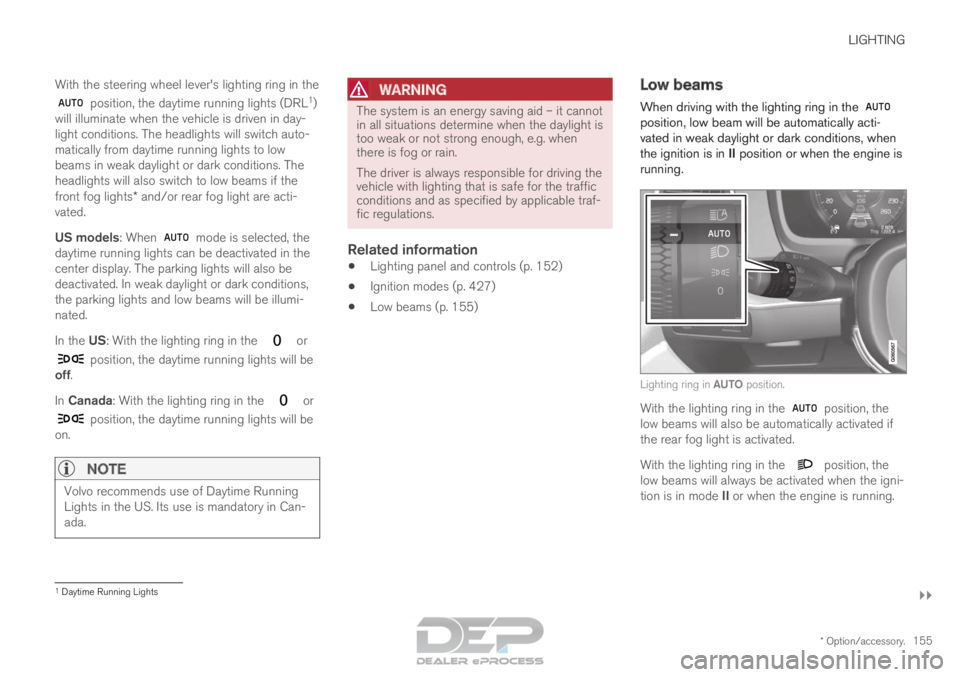
switch to low beams. Lighting ring in AUTO position.
Page 157 of 686
LIGHTING
}}
* Option/accessory. 155
With the steering wheel lever's lighting ring in the position, the daytime running lights (DRL
1
)
will illuminate when the vehicle is driven in day-
light conditions. The headlights will switch auto-
matically from daytime running lights to low
beams in weak daylight or dark conditions. The
headlights will also switch to low beams if the
front fog lights* and/or rear fog light are acti-
vated.
US models: When mode is selected, the
daytime running lights can be deactivated in the
center display. The parking lights will also be
deactivated. In weak daylight or dark conditions,
the parking lights and low beams will be illumi-
nated.
In the US: With the lighting ring in the or
position, the daytime running lights will be
off.
In Canada: With the lighting ring in the or
position, the daytime running lights will be
on.
NOTE Volvo recommends use of Daytime Running
Lights in the US. Its use is mandatory in Can-
ada.
WARNING The system is an energy saving aid – it cannot
in all situations determine when the daylight is
too weak or not strong enough, e.g. when
there is fog or rain.
The driver is always responsible for driving the
vehicle with lighting that is safe for the traffic
conditions and as specified by applicable traf-
fic regulations.
Related information
•
Lighting panel and controls (p. 152)
• Ignition modes (p. 427)
• Low beams (p. 155) Low beams
When driving with the lighting ring in the position, low beam will be automatically acti-
vated in weak daylight or dark conditions, when
the ignition is in II position or when the engine is
running. Lighting ring in AUTO position.
With the lighting ring in the
position, the
low beams will also be automatically activated if
the rear fog light is activated.
With the lighting ring in the position, the
low beams will always be activated when the igni-
tion is in mode II or when the engine is running. 1
Daytime Running Lights
Page 158 of 686
||LIGHTING
156
Tunnel detection
The vehicle will detect if it enters a tunnel and
shift from daytime running lights to low beams.
Note that the left-hand steering wheel lever must
be in
position for tunnel detection to work.
Related information
•
Lighting panel and controls (p. 152)
• Ignition modes (p. 427)
• Daytime running lights (p. 154) Using high beam
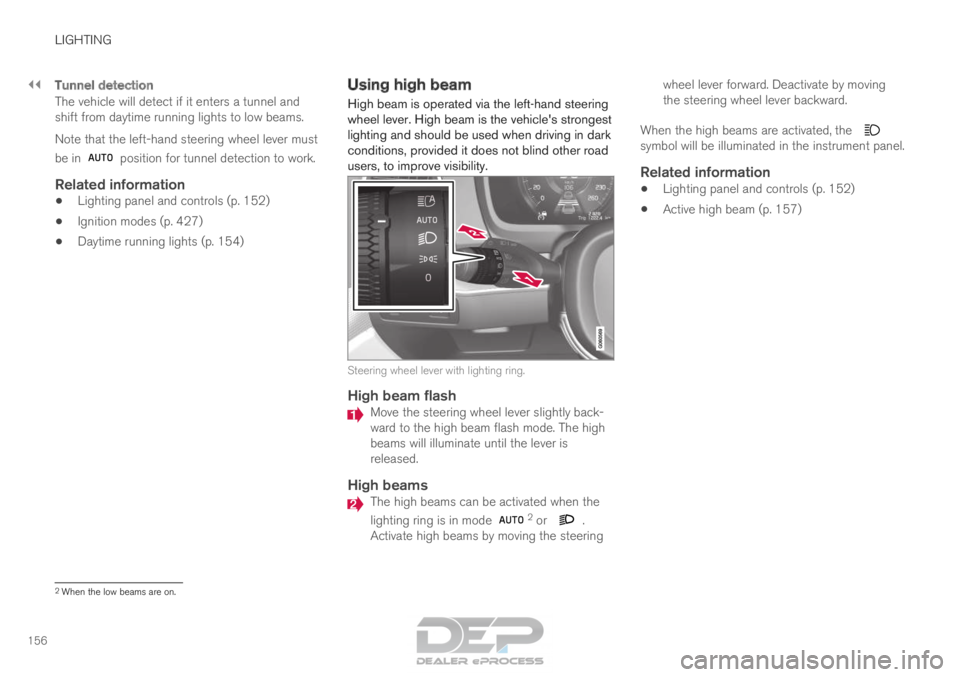
High beam is operated via the left-hand steering
wheel lever. High beam is the vehicle's strongest
lighting and should be used when driving in dark
conditions, provided it does not blind other road
users, to improve visibility. Steering wheel lever with lighting ring.
High beam flash
Move the steering wheel lever slightly back-
ward to the high beam flash mode. The high
beams will illuminate until the lever is
released.
High beams
The high beams can be activated when the
lighting ring is in mode
2
or .
Activate high beams by moving the steering wheel lever forward. Deactivate by moving
the steering wheel lever backward.
When the high beams are activated, the symbol will be illuminated in the instrument panel.
Related information
•
Lighting panel and controls (p. 152)
• Active high beam (p. 157) 2
When the low beams are on.
Page 159 of 686

LIGHTING
}}
* Option/accessory. 157
Active high beam
Active high beams is a function that uses cam-
era sensors in the upper edge of the windshield
to detect the headlights of approaching vehicles
or the taillights of the vehicle directly ahead.
When either of these is detected, the vehicle's
headlights will automatically switch from high
beams to low beams. Active high beam is enabled by moving the lighting ring
on the steering wheel lever to
.
The function can also detect street lighting.
When the camera sensor no longer detects an
approaching vehicle or a vehicle ahead, the head-
lights will return to high beams. This function can be used in dark conditions
when the vehicle's speed is approx. 20 km/h
(approx. 12 mph) or higher.
If active high beams are deactivated when the
high beams are on, the headlights will automati-
cally switch to low beams.
When active high beams are activated, a white symbol will be displayed in the instrument
panel.
When high beams are on, the symbol will be blue.
For LED headlights, this applies even if the high
beams are partially dimmed, i.e. if the headlights
are illuminated with slightly more than low beams.
Vehicles with LED 3
headlights*
If the active high beams are equipped with the
auto on/off function 4
, the headlights will return to
high beams a second or so after the camera sen-
sor no longer detects the headlights of approach-
ing vehicles or the taillights of a vehicle ahead.
Limitations for active high beams
The camera sensor on which the function is
based has limitations. If this symbol and the message Active
High Beam Temporarily unavailable is displayed in the instru-
ment panel, switching between high
and low beams must be done manually. The light-
ing ring on the steering wheel lever can remain in
the position. The symbol will go out
when the message is displayed. The same applies if this symbol along
with the message
Windscreen
sensor Sensor blocked, see Owner's manual is displayed. Active high beams may be temporarily unavailable
in certain situations, e.g. heavy fog or rain. When
active high beams become available again, or the
windshield sensors are no longer blocked, the
message will disappear and the
symbol will
be displayed.
WARNING Automatic high beam is an aid in using the
best possible light based on prevailing condi-
tions.
The driver is always responsible for manually
switching between high and low beam when
traffic situations or weather conditions require
this.
3
LED (Light Emitting Diode)4 Depends on the vehicle's equipment level.
Page 161 of 686

LIGHTING
}}
* Option/accessory. 159
Active Bending Lights*
Active Bending Lights (ABL) are designed to
help provide maximum illumination in curves and
intersections. Depending on equipment level,
vehicles with LED 5
headlights* may be equipped
with Active Bending Lights. Headlight pattern with function deactivated (left) and
activated (right).
Active Bending Lights follow the movement of
the steering wheel to help provide maximum illu-
mination in curves and intersections, improving
visibility for the driver.
The function is automatically activated when the
engine is started. If a fault is detected in the sys-
tem, the symbol will illuminate in the
instrument panel and a message will be dis-
played. The function is only active in weak daylight or
dark conditions and only when the vehicle is mov-
ing and the low beams are on.
Deactivating/activating the functionThe function is activated as the default factory
setting and can be activated and deactivated in
the center display's Function view:
Tap the Active BendingLights button.
Related information
• Adjusting light functions via the center dis-
play (p. 153) Rear fog light
The rear fog light is considerably brighter than
ordinary taillights and should only be used to
help other road users see the vehicle when visi-
bility is reduced by conditions such as fog,
snow, smoke or dust. Rear fog light button.
The rear fog light consists of a light on the rear
of the vehicle on the driver's side.
The rear fog light can only be switched on when
the ignition is in II mode or when the engine is
running and the lighting ring is in position or .
Press the button for On/Off. The symbol in
the instrument panel illuminates when the rear
fog light is on. 5
LED (Light Emitting Diode)
Page 162 of 686

||LIGHTING
160
The rear fog light turns off automatically when
the start knob is turned clockwise to turn off the
ignition or when the lighting ring is turned to the
or position.
NOTE
Regulations concerning rear fog light use vary
from country to country.
Related information
•
Lighting panel and controls (p. 152)
• Ignition modes (p. 427) Brake lights
The brake lights are automatically illuminated
when braking.
The brake lights illuminate when the brake pedal
is depressed. They also illuminate when the
brakes are automatically applied by one of the
driver support systems.
Related information
•
Emergency brake lights (p. 160)
• Brake functions (p. 429) Emergency brake lights
The emergency brake lights are activated to
warn following vehicles of hard braking.
This function causes an additional taillight on
each side of the vehicle to illuminate.
The emergency brake lights are activated in the
event of hard braking or if the ABS system is
activated and the vehicle is traveling at a high
speed.
After the driver decelerates to a low speed and
then releases the brake, the brake lights resume
their normal brightness.
Related information
• Brake lights (p. 160)
• Brakes (p. 429)
• Hazard warning flashers (p. 161)
Page 163 of 686
LIGHTING
* Option/accessory.161
Hazard warning flashers
Hazard warning flashers warn other road users
by all of the vehicle's turn signals being activated
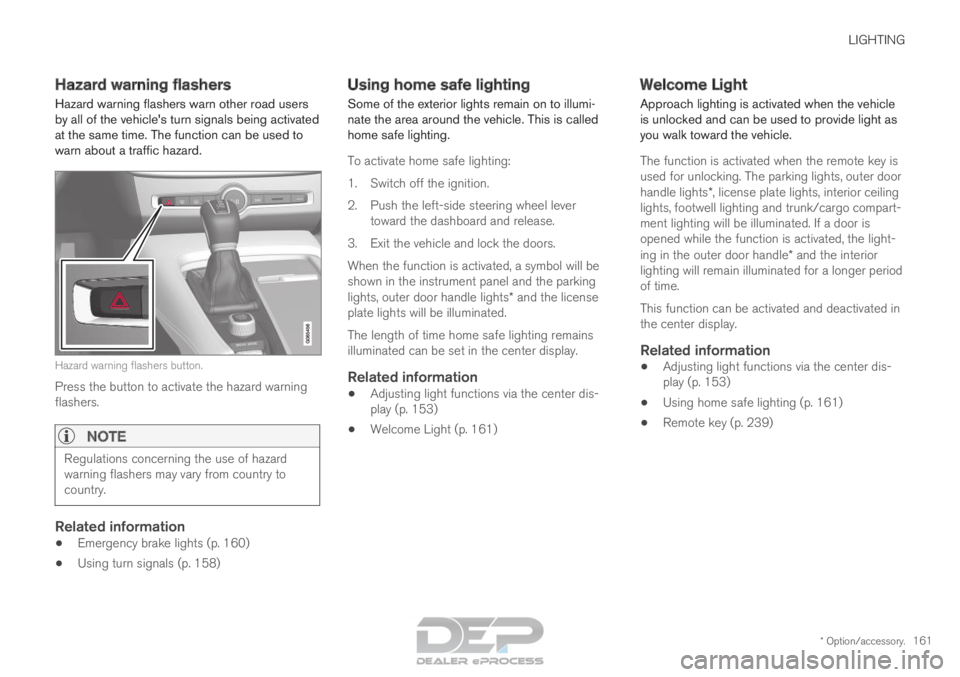
at the same time. The function can be used to
warn about a traffic hazard. Hazard warning flashers button.
Press the button to activate the hazard warning
flashers.
NOTE Regulations concerning the use of hazard
warning flashers may vary from country to
country.
Related information
•
Emergency brake lights (p. 160)
• Using turn signals (p. 158) Using home safe lighting
Some of the exterior lights remain on to illumi-
nate the area around the vehicle. This is called
home safe lighting.
To activate home safe lighting:
1.
Switch off the ignition.
2. Push the left-side steering wheel lever toward the dashboard and release.
3. Exit the vehicle and lock the doors.
When the function is activated, a symbol will be
shown in the instrument panel and the parking
lights, outer door handle lights* and the license
plate lights will be illuminated.
The length of time home safe lighting remains
illuminated can be set in the center display.
Related information
• Adjusting light functions via the center dis-
play (p. 153)
• Welcome Light (p. 161) Welcome Light
Approach lighting is activated when the vehicle
is unlocked and can be used to provide light as
you walk toward the vehicle.
The function is activated when the remote key is
used for unlocking. The parking lights, outer door
handle lights*, license plate lights, interior ceiling
lights, footwell lighting and trunk/cargo compart-
ment lighting will be illuminated. If a door is
opened while the function is activated, the light-
ing in the outer door handle* and the interior
lighting will remain illuminated for a longer period
of time.
This function can be activated and deactivated in
the center display.
Related information
• Adjusting light functions via the center dis-
play (p. 153)
• Using home safe lighting (p. 161)
• Remote key (p. 239)
Page 164 of 686
LIGHTING
162Interior Lighting
The interior is equipped with several different
types of lighting to improve the experience. This
includes reading lamps, glove box lighting and
ground lighting. All lighting in the passenger compartment can be
turned on and off manually within 5 minutes
after:
• the engine has been switched off and the
ignition is in mode 0.
• the vehicle is unlocked but the engine has
not been started.
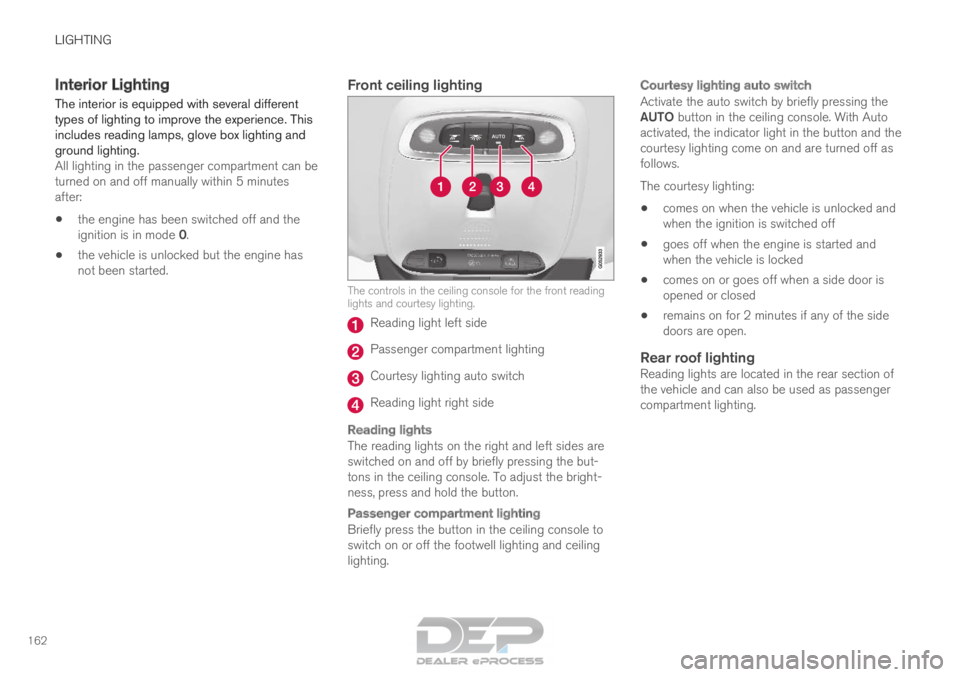
Front ceiling lighting The controls in the ceiling console for the front reading
lights and courtesy lighting.
Reading light left side
Passenger compartment lighting
Courtesy lighting auto switch
Reading light right side
Reading lights
The reading lights on the right and left sides are
switched on and off by briefly pressing the but-
tons in the ceiling console. To adjust the bright-
ness, press and hold the button.
Passenger compartment lighting
Briefly press the button in the ceiling console to
switch on or off the footwell lighting and ceiling
lighting.
Courtesy lighting auto switch
Activate the auto switch by briefly pressing the
AUTO button in the ceiling console. With Auto
activated, the indicator light in the button and the
courtesy lighting come on and are turned off as
follows.
The courtesy lighting:
•
comes on when the vehicle is unlocked and
when the ignition is switched off
• goes off when the engine is started and
when the vehicle is locked
• comes on or goes off when a side door is
opened or closed
• remains on for 2 minutes if any of the side
doors are open.
Rear roof lightingReading lights are located in the rear section of
the vehicle and can also be used as passenger
compartment lighting.
Page 165 of 686
LIGHTING
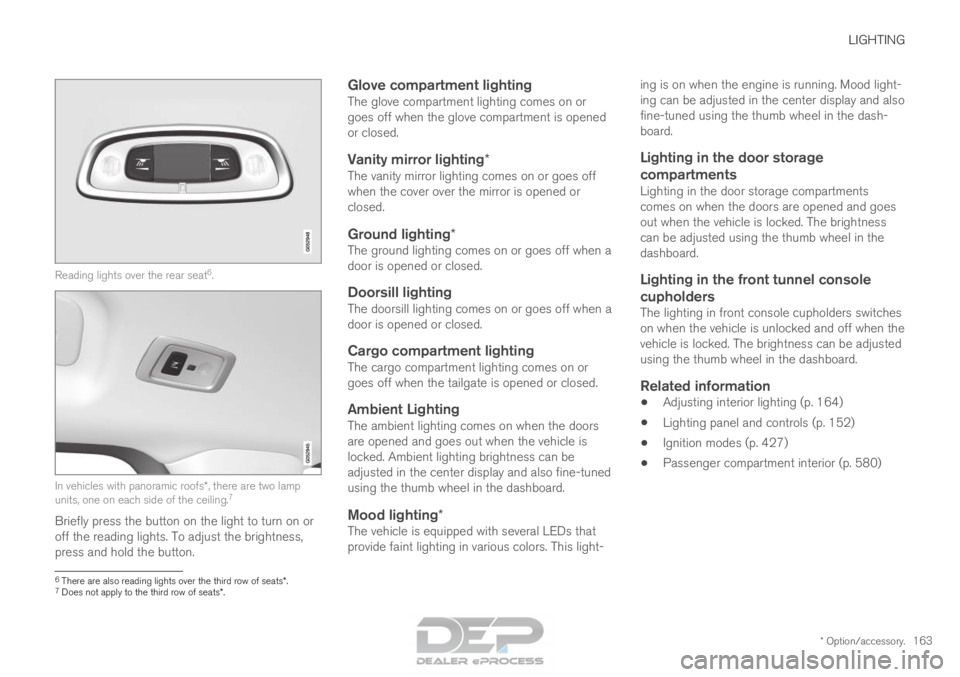
* Option/accessory.163Reading lights over the rear seat
6
. In vehicles with panoramic roofs*, there are two lamp
units, one on each side of the ceiling. 7
Briefly press the button on the light to turn on or
off the reading lights. To adjust the brightness,
press and hold the button.
Glove compartment lightingThe glove compartment lighting comes on or
goes off when the glove compartment is opened
or closed.
Vanity mirror lighting*The vanity mirror lighting comes on or goes off
when the cover over the mirror is opened or
closed.
Ground lighting*The ground lighting comes on or goes off when a
door is opened or closed.
Doorsill lightingThe doorsill lighting comes on or goes off when a
door is opened or closed.
Cargo compartment lightingThe cargo compartment lighting comes on or
goes off when the tailgate is opened or closed.
Ambient LightingThe ambient lighting comes on when the doors
are opened and goes out when the vehicle is
locked. Ambient lighting brightness can be
adjusted in the center display and also fine-tuned
using the thumb wheel in the dashboard.
Mood lighting*The vehicle is equipped with several LEDs that
provide faint lighting in various colors. This light- ing is on when the engine is running. Mood light-
ing can be adjusted in the center display and also
fine-tuned using the thumb wheel in the dash-
board.
Lighting in the door storage
compartments
Lighting in the door storage compartments
comes on when the doors are opened and goes
out when the vehicle is locked. The brightness
can be adjusted using the thumb wheel in the
dashboard.
Lighting in the front tunnel console
cupholders
The lighting in front console cupholders switches
on when the vehicle is unlocked and off when the
vehicle is locked. The brightness can be adjusted
using the thumb wheel in the dashboard.
Related information
• Adjusting interior lighting (p. 164)
• Lighting panel and controls (p. 152)
• Ignition modes (p. 427)
• Passenger compartment interior (p. 580) 6
There are also reading lights over the third row of seats*.
7 Does not apply to the third row of seats*.
Page 166 of 686
LIGHTING
* Option/accessory.
164 Adjusting interior lighting
Illumination in the vehicle varies depending on
ignition mode. The interior lighting can be
adjusted with a thumb wheel in the dashboard
and certain light functions can also be adjusted
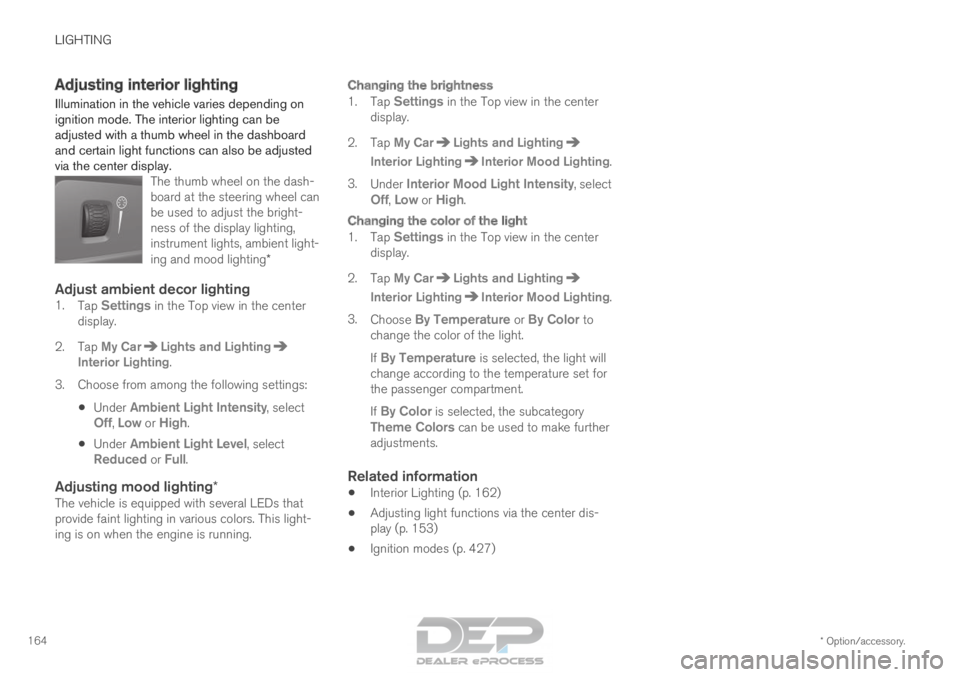
via the center display. The thumb wheel on the dash-
board at the steering wheel can
be used to adjust the bright-
ness of the display lighting,
instrument lights, ambient light-
ing and mood lighting*
Adjust ambient decor lighting1.Tap Settings in the Top view in the center
display.
2.
Tap My Car Lights and Lighting
Interior Lighting.
3.
Choose from among the following settings:
• Under
Ambient Light Intensity, select
Off, Low or High.
• Under
Ambient Light Level, select
Reduced or Full.
Adjusting mood lighting*The vehicle is equipped with several LEDs that
provide faint lighting in various colors. This light-
ing is on when the engine is running.
Changing the brightness
1. Tap Settings in the Top view in the center
display.
2.
Tap My Car Lights and Lighting
Interior Lighting Interior Mood Lighting
.
3. Under Interior Mood Light Intensity, select
Off,
Low or High.
Changing the color of the light
1. Tap Settings in the Top view in the center
display.
2.
Tap My Car Lights and Lighting
Interior Lighting Interior Mood Lighting
.
3. Choose By Temperature or By Color to
change the color of the light.
If By Temperature is selected, the light will change according to the temperature set for
the passenger compartment.
If By Color is selected, the subcategory
Theme Colors can be used to make further adjustments.
Related information
• Interior Lighting (p. 162)
• Adjusting light functions via the center dis-
play (p. 153)
• Ignition modes (p. 427)