sport mode VOLVO XC90 TWIN ENGINE 2018 Owners Manual
[x] Cancel search | Manufacturer: VOLVO, Model Year: 2018, Model line: XC90 TWIN ENGINE, Model: VOLVO XC90 TWIN ENGINE 2018Pages: 686, PDF Size: 17 MB
Page 9 of 686
7
DRIVER SUPPORT
Driver support systems272
Speed-dependent steering wheelresistance272
Stability system Roll Stability Control273
Electronic Stability Control274
Electronic Stability Control Sport mode275
Activating/deactivating Sport modein Electronic Stability Control275
Electronic Stability Control Sportmode limitations276
Electronic Stability Control symbolsand messages277
Speed limiter278
Activating and starting Speed Limiter279
Managing Speed Limiter speed279
Deactivating and putting Speed Lim-iter in standby mode280
Reactivating Speed Limiter fromstandby mode281
Turning off Cruise Control281
Cruise Control limitations282
Automatic Speed Limiter282
Activating/deactivating AutomaticSpeed Limiter284
Changing Automatic Speed Limitertolerance285
Automatic Speed Limiter limitations285
Cruise control286
Activating and starting Cruise Control287
Managing Cruise Control speed288
Deactivating and putting Cruise Con-trol in standby mode289
Reactivating Cruise Control fromstandby mode290
Switching off Cruise Control290
Distance Alert*291
Head-up display for Distance Alert292
Activating/deactivating Distance Alert293
Setting a time interval for Distance Alert293
Distance Alert limitations294
Adaptive Cruise Control*295
Adaptive Cruise Control and collisionwarning298
Head-up display for Adaptive CruiseControl with collision warning299
Activating and starting AdaptiveCruise Control299
Managing Adaptive Cruise Control speed300
Setting Adaptive Cruise Control timeintervals301
Deactivating/reactivating AdaptiveCruise Control302
Passing assistance with AdaptiveCruise Control304
Starting passing assistance withAdaptive Cruise Control304
Limitations of passing assistancewith Adaptive Cruise Control305
Switching target vehicles with Adap-tive Cruise Control305
Automatic braking with AdaptiveCruise Control306
Adaptive Cruise Control limitations307
Switching between Cruise Controland Adaptive Cruise Control307
Symbols and messages for AdaptiveCruise Control309
Pilot Assist311
Pilot Assist and collision warning314
Head-up display for Pilot Assist dur-ing collision risks315
Activating and starting Pilot Assist315
Managing Pilot Assist speed316
Setting a time interval for Pilot Assist317
Deactivating/reactivating Pilot Assist319
Passing assistance with Pilot Assist321
Starting passing assistance withPilot Assist321
Passing assistance with Pilot Assistlimitations321
Switching target vehicles with Pilot Assist322
Automatic braking with Pilot Assist322
Page 13 of 686
11
AUDIO, MEDIA AND INTERNET
Audio, media and Internet486
Sound settings486
Apps487
Download apps488
Updating apps489
Deleting apps490
Radio490
Starting the radio491
Changing waveband and radio station491
Searching for a radio station492
Storing radio favorites493
Radio settings493
RBDS494
HD Radio™494
Activating and deactivating the HDRadio™496
HD Radio™ sub-channels496
HD Radio™ limitations497
SiriusXM® Satellite radio*498
Using SiriusXM® Satellite radio*499
Settings for SiriusXM® Satellite radio*500
SiriusXM Travel Link®*502
SiriusXM Travel Link®* - Weather503
SiriusXM Travel Link®* - Notifications504
SiriusXM Travel Link®* - Fuel505
SiriusXM Travel Link®* - Sports506
Media player507
Playing media508
Controlling and changing media509
Media searches510
Gracenote®511
CD player*511
Video512
Playing video512
Playing DivX® 512
Video settings513
Streaming media via Bluetooth®513
Connecting a device via Bluetooth®513
Playing media via the USB port514
Connecting a device via the USB port514
Apple® CarPlay®*515
Using Apple® CarPlay®*515
Settings for Apple® CarPlay®*516
Tips for using Apple® CarPlay®*517
Android Auto*518
Using Android Auto*518
Settings for Android Auto*519
Tips for using Android Auto*520
Phone520
Connecting a phone to the car viaBluetooth for the first time521
Connecting a phone to the car viaBluetooth automatically523
Connecting a phone to the car viaBluetooth manually523
Disconnecting a Bluetooth-con-nected phone524
Switch between phones connectedvia Bluetooth524
Removing a Bluetooth-connected phone525
Handling phone calls525
Handling text messages526
Text message settings527
Managing the phone book527
Phone settings528
Settings for Bluetooth devices529
Internet-connected vehicle*529
Connecting the car to the Internetvia a mobile device (Bluetooth)531
Connecting the car to the Internetvia a mobile device (Wi-Fi)531
Connect the car to the Internet viacar modem (SIM card)532
Vehicle modem settings533
Page 98 of 686
||DISPLAYS AND VOICE CONTROL
96
Symbol
Meaning Active high beams off
This symbol lights up in white when
the active high beams are off.
Parking lights are on.
High beams on
This symbol illuminates when the
high beams and parking lights are
on.
Rear fog light on
This symbol illuminates when the
rear fog light is on.
Rain sensor on
This symbol illuminates when the
rain sensor is on.
Preconditioning on
This symbol illuminates when the
engine block/passenger compart-
ment heater or air conditioning are
preconditioning the vehicle.
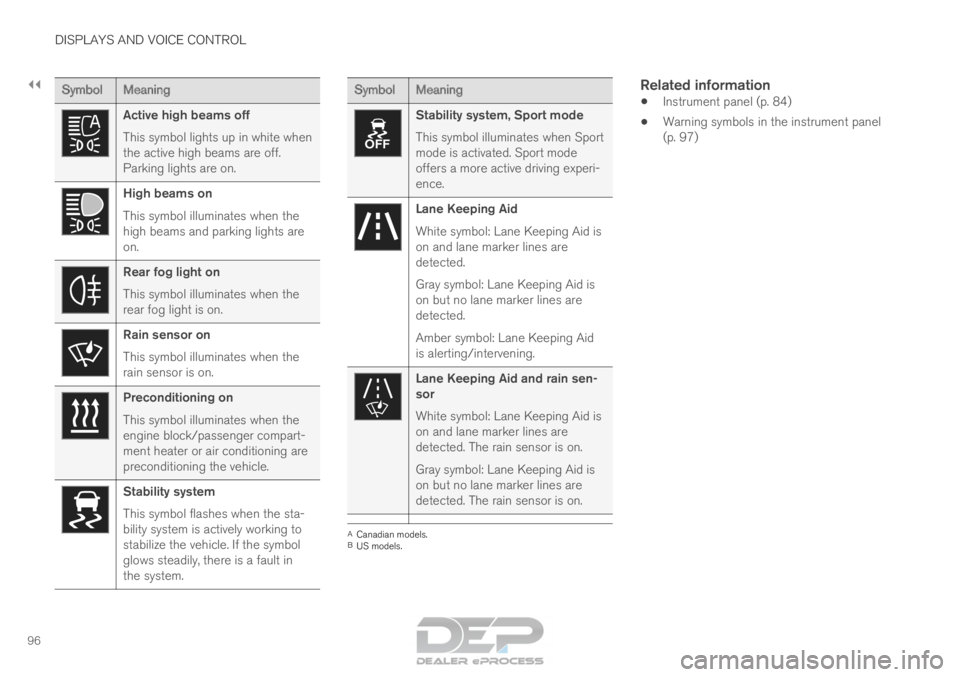
Stability system
This symbol flashes when the sta-
bility system is actively working to
stabilize the vehicle. If the symbol
glows steadily, there is a fault in
the system. Symbol
Meaning Stability system, Sport mode
This symbol illuminates when Sport
mode is activated. Sport mode
offers a more active driving experi-
ence.
Lane Keeping Aid
White symbol: Lane Keeping Aid is
on and lane marker lines are
detected.
Gray symbol: Lane Keeping Aid is
on but no lane marker lines are
detected.
Amber symbol: Lane Keeping Aid
is alerting/intervening.
Lane Keeping Aid and rain sen-
sor
White symbol: Lane Keeping Aid is
on and lane marker lines are
detected. The rain sensor is on.
Gray symbol: Lane Keeping Aid is
on but no lane marker lines are
detected. The rain sensor is on.
A
Canadian models.
B US models.
Related information
• Instrument panel (p. 84)
• Warning symbols in the instrument panel
(p. 97)
Page 276 of 686
DRIVER SUPPORT
* Option/accessory.
274 Electronic Stability Control
The Electronic Stability Control (ESC 2
) function
helps the driver avoid skidding and improves the
vehicle's directional stability.
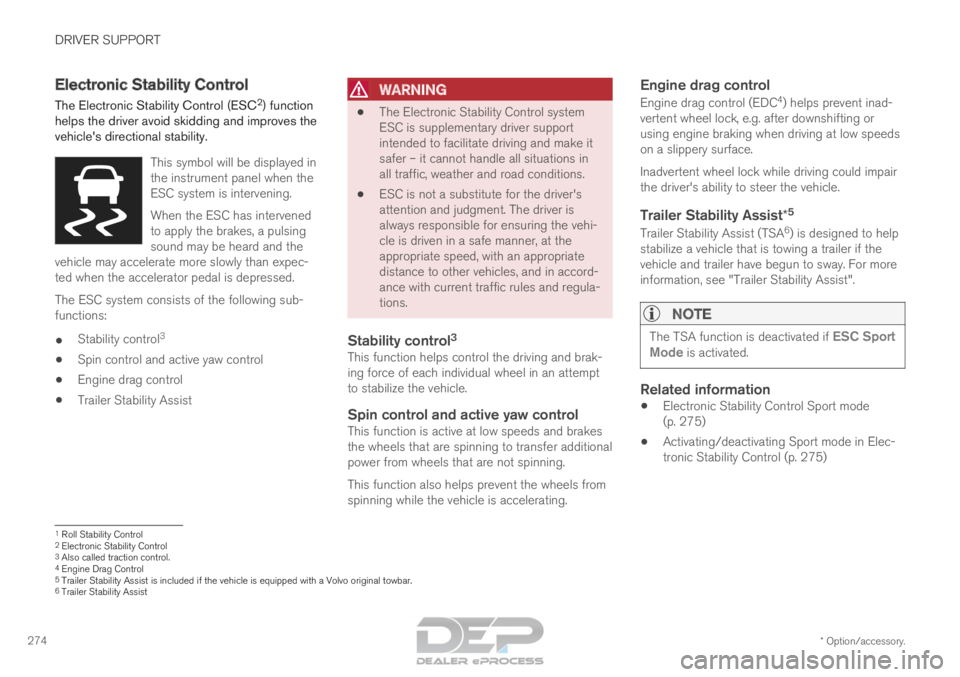
This symbol will be displayed in
the instrument panel when the
ESC system is intervening.
When the ESC has intervened
to apply the brakes, a pulsing
sound may be heard and the
vehicle may accelerate more slowly than expec-
ted when the accelerator pedal is depressed. The ESC system consists of the following sub-
functions:
•
Stability control 3
• Spin control and active yaw control
• Engine drag control
• Trailer Stability Assist
WARNING •
The Electronic Stability Control system
ESC is supplementary driver support
intended to facilitate driving and make it
safer – it cannot handle all situations in
all traffic, weather and road conditions.
• ESC is not a substitute for the driver's
attention and judgment. The driver is
always responsible for ensuring the vehi-
cle is driven in a safe manner, at the
appropriate speed, with an appropriate
distance to other vehicles, and in accord-
ance with current traffic rules and regula-
tions.
Stability control 3This function helps control the driving and brak-
ing force of each individual wheel in an attempt
to stabilize the vehicle.
Spin control and active yaw controlThis function is active at low speeds and brakes
the wheels that are spinning to transfer additional
power from wheels that are not spinning.
This function also helps prevent the wheels from
spinning while the vehicle is accelerating.
Engine drag control
Engine drag control (EDC
4
) helps prevent inad-
vertent wheel lock, e.g. after downshifting or
using engine braking when driving at low speeds
on a slippery surface.
Inadvertent wheel lock while driving could impair
the driver's ability to steer the vehicle.
Trailer Stability Assist* 5
Trailer Stability Assist (TSA
6
) is designed to help
stabilize a vehicle that is towing a trailer if the
vehicle and trailer have begun to sway. For more
information, see "Trailer Stability Assist".
NOTE The TSA function is deactivated if
ESC Sport
Mode is activated.
Related information
• Electronic Stability Control Sport mode
(p. 275)
• Activating/deactivating Sport mode in Elec-
tronic Stability Control (p. 275) 1
Roll Stability Control
2 Electronic Stability Control
3 Also called traction control.
4 Engine Drag Control
5Trailer Stability Assist is included if the vehicle is equipped with a V\
olvo original towbar.6 Trailer Stability Assist
Page 277 of 686
DRIVER SUPPORT
275
•
Electronic Stability Control Sport mode limi-
tations (p. 276)
• Electronic Stability Control symbols and mes-
sages (p. 277) Electronic Stability Control Sport
mode
The ESC 7
system is always activated and can-
not be switched off. However, the driver can
select ESC Sport Mode, which offers more
active driving characteristics.
With the
ESC Sport Mode sub-function
selected, intervention from ESC is reduced and
more lateral movement is permitted, giving the
driver more control of the vehicle than usual.
When ESC Sport Mode is selected, ESC may
seem to be disabled even though it is often
assisting the driver.
NOTE When the
ESC Sport Mode function is
selected, the trailer stabilizer (TSA 8
) is
switched off. ESC Sport Mode also helps provide maximum
traction if the vehicle gets stuck or is driving on a
loose surface such as deep snow or loose sand.
Related information
• Electronic Stability Control (p. 274) Activating/deactivating Sport mode
in Electronic Stability Control
The ESC
9
system is always activated and can-
not be switched off. However, the driver can
select Sport mode, which offers more active
driving characteristics. Sport mode can be activated/
deactivated in the center dis-
play's Function view. –
Tap the
ESC Sport Mode button in Func-
tion view.
>
Sport mode is activated when the indica-
tor light is green, and deactivated when
the indicator light is gray.
When ESC Sport Mode is activated,
this symbol will illuminate with a steady
glow in the instrument panel. It will
remain on until the driver deactivates
the function or until the engine is turned off. The
ESC system will return to normal mode the next
time the engine is started.
Related information
• Electronic Stability Control (p. 274) 7
Electronic Stability Control
8 Trailer Stability Assist
9 Electronic Stability Control
Page 278 of 686
DRIVER SUPPORT
276Electronic Stability Control Sport
mode limitations
There are certain limitations associated with the
ESC 10
system's subfunction ESC Sport Mode
being activated.
The ESC Sport Mode function cannot be
selected when any of the following functions are
activated:
• Speed limiter
• Cruise control
• Adaptive Cruise Control
• Pilot Assist.
Related information
•Electronic Stability Control (p. 274) 10
Electronic Stability Control
Page 279 of 686

DRIVER SUPPORT
277
Electronic Stability Control symbols
and messages
A number of symbols and messages related to
Electronic Stability Control (ESC) may be dis-
played in the instrument panel. Some examples of symbols and messages are
shown in the table below.Symbol
Message MeaningSteady glow for
approx. 2 seconds.
System check when the engine is started.Flashing light.
The ESC is actively operating.Steady glow.
Sport mode is activated.
Note: The ESC system is not deactivated in this mode, but has partially reduc\
ed functionality. ESC
Temporarily off
The ESC system's functionality has been temporarily reduced due to hi\
gh brake system temperatures. The
function will be automatically reactivated when the brakes have cooled.
See the message in the instrument panel.ESC
Service required
The ESC system is not functioning properly.
• Stop the vehicle in a safe place, turn off the engine and then restart i\
t.
• Consult a workshop if the message persists ‒ an authorized Volvo workshop is recommended. A text message can be erased by briefly pressing
the
button in the center of the right-side
steering wheel keypad. If the message persists: Contact a workshop ‒ an
authorized Volvo workshop is recommended.
Related information
• Electronic Stability Control (p. 274)
Page 369 of 686
DRIVER SUPPORT
}}
367
Activating/deactivating Lane
Keeping Aid
The Lane Keeping Aid (LKA
111
) function can be
switched On or Off.
On/OffPress the Lane Keeping Aid
button in the center display's
Function view. •
GREEN button indicator light - LKA is acti-
vated.
• GRAY button indicator light - LKA is deacti-
vated.
Related information
•Lane Keeping Aid (p. 364) Selecting type of assistance for
Lane Keeping Aid
The driver can determine what types of assis-
tance LKA 112
should provide if the vehicle veers
from its lane.
1. Select
Settings My Car IntelliSafe in
the center display's Top view.
2. Under Lane Keeping Aid Mode, select
what assistance LKA should provide:
• Assist the driver will receive steering
assistance but no warning.
• Both - the driver will receive both steering
assistance and a warning.
• Warning - the driver will only receive a
warning.
Related information
• Lane Keeping Aid (p. 364) Lane Keeping Aid limitations
In certain demanding driving conditions, Lane
Keeping Aid may not be able to properly assist
the driver. In these situations, it is recommended
that the function be deactivated. Examples of such situations include:
• road work
• winter driving conditions
• poor road surfaces
• a very sporty driving style
• bad weather with reduced visibility
• roads with indistinct or no lane markings
• sharp edges or lines other than the lane's
side markings
• when the power steering works at reduced
power - e.g. during cooling due to overheat-
ing (see section "Speed-dependent steering
force").
NOTE The function uses the vehicle's camera unit,
which has some general limitations – see the
section "Camera unit limitations".
111
Lane Keeping Aid
112 Lane Keeping Aid
Page 449 of 686
STARTING AND DRIVING
}}
447
OFF ROAD
• Maximizes the vehicle's ability to traverse dif-
ficult terrain or poor roads.
In this mode, ground clearance 4
is high, steering
is light, and all-wheel drive and Hill Descent
Control are activated.
This drive mode is only available at low speeds,
up to 40 km/h (25 mph). If this speed is excee-
ded, Off road mode will be cancelled and AWD
mode will be activated instead.
All-wheel drive requires both the combustion and
electric motor to be in continuous operation,
which results in higher fuel consumption.
In Off road mode, a compass will be displayed
between the speedometer and the tachometer in
the instrument panel. The permissible speed
range will be shown in the speedometer.
This drive mode is optimized for maximum control
when driving at low speeds on very poor roads or
difficult terrain. It raises the chassis 4
, reduces
driveline throttle response, and locks the vehicle
in all-wheel drive. The Hill Descent Control func-
tion facilitates controlled driving on steep down-
grades.NOTE This drive mode is not designed to be used
for normal street driving.
NOTE
Due to the increased ground clearance, if the
OFF ROAD mode was selected when the
engine was switched off, the suspension will
lower when the engine is restarted.
CAUTION
Do not use the OFF ROAD drive mode when
towing a trailer without an electrical connec-
tion. This could result in damage to the pneu-
matic suspension system's bellows.
AWD
•
Improves the vehicle's traction and handling
by increasing all-wheel drive.
This drive mode locks the vehicle in all-wheel
drive. An optimal distribution between front and
rear axle torque helps provide the best possible
control, stability and traction, e.g. on slippery
roads or when towing a heavy trailer or another
vehicle. The AWD drive mode is always available
regardless of the hybrid battery's charge status. Both the combustion engine and the electric
motor are engaged to enable all-wheel drive,
which results in higher fuel consumption.
In the other drive modes, the vehicle automati-
cally adapts the need for all-wheel drive accord-
ing to the road surface, and can activate the elec-
tric motor or start the combustion engine as nee-
ded.
POWER
•
Power mode is designed to provide sportier
driving characteristics and a faster accelera-
tion response.
This drive mode maximizes the combined power
from the combustion engine and the electric
motor by providing power to both the front and
rear wheels. Gear shifting will be faster and more
distinct and the transmission will prioritize gears
with a higher traction force. Steering response is
faster, suspension is stiffer and ground clearance
is lower 4
to help reduce body roll when cornering.
Both the combustion engine and the electric
motor are engaged to enable all-wheel drive,
which results in higher fuel consumption.
This drive mode is optimized for maximum per-
formance and throttle response. It changes the
throttle response, gear shifting program and
turbo boost system. Chassis settings and steer-
ing and brake response are also optimized. The
Power drive mode is always available regardless
of the hybrid battery's charge status. 4
For vehicles with pneumatic suspension.
Page 452 of 686

STARTING AND DRIVING
* Option/accessory.
450 Leveling control* and suspension
The vehicle's leveling control system adjusts the
suspension and shock absorbers automatically
to help provide good comfort and control while
driving. Leveling can also be controlled manually
to facilitate loading or getting in and out of the
vehicle.
Pneumatic suspension and shock
absorbers
The system is adapted to the selected drive
mode and vehicle speed. The pneumatic suspen-
sion reduces the vehicle's ground clearance at
higher speeds to reduce air resistance and
increase stability. The shock absorbers are nor-
mally set to provide the best possible comfort and are adjusted continuously according to the
road surface and the vehicle's acceleration, brak-
ing and cornering.
The instrument panel indicates
when the suspension level is
being adjusted. The level cannot be adjusted when any of the
side doors or the tailgate is open.
ParkingWhen parking, make sure that there is adequate
space above and below the vehicle since ground
clearance may vary depending on e.g. ambient
temperature, how the vehicle is loaded, if loading
mode is used, which drive mode is selected after
the engine is started, etc.
The level may also be adjusted a period after the
vehicle is parked. This is to compensate for any
height changes that may occur due to tempera-
ture changes in the air springs when the vehicle
cools.
TransportingWhen transporting the vehicle on a ferry, train or
truck, only secure (lash) the vehicle around the
tires, not using any other parts of the chassis.
Changes in the pneumatic suspension may occur
during transport, which could adversely affect the
lashing and result in damage.