lights VOLVO XC90 TWIN ENGINE 2018 Owner's Manual
[x] Cancel search | Manufacturer: VOLVO, Model Year: 2018, Model line: XC90 TWIN ENGINE, Model: VOLVO XC90 TWIN ENGINE 2018Pages: 686, PDF Size: 17 MB
Page 172 of 686
WINDOWS, GLASS AND MIRRORS
* Option/accessory.
170 •
Storing memory settings in power front
seats* (p. 186)
• Activating and deactivating the heated rear
window and door mirrors (p. 223) Adjusting the rearview mirror
dimming function
Bright light entering the vehicle from behind, e.g.
from the headlights of following vehicles, could
reflect in the rearview mirror and door mirrors
and cause a glare. Use the dimming function
when light from behind is distracting.
Auto-dimIf bright light enters the vehicle from behind, the
door mirrors will automatically dim. Auto-dim is
always active when the engine is running, except
when reverse gear is engaged.
NOTE When the level of sensitivity is changed, this
change will not be noticeable immediately but
will instead take effect after a short period of
time.
The sensitivity level for dimming will affect both
the rearview mirror and door mirrors.
1.
Tap Settings in the Top view in the center
display.
2.
Tap My Car Mirrors and Convenience
.
3. Under Rearview Mirror Auto Dimming ,
select
Normal, Dark or Light.
The rearview mirror instead has two sensors -
one pointing forward and one pointing rearward -
which work together to identify and eliminate glare. The forward-pointing sensor monitors
ambient light, while the rearward-pointing sensor
monitors light from the headlights of following
vehicles.
For the door mirrors to be equipped with auto-
dim, the rearview mirror must also be equipped
with auto-dim.
NOTE
If the sensors are obstructed by e.g. a parking
permit, transponder, sunshade or objects on
the seats or in the cargo compartment in a
way that prevents light from reaching the sen-
sors, the auto-dim function in the door and
rearview mirrors will be reduced.
Related information
•
Rearview/door mirrors (p. 169)
• Adjusting the door mirrors (p. 171)
Page 181 of 686

WINDOWS, GLASS AND MIRRORS
}}
* Option/accessory. 179
•
Windshield wipers in the service position
(p. 649)
• Replacing windshield wiper blades (p. 648)
• Changing rear window wipers (p. 647)
• Using the windshield wipers (p. 176) Using the windshield and headlight
washers
The windshield and headlight washers clean the
windshield and headlights. Use the right-side
steering wheel lever to start the windshield and
headlight washers.
Starting the windshield and headlight
washers Washing function, right-hand steering wheel lever.
–
Move the right-hand steering wheel lever
toward the steering wheel to start the wind-
shield and headlight washers.
>
After the lever is released, the wipers
make several extra sweeps.
CAUTION Avoid activating the washer system when it is
frozen or the fluid reservoir is empty. Other-
wise, there is a risk of damaging the pump.
Headlight washer*To save washer fluid, the headlights are washed
automatically according to a defined interval
when the headlights are on.
Reduced washingWhen there is about 1 liter (1 qt) of washer fluid
left in the reservoir and the
Washer fluid Level
low, refill message is displayed in the instrument
panel together with the symbol, the washer
fluid supply to the headlights is cut off. This is to
prioritize windshield cleaning and visibility
through it. The headlights are only washed if high
or low beam is on.
Related information
• Using the rain sensor (p. 177)
• Using automatic rear window wiping when
backing up (p. 181)
• Heated windshield washer nozzles* (p. 177)
• Using the rain sensor's memory function
(p. 178)
• Using the rear window wiper/washer
(p. 180)
• Filling washer fluid (p. 650)
Page 219 of 686
CLIMATE CONTROL
* Option/accessory.217
Activating and deactivating the heated
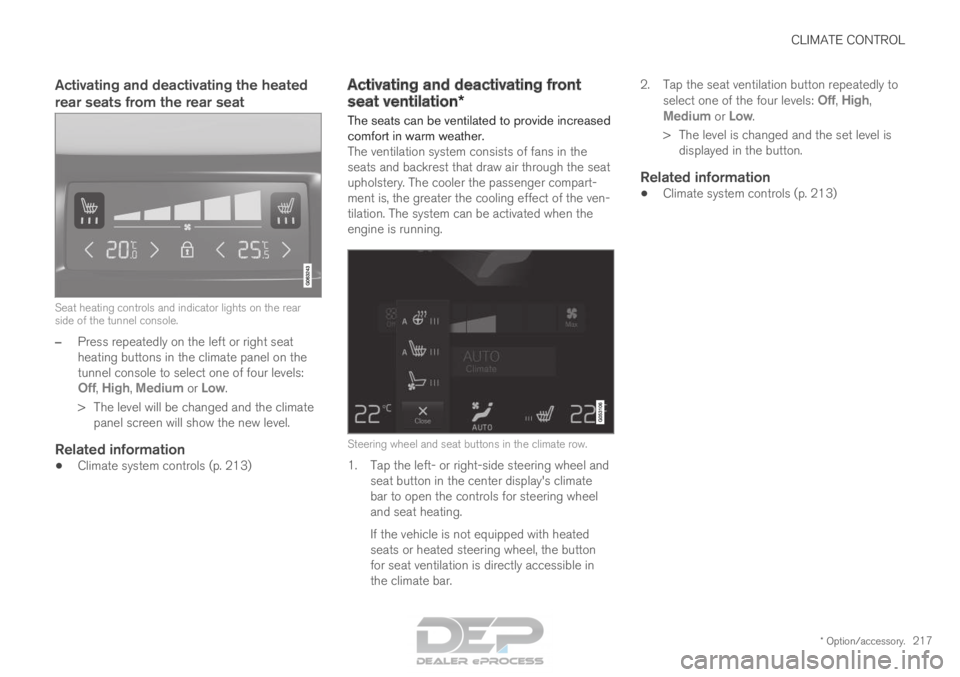
rear seats from the rear seatSeat heating controls and indicator lights on the rear
side of the tunnel console.
–
Press repeatedly on the left or right seat
heating buttons in the climate panel on the
tunnel console to select one of four levels:
Off
, High, Medium or Low.
>
The level will be changed and the climate
panel screen will show the new level.
Related information
• Climate system controls (p. 213) Activating and deactivating front
seat ventilation*
The seats can be ventilated to provide increased
comfort in warm weather.
The ventilation system consists of fans in the
seats and backrest that draw air through the seat
upholstery. The cooler the passenger compart-
ment is, the greater the cooling effect of the ven-
tilation. The system can be activated when the
engine is running.
Steering wheel and seat buttons in the climate row.
1. Tap the left- or right-side steering wheel and
seat button in the center display's climate
bar to open the controls for steering wheel
and seat heating.
If the vehicle is not equipped with heated
seats or heated steering wheel, the button
for seat ventilation is directly accessible in
the climate bar. 2.
Tap the seat ventilation button repeatedly to
select one of the four levels: Off,
High,
Medium or Low.
>
The level is changed and the set level is
displayed in the button.
Related information
• Climate system controls (p. 213)
Page 221 of 686
CLIMATE CONTROL
}}
219
Activating auto climate control
If auto climate control is activated, several cli-
mate system functions are controlled automati-
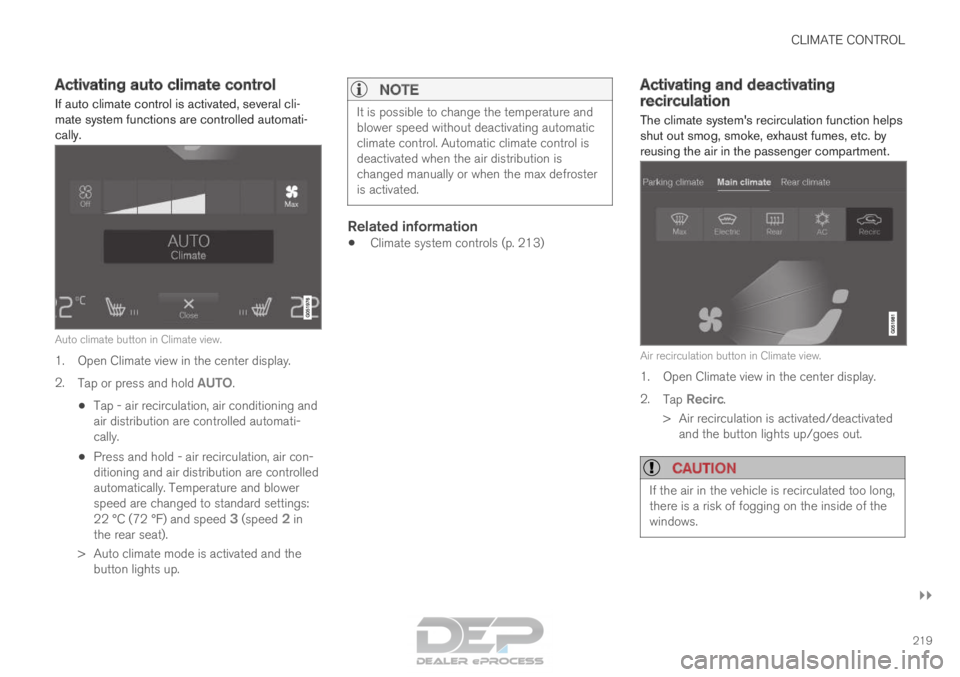
cally. Auto climate button in Climate view.
1. Open Climate view in the center display.
2.
Tap or press and hold AUTO.
• Tap - air recirculation, air conditioning and
air distribution are controlled automati-
cally.
• Press and hold - air recirculation, air con-
ditioning and air distribution are controlled
automatically. Temperature and blower
speed are changed to standard settings:
22 °C (72 °F) and speed
3 (speed 2 in
the rear seat).
>
Auto climate mode is activated and the
button lights up.
NOTE It is possible to change the temperature and
blower speed without deactivating automatic
climate control. Automatic climate control is
deactivated when the air distribution is
changed manually or when the max defroster
is activated.
Related information
•
Climate system controls (p. 213) Activating and deactivating
recirculation
The climate system's recirculation function helps
shut out smog, smoke, exhaust fumes, etc. by
reusing the air in the passenger compartment. Air recirculation button in Climate view.
1. Open Climate view in the center display.
2.
Tap Recirc.
>
Air recirculation is activated/deactivated
and the button lights up/goes out.
CAUTION If the air in the vehicle is recirculated too long,
there is a risk of fogging on the inside of the
windows.
Page 222 of 686
||CLIMATE CONTROL
* Option/accessory.
220
NOTE Recirculation cannot be activated when the
max defroster is on.
Related information
•
Climate system controls (p. 213)
• Activating and deactivating the recirculation
timer setting (p. 220) Activating and deactivating the
recirculation timer setting
The climate system's recirculation function helps
shut out smog, smoke, exhaust fumes, etc. by
reusing the air in the passenger compartment. When the recirculation timer is activated, air recir-
culation will switch off automatically after 20
minutes.
1. Tap Settings in the Top view in the center
display.
2. Tap Climate.
3. Tap Recirculation Timer to activate/deacti-
vate the recirculation timer.
Related information
• Activating and deactivating recirculation
(p. 219) Activating and deactivating max
defroster
Max defroster is used to quickly remove conden-
sation and ice from windows.
Activating and deactivating max
defroster from the center console
A button in the center console offers quick
access to the max defroster.
On vehicles with heated windshields*, the max
defroster can only be activated separately from
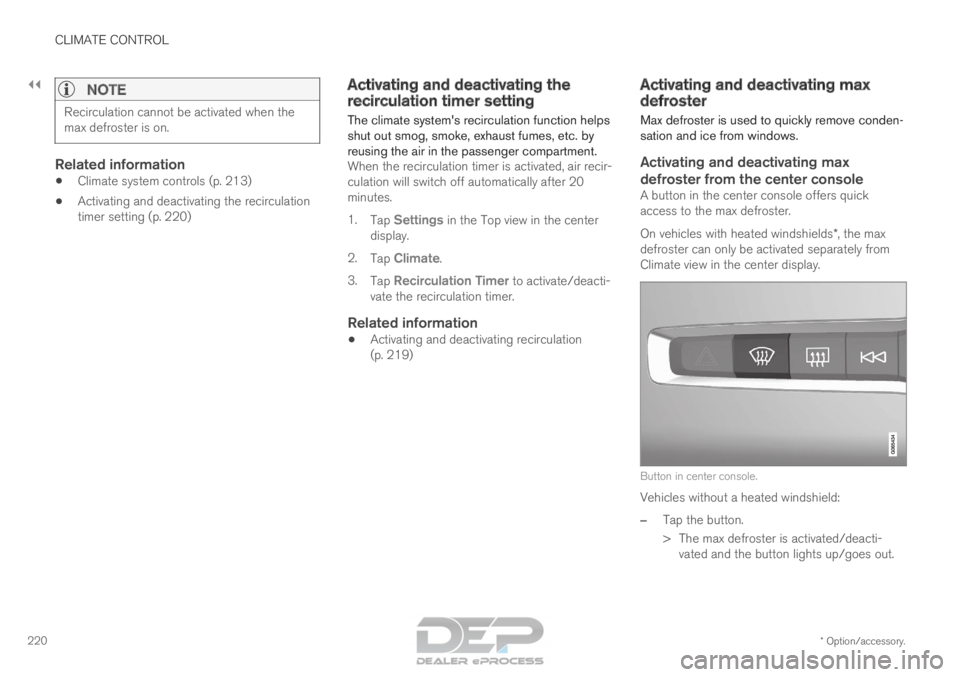
Climate view in the center display. Button in center console.
Vehicles without a heated windshield:
–
Tap the button.
>
The max defroster is activated/deacti-
vated and the button lights up/goes out.
Page 223 of 686
CLIMATE CONTROL
221
Vehicles with a heated windshield:
– Press the button repeatedly to switch
between the three levels:
• Activated windshield heating
• Activated windshield heating and max
defroster
• Deactivated.
>
The heated windshield and max defroster
are activated/deactivated and the button
lights up/goes out.
NOTE The max defroster starts after a slight delay to
avoid a brief increase in blower speed if the
heated windshield function has been deacti-
vated by pressing the button twice in quick
succession.
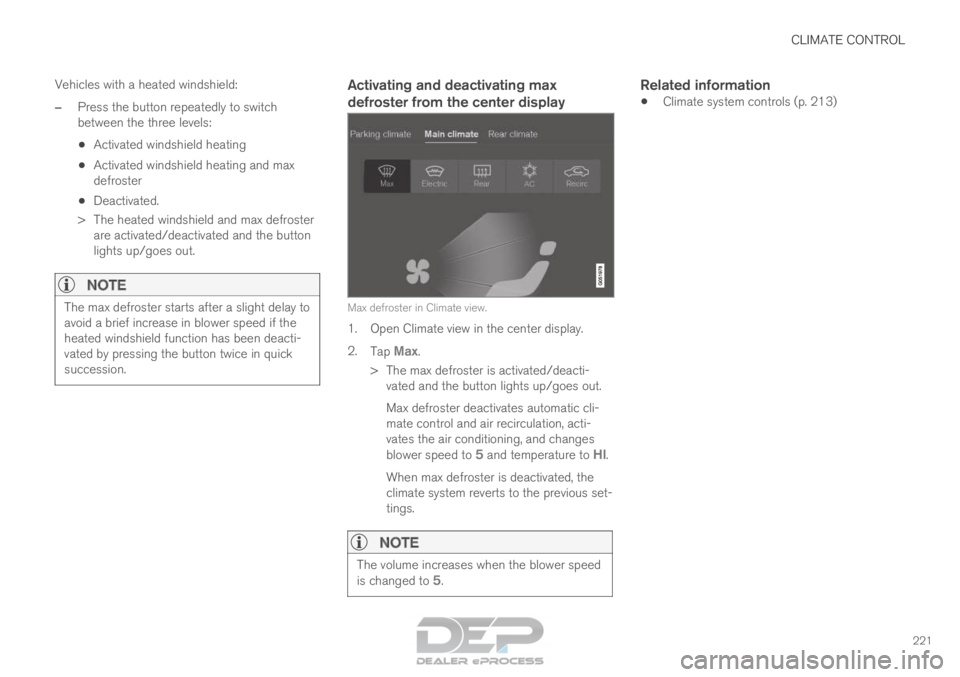
Activating and deactivating max
defroster from the center display Max defroster in Climate view.
1. Open Climate view in the center display.
2.
Tap Max.
>
The max defroster is activated/deacti-
vated and the button lights up/goes out.
Max defroster deactivates automatic cli-
mate control and air recirculation, acti-
vates the air conditioning, and changes
blower speed to 5 and temperature to
HI.
When max defroster is deactivated, the
climate system reverts to the previous set-
tings.
NOTE The volume increases when the blower speed
is changed to
5.
Related information
•Climate system controls (p. 213)
Page 224 of 686
CLIMATE CONTROL
* Option/accessory.
222 Activating and deactivating the
heated windshield*
Windshield heating is used to quickly remove
condensation and ice from the windshield.
Activating and deactivating windshield
heating from the center console
A button in the center console is used to quickly
access windshield heating.
Button in center console.
–
Press the button repeatedly to switch
between the three levels:
• Activated windshield heating
• Activated windshield heating and max
defroster
• Deactivated.
>
The heated windshield and max defroster
are activated/deactivated and the button
lights up/goes out.
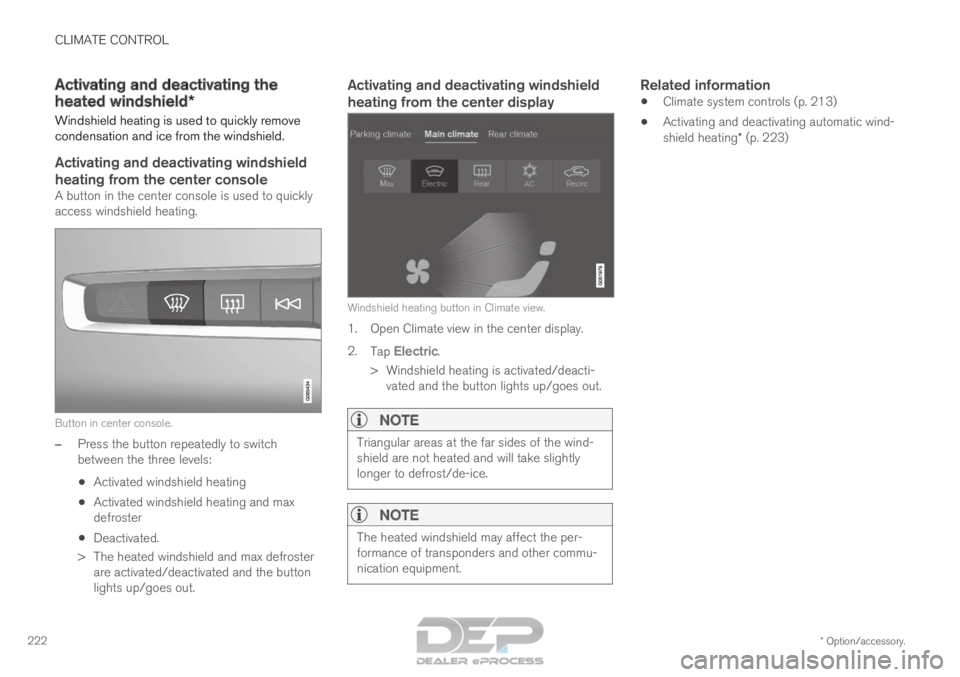
Activating and deactivating windshield
heating from the center display Windshield heating button in Climate view.
1. Open Climate view in the center display.
2.
Tap Electric.
>
Windshield heating is activated/deacti-
vated and the button lights up/goes out.
NOTE Triangular areas at the far sides of the wind-
shield are not heated and will take slightly
longer to defrost/de-ice.
NOTE
The heated windshield may affect the per-
formance of transponders and other commu-
nication equipment.
Related information
•
Climate system controls (p. 213)
• Activating and deactivating automatic wind-
shield heating* (p. 223)
Page 225 of 686
CLIMATE CONTROL
* Option/accessory.223
Activating and deactivating
automatic windshield heating*
Windshield heating is used to quickly remove
condensation and ice from the windshield.
Windshield heating can be set to automatically
activate when the engine is started. With auto-
matic start activated, heating will be activated
when there is a risk of ice or condensation on the
windows or mirrors. Heating is automatically
switched off when the window or door mirror is
sufficiently warm and the condensation or ice is
gone.
1. Tap Settings in the Top view in the center
display.
2. Tap Climate.
3. Select Auto Front Defroster to activate/
deactivate automatic windshield heating.
Related information
• Activating and deactivating the heated wind-
shield* (p. 222) Activating and deactivating the
heated rear window and door
mirrors
The heated rear window and door mirrors are
used to quickly remove condensation and ice
from the glass.
Activating and deactivating the heated
rear window and door mirrors from the
center console
A button in the center console offers quick
access to the heated rear window and door mir-
rors functions.
Button in center console.
–
Tap the button.
>
Heated windows and door mirrors are
activated and the button lights up/goes
out.
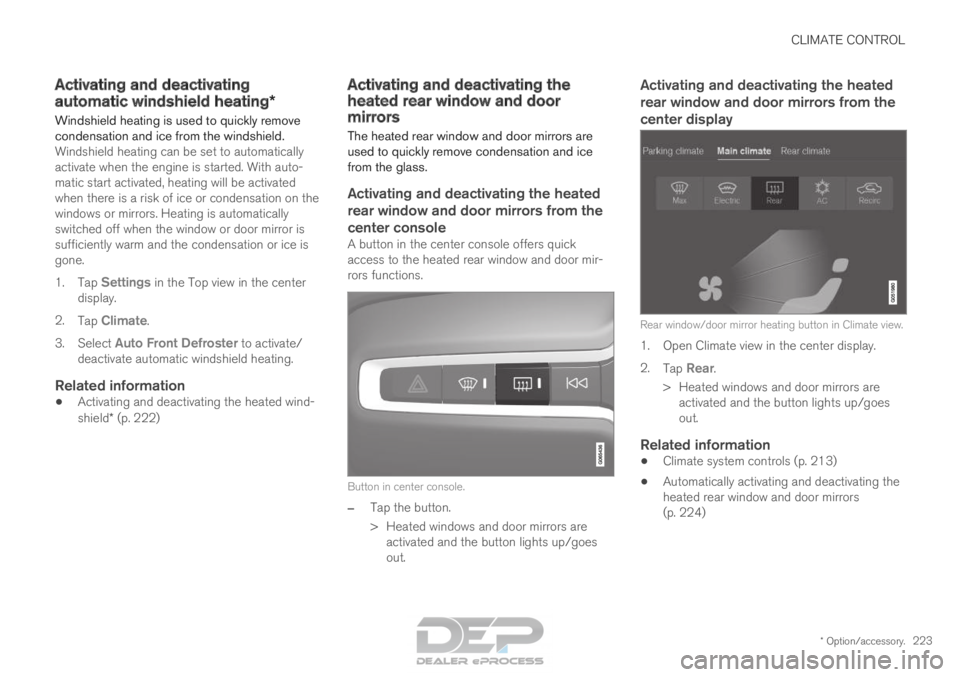
Activating and deactivating the heated
rear window and door mirrors from the
center display Rear window/door mirror heating button in Climate view.
1. Open Climate view in the center display.
2.
Tap Rear.
>
Heated windows and door mirrors are
activated and the button lights up/goes
out.
Related information
• Climate system controls (p. 213)
• Automatically activating and deactivating the
heated rear window and door mirrors
(p. 224)
Page 230 of 686
CLIMATE CONTROL
* Option/accessory.
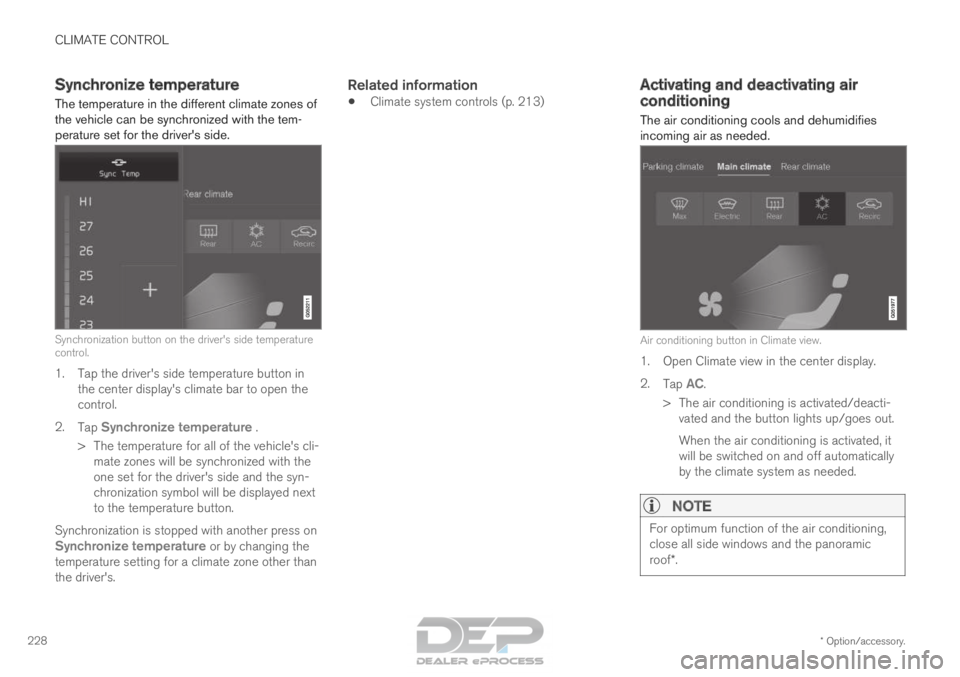
228 Synchronize temperature
The temperature in the different climate zones of
the vehicle can be synchronized with the tem-
perature set for the driver's side. Synchronization button on the driver's side temperature
control.
1. Tap the driver's side temperature button in
the center display's climate bar to open the
control.
2. Tap Synchronize temperature .
>
The temperature for all of the vehicle's cli-
mate zones will be synchronized with the
one set for the driver's side and the syn-
chronization symbol will be displayed next
to the temperature button.
Synchronization is stopped with another press on Synchronize temperature or by changing the
temperature setting for a climate zone other than
the driver's.
Related information
• Climate system controls (p. 213) Activating and deactivating air
conditioning
The air conditioning cools and dehumidifies
incoming air as needed. Air conditioning button in Climate view.
1. Open Climate view in the center display.
2.
Tap AC.
>
The air conditioning is activated/deacti-
vated and the button lights up/goes out.
When the air conditioning is activated, it
will be switched on and off automatically
by the climate system as needed.
NOTE For optimum function of the air conditioning,
close all side windows and the panoramic
roof*.
Page 231 of 686

CLIMATE CONTROL
* Option/accessory.229
NOTEThe air conditioning cannot be activated when
the fan speed is set to
Off.
Related information
•Climate system controls (p. 213) Activating and deactivating climate
control for the third-row seats*
The air conditioning cools and dehumidifies
incoming air as needed. Air conditioning button in the Rear climate tab in Cli-
mate view.
1. Open Climate view in the center display and select the Rear climate tab.
2. Tap 3rd row climate.
>
The air conditioning is activated/deacti-
vated and the button lights up/goes out.
NOTE The air conditioning for the third row of seats
is automatically activated if any of the third
row seat belts are buckled.
It is not possible to manually activate air con-
ditioning for the third row of seats if the main
air conditioning system is deactivated or the
climate system for the second row of seats is
deactivated.
Related information
•
Climate system controls (p. 213)